15 Best Brother Printer All-in-One Models for 2027 Reviews
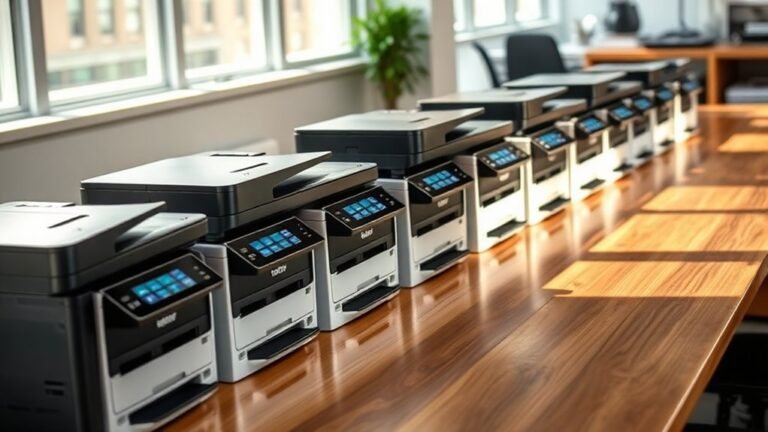
If you’re on the hunt for a reliable Brother all-in-one printer in 2027, you’ve got some great options to consider. Whether you need a compact monochrome printer like the DCP-L2640DW or something with wireless color capabilities such as the Work Smart 1360, there’s something for every need.
Looking for versatility? The MFC-L2820DW offers solid 4-in-1 features and excellent connectivity. For business teams that require secure, high-speed scanning, the MFC-L8930CDW is a perfect pick.
No matter if you prioritize ink efficiency, printing speed, or smart features, these Brother all-in-one models cover all the bases. You’ll easily find the one that fits your specific needs perfectly.
| Image | Name | Editor's Rating | Price |
|---|---|---|---|

|
|
||

|
|
||

|
|
||

|
|
||

|
|
Brother DCP-L2640DW Wireless Compact Monochrome Printer
- BEST FOR SMALL BUSINESSES – Engineered for extraordinary productivity, the Brother DCP-L2640DW Monochrome (Black & White) 3-in-1 combines laser printer, scanner, copier...
- FAST PRINTER WITH EFFICIENT SCANNING – Produces documents quickly with print speeds up to 36 ppm(2) and scan speeds up to 23.6/7.9 ipm(3) (black/color). A 50-page auto...
- FLEXIBLE CONNECTION OPTIONS – Easily navigate the changing demands of your business with secure multi-device connectivity via built-in dual-band wireless (2.4GHz...
- BROTHER MOBILE CONNECT APP – Print, scan, and manage your wireless printer anytime, from almost anywhere from your mobile device. Order Brother Genuine Supplies, track...
- CHOOSE BROTHER GENUINE TONER – When it’s time to replace your toner, be sure to choose Brother Genuine TN830 or TN830XL replacement toner. And with Refresh EZ Print...

Experience streamlined productivity with the Brother DCP-L2640DW wireless monochrome printer. This compact all-in-one device combines printing, scanning, and copying to help busy offices handle multiple tasks efficiently. Its design saves valuable space while supporting high-volume workflows.
Print documents quickly at up to 36 pages per minute. Automatic duplex printing reduces paper use and manual effort, making double-sided printing simple. The 50-page auto document feeder speeds up scanning and copying jobs, keeping your day moving smoothly.
Wireless dual-band connectivity and mobile app compatibility allow you to print from various devices without hassle. This flexibility supports modern work environments where mobility and convenience are essential. Plus, the ENERGY STAR® certification ensures lower power consumption.
Maintenance is easy with a 250-sheet paper tray that suits moderate workloads. While it prints in monochrome only, it meets the needs of offices focused on text documents. The basic LCD interface keeps controls straightforward, though it lacks a touchscreen.
Best for: Small businesses and home offices needing a reliable, space-saving monochrome multifunction printer with efficient wireless features.
What We Like:
- Fast print speeds with automatic duplexing to save time and paper.
- Compact all-in-one design with a 50-page auto document feeder for multitasking.
- Dual-band wireless and mobile app support for flexible device connectivity.
- ENERGY STAR® certified for reduced energy consumption.
Specification:
| Feature | Details |
|---|---|
| Manufacturer | Brother |
| Dimensions (W x D x H) | Compact size (exact size not provided) |
| Weight | Not specified |
| Color | Monochrome (black and white) |
| Paper Tray Capacity | 250 sheets |
| Print Speed | Up to 36 pages per minute |
| Connectivity | Dual-band wireless, mobile app support |
| Document Feeder Capacity | 50 pages |
Brother Work Smart 1360 Wireless Color Inkjet All-in-One Print, Scan, Copy
- AFFORDABLE ALL-IN-ONE FOR HOME AND HOME OFFICE: Print, copy, and scan on one compact wireless printer designed for everyday home office printing, schoolwork, documents...
- EASY TO USE WITH CLOUD APP CONNECTIONS: Print from and scan to popular Cloud apps(2), including Google Drive, Dropbox, Box, OneDrive, and more from the simple-to-use...
- FULL-SIZE FEATURES IN A COMPACT DESIGN: This printer includes automatic duplex (2-sided) printing, a 20-sheet single-sided Automatic Document Feeder (ADF)(3), and a...
- MULTIPLE CONNECTION OPTIONS: Connect your way. Interface with your printer on your wireless network or via USB.
- MOBILE PRINTING MADE EASY: Go mobile with the Brother Mobile Connect app(5) that delivers easy onscreen menu navigation for printing, copying, scanning, and device...
The Brother Work Smart 1360 Wireless Color Inkjet All-in-One is designed to simplify your daily printing, scanning, and copying tasks. Its wireless connectivity lets you print directly from smartphones and cloud services, making it easy to work from anywhere in your home or office. This flexibility helps you stay productive without being tied to a desk.
With features like automatic duplex printing and a 20-sheet automatic document feeder (ADF), this printer handles multi-page jobs efficiently. It delivers clear black-and-white prints at up to 16 pages per minute and vibrant color prints at up to 9 pages per minute, suitable for both documents and photos.
The compact design fits neatly in smaller spaces, while energy-saving modes help reduce electricity use. Maintenance is straightforward, and the option for ink subscription services can minimize downtime and control costs. However, the single paper tray holds only 150 sheets, which may require frequent refills in busier settings.
Best for: small business owners or home users needing a versatile all-in-one printer with wireless features for everyday printing and scanning.
What We Like:
- Automatic duplex printing and 20-sheet ADF improve document handling.
- Wireless printing from mobile devices and cloud via a simple app.
- Compact footprint with energy-saving functions.
- Ink subscription option for convenient maintenance.
Specification:
| Feature | Details |
|---|---|
| Manufacturer | Brother |
| Dimensions (W x D x H) | Approx. 16.1 x 14.8 x 7.7 in (40.9 x 37.6 x 19.6 cm) |
| Weight | About 12.3 lb (5.6 kg) |
| Printer Type | Wireless Color Inkjet All-in-One |
| Paper Capacity | 150 sheets |
| Print Speed | Up to 16 ppm (black), 9 ppm (color) |
Brother MFC-L2820DW Wireless Monochrome Laser Printer
- BEST FOR SMALL OFFICES – Combining space-saving efficiency and premium monochrome (black & white) print quality with affordability, the Brother MFC-L2820DW delivers...
- EFFICIENT PRINTING & SCANNING – Produces black & white documents quickly with print speeds up to 36 ppm(2) and scan speeds up to 23.6/7.9 ipm(3) (bk/cl). A 50-page auto...
- FLEXIBLE CONNECTION OPTIONS – Securely connect to multiple devices with built-in dual-band wireless (2.4GHz / 5GHz), Ethernet, or connect locally to a single computer...
- 2.7" TOUCHSCREEN – The intuitive 2.7” touchscreen enables effortless navigation with the added ability to print-from and scan-to popular Cloud-based apps such as...
- BROTHER MOBILE CONNECT APP – Print, scan, and manage your wireless printer anytime, from almost anywhere from your mobile device. Order Brother Genuine Supplies, track...
The Brother MFC-L2820DW is designed to streamline your daily tasks in small offices and home workspaces. Its compact, space-saving design fits neatly on desks without sacrificing functionality. Combining printing, copying, scanning, and faxing, this 4-in-1 monochrome laser printer handles multiple roles efficiently.
This model solves common workflow challenges by offering fast print speeds up to 36 pages per minute. Automatic duplex printing reduces paper use and cuts costs, while the 50-page auto document feeder makes scanning and copying multi-page documents hassle-free. Managing tasks is simple via the 2.7″ touchscreen or the Brother Mobile Connect app.
Maintenance is straightforward with a 250-sheet paper tray that balances capacity and size, though heavy users may need to refill more often. Connectivity is flexible, supporting dual-band Wi-Fi, Ethernet, USB, and voice commands through Alexa. This ensures smooth integration into various work environments.
While it only prints in black and white, the MFC-L2820DW offers reliable performance with versatile features that help busy users stay productive. Its efficient design and connectivity options address the needs of those seeking a dependable all-in-one printer.
Best for: Small offices and home workspaces needing a compact, versatile, and efficient monochrome all-in-one printer with strong connectivity options.
What We Like:
- Fast print speeds with automatic duplexing for efficient double-sided printing
- Versatile 4-in-1 functions including copy, scan, and fax with a 50-page auto document feeder
- Multiple connectivity options: dual-band Wi-Fi, Ethernet, USB, plus mobile app control and Alexa support
- Compact design that fits well in limited spaces
- Easy-to-use 2.7″ touchscreen for convenient operation
Specification:
| Feature | Details |
|---|---|
| Manufacturer | Brother |
| Dimensions (W x D x H) | 16.1 x 15.7 x 12.7 inches |
| Weight | 17.2 lbs (7.8 kg) |
| Color | Monochrome (Black & White) |
| Connectivity | Dual-band Wi-Fi, Ethernet, USB |
Brother Work Smart 1410 Wireless Color Inkjet Printer
- BEST FOR HOME OFFICE AND SMALL OFFICE: Get your work done with a multifunction printer. Print, copy, and scan on one convenient, compact printer, with quick and easy...
- EASY-TO-USE TOUCHSCREEN WITH CLOUD APP CONNECTIONS: Seamless integration with the Cloud(2). Print from and scan to popular Cloud apps(2), including Google Drive, Dropbox...
- PRODUCTIVITY-FOCUSED FEATURES: Automatic duplex (2-sided) printing, 20-sheet single-sided Automatic Document Feeder (ADF)(3), 150-sheet paper tray(3). Print at fast...
- MULTIPLE CONNECTION OPTIONS: Connect your way. Interface with your printer on your wireless network or via USB.
- THE BROTHER MOBILE CONNECT APP: Go mobile with the Brother Mobile Connect app(5) for easy onscreen menu navigation for printing, copying, scanning, and device management...
The Brother Work Smart 1410 Wireless Color Inkjet Printer is designed to streamline your printing, copying, and scanning tasks with ease. Its wireless connectivity and cloud integration remove the hassle of cables and allow you to print from multiple devices effortlessly. This makes it a great fit for both home users and small offices needing reliable, versatile functionality.
Navigating the printer is simple thanks to the 2.7” color touchscreen, which lets you control settings quickly. The automatic duplex printing and 20-sheet Automatic Document Feeder (ADF) save time on multi-page jobs. These features enhance productivity by reducing manual intervention.
Maintenance is straightforward with the Brother Mobile Connect app, which lets you monitor ink levels and manage print jobs remotely. However, it uses Brother Genuine LC501 ink cartridges, which might be pricier than third-party options. The 150-sheet tray handles daily print volumes but may require frequent refills for larger tasks.
This printer supports printing directly to popular cloud services like Google Drive and Dropbox, keeping your workflow connected and efficient. While print speeds are moderate, the overall design focuses on convenience and integration to help you work smarter.
Best for: Home users and small offices seeking a wireless color inkjet printer with easy cloud connectivity and mobile management.
What We Like:
- Easy operation via 2.7” color touchscreen and mobile app
- Automatic duplex printing and 20-sheet ADF boost efficiency
- Direct cloud printing supports Google Drive and Dropbox
- Wireless and USB connectivity options for flexible use
Specification:
| Feature | Details |
|---|---|
| Manufacturer | Brother |
| Dimensions (W x D x H) | Not specified |
| Weight | Not specified |
| Connectivity | Wireless, USB |
| Screen | 2.7” Color Touchscreen |
| Paper Tray Capacity | 150 sheets |
| Automatic Document Feeder | 20 sheets |
| Ink Cartridge | Brother Genuine LC501 |
Brother MFC-L8930CDW Color Laser All-in-One Printer
- Updated design, professional results. High-quality output with sharp color and black printing. Fast print and copy speeds up to 33ppm(1) help boost productivity. Reliable...
- Maximize printing budgets. Offers built-in value with included Brother Genuine 3,000-page black and 1,800-page color standard yield toner cartridges. Help lower printing...
- Advanced scanning. High-speed, two-sided scanning up to 104ipm(3) with 80-page auto document feeder(4) and legal-size glass. Scan to cloud, email, SharePoint, and more...
- Productivity-enhancing features. Flexible connectivity, including built-in dual-band (2.4GHz / 5GHz) wireless networking and Gigabit Ethernet networking. 7” color...
- Triple Layer Security. Advanced security features to help keep devices secure, protect documents in transit to and from print devices, and safeguard networks. Includes an...
The Brother MFC-L8930CDW Color Laser All-in-One Printer is designed to simplify demanding office workflows. It combines printing, scanning, copying, and faxing in one compact unit, saving space without sacrificing performance. Its streamlined design is 25% smaller than previous models, fitting easily into busy work environments.
This printer delivers sharp, professional-quality prints at up to 33 pages per minute. Automatic duplex printing and an 80-page auto document feeder allow you to handle large jobs efficiently. High-speed two-sided scanning further enhances productivity by reducing manual tasks.
Maintaining this printer is straightforward, but keep in mind it weighs 71.2 pounds, limiting portability. Standard toner cartridges may require replacement more often during heavy use, though higher-yield options are available. Advanced features like NFC badge authentication help maintain security and control access.
Ideal for business teams and schools, this model supports wireless and mobile printing, making it easy to connect from various devices. Its robust connectivity and security features make it a practical, reliable solution for fast-paced offices.
Best for: Business teams and educational settings needing a compact, secure all-in-one color laser printer with efficient scanning and wireless capabilities.
What We Like:
- Fast printing and copying up to 33 ppm with automatic duplexing
- High-capacity 80-page auto document feeder with two-sided scanning
- Multiple connectivity options including dual-band Wi-Fi, Ethernet, and NFC badge authentication
- Compact design saves valuable office space
- Advanced security features protect sensitive information
Specification:
| Feature | Details |
|---|---|
| Manufacturer | Brother |
| Dimensions (W×D×H) | Compact, 25% smaller than predecessor (exact dimensions not provided) |
| Weight | 71.2 lb (32.3 kg) |
| Print Resolution | Up to 2400 x 600 dpi |
| Print Speed | Up to 33 pages per minute |
| Connectivity | Dual-band wireless, Gigabit Ethernet, NFC badge authentication |
| Document Feeder Capacity | 80 pages |
Brother INKvestment 5010 Wireless Color Inkjet Printer

- BEST FOR SMALL BUSINESS: Print, copy, scan, and fax with one powerful device, with advanced security features for business. Includes one 1,800-page yield black ink...
- PRODUCTIVITY-FOCUSED FEATURES: A 250-sheet paper tray, 50-page single-pass duplex (2-sided) automatic document feeder (ADF), and automatic duplex printing on paper up to...
- SUPERIOR PRINTING: Engineered with the Brother PerfectPrint Auto Detection System, which helps ensure reliable, consistent print quality and performance you can depend on...
- SEAMLESS CONNECTIONS: Simplify your workflow with Wi-Fi Direct and multiple connection options, including wireless network interfacing, Ethernet, and USB. Plus, print...
- THE BROTHER MOBILE CONNECT APP: Put the power of printing at your fingertips. Go mobile with the simple-to-use Brother Mobile Connect app, which delivers easy on-screen...
The Brother INKvestment 5010 Wireless Color Inkjet Printer is designed to handle demanding print jobs with ease. It quickly produces sharp, vibrant color prints and crisp black text, making it ideal for busy workspaces. This all-in-one device combines printing, copying, scanning, and faxing in a compact design.
Its wireless connectivity options, including Wi-Fi Direct and Ethernet, simplify setup and allow easy printing from multiple devices. The 2.7″ touchscreen and Brother Mobile Connect app streamline operation and cloud access, saving time and reducing hassle. Automatic duplex printing and a 50-page duplex ADF help you manage multi-page documents efficiently.
Maintenance is straightforward thanks to the INKvestment system, which uses high-yield cartridges and built-in ink storage. This reduces frequent cartridge changes and lowers running costs, though color cartridges start with a moderate 750-page yield. The 250-sheet tray supports steady printing, but very high-volume users might need to refill it more often.
Overall, this printer suits small businesses and home offices needing reliable, versatile color printing with smart features to boost productivity.
Best for: Small businesses and home offices requiring a high-volume, wireless color all-in-one printer with efficient ink management.
What We Like:
- Fast print speeds with automatic duplexing and a 50-page duplex ADF.
- Cost-saving INKvestment ink system with extended ink storage.
- User-friendly 2.7″ touchscreen and mobile app for easy control.
- Flexible wireless and Ethernet connectivity options.
Specification:
| Feature | Details |
|---|---|
| Manufacturer | Brother |
| Dimensions (W×D×H) | Approximately 16.6 × 14.7 × 7.2 inches (42.2 × 37.3 × 18.3 cm) |
| Weight | Around 18.7 lbs (8.5 kg) |
| Color Options | Standard white with black accents |
| Paper Tray Capacity | 250 sheets |
| Duplex ADF Capacity | 50 pages |
Brother MFC-L3780CDW Wireless Digital Color All-in-One Printer

- Best for Small Businesses: The Brother MFC L3780CDW small business printer is a wireless multi-function digital color printer with copy, scan, and fax functionalities...
- AMPLIFY YOUR PROFESSIONAL DOCUMENTS. This Brother laser printer provides the consistent performance of laser-quality digital color printing
- MAXIMIZE EFFICIENCY WITH ALL-IN-ONE FUNCTIONALITY. This Brother all in one printer has print speeds up to 31 ppm(1) and scan speeds up to 29/22 ipm(2) (black/color) with...
- RELIABLE RESULTS WITH BROTHER GENUINE TONER. Choose Brother Genuine TN229 Standard Yield, TN229XL High Yield, or TN229XXL Super High Yield for your Brother printer...
- Flexible Connection Options: Brother laser color printer has built-in dual band wireless (2.4GHz / 5GHz)(5), Gigabit Ethernet, and Wi-Fi Direct connections, plus a USB...
Experience fast, reliable color printing with the Brother MFC-L3780CDW, designed to keep small businesses and home offices productive. Its laser technology delivers sharp, smudge-free prints at speeds up to 31 pages per minute, letting you finish jobs quickly without sacrificing quality.
This all-in-one printer simplifies daily tasks by combining printing, copying, scanning, and faxing in one compact device. The user-friendly 3.5″ touchscreen makes navigation straightforward, while automatic duplex printing helps reduce paper waste, supporting efficient office management.
Connectivity is flexible with options like dual-band Wi-Fi, Ethernet, and NFC, making it easy to integrate with your existing network. The 250-sheet paper tray handles various media types, including glossy photo paper, so you can tackle diverse printing needs without frequent refills.
Maintenance is manageable, though note the relatively high power consumption of 660 watts and the standard paper capacity may require additional trays for high-volume use. Cloud features enhance functionality but depend on internet access and compatible accounts.
Best for: Small businesses and home offices needing a versatile, high-speed wireless color laser all-in-one printer with advanced connectivity and duplex printing.
What We Like:
- Sharp, smudge-free color prints at up to 31 ppm
- Intuitive 3.5″ touchscreen for easy operation
- Versatile connectivity: dual-band Wi-Fi, Ethernet, and NFC
- Automatic duplex printing to save paper
- Supports multiple media types with a 250-sheet capacity
Specification:
| Feature | Details |
|---|---|
| Manufacturer | Brother |
| Dimensions (W×D×H) | Approx. 16.1″ × 18.7″ × 15.7″ (41 cm × 47.5 cm × 40 cm) |
| Weight | Approx. 27.1 lb (12.3 kg) |
| Printing Technology | Color Laser |
| Connectivity | Dual-band Wi-Fi, Ethernet, NFC |
| Display | 3.5″ Color Touchscreen |
| Paper Capacity | 250 sheets |
Brother INKvestment 1365 Wireless Color Inkjet Printer

- BEST FOR HOME AND HOME OFFICE: This multifunction printer makes it easy to print, copy, and scan—all in one compact printer. Includes one 1,200-page yield black...
- WIRELESS, MOBILE, AND USB CONNECTIVITY: Connect your way. Interface with your printer on your wireless network or via USB. Enhance your workflow with Wi-Fi Direct, which...
- CLOUD APP CONNECTIONS: Print from and scan to popular Cloud apps(3), including Google Drive, Dropbox, Box, OneDrive, and more, from an impressive 1.8” color display...
- PRODUCTIVITY-FOCUSED FEATURES: A 150-sheet paper tray(4), 20-page single-sided automatic document feeder (ADF)(4), and automatic duplex (2-sided) printing. Prints at fast...
- THE BROTHER MOBILE CONNECT APP: Put the power of printing at your fingertips. Go mobile with the Brother Mobile Connect app(6) that delivers easy onscreen menu navigation...
The Brother INKvestment 1365 Wireless Color Inkjet Printer offers a practical solution for those who need an efficient all-in-one device. It simplifies tasks like printing, copying, and scanning, helping you manage daily office work with ease. Its automatic duplex printing reduces paper waste and saves time, making it a smart choice for busy environments.
Designed with a 150-sheet paper tray and a 20-page automatic document feeder, this printer handles moderate workloads without constant attention. Sharp prints at resolutions up to 1,200 x 6,000 dpi ensure professional-quality results for both documents and photos. This printer’s wireless connectivity options, including Wi-Fi and Wi-Fi Direct, allow flexible placement and easy access from multiple devices.
Maintenance is straightforward, with cost-saving ink subscriptions available to keep supplies running efficiently. While the color cartridge yields fewer pages than black, the system supports smooth operation for home users and small offices. The compact design fits well in limited spaces without sacrificing functionality.
Best for: individuals or small offices needing a versatile, reliable wireless color printer with efficient ink management.
What We Like:
- Automatic duplex printing and 20-page ADF improve workflow efficiency
- High-resolution printing delivers sharp, professional-quality images
- Wireless and USB connectivity provide flexible device management
- Cost-effective ink subscriptions help reduce operating costs
Specification:
| Feature | Details |
|---|---|
| Manufacturer | Brother |
| Dimensions (W x D x H) | Approx. 16.1 x 14.7 x 7.9 in |
| Weight | Approx. 15.4 lb (7 kg) |
| Printer Type | Wireless Color Inkjet |
| Paper Tray Capacity | 150 sheets |
| Automatic Document Feeder | 20 pages |
| Print Resolution | Up to 1,200 x 6,000 dpi |
| Connectivity | Wi-Fi, Wi-Fi Direct, USB |
Brother MFC-L3720CDW Wireless Color Laser Printer

- Professional Performance: Dominate your business printing with this Brother Genuine color laser printer delivering exceptional print speeds up to 19 ppm and stunning...
- Advanced Connectivity: Take command of your workflow with dual-band wireless networking (2.4GHz/5GHz), Wi-Fi Direct, and USB 2.0 interface, enabling multiple users to...
- Productivity Powerhouse: Maximize efficiency with the 50-sheet auto document feeder, 250-sheet adjustable paper tray, and automatic duplex printing, ensuring...
- Smart Integration: Transform your workflow with the intuitive 3.5" color touchscreen featuring 48 customizable shortcuts and direct access to popular cloud services...
- Mobile Command Center: Leverage the power of mobile printing with remote access capabilities, toner level monitoring, and complete printer management directly from your...
The Brother MFC-L3720CDW Wireless Color Laser Printer offers a reliable solution for busy home offices and small businesses. It handles printing, scanning, copying, and faxing smoothly, reducing the need for multiple devices. This all-in-one printer ensures sharp, smudge-free documents at speeds up to 19 pages per minute, helping you stay productive.
Its intuitive 3.5″ color touchscreen and companion mobile app make managing print jobs and monitoring toner status easy, even remotely. The printer supports a variety of paper types and sizes, thanks to a 250-sheet adjustable tray and a 50-sheet automatic document feeder, ensuring versatile media handling.
Designed for efficiency, the MFC-L3720CDW features automatic duplex printing to save paper and energy-saving modes to reduce power consumption. While the print resolution peaks at 2400 x 600 dpi, it delivers quality suited to everyday business needs. Maintenance is straightforward, although its 44-pound weight may require a dedicated space.
Best for: Small businesses and home offices looking for a versatile wireless color laser printer with all-in-one functionality and remote management.
What We Like:
- Fast printing at up to 19 ppm with automatic duplexing
- Easy control via 3.5″ touchscreen and mobile app
- Supports diverse media with a 250-sheet tray and 50-sheet ADF
- Energy-saving modes reduce power use
- Reliable all-in-one functions reduce workspace clutter
Specification:
| Feature | Details |
|---|---|
| Manufacturer | Brother |
| Dimensions (W×D×H) | Approximately 16.1×18.5×16.1 in (40.9×47×40.9 cm) |
| Weight | 44 lb (20 kg) |
| Print Technology | Wireless Color Laser |
| Paper Capacity | 250-sheet adjustable tray, 50-sheet ADF |
| Touchscreen | 3.5-inch Color LCD |
Brother INKvestment 4355 Wireless Color Inkjet Printer

- UP TO 1-YEAR OF INK IN-BOX¹ – Enjoy exceptional convenience and savings with enough ink for up to 1 year of printing right out of the box¹.
- REVOLUTIONARY INKVESTMENT TANK TECHNOLOGY – Internal ink tank system works with front-loading cartridges for hassle-free, uninterrupted printing with no manual refills.
- COMPACT ALL-IN-ONE FUNCTIONALITY – Print, copy, scan, and fax with fast speeds, duplex printing, and a 20-page automatic document feeder
- WIRELESS AND CLOUD READY – Print-from and scan-to popular cloud services and mobile devices via the Brother Mobile Connect App³.
- VERSATILE PAPER HANDLING – Features a 150-sheet adjustable paper tray, bypass tray, and automatic duplex printing for letter and legal-size paper.
The Brother INKvestment 4355 Wireless Color Inkjet Printer offers a smart solution for those tired of frequent ink replacements. Designed with INKvestment Tank Technology, it provides up to a year of ink right out of the box, combining internal tanks and easy-to-replace cartridges. This means fewer interruptions and lower ink costs over time.
This printer delivers fast color printing at 19 pages per minute, including automatic duplex printing to save paper. Its 150-sheet adjustable tray supports various paper sizes, making it versatile for home or small office tasks. Wireless connectivity and a user-friendly color touchscreen simplify setup and operation.
Maintenance is straightforward, with no manual ink refills required and Alexa-enabled smart alerts that notify you when ink is running low. However, the automatic document feeder holds only 20 sheets for single-sided scanning, and connectivity options are limited to USB 2.0 alongside wireless.
Energy Star certified, this printer balances performance and efficiency, making it a practical choice for those seeking cost-effective color printing without sacrificing convenience.
Best for: individuals or small businesses needing an affordable, reliable all-in-one printer with low ink consumption and wireless features.
What We Like:
- Up to one year of ink included with minimal maintenance.
- Fast printing speeds with automatic duplex and a 150-sheet tray.
- Alexa-enabled smart ink reordering and easy-to-use color touchscreen.
- Energy Star certified for efficient operation.
Specification:
| Feature | Details |
|---|---|
| Manufacturer | Brother |
| Dimensions (W×D×H) | Not specified |
| Weight | Not specified |
| Color Options | Not specified |
| Connectivity | Wireless, USB 2.0 |
| Automatic Document Feeder Capacity | 20 sheets (single-sided) |
Brother MFC-L5915DW Professional Laser Printer All-in-One

- FAST BUSINESS PRINTING AND COPYING: The Brother MFC-L5915DW business monochrome laser all-in-one printer delivers high-quality output and print and copy speeds of up to...
- LOW-COST OUTPUT: Help reduce operating costs by using the Brother Genuine TN920UXXL ultra high-yield 18,000-page replacement toner cartridge. Includes a Brother Genuine...
- FAST, HIGH-VOLUME SCANNING: The 70-page capacity(3) auto document feeder offers single-pass, two-sided scanning up to 56ipm(4). Features a large document glass for up to...
- FLEXIBLE CONNECTIVITY OPTIONS: Features built‐in Gigabit Ethernet and dual band wireless networking to seamlessly set up and share on your wired.
Experience efficient office productivity with the Brother MFC-L5915DW Professional Laser Printer All-in-One. This monochrome printer handles high-volume tasks at speeds up to 50 pages per minute, reducing wait times and keeping your workflow smooth. Its automatic duplex printing cuts paper use and saves time on double-sided jobs.
The 5″ color touchscreen offers a clear, intuitive interface. Customize shortcuts to quickly access printing, scanning, copying, and faxing functions, simplifying daily operations. The 70-page automatic document feeder (ADF) scans two-sided documents rapidly, supporting busy office demands.
Designed for reliability, the single 250-sheet paper tray keeps your workspace organized but may require refills during heavy use. Connectivity options include Gigabit Ethernet, dual-band Wi-Fi, and USB, ensuring flexible and secure network integration with Triple Layer Security to protect sensitive information.
Maintenance is straightforward, though the initial toner cartridge yields up to 3,000 pages, which may need frequent replacement in very active offices. This all-in-one printer is ideal for small businesses seeking a robust, efficient monochrome solution to streamline office tasks.
Best for: Small businesses and workgroups requiring a fast, dependable monochrome all-in-one printer for high-volume printing and scanning.
What We Like:
- Fast print and copy speeds up to 50 ppm with duplex capability.
- Easy-to-use 5″ color touchscreen with customizable shortcuts.
- Versatile connectivity including Gigabit Ethernet and dual-band Wi-Fi.
- Efficient two-sided scanning with 70-page automatic document feeder.
- Strong security features with Triple Layer Security.
Specification:
| Feature | Details |
|---|---|
| Manufacturer | Brother |
| Model | MFC-L5915DW |
| Print Speed | Up to 50 pages per minute |
| Touchscreen | 5-inch color touchscreen |
| Paper Capacity | 250-sheet single tray |
| Automatic Document Feeder | 70 pages, duplex scanning |
| Connectivity | Gigabit Ethernet, dual-band Wi-Fi, USB |
| Printing Type | Monochrome laser |
Brother Work Smart 1360 Wireless Color Inkjet Printer

- AFFORDABLE ALL-IN-ONE FOR HOME AND HOME OFFICE: Print, copy, and scan on one compact wireless printer designed for everyday home office printing, schoolwork, documents...
- EASY TO USE WITH CLOUD APP CONNECTIONS: Print from and scan to popular Cloud apps(2), including Google Drive, Dropbox, Box, OneDrive, and more from the simple-to-use...
- FULL-SIZE FEATURES IN A COMPACT DESIGN: This printer includes automatic duplex (2-sided) printing, a 20-sheet single-sided Automatic Document Feeder (ADF)(3), and a...
- MULTIPLE CONNECTION OPTIONS: Connect your way. Interface with your printer on your wireless network or via USB.
- MOBILE PRINTING MADE EASY: Go mobile with the Brother Mobile Connect app(5) that delivers easy onscreen menu navigation for printing, copying, scanning, and device...
Experience smooth and efficient printing with the Brother Work Smart 1360 Wireless Color Inkjet Printer. Perfect for home offices and students, this all-in-one device tackles printing, scanning, copying, and faxing in one compact machine. Its design focuses on simplifying your daily tasks while delivering crisp color and black-and-white documents.
Maintenance is straightforward, with a 2-month free ink subscription trial ensuring you won’t run out of ink unexpectedly. The printer supports automatic duplex printing, saving time and paper, while the 20-sheet automatic document feeder helps manage multi-page scans or copies effortlessly. Its 150-sheet tray suits typical home or small office use, though heavy users might need to refill more often.
Connectivity options are versatile: connect easily through Wi-Fi, USB, or mobile apps like AirPrint and Brother Mobile Connect. While color print speeds are modest compared to black-and-white, the sharp resolution guarantees professional-looking results every time.
Best for: individuals and small home offices requiring a versatile, wireless all-in-one printer for everyday color and black-and-white printing, scanning, copying, and faxing.
What We Like:
- Automatic duplex printing and 20-sheet ADF enhance workflow efficiency
- Multiple connectivity options including Wi-Fi and mobile apps
- Includes a 2-month free ink subscription trial for convenient ink management
Specification:
| Feature | Details |
|---|---|
| Manufacturer | Brother |
| Dimensions (W x D x H) | 16.1 x 14.8 x 7.7 inches (40.9 x 37.6 x 19.6 cm) |
| Weight | Approx. 14.3 lbs (6.5 kg) |
| Color Options | White |
| Print Speed (Black) | Up to 16 ppm |
| Print Speed (Color) | Up to 9 ppm |
| Resolution | Up to 1,200 x 6,000 dpi |
| Paper Tray Capacity | 150 sheets |
| ADF Capacity | 20 sheets |
Brother INKvestment 6960 Wireless Color Inkjet Printer

- BEST FOR SMALL BUSINESS: This multifunction printer makes it easy to print, copy, scan, and fax on up to 11”x17” paper. Includes one 1,800-page yield black ink...
- PRODUCTIVITY-FOCUSED FEATURES: 500-sheet capacity with two trays(3), 100-sheet multipurpose tray(3), up to 50-page single-pass duplex copy & scan via ADF(3), and...
- SPEED & QUALITY: Engineered with MAXIDRIVE Technology with print speeds of up to 31 pages per minute (ppm) in black and up to 30 ppm in color(5). The PerfectPrint Auto...
- INNOVATIVE TECHNOLOGY: With Wi-Fi Direct, print wirelessly without an external network connection. Print from and scan to Cloud apps(6), including Google Drive, Dropbox...
- THE BROTHER MOBILE CONNECT APP: The power of printing at your fingertips. Go mobile with the simple-to-use Brother Mobile Connect app(7) that delivers onscreen menu...
The Brother INKvestment 6960 Wireless Color Inkjet All-in-One Printer delivers reliable, high-volume printing tailored for busy office environments. It simplifies complex printing tasks with fast speeds up to 31 pages per minute in black and 30 ppm in color. Automatic duplex printing up to 11″ x 17″ saves time and paper, boosting productivity.
This printer features dual trays supporting up to 500 sheets plus a 100-sheet multipurpose tray, reducing the need for frequent refills. The 3.5” color touchscreen offers straightforward control, while the single-pass duplex ADF handles scanning of up to 50 sheets efficiently. These elements combine for smooth workflow management.
Maintenance is manageable with high-yield ink cartridges designed to lower running costs. The subscription ink service offers convenience through automatic replenishment, though it requires enrollment and auto-renews. The printer’s connectivity options include dual-band Wi-Fi, Ethernet, and cloud app support, enabling seamless wireless and network printing.
Despite its robust build and features, the printer weighs 51.4 pounds, limiting portability. Still, it fits well in small business settings that demand versatile media handling and dependable performance.
Best for: Small businesses and offices needing fast, versatile wireless color printing with robust media capacity.
What We Like:
- Rapid print speeds with automatic duplex up to 11” x 17”
- Large paper capacity from dual trays plus multipurpose tray
- Multiple connectivity options including dual-band Wi-Fi and Ethernet
- High-yield ink cartridges reduce frequent replacements
- User-friendly 3.5” color touchscreen and single-pass duplex scanning
Specification:
| Feature | Details |
|---|---|
| Manufacturer | Brother |
| Dimensions | Not specified |
| Weight | 51.4 lb (23.3 kg) |
| Printer Type | Wireless Color Inkjet All-in-One |
| Paper Capacity | 500 sheets (dual trays) + 100-sheet multipurpose tray |
| Connectivity | Dual-band Wi-Fi, Ethernet, Cloud apps |
| Display | 3.5” color touchscreen |
Brother MFC-L2900DW Professional Laser Printer All-in-One

- Professional Performance: Elevate your business efficiency with this Brother Genuine laser printer delivering lightning-fast 36 ppm output, crystal-clear monochrome...
- Versatile Connectivity: Take command of your workflow with dual-band wireless (2.4GHz/5GHz), Ethernet, or USB connectivity options, plus seamless mobile printing and...
- Advanced Document Handling: Maximize productivity with the 50-page auto document feeder, automatic duplex printing to save paper, and convenient single-pass two-sided...
- Smart Interface: Navigate effortlessly through printing, scanning, and cloud functions using the responsive 3.5 in touchscreen display, with direct access to popular...
- Energy Efficient: Benefit from an enhanced fuser design that delivers 22% reduction in electricity consumption, faster warm-up times from sleep mode, and automatic duplex...
The Brother MFC-L2900DW is a versatile monochrome laser all-in-one printer designed to streamline your office tasks. It handles printing, scanning, copying, and faxing efficiently, making it ideal for busy environments. With a fast print speed of 36 pages per minute, it helps reduce wait times and boosts productivity.
This model features a 250-sheet paper tray and a 50-page automatic document feeder, allowing large jobs to run smoothly without constant attention. The automatic duplex printing and single-pass duplex scanning save time and paper, supporting eco-friendly workflows. Its crisp 1200 x 1200 dpi print resolution ensures professional-quality documents every time.
Connectivity is flexible, offering dual-band Wi-Fi, Ethernet, and USB options. Mobile printing is also supported via Brother Mobile Connect, enabling convenient printing from smartphones or tablets. The 3.5″ touchscreen LCD provides intuitive control, simplifying operation even for less tech-savvy users.
Maintenance is straightforward but keep in mind the starter toner cartridge yields about 700 pages, so replacement may be needed sooner than standard cartridges. Its size and weight (11.8 kg) require some desk space, which should be considered when positioning.
Best for: Small businesses and home offices needing a reliable, fast monochrome all-in-one printer with strong connectivity and duplex features.
What We Like:
- Fast 36 ppm print speed with duplex printing and scanning
- Multiple connectivity options including dual-band Wi-Fi and Ethernet
- Easy operation via 3.5″ touchscreen LCD
- Large paper capacity with 250-sheet tray and 50-page ADF
Specification:
| Feature | Details |
|---|---|
| Manufacturer | Brother |
| Dimensions (W×D×H) | Approx. 16.1 × 15.7 × 12.7 in (41 × 40 × 32.3 cm) |
| Weight | 11.8 kg (26 lbs) |
| Print Technology | Monochrome Laser |
| Print Speed | Up to 36 pages per minute |
| Connectivity | Dual-band Wi-Fi, Ethernet, USB |
| Display | 3.5″ Touchscreen LCD |
Brother INKvestment 4555 Wireless Color Inkjet Printer
- BEST FOR SMALL OFFICE AND SMALL BUSINESS: This multifunction printer makes it easy to print, copy, scan, and fax —all in one compact printer. Includes one 1,800-page...
- INNOVATIVE CONNECTIVITY TECHNOLOGY: Connect your way via ethernet, wireless network, or USB connection. Wi-Fi Direct enables convenient wireless printing, even without an...
- CLOUD APP CONNECTIONS: Print from and scan to popular Cloud apps(4), including Google Drive, Dropbox, Box, OneDrive, and more with an impressive 2.7” color touchscreen...
- PRODUCTIVITY-FOCUSED FEATURES: Automatic duplex (2-sided) printing, 400-sheet paper capacity between 2 trays, 20-page single-sided auto document feeder (ADF), 1-sheet...
- THE BROTHER MOBILE CONNECT APP: Put the power of printing at your fingertips. Go mobile with the Brother Mobile Connect app(7) that delivers easy onscreen menu navigation...
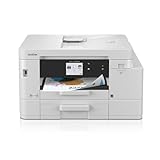
Experience efficient multitasking with the Brother INKvestment 4555 Wireless Color Inkjet Printer, designed to meet the demands of small offices and home businesses. This all-in-one device streamlines your daily tasks by combining printing, copying, scanning, and faxing into one compact machine. Its intuitive 2.7″ color touchscreen simplifies navigation and lets you access cloud apps effortlessly.
Handling large print jobs is easier thanks to two paper trays with a combined capacity of 400 sheets and a 20-sheet automatic document feeder. The printer delivers sharp, vibrant prints at speeds up to 20 ppm for black and 19 ppm for color, with automatic duplex printing to save paper. Connectivity is flexible, with Ethernet, Wi-Fi, USB options, and support for the Brother Mobile Connect app, enabling smooth wireless management.
Maintenance is straightforward, but note the starter color cartridges yield about 750 pages, requiring timely replacement for consistent output. The compact touchscreen may feel limited for some users, and USB direct printing supports JPEG files only, which could restrict file options.
Best for: Small offices and home businesses needing a reliable all-in-one wireless color inkjet printer with versatile connectivity.
What We Like:
- Large paper capacity with two trays and a 20-sheet automatic feeder
- Fast print speeds with automatic duplexing
- Multiple connectivity options including Wi-Fi and mobile app support
Specification:
| Feature | Details |
|---|---|
| Manufacturer | Brother |
| Dimensions (W×D×H) | Approx. 16.1 × 15.7 × 7.2 in |
| Weight | Approx. 16.5 lbs (7.5 kg) |
| Color Options | Black |
| Display | 2.7″ Color Touchscreen |
| Connectivity | Ethernet, Wi-Fi, USB, Mobile App Support |
| Paper Capacity | 2 Trays (400 sheets total), 20-sheet ADF |
| Print Speed | Up to 20 ppm (black), 19 ppm (color) |
| Max Print Resolution | Up to 1200 × 4800 dpi |
Factors to Consider When Choosing Brother Printer All in One

When choosing a Brother All-in-One printer, you’ll want to contemplate how fast you need it to print and whether you require color or just black and white.
Think about the connectivity options that fit your setup and the paper capacity for your typical jobs. Don’t forget to factor in the ongoing costs of ink or toner to keep your printer running smoothly.
Printing Speed Needs
How fast do you really need your Brother all-in-one printer to be? If you print moderately—say 15–20 pages per minute (ppm)—you’re fine with models rated around that speed. But if your daily volume is heavy, aim for 30+ ppm to avoid bottlenecks.
Also, check the first-page-out time; printers with about 5–9 seconds get your initial print quickly, which matters for frequent short jobs. Don’t forget duplex and automatic document feeder (ADF) speeds—they can double your throughput for double-sided printing and multi-page scanning or copying.
Consider warm-up and recovery times too, as faster warm-up means less waiting during intermittent print bursts. Finally, remember speeds vary by mode: monochrome draft is fastest, while high-quality or color prints take longer than stated ppm.
Color Vs Monochrome
Although color multifunction printers offer vibrant, full-color output ideal for photos and marketing materials, they usually print slower and consume more ink or toner than monochrome models.
If your printing mainly involves text or draft documents, a monochrome AIO is more cost-effective, delivering faster black print speeds (often 30–50 ppm) and lower per-page costs.
Color models need multiple cartridges—cyan, magenta, yellow, and black—raising replacement frequency and overall expenses. Keep in mind, both color and monochrome AIOs scan in color, so your scanning needs don’t require color printing.
Choose a color printer if you frequently produce color-accurate marketing materials, but for everyday text-heavy tasks, a monochrome model offers better efficiency and longer maintenance intervals, keeping your total cost of ownership lower.
Connectivity Options Available
Since connectivity determines how easily you can print and scan, Brother all-in-one printers offer various options to fit different needs. Most models support dual-band Wi-Fi (2.4 GHz and 5 GHz), enabling wireless printing and mobile app control without cables.
For office setups, wired Ethernet provides fast, secure network access, ideal for sharing and transferring large files. USB 2.0/3.0 ports let you connect directly to a computer, which is really useful for setup or troubleshooting.
If you print from smartphones or tablets, Wi-Fi Direct and AirPrint/Mopria support allow quick, network-free printing. Some models even add NFC or USB-host features for one-touch printing and scanning, plus offline file access from flash drives.
All these connectivity choices make Brother printers super flexible for home, office, or mobile use. So, whatever your setup, there’s likely a Brother printer that fits just right.
Paper Handling Capacity
When choosing a Brother all-in-one printer, you’ll want to take into account its paper handling capacity to keep your workflow smooth and efficient. Start by checking the input tray size—desktop models typically hold 150–250 sheets, while higher-end options can manage 500 or more. This helps reduce how often you need to refill paper.
If you work with envelopes, labels, or specialty media, look for a multipurpose or manual feed tray, which varies from a single sheet up to 100 sheets. Don’t forget the output tray’s capacity, usually between 100 and 250 sheets, to avoid overflow during large print jobs.
For scanning or copying multipage documents, prioritize models with an automatic document feeder (ADF) and note its sheet capacity and duplex support. Multiple trays or expandable feeders can also boost versatility and capacity. It’s all about finding what fits your specific needs best!
Ink and Toner Costs
If you want to keep your printing expenses under control, you’ll need to look beyond cartridge prices and focus on ink and toner costs per page. Different cartridge SKUs—standard, high-yield, or super-high-yield—offer varying page yields, so compare these to calculate true cost per page.
Remember, color inkjet printers usually have higher per-page color costs than monochrome laser models. Laser toner tends to be more cost-effective for high-volume black-and-white printing.
Subscription services can lower per-page costs through bulk discounts but may add monthly fees and overage rules. It’s worth weighing these pros and cons before signing up.
Using economy or toner-save modes and duplex printing also cuts consumption and costs, though print quality might dip slightly. Finally, factor in replacement parts like drum units and maintenance kits to estimate your printer’s total ongoing operating expenses accurately.
Device Size and Weight
Controlling ink and toner costs is important, but you also need to think about where your Brother all-in-one printer will live. Measure your available desk or shelf space carefully, considering depth, width, and height since models range from compact (~13–18″ deep, ~7–17″ high) to larger office units (>18″ deep, >15″ high).
Don’t forget to include extra room for paper trays, output bins, and open covers, which can add several inches. Check the printer’s weight too—compact units weigh under ~20 lb, while robust models can exceed 40–70 lb.
Make certain your furniture supports the weight and allows ventilation, leaving 2–4 inches clearance to prevent overheating. And hey, if you plan to move the printer often, pick a lighter, more compact model under ~25 lb for easier relocation.
Additional Features Offered
Although size and weight matter, the additional features your Brother all-in-one printer offers can markedly impact your workflow and convenience. A color touchscreen, typically between 1.8″ and 5″, lets you access cloud services, preview scans, and customize shortcuts right on the device.
Automatic document feeders with capacities from about 20 to over 80 pages speed up multi-page scanning and copying. Duplex printing and single-pass duplex scanning save paper and accelerate two-sided tasks.
Network and mobile options like dual-band Wi-Fi, Ethernet, Wi-Fi Direct, AirPrint, Mopria, and companion apps enable remote printing, scanning, and supply ordering. Plus, subscription services and built-in ink or toner monitoring help automate reordering, reducing downtime and potentially lowering costs.
These features can markedly enhance your productivity. So, it’s worth exploring what your Brother printer can do beyond just printing and scanning!
Frequently Asked Questions
How Do Brother Printers Compare to Other Brands in Durability?
You’ll find Brother printers generally more durable than many competitors, thanks to their robust build and reliable components.
They’re designed to handle heavy use, so you won’t worry about frequent breakdowns or replacements. It’s a solid choice if you need something that lasts.
What Is the Average Cost of Replacement Ink or Toner for Brother Printers?
Imagine running out of ink right before printing your presentation. You’ll typically pay $20-$40 for Brother replacement ink cartridges.
Toner cartridges, on the other hand, usually cost between $50 and $100. The exact price depends on your model and the type of cartridge you need.
Are Brother All-In-One Printers Compatible With Mac and Windows Operating Systems?
Yes, Brother all-in-one printers work well with both Mac and Windows. You’ll find drivers and software for both systems, making setup easy.
Just download the latest versions from Brother’s website for smooth compatibility. It’s pretty straightforward and won’t take much time.
Can Brother Printers Connect to Mobile Devices via Bluetooth?
Yes, you can connect Brother printers to mobile devices via Bluetooth on certain models. Just enable Bluetooth on both devices, pair them, and you’ll be able to print wirelessly from your smartphone or tablet with ease.
It’s pretty straightforward once you get the hang of it. Just make sure your printer model supports Bluetooth to avoid any hiccups. Then, you’re all set for wireless printing on the go!
What Warranty Options Are Available for Brother All-In-One Printers?
Isn’t it ironic how your trusty Brother printer comes with a standard one-year warranty, but you’re always hoping it lasts longer?
You can also get extended plans for extra peace of mind and coverage.
These options help protect your printer beyond the basics, so you don’t have to worry about unexpected repairs.
It’s all about keeping your printer running smoothly for as long as you need it!
Conclusion
Choosing the right Brother all-in-one printer boils down to your specific needs—whether you value speed, color quality, or wireless convenience. You might think the most expensive model is always best, but that’s not necessarily true.
Often, mid-range options like the MFC-L2900DW offer an excellent balance of features and reliability. So, take a moment to match your priorities with what each model offers; that’s how you’ll truly get the best value and performance.
When looking for the best Brother printer all-in-one, consider what features matter most to you. Are you printing mostly documents or photos? Do you need fast printing or advanced scanning features? By focusing on your actual needs, you’ll find a model that fits perfectly without overspending.
In the end, the best Brother all-in-one printer is the one that meets your demands for quality, speed, and convenience. Take your time to compare models and pick the one that suits your lifestyle and budget the best.