8 Best Brother Inkjet Photo Printers for 2027 That Impress
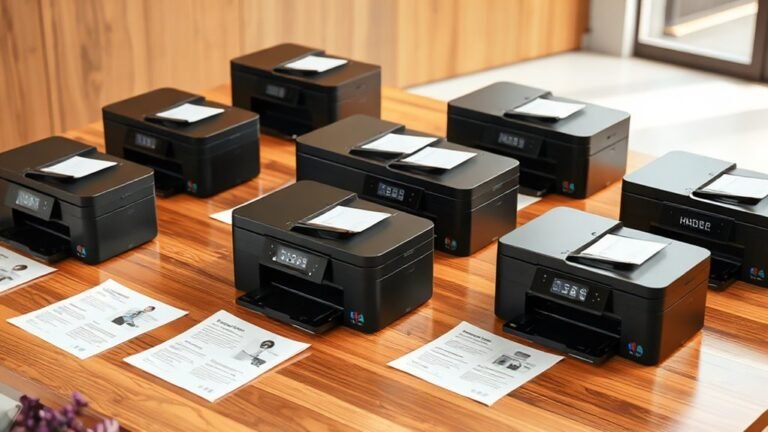
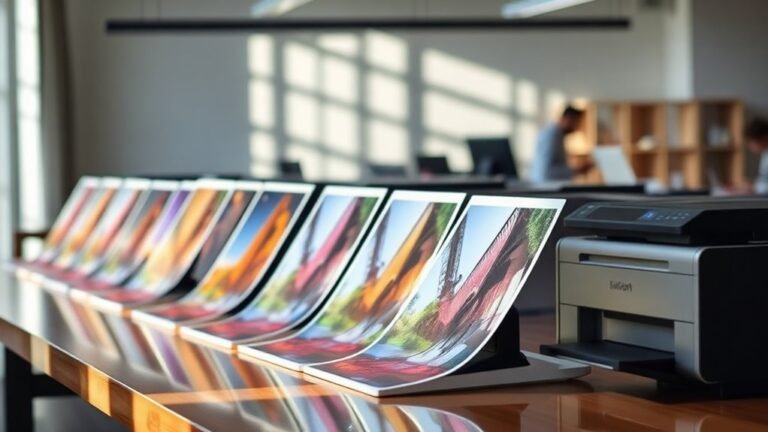
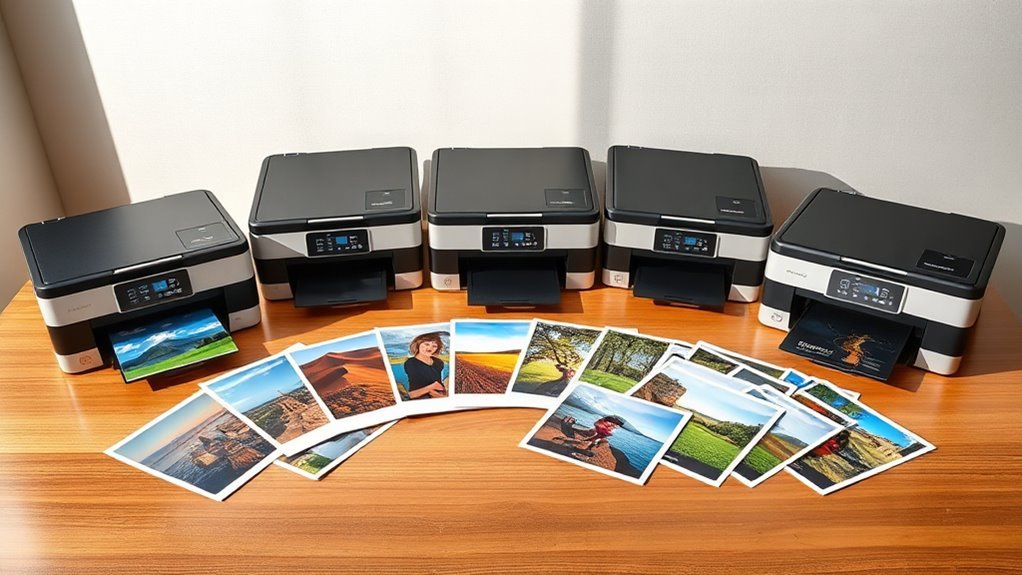
If you’re looking for the best Brother inkjet photo printers in 2027, you’re in the right place. Brother offers eight top-notch models that cater to different needs, whether it’s for home use, small offices, or more demanding print jobs. From the versatile Work Smart 1360, which comes with wireless all-in-one features, to the high-volume INKvestment 6960, known for its fast duplex printing and large paper capacity, there’s something for everyone.
Models like the INKvestment 4355 stand out by combining smart ink savings with crisp, vibrant color output. Plus, many of these printers include handy touchscreen controls and mobile connectivity options. Whether you want convenience, quality, or efficiency, exploring these Brother inkjet photo printers will help you find the perfect fit for your photo printing needs in 2027.
| Image | Name | Editor's Rating | Price |
|---|---|---|---|

|
|
||

|
|
||

|
|
||

|
|
||

|
|
Brother Work Smart 1360 Wireless Color Inkjet All-in-One Print, Scan, Copy
- AFFORDABLE ALL-IN-ONE FOR HOME AND HOME OFFICE: Print, copy, and scan on one compact wireless printer designed for everyday home office printing, schoolwork, documents...
- EASY TO USE WITH CLOUD APP CONNECTIONS: Print from and scan to popular Cloud apps(2), including Google Drive, Dropbox, Box, OneDrive, and more from the simple-to-use...
- FULL-SIZE FEATURES IN A COMPACT DESIGN: This printer includes automatic duplex (2-sided) printing, a 20-sheet single-sided Automatic Document Feeder (ADF)(3), and a...
- MULTIPLE CONNECTION OPTIONS: Connect your way. Interface with your printer on your wireless network or via USB.
- MOBILE PRINTING MADE EASY: Go mobile with the Brother Mobile Connect app(5) that delivers easy onscreen menu navigation for printing, copying, scanning, and device...

The Brother Work Smart 1360 Wireless Color Inkjet All-in-One printer is designed to streamline your daily printing needs. It handles printing, scanning, and copying with ease, delivering clear documents and vibrant color prints. This model reduces hassle with fast print speeds and automated duplex printing, helping you save time on routine tasks.
Its wireless connectivity options, including Wi-Fi Direct and AirPrint, allow seamless printing from smartphones and tablets. Managing jobs is straightforward thanks to the 1.8” color display and an intuitive mobile app. These features make it easy to handle multitasking in busy home offices or small workspaces.
Maintenance is simple with a compact design that fits neatly on your desk and an Energy Star certification ensuring efficient power use. The 20-sheet automatic document feeder supports batch scanning and copying, increasing productivity without constant supervision.
While its 150-sheet paper capacity suits moderate use, high-volume printing may require frequent refills. Mac users should note the print resolution differs slightly from Windows, maxing at 1200 x 3600 dpi.
Best for: individuals and small businesses needing a versatile all-in-one printer with efficient wireless features and multitasking capabilities.
What We Like:
- Fast print speeds up to 16 ppm black and 9 ppm color with automatic duplexing
- Wireless connectivity via Wi-Fi Direct, AirPrint, and a user-friendly mobile app
- Compact design with Energy Star certification and intuitive 1.8” color display
- 20-sheet automatic document feeder for efficient scanning and copying
Specification:
| Feature | Details |
|---|---|
| Manufacturer | Brother |
| Dimensions | Compact (exact size not provided) |
| Weight | Not specified |
| Color Options | Not specified |
| Connectivity | Wi-Fi Direct, AirPrint |
| Print Speed | Up to 16 ppm (black), 9 ppm (color) |
| Paper Capacity | 150 sheets |
| Display | 1.8” color LCD |
| ADF Capacity | 20 sheets |
Brother INKvestment 6960 Wireless Color Inkjet Printer
- BEST FOR SMALL BUSINESS: This multifunction printer makes it easy to print, copy, scan, and fax on up to 11”x17” paper. Includes one 1,800-page yield black ink...
- PRODUCTIVITY-FOCUSED FEATURES: 500-sheet capacity with two trays(3), 100-sheet multipurpose tray(3), up to 50-page single-pass duplex copy & scan via ADF(3), and...
- SPEED & QUALITY: Engineered with MAXIDRIVE Technology with print speeds of up to 31 pages per minute (ppm) in black and up to 30 ppm in color(5). The PerfectPrint Auto...
- INNOVATIVE TECHNOLOGY: With Wi-Fi Direct, print wirelessly without an external network connection. Print from and scan to Cloud apps(6), including Google Drive, Dropbox...
- THE BROTHER MOBILE CONNECT APP: The power of printing at your fingertips. Go mobile with the simple-to-use Brother Mobile Connect app(7) that delivers onscreen menu...
The Brother INKvestment 6960 Wireless Color Inkjet Printer delivers fast, reliable printing for busy small businesses and office environments. Its ability to handle automatic duplex printing up to ledger size helps reduce paper waste and save time. This printer’s dual trays and 100-sheet multipurpose tray provide a generous 500-sheet capacity, minimizing frequent refills.
Maintenance is straightforward with its single-pass duplex automatic document feeder (ADF) that scans up to 50 sheets quickly. The high-resolution output of up to 1200 x 4800 dpi ensures sharp, professional-quality color prints. Connectivity is seamless through dual-band Wi-Fi, Ethernet, and USB, supporting flexible network setups.
Designed for versatile use, the Brother INKvestment 6960 supports efficient workflows and mobile management via the Brother Mobile Connect app. While the printer is relatively heavy at 51.4 pounds, it offers robust performance for its size. Keep in mind the color ink cartridges yield fewer pages than black, which may affect running costs. The ink subscription service requires enrollment and automatic renewal, so consider your preferences before subscribing.
Best for: Small businesses and office users needing a fast, high-capacity wireless color inkjet printer with versatile media handling and reliable connectivity.
What We Like:
- Fast print speeds with automatic duplex printing up to 11” x 17”
- Large total paper capacity with multiple trays
- High-quality color resolution for sharp prints
- Flexible connectivity options including mobile app control
Specification:
| Feature | Details |
|---|---|
| Manufacturer | Brother |
| Dimensions | Not specified |
| Weight | 51.4 lb (23.3 kg) |
| Print Resolution | Up to 1200 x 4800 dpi |
| Paper Capacity | Up to 500 sheets |
| Connectivity | Dual-band Wi-Fi, Ethernet, USB |
| Scan ADF Capacity | 50 sheets |
Brother INKvestment 4355 Wireless Color Inkjet Printer
- UP TO 1-YEAR OF INK IN-BOX¹ – Enjoy exceptional convenience and savings with enough ink for up to 1 year of printing right out of the box¹.
- REVOLUTIONARY INKVESTMENT TANK TECHNOLOGY – Internal ink tank system works with front-loading cartridges for hassle-free, uninterrupted printing with no manual refills.
- COMPACT ALL-IN-ONE FUNCTIONALITY – Print, copy, scan, and fax with fast speeds, duplex printing, and a 20-page automatic document feeder
- WIRELESS AND CLOUD READY – Print-from and scan-to popular cloud services and mobile devices via the Brother Mobile Connect App³.
- VERSATILE PAPER HANDLING – Features a 150-sheet adjustable paper tray, bypass tray, and automatic duplex printing for letter and legal-size paper.
The Brother INKvestment 4355 Wireless Color Inkjet Printer is designed to keep your printing smooth and hassle-free. It comes with up to a full year of ink in the box, thanks to its innovative INKVESTMENT Tank Technology. This means you spend less time replacing cartridges and more time getting your work done.
This all-in-one device handles printing, copying, scanning, and faxing with sharp 1200 x 4800 dpi resolution. It prints quickly—up to 19 pages per minute in color—and supports duplex printing, helping you save paper. Its wireless connectivity allows you to print from multiple devices without tangled cables.
Maintenance is simple with Alexa-enabled smart ink reordering and a two-month free subscription for ink savings. The 150-sheet paper tray suits moderate volume printing, while the automatic document feeder handles single-sided scanning with a 20-sheet capacity.
Its compact design fits well in home offices or small workplaces, offering versatile functionality without taking up too much space. The printer’s smart features and efficient ink system make it a practical choice for users seeking convenience and cost control.
Best for: small offices or individuals needing a reliable all-in-one wireless color inkjet printer with long-lasting ink and smart features.
What We Like:
- Up to 1 year of ink included with INKVESTMENT Tank Technology
- Fast color printing at 19 ppm with high resolution
- Duplex printing saves paper
- Alexa-enabled ink reordering for easy maintenance
- Compact design fits small workspaces
Specification:
| Feature | Details |
|---|---|
| Manufacturer | Brother |
| Dimensions (inches) | Not specified |
| Weight (lb) | Not specified |
| Print Resolution | 1200 x 4800 dpi |
| Print Speed | Up to 19 ppm (color) |
| Paper Tray Capacity | 150 sheets |
| Scan ADF Capacity | 20 sheets (single-sided) |
| Connectivity | Wireless |
Brother Work Smart 1410 Wireless Color Inkjet Printer
- BEST FOR HOME OFFICE AND SMALL OFFICE: Get your work done with a multifunction printer. Print, copy, and scan on one convenient, compact printer, with quick and easy...
- EASY-TO-USE TOUCHSCREEN WITH CLOUD APP CONNECTIONS: Seamless integration with the Cloud(2). Print from and scan to popular Cloud apps(2), including Google Drive, Dropbox...
- PRODUCTIVITY-FOCUSED FEATURES: Automatic duplex (2-sided) printing, 20-sheet single-sided Automatic Document Feeder (ADF)(3), 150-sheet paper tray(3). Print at fast...
- MULTIPLE CONNECTION OPTIONS: Connect your way. Interface with your printer on your wireless network or via USB.
- THE BROTHER MOBILE CONNECT APP: Go mobile with the Brother Mobile Connect app(5) for easy onscreen menu navigation for printing, copying, scanning, and device management...
The Brother Work Smart 1410 Wireless Color Inkjet Printer offers a practical solution for busy home offices and small businesses. It simplifies daily tasks by combining printing, scanning, and copying into one compact device. The intuitive 2.7” color touchscreen makes navigation straightforward, reducing time spent on setup and adjustments.
This printer supports automatic duplex printing, helping you save paper effortlessly. The 20-sheet automatic document feeder (ADF) and 150-sheet paper tray keep your workflow steady, minimizing interruptions. Wireless connectivity and USB options provide flexible ways to connect, while the Brother Mobile Connect app lets you manage jobs and monitor ink directly from your smartphone.
Maintenance is straightforward but requires use of Brother Genuine Ink cartridges, ensuring consistent quality at a higher cost. Cloud integration allows for direct printing and scanning to popular services like Google Drive, streamlining document management for remote and on-the-go work.
While print speeds are moderate, particularly for color at 9 ppm, the device balances functionality and convenience effectively for everyday use.
Best for: Small offices, home offices, and users seeking an all-in-one wireless printer with cloud capabilities.
What We Like:
- Automatic duplex printing and 20-sheet ADF improve efficiency.
- Easy mobile control via Brother Mobile Connect app.
- Cloud integration with a clear 2.7” touchscreen for direct access.
- Flexible wireless and USB connectivity options.
Specification:
| Feature | Details |
|---|---|
| Manufacturer | Brother |
| Dimensions | Not specified |
| Weight | Not specified |
| Connectivity | Wireless and USB |
| Touchscreen Size | 2.7 inches (color) |
| Paper Tray Capacity | 150 sheets |
| Automatic Document Feeder | 20 sheets |
| Print Speeds | Up to 16 ppm (black), 9 ppm (color) |
Brother INKvestment 1365 Wireless Color Printer (MFC-J1365DW)
- BEST FOR HOME AND HOME OFFICE: This multifunction printer makes it easy to print, copy, and scan—all in one compact printer. Includes one 1,200-page yield black...
- WIRELESS, MOBILE, AND USB CONNECTIVITY: Connect your way. Interface with your printer on your wireless network or via USB. Enhance your workflow with Wi-Fi Direct, which...
- CLOUD APP CONNECTIONS: Print from and scan to popular Cloud apps(3), including Google Drive, Dropbox, Box, OneDrive, and more, from an impressive 1.8” color display...
- PRODUCTIVITY-FOCUSED FEATURES: A 150-sheet paper tray(4), 20-page single-sided automatic document feeder (ADF)(4), and automatic duplex (2-sided) printing. Prints at fast...
- THE BROTHER MOBILE CONNECT APP: Put the power of printing at your fingertips. Go mobile with the Brother Mobile Connect app(6) that delivers easy onscreen menu navigation...
Experience effortless color printing with the Brother INKvestment 1365 Wireless Color Printer (MFC-J1365DW). This all-in-one device handles printing, scanning, and copying with sharp clarity up to 1,200 x 6,000 dpi. It’s designed to meet daily productivity needs without compromising on quality.
Its wireless capabilities, including Wi-Fi and Wi-Fi Direct, allow seamless printing from multiple devices. The Brother Mobile Connect app simplifies your workflow, making it easy to manage tasks remotely. This printer’s compact size fits well in any home or small office setup.
Maintenance is straightforward with high-yield cartridges included, plus a trial subscription to keep ink costs manageable. The 150-sheet paper tray and 20-page automatic document feeder support continuous work without frequent interruptions. Automatic duplex printing saves paper and time by printing on both sides.
While print speeds are moderate, up to 16 ppm in black and 9 ppm in color, it suits typical home or small office demands well. Note that color cartridge yields are about 500 pages, so expect to replace them regularly for consistent quality.
Best for: users needing a compact, wireless all-in-one printer that balances quality color output with efficient ink management for home or small office use.
What We Like:
- Crisp print resolution up to 1,200 x 6,000 dpi
- Automatic duplex printing and 20-page feeder boost productivity
- High-yield cartridges and included ink subscription reduce running costs
- Wireless connectivity via Wi-Fi, Wi-Fi Direct, and mobile app integration
Specification:
| Feature | Details |
|---|---|
| Manufacturer | Brother |
| Model | MFC-J1365DW |
| Dimensions (W x D x H) | Approx. 16.1 x 14.7 x 7.5 in |
| Weight | Approx. 12.5 lb (5.7 kg) |
| Printing Resolution | Up to 1,200 x 6,000 dpi |
| Paper Capacity | 150 sheets |
| Automatic Document Feeder | 20 pages |
| Connectivity | Wi-Fi, Wi-Fi Direct, USB 2.0 |
| Color Printing | Yes |
Brother INKvestment 5010 Wireless Color Inkjet Printer

- BEST FOR SMALL BUSINESS: Print, copy, scan, and fax with one powerful device, with advanced security features for business. Includes one 1,800-page yield black ink...
- PRODUCTIVITY-FOCUSED FEATURES: A 250-sheet paper tray, 50-page single-pass duplex (2-sided) automatic document feeder (ADF), and automatic duplex printing on paper up to...
- SUPERIOR PRINTING: Engineered with the Brother PerfectPrint Auto Detection System, which helps ensure reliable, consistent print quality and performance you can depend on...
- SEAMLESS CONNECTIONS: Simplify your workflow with Wi-Fi Direct and multiple connection options, including wireless network interfacing, Ethernet, and USB. Plus, print...
- THE BROTHER MOBILE CONNECT APP: Put the power of printing at your fingertips. Go mobile with the simple-to-use Brother Mobile Connect app, which delivers easy on-screen...
Experience seamless color printing with the Brother INKvestment 5010 Wireless Color Inkjet Printer, designed to enhance productivity in busy workspaces. This all-in-one printer handles printing, copying, scanning, and faxing with ease, reducing the need for multiple devices and saving valuable office space.
Its fast print speeds of up to 28 ppm in black and 26 ppm in color ensure that large tasks are completed quickly. The sharp 4800 × 1200 dpi resolution delivers vibrant, professional-quality documents every time. With a 250-sheet paper tray and a 50-page duplex automatic document feeder, it supports high-volume jobs efficiently.
Maintaining this printer is straightforward thanks to the INKvestment system’s high-yield ink cartridges, which lower running costs and minimize frequent replacements. Connectivity options like dual-band Wi-Fi, Ethernet, USB, and mobile app support make it easy to print from various devices, fitting seamlessly into modern office setups.
The 2.7-inch color touchscreen offers intuitive control, though its moderate size may require some adjustment. While the color cartridges have a lower initial yield than black ink, this printer balances performance and cost-effectiveness well.
Best for: Small businesses and home offices needing a fast, reliable all-in-one color printer with strong productivity features and cost-effective ink management.
What We Like:
- Fast print speeds with high-resolution color output
- Large paper capacity and duplex automatic document feeder
- Cost-effective INKvestment ink system with high-yield cartridges
- Multiple connectivity options including wireless and mobile printing
Specification:
| Feature | Details |
|---|---|
| Manufacturer | Brother |
| Dimensions (W×D×H) | 16.1 × 14.2 × 7.2 inches (40.9 × 36.1 × 18.3 cm) |
| Weight | Approx. 16.6 lbs (7.5 kg) |
| Print Speed | Up to 28 ppm (black), 26 ppm (color) |
| Resolution | Up to 4800 × 1200 dpi |
| Paper Tray Capacity | 250 sheets |
| Automatic Document Feeder | 50 pages, duplex |
| Display | 2.7-inch color touchscreen |
| Connectivity | Dual-band Wi-Fi, Ethernet, USB, mobile app support |
Brother INKvestment 4555 Wireless Color Inkjet Printer
- BEST FOR SMALL OFFICE AND SMALL BUSINESS: This multifunction printer makes it easy to print, copy, scan, and fax —all in one compact printer. Includes one 1,800-page...
- INNOVATIVE CONNECTIVITY TECHNOLOGY: Connect your way via ethernet, wireless network, or USB connection. Wi-Fi Direct enables convenient wireless printing, even without an...
- CLOUD APP CONNECTIONS: Print from and scan to popular Cloud apps(4), including Google Drive, Dropbox, Box, OneDrive, and more with an impressive 2.7” color touchscreen...
- PRODUCTIVITY-FOCUSED FEATURES: Automatic duplex (2-sided) printing, 400-sheet paper capacity between 2 trays, 20-page single-sided auto document feeder (ADF), 1-sheet...
- THE BROTHER MOBILE CONNECT APP: Put the power of printing at your fingertips. Go mobile with the Brother Mobile Connect app(7) that delivers easy onscreen menu navigation...
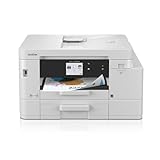
The Brother INKvestment 4555 Wireless Color Inkjet Printer is designed to simplify your printing tasks. Its all-in-one functionality lets you print, scan, copy, and fax without switching devices. This versatility makes it ideal for small offices and home workspaces where space and efficiency matter.
With a 2.7″ color touchscreen, navigating menus and accessing cloud services becomes quick and intuitive. The printer’s dual paper trays hold up to 400 sheets, minimizing the need for frequent refills. A 20-sheet automatic document feeder streamlines multi-page scanning and copying jobs.
Print speeds reach up to 20 ppm in black and 19 ppm in color, producing sharp documents at 1200 x 4800 dpi resolution. Wireless connectivity options, including Wi-Fi and Ethernet, along with the Brother Mobile Connect app, enable smooth printing and scanning from multiple devices.
Maintenance is straightforward, though starter ink cartridges offer modest yields—750 pages for color and 1,800 for black. The maximum media size supports up to 8.5″ x 14″, which suits most office needs but excludes larger formats. A single front USB port limits direct USB printing to JPEG files only.
Best for: small offices and home workspaces requiring a reliable, wireless all-in-one color inkjet printer with scanning and faxing capabilities.
What We Like:
- Dual paper trays with 400-sheet capacity and 20-sheet document feeder
- Fast print speeds with high-resolution output
- Multiple wireless and wired connectivity options
- Easy-to-use color touchscreen interface
Specification:
| Feature | Details |
|---|---|
| Manufacturer | Brother |
| Dimensions | Not specified |
| Weight | Not specified |
| Connectivity | Wi-Fi, Ethernet, USB, Wi-Fi Direct |
| Screen | 2.7″ color touchscreen |
| Paper Capacity | 2 trays (400 sheets total) + 20-sheet ADF |
| Max Print Resolution | 1200 x 4800 dpi |
| Max Media Size | 8.5″ x 14″ |
Brother INKvestment Tank 780 Wireless Color Printer
- INNOVATIVE REFILLABLE INK TANK TECHNOLOGY: Brother Genuine no-spill bottles quickly refill the tank in 30 seconds for color, 65 seconds for black. The design prevents...
- BEST FOR HOME OFFICE AND SMALL OFFICE: This does-it-all multifunction printer enables you to print, copy, and scan on one convenient, compact printer. Brother inkjet...
- WIRELESS AND USB CONNECTIONS: Connect your way. Interface with your printer on your wireless network or via USB.
- CLOUD APP CONNECTIONS: Print from and scan to popular Cloud apps(3), including Google Drive, Dropbox, Box, OneDrive, and more from the convenient 1.8” color display on...
- THE BROTHER MOBILE CONNECT APP: Put the power of printing at your fingertips. Go mobile with the Brother Mobile Connect app(4) that delivers easy onscreen menu navigation...
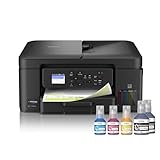
Experience effortless, high-volume printing with the Brother INKvestment Tank 780 Wireless Color Printer. This smart all-in-one device keeps you productive by including up to three years’ worth of ink right in the box. You can enjoy smooth wireless and USB connectivity, making it easy to print from multiple devices without hassle.
Designed for busy homes and offices, the printer features automatic duplex printing and a 150-sheet tray to handle large tasks efficiently. Its refillable ink tanks come with no-spill bottles, so maintenance is quick and mess-free, saving you time and frustration.
The Brother Mobile Connect app further enhances convenience by allowing you to print and scan directly from your smartphone or tablet. While print speeds reach up to 16 pages per minute, this model suits those prioritizing cost-effective color printing over laser-level speed.
The compact design fits comfortably in any workspace, though the small 1.8-inch color display may limit on-device menu navigation. The automatic document feeder holds up to 20 single-sided pages, supporting moderate batch scanning needs.
Best for: Small to medium-sized offices and home users who need reliable, cost-efficient color printing with easy wireless and mobile access.
What We Like:
- Up to 3 years of ink included reduces refill frequency
- Refillable ink tanks with no-spill bottles for clean maintenance
- Wireless printing and scanning via Brother Mobile Connect app
- Automatic duplex printing saves paper and time
Specification:
| Feature | Details |
|---|---|
| Manufacturer | Brother |
| Dimensions (W x D x H) | Approx. 15.7 x 14.2 x 9.8 in (40 x 36 x 25 cm) |
| Weight | Approx. 13.7 lb (6.2 kg) |
| Connectivity | Wireless (Wi-Fi), USB |
| Display | 1.8-inch color LCD |
| Tray Capacity | 150 sheets |
| Automatic Document Feeder | 20 single-sided pages |
Factors to Consider When Choosing a Brother Inkjet Photo Printer
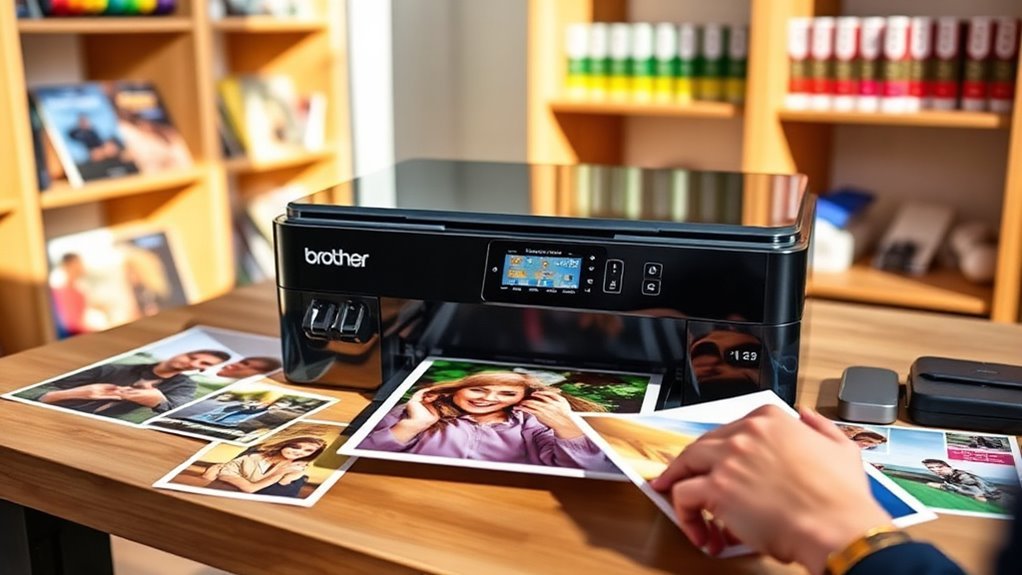
When choosing a Brother inkjet photo printer, you’ll want to focus on print quality and resolution to get sharp, vibrant images. These are key to making your photos stand out.
Also, consider how efficient the ink system is. You want something that won’t drain your cartridges too quickly.
Look at the printer’s speed and overall performance to make sure it matches your workflow. Nobody likes waiting around for prints, right?
Don’t forget to check connectivity options. It’s important that the printer easily connects to your devices.
And make sure the paper handling capacity fits your needs. You don’t want to keep refilling it all the time.
Print Quality and Resolution
Several key factors determine the print quality and resolution of a Brother inkjet photo printer, and understanding them helps you choose the best model for your needs. Start by comparing maximum print resolutions, measured in dpi. Values like 1200 x 4800 dpi or higher deliver finer detail and smoother gradients.
Color depth matters too—printers with 30-bit color can reproduce more subtle tones than 24-bit models. This improves skin tones and shadows quite a bit. You’ll also want to consider the printer’s color gamut and additional inks, such as photo or pigment inks, which enhance saturation and hue accuracy.
Also, pay attention to print engine specs like droplet size and nozzle count. Smaller droplets boost sharpness, making your photos look crisp. Finally, look for photo-specific features like borderless printing and optimized photo modes. These help guarantee the best results on photo paper.
Ink System Efficiency
In choosing a Brother inkjet photo printer, you’ll want to focus on ink system efficiency to save both time and money. Opt for models with high-yield cartridges or integrated ink tanks, as these lower your cost per page and reduce how often you need refills.
Check the page yield ratings under ISO/IEC standards to gauge ink longevity. Printers with individual color cartridges let you replace only the color that runs out, cutting waste and expense.
Look for ink monitoring features—like software estimators or built-in gauges—that give real-time ink level updates. That way, you’re never caught off guard mid-print.
Finally, consider the cost and availability of genuine replacement ink. Also, see if subscription or auto-reorder programs are offered to simplify ongoing maintenance and budgeting.
Speed and Performance
Speed and performance can make or break your experience with a Brother inkjet photo printer. You’ll want to check the rated print speeds—look for higher pages per minute (ppm) in both black and color to guarantee faster output.
Don’t overlook the first-page-out and initial color page times; quicker starts mean less waiting. If you print multi-page batches or double-sided photos, consider models with efficient duplex printing and a fast automatic document feeder (ADF).
Scanning and copying speeds also matter, especially if you handle many photos, so single-pass duplex ADF capability can save time. Finally, compare the printer’s duty cycle and recommended monthly print volume to match your expected workload and avoid performance drops during busy periods.
Connectivity Options Available
Performance means little if your printer can’t connect smoothly to your devices. Look for dual-band Wi‑Fi (2.4 GHz and 5 GHz) or Wi‑Fi Direct to enjoy stable wireless printing and faster transfers without depending on a local router.
Make sure the printer supports mobile standards like AirPrint and Mopria so your smartphone or tablet prints directly without extra drivers. For reliable high-speed wired connections, check for Gigabit Ethernet and USB 2.0/3.0 ports. These are especially useful in office settings or when handling large photo files.
If you want to print or scan directly from cloud storage, confirm cloud-print and scan-to-cloud compatibility with services like Google Drive or Dropbox. Finally, verify the presence of front USB host ports or SD card slots if you plan to print straight from USB drives or memory cards.
Paper Handling Capacity
When choosing a Brother inkjet photo printer, you’ll want to take into account its paper handling capacity carefully. Check the maximum paper tray capacity to match your print volume and reduce frequent refills—options range from 150 to 500 sheets.
If you print on different media types or sizes, look for multiple trays or a secondary multipurpose tray. This way, you can load plain, photo, or legal paper all at the same time without hassle.
Consider an automatic document feeder (ADF) if you scan or copy multi-page documents. ADF sizes usually hold 20 to 50 sheets, making the process smoother.
Also, verify support for various media sizes and whether the printer handles thicker materials like glossy photo paper or envelopes. Don’t forget to check output tray capacity and automatic duplex printing features—they help manage finished prints efficiently and reduce manual paper handling.
Mobile and Cloud Features
To get the most out of your Brother inkjet photo printer, you’ll want to tap into its mobile and cloud features. Make sure it supports standard mobile printing protocols like AirPrint, Mopria, or Wi‑Fi Direct. This way, you can print directly from your smartphone or tablet without installing extra drivers.
Look for a companion app that lets you manage printing, scanning, copying, ink levels, and setup—all from your phone. Cloud integration with services like Google Drive, Dropbox, and OneDrive is a big plus. It lets you print or scan remotely without needing a PC nearby.
Also, confirm wireless options such as dual-band Wi‑Fi, Wi‑Fi Direct, Ethernet, and USB host support. Keeping mobile access smooth is key. Finally, check for smart ink monitoring and reordering features. That way, you won’t run out of ink when printing your favorite photos.
Duplex Printing Capability
Although duplex printing can save paper and create professional double-sided photos or layouts, you’ll want to confirm that your Brother inkjet photo printer supports automatic duplexing for the specific media weights and sizes you use.
Heavier photo papers may not duplex reliably, so check the maximum thickness and size allowed. Keep in mind that duplex printing can slow down your print jobs because the printer flips or refeds pages.
Look for both hardware and software support to enable two-sided presets and margin adjustments in your workflow. If you often print double-sided photo books or brochures, verify the duplex mechanism handles sheets smoothly, minimizing jams, and supports alignment for two-page spreads.
Choosing a reliable duplex feature will enhance your photo projects without hassles.
Warranty and Support
Since investing in a Brother inkjet photo printer means relying on it for your creative projects, you’ll want to carefully evaluate the warranty and support options offered. Check the length and coverage of the manufacturer’s limited warranty, typically 1–3 years, to see what parts and labor are included and if accidental damage or consumables are excluded.
Confirm customer support availability through phone, email, live chat, and online resources, noting typical response times for repairs or troubleshooting. Be aware of registration requirements and conditions like using authorized ink to avoid voiding coverage.
Also, verify if replacement units, onsite service, or mail‑in repair are provided. Review extended warranty plans for extra protection and technical support to make certain your investment stays covered.
Frequently Asked Questions
How Do Brother Inkjet Printers Compare With Other Brands for Photo Printing?
Brother inkjet printers deliver sharp, vibrant photos with reliable color accuracy. You’ll find they’re often more affordable than competitors, which is great if you’re on a budget.
That said, sometimes they lack the advanced features or ultra-high resolution that premium brands offer. So, if you’re after professional-grade prints, you might want to explore those options.
What Types of Photo Paper Work Best With Brother Inkjet Printers?
You’ll get the best results using Brother’s own photo paper or high-quality glossy, semi-gloss, or matte inkjet photo papers. They’re designed to absorb ink well and enhance color vibrancy, ensuring your photos look sharp and vivid.
Using the right paper really makes a difference. It helps your printer produce those crisp, vibrant images you want every time. So, sticking with recommended types is definitely worth it!
Are Brother Inkjet Printers Compatible With Mac and Windows Operating Systems?
Yes, Brother inkjet printers work with both Mac and Windows operating systems. You’ll find drivers and software for easy setup, so you can print photos smoothly regardless of whether you use a Mac or a Windows PC.
What Is the Average Lifespan of Brother Inkjet Photo Printer Cartridges?
Brother inkjet photo printer cartridges typically last between 200 to 400 pages, but don’t expect them to run forever.
If you print often, you’ll replace cartridges faster; occasional use stretches their lifespan considerably.
Can Brother Inkjet Printers Handle Borderless Photo Printing?
Yes, Brother inkjet printers can handle borderless photo printing. You’ll enjoy vibrant, edge-to-edge images without white margins.
It’s perfect for professional-quality photos and creative projects that demand a sleek, polished finish every time you print.
Conclusion
Choosing the right Brother inkjet photo printer can really boost your creativity and productivity. Imagine Sarah, a small business owner, who switched to the Brother INKvestment 6960—she now prints vibrant marketing materials without breaking the bank on ink.
Whether you need speed, quality, or wireless convenience, one of these eight printers will fit your needs perfectly. So, pick the model that matches your lifestyle and watch your photos and projects come to life effortlessly.
With Brother inkjet photo printers, you get a blend of affordability and professional-quality prints. From fast printing speeds to excellent color accuracy, these printers are designed to impress. Whether for home use, small business, or creative projects, choosing the best Brother inkjet photo printer ensures your printing needs are met with ease and reliability.