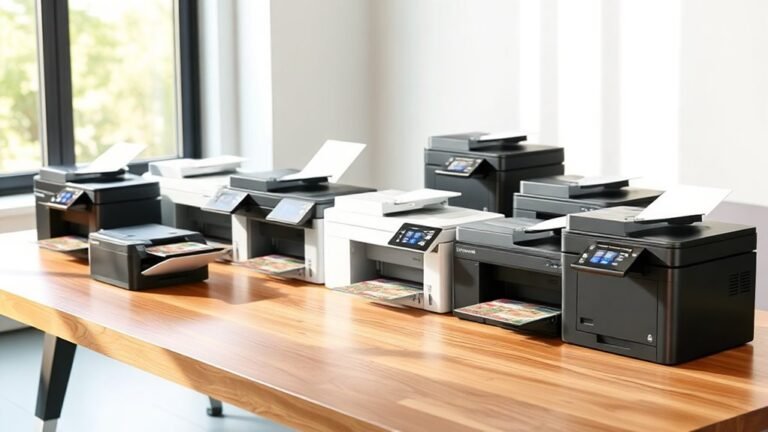
10 Best 11×17 Inkjet Printers for 2027 That Impress Every Time
If you’re on the hunt for the best 11×17 inkjet printer that combines sharp print quality with speedy performance, you’ve got some excellent choices. The HP OfficeJet Pro 9730 and Epson EcoTank ET-15000 stand out for their versatility and cost savings thanks to their refillable ink tanks.
Brother’s INKvestment 6560 is perfect if you need a fast printer with a large capacity for office use. Meanwhile, Epson’s Workforce Pro and EcoTank Photo models shine when it comes to professional wide-format printing. Each printer offers a unique blend of connectivity, capacity, and color accuracy designed to fit different needs and workspaces.
Take a closer look at these options to find the ideal 11×17 inkjet printer that will impress every time in your home or office setup.
HP OfficeJet Pro 9730 Wireless All-in-One Printer
The HP OfficeJet Pro 9730 Wireless All-in-One Printer is designed to simplify your office workflow. It handles wide-format printing up to 11×17 inches, making it ideal for large documents and detailed graphics. This capability helps you produce professional-quality prints without needing multiple devices.
With fast print speeds of up to 22 pages per minute in black and 18 in color, it saves valuable time during busy workdays. The printer’s dual 250-sheet trays offer a total 500-sheet capacity, reducing the frequency of paper refills. This setup supports automatic duplex printing, streamlining double-sided document creation.
Maintenance is straightforward with a 4.3-inch touchscreen that guides you through settings and alerts. Connectivity options include wireless and Ethernet, enabling easy access from various devices. HP’s AI-driven print formatting and a mobile app enhance convenience by letting you print from virtually anywhere.
While the printer weighs 43 pounds and requires ample desk space, its robust features suit professional settings. Note that after a 3-month Instant Ink trial, a monthly subscription fee applies unless canceled, which is important for budgeting.
Best for: Professionals and small businesses needing an efficient all-in-one printer for wide-format and high-quality color printing with flexible connectivity.
What We Like:
- Supports wide-format printing up to 11 x 17 inches
- Fast print speeds with automatic duplexing
- Dual 250-sheet trays providing 500-sheet capacity
- Easy-to-use 4.3-inch touchscreen interface
- Wireless and Ethernet connectivity for versatile use
Specification:
| Feature | Details |
|---|---|
| Manufacturer | HP |
| Dimensions (W×D×H) | Approx. 21.5 x 17 x 10.6 in |
| Weight | 43 lb (19.5 kg) |
| Color Options | Black |
| Connectivity | Wireless, Ethernet |
Epson EcoTank ET-15000 Wireless All-in-One Wide-Format Supertank Printer
The Epson EcoTank ET-15000 is designed to simplify wide-format printing for home users and small offices. It eliminates the need for cartridges by using refillable supersized ink tanks, which significantly cut ink costs by up to 90%. This feature reduces frequent replacements and minimizes downtime, making printing more efficient and affordable.
This all-in-one printer supports print, scan, copy, and fax functions with wireless connectivity and a user-friendly 2.7” color touchscreen. Voice-activated printing adds convenience, although it requires an Epson Connect account and compatible voice services to operate. The printer handles wide-format prints up to 13 x 19 inches, ideal for creative projects and professional documents.
Maintenance is straightforward, thanks to the large ink tanks that reduce refilling frequency. The printer includes a 250-sheet front tray and a rear specialty feed for various media types, supporting high-resolution output for sharp, vibrant prints. However, scanning and copying are limited to 8.5 x 14 inches, smaller than the maximum print size.
Its eco-friendly design ensures long-lasting, efficient performance, suitable for those who prioritize sustainability. The ET-15000 balances versatility and cost-effectiveness, making it a practical choice for users needing wide-format capabilities without complex upkeep.
Best for: Home users and small offices seeking an economical, wide-format all-in-one printer with versatile connectivity and high page yield.
What We Like:
- Cartridge-free printing with supersized refillable ink tanks saving up to 90% on ink.
- Wide-format printing up to 13 x 19 inches with a 250-sheet front tray and rear specialty feed.
- Wireless connectivity, 2.7” color touchscreen, and voice-activated printing for ease of use.
- Eco-friendly design supporting sustainable and durable operation.
Specification:
| Feature | Details |
|---|---|
| Manufacturer | Epson |
| Dimensions (W×D×H) | 23.7 x 17.7 x 9.1 inches |
| Weight | Approximately 16.4 lbs |
| Print Size Maximum | 13 x 19 inches |
| Scan/Copy Maximum | 8.5 x 14 inches |
| Connectivity | Wireless, USB |
| Display | 2.7” Color Touchscreen |
Brother INKvestment 6560 Wireless Color Inkjet Printer
The Brother INKvestment 6560 Wireless Color Inkjet Printer is designed to meet demanding office needs with versatile 11×17 printing capabilities. It simplifies tasks by combining printing, copying, scanning, and faxing into one efficient machine. This all-in-one device handles large media sizes and supports automatic duplex printing to save time and paper.
Maintaining quality is straightforward thanks to the INKvestment cartridges, which offer cost-effective ink usage for busy environments. Connectivity is flexible with dual-band Wi-Fi, Ethernet, and USB options, while the 2.7” touchscreen and mobile app provide intuitive control. These features help minimize interruptions and keep workflows smooth.
The printer produces sharp, high-resolution color prints at fast speeds, which is ideal for professional documents and presentations. However, its 44.1-pound weight requires a stable setup space. The 50-page automatic document feeder scans only single-sided documents, which may limit efficiency during double-sided tasks.
Best for: Small to medium-sized offices or home offices needing reliable wireless multifunction printing with large-format support and cost-effective ink management.
What We Like:
- Handles large 11”x17” media with automatic duplex printing
- Fast print speeds up to 31 ppm (black) and 30 ppm (color)
- Multiple connectivity options including dual-band Wi-Fi and Ethernet
- User-friendly 2.7” touchscreen and mobile app for easy operation
- INKvestment cartridges reduce ink replacement frequency and cost
Specification:
| Feature | Details |
|---|---|
| Manufacturer | Brother |
| Dimensions (W×D×H) | Approx. 18.5 x 16.7 x 12.4 in |
| Weight | 44.1 lbs (20 kg) |
| Color Options | White |
| Maximum Media Size | 11” x 17” |
| Print Resolution | Up to 1200 x 4800 dpi |
| Connectivity | Dual-band Wi-Fi, Ethernet, USB |
| Display | 2.7” color touchscreen |
| ADF Capacity | 50 pages (single-sided scan) |
Epson Workforce Pro WF-7310 Wireless All-in-One Wide-Format Inkjet Printer
Experience professional-quality, wide-format printing with the Epson Workforce Pro WF-7310. This all-in-one printer is built to handle the demands of busy offices, offering crisp prints up to 11×17 inches with vibrant, instant-dry colors. Its precise 4800 x 2400 dpi resolution ensures your documents and images look sharp and professional every time.
Designed for efficiency, it prints black-and-white pages quickly at 25 ppm and supports automatic double-sided printing to save time and paper. Managing large print jobs is simple with its 500-sheet capacity spread across three trays, accommodating a variety of media types from envelopes to photo paper.
The WF-7310 connects seamlessly via Wi-Fi, Ethernet, or USB, allowing easy integration with your existing network. Control and monitor your printing tasks remotely through the Epson Smart Panel app, making mobile printing straightforward and convenient. Routine maintenance is hassle-free, keeping downtime minimal.
Best for: Small offices and professionals requiring fast, versatile, high-quality wide-format printing with convenient mobile connectivity.
What We Like:
- Sharp, vibrant prints using DURABrite Ultra pigment inks
- Wide-format and borderless printing up to 11×17 inches
- Large paper capacity with three trays and duplex printing
- Multiple connectivity options including Wi-Fi and Ethernet
- Easy mobile management with Epson Smart Panel app
Specification:
| Feature | Details |
|---|---|
| Manufacturer | Epson |
| Dimensions (W×D×H) | Approx. 22.6″ × 18.1″ × 10.4″ |
| Weight | Approx. 23.6 lbs |
| Print Resolution | Up to 4800 x 2400 dpi |
| Print Speed (B&W) | Up to 25 ppm |
| Print Speed (Color) | Up to 12 ppm |
| Paper Capacity | 500 sheets (3 trays) |
| Connectivity | Wi-Fi, Ethernet, USB |
| Max Print Size | 13″ x 19″ (wide-format) |
Epson Workforce Pro WF-7820 Wireless All-in-One Wide-Format Inkjet Printer
Experience the power of wide-format printing with the Epson Workforce Pro WF-7820. This all-in-one printer is designed to meet the needs of professionals who require high-quality 13 x 19-inch prints without sacrificing versatility. It handles printing, scanning, copying, and faxing, streamlining your office tasks in one device.
With fast print speeds—up to 25 pages per minute in black and 12 in color—you’ll spend less time waiting and more time focused on your work. The printer delivers sharp images with a resolution up to 5760 x 1440 dpi, ensuring crisp documents and vibrant graphics every time.
Maintenance is straightforward but requires genuine Epson cartridges to avoid damage and maintain print quality. The automatic duplex and 50-sheet ADF simplify multi-page jobs, saving you effort. Connectivity options include Wi-Fi, Ethernet, Bluetooth, and even voice commands, offering flexibility in busy office setups.
Built on PrecisionCore technology and DURABrite Ultra inks, this printer produces durable, professional-grade prints. Its size may be a drawback for smaller spaces, but it excels at delivering reliable wide-format output for demanding environments.
Best for: Professionals and small businesses requiring high-quality, wide-format printing combined with dependable all-in-one capabilities for busy office use.
What We Like:
- Supports wide-format printing up to 13 x 19 inches with high resolution
- Fast print speeds and automatic duplex for efficient workflows
- Multiple connectivity options including Wi-Fi, Ethernet, Bluetooth, and voice control
- Built-in 50-sheet automatic document feeder for easy multi-page tasks
Specification:
| Feature | Details |
|---|---|
| Manufacturer | Epson |
| Dimensions (W×D×H) | 24.8 x 19.8 x 11.8 inches |
| Weight | Approx. 32.9 lb (14.9 kg) |
| Color Options | Black |
| Connectivity | Wi-Fi, Ethernet, Bluetooth |
Canon PIXMA TS9521Ca – Wireless Home All-in-One Inkjet Printer
The Canon PIXMA TS9521Ca is designed to enhance productivity in small offices and home workspaces. It handles a variety of media sizes, including 11×17-inch paper, making it ideal for printing large documents and creative projects. The automatic duplex printing reduces paper waste and speeds up double-sided jobs.
This all-in-one printer offers print, copy, and scan functions with a 20-sheet auto document feeder that simplifies multi-page tasks. Its 4.3″ touch LCD screen provides easy navigation through menus and settings. With five individual ink tanks, you only replace the colors that run out, lowering maintenance costs.
Connectivity options include Wi-Fi, Ethernet, USB, and mobile printing through the Canon PRINT app, allowing flexible placement and remote printing. The 200-sheet paper capacity supports extended use without frequent refills, while the high resolution of 4800 x 1200 dpi ensures sharp, vibrant output.
Overall, the Canon PIXMA TS9521Ca balances versatile media handling with efficient workflow features, but it has a larger footprint and moderate print speeds that should be considered.
Best for: Small business owners and home office users who require flexible media options and reliable multi-function printing.
What We Like:
- Supports wide media sizes up to 11×17 inches
- Automatic duplex printing and 20-sheet auto document feeder
- Multiple connectivity options including mobile printing
- Five individual ink tanks for cost-effective maintenance
- High-resolution output at 4800 x 1200 dpi
Specification:
| Feature | Details |
|---|---|
| Manufacturer | Canon |
| Dimensions | Not specified |
| Weight | Not specified |
| Connectivity | Wi-Fi, Ethernet, USB |
| Ink System | Five individual ink tanks |
| Media Handling | Up to 11×17 inches paper |
| Display | 4.3″ Touch LCD |
Epson WorkForce Pro WF-7840 Wireless All-in-One Wide-Format Inkjet Printer
The Epson WorkForce Pro WF-7840 Wireless All-in-One is designed to meet the demands of busy professionals and home office users who need reliable, wide-format printing. It handles large projects up to 13 x 19 inches with crisp 4800 x 2400 dpi resolution, ensuring detailed documents every time. This printer helps improve productivity by delivering fast black prints at 25 pages per minute and color prints at 12 ppm.
Its multifunction design goes beyond printing. You can scan, copy, and fax, making it a versatile tool for various office tasks. The 4.3-inch color touchscreen simplifies operation, allowing quick access to settings and functions without hassle. The large 500-sheet tray and automatic duplex printing reduce the need for frequent paper refills and manual flipping.
Connectivity options are broad, including wireless, Ethernet, and USB. It supports Apple AirPrint and Android devices, so you can print directly from your smartphone or tablet. While its size requires ample desk space, the WF-7840 balances performance and convenience for high-volume workflows.
Best for: professionals and home offices requiring a multifunction wide-format printer with efficient, high-quality output and flexible connectivity.
What We Like:
- Sharp wide-format printing up to 13 x 19 inches with 4800 x 2400 dpi resolution
- Fast black and color print speeds with a large 500-sheet capacity
- Multifunction capabilities: print, scan, copy, and fax in one device
- Easy-to-use 4.3-inch color touchscreen interface
- Supports wireless, Ethernet, USB, and mobile printing options
Specification:
| Feature | Details |
|---|---|
| Manufacturer | Epson |
| Dimensions (W x D x H) | 38.4 x 20.5 x 20.3 inches |
| Weight | 45.4 pounds |
| Print Resolution | Up to 4800 x 2400 dpi |
| Max Print Size | 13 x 19 inches |
| Connectivity | Wireless, Ethernet, USB |
| Display | 4.3-inch color touchscreen |
Epson EcoTank Photo ET-8550 Wireless Wide-Format All-in-One Tank Printer
Discover the Epson EcoTank Photo ET-8550, designed for creators who demand vibrant, lab-quality photos without the hassle of cartridges. This all-in-one printer handles wide-format printing up to 13 x 19 inches, perfect for detailed projects and large photo prints. Its cartridge-free 6-color ink system ensures rich colors and sharp images with minimal interruptions.
Maintenance is simple with refillable EcoTank bottles that provide up to two years of ink, helping reduce costs and waste. The wireless setup lets you print, scan, and copy effortlessly from your home studio or office. Borderless printing and duplex capabilities add flexibility, making it easy to produce professional-quality prints on various media, including cardstock and CDs.
The printer’s larger size requires adequate desk space, but its robust features support creative workflows and home office needs. While initial investment may be higher than standard printers, the long-term savings on ink and the convenience of app control make it a valuable tool for photo enthusiasts.
Best for: Creators and home studios needing high-quality wide-format photo printing with low ink costs and versatile media options.
What We Like:
- Cartridge-free 6-color EcoTank system cuts ink expenses significantly
- Produces vibrant, borderless photos up to 13 x 19 inches
- Wireless all-in-one printing, scanning, copying, and duplex functionality
- Easy maintenance with refillable ink bottles reducing waste
- Supports diverse media types including cardstock and CDs
Specification:
| Feature | Details |
|---|---|
| Manufacturer | Epson |
| Dimensions | Approx. 22.7 x 13.9 x 9.8 inches |
| Weight | Around 18.5 lbs (8.4 kg) |
| Color Options | Black |
| Ink System | 6-color cartridge-free EcoTank |
Epson Expression Photo HD XP-15000 Wireless Wide-Format Inkjet Printer
Experience professional-grade photo printing with the Epson Expression Photo HD XP-15000. This printer is designed to deliver high-impact, wide-format prints up to 13 x 19 inches, perfect for showcasing your photography or creative projects. Its 6-color Claria Photo HD ink system, including gray and red inks, enhances color depth and accuracy, ensuring your images come to life with vivid detail.
The printer’s compact design fits easily into home studios or small workspaces without sacrificing functionality. Dual trays allow seamless switching between specialty media and standard paper, reducing interruptions. Wireless, Ethernet, and USB connectivity make it simple to print straight from your laptop, tablet, or smartphone, streamlining your workflow.
Maintenance is straightforward, though it requires proprietary Epson cartridges to maintain print quality. Automatic duplex printing saves time on double-sided documents, but note that color print speeds are moderate, which may impact high-volume tasks. Firmware updates can affect the use of third-party inks, so genuine cartridges are recommended for consistent performance.
Best for: Photographers and creative professionals seeking high-quality, wide-format photo printing with rich, vibrant colors and versatile media handling.
What We Like:
- Produces detailed, borderless prints up to 13 x 19 inches with a 6-color Claria Photo HD ink system
- Supports multiple connectivity options including wireless, Ethernet, and USB
- Compact footprint with dual trays and automatic duplex printing for versatile media use
Specification:
| Feature | Details |
|---|---|
| Manufacturer | Epson |
| Dimensions | Approx. 23 x 14.8 x 8.7 in |
| Weight | Under 19 lbs |
| Ink System | 6-color Claria Photo HD |
| Max Print Size | 13 x 19 inches |
| Connectivity | Wireless, Ethernet, USB |
Epson EcoTank ET-15000 Wireless Color All-in-One Printer
The Epson EcoTank ET-15000 Wireless Color All-in-One Printer is built to simplify wide-format printing for busy home offices and small businesses. Its cartridge-free design with supersized refillable ink tanks drastically cuts ink costs, letting you print more while spending less.
This printer handles large documents up to 13 x 19 inches and offers automatic duplex printing, saving time and paper. Connectivity is broad, featuring Wi-Fi, Ethernet, and USB, plus a user-friendly 2.7″ touchscreen and voice-activated control for easy operation.
Maintenance is straightforward thanks to the refillable tanks, but using genuine Epson ink is essential to protect the printer and maintain warranty coverage. While it comes renewed in premium condition, small signs of prior use may be present.
Ideal for users who need cost-effective, high-volume, wide-format printing without frequent ink replacements, the ET-15000 delivers reliable performance with versatile features.
Best for: Home offices and small businesses requiring efficient, large-format printing with low ink costs and flexible connectivity.
What We Like:
- Cartridge-free printing with large refillable ink tanks reduces ink expenses.
- Supports automatic duplex printing and wide media sizes up to 13 x 19 inches.
- Multiple connectivity options including Wi-Fi, Ethernet, and USB.
- Easy operation via 2.7″ touchscreen and voice-activated control.
Specification:
| Feature | Details |
|---|---|
| Manufacturer | Epson |
| Dimensions | Not specified |
| Weight | Not specified |
| Color Options | Not specified |
| Media Size | Up to 13 x 19 inches |
| Ink System | Supersized refillable tanks |
| Connectivity | Wi-Fi, Ethernet, USB |
| Control Interface | 2.7″ Touchscreen, Voice-activated |
Factors to Consider When Choosing an 11X17 Inkjet Printer
When choosing an 11×17 inkjet printer, you’ll want to focus on print quality and whether it supports the media sizes you need.
Consider how it connects to your devices and how efficient the ink usage is to keep costs down. Don’t forget to check the printer’s size and weight to make certain it fits your space comfortably.
Print Quality Essentials
How do you make sure your 11×17 inkjet prints come out sharp and vibrant every time? Start by choosing a printer with a high optical resolution—2400 to 4800 dpi or more—to get fine text and smooth color gradients.
Look for models with a wider color gamut and extra ink channels, like photo or gray inks, for accurate colors and smooth tonal shifts. Consider pigment-based inks if you need water and UV resistance plus sharp text, while dye-based or multi-color photo inks offer richer colors and better blends.
Check for fine dot placement and small droplet sizes to minimize banding and enhance detail. Finally, make certain the printer supports advanced color management, like ICC profiles and printer profiling, so your colors stay consistent across different papers and workflows.
Media Size Compatibility
Ensuring your prints look great is only part of the equation; you also need to make sure your printer can handle the media sizes you want. First, confirm the printer truly supports 11 x 17 paper—some only manage smaller sizes or require a rear-feed tray for larger sheets.
If you want borderless prints at 11 x 17, verify that feature, as many models limit borderless to smaller sizes. Check the paper path and media thickness limits to guarantee compatibility with cardstock or heavy photo paper.
Also, consider paper capacity and tray setup to avoid constant reloading during big jobs. Finally, if scanning or copying 11 x 17 originals is important, confirm the flatbed or automatic document feeder supports that size, since some only accommodate letter or legal dimensions.
Connectivity Options Available
To get the most out of your 11×17 inkjet printer, you’ll want to check its connectivity options carefully. Make sure it supports both wireless (Wi-Fi with dual-band 2.4/5 GHz or Wi-Fi 5/6) and wired (Ethernet) connections. This way, you can choose between flexible mobile printing and stable office LAN use.
Look for Wi-Fi Direct and mobile app compatibility like AirPrint or Mopria to print straight from your phone or tablet without joining a network. USB ports (USB-B or USB-A) are essential for local PC or thumb-drive printing. Plus, Bluetooth or NFC can simplify quick pairing.
For remote workflows, verify email printing and cloud scanning features. In multiuser settings, confirm support for simultaneous connections, secure networking (WPA3), and management protocols like SNMP. That’ll help ensure smooth administration.
Ink Efficiency and Cost
Consider ink efficiency and cost carefully when choosing an 11×17 inkjet printer, as these factors directly impact your long-term expenses. Look for printers with refillable ink tanks instead of replaceable cartridges; tank systems can cut per-page color costs by up to ten times.
Compare manufacturer-stated page yields but remember real-world results vary with coverage and maintenance. Calculate your total cost-per-page by dividing replacement ink prices by rated yields, accounting for both black and color use.
Also, factor in ink used for maintenance tasks like head cleaning and color mixing, which can increase consumption. Finally, check if the printer offers subscription or bundled ink programs and understand warranty terms tied to genuine consumables, since these affect ongoing costs and service options.
Device Size and Weight
Because 11×17 inkjet printers handle larger media, they tend to be bulkier and heavier than standard letter-size models, often weighing between 25 and 45 pounds or more. You’ll want to check the printer’s footprint carefully, including extended trays and output bins, since these can add several inches when in use.
Multiple paper trays or rear specialty feeds also increase the overall size, so consider where you’ll place the unit. Heavier models may require a sturdy stand or cabinet rated for their weight and vibration to prevent tipping during high-speed printing.
If your space is limited, look for compact designs with vertical paper paths or foldable trays to minimize the printer’s installed volume without sacrificing functionality. It makes a big difference when you’re tight on room!
Frequently Asked Questions
How Do 11X17 Inkjet Printers Compare in Energy Efficiency?
You’ll find 11×17 inkjet printers generally use more energy than smaller models due to their size and features. But many newer ones include energy-saving modes that help you reduce power consumption without sacrificing performance or print quality.
These modes are pretty handy if you want to keep your electricity bill down while still getting high-quality prints. So, even though they might use more power at first glance, the latest models are designed with efficiency in mind.
Can These Printers Handle Different Paper Textures and Weights?
Like a chameleon, these printers adapt smoothly, handling various paper textures and weights with ease. You’ll find they accommodate everything from glossy photo paper to heavyweight cardstock, letting you print your creative projects without a hitch.
It’s pretty handy, right? No need to worry about switching printers or struggling with paper types. These printers make your printing process a breeze, whatever your project calls for.
What Is the Average Lifespan of 11X17 Inkjet Printer Ink Cartridges?
You can expect 11×17 inkjet cartridges to last about 6 to 12 months, depending on your usage.
If you print frequently or use high-quality settings, you’ll replace them sooner than occasional users. It really just comes down to how much printing you do and the type of documents you’re producing.
Are There Any Mobile Apps Compatible With These Wide-Format Printers?
Yes, many wide-format printers support mobile apps like Epson’s iPrint and HP Smart. These apps let you print directly from your phone or tablet.
You’ll find these apps user-friendly and perfect for on-the-go printing needs. It’s super convenient when you’re away from your computer but still need to get a print job done quickly.
How Do These Printers Perform in Terms of Noise Levels During Operation?
Imagine a quiet library—these printers hum softly, barely louder than a whisper.
You won’t get distracted by noise while working; their operation is impressively silent, letting you focus on creativity without the usual printer racket.
Conclusion
Choosing the right 11×17 inkjet printer is like picking the perfect brush for your masterpiece—it shapes how your ideas come to life. Whether you’re printing vibrant photos or crisp documents, the right printer guarantees every detail shines.
So, don’t just settle; let your printer be the gateway to creativity and precision. With these top picks, you’re ready to transform blank pages into works of art that truly impress every time.
Finding the best 11×17 inkjet printer means you get to enjoy stunning color accuracy and professional-quality prints that make your projects stand out. From photo enthusiasts to graphic designers, having the right printer can elevate your work effortlessly.
In 2027, these printers combine innovation with reliability, ensuring every print job is smooth and satisfying. Ready to see your ideas come alive? Explore our list and find the perfect 11×17 inkjet printer that fits your needs and budget.