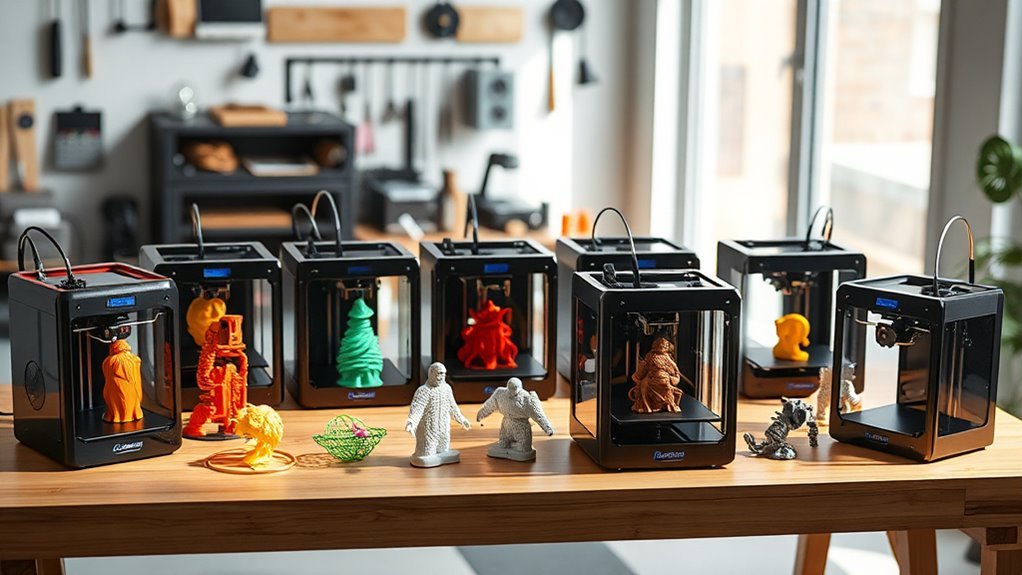
13 Best 3D Printers for Hobbyists in 2027 Worth Trying
If you’re on the hunt for the best 3D printers for hobbyists in 2027, you’ve come to the right place. Whether you’re just starting out or looking to upgrade, having a reliable and fast 3D printer can make all the difference in your projects. From beginner-friendly machines to more advanced models, there’s something for everyone in the market today.
Consider the FLASHFORGE Adventurer 5M, which features an all-metal CoreXY motion system for precision and speed. Or, if you want something easy to set up and use quietly, the Bambu Lab A1 is a great choice.
The Anycubic Kobra X stands out with its ability to print up to four colors natively, adding vibrant possibilities to your creations. Meanwhile, Creality’s Ender 3 V3 SE offers auto-leveling, making the printing process smoother for beginners and pros alike.
For those interested in multi-material printing and faster speeds, Bambu Lab’s P1S and P2S models are definitely worth checking out. There’s a wide range of options to explore, so you can find the perfect fit for your hobbyist 3D printing needs.
| Image | Name | Editor's Rating | Price |
|---|---|---|---|

|
|
||

|
|
||

|
|
||

|
|
||

|
|
FLASHFORGE Adventurer 5M 3D Printer, All-Metal CoreXY, 600mm/s Max Travel
- One-Click Automatic Printing: Experience hassle-free 3D printing with the Adventurer 5M Series. Enjoy automatic bed leveling for flawless first layers, ensuring...
- 12X Ultra Fast Printing: Featuring a CoreXY structure with 600mm/s travel speed and 20000mm/s² acceleration, the AD5M maximizes efficiency, reduces production cycles...
- Smart and Efficient Design: Quick 3-second nozzle changes, a high-flow 32mm³/s nozzle, and fast 35-second warm-up to 200°C deliver stable high-speed printing. Its...
- Superior Print Quality & Adaptability: Combines a 280°C direct drive extruder with dual-fan cooling and vibration compensation. Includes a standard 0.4mm nozzle and...
- Real-Time App Monitoring: Monitor print progress, adjust settings, and receive instant status alerts remotely with the Flash Studio. Smart mobile control ensures a...
The FLASHFORGE Adventurer 5M is designed to meet the needs of hobbyists who require both speed and precision in their 3D printing projects. Its all-metal CoreXY frame supports fast movements up to 600 mm/s, allowing for efficient and accurate printing. This design helps reduce print times without sacrificing detail.
Maintenance is straightforward with features like quick nozzle swaps that take only three seconds and a fast heating extruder reaching 280°C promptly. Automatic bed leveling and dual-fan cooling systems work together to maintain consistent print quality, minimizing the need for manual adjustments.
The printer’s build volume of 220 x 220 x 220 mm suits rapid prototyping and detailed models, though it may limit larger creations. Lightweight at 22 pounds, the Adventurer 5M is easy to move and fits well in home or small workshop environments. Remote print monitoring via the Flash Studio app adds convenience and control.
Overall, this printer offers a balanced combination of speed, precision, and user-friendly features. However, nozzle sizes max out at 0.8 mm, which may restrict certain advanced printing applications.
Best for: Hobbyists and makers seeking a fast, precise 3D printer optimized for rapid prototyping and intricate designs.
What We Like:
- High-speed printing capability with sturdy all-metal CoreXY design
- Quick nozzle change and fast extruder heating improve workflow
- Automatic bed leveling and dual-fan cooling ensure reliable print quality
- Lightweight and compact for easy placement and transport
- Remote monitoring enhances convenience during print jobs
Specification:
| Feature | Details |
|---|---|
| Manufacturer | FLASHFORGE |
| Build Volume | 220 x 220 x 220 mm |
| Max Travel Speed | 600 mm/s |
| Extruder Max Temp | 280°C |
| Nozzle Swap Time | 3 seconds |
| Weight | 22 lbs (10 kg) |
| Frame Type | All-metal CoreXY |
Bambu Lab A1 3D Printer, Ready-to-Use FDM 3D Printer for Beginners and Kids
- High-Speed Precision: Experience unparalleled speed and precision with the Bambu Lab A1 3D Printer. With an impressive acceleration of 10,000 mm/s², the A1 delivers...
- Multi-Color Printing with AMS lite: Unlock your creativity with vibrant and multi-colored 3D prints. The Bambu Lab A1 3D printers make multi-color printing accessible and...
- Full-Auto Calibration: Say goodbye to manual calibration hassles. The A1 3D printer takes care of all the calibration processes automatically, ensuring optimal...
- Active Flow Rate Compensation: Achieve consistently smooth prints with active flow rate compensation. The algorithm actively compensates the flow rate according to the...
- Easy and Quiet 3D Printing: Experience effortless printing with the Bambu Lab A1 FDM 3D printer. Its user-friendly interface and simplified touchscreen make it easy to...
The Bambu Lab A1 3D Printer offers a seamless introduction to 3D printing for beginners and kids. Its ready-to-use design eliminates the usual setup challenges, allowing users to start printing quickly. The intuitive touchscreen and fully automatic calibration make complex adjustments unnecessary.
This printer operates quietly at ≤48 dB, minimizing distractions during use. Its 1-Clip quick-swap nozzle and active flow rate compensation deliver smooth, consistent prints without frequent maintenance. The compact and lightweight design (22 pounds) makes it easy to move or store.
While the A1 supports multi-color printing, this requires the optional AMS lite add-on, offering flexibility without overwhelming new users. Maintenance is straightforward, focusing mainly on nozzle swaps and occasional cleaning, ideal for young creators or hobbyists.
Overall, the Bambu Lab A1 balances simplicity and performance, making 3D printing accessible without sacrificing quality. It is best suited for those seeking an easy-to-use, quiet, and reliable machine for creative projects.
Best for: Beginners and kids looking for a user-friendly, ready-to-use 3D printer with quiet operation and simple multi-color options.
What We Like:
- Fully automatic calibration simplifies setup and use.
- Quiet printing with noise levels ≤48 dB and active motor noise canceling.
- Quick-swap 1-Clip nozzle ensures hassle-free maintenance.
- Active flow rate compensation for consistent, smooth prints.
Specification:
| Feature | Details |
|---|---|
| Manufacturer | Bambu Lab |
| Dimensions | Not specified |
| Weight | 22 lb (10 kg) |
| Material | Not specified |
| Color Options | Not specified |
Anycubic Kobra X Multicolor 3D Printer, Easy Setup, Native 4-Color
- 【 Newest Level - 19-Color with 4 ACE 2 Pro】Why settle for one color when you can have multicolor? The Kobra X comes born with 4 colors built-in. It is innovative 3D...
- 【 Savings 2X Time】Stop wasting hours and filament on purging! Kobra X impresora 3D reduces the filament and machine travel path by 81.25%, so 2X the Speed, and...
- 【Hardened Precision & High Speed 】 Equipped with a high-durability hardened steel nozzle and vibration compensation, the Kobra X ensures every layer remains smooth...
- 【Flawless First Layer with LeviQ 3.0】The LeviQ 3.0 and auto bed leveling system uses a 49-point calibration and advanced leveling algorithm to ensure 100% bed...
- 【Smart AI Monitoring & Large Model Library】APP remote control, features Spaghetti detection and foreign object detection. The innovative top-mount spool holder...

Experience the power of vibrant multi-color 3D printing with the Anycubic Kobra X Multicolor 3D Printer. This machine simplifies creating detailed, colorful models by offering native 4-color printing. Its user-friendly design helps you bring ideas to life quickly and efficiently.
Setup is fast and hassle-free thanks to the LeviQ 3.0 auto bed leveling, which prepares the printer in just 15 minutes. The hardened steel nozzle heats up to 300°C, allowing you to work with a variety of filaments like PLA and TPU. This flexibility supports diverse projects without frequent nozzle changes.
Maintenance is straightforward with smart AI monitoring that tracks printing status and detects errors early. Quiet operation around 45 dB ensures a peaceful workspace, while the dual-band Wi-Fi and remote app control offer convenient management from anywhere. Expandable color options also provide room to grow with your creative needs.
While the 260mm³ build volume suits most hobbyist projects, very large prints may require alternative solutions. Filament spools are sold separately, which adds some cost. The multi-color setup and app features may take some time to master but offer rewarding control once learned.
Best for: hobbyists and educators seeking an easy-to-use, versatile 4-color 3D printer with quick setup and remote monitoring capabilities.
What We Like:
- Native 4-color printing with expansion up to 19 colors
- Fast and precise LeviQ 3.0 auto bed leveling
- Smart AI monitoring with remote app control
- Quiet 45 dB operation for minimal noise
- Supports multiple filament types including PLA and TPU
Specification:
| Feature | Details |
|---|---|
| Manufacturer | Anycubic |
| Build Volume | 260 × 260 × 260 mm |
| Nozzle Material | Hardened Steel |
| Max Nozzle Temperature | 300°C |
| Color Options | Native 4-color, expandable |
| Connectivity | Dual-band Wi-Fi |
| Noise Level | Approx. 45 dB |
Bambu Lab P1S 3D Printer, Ready-to-Use FDM 3D Printer
- Up to 16 Colors: Bring your designs to life with vibrant multi-color/multi-material printing capabilities, perfect for showcasing your creativity. Note: Connecting Bambu...
- 500mm/s and 20000 mm/s² Acceleration True High Speed: Don't wait around for your masterpieces. Lightning-fast printing speed lets you focus on creating, not waiting.
- Enclosed Design: Fully enclosed body improves print performance for advanced filaments. Automatic Bed Leveling: Say hello to high-quality, successful prints. Auto bed...
- Set Up in 15 Minutes: Spend more time printing and less time setting up. User-friendly design ensures a hassle-free assembly experience for all skill levels.
- Supported Filament: Ideal: PLA, PETG, TPU, PVA, PET ABS, ASA; Capable : PA, PC; Not Recommended: Carbon/Glass Fiber Reinforced Polymer.
The Bambu Lab P1S 3D printer is designed to help hobbyists and beginners start printing projects quickly and efficiently. Its ready-to-use setup and automatic bed leveling make it possible to begin printing within 15 minutes, eliminating common setup frustrations. This quick start helps users focus more on creativity and less on technical hurdles.
Its CoreXY enclosed design enables high-speed printing at up to 500 mm/s, improving productivity without sacrificing quality. The printer supports a wide range of filaments, including PLA, PETG, and TPU, offering users versatility for different project needs. Optional AMS accessory allows multi-material printing with up to 16 colors, expanding creative possibilities.
Maintenance is straightforward with the P1S, thanks to its user-friendly ecosystem and software integration, including the MakerWorld model library. This ecosystem supports ease of use and ongoing project inspiration. However, the printer’s weight of 38.9 pounds may limit portability, and materials like carbon or glass fiber reinforced polymers are not recommended.
Overall, the Bambu Lab P1S offers a balanced solution for fast, reliable 3D printing with multi-material support, making it suited for those seeking to enhance their creative workflows without complex setup or maintenance.
Best for: Hobbyists and beginners seeking a fast, versatile, and easy-to-use 3D printer with multi-material capabilities and a supportive ecosystem.
What We Like:
- Quick start with automatic bed leveling and ready-to-use setup
- High-speed CoreXY enclosed design for efficient printing
- Supports a broad range of filaments including flexible materials
- Optional AMS for multi-color and multi-material printing
- Integrated ecosystem with MakerWorld model library for convenience
Specification:
| Specification | Details |
|---|---|
| Manufacturer | Bambu Lab |
| Dimensions | Not specified |
| Weight | 38.9 lb (17.6 kg) |
| Printer Type | FDM (Fused Deposition Modeling) |
| Maximum Print Speed | Up to 500 mm/s |
| Supported Filaments | PLA, PETG, TPU, others |
| Multi-color Support | Yes, with optional AMS |
Creality Ender 3 V3 SE Beginner-Friendly 3D Printer with Auto Leveling
- 250mm/s High-Speed Printing: Print at speeds of up to 250mm/s with 2500mm/s² acceleration, helping you complete prototypes, functional parts, and everyday projects...
- Easy Setup with Auto Leveling: Designed for a fast and straightforward setup, the Ender 3 V3 SE can be assembled in just a few simple steps. CR Touch Auto Leveling and...
- Proven Sprite Direct Drive Extruder: The upgraded Sprite Direct Drive Extruder provides smooth and consistent filament feeding for PLA, PETG, and TPU. Its proven design...
- Stable Motion System for Consistent Results: Dual synchronized Z-axis lead screws and precision Y-axis linear shafts work together to help reduce vibration and Z...
- Quiet Operation with Easy Print Removal: A 32-bit silent mainboard helps reduce operating noise for a more comfortable printing experience, while the flexible PC spring...
The Creality Ender 3 V3 SE is designed to make 3D printing accessible and hassle-free, especially for beginners. Its CR Touch auto leveling and automatic Z-offset calibration minimize setup time and eliminate the frustration of manual adjustments. This means you can start printing accurate first layers quickly and confidently.
Equipped with the Sprite Direct Drive Extruder, this printer delivers smooth and reliable filament feeding. It supports a variety of materials like PLA, PETG, and TPU, giving you flexibility to explore different projects without changing hardware. The printer’s robust design includes dual Z-axis lead screws and a stable motion system, ensuring precise layer alignment and consistent print quality.
Maintenance is straightforward thanks to the stable mechanical components and quiet 32-bit mainboard, which keeps noise levels low during operation. While the printer offers fast speeds up to 250 mm/s, it’s best suited for hobbyists and beginners rather than high-speed industrial production. Its size and weight require a dedicated workspace but contribute to its overall stability.
Best for: Beginners and hobbyists seeking a reliable, easy-to-use 3D printer with auto leveling and versatile filament compatibility for everyday projects and prototypes.
What We Like:
- CR Touch auto leveling reduces setup complexity
- Supports multiple filament types for versatile printing
- Dual Z-axis screws enhance print precision
- Quiet operation with 32-bit mainboard
Specification:
| Feature | Details |
|---|---|
| Manufacturer | Creality |
| Dimensions | Not specified |
| Weight | Approximately 20 lb (9 kg) |
| Filament Compatibility | PLA, PETG, TPU, and more |
| Printing Speed | Up to 250 mm/s |
Snapmaker U1 3D Printer,4-Toolhead with 5s Toolchanger,Multi-Color Printing

- 【4-Toolhead System with 5-Second Tool Changer】 Powered by the SnapSwap system, Snapmaker U1 multi-color 3D printer features four independent toolheads with filaments...
- 【5X Faster Printing, 5X Less Waste】 Unlike traditional filament-changing systems, Snapmaker U1 3D printer swaps toolheads instead of repeatedly loading, unloading...
- 【True Multi-Material & Mixed-Material Printing】 Snapmaker U1 3D printer combines rigid and flexible materials, water-soluble supports, and engineering materials in a...
- 【Smart Calibration】 Automatic toolhead offset calibration, vibration compensation, fine-tuned extrusion, and perfect first-layer work together to deliver smooth...
- 【Easy to Use for Beginners & Professionals】 With a built-in model library, Snapmaker Orca — custom open-source slicing software, makes it easy to get started with...
The Snapmaker U1 3D Printer redefines multi-material and multi-color printing with its innovative 4-toolhead system. Its 5-second automatic tool changer swaps toolheads instead of filaments, drastically reducing waste and boosting print speed by up to five times. This design streamlines complex projects and enhances efficiency.
Precision is assured through its CoreXY motion system paired with carbon-fiber rails, enabling printing speeds up to 500 mm/s. The printer’s automatic calibration and AI-powered monitoring simplify setup and maintenance, ensuring consistent results with minimal effort. The intuitive touchscreen and remote app provide easy control for all users.
This printer supports a wide range of materials, including PLA and flexible TPU, allowing creative freedom without frequent hardware changes. While its build volume of 270 × 270 × 270 mm suits most projects, larger prints may require alternative solutions. The machine’s weight and size may affect portability.
Overall, the Snapmaker U1 combines advanced technology with practical features to enhance productivity and creativity in 3D printing. It suits those needing reliable multi-material performance in a compact, user-friendly package.
Best for: hobbyists, professionals, and small businesses seeking efficient and precise multi-material 3D printing.
What We Like:
- Fast 5-second toolhead changer speeds up multi-material prints and reduces filament waste.
- High-precision CoreXY motion with carbon-fiber rails supports speeds up to 500 mm/s.
- Automatic calibration and AI monitoring simplify operation and maintenance.
- User-friendly touchscreen and remote app control cater to all skill levels.
- Compatible with diverse materials, including flexible filaments.
Specification:
| Feature | Details |
|---|---|
| Manufacturer | Snapmaker |
| Toolhead System | 4-toolhead with 5s changer |
| Build Volume | 270 × 270 × 270 mm |
| Printing Speed | Up to 500 mm/s |
| Motion System | CoreXY with carbon-fiber rails |
| Weight | 57.9 lb (26.3 kg) |
| Dimensions | 22.6 × 13 × 14.2 inches |
| Supported Materials | PLA, TPU, and others |
Bambu Lab A1 Mini Combo, A1 Mini 3D Printer&AMS lite, Multi-Color Printing

- High-Speed Precision: Experience unparalleled speed and precision with the Bambu Lab A1 Mini 3D Printer. With an impressive acceleration of 10,000 mm/s², the A1 Mini...
- Multi-Color Printing with AMS lite: Unlock your creativity with vibrant and multi-colored 3D prints. The Bambu Lab A1 Mini 3D printers make multi-color printing...
- Full-Auto Calibration: Say goodbye to manual calibration hassles. The A1 Mini 3D printer takes care of all the calibration processes automatically, ensuring optimal...
- Active Flow Rate Compensation: Achieve consistently smooth prints with active flow rate compensation. The algorithm actively compensates the flow rate according to the...
- Easy and Quiet 3D Printing: A1 mini 3D printer offers easy printing with a user-friendly interface and simplified touchscreen. Setup for your first print takes just...
The Bambu Lab A1 Mini Combo redefines multi-color 3D printing with its integrated AMS lite accessory. This feature allows you to produce vibrant, detailed models effortlessly, enhancing creativity without complicating the process. Its compact size fits easily on any workspace, making it ideal for small studios or home use.
Setup is straightforward and beginner-friendly, with full-auto calibration that gets you printing in about 20 minutes. The 1-Clip quick swap nozzle simplifies maintenance, reducing downtime and keeping your projects moving smoothly. Quiet operation under 48 dB ensures it won’t disrupt your environment, whether at home or in a shared workspace.
Designed for hobbyists and beginners, this printer offers precise flow rate control and high-speed printing to bring your ideas to life quickly. Its intuitive touchscreen interface makes navigation simple, supporting a seamless printing experience. While it handles multi-color tasks well, it’s best suited for small to medium projects due to its compact build.
Best for: hobbyists and beginners seeking a user-friendly, compact 3D printer with reliable multi-color printing and fast setup.
What We Like:
- Multi-color printing enabled by AMS lite for detailed, vibrant models
- Beginner-friendly setup with full-auto calibration and quick nozzle swaps
- Quiet operation with active motor noise cancellation
- Compact design ideal for limited spaces
- Intuitive touchscreen interface for easy control
Specification:
| Feature | Description |
|---|---|
| Manufacturer | Bambu Lab |
| Dimensions | 16.77 x 14.82 x 19.5 inches |
| Weight | 22 pounds |
| Multi-Color | Yes, with AMS lite accessory |
| Noise Level | ≤48 dB |
FLASHFORGE AD5M 3D Printer with Auto Calibration

- Unleash Your Creativity: The Perfect Companion for Beginners and Experts Alike. The AD5M combines brand-new technology and superior craftsmanship to meet the needs of all...
- Achieve Perfect Prints with Ease: The AD5M is equipped with a fully automatic one-click leveling system that precisely measures the nozzle-to-build plate distance to set...
- Core XY All-Metal Motion Structure: The AD5M features a durable, innovative design that ensures high-speed printing without compromising quality. Its stable and smooth...
- Patent Quick-Release Nozzle: With multiple nozzle diameters available (0.25/0.4/0.6/0.8 mm), the AD5M caters to both high-precision and high-efficiency printing needs...
- Enhanced Control and Efficiency: The Orca-flashforge slicer enables one-click batch file transmission and multi-printer network monitoring. Additionally, the Flash Maker...
The FLASHFORGE AD5M 3D Printer is designed to help hobbyists and beginners complete projects faster without losing print quality. It tackles common issues like uneven prints by using a fully automatic one-click leveling system, ensuring a perfect first layer every time.
Its CoreXY all-metal motion setup provides stability and quiet operation, making long print jobs more comfortable. The printer supports quick nozzle swaps without tools and features a flexible double-sided PEI steel plate, which makes removing finished parts simple and stress-free.
With a print speed up to 600 mm/s, it significantly reduces wait times for detailed models. The printer’s compact build and 220 x 220 x 220 mm print volume suit small to medium-scale projects, though larger builds may require different equipment.
Remote print management via the FlashMaker app adds convenience, and power outage recovery minimizes the risk of lost prints. Weighing 22 pounds, it balances portability with durability, though frequent transport might be less convenient.
Best for: Hobbyists and beginners seeking a fast, high-quality 3D printer with easy calibration and low-maintenance features.
What We Like:
- High-speed printing up to 600 mm/s without quality loss
- Automatic one-click leveling for consistent first layers
- Tool-free nozzle changes and flexible PEI steel plate for easy maintenance
- Stable, quiet CoreXY motion system
- Power outage recovery and remote print control
Specification:
| Feature | Details |
|---|---|
| Manufacturer | FLASHFORGE |
| Print Volume | 220 x 220 x 220 mm |
| Print Speed | Up to 600 mm/s |
| Motion System | CoreXY all-metal |
| Weight | 22 lb (10 kg) |
| Build Plate | Double-sided PEI steel |
Creality Ender 3 V3 SE 3D Printer Upgrade

- 【250mm/s High-speed Printing】Creality Ender 3 V3 SE 3d printer supports a maximum printing speed of 250mm/s, 2500mm/s² acceleration.The speed has been greatly...
- 【Powerful ""Sprite"" Direct Extruder】Ender 3 V3 SE is the upgrade of ender 3, ender 3 v2, ender 3 pro, ender 3 neo, ender 3 v2 neo, ender 3 s1, ender 3 s1 pro etc 3d...
- 【Worry-free CR Touch Auto Leveling & Strain Sensor】Creality Ender 3 upgraded 3d printer features a CR Touch sensor for auto leveling and a strain sensor for auto...
- 【Stable Dual Z-axis & Y-axis Linear Shafts】High-precision dual Z-axis lead screws reduce Z wobbling effectively, avoid printing deviation in single-axis printing...
- 【Quick Assembly & Easy to Use】Preassembly has solved those hassles and worries of parts assembly, It only takes 3 steps to complete the assemble the ender-3 v3 se 3d...
The Creality Ender 3 V3 SE Upgrade is designed for users who need speed and precision in one compact package. It addresses the common frustration of long print times by delivering fast printing speeds up to 250 mm/s and rapid acceleration, which can cut project durations by nearly three-quarters. This means you spend less time waiting and more time creating.
Its advanced Sprite full-metal dual-gear extruder ensures consistent filament feeding, minimizing jams and slips. This reliable mechanism supports a variety of materials like PLA, TPU, and PETG, making it versatile for different projects. The dual Z-axis lead screws and steel linear shafts enhance stability and accuracy, providing high-quality results with every print.
Setup is straightforward thanks to the CR Touch auto-leveling system, which simplifies bed leveling and reduces manual adjustments. The printer’s design also allows for quick assembly and easy maintenance, so users can focus on their prints rather than troubleshooting hardware issues. Although the build volume might be limited for large projects, its compact size fits well in most workspaces.
Overall, this upgrade improves reliability and speed, making it an excellent choice for hobbyists who want to enhance their 3D printing experience without complexity.
Best for: hobbyists and beginners seeking a fast, reliable 3D printer that balances ease of use with advanced features.
What We Like:
- Fast print speeds and high acceleration reduce print times significantly
- Durable Sprite full-metal dual-gear extruder supports multiple filament types
- CR Touch auto-leveling system simplifies setup and improves print quality
- Dual Z-axis and steel shafts provide stable, precise printing
- Quick assembly and low maintenance requirements
Specification:
| Feature | Details |
|---|---|
| Manufacturer | Creality |
| Print Speed | Up to 250 mm/s |
| Acceleration | 2500 mm/s² |
| Extruder Type | Sprite full-metal dual-gear |
| Supported Filaments | PLA, TPU, PETG |
| Build Volume | Moderate size |
| Frame Material | Steel |
| Auto-Leveling | CR Touch |
| Dimensions (L×W×H) | Moderate (specifics not provided) |
| Weight | Moderate (specifics not provided) |
FLASHFORGE Creator 5 Pro Multi-Material 3D Printer

- More Savings: Featuring 4 independent toolheads and a 7-second FlashSwap changer, the Creator 5 Pro switches nozzles without flushing filament. This completely eliminates...
- More Possibilities: Designed for industrial engineering, the fully enclosed frame features an active heated chamber up to 65°C to prevent warping in advanced filaments...
- More Stability: Built on a ultra-rigid integrated architecture combining a CoreXY motion structure, precision linear rails, and 1.5GT high-torque timing belts. Delivers...
- More Safety: Prioritizing workspace safety, the dual HEPA 13 and activated carbon system effectively traps ultrafine particles and fumes from filaments. Paired with a...
- More Control: Get a flawless first layer with automated toolhead offset calibration, vibration compensation, and dynamic flow calibration. Monitor real-time progress via...
Unlock the potential of multi-material printing with the FLASHFORGE Creator 5 Pro. Its design tackles the challenge of complex projects by offering up to four independent toolheads, enabling seamless transitions between materials and colors. This means you save time and reduce filament waste with its innovative 7-second FlashSwap nozzle changer.
The printer’s fully enclosed frame and active heated chamber create a stable environment, crucial for consistent print quality. Dual HEPA filtration ensures your workspace stays free from odors and harmful particles, promoting a safer setting. Precision CoreXY motion allows for high-speed printing up to 600 mm/s without sacrificing detail.
Maintenance is simplified with automated calibrations that ensure perfect first layers every time, reducing manual adjustments. Remote monitoring through Flash Studio lets you oversee your prints conveniently, keeping you connected even when away from the machine. This advanced setup is ideal for users who need reliable, high-quality multi-material prints with efficient workflow management.
Best for: professionals and advanced hobbyists seeking precise, high-speed multi-material 3D printing with streamlined control and safety features.
What We Like:
- Four independent toolheads with fast 7-second nozzle swapping minimize filament waste.
- Enclosed heated chamber and dual HEPA filters provide a stable and safe printing environment.
- Automated calibration ensures consistent first layers, reducing setup time.
- Remote monitoring via Flash Studio offers convenient real-time print control.
Specification:
| Feature | Details |
|---|---|
| Manufacturer | FLASHFORGE |
| Dimensions (W×D×H) | Not specified |
| Weight | 39 lb (17.7 kg) |
| Material Support | Multi-material |
| Color Options | Not specified |
Bambu Lab P2S 3D Printer, Ready-to-Use FDM 3D Printer for Beginners

- High-Speed Precision: The Bambu Lab P2S 3D printer prints up to 600 mm/s while maintaining exceptional accuracy. With the PMSM Servo Extruder and Active Flowrate...
- Ready to Print in 15 Minutes: Set up your P2S FDM 3D printer and start printing in just 15 minutes. With AI failure detection, quick-swap nozzles, and automatic...
- Effortless Multi-Color Printing: The AMS 2 Pro enables seamless multi-color/multi-material 3D printing. It features built-in filament drying at up to 65 °C, keeping...
- Smart Airflow for Any Filament: The Adaptive Airflow System automatically balances cooling and heat retention—keeping overhangs crisp with cool air, or maintaining a...
- Limitless Creativity, Seamless Workflow: Explore over one million 3D models on MakerWorld and bring them to life with a smooth, unified workflow using Bambu Studio, Bambu...
Step into the world of 3D printing with the Bambu Lab P2S, a ready-to-use FDM printer designed to get you creating fast. Its quick setup means you can start printing in just 15 minutes, perfect for beginners eager to bring ideas to life without hassle.
This printer uses a high-speed CoreXY system capable of reaching 600 mm/s, delivering sharp and smooth results with every print. The precision-driven PMSM Servo Extruder ensures consistent quality, while automatic calibration and adaptive airflow help maintain reliability throughout your projects.
Maintenance is straightforward thanks to its smart features like AI error detection, which identifies issues before they affect your print. While it doesn’t support multi-color printing on its own, you can expand its capabilities by adding the AMS 2 Pro accessory for more complex projects.
The Bambu Lab P2S offers a blend of speed, accuracy, and user-friendly operation, making it a solid choice for hobbyists and beginners who want to explore 3D printing with minimal setup and reliable performance.
Best for: Beginners and hobbyists looking for a fast, easy-to-use, and precise FDM 3D printer to start their 3D printing projects with minimal setup.
What We Like:
- Ready to print in just 15 minutes, ideal for quick project starts.
- High-speed CoreXY system and PMSM Servo Extruder deliver precise, smooth prints.
- AI error detection and automatic calibration improve print reliability.
- Adaptive airflow enhances print consistency.
- Expandable with AMS 2 Pro for multi-material or multi-color printing.
Specification:
| Feature | Details |
|---|---|
| Manufacturer | Bambu Lab |
| Dimensions | Not specified |
| Weight | 38.9 lb (17.6 kg) |
| Printing Technology | FDM (Fused Deposition Modeling) |
| Max Print Speed | 600 mm/s |
| Extruder Type | PMSM Servo Extruder |
| Multi-material Support | Optional with AMS 2 Pro |
Creality K2 SE High-Speed 3D Printer
No products found.
Experience faster, more precise 3D printing with the Creality K2 SE High-Speed 3D Printer. Designed to tackle the challenges of accuracy at high speeds, this printer’s CoreXY motion system paired with intelligent input-shaping technology ensures smooth, detailed prints at speeds up to 500 mm/s. It solves common issues like vibration and wobble that degrade print quality during rapid movements.
The printer’s robust die-cast aluminum frame with dual crossbeams provides a stable structure that minimizes flex and maintains precision even under demanding conditions. This stability helps reduce maintenance needs and prolongs the printer’s lifespan. The modular direct-drive extruder allows quick nozzle swaps and uses hardened steel dual-drive gears, ensuring consistent filament feeding and less downtime.
With a build volume of 220 × 215 × 245 mm, the K2 SE accommodates both intricate models and moderately sized projects. Its compatibility with Creality OS and Print software enhances user control, offering expert tuning options, multicolor printing capability (with additional accessories), and remote operation to improve workflow flexibility.
While the K2 SE is powerful, its build size may limit very large prints, and some advanced features require extra purchases. Overall, it balances speed, precision, and usability for those seeking efficient high-quality 3D printing.
Best for: Hobbyists and professionals needing a high-speed, precise 3D printer for detailed and moderately sized projects.
What We Like:
- CoreXY motion system with input shaping for smooth, fast printing
- Rigid die-cast aluminum frame reduces vibration and improves accuracy
- Modular direct-drive extruder with quick-swap nozzles enhances reliability
- Supports expert tuning and remote printing via Creality software
Specification:
| Feature | Details |
|---|---|
| Manufacturer | Creality |
| Build Volume | 220 × 215 × 245 mm |
| Frame Material | Die-cast aluminum |
| Motion System | CoreXY with input shaping |
| Extruder Type | Modular direct-drive |
| Max Print Speed | Up to 500 mm/s |
Anycubic Kobra X Multicolor 3D Printer, Easy One-Click Printing

- 【Vivid 19-Color and Versatile Materials】Unleash creativity beyond limits. The Kobra X supports 4-color standard and expands up to 19 colors with 4 ACE 2 Pro for...
- 【600mm/s High Speed Performance】Don't let slow speeds limit your creativity. This high-speed FDM 3D printer reaches up to 600mm/s, completing tasks significantly...
- 【True Plug & Play Experience】Start your first project in as little as 15 minutes. The Kobra X arrives with a user-friendly setup and LeviQ 3.0 automatic bed leveling...
- 【LeviQ 3.0 Perfect First Layer】Forget the frustration of manual bed leveling that plagues beginner machines. The LeviQ 3.0 system utilizes 49-point full-auto leveling...
- 【Quiet & Reliable for Home】The ultra-quiet ≤48 dB operation ensures the living or learning space remains peaceful. Combined with power loss recovery and filament...
Release your creativity with the Anycubic Kobra X Multicolor 3D Printer, crafted to make multi-material printing accessible and straightforward. Its native 4-color printing simplifies complex projects, while optional accessories expand capabilities up to 19 colors. This flexibility helps users bring intricate designs to life without hassle.
Setup is intuitive with true plug & play functionality and automatic 49-point leveling, reducing time spent on calibration. The printer runs quietly, maintaining noise levels below 48 dB, allowing for use in family or home environments without disruption. Its vibration compensation ensures sharp, clear prints even at speeds up to 600 mm/s.
Maintenance is straightforward with a hardened steel nozzle that supports various materials like PLA, PETG, and TPU. The AI-powered monitoring system alerts you to issues in real time, improving print success rates and reducing wasted material. Power-loss recovery adds a layer of reliability for longer prints.
While its build volume of 260 x 260 x 260 mm suits most hobbyist projects, very large prints may require a different machine. Expanding beyond the native 4-color setup involves additional accessories and complexity, which might be a consideration for beginners.
Best for: Beginners, families, and hobbyists seeking an easy-to-use, versatile multicolor 3D printer with reliable performance and smart features.
What We Like:
- Native 4-color printing, expandable to 19 colors for detailed multi-material projects
- Automatic 49-point leveling with vibration compensation for precise, fast prints
- AI-powered real-time monitoring and quiet operation under 48 dB
- Hardened steel nozzle compatible with multiple filament types
- Power-loss recovery enhances print reliability
Specification:
| Feature | Details |
|---|---|
| Manufacturer | Anycubic |
| Build Volume | 260 x 260 x 260 mm |
| Print Speed | Up to 600 mm/s |
| Color Printing | Native 4 colors, expandable to 19 |
| Nozzle Material | Hardened steel |
| Noise Level | Under 48 dB |
Factors to Consider When Choosing a 3d Printer Hobbyist
When choosing a 3D printer, you’ll want to focus on print quality and the types of materials it supports. Consider how fast and precise the printer is, along with how easy it is to set up and use.
Don’t forget to check its connectivity options and software compatibility to match your workflow. These details can really make a difference in your overall experience.
Print Quality Importance
Because print quality directly impacts the final result, you need to take into account several key factors when choosing a 3D printer for hobbyist use. Start with layer height—aim for printers offering 0.05 to 0.3 mm for smooth surfaces and fine details.
Consider nozzle diameter carefully; smaller nozzles deliver detail but slow prints and risk clogs. A rigid motion system with quality rails and belts helps reduce vibrations, preserving accuracy and preventing ringing.
Extrusion consistency matters too—direct-drive setups typically offer better filament control, reducing stringing and improving layer adhesion. Don’t overlook bed leveling and first-layer reliability; features like auto-leveling, proper Z-offset, and a flat heated build plate make certain your prints stick well and maintain dimensional accuracy from the start.
Prioritizing these factors guarantees better, more reliable results. It’s all about getting that perfect print every time!
Material Compatibility Range
Although many 3D printers handle common filaments like PLA and PETG, you should carefully check the full range of compatible materials before buying. Different filaments like TPU, ABS, Nylon, and PVA require specific temperatures, adhesion methods, and mechanical properties.
Make sure the printer’s hotend can reach 240–300°C for high-temp materials and that the heated bed supports up to ~110°C for ABS or PA. If you plan to print warp-prone or engineering plastics, consider a printer with an enclosure or active chamber heating up to 50–65°C.
Look for features like direct-drive extruders for flexible TPU, hardened nozzles for abrasive composites, and filament dryers or dry-boxes to protect hygroscopic materials like Nylon. Also, check if the slicer or firmware offers presets for your chosen filaments, which saves tuning time and reduces failed prints.
Speed and Precision
Picking a 3D printer that balances speed and precision can make or break your printing experience. Higher travel speeds and accelerations cut print time but demand a stiff frame and excellent motion control to avoid defects like ringing.
Your nozzle size directly affects this trade-off: smaller nozzles (0.25–0.4 mm) give finer detail at slower speeds, while larger ones (0.6–0.8 mm) push filament faster for coarser prints. Keep an eye on volumetric flow rate—if your hotend or extruder can’t keep up, you’ll face under-extrusion or weak layers.
Motion systems like CoreXY and input-shaping help maintain speed without sacrificing quality. Finally, fine-tune slicer settings—acceleration, jerk, and speed per feature—to get the best accuracy and surface finish while printing fast.
Ease of Use
Balancing speed and precision is important, but ease of use can make a big difference in your 3D printing journey, especially if you’re just starting out. Look for features like automatic bed leveling and Z-offset, which cut setup time and improve first-layer consistency without manual tuning.
A direct-drive or preconfigured filament system with one-click loading and unloading simplifies material swaps and reduces feed failures. Quick-swap nozzles and tool-free toolhead changes make maintenance hassle-free, minimizing downtime.
Intuitive touchscreen interfaces, setup wizards, and built-in model libraries help you achieve your first successful print in under 30 minutes. Plus, remote monitoring with real-time failure detection lets you catch issues early, so you don’t have to watch your printer constantly.
All these ease-of-use features make 3D printing more accessible and enjoyable. It’s about making the process smoother so you can focus on creating, not troubleshooting.
Connectivity and Software
When you connect your 3D printer, the options you choose can make a big difference in convenience and control. Look for USB, SD card, Wi-Fi, or Ethernet connections. Wi-Fi and Ethernet let you monitor and control prints remotely, while USB or SD cards work great for standalone use.
Check slicer compatibility, making sure it supports file types like G-code, STL, or 3MF—especially if you want multi-material prints. Real-time features like live webcam feeds and temperature controls really help you troubleshoot remotely and reduce failed prints.
Also, see if your printer supports cloud or app integration and over-the-air firmware updates for easy maintenance. Finally, pick software that matches your skill level—beginner presets speed things up, while advanced slicers offer deeper control for fine-tuning.
Frequently Asked Questions
What Maintenance Is Required for 3D Printers to Ensure Longevity?
You’ll need to clean the nozzle regularly, lubricate moving parts, tighten belts, and update firmware.
Also, check the bed leveling and replace worn components to keep your 3D printer running smoothly and extend its lifespan.
How Do Filament Types Affect Print Quality and Printer Compatibility?
Filament types impact print quality and compatibility because each material has unique melting points, flexibility, and strength.
You’ll need to match your printer’s capabilities with the filament to avoid jams and guarantee smooth, detailed prints every time. It really helps to know what your printer can handle before you start printing.
Can These Printers Handle Printing With Flexible or Specialty Materials?
Imagine your printer as a skilled dancer—most can gracefully handle flexible or specialty materials if you choose the right model.
You’ll want one with a heated bed and an all-metal hotend to keep the rhythm smooth and precise.
What Are Common Troubleshooting Steps for Print Failures?
You’ll want to check bed leveling, clean the nozzle, and verify filament quality. Adjusting print speed and inspecting temperature settings can also help.
Also, make sure there’s proper adhesion and update your firmware if needed. These steps usually solve most print failures pretty quickly.
How Does Ambient Temperature Impact 3D Printing Performance?
Think of your 3D printer as a delicate garden; if the ambient temperature swings too much, your layers might wilt or warp.
You’ll want a stable, warm environment to help your prints grow perfectly each time. It really makes a difference in the quality of your final product.
Conclusion
Choosing the right 3D printer can feel like searching for a needle in a haystack, but with options like the FLASHFORGE Adventurer 5M or the Bambu Lab series, you’re set to make an informed choice.
Whether you want speed, multicolor capabilities, or beginner-friendly features, there’s something here for every hobbyist. Plunge in confidently, and remember—getting your hands on the perfect printer is the first step to turning your creative ideas into reality.
When selecting a 3D printer, consider what matters most to you: ease of use, print quality, or versatility. The best 3D printers for hobbyists in 2027 offer a range of features to match your unique needs. From advanced multicolor printing to fast, reliable performance, there’s a model out there that fits your creative goals perfectly.
So dive into the world of 3D printing with confidence. Your perfect 3D printer is waiting to help bring your imaginative projects to life, making this an exciting journey for any hobbyist.