5 Best Black Printers for 2027
If you’re on the lookout for the best black printers in 2027, you’ve come to the right place. Whether you need a printer for sharp black-and-white documents, fast printing speeds, or versatile all-in-one features, there’s something here for you. Choosing the right black printer means balancing quality, speed, and convenience to fit your specific needs.
Consider the Brother HL-L2405W for fast, crisp monochrome laser prints that won’t let you down. Or, if you want an all-in-one option, the Canon PIXMA TR8620a delivers solid black text quality along with scanning and copying functions.
The Canon TR4720 is perfect if you need a compact wireless printer with fax capabilities. Meanwhile, the TS702a handles high-volume print-only jobs efficiently, making it a great choice for busy offices.
Lastly, the TS5320 offers sharp black prints and the added benefit of scanning and copying. Keep exploring to find the perfect fit for your setup!
| Image | Name | Editor's Rating | Price |
|---|---|---|---|

|
|
||

|
|
||

|
|
||
|
|
||
|
|
Canon PIXMA TR4720 Wireless All-in-One Printer
- Wireless 4-in-1 (print | copy | scan | fax)..Power Consumption: 7W (0.8W Standby / 0.3W Off)
- Print speed up to: 4" x 6" Borderless Photo (PP-201): Approx. 65.0 Seconds / Black Document (Letter/Simplex): Approx. 8.8 ipm / Color Document (Letter/Simplex): Approx...
- Designed for easy ink cartridge installation and replacement.
- Auto 2-sided printing and auto document feeder.
- Produce quality documents, photos and boarderless prints up to 8.5" x 11".

Experience the convenience of a printer designed to handle all your document needs with ease. The Canon PIXMA TR4720 wireless all-in-one printer simplifies printing, scanning, copying, and faxing in one compact device. Its wireless and USB connectivity options allow seamless integration into your home or small office setup.
This printer improves workflow by offering automatic two-sided printing and a 100-sheet front paper tray, reducing manual tasks and paper refills. The PIXMA TR4720 produces sharp black text and vibrant color prints at a high resolution of up to 4800 x 1200 dpi, ensuring professional-quality results.
Maintenance is straightforward, thanks to mobile printing capabilities via Canon apps and Alexa integration that notifies you when ink levels are low. Its compact design and energy-efficient operation help it fit neatly in tight spaces without adding clutter.
While print speed is moderate, especially for color documents, this model balances quality and convenience for everyday use. The single paper tray may require frequent refills under heavy workloads, and ink subscription availability depends on regional restrictions.
Best for: Users seeking a compact, wireless all-in-one printer with fax functionality for home or small office environments.
What We Like:
- Wireless, USB, and mobile printing with smart ink notifications via Alexa
- Automatic two-sided printing saves paper and time
- High-resolution prints with sharp text and vibrant colors
- Compact design fits well in limited workspaces
- Energy-efficient operation reduces power consumption
Specification:
| Feature | Details |
|---|---|
| Manufacturer | Canon |
| Dimensions (W x D x H) | 17.7 x 12.7 x 6.0 inches (45 x 32.3 x 15.2 cm) |
| Weight | 13.4 lb (6.1 kg) |
| Connectivity | Wireless, USB |
| Paper Tray Capacity | 100 sheets |
| Print Resolution | Up to 4800 x 1200 dpi |
| Functions | Print, Scan, Copy, Fax |
Canon PIXMA TR8620a All-in-One Printer Black
- Never run out of ink. Connect your printer to Alexa and receive notifications when you’re running low. Alexa can even place a smart reorder from Amazon on your behalf...
- Enrolling in Smart Reorders with Alexa ensures that you never have too much or too little ink supplies. No subscription needed.
- Wireless 4-in-1 (Print | Copy | Scan | Fax)
- 15 / 10 ipm Print Speed
- 200 Sheet Capacity (100 Cassette, 100 Rear Feed)
The Canon PIXMA TR8620a is designed to simplify your home office tasks with versatile 4-in-1 functionality. It combines printing, copying, scanning, and faxing in one compact device, helping you save space and time. The auto document feeder and two-sided printing cut down manual effort, making document handling smoother.
This printer supports wireless connectivity through AirPrint and Android, allowing you to print effortlessly from your smartphone or tablet. Alexa integration adds a hands-free way to monitor ink levels and reorder supplies, reducing interruptions during busy workdays.
With a 200-sheet paper capacity split between cassette and rear feed, the TR8620a handles everyday printing needs efficiently. The micro SD slot also provides easy access for photo printing without a computer. Its moderate print speeds of 15 ipm black and 10 ipm color suit typical home office volumes.
Maintenance is straightforward, and the ENERGY STAR certification means it operates with eco-friendly efficiency. However, the 1,000-page monthly duty cycle suggests it is best for moderate workloads rather than heavy use.
Best for: Home office users seeking a versatile all-in-one printer with wireless connectivity, moderate print volume capacity, and eco-friendly features.
What We Like:
- 4-in-1 functionality with auto document feeder and duplex printing
- Wireless printing with AirPrint, Android support, and Alexa integration
- 200-sheet paper capacity plus micro SD slot for photo printing
- ENERGY STAR certified for energy efficiency
Specification:
| Feature | Details |
|---|---|
| Manufacturer | Canon |
| Dimensions (W×D×H) | Approx. 14.5 × 12.7 × 7.5 in |
| Weight | Approx. 14.3 lb (6.5 kg) |
| Color Options | Black |
| Paper Capacity | 200 sheets (cassette + rear feed) |
Brother HL-L2405W Wireless Monochrome Laser Printer
- BEST FOR HOMES & HOME OFFICES – Engineered for consistent, premium print quality, the Brother HL-L2405W Monochrome (Black & White) Laser Printer delivers sharp, crisp...
- COMPACT, CONNECTED PRINTER – Flexible connection options make this an ideal printer for home use and at-home offices. Securely connect to multiple devices with built-in...
- BROTHER MOBILE CONNECT APP – Manage your printer remotely and print from your mobile device anytime, from almost anywhere. Order Brother Genuine Supplies, track toner...
- VERSATILE PAPER HANDLING – Enjoy seamless, reliable everyday printing with the 250-sheet paper tray(4) and a manual feed slot that enables printing on envelopes and...
- BROTHER IS AT YOUR SIDE – Backed by Brother with a 1-year limited warranty and free online, call, or live chat support for the life of your printer
Enjoy efficient, high-quality black-and-white printing with the Brother HL-L2405W, designed specifically for home offices and small workspaces. This compact laser printer produces sharp text and images at 1200 x 1200 dpi, helping you create professional documents quickly and reliably.
Its fast print speed of up to 30 pages per minute reduces waiting time, making it ideal for busy environments. Wireless dual-band connectivity and USB support allow seamless printing from laptops, smartphones, or tablets, enhancing your workflow without complicated setups.
The HL-L2405W handles daily printing needs with a 250-sheet capacity and supports envelopes as well as specialty paper. Manual duplex printing offers double-sided output, saving paper when you take a moment to flip pages during printing.
Maintenance is straightforward with the Brother Mobile Connect app, which enables remote printing and toner monitoring. While it doesn’t include scanning or copying features, its focused monochrome laser printing and compact design provide reliable, space-saving performance.
Best for: small home offices or individuals needing fast, dependable monochrome printing with wireless flexibility.
What We Like:
- Fast print speed with sharp 1200 x 1200 dpi resolution
- Wireless dual-band and USB connectivity for versatile device access
- Supports envelopes and specialty paper with a large 250-sheet tray
- Compact design saves space in tight work areas
- Simple maintenance via mobile app for toner tracking
Specification:
| Feature | Details |
|---|---|
| Manufacturer | Brother |
| Dimensions | 14 x 14 x 7.2 inches (35.6 x 35.6 x 18.3 cm) |
| Weight | 14.1 lb (6.4 kg) |
| Print Technology | Monochrome Laser |
| Connectivity | Wireless dual-band, USB |
| Paper Capacity | 250 sheets |
Canon PIXMA TS702a Wireless Print-Only Printer
- Efficient Everyday Printing: It can print great looking borderless photos and even supports various paper types & sizes, from 3.5” x 3.5” Square up to legal size...
- Print Connectivity: Whether that is a smartphone, tablet or computer. Have peace of mind and connect with AirPrintFootnote4, Mopria Print ServiceFootnote...
- Big Performance with Compact Design: With a 350 SHEET plain paper capacity the PIXMA TS702 is ready to take on large print jobs.
- Wireless Single-Function: Print only featuring Auto 2-Sided (Duplex) Printing.
- Sharp Text: The hybrid ink system combines dye ink for rich colors and black pigment ink.
Experience efficient, high-volume printing with the Canon PIXMA TS702a, designed to handle demanding daily tasks with ease. Its large 350-sheet capacity and automatic duplex printing reduce paper refills and save time, making it ideal for busy offices or home workspaces.
This wireless printer focuses solely on printing, simplifying maintenance and operation. Its hybrid ink system uses dye ink for vibrant colors and black pigment ink for crisp text. This combination ensures sharp, professional-quality documents and borderless photos without frequent ink changes.
Connectivity is seamless with Wi-Fi, Ethernet, AirPrint, and Mopria support. You can print directly from various devices, enhancing convenience and workflow. The compact design fits well in tight spaces, prioritizing efficiency over extra features like scanning or copying.
While it lacks multifunction capabilities, the TS702a is engineered for users who need fast, reliable printing without distractions. Its straightforward functionality helps you maintain productivity without the complexity of all-in-one devices.
Best for: Users needing a high-capacity, wireless printer focused on efficient, large-volume printing without scanning or copying functions.
What We Like:
- High 350-sheet paper capacity with automatic duplex printing
- Hybrid ink system delivers vibrant colors and sharp black text
- Multiple connectivity options including Wi-Fi, Ethernet, AirPrint, and Mopria
- Compact design suitable for busy environments
Specification:
| Feature | Details |
|---|---|
| Manufacturer | Canon |
| Dimensions | Approx. 17.9 x 14.0 x 5.7 in |
| Weight | Approximately 11.5 lb (5.2 kg) |
| Ink System | Hybrid (dye color + pigment black) |
| Paper Capacity | Up to 350 sheets |
| Connectivity | Wi-Fi, Ethernet, AirPrint, Mopria |
| Supported Paper Sizes | 3.5″ squares to Legal, including borderless photos |
Canon TS5320 All-in-One Wireless Printer Black
- With a 1.44 inch OLED display & LED status bar easily navigate and view your printer status; The OLED display displays deep, accurate color and the LED status bar...
- The Pixma TS5320 has a compact & stylish design that fits your space and personality; Not only is it small, but it comes in 4 distinct colors; Black, white, green, and...
- Designed for ease of use and simple replacement, the Pixma TS5320 only needs 2 fine cartridges for great print quality; Enjoy sharp text documents and great looking...
- With Air Print, easily print from your iPhone, iPad, and Mac without additional apps; (4) Air Print allows you to wirelessly print photos and documents without the need...
Experience hassle-free printing with the Canon TS5320 All-in-One Wireless Printer, designed to meet the needs of busy home offices and creative users. This compact device combines printing, scanning, and copying functions in one sleek unit, saving valuable space without sacrificing performance.
Its wireless connectivity options, including Wi-Fi, Bluetooth, and USB, ensure smooth setup and flexible use from multiple devices. The 1.44″ OLED display and LED status bar keep you informed at a glance, simplifying operation and maintenance.
Print crisp black-and-white documents at 13 pages per minute and vibrant color images at 6.8 pages per minute, with duplex printing helping you reduce paper waste. Though the 100-sheet paper tray might require regular refilling during heavy workloads, it supports various paper sizes to accommodate different projects.
While the copy resolution maxes out at 600 dpi and there is no automatic document feeder, the Canon TS5320 still offers reliable multifunctionality for everyday tasks. Its thoughtful design and versatile features make it a practical choice for compact workspaces.
Best for: individuals and small home offices needing a versatile, space-saving all-in-one printer with wireless functionality and quality prints.
What We Like:
- Easy wireless setup with Wi-Fi, Bluetooth, and USB connectivity
- High print resolution (4800 x 1200 dpi) with duplex printing
- Compact design with clear 1.44″ OLED display and LED status bar
- Supports a variety of paper sizes for different printing needs
- Compatible with voice commands and mobile apps for added convenience
Specification:
| Feature | Details |
|---|---|
| Manufacturer | Canon |
| Dimensions | Compact size (exact dimensions not specified) |
| Weight | Not specified |
| Color Options | Black |
| Connectivity | Wi-Fi, Bluetooth, USB |
| Print Resolution | Up to 4800 x 1200 dpi |
| Print Speed (Black) | 13 ppm |
| Print Speed (Color) | 6.8 ppm |
| Display | 1.44″ OLED |
| Paper Tray Capacity | 100 sheets |
Factors to Consider When Choosing a Black Printer
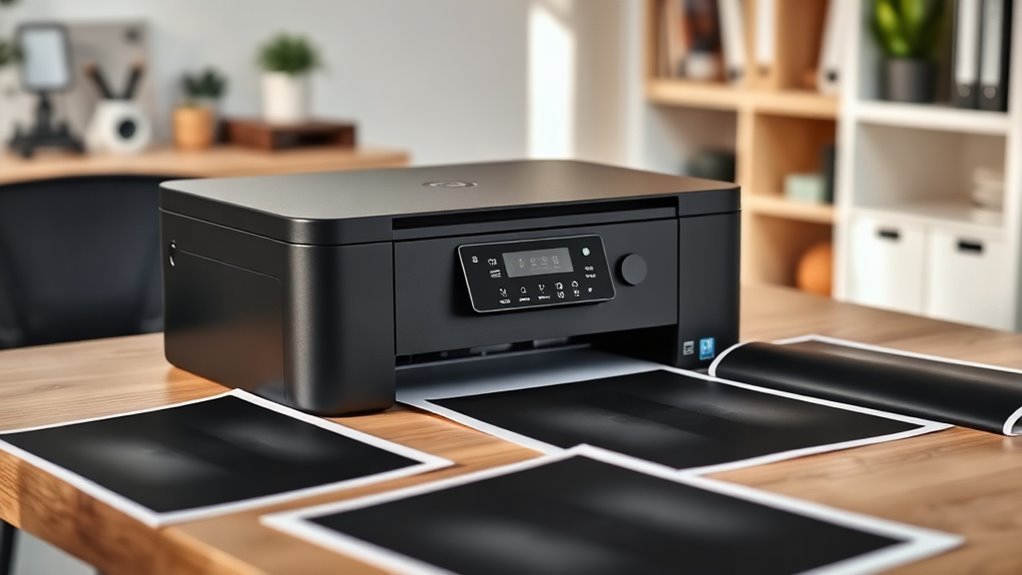
When choosing a black printer, you’ll want to assess the printing technology, whether inkjet or laser, to match your needs. Check the connectivity options and print speed to make certain they fit your workflow.
Don’t forget to factor in ink or toner costs and the printer’s size to make sure it fits your space and budget. It’s all about finding the right balance that works for you.
Printing Technology Types
Although choosing the right black printer might seem straightforward, understanding the different printing technologies can help you find one that fits your needs and budget.
Inkjet printers spray liquid ink through tiny nozzles, delivering excellent photo-quality prints but slower text speeds. Laser printers use toner powder fused with heat, offering fast printing (20–30+ ppm), sharp text, and lower cost per page—ideal for high-volume black-and-white tasks.
Specialized options like dye-sublimation and thermal transfer excel in photos or labels but aren’t cost-effective for general use. Solid ink provides vibrant color with less waste, while LED printers offer laser-like performance with fewer parts and compact designs.
When choosing, consider print speed, duty cycle, cost per page, and media compatibility to match your specific printing needs. It’s all about finding the right balance for what you print most often.
Connectivity Options Available
Since connectivity determines how easily you print from various devices, you’ll want a black printer that supports multiple options. Make sure it offers both Wi-Fi (2.4 GHz and 5 GHz) and wired Ethernet for stable network performance with minimal interference.
Check if it supports mobile printing standards like AirPrint, Mopria, or vendor apps. That way, you can print directly from your smartphone or tablet without needing extra drivers.
USB connectivity is essential for quick local connections and scanning when you’re offline. Also, consider cloud printing and voice assistant integration for remote jobs and hands-free control.
Features like NFC or an SD card slot come in handy for fast walk-up printing or accessing media without network access. This gives you versatile print options in any situation.
Print Speed Requirements
Choosing the right print speed for your black printer means matching it to your typical workload to avoid delays or unnecessary expense. First, estimate your monthly page volume and pick a printer rated to handle peak jobs comfortably—10–30 ppm suits light to moderate use, while 30+ ppm fits heavy daily workloads.
Don’t overlook first-page-out and warm-up times; if you print short, frequent jobs, a first-page time under 10 seconds is ideal. Also, match print speeds to your usual media and quality settings since high-quality or duplex printing often slows output markedly.
Ink and Toner Costs
Understanding ink and toner costs plays a crucial role in selecting the right black printer for your needs. Toner cartridges for monochrome laser printers typically yield between 2,000 and over 10,000 pages, far surpassing inkjet black cartridges that usually print 200 to 1,000 pages.
To compare costs, divide the cartridge price by its rated page yield—this cost-per-page metric reveals long-term expenses clearly. Opting for high-yield or XL cartridges can cut your cost per page by 20–60%, despite higher upfront prices.
Subscription or refill options might lower costs further but could impact warranty and print quality, so weigh those risks carefully. Don’t forget to factor in maintenance kits, drum life, and electricity costs, as they all contribute to the total cost of printing black pages over time.
Printer Size Considerations
When picking a black printer, you’ll want to carefully consider its size to make sure it fits your workspace and usage needs. Measure your available desk or shelf space and compare it with the printer’s footprint and height.
Desktop models vary widely—from compact units about 12–15 inches wide to larger ones exceeding 17 inches wide and 14 inches deep. Also, think about weight for portability and shelf support; smaller printers weigh around 12–16 pounds, while bigger office models can be heavier.
Don’t forget to factor in paper tray and output capacities, as trays need extra depth when extended. Leave clearance for lids and automatic document feeders to open fully, plus space for ventilation and easy access to cables.
Planning these details helps avoid surprises and guarantees smooth daily use. It’s always better to double-check before you buy!
Energy Efficiency Ratings
Since energy costs and environmental concerns matter more than ever, you’ll want to prioritize printers with strong energy efficiency ratings. Look for ENERGY STAR or EPEAT certification to guarantee the model meets strict standards for low energy use and reduced environmental impact.
Be sure to check the printer’s power consumption in active, standby, and sleep modes—especially standby and sleep, where usage under 1 watt can save you significant energy over time. Comparing typical electricity consumption (TEC) values or annual energy use estimates can help predict yearly costs.
Choose printers with fast recovery from sleep mode and configurable auto-sleep timers to maximize real-world savings. Plus, features like automatic duplexing and efficient drivers help reduce page count, cutting energy use per print job.
All these factors add up to smarter, greener printing that’s better for your wallet and the planet.
Frequently Asked Questions
How Do Black Printers Compare in Energy Consumption?
Black printers generally use less energy than color models since they handle fewer cartridges and simpler printing processes.
You’ll find many black printers feature energy-saving modes, helping you reduce power consumption during idle or standby times efficiently. It’s a smart way to keep your electricity bill down without sacrificing performance.
Are Black Printers Compatible With macOS and Windows?
Yes, you’ll find most black printers perfectly paired with both macOS and Windows, ensuring seamless syncing. Whether you’re working with Apple’s sleek system or Windows’ widespread workflow, these printers won’t let compatibility concerns cloud your creativity.
They’re designed to fit right into your setup, no matter which platform you prefer. So, go ahead and print away without worrying about tech headaches!
What Is the Average Lifespan of a Black Printer?
You can expect a black printer to last about 3 to 5 years with regular use. Proper maintenance and quality cartridges can extend its lifespan, helping you avoid frequent replacements or repairs.
Taking good care of your printer really makes a difference. It’s all about keeping it clean and using the right supplies. That way, you get the most out of your investment without any hassle.
Can Black Printers Handle Heavy-Duty Printing Jobs?
You can absolutely throw mountains of documents at black printers—they’ll power through like unstoppable beasts. Just make sure you pick models designed for heavy-duty use.
That way, they don’t break a sweat or slow down under pressure. Heavy-duty black printers are built to handle the load without missing a beat.
How Do Black Printers Perform With Third-Party Ink Cartridges?
You’ll find black printers often work with third-party ink cartridges, but performance varies. Some may cause print quality issues or void warranties, so you’ll want to check compatibility and reviews before using non-original cartridges.
It’s kind of a mixed bag, really. Sometimes the third-party options do just fine, but other times they can mess things up. So, a little homework goes a long way before you make the switch.
Conclusion
Choosing the right black printer can feel overwhelming, but don’t let that stop you. Whether you need sharp documents or crisp photos, these top picks make printing simple and reliable.
Worried about complicated setups or costly ink? Most models, like the Canon PIXMA series, offer easy wireless connections and affordable ink options.
You deserve a printer that works for you—grab one of these and enjoy hassle-free printing every time. With the best black printers for 2027, you get a perfect blend of quality, convenience, and cost-effectiveness. So, whether it’s for home, office, or creative projects, these printers deliver sharp results without breaking the bank. Make your choice today and experience printing made easy, smooth, and budget-friendly!