4 Best Black and White Printers for Home Use in 2027
If you’re on the hunt for a reliable, fast, and compact black-and-white printer for home use in 2027, you’re in the right place.
Whether you need crisp printing for documents or something that fits neatly on your desk, these printers have you covered. Black and white printers are great for saving on ink costs while still delivering sharp text and professional-looking prints.
First up, the Brother HL-L2405W stands out with its crisp 1200 dpi prints and a large 250-sheet tray, perfect for handling bigger print jobs without constant refills.
The HP LaserJet M234sdw offers all-in-one features, including automatic duplexing and an easy-to-use app, making it super convenient for everyday tasks.
For smaller teams or limited spaces, the HP M110w is compact and efficient, fitting right into your workflow without taking up much room.
Lastly, the Canon imageCLASS LBP6030w balances wireless ease and energy savings, ideal for eco-conscious users who want simple, reliable printing.
Keep reading to see how each model fits your space and workflow perfectly!
| Image | Name | Editor's Rating | Price |
|---|---|---|---|

|
|
||

|
|
||

|
|
Brother HL-L2405W Wireless Monochrome Laser Printer
- BEST FOR HOMES & HOME OFFICES – Engineered for consistent, premium print quality, the Brother HL-L2405W Monochrome (Black & White) Laser Printer delivers sharp, crisp...
- COMPACT, CONNECTED PRINTER – Flexible connection options make this an ideal printer for home use and at-home offices. Securely connect to multiple devices with built-in...
- BROTHER MOBILE CONNECT APP – Manage your printer remotely and print from your mobile device anytime, from almost anywhere. Order Brother Genuine Supplies, track toner...
- VERSATILE PAPER HANDLING – Enjoy seamless, reliable everyday printing with the 250-sheet paper tray(4) and a manual feed slot that enables printing on envelopes and...
- BROTHER IS AT YOUR SIDE – Backed by Brother with a 1-year limited warranty and free online, call, or live chat support for the life of your printer

The Brother HL-L2405W is designed to bring fast, reliable black-and-white printing right to your desk. Its compact size fits easily into home or small office spaces, making it ideal when space is limited. With print speeds of up to 30 pages per minute and sharp 1200 x 1200 dpi resolution, it handles everyday documents quickly and clearly.
Wireless dual-band connectivity simplifies printing from laptops, smartphones, or tablets. This reduces cable clutter and allows flexible placement in your workspace. The 250-sheet input tray minimizes frequent paper refills, supporting uninterrupted printing sessions.
Maintenance is straightforward with manual duplex printing, which lets you save paper by printing on both sides. It also supports envelopes and specialty papers, expanding your printing options. The Brother Mobile Connect app offers easy control and management of print jobs from your mobile devices.
While it’s a print-only device without scanning or copying features, its focus on monochrome laser printing ensures efficiency and sharp output. The printer’s power consumption is moderate, which may be a consideration for energy-conscious users.
Best for: small home offices or individuals needing a fast, dependable monochrome laser printer with wireless capabilities.
What We Like:
- Fast printing at 30 pages per minute with crisp 1200 x 1200 dpi output
- Wireless dual-band connection for versatile device compatibility
- Large 250-sheet input capacity supports longer print jobs
- Manual duplex feature helps reduce paper use
- Compact design fits neatly in limited spaces
Specification:
| Feature | Details |
|---|---|
| Manufacturer | Brother |
| Dimensions | 14.2 x 14.0 x 7.2 inches (36.1 x 35.6 x 18.3 cm) |
| Weight | 15.9 lbs (7.2 kg) |
| Color Options | White |
| Connectivity | Wireless dual-band (2.4GHz & 5GHz) |
HP LaserJet M234sdw Monochrome Laser Printer | All-in-One
No products found.
The HP LaserJet M234sdw is designed to meet the demands of small teams and busy home offices. It delivers fast, reliable monochrome printing at up to 30 pages per minute, helping you complete tasks efficiently without delays. Automatic duplex printing reduces paper use and saves you time on double-sided documents.
This all-in-one printer simplifies office workflows by combining printing, copying, and scanning. The 40-page auto document feeder handles multi-page documents with ease, cutting down on manual effort and improving productivity. Its compact design fits neatly into any workspace without adding clutter.
Connectivity is straightforward, offering dual-band Wi-Fi, Ethernet, and USB options. You can also print directly from mobile devices using the HP Smart app, making it easy to work from anywhere. Maintenance is simple, but keep in mind the 150-sheet paper capacity means you may need to refill more often in high-volume environments.
While the printer offers solid performance, it supports only monochrome output and a maximum resolution of 600 x 600 dpi, which might not suit detailed graphic prints. Overall, it balances speed, functionality, and convenience for everyday office needs.
Best for: Small teams and home offices needing fast, reliable monochrome printing, copying, and scanning with easy wireless connectivity.
What We Like:
- Fast printing speed of up to 30 ppm with automatic duplex.
- Efficient multi-page handling via 40-page auto document feeder.
- Flexible connectivity including dual-band Wi-Fi, Ethernet, USB, and mobile app.
- Compact design saves workspace without sacrificing function.
- Built-in security features protect your data.
Specification:
| Feature | Details |
|---|---|
| Manufacturer | HP |
| Dimensions (W×D×H) | Approx. 15.4 × 14.2 × 11.7 in (39.1 × 36.1 × 29.7 cm) |
| Weight | Approx. 18.7 lb (8.5 kg) |
| Color | Monochrome (Black and White) |
| Print Speed | Up to 30 ppm |
| Resolution | 600 x 600 dpi |
| Paper Capacity | 150 sheets |
| Connectivity | Dual-band Wi-Fi, Ethernet, USB, Mobile app |
HP LaserJet M110w | Monochrome | Laser Printer
- FROM AMERICA'S MOST TRUSTED PRINTER BRAND – Perfect for small teams printing professional-quality black & white documents and reports. Perfect for 1-3 people
- WORLD'S SMALLEST LASER IN ITS CLASS – Precision laser printing that fits anywhere
- FAST PRINT SPEEDS – Up to 21 black-and-white pages per minute single-sided
- WIRELESS WITH SELF-RESET – Helps you stay connected
- PRINT FROM ANY DEVICE – Wireless printing from any mobile device, PC or tablet. Works with Microsoft, Mac, AirPrint, Android, Chromebook and more
The HP LaserJet M110w is designed to fit seamlessly into small office spaces. Its compact size makes it ideal for teams of one to three users who need a reliable monochrome laser printer without sacrificing desk space. This printer delivers sharp black-and-white prints at 600 x 600 dpi, ensuring clear, professional documents every time.
With print speeds of up to 21 pages per minute, the M110w helps reduce waiting time and boosts productivity. It supports various paper sizes, but note that automatic duplex printing is not available on this model. Connectivity is straightforward, offering both USB and wireless options, so you can print directly from computers or mobile devices using the HP Smart app.
Maintenance is simple with a preinstalled toner cartridge that allows you to start printing immediately. However, the printer’s input tray holds up to 150 sheets, which may require frequent refills in busier settings. Keep in mind, it only supports original HP toner cartridges to maintain performance and print quality.
Overall, this printer balances compact design, ease of use, and efficient printing for small teams needing dependable monochrome output.
Best for: Small teams of 1–3 people requiring a compact, easy-to-maintain monochrome laser printer for everyday office use.
What We Like:
- Compact footprint saves valuable desk space
- Sharp 600 x 600 dpi resolution with fast print speeds
- Easy wireless and USB connectivity with mobile app control
- Preinstalled toner cartridge for immediate use
Specification:
| Feature | Details |
|---|---|
| Manufacturer | HP |
| Dimensions (W×D×H) | Approx. 14.6 × 9.1 × 7.7 in |
| Weight | Approx. 11.3 lb (5.1 kg) |
| Printing Technology | Monochrome Laser |
| Print Resolution | 600 x 600 dpi |
| Connectivity | USB, Wireless |
| Input Tray Capacity | 150 sheets |
Canon imageCLASS LBP6030w Wireless Monochrome Laser Printer
- FAST PRINT SPEEDS: Print up to 19 pages per minute.
- COMPACT DESIGN: Space-saving, compact design fits anywhere in your home, school or small office.
- WIRELESS CONNECTIVITY: Print from almost anywhere in your workspace using your compatible mobile device.
- PAPER CAPACITY: Up to 150 sheets.
- SUSTAINABILITY: Uses less than 2 watts in Energy Saver mode.
Experience hassle-free printing with the Canon imageCLASS LBP6030w, designed to meet the demands of home offices and small workspaces. Its wireless capability eliminates the clutter of cables, allowing you to print seamlessly from laptops or mobile devices. This printer helps you save time with fast, reliable output.
The compact and lightweight design fits neatly on any desk, making it ideal for limited spaces. With a print speed of up to 19 pages per minute and sharp 600 x 600 dpi resolution, it produces clear black-and-white documents that meet everyday needs. The simple setup and wireless connection reduce technical interruptions.
Maintenance is straightforward, thanks to the use of Canon Genuine Toner, which yields approximately 1,600 pages per cartridge. Its energy-efficient operation keeps power consumption low, supporting eco-conscious use without sacrificing performance. The single 150-sheet paper tray suits moderate printing volumes.
While it only supports monochrome printing and lacks advanced display features, this printer remains a practical choice for users focused on essential document printing. Its design balances functionality and convenience in a small footprint.
Best for: Small businesses and individuals needing a compact, efficient monochrome laser printer for everyday office tasks.
What We Like:
- Fast printing at up to 19 pages per minute with crisp resolution
- Wireless connectivity for easy, cable-free printing
- Compact and lightweight, perfect for tight spaces
- Uses Canon Genuine Toner for consistent quality and simple maintenance
- Energy-efficient design reduces power consumption
Specification:
| Feature | Details |
|---|---|
| Manufacturer | Canon |
| Dimensions | Approx. 13.0 x 9.0 x 7.7 in |
| Weight | 11 lb (5 kg) |
| Print Technology | Monochrome Laser |
| Print Resolution | 600 x 600 dpi |
| Paper Capacity | 150 sheets |
| Connectivity | Wireless |
| Color Options | Monochrome (Black and White) |
Factors to Consider When Choosing a Black and White Printer for Home Use
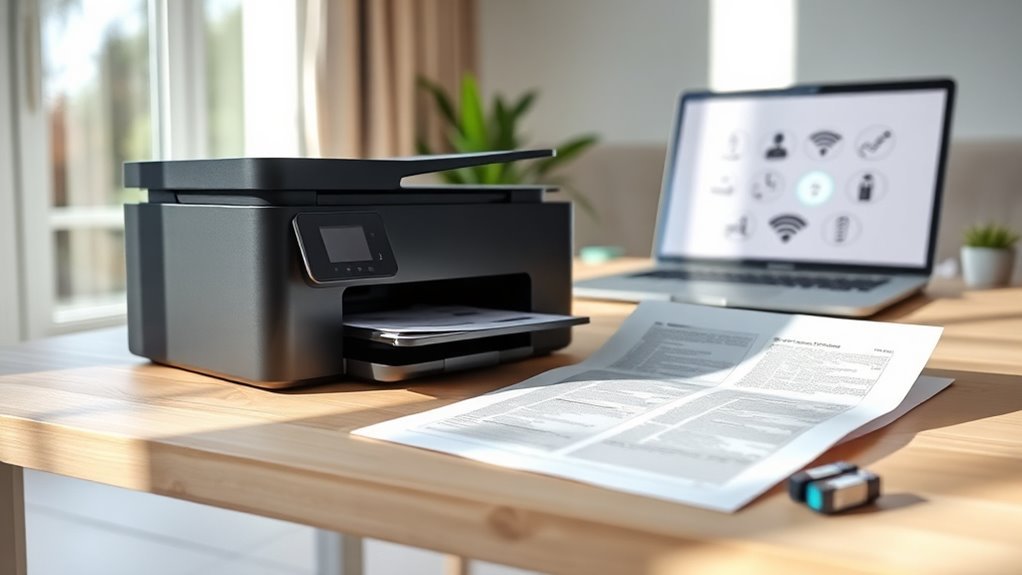
When choosing a black and white printer for home use, you’ll want to take into account print speed to match your workload and wireless options for easy connectivity.
Don’t forget to check the print resolution for sharp text, duplex printing to save paper, and paper handling capacity for how much you print at once.
Keeping these factors in mind will help you find a printer that fits your daily needs. It’s all about making sure your printer works smoothly for you every day.
Print Speed Requirements
Although print speed might seem like a minor detail, it can markedly impact your daily printing experience at home. If you print only a few pages a day, a speed of 15–20 ppm usually prevents frustrating delays.
For moderate workloads, like multi-page documents or work-from-home tasks, aim for 25–30 ppm to keep things flowing smoothly. Don’t overlook first-page-out time—often 8–9 seconds on many monochrome lasers—as a faster start makes single-page prints feel quicker.
If you scan or copy and feed pages back into the printer, focus on sustained speed to minimize total job time. Keep in mind, advertised speeds are ideal; real-world factors like duplexing, resolution, and warm-up times often slow things down a bit. Choose accordingly.
Wireless Connectivity Options
In choosing a black and white printer for your home, wireless connectivity plays a vital role in how easily you can print from various devices. Make sure the printer supports both 2.4 GHz and 5 GHz Wi-Fi bands to get better range and less interference for your laptop and mobile printing.
Also, look for built-in Wi-Fi Direct or wireless access point mode so you can print from phones or tablets without relying on your router. It’s super handy when you want to skip the hassle of connecting to a network.
Check if it’s compatible with AirPrint, Mopria, or native mobile apps to guarantee smooth printing from smartphones. These features make printing from your phone feel seamless and straightforward.
Features like wireless setup, remote printing, firmware updates, and toner monitoring simplify maintenance. They save you time and help keep everything running smoothly.
Finally, prioritize printers with secure wireless protocols like WPA2/WPA3 and network authentication. This way, you can keep your print jobs safe from unauthorized access and have peace of mind.
Print Resolution Quality
Beyond wireless features, the sharpness of your printed documents depends largely on print resolution quality. Measured in dpi (dots per inch), print resolution determines how crisply text and fine lines appear.
Most monochrome laser and LED printers offer between 600 x 600 dpi and 1200 x 1200 dpi. For everyday documents, 600 dpi usually provides clear, readable text, while 1200 dpi enhances fine graphics and professional forms.
If you scan or copy documents for OCR, opting for higher resolution helps preserve character shapes and improves accuracy. Keep in mind, resolution isn’t the only factor—toner particle size, print engine precision, and paper type also impact sharpness.
When choosing a printer, compare both horizontal and vertical dpi specs and test sample prints of your typical documents to judge actual quality. It’s always good to see how your documents look in real life before deciding.
Duplex Printing Capability
When you want to save paper and time, a printer with automatic duplex printing can flip pages for you without any extra effort. This feature cuts your paper use by up to 50% on multi-page documents, lowering costs and environmental impact.
Avoid manual duplex models, which require you to flip or reinsert pages. They slow you down and increase the chance of paper jams.
Make sure the duplex function supports the media you use. Envelopes, labels, and heavy card stock often can’t be duplexed automatically.
Keep in mind, automatic duplex adds some complexity. It can slightly increase the printer’s size, weight, and price compared to single-sided models.
If you often scan or copy two-sided originals, pairing auto-duplex with an automatic document feeder really boosts efficiency. It helps streamline your workflow at home.
Paper Handling Capacity
Automatic duplex printing can save paper, but you’ll also want to take into account how much paper your printer can hold and manage at once. Check the input tray capacity—typically 150 to 250 sheets—to match your usual print volume and avoid frequent refills.
Also, consider the output tray capacity, often between 50 and 150 sheets, so you don’t have to clear it constantly during large print jobs. Make sure the printer supports various media types and has a manual feed or dedicated slot for envelopes, labels, or cardstock if you print those.
Finally, verify the maximum paper size it can handle, commonly up to legal 8.5″ x 14″, to guarantee it fits any larger forms or specialty sheets you might use. It’s all about making sure your printer can keep up with what you throw at it!
Device Compatibility Features
To get the most out of your black and white printer, make sure it works seamlessly with the devices you use every day. Check that it supports your operating systems—Windows, macOS, iOS, Android, or Chromebook—so drivers and apps are ready when you need them.
Look for multiple connectivity options like dual-band Wi-Fi (2.4/5 GHz), USB, and Ethernet to connect easily across laptops, desktops, and mobiles. Confirm it supports mobile printing standards such as AirPrint or Mopria and offers a manufacturer app for easy setup, scanning, and remote management.
If multiple users will share the printer, prioritize network features like guest access and cloud or voice printing for convenience. Also, verify driver and firmware requirements to avoid compatibility hassles down the line. It’ll save you a lot of headaches!
Cartridge And Toner Costs
After ensuring your printer works well with your devices, it’s important to contemplate how much running it will actually cost you. To get a true sense of expenses, divide the cartridge or toner price by its rated yield to find the cost per page.
High-capacity or XL cartridges usually offer a lower cost per page despite a higher upfront price. Don’t forget to check if your printer needs a separate drum unit; replacing this adds to ongoing costs.
Also, consider subscription or automatic refill programs carefully, focusing on long-term costs and any fees, not just convenience. Keep in mind that manufacturer yields assume standard coverage—if you print dense text or graphics, expect a higher effective cost per page.
Physical Size And Weight
Consider your available space carefully when choosing a black and white printer for home use, as physical size and weight directly impact where and how you can place the device. Check the printer’s footprint to confirm it fits your desk or shelf. Compact models can be under 8″ high, while others need more surface area.
Lighter printers (9–12 lb) are easy to move, but heavier ones (15–20+ lb) offer stability. Don’t forget to allow extra clearance above and behind for trays, output bins, and cables to prevent obstruction.
If space is tight, prioritize “compact” models and verify if duplexing or ADF features require extra room. Also, make sure your chosen spot supports the printer’s weight and offers easy access for maintenance tasks.
Frequently Asked Questions
How Do Black and White Printers Compare in Energy Consumption?
Black and white printers usually consume less energy than color printers because they use simpler printing processes. You’ll find they’re more efficient, especially in standby mode, helping you save on electricity without sacrificing print quality.
Plus, since they don’t need to mix multiple inks or colors, the whole system runs smoother. So, if you’re mainly printing text documents, a black and white printer can be a smart, energy-saving choice.
Can These Printers Print on Different Paper Sizes?
Yes, many black and white printers can handle different paper sizes. You’ll find options supporting everything from standard letter to legal sizes.
They even accommodate smaller photo sizes, making your printing tasks versatile and convenient. So, whether you need to print documents or photos, these printers have you covered.
What Is the Average Lifespan of a Black and White Laser Printer?
You can expect a black and white laser printer to last around 5 to 7 years.
For example, Sarah’s trusty printer served her well through daily home office tasks without any major issues for six years straight.
Not bad, right? It just goes to show how reliable these printers can be with proper care.
Are There Any Eco-Friendly Black and White Printer Options?
Yes, you can find eco-friendly black and white printers that use energy-efficient technology and recycled materials.
Look for ENERGY STAR-certified models and those with toner-saving modes to reduce waste and lower your environmental impact.
These features not only help the planet but can also save you money in the long run.
How Does Print Speed Vary With Different Types of Documents?
You’ll notice print speed drops by up to 50% when printing high-resolution images compared to simple text documents.
Conclusion
So, you want a black and white printer for home use, but who really needs one in 2027, right? With everything going digital, printing might seem old-fashioned.
Yet, when you do need crisp, reliable prints without the fuss of colors, these models prove they’re still worth it. Choosing the right one means you’ll enjoy hassle-free printing—finally making that paper clutter feel like a smart decision, not a relic.
In today’s digital age, having a dependable black and white printer at home is surprisingly practical. Whether it’s for important documents, schoolwork, or quick notes, these printers offer speed, clarity, and affordability. So, if you want efficient and cost-effective printing without the distractions of color cartridges, investing in a quality black and white printer is still a smart move in 2027.