4 Best Bang for Buck 3D Printers for 2026 You Can’t Miss
You want a 3D printer that’s fast, versatile, and won’t break the bank in 2026. Finding the best bang for buck 3D printers means balancing speed, multi-material capabilities, and ease of use. Whether you’re after high-quality multi-color prints or just starting out, there’s a model for you. Let’s explore some top picks that deliver great value without compromising performance.
The Bambu Lab P2S Combo nails speed and multi-material printing with its AMS 2 Pro. It’s perfect if you want to print complex projects quickly.
For compact, multi-color prints, the A1 Mini Combo is user-friendly and quiet. Plus, it fits nicely on any desk.
The P1S Combo handles up to 16 colors and advanced filaments. That means more creative freedom for your prints.
If you’re starting out, the Creality Ender 3 V3 SE offers auto leveling and smooth handling at a great price. It’s a solid choice to learn on without spending a fortune.
Keep exploring to find out which fits your needs best.
| Image | Name | Editor's Rating | Price |
|---|---|---|---|

|
|
||

|
|
||

|
|
||

|
|
Bambu Lab P2S Combo, P2S 3D Printer & AMS 2 Pro, Multi-Color 3D Printing
- High-Speed Precision: The Bambu Lab P2S 3D printer prints up to 600 mm/s while maintaining exceptional accuracy. With the PMSM Servo Extruder and Active Flowrate...
- Ready to Print in 15 Minutes: Set up your P2S FDM 3D printer and start printing in just 15 minutes. With AI failure detection, quick-swap nozzles, and automatic...
- Effortless Multi-Color Printing: The AMS 2 Pro enables seamless multi-color/multi-material 3D printing. It features built-in filament drying at up to 65 °C, keeping...
- Smart Airflow for Any Filament: The Adaptive Airflow System automatically balances cooling and heat retention—keeping overhangs crisp with cool air, or maintaining a...
- Limitless Creativity, Seamless Workflow: Explore over one million 3D models on MakerWorld and bring them to life with a smooth, unified workflow using Bambu Studio, Bambu...
Experience a new level of creativity with the Bambu Lab P2S Combo, designed for vibrant multi-color and multi-material 3D printing. This system pairs the P2S 3D Printer with the AMS 2 Pro to eliminate the hassle of manual nozzle swaps and calibration. You can focus on your projects while the combo handles precise color transitions smoothly.
The printer’s CoreXY design delivers exceptional speed, reaching up to 600 mm/s, without sacrificing layer quality. Its heated chamber and filament drying features ensure consistent results, reducing print failures caused by moisture or temperature fluctuations. Maintenance is straightforward, thanks to automatic calibration and intuitive setup.
Advanced functions like AI failure detection and adaptive airflow enhance reliability and print quality. These features catch issues early and maintain optimal printing conditions. While the combo requires more space and investment, it brings professional-grade capabilities to your workspace and workflow.
Best for: Professionals and enthusiasts aiming for high-speed, multi-material projects with minimal manual intervention.
What We Like:
- Seamless multi-color printing with AMS 2 Pro and quick-swap nozzles
- Fast CoreXY mechanism for sharp, smooth prints at high speeds
- Heated chamber and filament drying for consistent output
- AI failure detection and adaptive airflow for reliable operation
- Easy setup reduces downtime and complexity
Specification:
| Feature | Details |
|---|---|
| Manufacturer | Bambu Lab |
| Dimensions | 18 x 22 x 18 inches |
| Weight | 46.3 pounds |
| Supported Printing | Multi-color, multi-material |
| Key Components | P2S 3D printer, AMS 2 Pro |
Bambu Lab A1 Mini Combo, A1 Mini 3D Printer&AMS lite, Multi-Color Printing
- High-Speed Precision: Experience unparalleled speed and precision with the Bambu Lab A1 Mini 3D Printer. With an impressive acceleration of 10,000 mm/s², the A1 Mini...
- Multi-Color Printing with AMS lite: Unlock your creativity with vibrant and multi-colored 3D prints. The Bambu Lab A1 Mini 3D printers make multi-color printing...
- Full-Auto Calibration: Say goodbye to manual calibration hassles. The A1 Mini 3D printer takes care of all the calibration processes automatically, ensuring optimal...
- Active Flow Rate Compensation: Achieve consistently smooth prints with active flow rate compensation. The algorithm actively compensates the flow rate according to the...
- Easy and Quiet 3D Printing: A1 mini 3D printer offers easy printing with a user-friendly interface and simplified touchscreen. Setup for your first print takes just...
Discover the Bambu Lab A1 Mini Combo, designed to simplify multi-color 3D printing for users of all levels. This compact system combines the A1 Mini 3D printer with the AMS lite multi-material unit, enabling effortless creation of vibrant, detailed models without the usual complexity.
Its quick setup means you can start printing in about 20 minutes, thanks to the pre-assembled design and intuitive touchscreen interface. The printer’s active flow rate compensation ensures consistent, precise output even at high speeds, delivering smooth finishes every time.
Maintenance is straightforward with the 1-Clip quick swap nozzle, minimizing downtime and keeping your workflow efficient. Noise levels remain low, under 48 dB, making it suitable for home or office environments without disruption.
While the AMS lite system adds multi-material capability, it also introduces some complexity that may require a learning curve. Additionally, the printer’s weight capacity is capped at 22 pounds, which limits larger or heavier projects.
Best for: Beginners and hobbyists wanting a compact, easy-to-use 3D printer that delivers vibrant multi-color prints with minimal setup.
What We Like:
- Fast setup with pre-assembled components and user-friendly touchscreen
- Vibrant multi-color printing enabled by the AMS lite system
- Precise printing through active flow rate compensation
- Low noise operation suitable for quiet environments
- Easy maintenance via 1-Clip quick swap nozzle
Specification:
| Feature | Details |
|---|---|
| Manufacturer | Bambu Lab |
| Dimensions | Compact size (exact dimensions not specified) |
| Weight Capacity | 22 pounds (approx. 10 kg) |
| Material | Multi-material printing supported via AMS lite |
| Color Options | Multi-color printing enabled |
Bambu Lab P1S Combo, P1S 3D Printer and AMS, Multi-Color 3D Printing
- Up to 16 Colors: Bring your designs to life with vibrant multi-color/multi-material printing capabilities, perfect for showcasing your creativity. Note: Connecting Bambu...
- 500mm/s and 20000 mm/s² Acceleration True High Speed: Don't wait around for your masterpieces. Lightning-fast printing speed lets you focus on creating, not waiting.
- Enclosed Design: Fully enclosed body improves print performance for advanced filaments. Automatic Bed Leveling: Say hello to high-quality, successful prints. Auto bed...
- Set Up in 15 Minutes: Spend more time printing and less time setting up. User-friendly design ensures a hassle-free assembly experience for all skill levels.
- Supported Filament: Ideal: PLA, PETG, TPU, PVA, PET ABS, ASA; Capable : PA, PC; Not Recommended: Carbon/Glass Fiber Reinforced Polymer.
Discover the power of vibrant, multi-color 3D printing with the Bambu Lab P1S Combo. This system is built to deliver speed and precision, helping creators bring complex designs to life without hassle. Its CoreXY mechanism enables rapid printing, so projects finish faster and with excellent detail.
The AMS accessory expands your creative range by allowing up to 16 colors or materials in a single print. This versatility solves the problem of needing multiple printers or manual filament changes, streamlining multi-material workflows. Setup is straightforward, taking only about 15 minutes, aided by automatic bed leveling that ensures consistent print quality.
Designed with a fully enclosed body, the printer supports advanced filaments like PLA, PETG, and TPU while maintaining a stable printing environment. While it handles most materials well, it is not suitable for carbon or glass fiber reinforced polymers, which limits some industrial applications. Maintenance remains manageable thanks to its user-friendly design and reliable components.
Weighing 47.5 pounds, the P1S Combo prioritizes stability over portability, making it ideal for a dedicated workspace. This combination of speed, multi-color capability, and ease of use makes it a practical choice for professionals and serious hobbyists alike.
Best for: Creators and professionals looking for fast, precise multi-color 3D printing with easy setup and support for advanced filaments.
What We Like:
- Supports up to 16 colors with AMS for complex, vibrant prints
- High-speed CoreXY system with acceleration up to 20,000 mm/s²
- Fully enclosed design with automatic bed leveling for reliable prints
- User-friendly setup completed in about 15 minutes
Specification:
| Feature | Details |
|---|---|
| Manufacturer | Bambu Lab |
| Dimensions | Not specified |
| Weight | 47.5 lb (21.5 kg) |
| Print Technology | CoreXY 3D Printer |
| Multi-Color Support | Up to 16 colors (with AMS) |
| Compatible Filaments | PLA, PETG, TPU, others (excludes carbon/glass fiber reinforced polymers) |
| Enclosure | Fully enclosed |
Creality Ender 3 V3 SE Beginner-Friendly 3D Printer with Auto Leveling
- 250mm/s High-Speed Printing: Print at speeds of up to 250mm/s with 2500mm/s² acceleration, helping you complete prototypes, functional parts, and everyday projects...
- Easy Setup with Auto Leveling: Designed for a fast and straightforward setup, the Ender 3 V3 SE can be assembled in just a few simple steps. CR Touch Auto Leveling and...
- Proven Sprite Direct Drive Extruder: The upgraded Sprite Direct Drive Extruder provides smooth and consistent filament feeding for PLA, PETG, and TPU. Its proven design...
- Stable Motion System for Consistent Results: Dual synchronized Z-axis lead screws and precision Y-axis linear shafts work together to help reduce vibration and Z...
- Quiet Operation with Easy Print Removal: A 32-bit silent mainboard helps reduce operating noise for a more comfortable printing experience, while the flexible PC spring...
The Creality Ender 3 V3 SE makes 3D printing accessible and straightforward. Its CR Touch auto leveling and automatic Z-offset calibration take the guesswork out of setup, ensuring your first layer sticks perfectly every time. This feature helps avoid common printing errors, saving you time and frustration.
Equipped with a Sprite Direct Drive Extruder, it handles a variety of filaments like PLA, PETG, and TPU smoothly. This versatility allows you to experiment with different materials for your projects without hassle. The printer’s dual Z-axis screws provide stable, precise motion for consistent print quality.
Maintenance is simple thanks to the flexible PC spring steel build plate, which lets you remove prints easily without damage. The silent 32-bit mainboard keeps noise to a minimum, making the printing process more pleasant in any environment.
With a max speed of 250 mm/s, the Ender 3 V3 SE balances speed and accuracy well, though it may not meet ultra-fast production needs. Weighing under 20 pounds, it remains portable enough for most users but is best suited for stationary use.
Best for: Beginners and hobbyists seeking an easy-to-use 3D printer with reliable auto leveling and versatile filament support for everyday projects and prototypes.
What We Like:
- CR Touch auto leveling and automatic Z-offset make setup easy and reliable
- Supports smooth feeding of PLA, PETG, and TPU filaments
- Dual synchronized Z-axis screws ensure stable and precise printing
- Flexible spring steel build plate simplifies print removal
- Quiet operation thanks to the 32-bit mainboard
Specification:
| Feature | Details |
|---|---|
| Manufacturer | Creality |
| Dimensions | Not specified |
| Weight | Under 20 pounds (~9 kg) |
| Material | PC spring steel build plate |
| Color Options | Not specified |
Factors to Consider When Choosing the Bang for Buck 3D Printer 2026
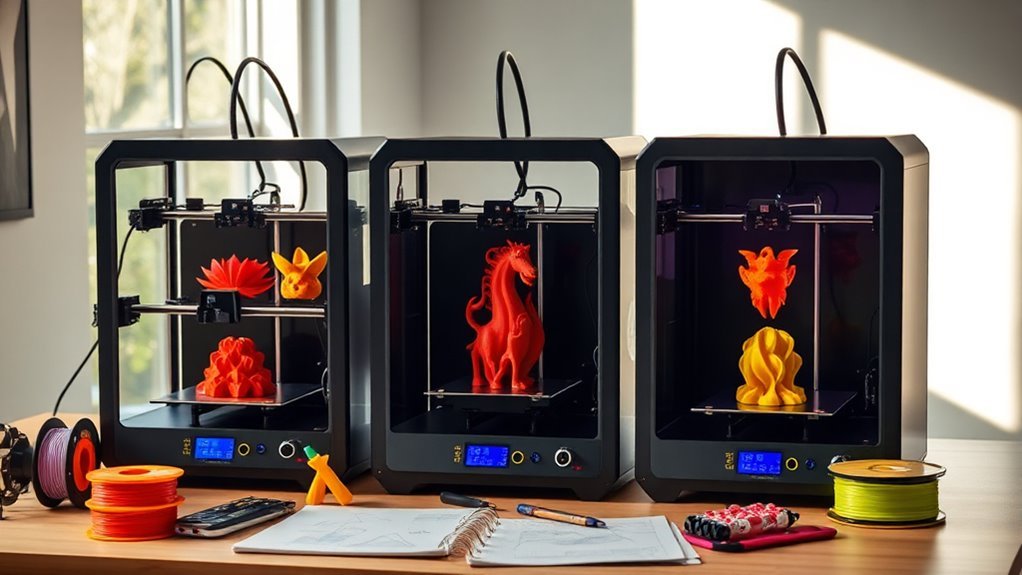
When choosing the best bang for your buck 3D printer in 2026, you’ll want to weigh print speed and multi-color capabilities carefully. Precision and ease of setup play huge roles in getting quality results without frustration.
Don’t forget to check how many materials the printer supports to make certain it fits your project needs. It’s all about matching the printer to what you want to create, so take your time deciding.
Print Speed Importance
Although higher maximum print speeds can cut down job times, they only save you real-world time if the printer maintains high acceleration and jerk settings without compromising quality. You should focus on the usable cruise speed during large solid infills and outer perimeters rather than just peak nozzle speed.
Faster motion demands a robust mechanical design and effective cooling to prevent ringing, layer misalignment, and thermal artifacts. Keep in mind that for functional parts or fine detail, slower speeds at finer layer heights often yield better surface finishes.
Also, consider total workflow time—including warm-up, bed adhesion, and post-processing—since raw print speed is just one part of overall productivity. Matching speed to your print quality needs guarantees you get the best bang for your buck in 2026.
Multi-Color Capability
Since multi-color capability adds both complexity and cost, you should carefully consider whether full-color prototypes or functional multi-material parts justify the investment. Multi-extruder or automatic material switcher systems enable these features but can introduce reliability challenges like oozing, retractions, and increased print time.
You’ll want printers with effective purge strategies and strong software support to minimize filament waste. Look for built-in filament management—such as enclosed pathways and drying—to reduce jams and moisture issues, especially with hygroscopic filaments.
Your slicer software should handle multi-color toolpath assignment, adaptive retractions, and seamless tool changes to simplify your workflow. Finally, check the printer’s limits on filament feeds, purge volume, and automatic offset calibration to make certain accurate color registration and consistent results.
Precision and Accuracy
Balancing multi-color capabilities with precise and accurate printing can be challenging, but focusing on the right hardware and features helps you get the best results. Look for printers with proven motion systems like CoreXY or reinforced gantries and high acceleration settings (10,000–20,000 mm/s²) to reduce ringing and boost dimensional accuracy.
Pay attention to nozzle precision—closed-loop or servo-driven extruders and active flow compensation keep extrusion consistent, sharpening details. Smaller nozzles (≤0.2 mm) improve resolution but slow print times, so choose based on your needs.
Auto-calibration features like automatic bed leveling and Z-offset minimize first-layer errors, enhancing accuracy. Finally, a controlled-temperature environment with heated beds and enclosures stabilizes prints by preventing warping and dimensional drift. This is essential for engineering-grade projects.
Ease of Setup
Getting started with a new 3D printer shouldn’t feel like a chore. Choose models with pre-assembled frames and first-run wizards that guide you to your first print in under 20 minutes.
Auto-calibration features like automatic bed leveling and nozzle height probing cut down setup time and eliminate tedious adjustments. Look for built-in filament loading systems and simple nozzle swap designs to minimize initial fiddling.
A clear touchscreen or companion app with step-by-step prompts helps you navigate setup without confusion. Also, prioritize printers backed by thorough documentation, quick-start guides, and active online communities to troubleshoot issues swiftly.
Material Compatibility Range
Once your 3D printer is up and running smoothly, the next factor to contemplate is what materials it can handle. Check the supported filament types like PLA, PETG, TPU, ABS, nylon, and soluble supports such as PVA to make certain they match your projects.
Also, verify the hotend and heated bed temperatures—ideally ≥260°C for the hotend and ≥100°C for the bed—so you can print high-temp plastics like Nylon and PC. It’s pretty important to have those temperature capabilities if you’re aiming for tougher materials.
Consider whether the printer offers a heated chamber or enclosure, which is essential for warpage-prone materials such as ABS and high-fill nylons. This can make a big difference in print quality.
If you plan to print flexible or abrasive filaments, look for direct-drive extruders or hardened nozzles. These features really help with tricky materials.
Finally, for complex prints requiring supports, make certain your printer supports multi-material workflows or dual extrusion for soluble supports. It’s a game-changer when you need clean, easy-to-remove supports.
Noise Levels During Operation
When choosing a 3D printer for your workspace, you’ll want to zero in on noise levels during operation. Look for printers quoting noise levels under 50 dB—these are usually quiet enough for home or office use.
Features like silent stepper drivers, motor noise cancellation, and vibration-damping components help reduce perceived sound even if peak decibels are similar. Remember, faster print speeds and higher accelerations often increase mechanical and airflow noise, so focus on noise performance at your typical settings.
Also, consider fan and enclosure design; insulated enclosures and low-RPM, high-flow fans markedly cut down mid-to-high frequency hiss. If quiet operation matters to you, check measured noise spectra or user reviews describing sound quality.
And don’t forget to do some test prints at common speeds before buying to make certain acoustic comfort. It’s worth the effort to ensure your printer won’t be too noisy for your environment.
Software and Ecosystem
Although hardware specs matter, the software and ecosystem of your 3D printer play a crucial role in delivering consistent, high-quality prints. Prioritize printers with open, actively maintained slicing software that offers automated profiles, multi-material toolpaths, and regular firmware updates to keep performance sharp and features fresh.
Look for ecosystems featuring cloud or local model libraries, print queue management, and remote monitoring with cameras and telemetry. These help streamline workflows and cut down on failed prints.
Software that supports automatic bed leveling, flow-rate compensation, and AI-assisted failure detection will save you from tedious manual tuning and boost first-print success. Make certain compatibility with third-party slicers, plugins, and filament profiles to avoid vendor lock-in and expand your material choices.
Finally, easy multi-extruder integration and filament control simplify complex multi-color or multi-material projects. It’s all about making your printing experience smoother and more versatile.
Frequently Asked Questions
What Are the Common Maintenance Tips for 3D Printers?
You should regularly clean the nozzle, lubricate moving parts, and tighten belts. Level the print bed, update firmware, and check filament quality too.
Doing these keeps your 3D printer running smoothly. Plus, it guarantees consistent, high-quality prints every time.
How Do Filament Types Affect Print Quality and Cost?
Different filament types impact print quality and cost markedly. You’ll get smoother finishes with PLA but higher expenses with specialty filaments like carbon fiber.
Choose based on your project’s needs and budget to balance quality and price. It really depends on what you’re aiming for in your print!
What Safety Precautions Should I Follow When Using 3D Printers?
You should always work in a well-ventilated area. It helps keep the air clean and reduces any fumes from the printing process.
Wear gloves when handling hot parts to avoid burns. Also, try to avoid touching any moving components—they can be dangerous.
Keep flammable materials away from your 3D printer. And a big one: never leave your 3D printer unattended while it’s running. Staying alert is key to staying safe.
Can These 3D Printers Be Used for Professional Prototyping?
Just like a knight wielding a sword, you can definitely use these 3D printers for professional prototyping. They deliver precision, speed, and material variety, making your designs come to life efficiently without breaking your budget or patience.
Seriously, they’re up to the task. Whether you’re tweaking a small part or building a complex prototype, these printers handle it like pros. So, yes—go ahead and bring your ideas to life!
How Does 3D Printer Noise Level Impact Home Use?
3D printer noise can disrupt your home environment, especially during long prints. You’ll want quieter models or sound enclosures to avoid distractions.
This way, you can keep your workspace comfortable without annoying interruptions from constant buzzing or mechanical sounds. It really makes a difference when you’re trying to focus or relax.
Conclusion
When choosing your next 3D printer, remember that 65% of users prioritize multi-color printing for more creative projects. Whether you pick the advanced Bambu Lab P2S Combo or the beginner-friendly Creality Ender 3 V3 SE, you’re getting great value for your money in 2026.
Focus on features that match your needs—like ease of use, print quality, and versatility—to make sure your investment really pays off. Ready to bring your ideas to life?
Finding the best bang for buck 3D printers means balancing cost with performance. Look for machines that offer reliable multi-color printing, excellent print quality, and user-friendly interfaces.
In 2026, the right 3D printer can unlock endless creativity without breaking the bank. So whether you’re a hobbyist or a professional, choosing a versatile and affordable 3D printer is key to success.