9 Best Black and White Network Laser Printers for 2027
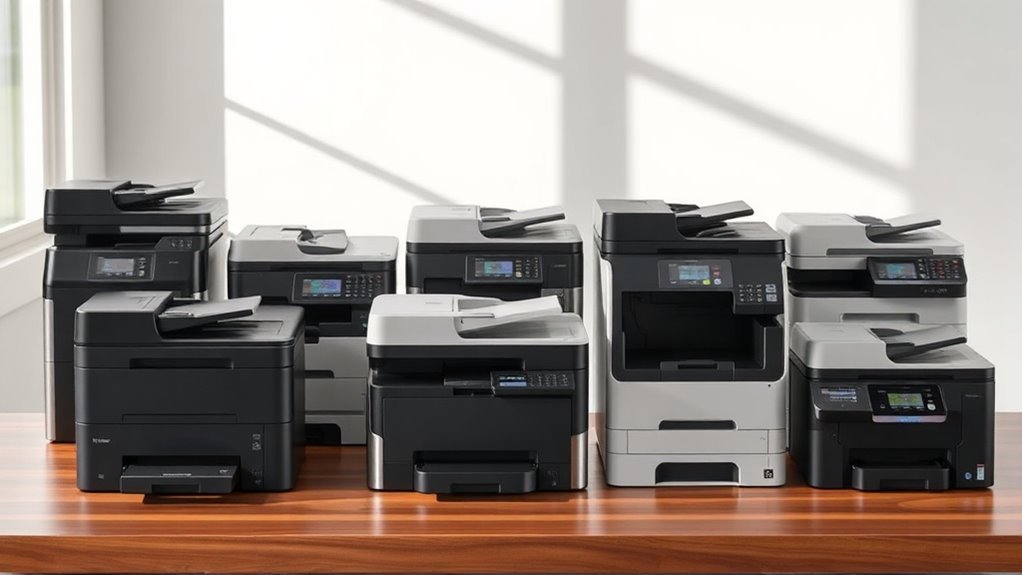
You’ll find the 9 best black and white network laser printers for 2027 cover everything from compact models like the Brother HL-L2460DW to high-volume workhorses such as the Brother HL-6210DW. These printers are perfect for anyone looking for reliable black and white printing with network capabilities. Whether you’re outfitting a small home office or a busy corporate environment, there’s something here for you.
Need fast, secure multifunction features? HP’s 3105sdw has you covered. Looking for reliable wireless printing? Canon’s imageCLASS series won’t disappoint. These printers balance speed, capacity, and security, making it easy to pick one that truly fits your workflow and budget.
More details on these top picks and what sets them apart lie ahead. So, let’s dive in and find the perfect black and white network laser printer for your needs!
| Image | Name | Editor's Rating | Price |
|---|---|---|---|

|
|
||

|
|
||

|
|
||

|
|
||

|
|
Brother HL-L2460DW Wireless Monochrome Laser Printer
- BEST FOR HOME OFFICES & SMALL TEAMS – Engineered for consistent, premium print quality, the Brother HL-L2460DW Monochrome (Black & White) Laser Printer produces...
- COMPACT, CONNECTED, EXCEPTIONALLY EFFICIENT– Connect with built-in dual-band wireless (2.4GHz/5GHz), Ethernet, or to a single computer via USB interface. Prints at...
- BROTHER MOBILE CONNECT APP – Manage your wireless printer remotely and print from your mobile device anytime, from almost anywhere. Order Brother Genuine Supplies...
- VERSATILE PAPER HANDLING – Tackle high-volume black & white printing with the 250-sheet capacity paper tray.(4) The manual feed slot enables printing on envelopes and...
- BROTHER IS AT YOUR SIDE – Backed by Brother with a 1-year limited warranty and free online, call, or live chat support for the life of your printer

If you need a reliable printer that fits neatly into small workspaces, the Brother HL-L2460DW offers a smart solution. This monochrome laser printer delivers sharp, professional-quality prints at speeds up to 36 pages per minute. Its compact design means it won’t take up much room, making it ideal for tight office setups.
The HL-L2460DW connects easily through dual-band wireless, Ethernet, and USB, allowing flexible placement and smooth integration into your existing network. Mobile printing is supported via Brother Mobile Connect and Alexa, streamlining your workflow and saving time. Automatic duplex printing reduces paper use and effort by printing on both sides without manual intervention.
Maintenance is straightforward with a generous 250-sheet tray, minimizing frequent refills. The printer focuses exclusively on black-and-white output, which suits environments where color printing is not needed. While it lacks multifunction features like copying or scanning, this device is designed to provide dependable, high-speed monochrome printing.
Best for: Small offices or individuals needing a fast, compact monochrome printer with versatile connectivity and duplex capabilities.
What We Like:
- Fast printing at up to 36 ppm with clear 1200 x 1200 dpi resolution
- Multiple connectivity options including dual-band wireless and Ethernet
- Convenient automatic duplex printing for efficient paper use
- Compact footprint fits well in limited spaces
- Supports mobile printing through app and voice control
Specification:
| Feature | Details |
|---|---|
| Manufacturer | Brother |
| Dimensions (W x D x H) | 14″ x 14.2″ x 7.2″ (35.6 x 36.1 x 18.3 cm) |
| Weight | 15.6 lbs (7.1 kg) |
| Printing Technology | Monochrome Laser |
| Connectivity | Dual-band Wireless, Ethernet, USB |
| Paper Tray Capacity | 250 sheets |
Brother DCP-L2640DW Wireless Monochrome Printer
- BEST FOR SMALL BUSINESSES – Engineered for extraordinary productivity, the Brother DCP-L2640DW Monochrome (Black & White) 3-in-1 combines laser printer, scanner, copier...
- FAST PRINTER WITH EFFICIENT SCANNING – Produces documents quickly with print speeds up to 36 ppm(2) and scan speeds up to 23.6/7.9 ipm(3) (black/color). A 50-page auto...
- FLEXIBLE CONNECTION OPTIONS – Easily navigate the changing demands of your business with secure multi-device connectivity via built-in dual-band wireless (2.4GHz...
- BROTHER MOBILE CONNECT APP – Print, scan, and manage your wireless printer anytime, from almost anywhere from your mobile device. Order Brother Genuine Supplies, track...
- CHOOSE BROTHER GENUINE TONER – When it’s time to replace your toner, be sure to choose Brother Genuine TN830 or TN830XL replacement toner. And with Refresh EZ Print...
The Brother DCP-L2640DW is designed to streamline your printing tasks with fast and dependable monochrome output. It handles busy workloads efficiently, delivering up to 36 pages per minute and producing your first page in just 8.5 seconds. This helps reduce wait times and keeps your workflow moving smoothly.
Its compact 3-in-1 design combines printing, copying, and scanning, making it a versatile choice for small spaces. The 50-page auto document feeder simplifies multi-page tasks, saving you time and effort on routine jobs. Wireless dual-band connectivity and a USB port allow easy printing from laptops, smartphones, or tablets.
Maintenance is straightforward with high-yield toner cartridges that reduce the frequency of replacements and keep operating costs down. The printer supports duplex printing, helping you conserve paper while maintaining quality output. ENERGY STAR certification and EPEAT Silver rating underline its energy-efficient and eco-friendly design.
While it only prints in black and white and has a 250-sheet paper tray that may require refills during large jobs, its performance and multifunction capabilities make it an effective solution for everyday office needs.
Best for: small businesses and home offices requiring fast, reliable monochrome printing with versatile wireless features and multifunction use.
What We Like:
- Fast print speed with quick first-page output
- Wireless dual-band and USB connectivity for flexible device access
- Compact multifunction design with auto document feeder
- Economical high-yield toner cartridges
- ENERGY STAR certified for energy-efficient operation
Specification:
| Feature | Details |
|---|---|
| Manufacturer | Brother |
| Dimensions (W x D x H) | 16.1 x 14.7 x 7.2 inches |
| Weight | 15.5 lbs (7.03 kg) |
| Color | White/Gray |
| Connectivity | Wireless dual-band, USB |
| Print Speed | Up to 36 ppm |
| Paper Tray Capacity | 250 sheets |
| Auto Document Feeder | 50 sheets |
HP Laserjet Pro 3001dw Wireless Printer (3G65OF)
- FROM AMERICA'S MOST TRUSTED PRINTER BRAND – Perfect for small teams printing professional-quality black & white documents and reports plus auto 2-sided printing...
- SUPER-FAST PRINT SPEEDS – Up to 35 black-and-white pages per minute single-sided
- STAYS CONNECTED – Intelligent Wi-Fi looks for the best connection to stay online and ready to print
- PROTECTS YOUR DATA – Includes HP Wolf Pro Security with customizable settings so your printer and information are always secure
- PRINT FROM ANY DEVICE – Wireless printing from any mobile device, PC or tablet. Ethernet and Bluetooth included. Works with Microsoft, Mac, AirPrint, Android...
Experience efficient and secure printing designed to keep your small team productive. The HP LaserJet Pro 3001dw wireless printer delivers sharp, fast monochrome prints at up to 35 pages per minute. Its high resolution ensures your documents look professional every time.
This printer simplifies your workflow with automatic duplex printing, helping reduce paper use without extra effort. Connectivity is flexible, supporting Ethernet, Wi-Fi, Bluetooth, and USB to fit various office setups. The multifunction design lets you print, copy, and scan with ease.
Maintenance is straightforward, though the single tray holds up to 250 sheets, which may require frequent refills in busy environments. For cartridge replacement, only Original HP cartridges with chips are compatible, ensuring print quality but potentially increasing supply costs.
Security is a key focus with HP Wolf Pro Security and cloud connectivity, allowing safe and remote management of your device. The compact 16.1-pound design fits well on desks, making it ideal for offices needing reliable, space-conscious printing solutions.
Best for: Small teams and busy offices needing fast, reliable monochrome printing with secure, wireless connectivity and multifunction capabilities.
What We Like:
- Fast printing speed up to 35 ppm with clear 1200 x 1200 dpi output
- Automatic duplex printing to save paper efficiently
- Multiple connectivity options including Ethernet, Wi-Fi, Bluetooth, and USB
- Strong security with HP Wolf Pro Security and cloud management
- Compact design ideal for limited desk space
Specification:
| Feature | Details |
|---|---|
| Manufacturer | HP |
| Dimensions (W x D x H) | 16.2 x 14.7 x 9.5 inches |
| Weight | 16.1 lb (7.3 kg) |
| Color | White/Gray |
| Connectivity | Ethernet, Wi-Fi, Bluetooth, USB |
HP LaserJet Pro 3105sdw Monochrome Laser Printer | All-in-One
No products found.
The HP LaserJet Pro 3105sdw delivers fast, high-quality monochrome printing designed to meet the demands of small teams. It produces sharp, professional documents at speeds up to 33 pages per minute, helping businesses maintain efficiency and meet tight deadlines. Duplex printing and scanning reduce paper waste and save time, streamlining everyday tasks.
This all-in-one device combines printing, copying, scanning, and faxing in one compact unit. Its intuitive HP app allows users to control functions easily from smartphones or laptops, simplifying workflow management. Smart AI features enhance scanning accuracy and optimize print formatting, reducing manual adjustments.
Maintenance is straightforward with a single paper tray holding up to 250 sheets, although frequent refills might be necessary in busy environments. The printer supports wireless and Ethernet connectivity, enabling up to seven users to connect reliably. Security is strengthened by HP Wolf Pro, protecting sensitive business information.
While limited to monochrome printing and requiring original HP cartridges, this printer offers a solid blend of functionality and security for small business use.
Best for: Small to medium business teams needing fast, reliable black-and-white printing with multifunction capabilities and secure connectivity.
What We Like:
- Fast print speed of up to 33 pages per minute with sharp 1200 x 1200 dpi resolution
- All-in-one functionality with easy app control and smart AI features
- Secure printing environment with HP Wolf Pro protection
- Versatile connectivity options including Wi-Fi, Ethernet, and mobile printing
Specification:
| Feature | Details |
|---|---|
| Manufacturer | HP |
| Dimensions | Not specified |
| Weight | Not specified |
| Printing Speed | Up to 33 pages per minute |
| Print Resolution | 1200 x 1200 dpi |
| Paper Tray Capacity | 250 sheets |
| Connectivity | Wi-Fi, Ethernet, Mobile |
| Color Output | Monochrome (black-and-white) |
| Functions | Print, Copy, Scan, Fax |
Brother Laser Printer, Monochrome Duplex Wireless Printer, HL-6210DW
- Professional Performance: Dominate your office printing tasks with this Brother Genuine laser office printer delivering an impressive 50 ppm output speed, ensuring your...
- Superior Capacity: Print business documents with this monochrome laser printer's robust 520-sheet main tray and 100-sheet multipurpose tray, expandable up to 1,660 sheets...
- Advanced Connectivity: Experience seamless integration with this Brother wireless printer's built-in Gigabit Ethernet and dual band wireless networking capabilities...
- Cost-efficient Printing: Maximize your printing budget with Brother Genuine ultra high-yield replacement toner cartridges for Brother printers delivering up to...
- Security Excellence: Safeguard your Brother Genuine business printer for daily office use with advanced Triple Layer Security features, ensuring comprehensive protection...
Experience seamless, high-volume printing with the Brother HL-6210DW, designed to keep busy offices productive. This monochrome laser printer delivers fast, reliable output, handling up to 50 pages per minute at a crisp 1200 x 1200 dpi resolution. Its automatic duplexing feature reduces paper usage and saves time by printing on both sides without manual intervention.
The printer’s large paper capacity supports uninterrupted workflows. A 520-sheet main tray and a 100-sheet multipurpose tray accommodate diverse print jobs, while optional expansion lets you increase capacity to 1,660 sheets. Connectivity is straightforward, with Gigabit Ethernet and dual-band Wi-Fi allowing easy setup and mobile printing from devices on the network.
Maintenance is simple and efficient, though the starter toner cartridge prints up to 3,000 pages before replacement. The HL-6210DW also comes with ENERGY STAR certification and triple-layer security to protect sensitive data, making it a dependable choice for professional environments.
Best for: offices and professionals requiring fast, high-volume monochrome printing with automatic duplexing and flexible wireless connectivity.
What We Like:
- Fast print speed of up to 50 ppm with sharp 1200 x 1200 dpi output
- Large paper capacity expandable from 620 to 1,660 sheets
- Reliable connectivity via Gigabit Ethernet, dual-band Wi-Fi, and mobile printing
- ENERGY STAR certified for energy efficiency
- Enhanced security features protecting office data
Specification:
| Feature | Details |
|---|---|
| Manufacturer | Brother |
| Dimensions (W x D x H) | 16.1 x 15.7 x 7.2 inches (41 x 40 x 18.3 cm) |
| Weight | 20.9 lbs (9.5 kg) |
| Print Technology | Monochrome Laser |
| Print Speed | Up to 50 pages per minute |
| Resolution | 1200 x 1200 dpi |
| Paper Capacity | 520-sheet main tray, 100-sheet multipurpose tray (expandable to 1,660 sheets) |
| Connectivity | Gigabit Ethernet, dual-band Wi-Fi, mobile printing support |
HP LaserJet Pro 4001dn Black & White Printer (Renewed)
- BEST FOR SMALL TEAMS – Print professional-quality black & white documents and reports with auto 2-sided printing. Intuitive tools to set up and manage. Ideal for up to...
- FAST AND EFFORTLESS – Blazing fast print speeds and auto paper jam recovery. Seamlessly manage multiple printers from anywhere with a single dashboard.
- BLAZING FAST PRINT SPEEDS – Up to 42 pages per minute single-sided.
- ADVANCED SECURITY – HP Wolf Pro Security pre-configured settings are ready right out of the box. Customize settings and monitor multiple printers from a single...
- NEVER RUN OUT OF TONER – Save up to 50% on toner with Instant Ink for lasers. Cartridges delivered only when you need them, and get multiple locations and printers on...
The HP LaserJet Pro 4001dn (Renewed) is designed to keep small offices running smoothly by delivering fast, reliable black-and-white prints. It tackles everyday printing demands with sharp 1200 x 1200 dpi resolution, ensuring clear, professional documents every time.
This printer speeds through tasks at up to 42 pages per minute, reducing wait times and boosting productivity. Its auto-duplex feature helps save paper by printing on both sides, while the generous 350-sheet capacity minimizes interruptions.
Connectivity is straightforward with Ethernet and USB options, making it easy to integrate into your existing office setup. Remote management via the HP app adds convenience, letting you monitor and control printing from anywhere.
Maintenance is simple, with built-in auto paper jam recovery to keep your workflow uninterrupted. While this renewed model focuses on monochrome printing, it offers solid security through HP Wolf Pro to protect sensitive information.
Best for: Small teams and offices needing efficient, reliable black-and-white printing for documents and reports.
What We Like:
- Fast print speeds up to 42 pages per minute with sharp detail
- Auto-duplex printing reduces paper use and saves time
- Large 350-sheet capacity supports high-volume tasks
- Remote management via app enhances control and convenience
- Strong security features with HP Wolf Pro
Specification:
| Feature | Details |
|---|---|
| Manufacturer | HP |
| Dimensions | Not specified |
| Weight | Not specified |
| Color Options | Black & White |
| Connectivity | Ethernet, USB |
| Print Resolution | 1200 x 1200 dpi |
| Print Speed | Up to 42 pages per minute |
| Paper Capacity | 350 sheets |
Brother HL-L5210DW Wireless Monochrome Laser Printer

- FAST PRINTING FOR INCREASED EFFICIENCY: The Brother HL-L5210DW business monochrome laser printer delivers high-quality output and a print speed of up to 48ppm(1) to help...
- COST-EFFICIENT OUTPUT: Help reduce operating costs by using the Brother Genuine TN920XXL super high-yield 11,000-page replacement toner cartridge. Includes a Brother...
- EXPANDABLE PAPER CAPACITY: 250-sheet capacity paper tray is adjustable for letter or legal-sized paper and 100-sheet capacity multipurpose tray is ideal for printing on...
- FLEXIBLE CONNECTIVITY:Features built-in Gigabit Ethernet and dual band wirelessnetworking to seamlessly set up and share on your wired or wireless network. Easily print...
- ADVANCED SECURITY FEATURES: Equipped with Triple Layer Security features to help safeguard your network, keep your devices secure, and protect documents in transit to and...
Experience efficient, high-speed printing with the Brother HL-L5210DW, designed to keep busy offices productive. This monochrome laser printer delivers up to 48 pages per minute, helping you handle large print jobs quickly without sacrificing quality.
Its adjustable 250-sheet tray and 100-sheet multipurpose tray support various paper types and sizes. You can expand capacity up to 1,390 sheets by adding optional trays, reducing interruptions and saving time. The printer comes with a 3,000-page toner cartridge, and you can switch to the high-yield 11,000-page TN920XXL toner to lower your printing costs.
Connectivity is seamless with Gigabit Ethernet and dual-band wireless options. Mobile printing lets you print directly from your smartphone or tablet, adding convenience for on-the-go tasks. Security is a priority, with triple-layer protection that safeguards your network, devices, and documents from unauthorized access.
Maintenance is straightforward, with easy toner replacement and tray adjustments that keep your workflow smooth. While it only supports monochrome printing, this model is ideal for offices focused on fast, reliable black-and-white output.
Best for: Offices and professionals requiring fast, secure, and cost-effective monochrome printing for high-volume workloads.
What We Like:
- Fast print speed of up to 48 pages per minute for efficient output
- Expandable paper capacity to minimize refill interruptions
- Triple-layer security protects sensitive office data
- Versatile connectivity including Gigabit Ethernet and wireless
- Long-lasting toner options reduce maintenance frequency
Specification:
| Feature | Details |
|---|---|
| Manufacturer | Brother |
| Dimensions (W x D x H) | 16.1 x 15.7 x 8.3 inches (41 x 40 x 21 cm) |
| Weight | 16.5 lb (7.5 kg) |
| Paper Capacity | 250-sheet adjustable tray, 100-sheet multipurpose tray (expandable to 1,390 sheets) |
| Print Speed | Up to 48 pages per minute |
| Connectivity | Gigabit Ethernet, dual-band wireless, mobile printing support |
| Toner Cartridge | Standard 3,000 pages; optional 11,000-page high-yield |
Canon imageCLASS LBP6030w Wireless Monochrome Laser Printer

- FAST PRINT SPEEDS: Print up to 19 pages per minute.
- COMPACT DESIGN: Space-saving, compact design fits anywhere in your home, school or small office.
- WIRELESS CONNECTIVITY: Print from almost anywhere in your workspace using your compatible mobile device.
- PAPER CAPACITY: Up to 150 sheets.
- SUSTAINABILITY: Uses less than 2 watts in Energy Saver mode.
The Canon imageCLASS LBP6030w stands out as a compact monochrome laser printer designed to save space without sacrificing performance. Its small footprint fits comfortably on a desk, making it a practical choice for tight workspaces. This printer tackles everyday printing tasks efficiently, helping users maintain productivity with minimal hassle.
Wireless connectivity simplifies printing from laptops and mobile devices, removing the need for cables and allowing flexible placement. With a print speed of up to 19 pages per minute and a sharp 600 x 600 dpi resolution, it delivers clear, legible documents quickly. The device’s 150-sheet paper capacity and high-yield toner cartridge reduce the frequency of refills, supporting uninterrupted workflow.
Maintenance is straightforward, with energy-saving features that keep power consumption low during idle periods. While it only prints in black and white and lacks multifunction capabilities, its focused functionality ensures reliable document printing without unnecessary complexity.
Best for: Individuals and small offices needing a space-saving, wireless monochrome laser printer that balances performance and ease of use.
What We Like:
- Compact, lightweight design fits easily on desks
- Wireless printing from laptops and mobile devices
- Fast print speed with clear 600 x 600 dpi output
- High-yield toner reduces maintenance frequency
- Energy efficient with low power consumption
Specification:
| Feature | Details |
|---|---|
| Manufacturer | Canon |
| Dimensions (W x D) | 9.8 x 14.3 inches |
| Weight | 11 pounds |
| Print Technology | Monochrome laser |
| Print Speed | Up to 19 pages per minute |
| Resolution | 600 x 600 dpi |
| Paper Tray Capacity | 150 sheets |
| Connectivity | Wireless (Wi-Fi) |
Canon imageCLASS LBP172dw Wireless Monochrome Laser Printer

- Wireless, monochrome duplex printer (print only)
- Print up to 35 pages per minute
- Uses Toner 072 / 072 high-capacity toner
- 250-sheet standard cassette
- Print on-the-go with Canon PRINT app, Apple Airprint, Mopria Print Service
The Canon imageCLASS LBP172dw brings speed and reliability to your small office or home workspace. Its fast printing speed of 35 pages per minute helps you meet tight deadlines without hassle. The sharp 600 x 600 dpi resolution ensures your documents look professional and clear every time.
This monochrome laser printer reduces paper waste with automatic duplex printing, making it eco-friendly and cost-effective. Its compact design fits comfortably on your desk, and the 250-sheet tray handles regular printing tasks with minimal interruptions.
Maintenance is straightforward, keeping your workflow smooth without frequent downtime. You can connect wirelessly or via USB, and print directly from mobile devices using Canon PRINT, AirPrint, or Mopria. This flexibility supports a variety of work setups and devices.
While it only prints in black and white, it excels in producing crisp text and simple graphics. The single paper tray might require refilling in heavy-use environments, but its consistent performance makes it a dependable choice.
Best for: Small offices and home workspaces needing fast, reliable monochrome printing with wireless and mobile connectivity.
What We Like:
- Fast printing at 35 pages per minute enhances productivity
- Automatic duplex printing reduces paper use
- Wireless and USB connections with mobile printing support
- Compact size fits well in limited spaces
Specification:
| Feature | Details |
|---|---|
| Manufacturer | Canon |
| Dimensions | Approx. 14.6 x 14.8 x 9.5 in (37.1 x 37.6 x 24.1 cm) |
| Weight | Approx. 16.5 lb (7.5 kg) |
| Printing Technology | Monochrome Laser |
| Print Resolution | 600 x 600 dpi |
| Paper Capacity | 250 sheets |
Factors to Consider When Choosing a Black and White Network Laser Printer
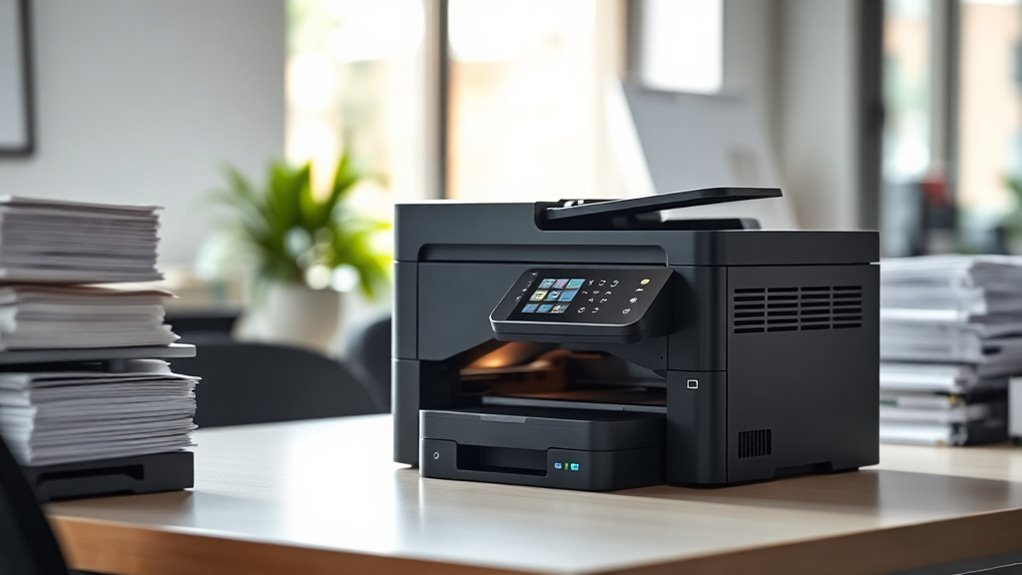
When choosing a black and white network laser printer, you’ll want to focus on print speed and the connectivity options it offers. Consider whether duplex printing and a higher paper capacity will fit your workflow.
Don’t forget to check the security features to keep your documents safe. These details can make a big difference in how smoothly your printing tasks go. So, take a moment to think about what really matters for your needs.
Print Speed Importance
Print speed often plays a crucial role in choosing a black and white network laser printer, especially in busy office environments. Higher print speeds, measured in pages per minute (ppm), help reduce wait times for large print jobs and keep multi-user queues moving smoothly.
For small offices, a speed of 30–40 ppm usually balances cost and productivity well. If you work in a high-volume setting, consider printers rated 45–50+ ppm to prevent bottlenecks.
Don’t overlook first-page-out time; faster speeds here improve responsiveness for short, intermittent jobs. Also, check duplex speed separately since two-sided printing can be slower than single-sided but saves paper.
Keep in mind real-world speeds vary due to resolution, duplexing, network load, and complex pages, so rated ppm might differ from actual experience. It’s always good to set your expectations accordingly.
Connectivity Options Available
Although speed and output quality matter, connectivity options often determine how seamlessly a black and white laser printer fits into your office workflow. You want a printer that supports both wired Ethernet and dual-band 2.4 GHz and 5 GHz Wi‑Fi, ensuring reliable connections in busy office networks.
USB and USB-host ports are essential for direct computer connections and on-device printing. Look for mobile and cloud printing support like AirPrint and Mopria, so you can print easily from smartphones and tablets without installing drivers.
Don’t forget security and future-proofing—choose printers with WPA3/WPA2, Gigabit Ethernet, and IPv6 support. And hey, additional features such as Bluetooth, NFC, and print server compatibility can simplify quick local printing and centralized job management, making your overall printing experience smoother.
Duplex Printing Benefits
Beyond connectivity, the way your printer handles duplex printing can really impact your office’s efficiency and costs.
Automatic duplex printing cuts paper use by up to 50%, which slashes recurring expenses and shrinks your environmental footprint.
Many models print double-sided at full engine speed, so you won’t sacrifice throughput or waste time manually flipping pages.
Duplex printing also reduces storage space and postage costs by halving the sheets needed for multi-page documents.
If your workflows involve scanning, consider duplex-scan capability for efficient two-sided digitization via an automatic document feeder.
Finally, check that duplexing supports the media types and sizes you use, like envelopes or heavy cardstock. This helps avoid misfeeds and keeps print quality high.
Paper Capacity Needs
When selecting a black and white network laser printer, you’ll want to match the paper tray capacity to your typical monthly printing volume. For light home use, a 150–250 sheet tray usually suffices.
But busy offices often need 500+ sheets or multiple trays to avoid constant refills. It really helps to consider printers with multipurpose or bypass trays too. These trays usually hold about 100 sheets or offer single-sheet feed options.
They’re great for handling envelopes, labels, and specialty media without interrupting the main tray. If you print legal-size or mixed media, make sure to choose adjustable trays that support up to 8.5″ x 14″.
Also, plan for expandability. Look for optional trays or higher-capacity cassettes so your printer can grow with your workload. Don’t forget to check the output tray capacity and duty cycle to ensure smooth job handling without frequent stops or overflows.
Security Features Included
Managing paper capacity effectively helps keep your printing workflow smooth, but securing your printer and data is just as important. You should look for printers with built-in network security like secure boot, firmware integrity checks, and encrypted communications (TLS/SSL, IPsec) to prevent tampering and protect data in transit.
Choose devices that support authentication methods such as PIN release, user/password, or LDAP/Active Directory integration to control who accesses print jobs. Make certain the printer offers secure printing options like PIN-held or pull printing and job encryption to keep sensitive documents safe.
Also, verify network safeguards like firewall settings, SNMPv3, and role-based administration to secure remote management. Finally, check for auditing, logging, and secure data erasure features to meet compliance and forensic needs.
Mobile Printing Compatibility
Printing from your mobile devices should be seamless and secure, so make sure the printer supports popular mobile standards like AirPrint and Mopria. This guarantees you can print directly from smartphones and tablets without extra apps.
Look for wireless connectivity options such as dual-band Wi-Fi (2.4 GHz/5 GHz), Bluetooth, and Wi-Fi Direct to maintain fast, reliable connections and reduce interference. These features make printing way less frustrating.
Check if the printer offers an official app for advanced tasks like scan-to-phone, toner monitoring, and remote job management. Just double-check it’s compatible with your device’s OS to avoid any surprises.
Security matters, so verify features like PIN-release, encrypted transmission, and user authentication to prevent unauthorized prints. It’s all about keeping your documents safe.
Finally, assess how easy it is to set up and pair your mobile device. Look for options like QR code setup, WPS, and cloud printing for remote jobs to make your life easier.
Cost Efficiency Factors
Beyond connectivity and security, you’ll want to focus on how much your black and white laser printer will cost to operate over time. Calculate the true cost per page by dividing toner yield by cartridge price and factoring in drum replacement amortized over its lifespan.
Don’t forget energy costs—compare typical and peak wattage, then estimate monthly expenses based on your print volume and local rates. Paper savings matter too; automatic duplexing and toner-save modes lower consumable use and reduce costs.
Consider total cost of ownership by summing purchase price, maintenance, optional service contracts, and resale value. Finally, evaluate networked features like centralized toner monitoring or subscription services, which can offer bulk discounts and managed replenishment.
These options help you avoid surprise expenses and keep operating costs predictable. It’s all about making sure your printer works efficiently without breaking the bank.
Frequently Asked Questions
How Do Black and White Laser Printers Compare in Energy Consumption?
You’ll find black and white laser printers generally use less energy than color models, especially in standby mode. They’re designed for efficiency, so you won’t worry about high power bills during heavy printing tasks or network use.
Pretty handy, right? It means you can keep printing without stressing over your electricity costs.
Can These Printers Handle Printing on Specialty Paper Types?
You’ll find these printers can handle specialty papers like a pro, from labels to cardstock. Just check the specs, as some struggle with glossy or textured sheets.
Don’t worry—they’re more versatile than they seem!
What Is the Typical Lifespan of Toner Cartridges for These Models?
Toner cartridges typically last between 2,000 and 10,000 pages, depending on the model and usage. You’ll want to check each printer’s specifications to match your printing volume and avoid frequent replacements.
It’s pretty handy to know this so you don’t run out of toner unexpectedly. Plus, matching the cartridge to your needs can save you time and money in the long run.
Are There Any Eco-Friendly Disposal Options for Used Toner Cartridges?
You’ve got green options! You can return used toner cartridges to manufacturers for recycling or drop them off at local e-waste centers.
Many brands also offer refill programs, so you’re helping the planet while saving money. It’s a win-win!
Do These Printers Support Mobile Printing Apps Beyond Wi-Fi Connectivity?
Yes, many of these printers support mobile printing apps like Apple AirPrint, Google Cloud Print, and manufacturer-specific apps.
You’ll find options beyond Wi-Fi connectivity, making it easy to print directly from your smartphone or tablet. It’s super convenient when you’re on the go or just want to skip the hassle of cables.
Conclusion
Imagine your workspace humming smoothly, papers flowing effortlessly as your black and white network laser printer brings crisp, clear prints to life. Choosing the right model means more than just specs—it’s about finding a reliable partner that keeps your day moving without a hitch.
With these top picks, you’ll capture sharp documents and seamless connections, turning your printing tasks into a breeze. Ready to elevate your office rhythm? Your perfect printer awaits.
Finding the best black and white network laser printer for 2027 is all about combining speed, quality, and connectivity. Whether you need fast printing for a busy office or dependable performance for occasional use, these printers are designed to meet your demands. So, dive in and discover the ideal printer that keeps your workflow smooth and your documents looking professional every time.