9 Best Beginner DIY 3D Printers for 2027
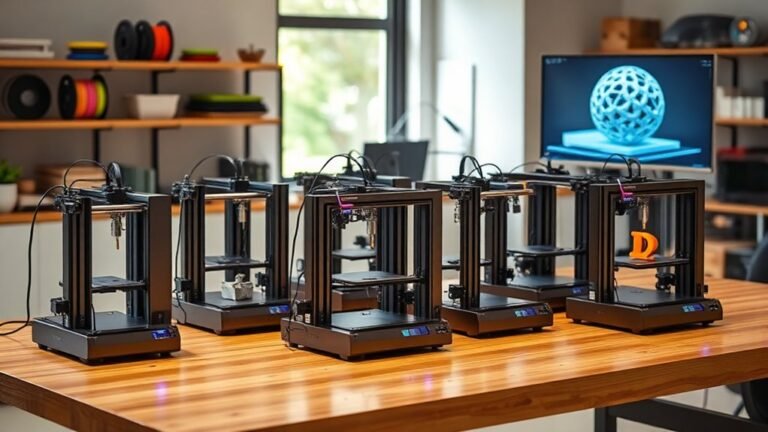
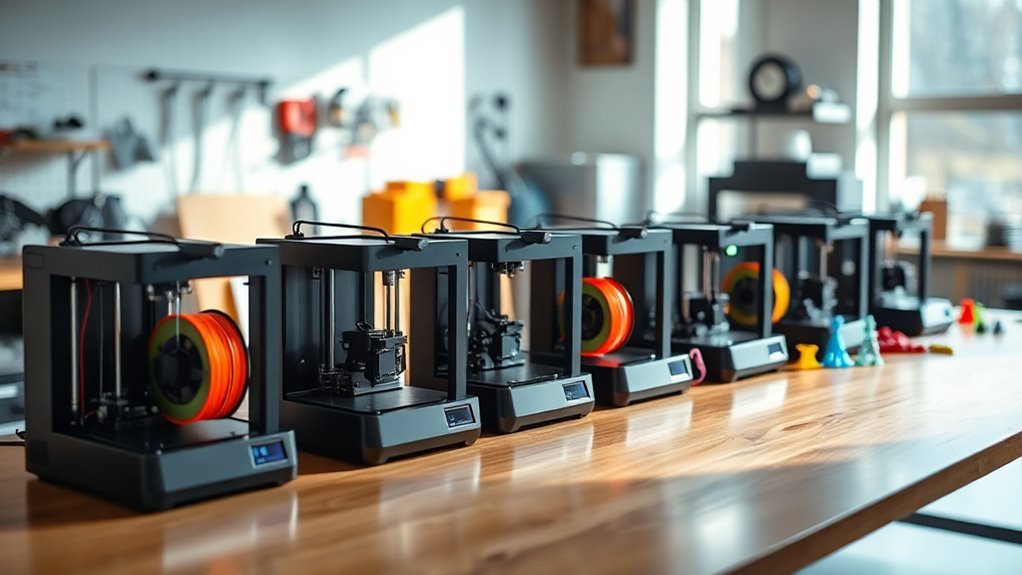
If you’re looking for a beginner-friendly DIY 3D printer for 2027, you’ve got some great options to explore. Printers like the Entina Tina2C offer quick setup and WiFi control, making your first printing experience smooth and hassle-free.
Then there’s the Bambu Lab A1, which delivers ready-to-use simplicity and fast printing speeds. It’s perfect if you want to jump right into creating without a steep learning curve.
The Creality Ender 3 V3 SE is another solid choice, balancing speed and stability for reliable prints.
Plus, the Anycubic Kobra X adds something extra with its multicolor printing capability, which is great if you want to get creative with your designs.
Don’t forget to complement your printer with a 3D printer tools kit for easy maintenance and troubleshooting.
Exploring these beginner DIY 3D printers will help you find the perfect starter printer tailored just for your creative needs.
| Image | Name | Editor's Rating | Price |
|---|---|---|---|

|
|
||

|
|
||

|
|
||

|
|
||

|
|
Entina Tina2C Beginner 3D Printer with WiFi Control
- 【Easy to Use 3D Printer – Ready in 5 Minutes】 Meet the Entina Tina2C, a plug-and-play mini 3D printer designed for first-time users. Fully assembled with factory...
- 【3500+ 3D Models & Easy One-Tap Printing】 Explore 3500+ ready-to-print 3D models and 25+ DIY projects in the Poloprint Cloud app, with new designs added daily...
- 【Smart WiFi 3D Printer & AI-Powered App】 Connect via 2.4GHz WiFi and enjoy convenient 3D printer app control through Poloprint Cloud. Explore models, manage prints...
- 【Auto Leveling 3D Printer & Power-Loss Recovery】 Automatic bed leveling helps improve first-layer adhesion and reduces manual adjustments for a smoother 3D printing...
- 【Flexible Magnetic Print Bed & Quick-Swap Nozzle】 The flexible magnetic build plate makes finished 3D prints easier to remove with a gentle bend. A removable...
The Entina Tina2C Beginner 3D Printer offers a smooth introduction to 3D printing with its easy setup and user-friendly design. Arriving fully assembled, it lets you start printing within five minutes, eliminating the hassle of complicated assembly. This makes it ideal for those new to 3D printing who want to avoid the usual startup frustrations.
Control is simplified through WiFi using the Poloprint app, where you can access over 3,500 ready-to-print models. The app’s AI-powered tools, such as text-to-3D and photo-to-3D, enhance creativity and streamline the design process. This connectivity helps users explore 3D printing without needing advanced technical skills.
Maintenance is straightforward thanks to the printer’s auto-leveling feature, which ensures smooth and consistent first layers. The flexible magnetic print bed makes removing finished prints quick and easy, reducing the risk of damage during removal. Its compact and quiet design fits well in homes and classrooms, providing a low-disruption environment.
While the build volume is modest, limiting large projects, this printer focuses on beginner needs with convenient features. It supports 2.4GHz WiFi, which covers most home networks but may restrict some connectivity options. Overall, it balances simplicity and functionality for those starting their 3D printing journey.
Best for: Beginners and kids seeking an easy-to-use, compact 3D printer with WiFi control and a wide range of accessible print models.
What We Like:
- Fully assembled with fast, guided setup through the app
- AI-powered Poloprint app tools for creative design options
- Auto-leveling and flexible magnetic bed for hassle-free printing
- Compact, quiet design suitable for home and educational use
Specification:
| Feature | Details |
|---|---|
| Manufacturer | Entina |
| Build Volume | 3.9 x 3.9 x 3.9 inches |
| Connectivity | 2.4GHz WiFi |
| Setup Time | Approximately 5 minutes |
| Control App | Poloprint |
| Dimensions | Compact size (exact size not specified) |
| Weight | Not specified |
Bambu Lab A1 3D Printer, Ready-to-Use FDM 3D Printer for Beginners and Kids
- High-Speed Precision: Experience unparalleled speed and precision with the Bambu Lab A1 3D Printer. With an impressive acceleration of 10,000 mm/s², the A1 delivers...
- Multi-Color Printing with AMS lite: Unlock your creativity with vibrant and multi-colored 3D prints. The Bambu Lab A1 3D printers make multi-color printing accessible and...
- Full-Auto Calibration: Say goodbye to manual calibration hassles. The A1 3D printer takes care of all the calibration processes automatically, ensuring optimal...
- Active Flow Rate Compensation: Achieve consistently smooth prints with active flow rate compensation. The algorithm actively compensates the flow rate according to the...
- Easy and Quiet 3D Printing: Experience effortless printing with the Bambu Lab A1 FDM 3D printer. Its user-friendly interface and simplified touchscreen make it easy to...
The Bambu Lab A1 3D Printer transforms how beginners and kids approach 3D printing by offering a ready-to-use and user-friendly FDM experience. Its intuitive touchscreen and full-auto calibration simplify setup, eliminating common frustrations and making first prints hassle-free. This printer helps users focus on creativity rather than complex adjustments.
Designed for speed and precision, the A1 achieves rapid printing with an acceleration of 10,000 mm/s². Its active flow rate compensation ensures each print is smooth and accurate, reducing errors that often discourage new users. The quiet operation at ≤48 dB makes it suitable for home or classroom settings without disruption.
Maintenance is straightforward thanks to the quick-swap 1-clip nozzle system. This design allows easy nozzle changes without complicated tools, making upkeep less intimidating. The compact and lightweight frame fits comfortably in small spaces, encouraging frequent use and experimentation.
With compatibility for AMS Lite, users can explore multi-color printing, expanding creative possibilities. While the multi-color option requires an additional purchase, it adds significant value for users eager to advance their projects. The A1 balances simplicity with thoughtful features to support learning and growth in 3D printing.
Best for: Beginners and kids seeking a fast, precise, and easy-to-maintain 3D printer with potential for multi-color printing.
What We Like:
- Full-auto calibration and touchscreen for easy setup and operation
- High acceleration and flow rate compensation for accurate prints
- Quiet operation ideal for home or educational environments
- Quick-swap nozzle system simplifies maintenance
- Compact and lightweight design fits well in limited spaces
Specification:
| Specification | Details |
|---|---|
| Manufacturer | Bambu Lab |
| Dimensions | Compact (exact size not specified) |
| Weight | 22 lbs (approx. 10 kg) |
| Printer Type | FDM |
| Noise Level | ≤48 dB |
| Special Features | Full-auto calibration, 1-clip nozzle system, AMS Lite compatible |
Creality Ender 3 V3 SE 3D Printer Upgrade
- 【250mm/s High-speed Printing】Creality Ender 3 V3 SE 3d printer supports a maximum printing speed of 250mm/s, 2500mm/s² acceleration.The speed has been greatly...
- 【Powerful ""Sprite"" Direct Extruder】Ender 3 V3 SE is the upgrade of ender 3, ender 3 v2, ender 3 pro, ender 3 neo, ender 3 v2 neo, ender 3 s1, ender 3 s1 pro etc 3d...
- 【Worry-free CR Touch Auto Leveling & Strain Sensor】Creality Ender 3 upgraded 3d printer features a CR Touch sensor for auto leveling and a strain sensor for auto...
- 【Stable Dual Z-axis & Y-axis Linear Shafts】High-precision dual Z-axis lead screws reduce Z wobbling effectively, avoid printing deviation in single-axis printing...
- 【Quick Assembly & Easy to Use】Preassembly has solved those hassles and worries of parts assembly, It only takes 3 steps to complete the assemble the ender-3 v3 se 3d...

Experience faster 3D printing with the Creality Ender 3 V3 SE, designed to save you time and effort. Its quick printing speed of up to 250mm/s reduces project completion times by nearly three-quarters, helping you stay productive and efficient.
This printer features a reliable automatic leveling system with CR Touch and strain sensors that ensure precise Z-offset and smooth first layers. The upgraded Sprite full metal dual-gear extruder easily handles various filaments like PLA, TPU, and PETG, making it versatile for different projects.
Stability is enhanced by dual Z-axis lead screws and dual 8mm linear shafts, minimizing vibrations and improving print accuracy. Maintenance is simplified with preassembled parts, allowing setup in about 20 minutes, and automatic filament loading streamlines daily use.
While the build volume of 8.66×8.66×9.84 inches suits most hobbyist and small business projects, larger prints may require a different model. Occasional calibration may be necessary despite its advanced sensors, but overall, it offers a solid balance of speed, precision, and ease.
Best for: Hobbyists and small business owners seeking a fast, stable, and easy-to-use 3D printer with advanced leveling technology.
What We Like:
- Fast printing speeds up to 250mm/s save significant time.
- Precise automatic leveling with CR Touch and strain sensors.
- Versatile metal dual-gear extruder supports multiple filament types.
- Enhanced stability from dual Z-axis screws and linear shafts.
- Quick setup with preassembled parts and automatic filament loading.
Specification:
| Feature | Details |
|---|---|
| Manufacturer | Creality |
| Build Volume | 8.66 x 8.66 x 9.84 inches |
| Maximum Print Speed | 250 mm/s |
| Extruder | Sprite full metal dual-gear |
| Leveling System | CR Touch & strain sensor |
| Stability Features | Dual Z-axis lead screws, dual 8mm linear shafts |
| Setup Time | Approximately 20 minutes |
3D Printer Tools Kit with 34 Accessories
- 【3D Printer Tools Expedite Your Workflow, 1-Year Warranty】Designed and Selected by a 15-Year 3D print enthusiasts team, this kit includes all essential tools. We have...
- 【Nozzle Cleaning & Replacing One-Station Solution】To avoid filament inconsistent extrusion caused by a clogged nozzle, we prepare 5 different types of cleaning...
- 【2 Types of Removal Scrapers for Flawless Prints】To remove different-sized prints without damaging the print bed, the kit includes 2 types of removal scrapers. One...
- 【5 Shapes of Metal Files Catered to A Wide Range of Tasks】They are flat steel file, flat warding steel file, square steel file, triangular steel file, round steel...
- 【3D Printer Accessories Gift Must-Have】Black canvas storage bag with tool holder for easy finding, organizing, storing and transporting. The storage box provides...
Every 3D printing enthusiast knows the frustration of clogged nozzles and stubborn prints. This 34-piece 3D printer tool kit offers a practical solution to keep your printer running smoothly and your prints flawless. Designed by experienced professionals, it provides all the tools needed for routine maintenance and precise print removal.
The kit includes MK8 brass nozzles and multiple cleaning needles, making nozzle replacement and clearing blockages straightforward. Heavy-duty scrapers and fine metal files help you remove prints cleanly and finish models with ease, whether working with tough PETG or delicate toy parts.
All tools stay neatly organized in a durable black canvas bag, protecting them from dust and moisture. While the bag is flexible and compact, it may not prevent damage if handled roughly during transport. This kit is built for consistent use, supporting your 3D printing projects with reliable, specialized tools.
Best for: DIY 3D printer users seeking a comprehensive and organized toolkit to streamline printing maintenance and model finishing.
What We Like:
- Comprehensive 34-piece set tailored for 3D printing needs
- Includes extra MK8 nozzles and multiple cleaning needles for easy upkeep
- Ergonomic scrapers and metal files allow precise print removal and finishing
- Durable canvas bag keeps tools organized and protected
Specification:
| Feature | Details |
|---|---|
| Manufacturer | Not specified |
| Number of Tools | 34 pieces |
| Material | Brass, metal, canvas |
| Color | Black (bag) |
| Storage Bag Size | Compact, flexible |
Anycubic Kobra X Multicolor 3D Printer, Easy Setup, Native 4-Color
- 【 Newest Level - 19-Color with 4 ACE 2 Pro】Why settle for one color when you can have multicolor? The Kobra X comes born with 4 colors built-in. It is innovative 3D...
- 【 Savings 2X Time】Stop wasting hours and filament on purging! Kobra X impresora 3D reduces the filament and machine travel path by 81.25%, so 2X the Speed, and...
- 【Hardened Precision & High Speed 】 Equipped with a high-durability hardened steel nozzle and vibration compensation, the Kobra X ensures every layer remains smooth...
- 【Flawless First Layer with LeviQ 3.0】The LeviQ 3.0 and auto bed leveling system uses a 49-point calibration and advanced leveling algorithm to ensure 100% bed...
- 【Smart AI Monitoring & Large Model Library】APP remote control, features Spaghetti detection and foreign object detection. The innovative top-mount spool holder...
Experience vibrant, multicolor 3D printing made simple with the Anycubic Kobra X Multicolor. This printer is designed to eliminate complex setups, allowing creators to produce detailed, colorful models with ease. Its native 4-color printing capability can be expanded up to 19 colors, offering flexibility for intricate designs.
Maintenance is straightforward thanks to the LeviQ 3.0 auto bed leveling, which ensures a perfect first layer quickly, reducing setup time and print errors. The printer’s smart AI monitoring and dual-band Wi-Fi provide remote control and real-time tracking, helping users stay connected and manage prints efficiently.
With a build volume of 260mm³, the Kobra X suits most standard projects, although very large prints may require additional planning. It supports various filament types but has a maximum nozzle temperature of 300℃, which may limit some specialty materials. Its fast printing speed and optimized filament paths reduce waste and speed up production.
Best for: Creators, educators, and hobbyists seeking fast, vibrant multicolor 3D prints with easy setup and smart features.
What We Like:
- Native 4-color printing expandable up to 19 colors
- Fast printing speed, completing complex models in about 14 minutes
- AI monitoring and dual-band Wi-Fi enable remote print control
- Easy maintenance with LeviQ 3.0 auto bed leveling
- Supports multiple filament types with a decent build volume
Specification:
| Feature | Details |
|---|---|
| Manufacturer | Anycubic |
| Dimensions | Not specified |
| Weight | Not specified |
| Build Volume | 260 mm³ |
| Nozzle Temperature | Up to 300℃ |
| Color Options | Native 4-color, expandable to 19 colors |
| Connectivity | Dual-band Wi-Fi |
Geeetech Mini 3D Printer for Kids and Beginners
No products found.
The Geeetech Mini 3D Printer offers an approachable way for kids and beginners to explore 3D printing. Its fully assembled design and intuitive knob control mean users can start creating without technical setup. This simplicity helps reduce frustration and encourages learning through hands-on experience.
With a compact print area of 3.94 x 4.33 x 3.94 inches, it fits perfectly for small projects like models and prototypes. The 16-point auto-leveling system ensures each print is accurate, eliminating common issues caused by uneven build surfaces. This feature maintains print quality with minimal user intervention.
The printer handles flexible TPU and standard PLA filaments smoothly, thanks to its dual-drive metal gear extruder and 50W hot-end. Speeds reach up to 250 mm/s, balancing performance with reliability. Its magnetic flexible build plate simplifies model removal, reducing the risk of damage during post-processing.
Maintenance is straightforward with easy filament loading and a lightweight frame that’s easy to move or store. However, the smaller build volume may limit larger creations, and the 0.5 kg filament capacity requires regular refilling for extended use.
Best for: Kids and beginners seeking a user-friendly, fully assembled 3D printer ideal for small-scale projects and learning.
What We Like:
- Ready to use out of the box with simple knob controls
- Accurate 16-point auto-leveling for consistent print quality
- Supports TPU and PLA printing at speeds up to 250 mm/s
- Magnetic flexible build plate for easy model removal
Specification:
| Feature | Details |
|---|---|
| Manufacturer | Geeetech |
| Print Area | 3.94 x 4.33 x 3.94 inches |
| Weight | 9.8 lb (4.45 kg) |
| Extruder | Dual-drive metal gear |
| Hot-end Power | 50W |
| Filament Capacity | 0.5 kg |
Portable Compact FDM 3D Printer for Beginners

- Foolproof Setup with Video Guides – Never get stuck! We provide a crystal-clear Quick Start Guide and step-by-step video tutorials. Watch them online to get started.
- Simple Assembly with Video Guide – Requires quick modular setup (watch our step-by-step video). Comes with 10m PLA filament, TF card, tools, and 12V Type-C power...
- Versatile Filament Compatibility – Unleash your creativity with both PLA and flexible TPU (1.75mm). The reliable 0.4mm nozzle and precise 0.05-0.3mm layer thickness...
- Reliable Performance & Compact Design – Features stable FDM technology and a removable build plate for easy model removal. The perfect 100x100x100mm build volume is...
- Complete Package – No Hidden Costs – Includes printer, 10m PLA filament, 8GB TF card + reader, tools, illustrated manual, and 12V Type-C power adapter. Plus free...
Discover how easy 3D printing can be with this portable compact FDM 3D printer, designed specifically for beginners. Its lightweight build at just 2.2 pounds makes it perfect for small spaces and on-the-go use. This printer solves the common challenge of bulky, complicated machines by offering a simple, reliable solution.
The intuitive design includes a removable build plate, making model removal quick and hassle-free. With a 100x100x100mm build volume, it handles a variety of small projects, from custom toys to home decor accents. This size strikes a balance between versatility and compactness without overwhelming new users.
Maintenance is straightforward thanks to the use of widely available PLA and TPU filaments. The 0.4mm nozzle and adjustable layer thickness from 0.05 to 0.3mm allow for detailed prints without complexity. Setup is guided by clear video tutorials and a Quick Start Guide, ensuring a smooth start every time.
This all-in-one printer kit includes everything needed to start printing immediately, eliminating hidden costs or extra purchases. Its basic FDM technology offers reliable quality while keeping the learning curve gentle for beginners.
Best for: individuals new to 3D printing who want a compact, easy-to-use machine for small-scale creative projects.
What We Like:
- Lightweight and compact for easy transport and limited spaces
- Removable build plate simplifies model removal and cleaning
- Clear setup guides reduce startup frustration
- Compatible with common filaments (PLA and TPU) for easy maintenance
Specification:
| Feature | Details |
|---|---|
| Manufacturer | Not specified |
| Dimensions | Not specified |
| Weight | 2.2 lbs (1 kg) |
| Build Volume | 100 x 100 x 100 mm |
| Filament Types | PLA, TPU |
| Nozzle Diameter | 0.4 mm |
| Layer Thickness | 0.05 – 0.3 mm |
Creality SPARKX i7 3D Printer with AI Camera

- Easy 3D Printing with Auto Leveling: The Creality SPARKX i7 features automatic bed leveling, quick setup, and streamlined calibration for a smoother desktop 3D printing...
- Smart Camera Monitoring for Reliable Printing: Built-in smart camera monitoring supports remote viewing, time-lapse recording, and print status detection to help improve...
- Quiet High-Speed Desktop 3D Printer: With an optimized motion system and low-noise operation, the SPARKX i7 delivers stable high-speed 3D printing with reduced vibration...
- Large Build Volume for Bigger Creative Projects: Featuring a 260×260×255mm build volume and flexible PEI build plate, the SPARKX i7 supports larger models, props...
- 5-Second Quick-Swap Hotend for Easy Maintenance: The tool-free quick-swap hotend design allows faster nozzle replacement and simplified maintenance, helping reduce...
The Creality SPARKX i7 3D printer combines user-friendly features with advanced technology to simplify 3D printing for beginners. Its auto leveling system removes the guesswork from setup, ensuring every print starts perfectly flat. The built-in AI camera offers remote monitoring, allowing users to keep an eye on prints anytime and capture smooth time-lapses without extra equipment.
This printer supports large projects with a spacious 260×260×255mm build volume, while running quietly for a distraction-free workspace. The flexible PEI build plate makes removing finished prints quick and easy, reducing frustration during post-print handling.
Maintenance is straightforward thanks to the quick-swap hotend design that lets users replace parts swiftly without tools. For those interested in expanding their creativity, the SPARKX i7 supports the multi-color CFS Lite system, enabling vibrant, multi-material prints.
Its compact and reliable design fits well in various settings, offering a balanced mix of speed, precision, and convenience. This makes it ideal for hobbyists and beginners seeking a smooth, controlled 3D printing experience.
Best for: Beginners and hobbyists who want a dependable 3D printer with remote monitoring and easy maintenance.
What We Like:
- Auto leveling and AI camera simplify setup and remote monitoring
- Quiet operation with a large build volume supports diverse projects
- Quick-swap hotend enables fast, tool-free maintenance
- Expandable multi-color system increases printing versatility
Specification:
| Feature | Details |
|---|---|
| Manufacturer | Creality |
| Build Volume | 260 × 260 × 255 mm |
| Weight | Not specified |
| Build Plate | Flexible PEI |
| Hotend | Quick-swap, tool-free |
| Special Feature | AI camera, auto leveling |
FLASHFORGE Adventurer 5M High-Speed 3D Printer
- Beginner-Friendly & Classroom-Ready. Plug-and-play setup – no assembly or calibration. Start printing in minutes with one-click operation, perfect for first-time users...
- 600mm/s Hyper-Speed & Rapid Heating. Unbox to first print in 10 minutes! Achieve lightning-fast 3D printing with industry-leading specs: 600mm/s max speed, 20,000mm/s...
- Auto Bed Leveling: Perfect First Layers Every Time. Foolproof auto-leveling measures and adjusts the bed in one click – no manual Z-offset or tools needed. Ensures...
- Industrial-Grade CoreXY & Anti-Vibration Design. All-metal CoreXY frame delivers high-speed printing stability and professional print quality. Patented vibration...
- Filament Detection & Power Failure Resume. Never waste a print: Automatically pauses when filament runs out and resumes after reloading. Smart power-loss recovery...
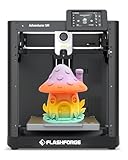
Experience fast and reliable 3D printing with the FLASHFORGE Adventurer 5M, a perfect choice for beginners and kids eager to bring ideas to life quickly. Its high-speed CoreXY all-metal frame supports printing speeds up to 600mm/s, delivering professional-quality results without compromising stability.
Setup is simple and user-friendly, featuring a plug-and-play design and an intuitive 4.3-inch touchscreen for one-click printing. Maintenance is hassle-free with auto bed leveling and vibration compensation, ensuring consistent layer quality and fewer print artifacts.
The printer includes smart safety features like filament detection and power failure resume, protecting your prints from interruptions. Rapid hotend heating and tool-free nozzle changes make ongoing use efficient and convenient.
For advanced materials such as ABS or Nylon-CF, adding the DIY enclosure kit prevents warping, expanding your printing capabilities. While the 220×220×220mm build volume suits most projects, larger prints may require alternative solutions.
Best for: Kids, beginners, and home users seeking a high-speed, easy-to-use 3D printer with dependable, professional-level output.
What We Like:
- High-speed printing up to 600mm/s with a stable all-metal CoreXY frame
- Easy setup and operation via touchscreen and one-click printing
- Auto bed leveling and vibration compensation for flawless layers
- Filament detection and power failure resume for print reliability
- Quick hotend heating and tool-free nozzle swaps for efficient maintenance
Specification:
| Feature | Details |
|---|---|
| Manufacturer | FLASHFORGE |
| Build Volume | 220 × 220 × 220 mm |
| Max Print Speed | 600 mm/s |
| Frame | All-metal CoreXY |
| Touchscreen Size | 4.3 inches |
| Special Features | Auto bed leveling, filament detection, power failure resume |
Factors to Consider When Choosing a Beginner DIY 3D Printer

When picking your first DIY 3D printer, you’ll want to focus on ease of setup so you don’t get overwhelmed. It’s all about making that first experience smooth and fun.
Consider the printing speed and precision to match your project needs, along with the build volume size for the objects you want to create. These factors really help make sure your printer can handle what you’ve got in mind.
Don’t forget to check connectivity options and material compatibility to guarantee your printer fits your workflow and creative goals. After all, you want something that works well with your style and tools.
Ease Of Setup
Although 3D printers can be complex, choosing a model with an easy setup will save you time and frustration. Look for fully assembled printers that you can start using within minutes, cutting down on tedious assembly.
Plug-and-play designs are ideal since they require little to no technical knowledge. Automatic bed leveling is a huge help—it simplifies calibration, so you don’t have to tweak settings manually.
A user-friendly interface, like a touchscreen or guided setup app, makes navigation straightforward and keeps the process smooth. Finally, verify the printer comes with thorough online tutorials and quick-start guides.
These resources will guide you step-by-step, making the initial setup less intimidating and helping you get your first print running without hassle.
Printing Speed And Precision
Since printing speed and precision directly affect your project’s quality and completion time, you’ll want to choose a beginner 3D printer that balances both. Look for printers offering speeds between 250 mm/s and 600 mm/s—faster speeds get your models done quicker but may sacrifice detail.
Precision hinges on layer thickness, usually from 0.05 mm to 0.3 mm; finer layers deliver sharper details but increase print time. Also, consider the printer’s acceleration (mm/s²), which influences how swiftly and accurately it can change direction for smooth curves.
Consistent filament flow is crucial to avoid defects, so quality extrusion matters. Finally, a reliable auto-leveling feature guarantees your print bed is perfectly calibrated, improving first layer adhesion and overall print quality.
This combination helps you create accurate, well-finished prints efficiently.
Build Volume Size
Choosing the right build volume size plays a key role in what projects you can bring to life with your beginner DIY 3D printer. Build volume refers to the maximum dimensions your printer can create, usually measured in cubic inches or millimeters.
If you want to print larger models or multiple smaller items at once, a bigger build volume will give you more flexibility and boost your productivity. Most beginner printers offer build sizes between 3.9 x 3.9 x 3.9 inches and 10 x 10 x 10 inches, perfect for toys and household items.
If your workspace is tight, a compact printer with a smaller build volume might fit better but limits project size. So, consider the scale of your intended prints before deciding.
Connectivity Options Available
After deciding on the build volume size that fits your projects and workspace, the next step is to contemplate how your 3D printer connects to your devices and networks. Many beginner DIY 3D printers offer WiFi connectivity, letting you control prints via mobile apps for maximum convenience.
Models with dual-band WiFi (2.4G/5G) provide faster data transfer and more stable connections, perfect for remote monitoring. If internet access is spotty, offline options like TF card support guarantee you won’t lose progress.
Also, confirm your printer works with popular slicing software like Cura or Simplify3D to easily manage designs and print settings. Some printers even include AI monitoring for real-time updates and error detection, keeping you informed throughout the printing process.
Material Compatibility Range
A key factor to evaluate when selecting a beginner DIY 3D printer is the range of materials it supports. Most beginner models handle common filaments like PLA and TPU, which are user-friendly and great for a variety of projects.
If you want more versatility, look for printers that also support PETG, ABS, and PVA. This opens doors to advanced applications and more creative possibilities.
Pay attention to the nozzle temperature—printers with nozzles reaching up to 300°C can print high-temperature filaments easily. Filament diameter is usually standardized at 1.75mm, so you’ll find plenty of compatible options.
Additionally, printers with dual-drive or direct drive extrusion systems offer better control and force. This makes flexible and specialty filaments easier to print.
Choosing a printer with a broad material compatibility range gives you more creative freedom as you grow. It’s definitely something to keep in mind when making your choice!
Maintenance And Support
While diving into the world of DIY 3D printing, you’ll want a printer that makes maintenance straightforward and support readily available. Look for models with warranties and responsive customer service to guide you through setup and troubleshooting.
Prioritize printers offering auto-leveling and easy nozzle replacement to minimize upkeep. User-friendly features like automatic filament loading reduce regular maintenance, letting you focus on printing.
Extensive online resources—video tutorials and troubleshooting guides—are essential for learning and resolving issues quickly. Also, check the availability of replacement parts and accessories to simplify repairs and guarantee your printer stays in top shape.
Choosing a printer with solid maintenance and support will save you time and frustration, making your 3D printing journey smoother and more enjoyable.
Frequently Asked Questions
What Safety Precautions Are Needed When Using a DIY 3D Printer?
You should always wear safety glasses and guarantee proper ventilation. Avoid touching hot components to prevent burns.
Keep your workspace tidy, and never leave the printer unattended while printing. Following these steps helps you stay safe and prevent accidents. It’s all about being cautious and aware while you work.
How Do I Maintain and Clean My 3D Printer Regularly?
To keep your 3D printer in tip-top shape, clean the nozzle, bed, and fans regularly. Lubricate moving parts, check belts for wear, and update firmware.
Don’t let dust or debris throw a wrench in your prints! A little upkeep goes a long way to making sure every print comes out just right.
What Types of Filament Are Best for Beginners to Use?
You’ll want to use PLA filament because it’s easy to print, low-warp, and biodegradable.
PETG is also great—stronger and flexible but still beginner-friendly.
Avoid ABS; it’s tricky and needs a heated bed and ventilation.
It can be a bit much if you’re just starting out.
Can I Upgrade Parts on a Beginner DIY 3D Printer Later?
Yes, you can upgrade parts on a beginner DIY 3D printer later. Doing so helps you improve speed, enhance precision, and expand your printer’s capabilities.
Just make sure to choose compatible upgrades and follow the instructions carefully. It’s a fun way to customize your printer as your skills grow!
How Long Does It Typically Take to Assemble a DIY 3D Printer?
It typically takes you 4 to 8 hours to assemble a DIY 3D printer, depending on your experience and the kit’s complexity.
You’ll find detailed instructions helpful, and patience really speeds up the process. Just take it step by step, and don’t rush.
Conclusion
Choosing the right beginner DIY 3D printer can transform your creative projects. Imagine starting with the Creality Ender 3 V3 SE—you’ll quickly master printing detailed models while enjoying its user-friendly upgrades.
Whether you want multicolor prints with the Anycubic Kobra X or the smart features of the Creality SPARKX i7, there’s a perfect fit for you.
Immerse yourself, experiment, and watch your ideas come to life with ease and excitement! With the best beginner DIY 3D printers for 2027, you’re set to explore endless possibilities. These printers make it simple to learn and create, whether it’s your first time or you’re looking to improve. So dive in, have fun, and let your creativity soar with tools designed just for beginners!