7 Best Beginner 3D Printers for 2027
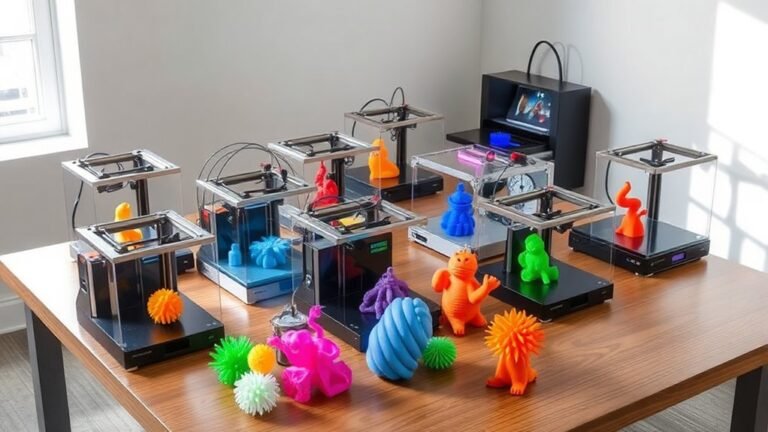
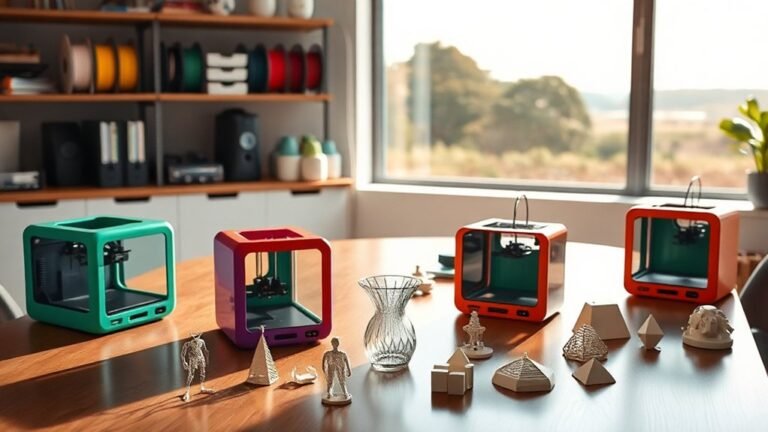
If you’re starting with 3D printing, the 7 best beginner 3D printers for 2027 combine ease of use, reliability, and creative potential.
These models are perfect for anyone new to the hobby, whether you want something compact, kid-friendly, or versatile.
You’ll find compact options like the Bambu Lab A1 Mini, which features automatic calibration and a built-in LED lamp.
For younger users, the Entina Tina2C offers AI design tools that make printing fun and simple.
If you want versatility, the Creality Ender 3 V3 SE comes with auto leveling to help get your prints just right every time.
Plus, multicolor printers like the Anycubic Kobra X and FLASHFORGE AD5X open up vibrant possibilities for your projects.
Keep exploring to find the perfect beginner 3D printer that suits your needs and sparks your creativity!
| Image | Name | Editor's Rating | Price |
|---|---|---|---|

|
|
||

|
|
||

|
|
||

|
|
||

|
|
Bambu Lab A1 mini 3D Printer + LED Lamp Kit, Ready-to-Use for Beginners
- A1 mini + LED Lamp Kit for Creative Light Projects: Bring your ideas to life with the included LED Lamp Kit. Simply print compatible lamp models and turn your 3D...
- The Perfect 3D Printer for Beginners: A1 mini 3D Printer is designed to make 3D printing easy from day one with automatic calibration, simple setup, and a smooth printing...
- Experience the Bambu Lab Ecosystem: Access MakerWorld’s huge library of ready-to-print models, manage prints through the Bambu Handy app, and enjoy a connected...
- Fast, Quiet, and Reliable Printing: Compact and beginner-friendly, A1 mini delivers high-speed, high-quality printing with quiet operation that fits naturally into your...
- Made for Everyday Creativity: From toys and home décor to functional tools and personalized gifts, A1 mini makes it easy to turn ideas into real-life creations with a...
The Bambu Lab A1 mini 3D Printer + LED Lamp Kit offers a seamless entry into 3D printing for beginners. Its automatic calibration and user-friendly Bambu Handy app simplify setup, eliminating common startup challenges. This means you can focus on creating rather than troubleshooting.
Designed with a compact footprint, the printer fits neatly in any workspace without sacrificing performance. You’ll benefit from quiet, high-speed printing that delivers detailed, high-quality results. Maintenance is straightforward, helping you keep the printer running smoothly over time.
The included LED lamp kit adds a creative dimension, allowing you to convert your 3D prints into stylish decorative lights. This feature expands the printer’s use beyond simple prototypes, making it ideal for personalized gifts and unique home décor.
While its smaller build volume limits the size of prints, this compact design is perfect for hobbyists and beginners who want convenience without complexity. Some advanced projects may require additional accessories to fully explore.
Best for: Beginners and hobbyists seeking a compact, easy-to-use 3D printer with creative lighting options for personalized projects and décor.
What We Like:
- Effortless setup with automatic calibration and intuitive app
- Quiet operation with fast, quality printing
- LED lamp kit transforms prints into decorative lighting
- Compact design fits limited workspace easily
Specification:
| Feature | Details |
|---|---|
| Manufacturer | Bambu Lab |
| Dimensions | Compact (exact size not specified) |
| Weight | Not specified |
| Material | Not specified |
| Color Options | Not specified |
Entina Tina2C Mini 3D Printer for Beginners
- 【Easy to Use 3D Printer – Ready in 5 Minutes】 Meet the Entina Tina2C, a plug-and-play mini 3D printer designed for first-time users. Fully assembled with factory...
- 【3500+ 3D Models & Easy One-Tap Printing】 Explore 3500+ ready-to-print 3D models and 25+ DIY projects in the Poloprint Cloud app, with new designs added daily...
- 【Smart WiFi 3D Printer & AI-Powered App】 Connect via 2.4GHz WiFi and enjoy convenient 3D printer app control through Poloprint Cloud. Explore models, manage prints...
- 【Auto Leveling 3D Printer & Power-Loss Recovery】 Automatic bed leveling helps improve first-layer adhesion and reduces manual adjustments for a smoother 3D printing...
- 【Flexible Magnetic Print Bed & Quick-Swap Nozzle】 The flexible magnetic build plate makes finished 3D prints easier to remove with a gentle bend. A removable...
The Entina Tina2C Mini 3D Printer is designed to make 3D printing simple and accessible for beginners and children. Its fully assembled, plug-and-play setup removes the usual barriers to starting new projects, while automatic leveling ensures smooth, high-quality first layers every time. This helps users focus on creativity instead of technical challenges.
With the Poloprint app, you gain access to over 3,500 ready-to-print models and innovative AI tools such as text-to-3D and photo-to-3D conversion. These features encourage experimentation and make idea visualization straightforward. Its compact design fits comfortably in small spaces like bedrooms or classrooms.
Maintenance is hassle-free thanks to a flexible magnetic print bed that simplifies model removal. The printer also supports power-loss recovery, preventing wasted prints during unexpected outages. WiFi connectivity allows remote print management, adding convenience for busy users.
While the build volume is limited to 3.9 x 3.9 x 3.9 inches, this mini printer offers an excellent introduction to 3D printing. It supports popular slicing software like Cura and Simplify3D, allowing users to grow their skills as they advance.
Best for: Beginners and kids seeking an easy-to-use, compact 3D printer with guided app support and a vast model library.
What We Like:
- Fully assembled with automatic leveling for reliable first layers
- Poloprint app includes 3,500+ models and AI-powered design tools
- Flexible magnetic bed eases model removal and routine maintenance
- WiFi connectivity enables remote printing and monitoring
- Compatible with Cura and Simplify3D for skill development
Specification:
| Feature | Details |
|---|---|
| Manufacturer | Entina |
| Build Volume | 3.9 x 3.9 x 3.9 inches |
| Setup | Fully assembled, plug-and-play |
| Connectivity | WiFi, offline printing |
| Compatible Software | Cura, Simplify3D |
| Print Bed | Flexible magnetic bed |
Creality Ender 3 V3 SE Beginner-Friendly 3D Printer with Auto Leveling
- 250mm/s High-Speed Printing: Print at speeds of up to 250mm/s with 2500mm/s² acceleration, helping you complete prototypes, functional parts, and everyday projects...
- Easy Setup with Auto Leveling: Designed for a fast and straightforward setup, the Ender 3 V3 SE can be assembled in just a few simple steps. CR Touch Auto Leveling and...
- Proven Sprite Direct Drive Extruder: The upgraded Sprite Direct Drive Extruder provides smooth and consistent filament feeding for PLA, PETG, and TPU. Its proven design...
- Stable Motion System for Consistent Results: Dual synchronized Z-axis lead screws and precision Y-axis linear shafts work together to help reduce vibration and Z...
- Quiet Operation with Easy Print Removal: A 32-bit silent mainboard helps reduce operating noise for a more comfortable printing experience, while the flexible PC spring...
The Creality Ender 3 V3 SE brings effortless 3D printing to beginners and hobbyists. Its auto leveling system removes the guesswork from setup, ensuring your prints start perfectly every time. This precision helps reduce failed prints and wasted material, making your creative process smoother.
Assembly is straightforward, so you can get printing quickly. The upgraded Sprite Direct Drive Extruder handles PLA, PETG, and TPU filaments with consistent, smooth extrusion. This versatility supports a wide range of projects, from prototypes to custom parts.
Designed with dual synchronized Z-axis screws and precision linear shafts, the printer minimizes vibration. This leads to stable, high-quality prints. The silent 32-bit mainboard keeps noise low, making it suitable for home or office environments.
Maintenance is simple with automatic Z-offset calibration, but occasional manual tuning may be needed for certain materials. The printer’s build volume fits most typical projects, though larger prints may require a different model.
Best for: Beginners and hobbyists seeking a user-friendly 3D printer with reliable auto leveling and quiet operation.
What We Like:
- CR Touch Auto Leveling for easy, accurate first layers
- Smooth filament feeding with upgraded Sprite Direct Drive Extruder
- Dual Z-axis screws reduce vibration for consistent print quality
- Quiet operation thanks to the 32-bit silent mainboard
Specification:
| Feature | Details |
|---|---|
| Manufacturer | Creality |
| Dimensions (Footprint) | 15 x 19.6 x 15 inches |
| Supported Filaments | PLA, PETG, TPU |
| Extruder Type | Sprite Direct Drive |
| Control Board | 32-bit silent mainboard |
Geeetech Mini 3D Printer for Kids and Beginners
No products found.
Geeetech Mini 3D Printer offers a simple and effective way for kids and beginners to explore 3D printing. Its fully assembled design means you can start printing immediately without the hassle of setup. The intuitive knob control and one-button filament loading make operation straightforward, eliminating common beginner frustrations.
This compact printer features a 3.94 x 4.33 x 3.94-inch print area, ideal for small projects and detailed models. With a fast print speed of up to 250 mm/s and a precise 16-point auto-leveling system, it delivers reliable and smooth prints every time. The flexible magnetic build plate helps reduce warping and makes removing prints easier.
Maintenance is simple, thanks to the removable build plate and easy filament replacement. While the printer supports up to 0.5 kg of TPU or PLA materials, larger projects may require multiple refills. Its basic display and controls focus on ease of use rather than advanced features, making it perfect for learning and creativity.
Best for: Kids and beginners seeking a user-friendly, ready-to-use 3D printer with automatic leveling and fast printing for small-scale creative projects.
What We Like:
- Fully assembled with easy knob control and one-button filament loading
- Fast printing speed up to 250 mm/s with accurate 16-point auto-leveling
- Flexible magnetic build plate minimizes warping and simplifies print removal
Specification:
| Feature | Details |
|---|---|
| Manufacturer | Geeetech |
| Print Area | 3.94 x 4.33 x 3.94 in |
| Print Speed | Up to 250 mm/s |
| Filament Capacity | 0.5 kg TPU/PLA |
| Build Plate | Flexible, magnetic |
| Control Interface | Knob control with button |
Anycubic Kobra X Multicolor 3D Printer, Easy Setup, Native 4-Color
- 【 Newest Level - 19-Color with 4 ACE 2 Pro】Why settle for one color when you can have multicolor? The Kobra X comes born with 4 colors built-in. It is innovative 3D...
- 【 Savings 2X Time】Stop wasting hours and filament on purging! Kobra X impresora 3D reduces the filament and machine travel path by 81.25%, so 2X the Speed, and...
- 【Hardened Precision & High Speed 】 Equipped with a high-durability hardened steel nozzle and vibration compensation, the Kobra X ensures every layer remains smooth...
- 【Flawless First Layer with LeviQ 3.0】The LeviQ 3.0 and auto bed leveling system uses a 49-point calibration and advanced leveling algorithm to ensure 100% bed...
- 【Smart AI Monitoring & Large Model Library】APP remote control, features Spaghetti detection and foreign object detection. The innovative top-mount spool holder...

Experience vibrant creativity with the Anycubic Kobra X Multicolor 3D Printer, designed to bring your colorful ideas to life. This native 4-color printer lets you craft detailed, multi-hued projects without hassle. Expand your palette up to 19 colors by adding extra units, perfect for highly intricate designs.
Its fast printing speed of up to 600mm/s means you can complete models quickly, such as finishing a Benchy in just 14 minutes. The LeviQ 3.0 auto bed leveling with 49-point calibration simplifies setup and maintenance, so you can start printing within 15 minutes and spend less time troubleshooting.
Smart AI monitoring and dual-band Wi-Fi keep you connected and in control throughout your print jobs. The printer supports various filament types, offering flexibility for different materials. With a sizable 260mm³ build volume, it handles a wide range of project sizes.
While the maximum nozzle temperature of 300℃ covers most filaments, it may restrict some specialty materials. The multicolor capability and larger size might increase setup cost and complexity, especially when expanding beyond four colors.
Best for: Creators and educators seeking a fast, easy-to-use multicolor 3D printer for detailed, vibrant projects with efficient workflow.
What We Like:
- Native 4-color printing with extension up to 19 colors.
- Fast print speeds up to 600mm/s reduce project time.
- Easy setup with LeviQ 3.0 auto bed leveling and 49-point calibration.
- Smart AI monitoring and dual-band Wi-Fi connectivity.
- Supports multiple filament types for versatility.
Specification:
| Feature | Details |
|---|---|
| Manufacturer | Anycubic |
| Dimensions (L×W×H) | Not specified |
| Weight | Not specified |
| Build Volume | 260 mm³ |
| Max Nozzle Temperature | 300℃ |
| Color Options | Native 4-color, expandable to 19 colors |
| Connectivity | Dual-band Wi-Fi |
Bambu Lab P1S 3D Printer, Ready-to-Use FDM 3D Printer
- Up to 16 Colors: Bring your designs to life with vibrant multi-color/multi-material printing capabilities, perfect for showcasing your creativity. Note: Connecting Bambu...
- 500mm/s and 20000 mm/s² Acceleration True High Speed: Don't wait around for your masterpieces. Lightning-fast printing speed lets you focus on creating, not waiting.
- Enclosed Design: Fully enclosed body improves print performance for advanced filaments. Automatic Bed Leveling: Say hello to high-quality, successful prints. Auto bed...
- Set Up in 15 Minutes: Spend more time printing and less time setting up. User-friendly design ensures a hassle-free assembly experience for all skill levels.
- Supported Filament: Ideal: PLA, PETG, TPU, PVA, PET ABS, ASA; Capable : PA, PC; Not Recommended: Carbon/Glass Fiber Reinforced Polymer.
Experience the ease of 3D printing with the Bambu Lab P1S, designed to simplify your creative process. This ready-to-use printer minimizes setup time, so you can start printing in just 15 minutes. Its fully enclosed frame ensures stable temperature control, which helps maintain consistent print quality and reduces common printing errors.
The P1S’s automatic bed leveling takes the guesswork out of preparation, allowing you to focus on your projects instead of troubleshooting. With speeds up to 500mm/s, this printer accelerates production without sacrificing precision. It supports a broad range of filaments like PLA, PETG, TPU, and ABS, offering versatility for various project needs.
Maintenance is straightforward thanks to its durable, compact design. Adding the optional Bambu Lab AMS expands your options by enabling multi-color or multi-material prints with up to 16 different filaments. This makes it ideal for users who want to explore more complex and colorful designs.
While it does not support Carbon or Glass Fiber Reinforced filaments, the P1S excels in handling standard and flexible materials. Its design and features make it a reliable choice for hobbyists and beginners aiming for quality and convenience.
Best for: Beginners and hobbyists seeking a fast, reliable, and easy-to-set-up 3D printer with versatile filament compatibility and multi-color printing options.
What We Like:
- Quick 15-minute assembly with a ready-to-use setup
- High-speed printing up to 500mm/s with automatic bed leveling
- Supports multiple filaments and up to 16 colors with the optional AMS
- Fully enclosed design for consistent print quality
- Compact and sturdy build for easy maintenance
Specification:
| Feature | Details |
|---|---|
| Manufacturer | Bambu Lab |
| Dimensions | Not specified |
| Weight | Not specified |
| Material | Enclosed metal/plastic |
| Color Options | Not specified |
FLASHFORGE AD5X Multi-Color 3D Printer, Built-In 4-Color IFS

- Vivid Multi-Color Printing: Bring your creations to life with vibrant, multi-color prints. This printer supports up to 4 colors simultaneously, giving you endless...
- 1-Click Auto Leveling: Enjoy smooth, uninterrupted prints with the advanced 1-Click Auto Leveling feature that automatically calibrates your print bed for optimal results...
- Ultra-Fast 12X Printing Speed: The AD5X features a Core XY structure with speeds up to 600mm/s and acceleration of 20,000mm/s². Its stable design boosts both efficiency...
- Exceptional Print Quality: The AD5X delivers outstanding print results with its advanced dual-channel cooling fan, vibration compensation system, and 300°C direct-drive...
- Versatile Nozzle Options: The AD5X supports four nozzle sizes (0.25mm to 0.8mm) for full creative control. The 0.4mm nozzle comes pre-installed for versatile, everyday...
Experience vibrant multi-color 3D printing with the FLASHFORGE AD5X, featuring a built-in 4-color IFS system that lets you create detailed, multi-hued models effortlessly. This printer handles up to four colors at once, expanding your creative possibilities within a compact 220 x 220 x 220 mm build volume.
Designed for efficiency, the AD5X offers ultra-fast printing speeds of up to 600mm/s and a 300°C direct-drive extruder. These features ensure crisp, sharp prints while the Core XY structure enhances stability during operation. Its 1-Click Auto Leveling and resume print function reduce setup time and avoid print interruptions, simplifying your workflow.
Maintenance is straightforward, and the Flash Maker app allows you to monitor your prints remotely, giving you greater control and convenience. Weighing just 24.2 pounds, this printer is portable enough to fit into various workspaces without sacrificing performance.
The FLASHFORGE AD5X is ideal for users looking to explore multi-color 3D printing with reliable speed and precision. Its combination of advanced features and ease of use makes it a practical choice for beginners and hobbyists alike.
Best for: Beginners and enthusiasts seeking a user-friendly 3D printer capable of producing vibrant multi-color prints with speed and accuracy.
What We Like:
- Supports simultaneous printing of up to 4 colors for complex, vivid models
- Ultra-fast speeds up to 600mm/s with a 300°C direct-drive extruder
- 1-Click Auto Leveling and print resume function simplify operation
- Remote print monitoring via Flash Maker app enhances convenience
Specification:
| Feature | Details |
|---|---|
| Manufacturer | FLASHFORGE |
| Build Volume | 220 x 220 x 220 mm |
| Printing Speed | Up to 600 mm/s |
| Extruder Temperature | Up to 300°C |
| Weight | 24.2 lb (11 kg) |
| Color System | Built-in 4-color IFS |
| Structure | Core XY |
Factors to Consider When Choosing a Beginner 3D Printer
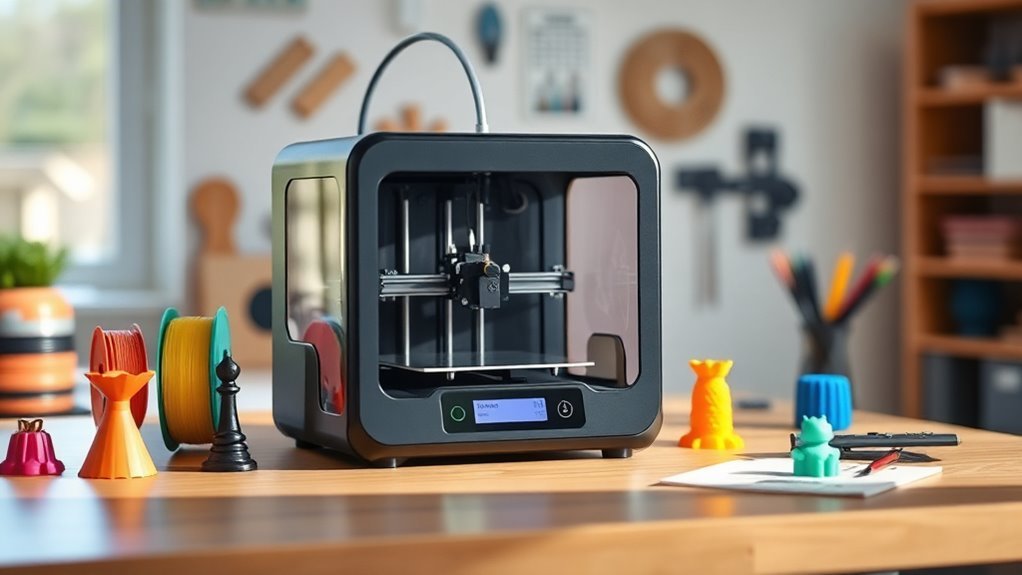
When choosing your first 3D printer, focus on how easy it is to set up and use. You’ll want to balance printing quality and speed with features that make the process smoother.
Also, consider the printer’s size, portability, and the types of materials it can handle. These things can really affect your overall experience.
Ease Of Setup
Because getting started quickly can make all the difference, you’ll want a 3D printer that’s either fully assembled or needs minimal setup—ideally under 15 minutes. Look for models with automatic features like auto leveling and calibration, which simplify initial setup and help you achieve better prints right away.
Plug-and-play designs let you start printing without fussing over complicated adjustments or technical details. A user-friendly app can guide you step-by-step through setup, making it easier to troubleshoot and manage your prints.
Also, consider printers that provide clear instructions and solid support resources so you won’t get stuck if any issues pop up. Prioritizing ease of setup means less frustration and more time bringing your ideas to life.
Printing Quality And Speed
Choosing the right balance between printing quality and speed can make a big difference in your 3D printing experience. Printing quality hinges on layer resolution, typically between 50 and 300 microns, which affects detail and smoothness.
Meanwhile, speed, measured in millimeters per second, usually ranges from 50 to 250 mm/s for beginner printers. You’ll want to avoid pushing speed too high, as it can reduce quality if the printer isn’t stable or the material isn’t suited for fast extrusion.
Features like auto bed leveling and precision extruders help improve consistency and first-layer adhesion, minimizing failures. So, consider your projects carefully—if detail matters more than speed, prioritize quality settings to get the best results without compromising your prints.
User-Friendly Features
If you want a smooth start with 3D printing, focus on user-friendly features that make setup and operation effortless. Look for plug-and-play designs that let you start printing within minutes of unboxing.
Automatic bed leveling takes the guesswork out of first-layer adhesion, so you won’t waste time on manual adjustments. Choose printers with intuitive interfaces and guided setup apps that walk you through each step, making the process straightforward.
Access to libraries of ready-to-print models and DIY projects can spark your creativity and provide immediate printing options. Also, consider power-loss recovery features, which save your progress during interruptions, so you don’t have to start over.
These user-friendly elements guarantee a hassle-free introduction to 3D printing, letting you focus on creating. It really makes the whole experience way less stressful and a lot more fun!
Size And Portability
User-friendly features make starting with 3D printing easier, but you’ll also want to think about size and portability when picking your first printer. Compact models, often around 6.5 x 8 x 10 inches, fit nicely in small spaces and are easy to move.
If you plan to carry your printer between locations, choose a lighter one—under 12 pounds is ideal. Keep in mind the build volume, usually between 3.9 x 3.9 x 3.9 inches and larger, as it determines the size of your projects.
Many beginner printers focus on easy storage and quick, plug-and-play setups, making them perfect for home or learning environments. Prioritizing these factors guarantees your printer suits your space and lifestyle without hassle.
Material Compatibility
One of the key factors to evaluate when picking your first 3D printer is the range of materials it can handle. You’ll want a printer that supports popular filaments like PLA, ABS, PETG, and TPU, giving you flexibility to explore various projects.
Make certain it allows adjustable nozzle temperatures since each material needs different heat settings for the best results. If you’re interested in specialty filaments—like flexible or composite types—check that your printer can accommodate them.
Features such as auto bed leveling and compatibility with different print surfaces also matter, as they guarantee proper adhesion and improve print quality. By choosing a printer with broad material compatibility, you’ll enjoy more creative freedom and smoother printing experiences right from the start.
Frequently Asked Questions
What Materials Are Best for Beginners to Print With?
You’ll want to start with PLA because it’s easy to print, non-toxic, and doesn’t require a heated bed.
PETG is also beginner-friendly, offering durability and flexibility without much hassle.
Avoid complex materials initially. They can be tricky and frustrating when you’re just getting started.
How Much Maintenance Does a Beginner 3D Printer Require?
You’ll need to perform regular maintenance like cleaning the nozzle, leveling the bed, and lubricating moving parts.
Fortunately, beginner 3D printers require minimal upkeep, and most tasks are simple. This makes sure your prints stay consistent and hassle-free.
Are There Any Safety Tips for First-Time 3D Printer Users?
Worried about safety with your first 3D printer? You should always wear gloves, keep the area ventilated, never touch the hot nozzle, and supervise prints.
These tips help you avoid burns and toxic fumes effortlessly. Just a little care goes a long way when you’re starting out!
What Software Is Easiest for Beginners to Learn?
You’ll find Tinkercad the easiest to learn thanks to its simple interface and drag-and-drop features. It’s perfect for beginners, letting you create models quickly without overwhelming you with complex tools or settings.
Plus, it’s super user-friendly, so you won’t feel lost when you start. It’s really designed to get you up and running fast.
Can Beginner 3D Printers Handle Upgrades or Modifications?
You can upgrade beginner 3D printers like tuning a bike; many allow easy modifications.
You’ll find community support and compatible parts, so you won’t feel stuck.
Just take your time learning each step confidently.
Conclusion
Choosing your first 3D printer is like picking the perfect paintbrush for your creative canvas. Whether you crave vibrant multicolor magic or a simple, no-fuss start, these beginner-friendly models have you covered.
Immerse yourself confidently, knowing each printer is designed to spark your imagination and make your ideas come alive. So, gear up, press start, and watch your creativity take flight—your 3D adventure is just beginning!
With the best beginner 3D printers for 2027, you’re stepping into a world where innovation meets ease. These models are perfect for newbies looking to explore 3D printing without overwhelm. Ready to create, experiment, and bring your ideas to life? Your journey with a beginner 3D printer awaits—let’s make something amazing together!