10 Best AirPrint Laser Printers for 2027 That Impress Instantly
If you’re on the hunt for a reliable AirPrint laser printer in 2027, you’re in the right place. These printers make wireless, high-quality printing from your Apple devices a breeze. Whether you need vibrant color prints or sharp monochrome documents, there’s something to suit every workspace.
Take the Canon imageCLASS MF753Cdw II, for example. It impresses with vibrant color printing, fast duplexing, and a seamless wireless setup that gets you printing quickly. On the other hand, if monochrome printing is your focus, the Brother DCP-L2640DW and HP LaserJet M234sdw deliver quick, sharp results and easy mobile printing options.
Many of these models also come with automatic duplexing to save paper, ample paper capacity for busy offices, and energy-saving features to keep costs down. Keep exploring to find the printer that best fits your productivity goals and workspace needs.
| Image | Name | Editor's Rating | Price |
|---|---|---|---|

|
|
||

|
|
||

|
|
||

|
|
||

|
|
Brother DCP-L2640DW Wireless Monochrome Printer
- BEST FOR SMALL BUSINESSES – Engineered for extraordinary productivity, the Brother DCP-L2640DW Monochrome (Black & White) 3-in-1 combines laser printer, scanner, copier...
- FAST PRINTER WITH EFFICIENT SCANNING – Produces documents quickly with print speeds up to 36 ppm(2) and scan speeds up to 23.6/7.9 ipm(3) (black/color). A 50-page auto...
- FLEXIBLE CONNECTION OPTIONS – Easily navigate the changing demands of your business with secure multi-device connectivity via built-in dual-band wireless (2.4GHz...
- BROTHER MOBILE CONNECT APP – Print, scan, and manage your wireless printer anytime, from almost anywhere from your mobile device. Order Brother Genuine Supplies, track...
- CHOOSE BROTHER GENUINE TONER – When it’s time to replace your toner, be sure to choose Brother Genuine TN830 or TN830XL replacement toner. And with Refresh EZ Print...

The Brother DCP-L2640DW Wireless Monochrome Printer is designed to simplify your printing tasks. It efficiently handles printing, scanning, and copying within a compact all-in-one layout. This printer speeds through jobs at up to 36 pages per minute, delivering crisp text with a sharp 1200 x 1200 dpi resolution.
Its automatic duplex feature reduces paper use by printing on both sides, helping your office stay eco-friendly and cost-effective. The 50-sheet auto document feeder and 250-sheet tray capacity enable you to maintain productivity with fewer interruptions. Connectivity options include dual-band wireless, Ethernet, USB, and mobile printing, giving you flexible ways to print from various devices.
Maintenance is straightforward, with easy access to replace toner and minimal setup required. While it prints only in monochrome, this focus ensures fast, clear output ideal for text-heavy documents. The compact design fits well in small offices or home workspaces where space and efficiency matter.
Best for: Small businesses and home offices needing a reliable, high-volume monochrome printer with multifunction capabilities and wireless connectivity.
What We Like:
- Fast printing speed up to 36 ppm with sharp resolution.
- Efficient all-in-one design with automatic duplexing.
- Multiple connectivity options including dual-band wireless and mobile printing.
- Large input capacity reduces paper refills.
- Easy maintenance for consistent performance.
Specification:
| Feature | Details |
|---|---|
| Manufacturer | Brother |
| Dimensions | Compact size (exact not specified) |
| Weight | Not specified |
| Printing Technology | Monochrome Laser |
| Print Speed | Up to 36 pages per minute |
| Resolution | 1200 x 1200 dpi |
| Connectivity | Dual-band wireless, Ethernet, USB, Mobile printing |
| Paper Capacity | 250-sheet tray, 50-sheet ADF |
| Functions | Print, Scan, Copy |
Brother HL-L2460DW Wireless Monochrome Laser Printer
- BEST FOR HOME OFFICES & SMALL TEAMS – Engineered for consistent, premium print quality, the Brother HL-L2460DW Monochrome (Black & White) Laser Printer produces...
- COMPACT, CONNECTED, EXCEPTIONALLY EFFICIENT– Connect with built-in dual-band wireless (2.4GHz/5GHz), Ethernet, or to a single computer via USB interface. Prints at...
- BROTHER MOBILE CONNECT APP – Manage your wireless printer remotely and print from your mobile device anytime, from almost anywhere. Order Brother Genuine Supplies...
- VERSATILE PAPER HANDLING – Tackle high-volume black & white printing with the 250-sheet capacity paper tray.(4) The manual feed slot enables printing on envelopes and...
- BROTHER IS AT YOUR SIDE – Backed by Brother with a 1-year limited warranty and free online, call, or live chat support for the life of your printer
Step up your home office or small team’s printing with the Brother HL-L2460DW Wireless Monochrome Laser Printer. It tackles everyday printing tasks quickly and efficiently, producing sharp black-and-white documents at speeds up to 36 pages per minute. This printer’s automatic duplexing helps reduce paper waste and cuts costs by printing on both sides without manual effort.
Its compact design fits neatly into tight workspaces while a 250-sheet tray minimizes frequent refills, keeping your workflow smooth. The printer connects easily through dual-band wireless, Ethernet, or USB, allowing flexible placement and seamless integration into your existing setup. Managing print jobs remotely is simple with the Brother Mobile Connect app or Alexa voice commands, adding convenience to your busy day.
Maintenance is straightforward, thanks to the Toner Save Mode that extends toner life and lowers running costs. While it only prints in monochrome and has a single paper tray, these limits are balanced by its fast, reliable performance and energy-efficient operation.
Best for: small teams and home offices needing fast, reliable monochrome printing with wireless connectivity and cost-saving features.
What We Like:
- Rapid printing speed with automatic duplexing
- Multiple connectivity options including dual-band Wi-Fi and Ethernet
- Compact footprint with large paper capacity
- Easy remote management via app and voice commands
Specification:
| Feature | Details |
|---|---|
| Manufacturer | Brother |
| Dimensions | Approx. 16.1 x 15.7 x 8.7 in (41 x 40 x 22 cm) |
| Weight | Approx. 18.7 lbs (8.5 kg) |
| Color Options | White |
Canon Color imageCLASS MF753Cdw II – All-in-One Color Duplex Laser Printer
- Color, Wireless, Duplex 4-in-1: Print, scan, copy, fax.
The Canon Color imageCLASS MF753Cdw II stands out with its fast, sharp color printing that meets the demands of busy small offices and hybrid workspaces. It delivers up to 35 pages per minute at a crisp 1200 x 1200 dpi resolution, ensuring every document looks professional. This printer’s automatic duplex feature simplifies double-sided printing, saving time and paper.
Designed as an all-in-one device, it handles printing, scanning, copying, and faxing smoothly. The 50-sheet duplex ADF speeds up handling multi-page documents, enhancing workflow efficiency. Its expandable paper capacity adapts to growing office needs, though extra cassettes add to the cost.
Connectivity options like Wi-Fi, Ethernet, USB, and mobile app support keep you connected without hassle. The intuitive touchscreen offers easy navigation and customization, making daily tasks straightforward. While it weighs 50 pounds, its robust build supports frequent, heavy use.
Maintenance is manageable, though starter toner yields are moderate and may require earlier replacement. Overall, this printer balances performance and versatility for reliable office productivity.
Best for: Small offices and hybrid work environments needing fast, versatile, and reliable all-in-one color duplex laser printing.
What We Like:
- Fast print speed of up to 35 ppm with high-quality 1200 x 1200 dpi resolution
- Automatic duplex printing combined with a 50-sheet duplex ADF enhances efficiency
- Flexible connectivity via Wi-Fi, Ethernet, USB, and mobile app support
- Expandable paper capacity supports growing print volumes
Specification:
| Feature | Details |
|---|---|
| Manufacturer | Canon |
| Dimensions (W×D×H) | 16.5 × 18.7 × 15 inches |
| Weight | 50 lbs (22.7 kg) |
| Print Technology | Color Duplex Laser |
| Print Speed | Up to 35 pages per minute |
| Print Resolution | 1200 x 1200 dpi |
| Paper Capacity | 250 sheets (expandable to 850) |
| Duplex ADF Capacity | 50 sheets |
| Connectivity | Wi-Fi, Ethernet, USB, Mobile app |
Canon Color imageCLASS LBP646Cdw Wireless Laser Printer
- Single-Function, Color, Wireless, Duplex Printer: Print only. — No Scanning, Copying, or Faxing
- Fast Print Speeds: Print up to 26 ppm in both color and monochrome and spend less time waiting with a quick first print time of approximately 10.3 seconds.
- Easy Wireless Setup: Setup your wireless connection and get up and running in just a few steps.
- 5-inch LCD Screen: Navigate through all the features using the 5-line LCD screen.
- Mobile Device Printing: Print from your compatible mobile devices using the free Canon PRINT app, Apple AirPrint and Mopria Print Service.
Experience vibrant, high-quality color prints with the Canon Color imageCLASS LBP646Cdw Wireless Laser Printer. Designed to deliver sharp images at 1200 x 1200 dpi, this printer keeps up with busy workflows by printing up to 26 pages per minute. Its automatic duplex feature reduces paper use and speeds up your tasks, helping to streamline office productivity.
This printer supports multiple paper sizes, including Legal, thanks to its 250-sheet cassette and manual feed tray. Connectivity is simple and versatile, offering Wi-Fi, Ethernet, and USB options. You can also print directly from your smartphone via AirPrint or the Canon PRINT app, making it easier to work from anywhere.
Maintenance is straightforward, though the toner cartridges have a relatively low initial yield, which may require more frequent replacements in high-volume settings. While it focuses solely on printing, its compact size and ENERGY STAR certification make it an efficient choice for small workspaces.
Best for: Small to medium-sized offices or home workspaces needing fast, high-quality color laser printing with wireless connectivity.
What We Like:
- Fast print speeds of up to 26 ppm with crisp 1200 x 1200 dpi quality
- Automatic duplexing and versatile paper handling up to Legal size
- Multiple connectivity options including Wi-Fi, Ethernet, USB, and mobile printing
- Compact design with ENERGY STAR certification for energy efficiency
Specification:
| Feature | Details |
|---|---|
| Manufacturer | Canon |
| Dimensions (W×D×H) | 16.54 × 18.62 × 15.0 in (42 × 47.3 × 38.1 cm) |
| Weight | Approx. 40.6 lb (18.4 kg) |
| Printing Technology | Laser |
| Print Resolution | 1200 x 1200 dpi |
| Print Speed | Up to 26 pages per minute |
| Paper Capacity | 250-sheet cassette + manual feed tray |
| Connectivity | Wi-Fi, Ethernet, USB, mobile printing apps |
| Duplex Printing | Automatic |
HP LaserJet M234sdw Monochrome Laser Printer | All-in-One
No products found.
Experience efficient black-and-white printing with the HP LaserJet M234sdw Monochrome Laser Printer. Designed to handle the demands of small offices, it delivers clear, professional documents quickly. Its speed of up to 30 pages per minute reduces wait times, helping your team stay productive.
This all-in-one device simplifies daily tasks by combining printing, copying, and scanning. The 40-page automatic document feeder allows you to process multi-page jobs effortlessly. Built-in duplex printing cuts paper usage by automatically printing on both sides.
Connectivity is flexible with dual-band Wi-Fi and Ethernet options. You can print directly from mobile devices using AirPrint or the HP Smart app. Its compact design fits neatly into limited spaces without sacrificing performance.
Maintenance is straightforward, with easy paper loading and minimal refills needed for typical office use. While it only prints in monochrome and holds up to 150 sheets, it offers reliable security features to protect your data.
Best for: Small teams or offices of 1–5 people needing efficient, professional-grade black-and-white printing, copying, and scanning with dependable wireless connectivity.
What We Like:
- Fast printing speed of up to 30 ppm with automatic duplexing
- 40-page auto document feeder for streamlined multi-page tasks
- Supports wireless printing via dual-band Wi-Fi, Ethernet, AirPrint, and HP Smart app
- Compact design suitable for tight office spaces
Specification:
| Feature | Details |
|---|---|
| Manufacturer | HP |
| Dimensions | Compact (exact size not provided) |
| Weight | Not specified |
| Connectivity | Dual-band Wi-Fi, Ethernet |
| Paper Capacity | 150 sheets |
| Printing Speed | Up to 30 pages per minute |
| Functionality | Print, copy, scan |
| Color Options | Monochrome only |
HP LaserJet M207dw | Monochrome | Laser Printer | Duplex
- FROM AMERICA'S MOST TRUSTED PRINTER BRAND – Perfect for offices printing black & white brochures, business documents and presentations. Perfect for 1-5 people
- FASTEST TWO-SIDED PRINTING IN ITS CLASS – Up to 28 black-and-white pages per minute single-sided. Quickly finish multipage print projects with the fastest in-class...
- DUAL-BAND WI-FI WITH SELF-RESET – Automatically detects and resolves connectivity issues
- STRONG SECURITY – Built-in security features help protect your printer from potential attacks
- PRINT FROM ANY DEVICE – Wireless printing from any mobile device, PC or tablet. Ethernet included. Works with Microsoft, Mac, AirPrint, Android, Chromebook and more.
Experience efficient black-and-white printing tailored for busy home offices and small teams with the HP LaserJet M207dw. This reliable monochrome laser printer simplifies your workflow by delivering sharp text documents quickly. Its duplex feature doubles productivity by printing on both sides of the paper automatically, reducing waste and saving time.
Designed for easy setup and minimal maintenance, the M207dw connects seamlessly via dual-band Wi-Fi, Ethernet, or USB. You can also print directly from your smartphone or tablet using AirPrint or the HP app, making it convenient for mobile workstyles. Its compact size fits neatly into any workspace without compromising performance.
The printer produces crisp output at 600 x 600 dpi, ideal for clear reports and professional documents. With a fast first-page-out time of about 7 seconds and speeds up to 28 pages per minute, it keeps pace with your daily tasks. However, its 150-sheet paper tray might require regular refilling during heavy use, and it does not support color printing.
Best for: Small teams, home offices, and individuals seeking fast, dependable monochrome printing with efficient duplex capability.
What We Like:
- Quick print speed with rapid first-page output
- Automatic duplex printing reduces paper use
- Multiple connectivity options for flexible printing
- Compact, energy-efficient design fits small spaces
Specification:
| Feature | Details |
|---|---|
| Manufacturer | HP |
| Model | LaserJet M207dw |
| Print Technology | Monochrome Laser |
| Print Speed | Up to 28 ppm |
| Resolution | 600 x 600 dpi |
| Connectivity | Dual-band Wi-Fi, Ethernet, USB |
| Duplex Printing | Automatic |
| Paper Tray Capacity | 150 sheets |
| Dimensions (W×D×H) | Approx. 15.4 x 14.3 x 8.5 in (39.2 x 36.4 x 21.6 cm) |
| Weight | Approx. 15.8 lb (7.2 kg) |
Canon imageCLASS LBP122dw – Wireless Monochrome Duplex Laser Printer

- Wireless, duplex printer (print-only)
- Fast print speeds up to 30 pages per minute (black and white)
- Print on-the-go with Canon PRINT app and more.
- Uses Canon GENUINE Toner 071 / 071 high-capacity
- Compact design fits almost anywhere in your home, great for home use and personal printing
The Canon imageCLASS LBP122dw is designed to streamline your printing tasks with speed and precision. It prints monochrome documents at up to 30 pages per minute, helping you complete jobs quickly without sacrificing quality. This makes it a practical choice for busy home offices or personal use where efficiency matters.
Its automatic duplex printing feature reduces paper waste by printing on both sides, saving you money and supporting eco-friendly habits. The printer handles legal-size paper, expanding your options for professional documents and forms. With a sharp resolution of 2400 x 600 dpi, text appears crisp and clear every time.
Connectivity is simple and versatile, offering Wi-Fi, Ethernet, and USB options. You can also print directly from mobile devices using the Canon PRINT app or Alexa voice commands. This flexibility allows you to work seamlessly from multiple devices without hassle.
Maintenance is straightforward with a 150-sheet paper capacity that suits light to moderate printing needs. However, the starter toner yields about 700 pages, so frequent replacements may be necessary for high-volume users. Note that this model is print-only, so scanning and copying require separate devices.
Best for: individuals and small home offices needing a fast, reliable monochrome printer with wireless and duplex printing capabilities.
What We Like:
- Fast print speed of up to 30 ppm with clear 2400 x 600 dpi output
- Automatic duplex printing saves paper effortlessly
- Supports Wi-Fi, Ethernet, USB, and mobile printing via Canon PRINT app and Alexa
- Compact design fits neatly on a desk without occupying much space
Specification:
| Feature | Details |
|---|---|
| Manufacturer | Canon |
| Dimensions (W x D x H) | 14.1 x 14.5 x 8.1 inches |
| Weight | 14.3 lbs (6.5 kg) |
| Print Resolution | 2400 x 600 dpi |
| Print Speed | Up to 30 pages per minute |
| Paper Capacity | 150 sheets |
| Connectivity | Wi-Fi, Ethernet, USB |
Canon imageCLASS MF462dw II – Wireless, Monochrome Duplex Laser Printer
- Monochrome, Wireless, Duplex 4-in-1: Print, scan, copy, fax.
- Fast Print Speeds: Print up to 37 pages per minute and spend less time waiting with a quick first print time of approximately 5 seconds.
- Easy Wireless Setup: Setup your wireless connection and get up and running in just a few steps2
- 5-inch Color Touchscreen: Get the job done quickly with Application Library - an intuitive and easy to use customizable access to the features you use most.
- Mobile Device Printing: Print from your compatible mobile devices using the free Canon PRINT app, Apple AirPrint and Mopria Print Service.
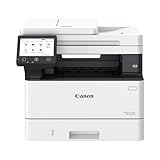
Experience fast, efficient monochrome printing tailored for busy small offices and hybrid workspaces with the Canon imageCLASS MF462dw II. This all-in-one laser printer offers sharp, high-quality prints at speeds up to 37 pages per minute, helping you complete tasks quickly without compromising clarity.
Its built-in one-pass duplex scanner and 50-sheet automatic document feeder streamline handling of double-sided documents, reducing manual effort. Wireless connectivity through Wi-Fi, Apple AirPrint, and the Canon PRINT app enables seamless mobile printing from your devices.
Designed for ease of use, the 5-inch touchscreen lets you customize and control print, copy, scan, and fax functions with minimal hassle. The printer’s paper capacity starts at 350 sheets and expands to 900, minimizing frequent refills during heavy workloads.
While limited to black-and-white output, this model excels in reliable, high-volume printing. Its solid build and straightforward maintenance keep your workflow smooth, though its weight of 44 pounds may require a dedicated space.
Best for: Small offices and hybrid work environments needing fast, dependable monochrome printing with multifunction features.
What We Like:
- Sharp 1200 x 1200 dpi resolution with up to 37 ppm print speed
- Efficient duplex scanning with 50-sheet ADF for double-sided documents
- Convenient wireless printing via Wi-Fi, Apple AirPrint, and Canon PRINT app
- User-friendly 5-inch touchscreen interface
- Expandable paper capacity from 350 to 900 sheets
Specification:
| Feature | Details |
|---|---|
| Manufacturer | Canon |
| Dimensions (W×D×H) | Not specified |
| Weight | 44 lb (20 kg) |
| Printing Technology | Monochrome Laser |
| Print Speed | Up to 37 pages per minute |
| Print Resolution | 1200 x 1200 dpi |
| Duplex Scanner | One-pass, 50-sheet ADF |
| Connectivity | Wi-Fi, Apple AirPrint, Canon PRINT app |
| Touchscreen | 5-inch color display |
Canon imageCLASS MF662Cdw Wireless Duplex Laser Printer

- Color, Wireless, Duplex 3-in-1: Print, scan, copy.
- Fast Print Speeds: Print up to 26 ppm in both color and monochrome and spend less time waiting with a quick first print time of approximately 10.3 seconds.
- Easy Wireless Setup: Setup your wireless connection and get up and running in just a few steps.
- 5-inch Color Touchscreen: Get the job done quickly with Application Library - an intuitive and easy to use customizable access to the features you use most.
- Mobile Device Printing: Print from your compatible mobile devices using the free Canon PRINT app, Apple AirPrint and Mopria Print Service.
The Canon imageCLASS MF662Cdw stands out as a solid choice for small and home offices managing hybrid work. It tackles the challenge of slow, cumbersome printing by delivering fast duplex color prints at up to 26 pages per minute. This efficiency helps keep your workload moving smoothly.
Its 5-inch color touchscreen simplifies navigation, letting you customize the Application Library for quick access to your most-used tasks. This feature streamlines your daily operations, reducing time spent on repetitive commands. Wireless setup through Wi-Fi, Ethernet, or USB makes connecting hassle-free.
Handling printing, copying, and scanning in one compact device, the MF662Cdw supports legal-sized paper and produces sharp 600 x 600 dpi output. While it requires frequent toner replacements initially due to low starter yields, its overall design is energy-efficient and user-friendly. The printer’s weight at 55.1 lb means it’s best suited for a fixed workspace rather than portability.
Best for: Small and home offices or hybrid work settings needing a reliable, wireless duplex color printer with versatile multi-functionality.
What We Like:
- Fast duplex printing at 26 pages per minute with sharp resolution.
- Intuitive 5-inch color touchscreen with customizable Application Library.
- Flexible wireless and wired connectivity options including mobile printing.
- Supports legal-size paper for diverse document needs.
Specification:
| Feature | Details |
|---|---|
| Manufacturer | Canon |
| Dimensions (W×D×H) | Not specified |
| Weight | 55.1 lb (25 kg) |
| Print Resolution | 600 x 600 dpi |
| Connectivity | Wi-Fi, Ethernet, USB |
| Functions | Print, Copy, Scan |
| Paper Size Support | Up to Legal Size |
Canon imageCLASS LBP172dw Wireless Monochrome Printer

- Wireless, monochrome duplex printer (print only)
- Print up to 35 pages per minute
- Uses Toner 072 / 072 high-capacity toner
- 250-sheet standard cassette
- Print on-the-go with Canon PRINT app, Apple Airprint, Mopria Print Service
Experience seamless printing with the Canon imageCLASS LBP172dw, a monochrome laser printer designed to meet the demands of busy home offices and small businesses. Its fast printing speed of up to 35 pages per minute ensures documents are ready quickly, reducing wait times and boosting productivity.
This printer handles high-volume tasks with ease thanks to its 250-sheet paper capacity and automatic duplexing feature, which saves paper by printing on both sides. Wireless connectivity options, including support for AirPrint and the Canon PRINT app, make it simple to print directly from smartphones or tablets.
Maintenance is straightforward with Canon Genuine Toner 072 cartridges, ensuring consistent print quality and reliability. The compact design fits neatly on a desk, while its energy-efficient operation helps reduce power consumption.
The intuitive LCD touchscreen simplifies navigation, allowing users to manage print jobs effortlessly. While it focuses solely on monochrome printing and lacks multifunction capabilities, it excels as a dedicated, efficient monochrome laser printer.
Best for: Professionals or small offices needing a fast, reliable monochrome laser printer with wireless and duplex printing features.
What We Like:
- Rapid print speed of up to 35 ppm with sharp 600 dpi resolution.
- Automatic duplexing reduces paper use and supports high-volume printing.
- Wireless connectivity via AirPrint and Canon PRINT app for mobile printing.
- Compact, energy-efficient design fits small workspaces.
- Easy-to-use LCD touchscreen for straightforward operation.
Specification:
| Feature | Details |
|---|---|
| Manufacturer | Canon |
| Dimensions (W x D x H) | 15 x 14 x 10 inches (approx.) |
| Weight | Approx. 18 lbs (8.2 kg) |
| Printing Technology | Monochrome Laser |
| Print Speed | Up to 35 pages per minute |
| Resolution | 600 x 600 dpi |
| Paper Capacity | 250 sheets |
| Connectivity | Wireless (Wi-Fi), USB |
| Duplex Printing | Automatic |
Factors to Consider When Choosing an Airprint Laser Printer
When choosing an AirPrint laser printer, you need to check if it’s compatible with your devices and offers fast, high-quality prints. Consider the connectivity options and whether the paper handling capacity fits your printing volume.
Also, don’t forget to factor in the cost of consumables to keep your expenses manageable. It’s all about finding the right balance between performance and affordability.
Compatibility With Devices
Although AirPrint simplifies wireless printing, you’ll want to make sure your laser printer supports it natively so your iPhone, iPad, or Mac can connect without extra drivers or apps. It’s also important to confirm your devices and printer are on the same local Wi-Fi network. AirPrint won’t work over cellular or guest networks.
Check the minimum OS versions required to avoid connection issues or missing features. Also, verify the printer exposes key functions you need—like duplex printing, specific paper sizes, or multi-page scanning—through AirPrint. Some advanced features might be limited, so it’s good to double-check.
If you’re in a multi-device environment, make sure the printer can handle simultaneous connections. You’ll want to be sure it has enough network capacity to manage print jobs from multiple users without delays or interruptions.
Print Speed and Quality
Choosing an AirPrint laser printer means balancing print speed and quality to fit your needs. Look for printers with high pages-per-minute (PPM) rates—typically 26 to 37 ppm for monochrome and color—to handle larger jobs quickly.
Don’t overlook first-page-out time (FPOT); a low FPOT, often under 10 seconds, minimizes wait for short prints. Pay attention to print resolution: 1200 x 1200 dpi delivers sharp text and fine graphics, while 600 x 600 dpi works for basic documents.
If you print double-sided, check that duplex printing runs at full speed to avoid slowdowns. Finally, remember that draft or toner-save modes boost speed and reduce toner use but sacrifice detail, so choose settings that match your quality requirements.
Connectivity Options Available
Print speed and quality matter, but without reliable connectivity, your AirPrint laser printer won’t perform to its full potential. Make sure it supports AirPrint over both 2.4 GHz and 5 GHz Wi-Fi bands so your mobile devices can connect smoothly across home or office networks.
If multiple users share the printer, a wired Gigabit Ethernet port guarantees a stable, low-latency connection. USB-A or USB-B ports let you print directly from desktops or use the printer offline.
Look for multi-protocol support—AirPrint plus Mopria, IPP, or Google Cloud Print—to boost compatibility with various devices and OSes. And don’t forget Wi-Fi Direct or guest network modes, which let visitors print easily without risking your main network’s security.
Choose connectivity features that fit your environment for seamless printing. It really makes all the difference in how hassle-free your printing experience will be.
Paper Handling Capacity
Evaluate the paper handling capacity carefully to match your printing needs. Start by checking the main paper tray’s capacity—typically 150 to 250 sheets—to make certain it handles your daily print volume without frequent refills.
Also, verify the output bin’s capacity to prevent overflow during large jobs. If you often scan or copy double-sided documents, look for an automatic document feeder (ADF) with duplex capabilities.
Don’t forget to take into account the multipurpose or manual feed slot for specialty media like envelopes or labels, making sure it supports the sizes you use.
Finally, think ahead about expandability options, such as extra trays or larger cassettes, so your printer can grow with your increasing print demands. This guarantees smooth, efficient printing without constant interruptions.
Cost of Consumables
Understanding the cost of consumables is essential when picking an AirPrint laser printer that fits your budget. Start by comparing the cost per page—divide the toner or drum unit price by the manufacturer’s stated page yield to see long-term expenses clearly.
High-yield cartridges or multipacks usually lower your cost per page despite higher upfront costs, so check total yield and break-even points before buying. Don’t forget to factor in drum or maintenance kit replacements, as some printers need separate units that add to expenses.
Consider subscription refill programs or third-party options only after verifying real savings and warranty impacts. Finally, use toner-save modes, duplex printing, and draft settings to reduce toner use and lower effective consumable costs per page.
Frequently Asked Questions
How Does Airprint Technology Enhance Wireless Printing Convenience?
AirPrint technology lets you print wirelessly without installing drivers, so you can quickly send documents or photos from your iPhone or iPad.
It simplifies the process, making wireless printing seamless and hassle-free for you. Pretty handy, right?
Can Airprint Laser Printers Be Used With Android Devices?
AirPrint is designed for Apple devices, so it doesn’t natively support Android.
However, you can use third-party apps or manufacturer-specific solutions to print wirelessly from your Android phone to an AirPrint laser printer.
These apps act as a bridge, letting your Android device communicate with the printer.
What Are the Environmental Benefits of Using Laser Printers?
Like sending a telegram, laser printers save time and energy. You’ll use less toner and paper with efficient printing, reducing waste and carbon footprint.
That means you’re helping protect the environment while enjoying sharp, fast prints every day. It’s a win-win!
How Does Duplex Printing Save Paper and Costs?
Duplex printing saves paper by using both sides of a sheet, cutting your paper use in half.
This reduces costs on paper purchases and waste disposal. So, you save money while supporting the environment.
Are There Monthly Page Limits for Airprint Laser Printers?
You won’t find monthly page limits as strict as a fortress on most AirPrint laser printers, but manufacturers recommend staying within their duty cycle to avoid wear.
Conclusion
So, you’re hunting for the perfect AirPrint laser printer in 2027? Easy, right? Just pick one from this stellar list, and you’re set—because who doesn’t love a printer that actually works smoothly the first time?
Whether you want color, speed, or wireless magic, these models have you covered. Remember, choosing the right printer is almost as simple as figuring out why your old one suddenly stopped printing… again.
Good luck! With these top AirPrint laser printers, you’ll enjoy seamless wireless printing and crisp, professional-quality output every time. Finding the perfect AirPrint laser printer means less hassle and more productivity, so you can focus on what really matters. Whether for home or office, these printers combine efficiency and convenience perfectly in 2027.