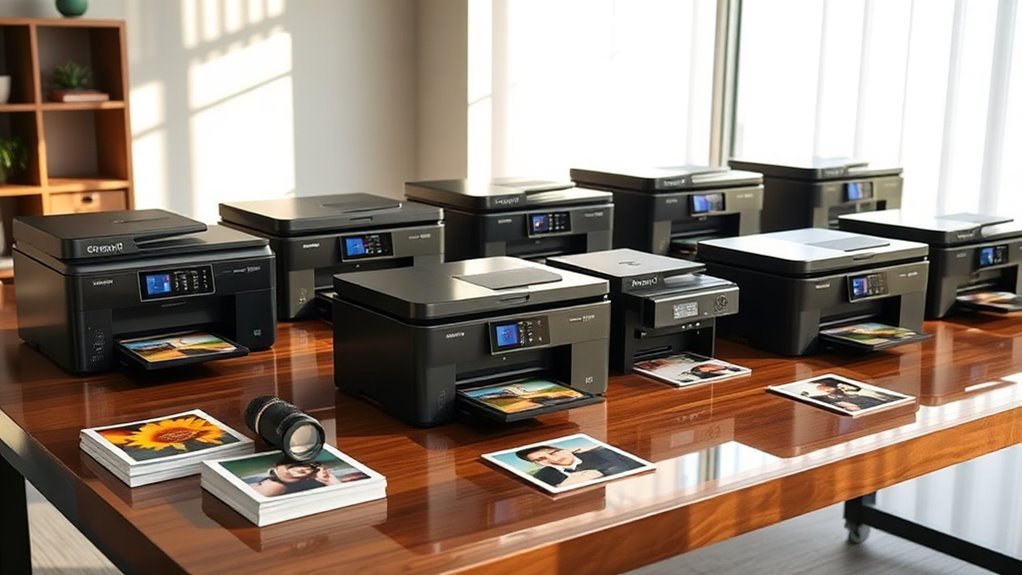
12 Best All in One Printers for Photo Scanning in 2027
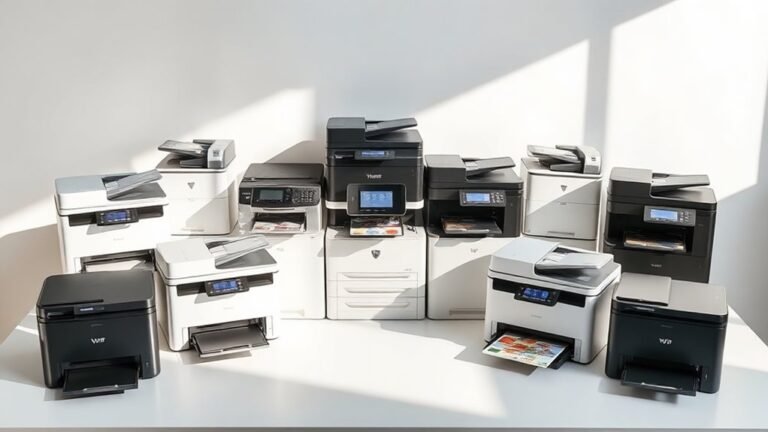
If you’re searching for the best all-in-one printers for photo scanning in 2027, you’ve come to the right place. Models like the HP Envy Photo 7975 and Epson XP-7100 stand out with their sharp scans and vibrant prints. These printers are perfect for capturing your favorite memories in stunning detail.
Looking for something that handles high-volume photo printing without breaking the bank? Canon’s MegaTank G620 and Epson’s EcoTank ET-8500/ET-8550 are excellent choices. They offer cost-efficient, wide-format photo output that’s ideal for both home and creative projects.
These all-in-one printers combine high-resolution scanning, versatile media support, and smart connectivity features. Stick around to find out which printer fits your photo scanning and printing needs perfectly!
| Image | Name | Editor's Rating | Price |
|---|---|---|---|

|
|
||
|
|
||

|
|
||

|
|
||

|
|
HP Envy Photo 7975 Wireless Color Inkjet Printer
- From America's most trusted printer brand, the HP Envy Photo 7975 is a premium multi-purpose home printer with everything families need to learn, work, and create. Loaded...
- PERFECT FOR HOME - The HP Envy Photo 7975 is great for printing documents, high-quality true-to-screen borderless photos, creative projects and more. Print speeds up to...
- 3 MONTHS OF INK INCLUDED - Subscribe to the Instant Ink delivery service to get ink delivered directly to your door before you run out. After 3 months, a monthly fee...
- KEY FEATURES - Print, copy, scan, automatic 2-sided printing, advanced photo features, separate photo tray, auto document feeder, mobile and wireless printing.
- EFFORTLESS PRINTING - Smoothly navigate printing with a large intuitive printer color touchscreen.

The HP Envy Photo 7975 Wireless Color Inkjet Printer delivers vibrant, borderless photos with sharp details, making it ideal for home users who want professional-quality prints. Its dedicated photo tray and advanced photo ink ensure clear, colorful results up to 4800 x 1200 dpi resolution. This printer simplifies multi-tasking by combining printing, scanning, and copying in one device.
With a 35-sheet automatic document feeder and a flatbed scanner, it handles multi-page documents effortlessly. The 2.7-inch color touchscreen makes setup and navigation intuitive, reducing the hassle often associated with printer controls. Wireless and mobile printing options let you print directly from smartphones and tablets, adding convenience for everyday use.
Maintenance is straightforward but keep in mind it uses HP 64 ink cartridges, which can be on the pricier side, especially if you continue with the Instant Ink subscription after the trial. Print speeds are moderate, suitable for home and small office productivity but not designed for heavy-duty tasks.
Overall, the HP Envy Photo 7975 offers a balance of quality photo printing and all-in-one functionality, perfect for creative projects and document management at home.
Best for: Home users who need a versatile all-in-one printer specializing in high-quality photo printing and easy wireless connectivity.
What We Like:
- Produces sharp, vibrant borderless photos with advanced photo ink technology
- 35-sheet automatic document feeder and flatbed scanner for versatile document handling
- Large 2.7” color touchscreen for simple setup and control
- Wireless and mobile printing support for convenience
Specification:
| Feature | Details |
|---|---|
| Manufacturer | HP |
| Dimensions (W x D x H) | Approximately 17.3 x 14.5 x 5.7 inches |
| Weight | About 13.5 lbs (6.12 kg) |
| Color Options | Black with photo tray accents |
| Connectivity | Wireless, mobile printing |
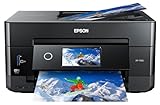
Epson Expression Premium XP-7100 Wireless Color All-in-One Inkjet Printer
- CLEAR AND VIBRANT PRINT QUALITY ― All-in-one inkjet color printer produces sharp text for eye-catching documents and impressive color photos and graphics; Your next...
- PRINTER FOR HOME USE ― Designed to increase your productivity at home, this wireless color printer features a 30 page auto document feeder (ADF), auto 2-sided print...
- CREATIVITY MADE EASY ― Epson color printer provides creative versatility, allowing you to print photos and documents on specialty paper¹ and DVDs; You can even print...
- SIMPLE FUNCTIONALITY ― Convenient features make printing, scanning, and copying a snap; Use the large, intuitive 4.3 in touchscreen to view, edit and print photos...
- CONVENIENT WIRELESS PRINTER ― Ultimate wireless plus ethernet; Easily print photos and documents directly from your tablet or smartphone³; Includes Wi-Fi direct for...
The Epson Expression Premium XP-7100 Wireless Color All-in-One Inkjet Printer offers a smart solution for those who need fast, high-quality photo printing at home. Its advanced 5-color Claria Premium ink system produces vibrant, detailed prints that bring photos to life. This printer’s ability to print borderless photos quickly means you can enjoy beautiful 4×6 prints in just 12 seconds, perfect for last-minute projects or gifts.
Designed with convenience in mind, the XP-7100 features a 4.3-inch touchscreen that lets you edit and print photos directly from USB drives or SD cards. This eliminates the need for a computer and simplifies the printing process. Automatic duplex printing and a 30-page auto document feeder help manage everyday printing tasks efficiently, reducing manual effort.
Wireless and Ethernet connectivity make it easy to print from multiple devices, while voice control via Alexa adds hands-free convenience. Although it requires several ink cartridges that may increase maintenance costs, the printer’s compact design and user-friendly interface make it a practical choice for home use. Its combination of speed, quality, and versatility addresses common printing challenges effectively.
Best for: home users and photographers seeking reliable, fast photo printing with versatile all-in-one capabilities and easy wireless operation.
What We Like:
- Vibrant, detailed prints from a 5-color Claria Premium ink system
- Quick borderless photo printing, with 4×6 photos ready in 12 seconds
- Intuitive 4.3-inch touchscreen for easy photo editing and direct printing
- Automatic duplex printing and 30-page auto document feeder for productivity
- Wireless, Ethernet, and voice control options for flexible connectivity
Specification:
| Feature | Details |
|---|---|
| Manufacturer | Epson |
| Dimensions (W×D×H) | 14.8 × 12.2 × 6.9 inches |
| Weight | Approximately 14.3 lbs |
| Ink System | 5-color Claria Premium ink |
| Connectivity | Wireless, Ethernet, USB, SD card |
| Display | 4.3-inch color touchscreen |
Canon PIXMA G620 Wireless MegaTank All-in-One Printer
- Never run out of ink. Connect your printer to Alexa and receive notifications when you’re running low. Alexa can even place a smart reorder from Amazon on your behalf...
- Enrolling in Smart Reorders with Alexa ensures that you never have too much or too little ink supplies. No subscription needed.
- MEGATANK HIGH PAGE YIELD: Print up to 3,800 4” x 6” color photos on a full set of ink.
- LOW COST PER PRINT with approx. ink cost of 2.5 cents per 4” x 6” color photo.2
- 6-COLOR DYE-BASED INK SYSTEM including Red and Gray inks for a wider color gamut.
Experience vibrant photo printing without the hassle of constant ink changes with the Canon PIXMA G620 Wireless MegaTank All-in-One Printer. This printer is engineered to deliver rich, true-to-life colors using a 6-color dye-based ink system that includes Red and Gray inks for enhanced photo depth and tone.
Its compact design fits effortlessly into small spaces, making it ideal for home or small office settings. Wireless connectivity and Alexa integration simplify the printing process by allowing remote operation and smart ink level monitoring, so you never run out unexpectedly.
Maintenance is straightforward with high-yield ink tanks capable of producing up to 3,800 4″ x 6″ photos per refill. This reduces downtime and keeps your printing projects flowing smoothly. The printer also supports USB connections for added versatility.
While the copy speed is moderate, and the paper tray holds only 50 sheets, it balances these aspects with high-quality output and cost efficiency. This printer is a solid choice for users prioritizing vibrant photo quality and convenience over speed.
Best for: Photo enthusiasts and small office users seeking high-volume, cost-effective, and vibrant photo printing with wireless convenience.
What We Like:
- High-yield ink tanks produce up to 3,800 4″ x 6″ photos per refill
- 6-color ink system with Red and Gray inks for richer photo tones
- Wireless printing with Alexa support for smart ink management
- Compact size fits well in limited spaces
- Versatile connectivity options including USB
Specification:
| Feature | Details |
|---|---|
| Manufacturer | Canon |
| Dimensions | Compact design (exact size not specified) |
| Weight | Not specified |
| Ink System | 6-color dye-based (includes Red and Gray) |
| Connectivity | Wireless, USB, Alexa-enabled |
| Paper Tray Capacity | 50 sheets |
Epson EcoTank Photo ET-8500 Wireless Color All-in-One Supertank Printer
- Epson's Claria ET Premium 6-color ink breathes life into your cherished memories with vivid details and vibrant hues. Every nuance and emotion is captured with stunning...
- Ditch cartridges and embrace revolutionary ink savings
- Print stunning photos, personalized gifts, or pro presentations on cardstock, envelopes, CDs, and DVDs
- Epson's Claria ET Premium 6-color ink delivers breathtaking detail and vibrant colors
- Print from anywhere, anytime
Discover the power of the Epson EcoTank Photo ET-8500, a versatile all-in-one printer designed to transform your photo printing experience. Say goodbye to cartridges with its innovative cartridge-free 6-color Claria ET Premium ink system. This printer delivers sharp, vibrant prints up to 13 x 19 inches, perfect for borderless photos and cardstock projects.
Maintenance is simple and cost-effective thanks to included high-yield ink bottles, which can save up to 80% on ink costs. This makes it ideal for users who print frequently and want to avoid the hassle and expense of traditional cartridges.
Beyond printing, this model handles scanning and copying with ease. Double-sided document printing and multiple connectivity options—wireless, Ethernet, and USB—offer flexibility for various workflows. The 4.3-inch touchscreen and voice control simplify operation, making it accessible for both beginners and experienced users.
While it offers excellent photo quality, keep in mind the sheet input capacity is limited to 10 sheets, and print speeds are moderate. The printer has a larger footprint and higher power consumption, so ensure you have the space and power setup to accommodate it.
Best for: photographers, hobbyists, and small businesses needing high-quality photo printing combined with versatile all-in-one functions and low ongoing ink costs.
What We Like:
- Cartridge-free 6-color ink system for vibrant, borderless photos up to 13 x 19 inches
- High-yield ink bottles reduce ink costs by up to 80%
- Wireless, Ethernet, and USB connectivity for flexible usage
- User-friendly 4.3-inch touchscreen and voice control for easy operation
Specification:
| Feature | Details |
|---|---|
| Manufacturer | Epson |
| Model | EcoTank Photo ET-8500 |
| Print Technology | Inkjet (6-color Claria ET Premium) |
| Maximum Print Size | 13 x 19 inches |
| Connectivity | Wireless, Ethernet, USB |
| Display | 4.3-inch touchscreen |
| Input Capacity | 10 sheets |
| Power Consumption | 207 watts |
Epson EcoTank Photo ET-8550 Wireless Wide-Format All-in-One Tank Printer
- CARTRIDGE-FREE PRINTING — Print lab-quality photos, graphics and creative projects; Get vibrant colors and sharp text with Epson's high-accuracy printhead and Claria ET...
- INK BOTTLES — Save on photos1 and creative projects with affordable in-house printing; All-in-one printer allows you to print 4" x 6" photos for about 4 cents each vs...
- LESS FREQUENT INK REPLACEMENT — Replacement ink bottles don't have to be changed nearly as often as ink cartridges¹; Printer, scanner and copier lets you print up to...
- PRINT FOR LONGER — Up to 2 years of ink in the box² (and with every replacement ink set) for fewer out-of-ink frustrations with this wireless printer
- ZERO CARTRIDGE WASTE — Epson EcoTank printer helps reduce the amount of cartridge waste ending up in landfills; Cartridge-free printer uses high-yield ink bottles; Each...
Discover the power of professional-quality photo printing right at home with the Epson EcoTank Photo ET-8550. This wireless all-in-one printer is designed to deliver stunning, lab-quality images up to 13 x 19 inches, making it ideal for creative projects and wide-format prints. Its 6-color Claria ET Premium ink system ensures vibrant colors and crisp details, helping your photos come to life with every print.
Maintenance is easy and cost-effective thanks to the cartridge-free EcoTank system. Refillable ink tanks significantly lower your printing expenses and reduce waste, saving you about $0.04 per 4×6 photo. This system also means fewer interruptions, letting you focus more on your work and less on replacing cartridges.
The ET-8550 supports versatile media types, including thick paper up to 1.3 mm and even CD/DVD printing, accommodating a variety of creative needs. Wireless and USB connectivity options offer flexible setup, while automatic duplexing boosts productivity by printing on both sides of the paper.
Although it has a larger footprint and moderate print speeds, this printer balances quality and functionality for photographers and home users who demand wide-format prints with professional results.
Best for: photographers, creative professionals, and home users seeking high-quality wide-format photo printing with low ink costs and versatile media handling.
What We Like:
- Cartridge-free EcoTank system cuts printing costs and waste.
- Supports borderless wide-format prints up to 13 x 19 inches.
- Handles thick media and CD/DVD printing.
- Wireless connectivity with automatic duplex printing.
- High-resolution scanning for photo preservation.
Specification:
| Feature | Details |
|---|---|
| Manufacturer | Epson |
| Dimensions (W×D×H) | Approx. 22 x 14 x 8 inches |
| Weight | Around 15 lbs |
| Ink System | 6-color Claria ET Premium |
| Maximum Print Size | 13 x 19 inches |
| Media Thickness | Up to 1.3 mm |
| Connectivity | Wireless, USB |
Canon PIXMA TR8620a All-in-One Printer Black

- Never run out of ink. Connect your printer to Alexa and receive notifications when you’re running low. Alexa can even place a smart reorder from Amazon on your behalf...
- Enrolling in Smart Reorders with Alexa ensures that you never have too much or too little ink supplies. No subscription needed.
- Wireless 4-in-1 (Print | Copy | Scan | Fax)
- 15 / 10 ipm Print Speed
- 200 Sheet Capacity (100 Cassette, 100 Rear Feed)
Discover the Canon PIXMA TR8620a All-in-One Printer Black, designed to bring versatile printing and scanning capabilities to your home office. This printer solves the hassle of juggling multiple devices by combining printing, scanning, copying, and faxing into one compact unit. It ensures sharp photo and document output, making your work look professional every time.
With its wireless connectivity, you can print directly from your smartphone or laptop, simplifying your workflow. The 20-sheet automatic document feeder and two 100-sheet trays help you manage multiple tasks efficiently without constant paper refills. This saves time and reduces interruptions during busy workdays.
Maintenance is straightforward thanks to Alexa integration, which alerts you about ink levels and helps reorder supplies automatically. The printer’s automatic duplexing feature also cuts paper use in half, promoting eco-friendly operation. Its touchscreen display and compatibility with various devices make navigation and setup easy for users of all levels.
While the printer offers excellent photo quality with a resolution of up to 4800 x 1200 dpi, it may not be ideal for heavy office use due to its 1,000-page monthly duty cycle and moderate print speeds. Its size and weight might also require some space consideration in smaller work areas.
Best for: Home office users seeking a versatile all-in-one printer with high-quality photo printing and convenient wireless features.
What We Like:
- High-resolution printing ensures clear, sharp photos and documents.
- Automatic duplexing and 20-sheet document feeder improve workflow efficiency.
- Alexa integration for ink notifications and smart reordering enhances convenience.
- Wireless connectivity supports easy printing from multiple devices.
- User-friendly touchscreen interface simplifies operation.
Specification:
| Feature | Details |
|---|---|
| Manufacturer | Canon |
| Dimensions | 13.8 x 17.3 x 7.5 inches |
| Weight | 17.4 pounds |
| Color Options | Black |
| Print Resolution | Up to 4800 x 1200 dpi |
| Paper Trays | Two 100-sheet trays |
| Automatic Document Feeder | 20 sheets |
HP Envy 6155 Wireless All-in-One Printer (C2WR7A)

- FROM AMERICA'S MOST TRUSTED PRINTER BRAND – The Envy 6155 is perfect for homes printing everyday high-quality color documents like homework and borderless photos. Print...
- 3 MONTH TRIAL OF INSTANT INK – Subscribe to the Instant Ink delivery service to get ink delivered directly to your door before you run out, and you save up to 50% on...
- KEY FEATURES – Color print, copy and scan, plus auto 2-sided printing and a 100-sheet input tray
- HP'S MOST INTUITIVE COLOR TOUCHSCREEN – Smoothly navigate your printer with the easy-to-use 2.4" touchscreen
- WIRELESS PRINTING – Stay connected with our most reliable dual-band Wi-Fi, which automatically detects and resolves connection issues
Capture your memories in rich, true-to-life color with the HP Envy 6155 Wireless All-in-One Printer. Designed for home users, this printer handles photos and documents with ease, delivering sharp prints and versatile scanning and copying functions. Its auto duplex printing means you save time and paper by printing on both sides automatically.
Stay connected effortlessly through its dual-band Wi-Fi and seamless mobile integration via the HP App. Print, scan, and copy directly from your smartphone or tablet without the hassle of cables. The compact design includes a 2.4-inch color touchscreen that simplifies navigation for everyday tasks.
Maintenance is straightforward with support for HP Instant Ink, ensuring you never run out of ink unexpectedly. Built with sustainability in mind, the printer incorporates 60% recycled plastic and uses HP AI to optimize layouts, reducing paper waste. However, it requires original HP cartridges with embedded chips, which limits third-party ink options.
The print speed is moderate, suitable for typical home use but may not meet the demands of heavy printing. Overall, the HP Envy 6155 offers a balanced mix of quality, convenience, and eco-friendly features for everyday printing needs.
Best for: home users seeking an easy-to-use all-in-one printer with reliable color printing and smart mobile connectivity.
What We Like:
- Auto duplex printing saves time and paper.
- Dual-band Wi-Fi and HP App enable wireless mobile printing and scanning.
- Made with 60% recycled plastic, supporting eco-conscious users.
- HP AI optimizes print layouts to reduce waste.
- Compact design with an intuitive color touchscreen.
Specification:
| Feature | Details |
|---|---|
| Manufacturer | HP |
| Model | Envy 6155 Wireless All-in-One |
| Dimensions | Approx. 17.3 x 14.5 x 5.9 in (44 x 36.9 x 15 cm) |
| Weight | Approx. 12.4 lb (5.6 kg) |
| Connectivity | Dual-band Wi-Fi |
| Display | 2.4-inch color touchscreen |
| Material | 60% recycled plastic |
| Print Speed | Up to 10 ppm black, 7 ppm color |
Epson EcoTank ET-8500 Wireless All-in-One Printer Bundle

- 【Main Features】 Fast color printing, copying, scanning and faxing, plus double-sided printing and a useful color touch screen control panel. Quickly browse multiple...
- 【Extraordinary Printing】 Print borderless pictures up to 8.5" x 11" on various paper types (including card stock, CD/DVD and other special media with a thickness of...
- 【Printing Function】 EcoTank Photo ET-8500 wireless all-in-one machine can print laboratory-quality color photos, graphics and daily documents-all of which have...
- 【Standard Connection】With wireless function and hands-free voice-activated printing, you can easily access, print and share network resources; use the intuitive Epson...
- 【Touch Screen】 4.3" color screen, voice-activated printing, etc., to achieve fast and easy performance. Wireless connection, you can use this printer more quickly.
Experience hassle-free, high-quality photo printing with the Epson EcoTank ET-8500 Wireless All-in-One Printer Bundle. This printer solves the common problem of frequent cartridge replacements by using a cartridge-free, six-color Claria ET Premium ink system. It delivers lab-quality, borderless photos up to 8.5 x 11 inches with sharp colors and prints a 4×6 photo in just 15 seconds.
Designed for easy maintenance, the EcoTank ink bottles last up to two years, reducing ink costs by up to 80% compared to traditional cartridges. The printer’s automatic duplex feature saves time and paper by printing on both sides without manual effort. A 4.3-inch touchscreen and voice-activated printing make operation straightforward and user-friendly.
This versatile all-in-one supports various media types, including cardstock and CDs/DVDs, and connects wirelessly or via USB/Ethernet for flexible setup. The included Ahaghug printer cable simplifies installation, making it ideal for home users and photographers seeking quality and convenience in one device.
Best for: photographers and home users who want high-quality, cost-effective photo printing with easy wireless setup and versatile functionality.
What We Like:
- Cartridge-free EcoTank system with six-color ink for vibrant, borderless photos
- Long-lasting ink bottles that significantly cut printing costs
- Automatic duplex printing and a responsive 4.3-inch touchscreen
- Wireless connectivity with voice-activated printing and versatile media support
Specification:
| Feature | Details |
|---|---|
| Manufacturer | Epson |
| Dimensions | Approx. 15 x 14 x 7 inches |
| Weight | Approx. 15 lbs (6.8 kg) |
| Ink System | Cartridge-free Claria ET Premium, six-color |
| Connectivity | Wireless, USB, Ethernet |
| Display | 4.3-inch color touchscreen |
| Special Features | Automatic duplex, voice-activated printing |
HP Envy Photo 7855 All-in-One Wireless Printer

- Paper Size: 3 x 5 to 8.5 x 14, Letter, Legal, Envelope
The HP Envy Photo 7855 All-in-One Wireless Printer offers a seamless solution for home users who want sharp, vibrant photo prints without hassle. Its high resolution of 4800 x 1200 dpi ensures your images come out crisp and detailed every time. This printer simplifies tasks by combining printing, scanning, and copying in one compact device.
Designed for convenience, it features a dedicated photo tray and supports borderless prints up to 8.5 x 14 inches. Automatic duplexing helps save paper, while versatile media handling adapts to various project needs. Connecting is easy through Wi-Fi, Bluetooth, or Ethernet, letting you print from multiple devices with minimal setup.
Maintenance is straightforward, especially when paired with HP’s Instant Ink program, which reduces ink changes and helps keep costs manageable. The intuitive touchscreen and HP Smart app make navigating settings and monitoring supplies effortless. However, note that print speeds are moderate, and paper capacity is limited to 125 sheets, which may affect heavy users.
Best for: home users who want a versatile all-in-one printer focused on high-quality photo printing with easy wireless operation.
What We Like:
- Sharp, high-resolution prints ideal for photos and documents
- Dedicated photo tray with borderless printing up to 8.5 x 14 inches
- Multiple connectivity options including Wi-Fi, Bluetooth, and Ethernet
- Easy maintenance with Instant Ink compatibility and touchscreen controls
Specification:
| Feature | Details |
|---|---|
| Manufacturer | HP |
| Dimensions | Approx. 17.2 x 15.4 x 7.7 in |
| Weight | Approx. 14.3 lb (6.5 kg) |
| Print Resolution | Up to 4800 x 1200 dpi |
| Paper Capacity | 125 sheets |
| Connectivity | Wi-Fi, Bluetooth, Ethernet |
Epson Expression Photo XP-8600 Wireless Printer
- Epson printing system is designed to be used exclusively with Epson Genuine Cartridges. Use of non-genuine ink could cause damage not covered under the printer’s ltd...
- Professional-quality, borderless photos up to 8" x 10" — 6-color Claria Photo HD Inks deliver smooth gradations and amazing skin tones.
- Special media support for versatile printing — rear paper feed accommodates specialty paper (3); plus, print directly onto CD/DVDs.
- Designed for convenience — easy PC-free printing with 4. 3" touchscreen, built-in USB and memory card slots (4).
- Wireless and router-free — designed for easy printing from your iPhone, iPad, Android mobile devices, tablets and more (2); includes Wi-Fi Direct (5) for router-free...
The Epson Expression Photo XP-8600 Wireless Printer is designed for photographers and creatives who demand vivid, high-quality photos without hassle. Its 6-color Claria Photo HD ink system ensures your prints are vibrant and detailed, producing borderless photos up to 8 x 10 inches that bring your images to life.
Speed and convenience are key with this model. You can print a sharp 4 x 6 photo in about 10 seconds and scan documents at resolutions up to 4800 dpi. The intuitive 4.3-inch touchscreen makes it easy to navigate tasks like printing, copying, or scanning, even for those new to photo printers.
Connectivity options such as Wi-Fi, Wi-Fi Direct, and USB allow seamless printing from laptops, smartphones, or tablets. Its compact, lightweight design fits well in tight spaces, while specialty media support, including direct CD/DVD printing, adds versatility for creative projects.
Maintenance is straightforward but note the 100-sheet paper tray may require frequent refills during heavy use. Manual duplex printing for specialty media means a bit more handling, and the need for genuine Epson cartridges can increase running costs.
Best for: Photographers and creative enthusiasts needing a compact wireless printer that delivers vibrant, borderless photos and handles specialty media with ease.
What We Like:
- Produces sharp, vibrant photos with a 6-color Claria Photo HD ink system
- Fast 4 x 6 inch photo printing and high-resolution scanning up to 4800 dpi
- User-friendly 4.3-inch touchscreen with multiple wireless and USB connections
- Compact design fits small spaces and supports specialty media like direct CD/DVD printing
Specification:
| Feature | Details |
|---|---|
| Manufacturer | Epson |
| Dimensions (W x D x H) | 14.8 x 11.8 x 5.7 inches |
| Weight | 9.9 lbs (4.5 kg) |
| Ink System | 6-color Claria Photo HD |
| Connectivity | Wi-Fi, Wi-Fi Direct, USB |
| Maximum Print Size | 8 x 10 inches |
| Touchscreen Size | 4.3 inches |
Epson Expression Premium XP-800 Wireless Photo Printer

- Superior photo quality and sharp text with 5 individual ink tanks
- Dedicated photo tray, plus print CD/DVDs with special tray
- 30-page Auto Doc Feeder with 2 sided scanning, faxing, and copying
- Intuitive 3.5" touchscreen with gesture navigation
- EPSON Connect – easily print from iPads, iPhones, tablets, and smartphone
The Epson Expression Premium XP-800 Wireless Photo Printer is designed to bring professional-quality photos and sharp text to your home or small office. Its five individual ink tanks ensure vibrant colors and crisp details, addressing the common issue of blurred prints or dull images. This compact all-in-one device saves space while handling your printing, scanning, copying, and faxing needs efficiently.
Maintenance is straightforward thanks to the separate ink tanks, which reduce waste and make replacing colors simple. The printer includes a dedicated photo tray and supports CD/DVD printing, offering versatile media handling for creative projects. A 30-page automatic document feeder enables duplex scanning and copying, streamlining your workflow.
Wireless connectivity via Epson Connect, AirPrint, and Ethernet lets you print directly from smartphones and tablets without hassle. The intuitive 3.5-inch touchscreen simplifies navigation, reducing time spent on setup and controls. With a high maximum resolution of 5760 x 1440 dpi, your photos come out with exceptional detail.
While print speeds are moderate, this model suits users who prioritize quality over quick output. Limited USB options may affect connectivity preferences but do not compromise overall functionality.
Best for: users needing a versatile, compact wireless printer that excels in photo printing and multitasking for home or small office use.
What We Like:
- Five individual ink tanks for sharp, vivid prints
- 30-page automatic document feeder with duplex functionality
- Wireless printing via Epson Connect, AirPrint, and Ethernet
- Easy navigation with a 3.5″ touchscreen
- Dedicated photo tray and CD/DVD printing capability
Specification:
| Feature | Detail |
|---|---|
| Manufacturer | Epson |
| Dimensions (W x D x H) | Approx. 15.7 x 11.8 x 6.0 in |
| Weight | Approx. 13.6 lb (6.2 kg) |
| Ink System | Five individual ink tanks |
| Connectivity | Wireless (Epson Connect, AirPrint, Ethernet), USB 2.0 |
| Display | 3.5-inch color touchscreen |
Epson Expression Home XP-5100 Wireless Photo Printer
- This printer is designed for use with Epson cartridges only, not third party cartridges or ink. Cartridges described as Compatible, Remanufactured, refilled or refillable...
- Save time and paper with auto 2-sided printing — more time for you to be productive.
- Create high-quality, personalized projects quickly — with fast print speeds up to 14 ISO ppm (black) and 7. 5 ISO ppm (color)
- Reload paper less often with a 150-sheet-capacity tray — you can print stacks of documents.
- Print, copy or scan quickly and easily using the 2. 4" Color LCD — it’s all at your fingertips.
The Epson Expression Home XP-5100 Wireless Photo Printer is an excellent choice for those who need a compact, versatile all-in-one device. It simplifies everyday tasks by combining printing, scanning, and copying into one easy-to-use machine. Its automatic two-sided printing helps save paper and time, making it efficient for home use.
With built-in Wi-Fi Direct, this printer allows wireless printing from smartphones and tablets without needing a network connection. The 2.4-inch color LCD screen provides straightforward navigation, while the photo scanner pairs seamlessly with Epson’s Easy Photo Scan software for sharp, vibrant images.
Maintenance is straightforward, but it’s important to note that the printer uses only genuine Epson cartridges. This ensures high-quality output but may limit third-party options and increase running costs. The 150-sheet tray is ideal for light to moderate printing but might require frequent refills during heavy use.
Overall, the XP-5100 offers a balance of convenience and photo-quality printing in a compact design. It is especially useful for home users who want reliable wireless photo printing with scanning and copying capabilities.
Best for: Home users seeking an affordable, compact all-in-one wireless printer that handles photo printing, scanning, and copying with easy mobile connectivity.
What We Like:
- Supports automatic duplex printing to reduce paper waste
- Wi-Fi Direct enables easy mobile device printing without a router
- High-resolution photo prints up to 4800 dpi with borderless printing option
- Compact design fits well in small spaces
- Simple interface with color LCD for easy operation
Specification:
| Feature | Details |
|---|---|
| Manufacturer | Epson |
| Dimensions (W×D×H) | Approx. 14.8 × 12.1 × 5.8 in (37.6 × 30.7 × 14.7 cm) |
| Weight | Approx. 9.5 lb (4.3 kg) |
| Color Options | White |
| Paper Tray Capacity | 150 sheets |
| Display | 2.4″ color LCD |
| Connectivity | Wi-Fi, Wi-Fi Direct |
| Print Resolution | Up to 4800 dpi |
Factors to Consider When Choosing an All in One Printer for Photo Scanning
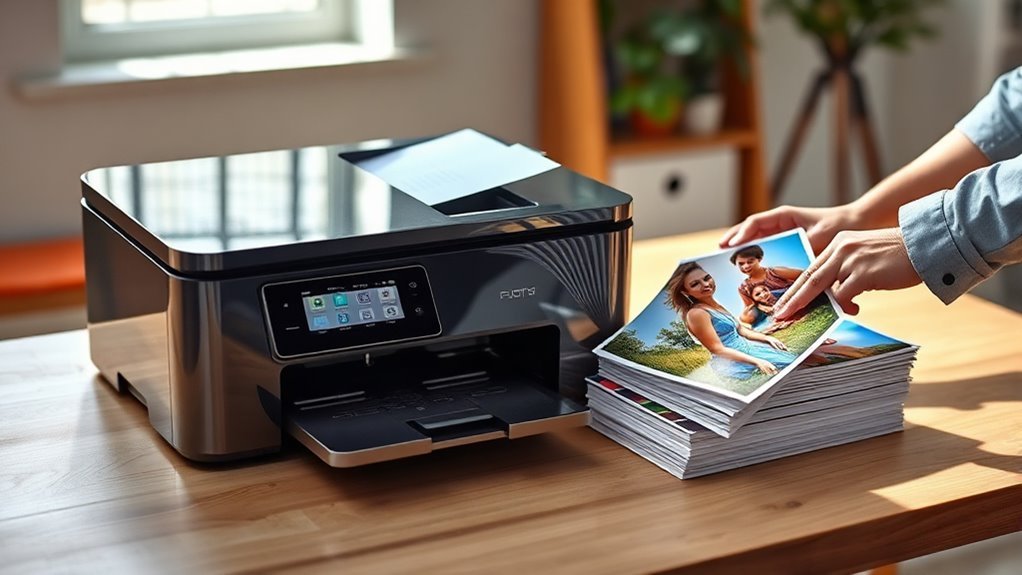
When choosing an all-in-one printer for photo scanning, you’ll want to focus on scan resolution and color accuracy to guarantee your images look sharp and true to life.
Also, consider if features like an auto document feeder and duplex scanning will make your workflow easier.
Don’t forget to check the connectivity options so you can easily connect your devices. It makes a big difference when you can print or scan straight from your phone or laptop.
Scan Resolution Quality
Because scan resolution directly affects the detail and quality of your photo reproductions, choosing an all-in-one printer with a high optical dpi is essential. Aim for scanners offering at least 2400–4800 dpi optical resolution. This true hardware capability captures real detail, unlike interpolated dpi, which only enlarges pixels without adding quality.
If you plan to archive or enlarge photos, scan originals at these higher dpi levels to retain detail and allow cropping while achieving 300–600 dpi at final print size. Remember, effective resolution varies with the original size—small photos need higher dpi for better enlargements.
Finally, pair high dpi with sufficient color bit depth to capture finer tonal gradations and maintain image fidelity in your scans. This way, your scanned images look sharp, vibrant, and true to the original.
Color Accuracy Importance
High scan resolution alone won’t guarantee your photos look true to life; color accuracy plays a major role in preserving the original tones and hues. When choosing an all-in-one printer for photo scanning, aim for devices that keep color differences within a ΔE≤2, so skin tones and colors stay natural.
Look for scanners supporting 48-bit or at least 24-bit color depth to capture subtle gradients without banding. A wide color gamut covering most of sRGB or Adobe RGB ensures vibrant, faithful hues for editing and reprinting.
Don’t overlook color management features: your scanner should support ICC profile embedding and let you calibrate regularly with IT8 targets. This secures your scans consistent and predictable across monitors and prints, preserving your photos’ true colors every time.
Auto Document Feeder
Although scanning photos one by one on a flatbed can be tedious, an automatic document feeder (ADF) lets you process multiple sheets unattended. This speeds up bulk scanning considerably.
When choosing an ADF for photo scanning, prioritize models with an adjustable sheet-feeder gap or pressure settings. This helps guarantee delicate photos stay safe and lets you handle thicker cardstock without issues.
Also, check the maximum paper size, thickness, and tray capacity. You want to make sure it suits your typical photo batches without needing frequent reloads.
Quality feeder mechanisms with separation pads, durable rollers, and misfeed detection are important too. These features help prevent jams and scratches during unattended scans.
While duplex scanning can save time for double-sided prints, focus here on the feeder’s ability to safely and efficiently handle your photo scanning needs in bulk.
Duplex Scanning Capability
When you scan two-sided documents, duplex scanning can save you considerable time by capturing both sides in a single pass using an automatic document feeder (ADF).
You’ll want to check the ADF’s duplex speed and sheet capacity since duplex scanning is often slower than single-sided. Most ADFs hold between 20 to 50 sheets.
Keep in mind that duplex scan quality might differ from flatbed scans. So, verify resolution (dpi) and color depth to make certain both sides meet your photo scanning standards.
However, true duplex is less useful for photos because ADFs typically handle thinner media and may damage thick photo paper or delicate prints.
If you need searchable PDFs or OCR from two-sided documents, confirm the scanner supports multi-page PDFs. It should also include software for automatic page orientation and separation.
Connectivity Options Available
Since your scanning needs may vary, choosing the right connectivity options for your all-in-one printer is essential. USB wired connections provide reliable, low-latency transfers ideal for high-resolution flatbed scans directly to your PC.
If you want wireless convenience, Wi-Fi lets multiple devices scan through apps, though speed depends on your network’s strength. Wi-Fi Direct is perfect for quick, router-free scanning from smartphones or laptops.
For heavy use in multi-user settings, Ethernet offers the most stable, high-throughput connection. Many printers also support cloud and app connectivity, allowing you to scan directly to mobile devices, cloud storage, or email.
But keep in mind, these usually require internet access and account setup. So, consider which options suit your workflow best to make certain smooth, hassle-free photo scanning.
Media Size Compatibility
Choosing the right connectivity is just one part of selecting an all-in-one printer for photo scanning. You also need to check the scanner’s maximum document size to make certain it handles your largest photos without cropping.
Confirm it supports common photo print sizes like 4×6, 5×7, 8×10, and even 13×19, plus borderless scanning if you want full-bleed images. Look at the flatbed platen dimensions and whether the automatic document feeder (ADF) accommodates your needed sizes—remember, ADFs usually handle only standard letter or legal widths.
Don’t forget thickness limits and specialty media like cardstock, negatives, or film; some models offer manual feeds or rear trays for these. And hey, if you scan panoramics or oddly sized originals, make sure the scanner supports user-defined or extended lengths.
Software and Drivers
Although hardware specs matter, the software and drivers you use play a pivotal role in getting the best quality from your all-in-one printer’s photo scanning capabilities. Make sure the scanner driver supports TWAIN or WIA on Windows, and ICA or AirScan on macOS. This way, you get full-resolution scans and compatibility with popular photo-editing programs.
Look for bundled software that offers color management, dust and scratch removal, and multi-point descreening to maintain photo detail. It’s also important the software lets you select the optical resolution up to the scanner’s max dpi. That way, you avoid interpolated scans and get true quality.
Features like automatic image correction, batch scanning with smart file naming, and scan-to-cloud support will really streamline your workflow. And finally, pick a model with regularly updated drivers so everything runs smoothly across your devices and OS versions.
Ink and Cartridge Efficiency
Consider how ink and cartridge efficiency impact your overall experience when selecting an all-in-one printer for photo scanning. Printers with multi-cartridge color systems let you replace only depleted inks, saving money and delivering finer color gradation for photos.
Opt for models with high-yield cartridges or refillable tanks to drastically cut ink costs, sometimes down to fractions of a cent per 4×6 print. Since scanning uses ink mainly for calibration and test prints, choose printers minimizing automatic head cleanings to extend cartridge life.
Look for features that report individual ink levels and support maintenance modes reducing unnecessary ink flushing. Always evaluate total cost of ownership—ink yield, cost per page, and maintenance frequency—not just cartridge price, to guarantee long-term efficiency and value in your photo scanning setup.
Frequently Asked Questions
Can These Printers Scan Slides or Negatives?
Most all-in-one printers can’t scan slides or negatives directly. You’ll need a dedicated film scanner or a specialized adapter to digitize those.
Always check your printer’s specs to confirm if it supports transparency scanning. It’s a good idea to double-check before you buy!
What Software Is Best for Photo Restoration and Editing?
Imagine restoring your grandmother’s faded wedding photo with Adobe Photoshop—it’s one of the best for photo restoration and editing.
You’ll find powerful tools to fix colors, remove scratches, and enhance details quickly and easily. It really makes the process smooth and fun!
Are These Printers Compatible With Mac and Windows?
Yes, these printers are compatible with both Mac and Windows. You’ll find drivers and software support for both platforms, ensuring smooth installation and operation.
Whether you’re using a MacBook or a Windows PC for your photo scanning needs, you’re covered. It’s pretty straightforward to get everything up and running on either system.
Do These Printers Support Duplex Scanning for Photos?
Like flipping a book effortlessly, these printers do support duplex scanning for photos. You’ll save time scanning both sides automatically, just like reading a story without turning pages manually—
making your photo projects smoother and faster. It’s a real time-saver when you’re working with lots of pictures!
How Do These Printers Handle Scanning Thick Photo Albums?
You’ll find most all-in-one printers struggle with thick photo albums since their scanners have limited lid height.
You’ll need to lift the lid carefully or scan pages individually to avoid damage or poor image quality.
It’s a bit of a hassle, but taking your time really helps keep those photos safe and clear.
Conclusion
Choosing the right all-in-one printer for photo scanning can truly transform how you preserve memories. Imagine scanning your grandparents’ old photo albums with the Epson EcoTank Photo ET-8500—it delivers vivid, true-to-life colors and sharp details every time.
With the right printer, you won’t just digitize photos; you’ll bring your past to life. So, consider your needs carefully, and pick a printer that makes scanning easy, high-quality, and enjoyable.
When looking for the best all-in-one printers for photo scanning, focus on features like resolution, color accuracy, and ease of use. The perfect printer will help you keep your cherished photos safe for years to come, making the whole scanning process smooth and fun.