5 Best Bargain 3D Printers for 2027 That Deliver Big Value
You want a 3D printer that’s affordable but delivers quality, right? Finding the best bargain 3D printer in 2027 doesn’t mean you have to sacrifice performance. Whether you’re into detailed miniatures or bigger projects, there’s a model out there that fits your budget and needs.
Check out the Portable Compact FDM for small detailed prints. It’s perfect if you want precision without breaking the bank. Or, if you’re just starting out and want something user-friendly, the Creality Ender 3 V3 SE comes with auto leveling to make your life easier.
For multicolor projects, the Anycubic Kobra X Multicolor really shines. And if you need a larger build volume with quiet operation, the LONGER LK5 Pro 3 is a solid pick. Each of these printers balances features, performance, and price smartly.
Keep exploring to see which suits your specific needs best. Happy printing!
| Image | Name | Editor's Rating | Price |
|---|---|---|---|

|
|
||

|
|
||

|
|
||

|
|
||
|
|
Portable Compact FDM 3D Printer with Removable Plate
- Foolproof Setup with Video Guides – Never get stuck! We provide a crystal-clear Quick Start Guide and step-by-step video tutorials. Watch them online to get started.
- Simple Assembly with Video Guide – Requires quick modular setup (watch our step-by-step video). Comes with 10m PLA filament, TF card, tools, and 12V Type-C power...
- Versatile Filament Compatibility – Unleash your creativity with both PLA and flexible TPU (1.75mm). The reliable 0.4mm nozzle and precise 0.05-0.3mm layer thickness...
- Reliable Performance & Compact Design – Features stable FDM technology and a removable build plate for easy model removal. The perfect 100x100x100mm build volume is...
- Complete Package – No Hidden Costs – Includes printer, 10m PLA filament, 8GB TF card + reader, tools, illustrated manual, and 12V Type-C power adapter. Plus free...
Experience hassle-free 3D printing with this portable compact FDM 3D printer featuring a removable plate. Its modular design and clear quick-start videos simplify assembly, so you can set up and begin printing swiftly. This ease of use eliminates the common frustration of complex setups, making 3D printing accessible to newcomers.
The printer’s 0.4 mm nozzle allows for precise layering between 0.05 and 0.3 mm, ensuring your models come out smooth and detailed. It supports PLA and flexible TPU filaments, offering versatility for various projects from prototypes to creative crafts. The removable build plate also makes print removal and maintenance straightforward.
Designed with a small footprint, this compact printer fits neatly in classrooms, small workspaces, or hobby areas where space is limited. Its straightforward design minimizes upkeep, helping beginners maintain consistent print quality without technical headaches.
While its build volume of 100 x 100 x 100 mm limits large-scale prints, it excels in producing intricate small models. Note that it uses 1.75 mm filament and requires a 12 V Type-C power adapter, which might need specific cables for some users.
Best for: Beginners, students, and hobbyists seeking an easy-to-use, space-saving 3D printer for detailed small projects and educational use.
What We Like:
- Modular assembly guided by clear video tutorials and manuals
- Precise 0.4 mm nozzle supporting variable layer heights
- Compatible with PLA and flexible TPU filaments
- Removable build plate for easy print removal and maintenance
Specification:
| Feature | Details |
|---|---|
| Manufacturer | Not specified |
| Build Volume | 100 x 100 x 100 mm |
| Nozzle Diameter | 0.4 mm |
| Filament Diameter | 1.75 mm |
| Supported Filaments | PLA, TPU |
| Power Adapter | 12 V Type-C |
| Dimensions | Compact (exact size N/A) |
| Weight | Not specified |
Creality Ender 3 V3 SE Beginner-Friendly 3D Printer with Auto Leveling
- 250mm/s High-Speed Printing: Print at speeds of up to 250mm/s with 2500mm/s² acceleration, helping you complete prototypes, functional parts, and everyday projects...
- Easy Setup with Auto Leveling: Designed for a fast and straightforward setup, the Ender 3 V3 SE can be assembled in just a few simple steps. CR Touch Auto Leveling and...
- Proven Sprite Direct Drive Extruder: The upgraded Sprite Direct Drive Extruder provides smooth and consistent filament feeding for PLA, PETG, and TPU. Its proven design...
- Stable Motion System for Consistent Results: Dual synchronized Z-axis lead screws and precision Y-axis linear shafts work together to help reduce vibration and Z...
- Quiet Operation with Easy Print Removal: A 32-bit silent mainboard helps reduce operating noise for a more comfortable printing experience, while the flexible PC spring...
The Creality Ender 3 V3 SE is designed to make 3D printing easy for beginners. Its CR Touch auto leveling simplifies the setup process by automatically adjusting the build plate. This ensures the first layer sticks well, reducing time spent on manual calibration.
Printing with this model is smooth and reliable thanks to the Sprite Direct Drive Extruder. It handles various filaments like PLA, PETG, and TPU with ease. You can achieve print speeds up to 250 mm/s while maintaining excellent print quality.
The printer’s dual Z-axis screws and precision shafts provide stability and accuracy during printing. Its compact size fits well in workspaces without taking up too much room. The 32-bit silent board keeps noise levels low, making it suitable for home or office use.
Maintenance is straightforward, with easy filament loading and reliable components that reduce frequent adjustments. The Ender 3 V3 SE is a solid choice for hobbyists and newcomers who want dependable everyday printing.
Best for: Beginners and hobbyists seeking a user-friendly 3D printer that offers reliable auto leveling and quiet operation for daily projects.
What We Like:
- CR Touch auto leveling and automatic Z-offset calibration simplify print setup.
- Sprite Direct Drive Extruder supports a wide range of filaments with smooth feeding.
- Dual synchronized Z-axis screws improve print stability and precision.
- Quiet operation thanks to the 32-bit silent mainboard.
- Compact design fits well in limited spaces.
Specification:
| Feature | Details |
|---|---|
| Manufacturer | Creality |
| Dimensions (inches) | 15 x 19.6 x 15 |
| Weight (lb) | ~20 |
| Supported Filaments | PLA, PETG, TPU, and more |
| Max Print Speed (mm/s) | 250 |
| Auto Leveling | CR Touch |
| Drive System | Sprite Direct Drive Extruder |
Anycubic Kobra X Multicolor 3D Printer, Easy One-Click Printing
- 【Vivid 19-Color and Versatile Materials】Unleash creativity beyond limits. The Kobra X supports 4-color standard and expands up to 19 colors with 4 ACE 2 Pro for...
- 【600mm/s High Speed Performance】Don't let slow speeds limit your creativity. This high-speed FDM 3D printer reaches up to 600mm/s, completing tasks significantly...
- 【True Plug & Play Experience】Start your first project in as little as 15 minutes. The Kobra X arrives with a user-friendly setup and LeviQ 3.0 automatic bed leveling...
- 【LeviQ 3.0 Perfect First Layer】Forget the frustration of manual bed leveling that plagues beginner machines. The LeviQ 3.0 system utilizes 49-point full-auto leveling...
- 【Quiet & Reliable for Home】The ultra-quiet ≤48 dB operation ensures the living or learning space remains peaceful. Combined with power loss recovery and filament...
Discover the power of seamless multi-color 3D printing with the Anycubic Kobra X Multicolor. This printer is designed to simplify complex projects, allowing beginners and hobbyists to create vibrant prints without hassle. Its intuitive setup means you can start printing in just 15 minutes.
The native 4-color printing capability can be expanded up to 19 colors with the 4 ACE 2 Pro accessory. This flexibility helps you bring detailed, multi-material designs to life with ease. Automatic LeviQ 3.0 leveling ensures your first layer is perfect every time, reducing print failures.
Speed and precision are key benefits here. With printing speeds up to 600 mm/s and AI-powered 720p monitoring, the printer detects errors early, saving time and material. It’s also compatible with various filaments like PLA, PETG, and TPU, making it versatile for different projects.
Maintenance is straightforward thanks to the plug & play design and reliable components. While the build volume of 260 x 260 x 260 mm suits most tasks, very large prints may require alternative solutions. The additional cost of the 4 ACE 2 Pro might be a consideration for some users.
Best for: Beginners, educators, and hobbyists seeking reliable, easy-to-use multi-color 3D printing with fast setup and consistent results.
What We Like:
- Expandable multi-color printing up to 19 colors for complex designs
- Fast printing speeds with AI monitoring for early error detection
- Automatic 49-point LeviQ 3.0 leveling for perfect first layers
- Supports a variety of filament types for versatile printing
- Simple setup with true plug & play functionality
Specification:
| Feature | Details |
|---|---|
| Manufacturer | Anycubic |
| Build Volume | 260 x 260 x 260 mm |
| Max Print Speed | 600 mm/s |
| Color Capability | 4 colors native, up to 19 with accessory |
| Leveling | Automatic LeviQ 3.0 (49 points) |
| Monitoring | AI-powered 720p camera |
| Supported Filaments | PLA, PETG, TPU, others |
LONGER LK5 Pro 3 3D Printer, Large Size, Silent
- 【Larger Build Volume & 180mm/s Fast Printing】 Longer LK5 Pro 3D printer has a large build volume of 11.8 x 11.8x 15.7in. / 300*300*400mm, a larger creation space to...
- 【Stable Structure & Higher Precision 】The printer uses a reinforced design of diagonal bars to form a stable triangular structure that minimizes vibration and allows...
- 【Ultra-Silent Driver & Open Source Motherboard】 Our 3D printer adopts ultra-silent TMC2209 driver to give you a quiet environment. With the open source firmware, you...
- 【Filament Exhaustion Detection & Resume Printing Function 】Longer 3D printer is equipped with filament and power detection sensors, which will intelligently pause the...
- 【95% Pre-assembled & 100% Satisfaction Service】 The upgraded Longer 3D printer is a 95% pre-installed printer, ferfect for Beginners. We also provide the lifetime...
Experience the freedom to create large, detailed 3D prints with the LONGER LK5 Pro 3 3D Printer. This printer stands out by offering a generous 300 × 300 × 400 mm build volume, allowing you to tackle bigger projects with ease. Its design focuses on delivering precise and stable prints, thanks to a reinforced triangular frame that reduces vibrations during operation.
Maintaining smooth and quiet performance is effortless with ultra-quiet TMC2209 silent drivers, making it suitable for environments where noise levels matter. The lattice glass bed provides excellent adhesion and smooth bottoms on prints, helping to achieve consistent quality without frequent adjustments.
For ease of use, this printer includes automatic calibration, so you spend less time tweaking settings. It also features filament run-out detection and power-loss resume functions, which help avoid failed prints and material waste. Setup is mostly complete out of the box, yet a basic technical skill is necessary to finish assembly and start printing confidently.
The LONGER LK5 Pro 3 is designed for users who want a reliable, large-format 3D printer that balances quiet operation with simple maintenance. Its thoughtful features make it ideal for educational settings, hobbyists, and DIY enthusiasts focused on quality and convenience.
Best for: Beginners, educators, and makers needing a large, quiet 3D printer with practical features for home or school use.
What We Like:
- Spacious build volume for larger projects
- Ultra-quiet TMC2209 drivers minimize noise
- Automatic bed leveling simplifies setup
- Filament run-out and power-loss recovery prevent print failures
- Stable triangular frame ensures precise printing
Specification:
| Feature | Details |
|---|---|
| Manufacturer | LONGER |
| Build Volume | 300 × 300 × 400 mm |
| Frame Design | Reinforced triangular |
| Bed Type | Lattice glass bed |
| Silent Drivers | TMC2209 |
| Assembly | 95% pre-assembled |
LONGER LK5 Pro 3 Large Volume 3D Printer
- 【Upgraded Dual Blower Kit】Equipped with the dual blower kit, the filament can be cooled quickly after extrusion so that the model is not prone to deformation or wire...
- 【90% Pre-assembled with Stable Triangular Structure】The Upgraded Longer LK5 Pro 3d large printer is 90% Pre-assembled with build size of 300*300*400mm. Plus the...
- 【Silent and Open source Motherboard】Backed by TMC2208 ultra-silent driver, it demonstrates firm properties as well as reduces noise. With open-source firmware, you...
- 【4.3inch Full Color Touch Screen】 The 3d printer with a 4.3inch full-color touch screen, you can say goodbye to the era of manual knobs and dot-matrix display...
- 【More Functions Provided】The Upgraded LK5 Pro FDM 3D Printer uses lattice glass plate, which not only makes the model easier to disassemble but also makes the hotbed...
The LONGER LK5 Pro 3 is designed for users who need a large build volume without compromising on stability or ease of use. Its spacious 300 × 300 × 400 mm printing area allows you to tackle bigger projects, offering more creative freedom. This printer helps reduce common printing issues by providing a solid, mostly pre-assembled frame reinforced with diagonal rods, which minimizes vibration for cleaner prints.
Operating the printer is straightforward thanks to its quiet TMC stepper drivers and a 4.3-inch color touchscreen that keeps controls intuitive. Features like filament runout detection and power-loss resume prevent failed prints, saving time and material. The lattice glass bed enhances adhesion and makes part removal easier, reducing maintenance efforts.
While the LK5 Pro 3 delivers reliable performance, it does not include an auto bed leveling sensor, so users must add a BLTouch module separately if desired. Some may find the touchscreen less responsive than premium models, but overall, it balances functionality and cost effectively.
Best for: Users seeking a large-volume 3D printer with stable performance and practical features for hobbyist or beginner-level projects.
What We Like:
- Large 300 × 300 × 400 mm build volume for expanded project sizes
- Reinforced frame with diagonal rods for enhanced stability and less vibration
- Quiet operation with TMC stepper drivers and helpful features like filament runout detection
- Lattice glass bed improves print adhesion and simplifies maintenance
Specification:
| Feature | Detail |
|---|---|
| Manufacturer | LONGER |
| Build Volume | 300 × 300 × 400 mm |
| Frame | Mostly pre-assembled with reinforced diagonal rods |
| Touchscreen | 4.3-inch color |
| Stepper Drivers | Ultra-quiet TMC |
| Bed | Lattice glass |
| Auto Bed Leveling | Not included (optional BLTouch) |
Factors to Consider When Choosing a Bargain 3D Printer
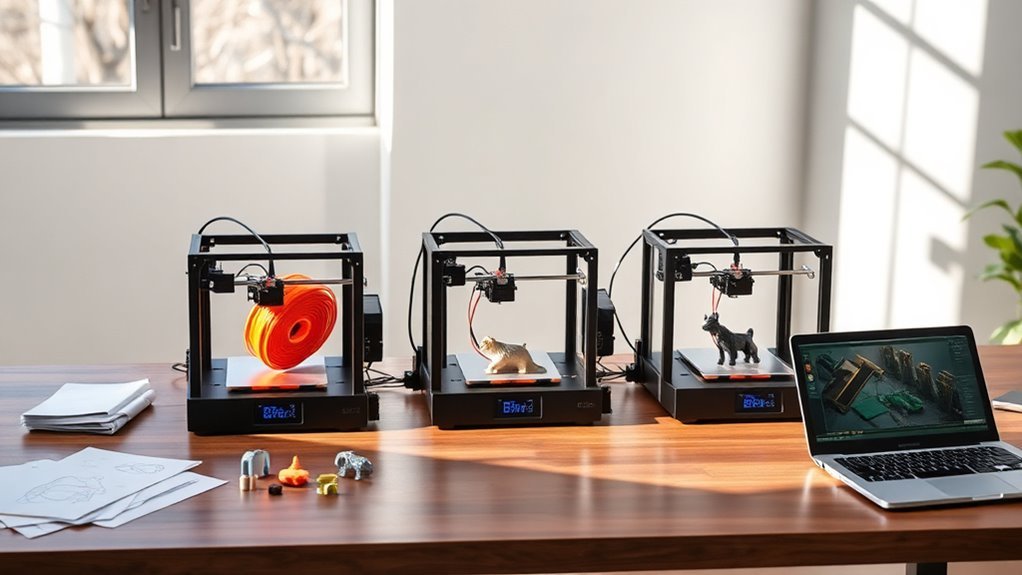
When choosing a bargain 3D printer, you’ll want to focus on print quality consistency and the build volume options that fit your projects.
Think about how easy the printer is to assemble and whether it supports a wide range of materials. It’s always a plus if you can work with different filaments without hassle.
Also, keep an eye on speed and efficiency to make sure your prints finish on time without sacrificing quality. After all, no one likes waiting forever for a print to complete!
Print Quality Consistency
Although bargain 3D printers may seem appealing, you’ll want to make certain they deliver consistent print quality before making a purchase. Check the achievable layer height range and nozzle diameter to ensure your prints maintain precise detail.
Look for a stable motion system—like dual Z-screws or reinforced frames—and quality stepper drivers to reduce vibrations and misaligned layers. Reliable first-layer adhesion is vital, so features like auto or dependable manual bed leveling and a flat, removable build plate help avoid print failures.
Pay attention to filament feeding systems; a direct-drive or well-tuned Bowden setup with good extruder gearing prevents extrusion issues. Finally, electronics like a 32-bit controller with power-loss resume and tight temperature control improve repeatability and minimize variation across prints.
Build Volume Options
Since your projects vary in size, choosing the right build volume for your bargain 3D printer guarantees you won’t constantly resize or split parts.
Start by determining the maximum model size you plan to print, then pick a build volume with 10–20% extra in each dimension.
Small printers (around 100 × 100 × 100 mm) work well for toys and miniatures, while mid-size beds (200–300 mm) suit hobbyist projects and functional parts.
If you need to print larger objects like furniture components or life-size props, consider volumes 300 × 300 × 400 mm and above—but keep in mind these increase cost, power use, and risk of print failures.
Also, think about tall prints separately; a tall but narrow Z-height might fit your needs without a huge X/Y footprint.
Ease of Assembly
Getting your bargain 3D printer up and running quickly depends largely on how much of it arrives pre-assembled. Printers that come 90–95% assembled save you time and reduce the risk of incorrect setup compared to fully DIY kits.
Look for clear, illustrated manuals and video tutorials that guide you through bed leveling, filament loading, and your first print to flatten the learning curve. Modular designs with tool-less parts and removable build plates make maintenance and part swaps hassle-free.
Check for helpful features like auto bed-leveling or assisted Z-offset calibration to cut down manual adjustments. Also, make sure the printer includes bundled accessories—basic tools, sample filament, and memory cards with slicer profiles—so you won’t waste time hunting for essentials before your first successful print.
Material Compatibility Range
Many bargain 3D printers support a variety of filament types, but you should verify which materials they handle before buying. Check if the printer supports common filaments like PLA, PETG, TPU, ABS, or ASA.
Each filament needs specific nozzle and bed temperatures, plus sometimes an enclosure. Confirm the filament diameter—most use 1.75 mm—to avoid buying incompatible spools.
Look for a hotend temperature range reaching 250–300 °C if you want to print higher-temperature materials like nylons or ASA. Also, consider the extruder type: direct drive works better with flexible filaments like TPU, while Bowden setups suit stiffer materials.
Finally, make sure the printer’s build plate and enclosure can handle requirements for materials prone to warping, like ABS. This will guarantee good adhesion and print quality.
Speed and Efficiency
When choosing a bargain 3D printer, you’ll want to balance speed and efficiency to fit your workflow. Look at maximum print speed and acceleration—higher specs mean faster prints but can hurt quality if the printer’s mechanics can’t keep up.
Layer height also matters: thicker layers speed up jobs but reduce detail. A rigid motion system, like dual Z leadscrews or reinforced frames, helps maintain accuracy at higher speeds by minimizing vibration.
Don’t overlook extruder design; direct drive setups and shorter filament paths handle flexible filaments better and prevent extrusion issues. Features such as power-loss resume, filament run-out detection, and fast-heating hotends or beds cut downtime, boosting overall throughput.
Prioritizing these aspects makes certain your bargain printer delivers swift, reliable results without sacrificing quality. It’s all about finding that sweet spot between speed and precision.
Noise and Stability
Although bargain 3D printers often come with compromises, you can still find models that run quietly and stay stable during long prints. Look for printers with silent stepper drivers like TMC-series or noise levels under 50 dB to cut motor whine.
A rigid frame combined with dual Z-leadscrews or reinforced bracing helps prevent wobble and misaligned layers on taller prints. Heavier builds with stable Y-axis linear motion reduce vibrations and ringing, especially at higher speeds.
Vibration-damping features such as silicone feet, belt tensioners, and anti-backlash lead screws also improve surface quality by minimizing resonance. Finally, make sure the print bed has secure clamping or magnetic attachment, using glass or spring steel, to avoid shifts during printing.
Prioritizing these factors guarantees quieter, more stable prints without breaking your budget.
Frequently Asked Questions
What Types of Filaments Are Compatible With Bargain 3D Printers?
You’ll find bargain 3D printers usually work well with common filaments like PLA, ABS, and PETG.
Some also handle flexible TPU or specialty filaments, but always check specs to guarantee compatibility before buying.
It’s a good idea to double-check what your printer can handle so you don’t run into any surprises later.
How Do Firmware Updates Affect 3D Printer Performance?
You’d think firmware updates magically fix everything, but sometimes they just add new quirks.
Still, they improve performance by optimizing speed, fixing bugs, and enabling features—you’ll want to keep your printer updated, unless you enjoy surprises!
Can Bargain 3D Printers Be Used for Commercial Purposes?
Yes, you can use bargain 3D printers for commercial purposes, but expect limitations in speed, precision, and durability.
Upgrading firmware and components helps. Still, for heavy-duty tasks, investing in higher-end models is smarter.
What Safety Precautions Should I Take When Operating a 3D Printer?
Like a wizard handling fire, you should keep your 3D printer in a well-ventilated area. Wear protective gloves to stay safe while it’s running.
Never leave it unattended, and be sure to keep flammable materials away. These steps help avoid hazards during operation and keep things running smoothly.
How Does Print Speed Impact Print Quality on Budget 3D Printers?
You’ll notice higher print speeds often reduce print quality on budget 3D printers because layers don’t bond well.
Slowing down improves detail and adhesion, so balance speed and quality depending on your project needs.
It’s all about finding that sweet spot where your print looks good without taking forever.
Conclusion
So, you want a bargain 3D printer that doesn’t feel like a bargain? Lucky you! Whether you crave compact convenience, beginner-friendly magic, or a giant silent beast, there’s a deal waiting to make your wallet sing.
Just remember, in the wild world of 3D printing, “cheap” doesn’t have to mean “cheap-looking.” Pick one, print your dreams, and watch your budget do a happy dance.
Because who said you can’t have it all for less? With the best bargain 3D printers for 2027, you get big value without breaking the bank. These printers deliver quality, reliability, and features that rival pricier models. So go ahead—choose a bargain 3D printer that fits your needs and enjoy turning ideas into reality while keeping your finances happy. It’s all about smart buying and printing with confidence!