7 Best Barcode Label Printers in Middletown CT for 2027
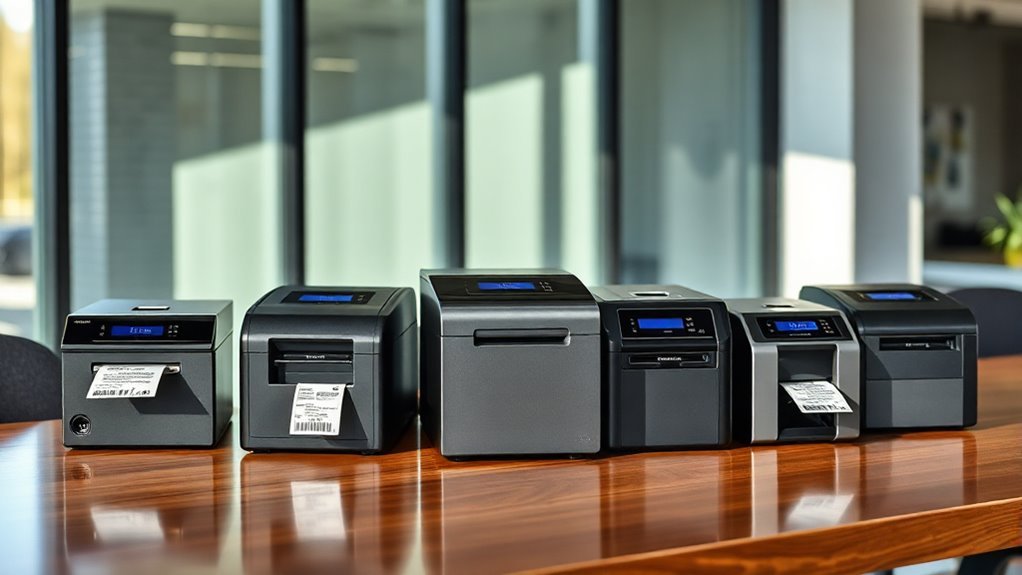
If you’re on the hunt for fast and reliable barcode label printing in Middletown CT for 2027, you’ve got some great options to consider.
Whether you need something versatile for various connectivity needs or a printer that delivers sharp, high-resolution labels, the market has you covered.
Take the ZP450, for instance—it’s perfect if you want flexible connectivity options.
Or maybe the SATO CG412DT-LAN is more your speed, offering crisp 300 dpi labels that make your barcodes pop.
Looking for something compact? The CLABEL 221D with Bluetooth is a solid choice for smaller spaces and wireless convenience.
For e-commerce shipping labels, the Thermal Shipping Label Printer 4×6 fits the bill perfectly.
Zebra’s GX420D and the renewed ZD410 both provide dependable direct thermal printing that won’t let you down.
And if medium-width labels are what you need, the Brother TD-4210D is definitely worth checking out.
Let’s dive into what makes these printers some of the best picks tailored just for your business needs.
| Image | Name | Editor's Rating | Price |
|---|---|---|---|

|
|
||

|
|
||

|
|
||

|
|
||

|
|
ZP450 Zebra Direct Thermal Label Barcode Printer – USB, Serial & Parallel
- [Efficient Label Printing] The Zebra ZP 450 is purpose-built for label printing, offering direct thermal technology with a max print speed 5 ips & max print resolution...
- [Plug-and-Play Connectivity] With Parallel, USB, and Serial connectivity options, this printer easily integrates into various low-volume printing environments, such as...
- [Cost-Effective Labeling] No need for toner or ribbons, reducing operational costs and provide monochrome color output. The fixed media width optimizes label printing...
- [Compact and Durable Design] The double-walled construction and sleek design make this desktop printer robust enough for busy work environments, ensuring it can withstand...
- [Versatile Label Compatibility] The printer can handle a variety of label types, including UPS, FedEx, labels, making it a versatile choice for businesses that require...
Experience hassle-free label printing with the ZP450 Zebra Direct Thermal Label Barcode Printer. This compact device eliminates the need for toner or ribbons by using direct thermal technology, making your printing process simpler and more cost-effective. It delivers clear, black labels at a resolution of 203 dpi, ideal for everyday shipping and office needs.
Designed to fit into busy workspaces, the printer supports USB, serial, and parallel connections, ensuring easy setup with various systems. Its durable double-walled construction holds up under frequent use while remaining portable enough to move as needed. This makes it a practical solution for retail counters, warehouses, and offices.
Maintenance is straightforward since there are no ink cartridges or ribbons to replace. The printer handles up to 100 sheets of labels, including those commonly used by UPS and FedEx, streamlining your shipping process. However, it prints only in monochrome, which is suitable for standard barcode and shipping labels but not for color-coded applications.
Best for: Small to medium-sized businesses and retail environments needing a reliable, compact, and cost-effective label printer for shipping and office use.
What We Like:
- Direct thermal printing reduces ongoing costs by removing the need for toner or ribbons
- Multiple connectivity options (USB, serial, parallel) for versatile integration
- Durable double-walled design built for busy environments
- Compact and portable for flexible workspace placement
Specification:
| Feature | Details |
|---|---|
| Manufacturer | Zebra |
| Print Technology | Direct Thermal |
| Print Resolution | 203 dpi |
| Print Speed | Up to 5 inches per second |
| Connectivity | USB, Serial, Parallel |
| Label Capacity | Up to 100 sheets |
| Dimensions | Compact, not specified |
| Color Options | Monochrome (black only) |
SATO CG412DT-LAN Thermal Barcode Label Printer Bundle
- Brand: SATO
- Model: CG412DT
- P/N: WWCG15041
- Maximum Resolution 300 x 300 DPI
- Connectivity Ethernet (RJ-45), USB 2.0
The SATO CG412DT-LAN Thermal Barcode Label Printer Bundle offers precise and efficient label printing for busy workspaces. Its 300 dpi resolution ensures every barcode and text is sharp and easy to scan, reducing errors in inventory or shipping processes. This printer helps businesses maintain smooth operations by producing clear, professional labels quickly.
Designed for simplicity, the CG412DT-LAN supports both Ethernet and USB 2.0 connections, making integration into existing systems straightforward. Its compact and lightweight form allows easy placement or relocation within your workspace. The direct thermal printing method eliminates the need for ink, reducing maintenance and supply costs.
This printer is ideal for tasks requiring high-quality black-and-white labels up to 4.21 inches wide. While it doesn’t support color printing, it excels in durability and readability for barcodes and essential product info. Regular use with thermal paper keeps upkeep minimal, though users should be aware that thermal labels are required.
With these features, the SATO CG412DT-LAN enhances label management, helping businesses in Middletown CT streamline their workflow without hassle.
Best for: Businesses needing reliable, high-quality thermal barcode label printing with flexible connectivity.
What We Like:
- Crisp 300 dpi resolution for clear, professional labels
- Flexible Ethernet and USB connectivity options
- Lightweight and portable design for easy setup and movement
- Low-maintenance direct thermal printing technology
Specification:
| Feature | Details |
|---|---|
| Manufacturer | SATO |
| Printing Method | Direct Thermal |
| Resolution | 300 dpi |
| Max Print Width | 4.21 inches (10.7 cm) |
| Connectivity | Ethernet, USB 2.0 |
| Weight | 3.8 lb (1.72 kg) |
CLABEL 221D 2″ Bluetooth Barcode Label Printer for Small Business
No products found.
The CLABEL 221D 2″ Bluetooth Barcode Label Printer is designed to make labeling effortless for small businesses. It offers wireless Bluetooth connectivity, allowing you to print 2-inch barcode and price labels quickly without being tethered to a desk. This flexibility helps you create labels on the spot, improving efficiency during busy workdays.
Using direct thermal printing technology, this printer produces clear, monochrome labels without ink, reducing maintenance and costs. Its compact design fits neatly on any counter and holds up to 150 sheets, making it easy to manage without frequent refills. The fast print speed of 50 pages per minute keeps your workflow moving smoothly.
The printer connects easily to iOS and Android devices through a dedicated app that provides free templates and supports batch printing. This combination enhances usability and speeds up label creation for items like clothing, bakery goods, and gifts. USB connection is also available for bulk desktop printing needs.
While it excels with small labels, the CLABEL 221D is not suited for larger shipping labels or receipts. It prints only in black and white, which fits most retail applications but limits color options. Despite these constraints, it remains a reliable and efficient solution for everyday labeling tasks.
Best for: Small business owners and retailers needing quick, wireless printing of high-quality, monochrome 2-inch barcode and price labels.
What We Like:
- Wireless Bluetooth connectivity compatible with iOS and Android devices
- Inkless direct thermal printing with fast 50 pages/min speed
- Compact design with easy-to-use app offering free templates and batch printing
- USB option for bulk printing from desktop computers
Specification:
| Feature | Details |
|---|---|
| Manufacturer | CLABEL |
| Label Width | 2 inches |
| Connectivity | Bluetooth, USB |
| Print Speed | 50 pages per minute |
| Media Capacity | Up to 150 sheets |
| Color | Monochrome (black and white) |
| Dimensions | Compact, fits on counters |
Thermal Shipping Label Printer 4×6 Bluetooth Label Maker for Small Business
- 【High‑Quality, Energy‑Efficient Thermal Printing】The NULLTONEX shipping label printer uses direct thermal technology, eliminating the need for ink or toner and...
- 【Bluetooth & USB Dual Connectivity】 Connect seamlessly to your phone, laptop or PC via Bluetooth or USB. Download the free app for quick Bluetooth pairing to create...
- 【User‑Friendly Operation】 Easy setup and a dedicated app offer 1,800+ customizable templates, 300+ fonts, and multiple editing tools for everything from daily home...
- 【Wide Compatibility with Popular Shipping Platforms】 Works seamlessly with major shipping carriers and e‑commerce platforms including Amazon, Shopify, Etsy, USPS...
- 【Durable, Compact & Ready to Use】 Featuring a special matte finish with reinforced coating and a space‑saving design that fits neatly on any desk. Built‑in...
Experience smoother shipping operations with the Thermal Shipping Label Printer 4×6 Bluetooth Label Maker. Designed for small businesses, this printer delivers sharp, clear labels quickly, helping you save time and reduce errors in your shipping process. Its direct thermal technology means no ink or toner is needed, simplifying maintenance and cutting costs.
This printer connects effortlessly via Bluetooth or USB, compatible with Windows, Mac, iOS, and Android devices. It also integrates well with popular platforms like Amazon and Shopify, making it a versatile tool for e-commerce. The compact design fits neatly into any workspace and includes built-in overheat protection for reliable performance.
With a print speed of up to 72 labels per minute at 203 dpi resolution, you get crisp black-and-white labels sized precisely at 4×6 inches. It supports offline printing, so you can keep working even without an internet connection. However, it prints only monochrome labels and handles single-tray printing up to 100 copies per run, which may limit some labeling options.
This label maker is ideal for businesses needing efficient, cost-effective label printing without the hassle of ink replacements or complex setups.
Best for: Small businesses needing a fast, reliable, and cost-efficient thermal label printer for shipping and e-commerce applications.
What We Like:
- High-speed printing up to 72 labels per minute with clear 203 dpi resolution
- Dual Bluetooth and USB connectivity for broad device compatibility
- No ink or toner required, reducing maintenance needs
- Compact, durable design with built-in overheat protection
- Supports offline printing for uninterrupted workflow
Specification:
| Feature | Details |
|---|---|
| Manufacturer | Not specified |
| Label Size | 4 x 6 inches (10.16 x 15.24 cm) |
| Print Resolution | 203 dpi |
| Connectivity | Bluetooth, USB |
| Compatible Devices | Windows, Mac, iOS, Android |
| Print Speed | Up to 72 labels per minute |
| Color | Monochrome (Black & White) |
| Dimensions | Compact, not specified |
| Overheat Protection | Yes |
GX420D Zebra Direct Thermal Label, Receipt & Barcode Printer – USB/Ethernet
- [User-Friendly Connectivity] Seamlessly links through USB, serial, or parallel ports and offers compatibility with direct thermal label rolls featuring a 1-inch core, a...
- [Innovative Printing Method] Utilizes direct thermal technology, eliminating the necessity for thermal ribbon. No need for Ink or toner and operates with direct thermal...
- [Outstanding Enterprise Performance] GX420d sets the bar with rapid printing and energy efficiency. It delivers top-quality labels, including address, shipping, barcode...
- [Efficient and Cost Savings] Achieves a printing speed of 6 inches per second at 203 dpi and offers on-demand printing, enabling precise quantity printing while reducing...
- [Customer Satisfaction] Your happiness is our top priority.
The GX420D Zebra Direct Thermal Label Printer offers a straightforward solution for printing labels, receipts, and barcodes without the fuss of ribbons or ink. Its direct thermal technology means you simply load media and print, reducing maintenance and ongoing supply costs. This makes it ideal for busy environments where ease of use matters.
With sharp monochrome printing at up to 6 inches per second, the printer delivers clear, readable output suitable for most labeling and receipt needs. It supports media widths up to 4.25 inches and comes with a 4×6 label roll included, ready for immediate use. Its compact design fits well into small workspaces.
Connectivity options are versatile, including USB, Ethernet, serial, and parallel ports, enabling easy integration with various systems. The printer is energy efficient and designed for on-demand printing, helping to minimize waste and lower operational expenses.
While it prints only in monochrome and at a standard resolution of 203 dpi, this meets most general barcode and label requirements. The simple design and minimal upkeep make it a practical choice for businesses looking to streamline their printing tasks.
Best for: Small to medium businesses needing efficient, reliable printing of labels, receipts, and barcodes without the complexity of ribbons or toner.
What We Like:
- Direct thermal printing removes the need for ribbons or ink
- Multiple connection options for flexible setup
- Compact and energy-efficient design
- Supports up to 4.25-inch media width
- On-demand printing reduces label waste
Specification:
| Feature | Details |
|---|---|
| Manufacturer | Zebra Technologies |
| Dimensions | Approx. 7.3 x 6.4 x 6.8 in |
| Weight | Approx. 3.5 lbs |
| Printing Method | Direct Thermal |
| Max Print Speed | Up to 6 inches/second |
| Resolution | 203 dpi (max 600 dpi reported) |
| Connectivity | USB, Ethernet, Serial, Parallel |
| Media Width | Up to 4.25 inches |
| Included Media | 4×6 label roll |
Zebra ZD410 Direct Thermal Label Printer (Renewed)
- Compact Thermal Printer – Small footprint ideal for limited workspace environments.
- 2-Inch Print Width – Designed for labels, barcodes, wristbands, and more.
- USB Connectivity – Easy plug-and-play integration with PCs and POS systems.
- Fast Printing Performance – Speeds up productivity in retail, healthcare, and logistics industries.
- User-Friendly Design – Simplified media loading and intuitive controls for effortless use.
The Zebra ZD410 Direct Thermal Label Printer (Renewed) offers a compact and efficient solution for businesses that require quick, reliable label printing. Its direct thermal technology eliminates the need for ribbons or toner, reducing maintenance and operational costs. This makes it a practical choice for environments where simplicity and speed are essential.
Designed to print sharp barcodes and labels with a 2-inch print width at 203 DPI, it ensures clear, professional results. The printer’s USB and Bluetooth connectivity allow easy integration with various devices, including PCs and POS systems, streamlining your workflow.
Media loading is straightforward, minimizing downtime and making it easier for users to keep the printer running smoothly. Its small footprint fits neatly into tight spaces, ideal for retail counters, healthcare stations, or logistics hubs.
While it supports only monochrome printing and labels up to 2.25 inches wide, the ZD410 balances functionality and convenience for everyday label printing needs. Being a renewed model, it offers a cost-effective option without sacrificing essential performance.
Best for: small to medium-sized businesses in retail, healthcare, or logistics needing a compact, easy-to-use label printer with fast direct thermal printing.
What We Like:
- Fast, reliable 2-inch direct thermal printing at 203 DPI
- Simple media loading and easy-to-use controls
- USB and Bluetooth connectivity for versatile device integration
Specification:
| Feature | Description |
|---|---|
| Manufacturer | Zebra Technologies |
| Print Technology | Direct Thermal |
| Print Width | 2 inches |
| Resolution | 203 DPI |
| Connectivity | USB, Bluetooth |
| Maximum Label Width | 2.25 inches |
| Condition | Renewed |
Brother TD-4210D 4-Inch Direct Thermal Label Printer

- Print 4-inch labels, receipts, and tags with up to 5 inches per second print speed
- 203dpi direct thermal print technology delivers reliable quality
- Connect easily with USB 2.0

The Brother TD-4210D 4-Inch Direct Thermal Label Printer is designed to make label printing simple and efficient. It delivers sharp, clear prints with a maximum width of 4 inches, ideal for labels, receipts, and tags. Its direct thermal technology eliminates the need for ink, making maintenance straightforward and cost-effective.
This printer prints at speeds up to 5 inches per second, helping to keep your workflow smooth and uninterrupted. Its compact size and USB 2.0 connection make it easy to integrate into any workspace without taking up much room. The straightforward design supports quick media loading, reducing downtime during busy periods.
With a capacity for up to 100 sheets of direct thermal media, this printer suits low to medium volume printing needs. While it only prints in black and white, this makes it a reliable choice for businesses focused on clear, monochrome label printing without extra features that may complicate operation.
Best for: Small businesses or individuals needing an affordable, reliable monochrome label printer for basic label, receipt, and tag printing tasks.
What We Like:
- Efficient print speed up to 5 inches per second.
- Compact size with easy USB 2.0 connectivity.
- Simple maintenance with direct thermal printing.
- Supports labels and tags up to 4 inches wide.
Specification:
| Feature | Details |
|---|---|
| Manufacturer | Brother |
| Print Width | 4 inches (10.16 cm) |
| Print Resolution | 203 x 203 DPI |
| Print Speed | Up to 5 inches/second |
| Connectivity | USB 2.0 |
| Media Capacity | Up to 100 sheets |
| Color | Monochrome (Black) |
Factors to Consider When Choosing a Barcode Label Printer in Middletown Ct

When choosing a barcode label printer in Middletown CT, you’ll want to focus on key factors like print resolution, connectivity options, and media compatibility.
Don’t forget to weigh speed, efficiency, and the printer’s durability to match your workload. These elements will guarantee you pick a reliable printer that fits your business needs perfectly.
Print Resolution Importance
Although print resolution might seem like a small detail, it plays a crucial role in how clearly your barcodes come out and how well they scan. Higher resolution, measured in dpi, produces sharper barcodes and allows you to print smaller, denser codes.
For standard shipping labels, 203 dpi usually does the job. But if you need fine text, small 2D codes, or high-density labels, 300 or 600 dpi is better.
Low resolution can cause jagged edges and scanning errors, especially on compact barcodes. Keep in mind higher dpi printers may print slower and need better label stock.
To get it right, match your printer’s dpi to the smallest barcode size you plan to print. And always test scannability with your scanners before committing to large runs.
Connectivity Options Available
Choosing the right connectivity option can make or break your barcode label printing setup in Middletown CT. If you operate a single workstation, USB 2.0 offers a simple, plug-and-play solution that’s reliable and easy to use.
For businesses needing multiple devices to print or manage labels remotely, Ethernet connections provide robust network access with higher throughput.
If you want mobility, Bluetooth lets you pair wirelessly with smartphones or tablets for countertop or mobile printing.
Wi-Fi expands that freedom across your entire business floor but demands proper security like WPA2 or WPA3 to keep things running smoothly.
Finally, if your setup includes legacy systems, some industrial printers still support serial or parallel ports, ensuring compatibility without modern USB or Ethernet support.
Media Compatibility Range
Since your barcode label printer needs to handle various label sizes and materials, you should verify its compatibility with your specific media requirements. Check the maximum and minimum printable widths, roll diameters, and core sizes to make certain it fits your labels, whether 2″, 3″, or 4″ wide.
Confirm it supports your media type, like direct thermal or thermal transfer, and adhesive finishes such as matte or gloss. Don’t forget specialty stocks like polypropylene or fan-fold options.
Make sure the printer handles the thickness and roll capacity to avoid jams and match your workflow volume. Also, confirm it can print your label formats—4×6 shipping labels, narrow barcodes, or price tags—accurately.
Sensors and adjustable guides for black marks, gaps, or notches help align labels precisely across different media types. It’s worth double-checking these features to make sure your printing runs smoothly every time.
Speed and Efficiency
Understanding your printer’s media compatibility sets the stage for evaluating how quickly and efficiently it can handle your workload. Match the printer speed to your needs—high-volume shipping demands 4–6+ inches per second, while low-volume tasks manage with 1–3 ips.
Check label throughput and duty cycle to make certain the printer handles your peak usage without bottlenecks. Consider first-label-out and warm-up times, especially for direct thermal models, to boost responsiveness in fast-paced environments.
Durability and Build
When you rely on a barcode label printer in Middletown CT, durability becomes a key factor to keep your operations running smoothly. Look for models with reinforced housings and double-walled chassis designs that resist impact and vibration, especially in busy shipping or manufacturing settings.
Check the rated duty cycle and MTBF—higher numbers mean the printer handles more labels monthly and lasts longer between failures. Pay attention to printhead life and whether it uses replaceable, heavy-duty printheads to reduce maintenance.
Also, consider environmental ratings like operating temperature and humidity tolerance to make certain reliable performance in various conditions. Finally, prioritize printers with accessible service parts and straightforward maintenance procedures to minimize downtime and extend your printer’s lifespan.
Software Integration Ease
Durability keeps your barcode label printer running longer, but seamless software integration guarantees it fits smoothly into your existing workflows. You’ll want to verify native drivers and SDKs for your operating systems—whether Windows, macOS, Linux, iOS, or Android—so setup is plug-and-play without complex middleware.
Confirm the printer supports common label formats like ZPL, EPL, or CPCL, plus image types such as PNG and BMP. This way, you can reuse templates without costly redesigns.
Check for well-documented APIs (REST, TCP/IP) and sample code in your development languages to speed integration and cut custom coding time. Also, make sure it connects with your shipping, inventory, or ERP software via native connectors or standard protocols like HTTP or FTP. That’ll help automate label generation and tracking efficiently.
Warranty and Support
Since your barcode label printer is a critical part of your operations, you’ll want to carefully evaluate the warranty and support options before buying. Check the length and coverage of the warranty to confirm it fits your expected usage. Make sure to note if it covers parts, printhead, and labor, and whether consumables or physical damage are excluded.
Also, confirm the availability and responsiveness of local support—whether by phone, email, or onsite technicians. Find out the typical turnaround times for repairs or replacements. It’s a good idea to ask if firmware updates, driver support, and technical documentation are provided free during and after the warranty period.
If uptime is essential for your business, consider options for extended warranties or service contracts. These might offer advanced replacements or depot repairs. This way, you can avoid costly downtime and protect your investment effectively.
Frequently Asked Questions
How Do I Connect a Barcode Label Printer to My Inventory System?
You connect your barcode label printer by installing its drivers first. Then, link it to your inventory software using either USB or a network connection.
Next, configure the software settings so it recognizes the printer. This setup ensures smooth and seamless label printing for managing your inventory. Easy, right?
What Types of Labels Are Compatible With These Printers?
You can use thermal, direct thermal, or adhesive labels with these printers. Just make sure the label size and material match your printer specifications.
That way, you’ll get clear, durable barcodes that work seamlessly with your inventory system and scanning devices. It’s all about making sure everything lines up perfectly for smooth operation.
Can Barcode Label Printers Print Color Labels or Only Black and White?
Color or black and white? You’ve got choices! Many barcode label printers handle both, letting you add vibrant hues or stick to classic monochrome.
Just pick a printer that supports color printing to brighten your labels. It’s that simple! Whether you want bold colors or just clean black and white, there’s a printer for you.
How Do I Maintain and Clean a Barcode Label Printer?
You should regularly clean the printhead with isopropyl alcohol. It helps keep the print quality sharp and prevents clogs.
Also, make sure to remove dust from the rollers. Dust can cause jams or smudges on your labels.
Avoid using harsh chemicals when cleaning. They might damage the printer parts over time.
Keep your labels and ribbons dry too. Moisture can lead to jams and affect print quality.
Following these simple steps will help your barcode label printer run smoothly and last longer.
Are There Any Software Recommendations for Designing Barcode Labels?
You should try software like BarTender, ZebraDesigner, or NiceLabel. They’re user-friendly and let you customize barcode labels easily.
These tools help you design, print, and manage labels efficiently without much hassle. Plus, they’re pretty straightforward to get the hang of!
Conclusion
Imagine your business running smoothly, labels printing crisply with every click, saving you time and hassle. Choosing the right barcode label printer in Middletown, CT, means you’re not just buying a device—you’re investing in efficiency and reliability.
Whether you need Bluetooth convenience or robust USB connections, one of these top seven printers will fit your workflow perfectly. So, pick the one that feels just right and watch your operations flow like a well-oiled machine.
Finding the best barcode label printer in Middletown, CT, for 2027 doesn’t have to be overwhelming. With options tailored to various needs and budgets, you can enhance your business’s productivity and accuracy effortlessly. Invest wisely today and enjoy seamless printing that keeps your business ahead of the curve.