6 Best Barcode Label Printers in Middletown CT for 2027
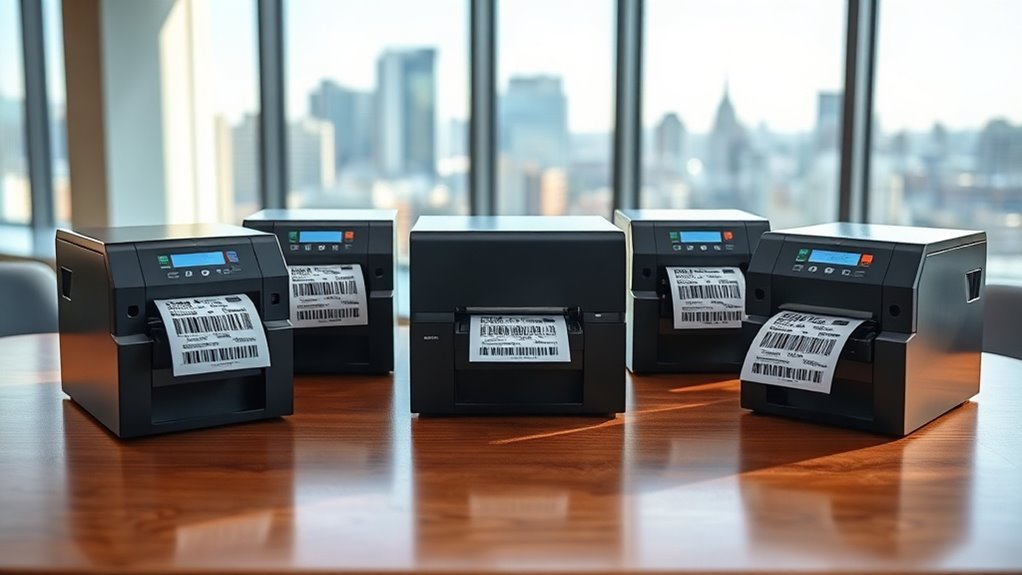
If you’re looking for reliable barcode label printers in Middletown CT for 2027, you’ve got some great options to consider. Models like the MUNBYN Bluetooth Thermal Label Printer and Zebra’s ZP450 are designed to meet small business needs with ease.
These printers handle fast, crisp 4×6 shipping labels and support both USB and Bluetooth connectivity. Setting them up is straightforward, plus their durable design ensures they last through busy packing days.
They also integrate smoothly with popular platforms like Amazon and USPS, making your shipping process even easier. Choosing the right printer can really boost your packing speed and overall efficiency. Keep reading to explore the details and find the best fit for your workflow.
| Image | Name | Editor's Rating | Price |
|---|---|---|---|

|
|
||

|
|
||

|
|
||

|
|
||

|
|
Thermal Shipping Label Printer 4×6 Bluetooth Label Maker for Small Business
- 【High‑Quality, Energy‑Efficient Thermal Printing】The NULLTONEX shipping label printer uses direct thermal technology, eliminating the need for ink or toner and...
- 【Bluetooth & USB Dual Connectivity】 Connect seamlessly to your phone, laptop or PC via Bluetooth or USB. Download the free app for quick Bluetooth pairing to create...
- 【User‑Friendly Operation】 Easy setup and a dedicated app offer 1,800+ customizable templates, 300+ fonts, and multiple editing tools for everything from daily home...
- 【Wide Compatibility with Popular Shipping Platforms】 Works seamlessly with major shipping carriers and e‑commerce platforms including Amazon, Shopify, Etsy, USPS...
- 【Durable, Compact & Ready to Use】 Featuring a special matte finish with reinforced coating and a space‑saving design that fits neatly on any desk. Built‑in...
Streamline your shipping with the Thermal Shipping Label Printer 4×6 Bluetooth Label Maker, designed to keep your business running efficiently. This printer uses direct thermal technology, eliminating the need for ink or toner. It prints crisp 4×6 labels quickly, helping you stay on top of high-volume shipping tasks without delays.
Connecting is simple with Bluetooth or USB options, compatible with Windows, Mac, and mobile devices. Its compact design fits neatly into any workspace, saving valuable room. The mobile app enhances usability by offering over 1,800 label templates, making customization fast and straightforward.
Maintenance is hassle-free thanks to its direct thermal printing method, which reduces consumables and upkeep. Built-in overheat protection ensures reliable operation during busy periods. While it prints only monochrome labels and handles one tray at a time, it delivers consistent performance for standard shipping needs.
This printer is ideal for small business owners seeking a dependable, easy-to-use solution that integrates well with popular platforms like Amazon and Shopify. Its speed and simplicity help improve shipping efficiency and accuracy.
Best for: Small business owners needing a fast, reliable thermal shipping label printer compatible with multiple devices and e-commerce platforms.
What We Like:
- Quick 4×6 label printing at up to 150 mm/s without ink or toner
- Dual connectivity via Bluetooth and USB for versatile device compatibility
- Mobile app with 1,800+ templates and offline customization options
- Compact footprint saves workspace
- Built-in overheat protection for reliable, continuous use
Specification:
| Feature | Details |
|---|---|
| Manufacturer | Not specified |
| Dimensions | Not specified |
| Weight | Not specified |
| Material | Not specified |
| Color Options | Not specified |
ZP450 Zebra Direct Thermal Label Barcode Printer – USB, Serial & Parallel
- [Efficient Label Printing] The Zebra ZP 450 is purpose-built for label printing, offering direct thermal technology with a max print speed 5 ips & max print resolution...
- [Plug-and-Play Connectivity] With Parallel, USB, and Serial connectivity options, this printer easily integrates into various low-volume printing environments, such as...
- [Cost-Effective Labeling] No need for toner or ribbons, reducing operational costs and provide monochrome color output. The fixed media width optimizes label printing...
- [Compact and Durable Design] The double-walled construction and sleek design make this desktop printer robust enough for busy work environments, ensuring it can withstand...
- [Versatile Label Compatibility] The printer can handle a variety of label types, including UPS, FedEx, labels, making it a versatile choice for businesses that require...
When it comes to efficient and hassle-free label printing, the ZP450 Zebra Direct Thermal Label Barcode Printer delivers reliable performance. Designed to simplify shipping and office tasks, this printer uses direct thermal technology that eliminates the need for toner or ribbons. This means less maintenance and lower ongoing costs for your business.
The printer produces sharp, clear black labels at a resolution of 203 dpi. It prints at speeds up to 5 inches per second, making it well-suited for standard shipping labels like UPS and FedEx, as well as retail labeling. Its compact and durable design fits easily into busy workspaces without taking up much room.
Connectivity options are flexible, with USB, serial, and parallel ports ensuring compatibility with various systems. Setup is straightforward with plug-and-play functionality, so you can integrate the printer quickly without technical hassle. This versatility supports smooth workflow in dynamic environments.
While it only prints in monochrome, which limits color label use, its direct thermal method reduces the complexity of upkeep. The sturdy build supports consistent use, though the print speed might not meet very high-volume demands.
Best for: Small to medium-sized businesses and offices needing an easy-to-maintain, cost-effective label printer for shipping and retail applications.
What We Like:
- Direct thermal printing cuts down on maintenance and consumable costs
- Multiple connectivity options for broad system compatibility
- Compact and robust design ideal for busy work environments
- Simple plug-and-play setup streamlines integration
Specification:
| Feature | Details |
|---|---|
| Manufacturer | Zebra Technologies |
| Printing Technology | Direct Thermal |
| Resolution | 203 dpi |
| Print Speed | Up to 5 inches per second |
| Connectivity | USB, Serial, Parallel |
| Dimensions | Compact (exact size not specified) |
| Color | Monochrome (Black labels) |
Bluetooth Thermal Label Printer,4×6 Shipping Label Printer
- Wireless Bluetooth Connectivity: N40 thermal label printer features automatic calibration, smart paper ejection to prevent jams and waste. It connects seamlessly with...
- USB Cable Connectivity: This shipping label printer ensures seamless USB connectivity with Windows (7 and above), macOS, Linux. Simply connect the desktop label printer...
- Fast Thermal Printing:This label printer for shipping packages utilizes BPA-Free direct thermal printing, eliminating the need for ink, toner or ribbons. Featuring a...
- Universal Platform Compatibility: This thermal printer is designed for both Commercial and Home Use. The printer integrates seamlessly with multiple marketplaces and...
- Tips: All our 4x6 label printer are 100% print-tested and inspected before leaving our facility. If you have any questions or concerns about our bluetooth thermal...
The N40 Bluetooth Thermal Label Printer transforms your shipping process with fast, efficient label printing. Designed for those tired of messy ink and toner, this compact printer delivers crisp 4×6 labels at a speed of up to 55 per minute. Its wireless Bluetooth connectivity ensures seamless printing from iOS, Android, or Windows devices, simplifying your workflow.
This printer’s automatic label calibration reduces errors and paper waste, making it easy to use even for beginners. The smart paper ejection helps prevent jams, keeping your operation smooth and uninterrupted. It supports popular e-commerce platforms like Amazon and Shopify, integrating well into your current shipping setup.
Maintenance is straightforward but important. Regular cleaning of the print head is necessary to maintain clear, sharp printing. Also, ensure the power adapter is securely connected to avoid startup issues. While it prints only in monochrome, this keeps the focus on clarity and cost-efficiency.
With its lightweight and compact design, the N40 fits neatly into small workspaces and home offices, offering reliable performance without bulk. It’s a practical solution for anyone needing quick, hassle-free 4×6 thermal label printing.
Best for: Small business owners and home users seeking fast, wireless, and ink-free 4×6 shipping label printing.
What We Like:
- Fast printing speed of up to 55 labels per minute with clear 203×203 dpi resolution
- Wireless Bluetooth connectivity compatible with multiple devices and e-commerce platforms
- Automatic calibration and smart paper ejection reduce jams and waste
- Compact, lightweight design fits small spaces easily
Specification:
| Feature | Details |
|---|---|
| Manufacturer | N40 |
| Dimensions | Compact (exact size not specified) |
| Weight | 722.5 g (approximately 1.59 lb) |
| Print Resolution | 203 × 203 dpi |
| Print Speed | Up to 55 labels per minute |
| Connectivity | Bluetooth (iOS, Android, Windows) |
| Color Options | Pink |
MUNBYN Bluetooth Thermal Label Printer, Wireless 4×6 Shipping Label Printer
- VERSATILE LABEL SIZES FOR MORE USES: Print a wide range of direct thermal labels from 1.57" to 4.25" wide, giving you the flexibility to handle everything from shipping...
- Save on Long-Term Costs: Designed as a thermal printer, it lasts up to 970,000 labels—six times more than ordinary devices. Its professional-grade engineering ensures a...
- DAC Dynamic Algorithm Tech: As the first thermal shipping label printer with a 4-inch DAC chip, it auto-calibrates to reduce label misalignment and delivers precision for...
- Enhanced Clarity: Built for professional-grade output, this shipping label printer ensures 0.1 mm font legibility. It’s ideal for creating crisp monochrome labels...
- Whisper-Quiet Performance: Operating at just 60 dB—quieter than typing—this thermal label printer maintains focus in quiet environments like home offices, libraries...
Experience efficient shipping label printing with the MUNBYN Bluetooth Thermal Label Printer. Designed for small businesses and home offices, this compact device offers wireless convenience and fast 4×6 label printing. Its clear monochrome output ensures professional-looking labels every time.
The printer connects easily via Bluetooth or USB, compatible with Android, iPhone, Windows, Mac, and Chromebook. Its durable DAC Dynamic Algorithm chip reduces paper jams and misalignment, minimizing downtime and maintenance needs. This reliability helps streamline daily shipping tasks.
Maintenance is straightforward thanks to its simple design and robust build. While printing is limited to monochrome and a maximum width of 4.25 inches, the printer meets the typical needs of standard shipping labels. Note that noise levels may be noticeable in very quiet settings.
Overall, the MUNBYN Bluetooth Thermal Label Printer offers a practical solution for efficient, wireless label printing. Its speed and ease of use make it a valuable tool for improving shipping workflows and reducing printing errors.
Best for: Small businesses and home offices in Middletown CT needing fast, wireless, and reliable 4×6 shipping label printing solutions.
What We Like:
- Fast printing speed of 150 pages per minute.
- Wireless and USB connectivity with broad device compatibility.
- Durable design with DAC Dynamic Algorithm chip to minimize jams.
- Compact and easy to maintain for daily use.
Specification:
| Feature | Details |
|---|---|
| Manufacturer | MUNBYN |
| Dimensions | Compact size (exact size not specified) |
| Print Speed | 150 pages per minute |
| Print Width | Up to 4.25 inches |
| Color Options | Monochrome (black and white) |
| Connectivity | Bluetooth, USB |
| Compatible Systems | Android, iPhone, Windows, Mac, Chromebook |
| Noise Level | Approximately 60 dB |
| Color | Pink |
MUNBYN Bluetooth Thermal Label Printer, Wireless 4×6 Shipping Label Printer
- VERSATILE LABEL SIZES FOR MORE USES: Print a wide range of direct thermal labels from 1.57" to 4.25" wide, giving you the flexibility to handle everything from shipping...
- Save on Long-Term Costs: Designed as a thermal printer, it lasts up to 970,000 labels—six times more than ordinary devices. Its professional-grade engineering ensures a...
- DAC Dynamic Algorithm Tech: As the first thermal shipping label printer with a 4-inch DAC chip, it auto-calibrates to reduce label misalignment and delivers precision for...
- Enhanced Clarity: Built for professional-grade output, this shipping label printer ensures 0.1 mm font legibility. It’s ideal for creating crisp monochrome labels...
- Whisper-Quiet Performance: Operating at just 60 dB—quieter than typing—this thermal label printer maintains focus in quiet environments like home offices, libraries...
The MUNBYN Bluetooth Thermal Label Printer is designed to simplify your labeling tasks. It prints crisp, monochrome labels up to 4×6 inches without needing ink, using direct thermal technology. This means you avoid the hassle and cost of replacing ink cartridges, making maintenance easy and affordable.
With wireless Bluetooth connectivity, it pairs effortlessly with Android, iOS, Windows, and Mac devices. This flexibility helps you print shipping labels and product tags quickly from various platforms. Its compact size and quiet operation make it a convenient addition to any workspace without causing distractions.
The printer’s DAC Dynamic Algorithm ensures labels are aligned precisely and minimizes paper jams. This reliability reduces downtime and keeps your workflow smooth. However, it only supports monochrome printing, which limits color options for more creative label designs.
Paper capacity is modest, so frequent refills may be necessary during heavy use. Despite this, its portable design suits small businesses, home offices, and crafters who need efficient label printing on the go.
Best for: Small businesses, home offices, and crafters needing a compact, wireless label printer for sharp 4×6 shipping and product labels.
What We Like:
- Wireless Bluetooth compatibility with multiple operating systems
- Ink-free thermal printing with minimal jams
- Compact, quiet design ideal for small spaces
Specification:
| Feature | Details |
|---|---|
| Manufacturer | MUNBYN |
| Print Size | Up to 4 x 6 inches |
| Connectivity | Bluetooth (Wireless) |
| Compatible Systems | Android, iOS, Windows, Mac |
| Dimensions (W x D x H) | Approximately 9.8 x 6.5 x 5.5 inches |
| Weight | Compact and portable (under 10 inches wide) |
| Printing Technology | Direct thermal (monochrome) |
Bluetooth Thermal Shipping Label Printer with 50 Labels
- Built-in Label Holder – This shipping label printer includes an integrated label holder that supports roll label installation within the printer structure. The holder...
- Wireless Printing – Supports printing via Bluetooth from iPhone, iPad, Android devices, and Windows computers. USB connection is available for Mac. The printer is...
- Label Compatibility – Supports direct thermal labels with widths from 1.57" to 4.1", including shipping labels, barcode labels, address labels, warehouse labels...
- Platform Compatibility – Works with USPS, UPS, FedEx, Amazon, Etsy, Shopify, eBay, ShipStation, Pirate Ship, Shippo, and other shipping and e-commerce platforms that...
- Package Includes – Comes with 50 pcs 4" x 6" thermal shipping labels. Supports direct thermal printing without ink, toner, or ribbons. Setup instructions are included...
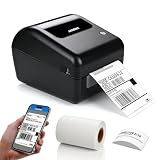
Experience seamless shipping with the Bluetooth Thermal Shipping Label Printer, designed to simplify your packaging process. This compact printer offers wireless Bluetooth connectivity, allowing easy printing from iPhone, Android, Windows, and USB connection for Mac. Say goodbye to tangled cables and slow setups.
Its efficient thermal printing technology produces crisp 4×6 inch labels quickly and without ink, toner, or ribbons. This means less maintenance and lower ongoing costs. The built-in label bin holds up to 350 labels, making roll changes less frequent and your workflow smoother.
Setup is straightforward, and the included 50 labels help you get started immediately. Compatible with major shipping platforms like USPS, FedEx, and Amazon, this printer fits perfectly into busy shipping environments. However, it prints only in black and white, which suits most shipping label needs but may limit design options.
Best for: Small to medium-sized businesses and online sellers seeking a fast, wireless thermal label printer compatible with multiple devices and shipping services.
What We Like:
- Versatile Bluetooth and USB connectivity for various devices
- High-speed, ink-free printing reduces maintenance
- Large label capacity minimizes downtime
- Easy roll installation with built-in label bin
- Compatible with major shipping carriers
Specification:
| Feature | Details |
|---|---|
| Manufacturer | JADENS |
| Dimensions | Not specified |
| Weight | Not specified |
| Label Size | 4 x 6 inches |
| Label Roll Capacity | Up to 350 labels per roll |
| Connectivity | Bluetooth, USB |
| Compatible Devices | iPhone, Android, Windows, Mac |
Factors to Consider When Choosing a Barcode Label Printer in Middletown Ct
When choosing a barcode label printer in Middletown, you’ll want to focus on print quality and resolution to guarantee clear scans.
Make sure the printer supports the connectivity options and media sizes you need for your workflow. Also, consider speed, durability, and build quality to get a reliable and efficient machine.
Print Quality and Resolution
Choosing a barcode label printer with the right print quality and resolution is essential to guarantee your labels scan accurately and look professional. Aim for at least 203 dpi resolution for standard 4×6 shipping labels to make certain clear barcode bars and readable text.
If you deal with very small barcodes or dense text, opt for 300 dpi or higher. Keep in mind that higher resolution can slow print speed and demand more processing power.
Check the printer’s thermal print technology and sensor calibration to maintain consistent edge contrast and dot density, preventing scan failures. Also, verify the minimum printable font size and barcode module in specs to meet scanner tolerances.
Finally, test sample labels in real scanning conditions to confirm reliable reads across your supply chain. It’s a good idea to see how the labels perform before fully committing.
Connectivity Options Available
Print quality and resolution set the foundation, but how you connect your barcode label printer to your devices shapes your workflow efficiency.
Make sure the printer supports your system’s interface—USB works great for single stations, Ethernet suits networked offices, Bluetooth handles short-range mobile printing, and Wi-Fi offers multi-device wireless access.
If you use older POS or industrial gear, check for serial or parallel ports like RS-232.
For wireless, confirm support for modern Wi-Fi standards (802.11ac/ax) and strong security protocols (WPA2/WPA3).
Planning to print from smartphones or tablets? Verify mobile OS compatibility and look for available SDKs or apps for iOS and Android.
If flexibility matters, choose models offering multiple interfaces or optional adapters so you can easily connect PCs, networks, and mobile devices without swapping printers.
Media Compatibility and Sizes
You’ll want to make sure your barcode label printer can handle the media types and sizes your business relies on. Verify it supports the label widths you use—common sizes include 4×6 inches for shipping and 1 to 4.25 inches for smaller labels.
Check the maximum media roll or sheet diameter and core size to fit your preferred roll lengths or fanfold sheets without frequent changes. Confirm the printer handles your media thickness and materials, whether direct thermal or thermal transfer, and paper or synthetic labels.
Look for compatibility with die-cut or continuous labels and features like auto-calibration or gap and black mark sensors for accurate alignment. Also, consider the maximum printable length and minimum gap size to prevent label truncation or misfeeds during printing.
Speed and Efficiency Metrics
Speed and efficiency play a crucial role when selecting a barcode label printer in Middletown, CT. You’ll want to check print speed, typically measured in inches per second (ips) or millimeters per second (mm/s); faster speeds like 100–150 mm/s (around 4–6 ips) cut down packing delays.
Also, consider labels-per-minute (LPM) rates—mid-range printers often handle 40–150 labels per minute for 4×6 shipping labels, impacting your batch job throughput. Don’t overlook first-label-out time, usually about one second, since small delays add up at high volumes.
Evaluate warm-up and continuous runtime to make certain the printer can keep up during busy shifts. Finally, match the printer’s buffer size and processor speed to your job complexity to avoid pauses and maximize efficiency.
Durability and Build Quality
While efficiency keeps your operations moving, the durability and build quality of your barcode label printer guarantee it withstands the demands of daily use in Middletown, CT. You should opt for models with reinforced housings, metal frames, or double-walled construction to handle drops and vibrations common in busy warehouses.
Check the rated duty cycle or print lifespan to make certain your printer can keep up with high-volume tasks. Pay close attention to printhead durability—look for thermal heads with high MTBF, overheat protection, or replaceable parts since they wear out fastest.
Also, consider environmental resistance like temperature range, humidity tolerance, and dust or splash protection if your workspace isn’t climate-controlled. Finally, prioritize ease of service, availability of replacement parts, and strong warranties to minimize downtime and control costs.
Software and Platform Integration
Because seamless integration with your existing systems can make or break your workflow, choosing a barcode label printer that supports your operating systems and software platforms is essential in Middletown, CT.
Make sure the printer’s drivers and SDKs work smoothly with Windows, macOS, Linux, iOS, and Android devices you use daily. Look for native integrations or export formats like ZPL, EPL, PDF, or CSV to connect effortlessly to your order-management, WMS, POS, or shipping platforms.
Also, check if the software offers batch printing, variable-data merging, and template libraries supporting barcode types such as Code128 and QR codes.
API access, webhooks, and cloud printing features can help automate your label printing from e-commerce or ERP systems, minimizing manual work and boosting efficiency.
Warranty and Support Services
Integrating your barcode label printer with your software is just one part of the equation; you’ll also want to make sure the device comes with reliable warranty and support services. First, verify the warranty length and coverage—does it include hardware, printhead, or just limited parts?
Understand what’s excluded, like consumables or damage from misuse. Next, check repair turnaround times and service methods, whether on-site or mail-in, plus any extra fees.
Don’t forget to confirm local technical support availability through phone, email, or remote help and their typical response times to keep downtime minimal. Finally, ask if firmware updates, driver support, and software fixes are included during the warranty.
Also, see if extended maintenance plans are offered to protect your investment long-term.
Frequently Asked Questions
How Do Barcode Label Printers Connect to Different Operating Systems?
You connect barcode label printers to different operating systems via USB, Ethernet, or Wi-Fi. They use compatible drivers or software, letting you easily print labels regardless of whether you’re on Windows, Mac, or Linux systems.
It’s pretty straightforward once you have the right setup. Just plug in or connect wirelessly, install the drivers, and you’re good to go!
What Maintenance Is Required for Barcode Label Printers?
You’ll need to regularly clean the printhead and rollers, replace worn-out labels and ribbons, update firmware, and check for jams.
Proper maintenance keeps your barcode label printer running smoothly and extends its lifespan.
Taking a little time for upkeep now means fewer headaches later!
Are There Eco-Friendly Label Options Compatible With These Printers?
Absolutely, you can choose eco-friendly labels made from recycled or biodegradable materials. These sustainable selections seamlessly sync with your printer, saving the planet while producing pristine, professional prints you’ll proudly present.
It’s a win-win! You get to keep your printing quality high and your environmental impact low. So go ahead, make the switch and feel good about it.
Can These Printers Handle Custom Label Sizes and Designs?
Yes, you can handle custom label sizes and designs with these printers. They’re designed to be flexible, letting you create unique labels that fit your specific needs without any hassle or limitations on size or style.
This means you’re not stuck with standard options. Feel free to get creative and tailor your labels exactly how you want them!
What Software Is Recommended for Designing Barcode Labels?
Designing barcode labels is like painting a canvas—you’ll want software like BarTender, ZebraDesigner, or NiceLabel. These tools let you customize with ease, ensuring your labels stand out and scan flawlessly every time.
They’re pretty user-friendly, so even if you’re new to label design, you’ll get the hang of it quickly. Plus, they offer plenty of features to make your labels look professional and work perfectly.
Conclusion
Choosing the right barcode label printer in Middletown, CT, doesn’t have to be overwhelming. With options like Bluetooth connectivity, wireless convenience, and precise thermal printing, you’ve got plenty to pick from.
So, why settle for less when you can get a reliable printer that fits your business needs perfectly? Remember, the right printer not only saves time but also boosts your efficiency and professionalism.
When selecting a barcode label printer, consider features like print speed, compatibility, and ease of use. These factors ensure your operations run smoothly and your labels look professional every time.
Ready to make your choice? The best barcode label printers in Middletown, CT, combine advanced technology with user-friendly design, helping your business stay organized and efficient. Don’t wait—invest in a printer that enhances your workflow today!