6 Best All Round 3D Printers for 2027
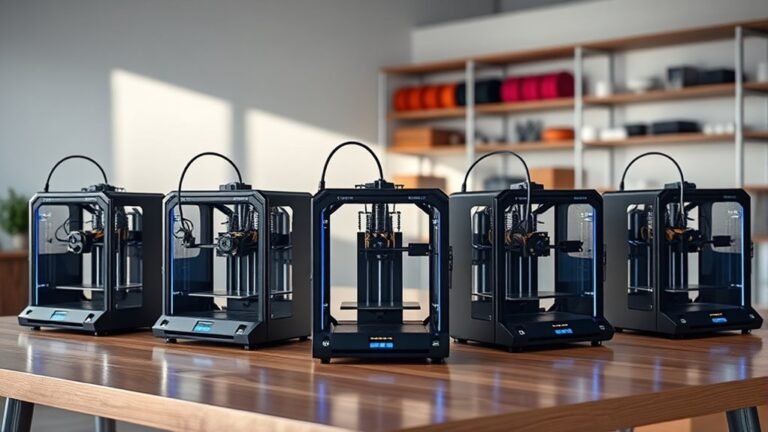
You’ll want the Bambu Lab P2S Combo for lightning-fast multi-color prints or the versatile P1S Combo with up to 16 colors. These printers are perfect if you’re looking to add vibrant detail and speed to your projects.
The Anycubic Kobra X Multicolor offers compact, native 4-color printing, making it a great choice for smaller spaces without sacrificing quality. Meanwhile, the FLASHFORGE Adventurer 5M delivers all-metal CoreXY speed and precision, ideal for those who want reliability and performance in one package.
For advanced multi-tool swaps, consider the Snapmaker U1, which is perfect if you need flexibility for different types of projects. Or if you’re just starting out, the beginner-friendly ELEGOO Centauri 2 Combo lets you enjoy instant color changes with ease.
Explore these top picks to find your perfect 3D printing match and elevate your creative game.
| Image | Name | Editor's Rating | Price |
|---|---|---|---|

|
|
||

|
|
||

|
|
||

|
|
||

|
|
Bambu Lab P2S Combo, P2S 3D Printer & AMS 2 Pro, Multi-Color 3D Printing
- High-Speed Precision: The Bambu Lab P2S 3D printer prints up to 600 mm/s while maintaining exceptional accuracy. With the PMSM Servo Extruder and Active Flowrate...
- Ready to Print in 15 Minutes: Set up your P2S FDM 3D printer and start printing in just 15 minutes. With AI failure detection, quick-swap nozzles, and automatic...
- Effortless Multi-Color Printing: The AMS 2 Pro enables seamless multi-color/multi-material 3D printing. It features built-in filament drying at up to 65 °C, keeping...
- Smart Airflow for Any Filament: The Adaptive Airflow System automatically balances cooling and heat retention—keeping overhangs crisp with cool air, or maintaining a...
- Limitless Creativity, Seamless Workflow: Explore over one million 3D models on MakerWorld and bring them to life with a smooth, unified workflow using Bambu Studio, Bambu...
Experience fast and precise multi-color 3D printing with the Bambu Lab P2S Combo paired with the AMS 2 Pro. This system is engineered to tackle the challenges of multi-material printing by combining speed and reliability. Its high-speed CoreXY design reaches print speeds up to 600 mm/s, speeding up your workflow without sacrificing detail.
Maintenance is simplified with features like automatic calibration and quick-swap nozzles, reducing downtime and effort. The AMS 2 Pro accessory dries filament at temperatures up to 65 °C and uses an adaptive airflow system. This ensures consistent print quality and protects your prints from moisture-related issues.
Designed for professionals and enthusiasts, this combo supports complex, vibrant prints with its seamless multi-material and multi-color capabilities. AI-powered error detection helps catch potential problems early, improving overall print success rates. The carbon filter also keeps the workspace air clean during extended printing sessions.
While the P2S alone doesn’t support multi-color printing, the AMS 2 Pro makes this possible. It weighs 46.3 pounds, which may affect portability, and some advanced features might require a learning curve for beginners.
Best for: professionals and advanced hobbyists needing fast, reliable multi-color 3D printing with advanced automation and material handling.
What We Like:
- High-speed CoreXY design enabling up to 600 mm/s print speeds
- Integrated filament drying and adaptive airflow in AMS 2 Pro
- Automatic calibration and quick-swap nozzles for easy maintenance
- AI error detection enhances print reliability
- Carbon filter maintains clean air during printing
Specification:
| Feature | Details |
|---|---|
| Manufacturer | Bambu Lab |
| Dimensions | Not specified |
| Weight | 46.3 lb (21 kg) |
| Material Handling | Multi-material, multi-color with AMS 2 Pro |
| Color Options | Not specified |
Bambu Lab P1S Combo, P1S 3D Printer and AMS, Multi-Color 3D Printing
- Up to 16 Colors: Bring your designs to life with vibrant multi-color/multi-material printing capabilities, perfect for showcasing your creativity. Note: Connecting Bambu...
- 500mm/s and 20000 mm/s² Acceleration True High Speed: Don't wait around for your masterpieces. Lightning-fast printing speed lets you focus on creating, not waiting.
- Enclosed Design: Fully enclosed body improves print performance for advanced filaments. Automatic Bed Leveling: Say hello to high-quality, successful prints. Auto bed...
- Set Up in 15 Minutes: Spend more time printing and less time setting up. User-friendly design ensures a hassle-free assembly experience for all skill levels.
- Supported Filament: Ideal: PLA, PETG, TPU, PVA, PET ABS, ASA; Capable : PA, PC; Not Recommended: Carbon/Glass Fiber Reinforced Polymer.
The Bambu Lab P1S Combo unlocks new possibilities for creators needing fast, precise multi-color 3D printing. Combining the P1S 3D printer with the AMS multi-material system, it simplifies complex projects by supporting up to 16 colors in a single print. This setup reduces manual filament changes and speeds up production.
Its CoreXY design enables rapid printing with speeds up to 500 mm/s and acceleration reaching 20,000 mm/s². The enclosed build chamber and automatic bed leveling improve print reliability and allow seamless use of advanced materials like PLA, PETG, and TPU. Maintenance is straightforward, making it easy to keep the printer in optimal condition.
Designed for efficiency, the P1S Combo is ready to operate within 15 minutes, supported by the MakerWorld library that streamlines multi-color workflows. While it excels in versatility, it is not suited for carbon or glass fiber reinforced polymers. The unit’s weight of 47.5 pounds adds stability but limits portability.
Best for: professionals and creators seeking fast, high-quality multi-color 3D printing with easy setup and advanced filament compatibility.
What We Like:
- Supports up to 16 colors for intricate, multi-material prints
- High-speed CoreXY architecture for efficient production
- Enclosed design with automatic bed leveling for consistent results
- Quick setup in about 15 minutes with streamlined workflow tools
Specification:
| Feature | Details |
|---|---|
| Manufacturer | Bambu Lab |
| Dimensions | Not specified |
| Weight | 47.5 lb (21.5 kg) |
| Material Compatibility | PLA, PETG, TPU, others* |
| Color Options | Up to 16 via AMS system |
*Excludes carbon/glass fiber reinforced polymers
Anycubic Kobra X Multicolor 3D Printer, Easy Setup, Native 4-Color
- 【 Newest Level - 19-Color with 4 ACE 2 Pro】Why settle for one color when you can have multicolor? The Kobra X comes born with 4 colors built-in. It is innovative 3D...
- 【 Savings 2X Time】Stop wasting hours and filament on purging! Kobra X impresora 3D reduces the filament and machine travel path by 81.25%, so 2X the Speed, and...
- 【Hardened Precision & High Speed 】 Equipped with a high-durability hardened steel nozzle and vibration compensation, the Kobra X ensures every layer remains smooth...
- 【Flawless First Layer with LeviQ 3.0】The LeviQ 3.0 and auto bed leveling system uses a 49-point calibration and advanced leveling algorithm to ensure 100% bed...
- 【Smart AI Monitoring & Large Model Library】APP remote control, features Spaghetti detection and foreign object detection. The innovative top-mount spool holder...

The Anycubic Kobra X Multicolor 3D printer makes multicolor printing straightforward and efficient. Its native 4-color system can expand up to 19 colors, cutting filament waste by over 80% and speeding up your projects. This feature solves common multicolor printing challenges by reducing purging time and increasing productivity.
Designed with functionality in mind, it reaches speeds up to 600 mm/s and uses a hardened steel nozzle for durability. Vibration compensation ensures smooth, high-quality layers. Maintenance is simplified with the LeviQ 3.0 auto bed leveling system, which keeps prints accurate without manual adjustments.
Remote monitoring and control are easy with dual-band Wi-Fi and LAN connectivity. The printer supports various filament types, making it versatile for home, school, or professional environments. Its compact and quiet design fits neatly into any workspace without disruption.
While the base system handles four colors, expanding beyond this requires additional ACE 2 Pro units, which are not compatible with the ACE Pro series. The build volume is limited to 260 × 260 × 260 mm, suitable for most standard projects but less ideal for very large prints.
Best for: hobbyists, educators, and professionals needing a fast, easy-to-use multicolor 3D printer with flexible material compatibility.
What We Like:
- Native 4-color system expandable to 19 colors for efficient multicolor printing
- High max speed of 600 mm/s with hardened steel nozzle and vibration compensation
- Auto bed leveling with LeviQ 3.0 for hassle-free maintenance
- Dual-band Wi-Fi and LAN for convenient remote control
- Compact, quiet design suitable for various environments
Specification:
| Feature | Details |
|---|---|
| Manufacturer | Anycubic |
| Build Volume | 260 × 260 × 260 mm |
| Max Print Speed | 600 mm/s |
| Nozzle Material | Hardened Steel |
| Connectivity | Dual-band Wi-Fi, LAN |
| Bed Leveling | LeviQ 3.0 Auto Bed Leveling |
FLASHFORGE Adventurer 5M 3D Printer, All-Metal CoreXY, 600mm/s Max Travel
- One-Click Automatic Printing: Experience hassle-free 3D printing with the Adventurer 5M Series. Enjoy automatic bed leveling for flawless first layers, ensuring...
- 12X Ultra Fast Printing: Featuring a CoreXY structure with 600mm/s travel speed and 20000mm/s² acceleration, the AD5M maximizes efficiency, reduces production cycles...
- Smart and Efficient Design: Quick 3-second nozzle changes, a high-flow 32mm³/s nozzle, and fast 35-second warm-up to 200°C deliver stable high-speed printing. Its...
- Superior Print Quality & Adaptability: Combines a 280°C direct drive extruder with dual-fan cooling and vibration compensation. Includes a standard 0.4mm nozzle and...
- Real-Time App Monitoring: Monitor print progress, adjust settings, and receive instant status alerts remotely with the Flash Studio. Smart mobile control ensures a...
The FLASHFORGE Adventurer 5M redefines speed and precision in 3D printing. Its all-metal CoreXY design pushes printing speeds up to 600 mm/s with rapid acceleration, dramatically cutting production times. This makes it ideal for fast-paced prototyping and efficient mass manufacturing.
Maintenance is simplified with quick 3-second nozzle changes and a sturdy direct drive extruder that heats to 280°C in just 35 seconds. The dual-sided PEI platform and built-in vibration compensation ensure consistent accuracy throughout long print runs. These features reduce downtime and keep your workflow steady.
Designed for professionals, the Adventurer 5M supports a range of nozzle sizes (0.25–0.8 mm) and handles high-flow printing materials. Automated tools like one-click printing, automatic bed leveling, and smart mobile control streamline complex tasks and minimize user error.
While its advanced mechanics require some technical familiarity and maintenance, the printer’s robust build and automation balance this well. It offers a strong solution for users needing both speed and detail in their 3D printing projects.
Best for: Engineers, designers, and manufacturers focused on rapid prototyping and high-volume production with precise results.
What We Like:
- High-speed printing up to 600 mm/s with fast acceleration
- All-metal direct drive extruder with quick nozzle swaps
- Automated features for ease and efficiency
- Dual-sided PEI platform and vibration compensation for accuracy
Specification:
| Feature | Details |
|---|---|
| Manufacturer | FLASHFORGE |
| Dimensions (L×W×H) | Not specified |
| Weight | Not specified |
| Material | All-metal CoreXY frame |
| Max Travel Speed | 600 mm/s |
| Max Acceleration | 20,000 mm/s² |
| Nozzle Size Range | 0.25–0.8 mm |
| Extruder Temperature | Up to 280°C |
Snapmaker U1 3D Printer,4-Toolhead with 5s Toolchanger,Multi-Color Printing
- 【4-Toolhead System with 5-Second Tool Changer】 Powered by the SnapSwap system, Snapmaker U1 multi-color 3D printer features four independent toolheads with filaments...
- 【5X Faster Printing, 5X Less Waste】 Unlike traditional filament-changing systems, Snapmaker U1 3D printer swaps toolheads instead of repeatedly loading, unloading...
- 【True Multi-Material & Mixed-Material Printing】 Snapmaker U1 3D printer combines rigid and flexible materials, water-soluble supports, and engineering materials in a...
- 【Smart Calibration】 Automatic toolhead offset calibration, vibration compensation, fine-tuned extrusion, and perfect first-layer work together to deliver smooth...
- 【Easy to Use for Beginners & Professionals】 With a built-in model library, Snapmaker Orca — custom open-source slicing software, makes it easy to get started with...
The Snapmaker U1 redefines multi-color 3D printing by eliminating the hassle of manual filament changes. Its innovative 4-toolhead with a 5-second SnapSwap toolchanger lets you switch colors and materials effortlessly. This system streamlines your workflow and reduces waste, making complex prints more efficient.
Built with a sturdy CoreXY motion system and carbon-fiber rails, the U1 delivers precise prints at speeds up to 500 mm/s. Automatic calibration and AI-powered print monitoring minimize errors, ensuring consistent high-quality results. Maintenance is simplified through these intelligent features, reducing downtime and user intervention.
Designed for versatility, the Snapmaker U1 supports a wide range of materials like PLA, TPU, and ABS. Its robust construction suits creators who demand fast turnaround times without sacrificing detail. While the printer is relatively heavy and compact workspace might be a concern, its performance benefits outweigh these trade-offs.
This 3D printer is ideal for professionals and small businesses focused on producing multi-color and multi-material models quickly and with minimal waste.
Best for: Creators and professionals needing fast, reliable multi-color 3D printing with reduced manual handling and waste.
What We Like:
- Seamless automatic 4-toolhead swapping for multi-material prints
- High-speed CoreXY system with carbon-fiber rails for precision and durability
- AI-powered print monitoring and automatic calibration for consistent results
Specification:
| Feature | Detail |
|---|---|
| Manufacturer | Snapmaker |
| Dimensions | Not specified |
| Weight | 57.9 lb (approx. 26.3 kg) |
| Material Support | PLA, TPU, ABS, others |
| Motion System | CoreXY with carbon-fiber rails |
| Toolhead | 4-toolhead with 5s SnapSwap changer |
ELEGOO Centauri 2 Combo 3D Printer, Beginner-Friendly Multicolor Printing

- 4-Color Printing with CANVAS: Create vibrant multi-color models effortlessly with CANVAS 4-color printing. Independent motors, instant color switching, RFID filament...
- Start Printing with Confidence: Full auto calibration and smart pre-print checks simplify setup, while 22 intelligent sensors monitor every print in real time. From first...
- Designed for Speed: Experience faster creation with a high-speed CoreXY system reaching up to 500mm/s and 20,000mm/s² acceleration. The rigid aluminum frame and...
- Smoother, Sharper, Smarter: From the first layer to the final detail, intelligent calibration, vibration compensation, and precise extrusion control help produce clean...
- A Seamless Workflow from Idea to Print: Simplify your entire workflow with the ELEGOO ecosystem. Discover ready-to-print models on Nexprint, prepare projects with...
Experience smooth and vibrant multicolor 3D printing with the ELEGOO Centauri 2 Combo. Its innovative 4-color CANVAS system solves common printing frustrations by enabling instant color changes and recognizing filaments via RFID. This ensures your projects come out flawless without complicated setup.
The high-speed CoreXY motion system runs up to 500 mm/s, paired with a sturdy aluminum frame. This combination offers precise, stable prints while reliable calibration and 22 sensors maintain consistent quality. The printer’s intelligent auto-leveling further simplifies the process, reducing common errors.
Maintenance is straightforward with handy tools such as a semi-automatic belt tensioner and nozzle wiper. The 5-inch touchscreen and remote control through the ELEGOO Matrix app make managing prints easy, even for beginners. This design supports smooth operation from novice to advanced users.
With its advanced multicolor capabilities and user-friendly features, this printer addresses the needs of makers who want to create detailed, colorful models without steep learning curves.
Best for: Beginners and experienced makers seeking a reliable, high-speed 3D printer with advanced multicolor functionality.
What We Like:
- Innovative 4-color CANVAS system with instant color switching and RFID filament recognition
- High-speed CoreXY system with a rigid aluminum frame for precision and stability
- User-friendly controls including a 5-inch touchscreen and remote app management
- Easy maintenance tools like semi-automatic belt tensioner and nozzle wiper
Specification:
| Feature | Details |
|---|---|
| Manufacturer | ELEGOO |
| Dimensions | Not specified |
| Weight | 33 lb (15 kg) |
| Frame Material | Aluminum |
| Color Options | Not specified |
Factors to Consider When Choosing an All Round 3d Printer

When choosing an all-round 3D printer, you’ll want to compare print speeds and check if it supports multi-color printing. It’s also smart to consider the types of materials it can handle.
Make sure the build volume fits your projects too. You don’t want to get stuck with a printer that’s too small.
Also, look for one with a straightforward setup process. That way, you can start printing quickly without any hassle.
Print Speed Comparison
Consider how print speed influences your overall 3D printing experience before choosing a printer. While a high maximum travel speed—sometimes up to 600 mm/s—can cut down print time for simple moves, actual print speed depends heavily on extrusion rates and acceleration.
Acceleration, reaching values like 20,000 mm/s², helps your printer quickly hit top speed between print segments, especially benefiting detailed prints. However, if your extruder can’t melt and push filament fast enough, faster travel won’t reduce print times.
Firmware motion planning, vibration control, and frame rigidity also limit usable speed to avoid quality loss. Keep in mind, the quoted speeds often reflect single-color printing; multi-material setups usually slow down due to tool changes and filament purging, affecting overall throughput.
Multi-Color Printing Options
Diving into multi-color printing, you’ll find several approaches that balance speed, waste, and calibration demands differently. You can choose native multi-nozzle systems with multiple hotends or tool changers, which print multi-material parts without much purging but need precise automatic tool-offset calibration.
Alternatively, single-nozzle printers with filament switching produce more purge waste and longer print times, although some slicer tweaks can cut purging by half. External multi-filament selectors feeding one extruder offer another option, each with unique trade-offs.
Look for printers with onboard filament drying, heated bays, and active chamber control to boost reliability with engineering filaments. Also, make sure your printer’s firmware and slicer support multi-color toolpaths, handle multiple simultaneous colors, and include filament monitoring or auto-reload to avoid failed color changes during prints.
Material Compatibility Range
Picking the right 3D printer means making certain it handles the materials you plan to use. Check if it supports the filament families you need—PLA, PETG, TPU, ABS, or even engineering-grade polymers like PC and PA.
Look for a nozzle temperature of at least 300°C and a heated, enclosed chamber reaching 50–100°C for high-temp materials. It really helps to have those features if you want to work with tougher filaments.
Consider the extruder type: direct drive systems and all-metal hotends handle flexible and abrasive filaments better. These setups tend to give you fewer headaches when printing tricky materials.
See if the printer supports multi-material workflows with features like multi-extruders or automatic tool changers. That way, you can get creative with color and material blends without too much hassle.
Also, verify if it includes filament drying, runout detection, and hardened components for abrasive blends. These extras can save you from failed prints and maintenance issues.
Finally, review manufacturer guidelines on unsupported materials to avoid surprises and certain longevity and print quality. It’s always better to know upfront what your printer can and can’t handle.
Build Volume and Size
Build volume plays a crucial role in determining what you can create with your 3D printer. Choose a build volume that comfortably fits your largest intended prints plus clearance for easy part removal.
Desktop printers commonly offer 200–300 mm per axis, while larger-format models exceed 400 mm. Keep your workspace in mind—bigger build volumes mean larger footprints and enclosures, which impact access and airflow.
Larger volumes also demand longer warm-up times and better thermal control to guarantee layer adhesion, especially when printing engineering filaments. Match your nozzle size and layer height to the build volume, as bigger prints require more filament and time.
If your projects involve multi-part assemblies, consider whether printing smaller parts separately might save time, cost, and improve quality compared to one massive print. It’s often smarter to split up big prints!
Ease Of Setup
When choosing an all-round 3D printer, ease of setup can make a big difference in how quickly you go from unboxing to printing. Look for printers that offer “ready-to-print” setups or advertise out-of-box assembly times around 15 minutes, paired with clear step-by-step guides.
Automatic features like bed leveling and nozzle height calibration save you from tedious manual adjustments. Quick-swap parts and simple filament loading reduce downtime during maintenance or material changes.
Built-in diagnostics and sensor-assisted error detection help you troubleshoot issues fast, cutting the learning curve. Plus, intuitive interfaces with integrated slicing software and wireless controls streamline initial tasks like Wi-Fi pairing and print transfers.
These factors make certain you spend less time setting up and more time creating.
Calibration And Accuracy
After setting up your 3D printer with ease, you’ll want to focus on calibration and accuracy to guarantee consistent, high-quality prints. Automatic bed leveling systems, like multi-point probing, help reduce first-layer issues and maintain Z-offset repeatability within ±0.01–0.05 mm when properly configured.
Regularly calibrate your nozzle and extrusion settings—miscalibrating extrusion by just 5% can cause dimensional errors and weak layers. It’s worth taking the time to get this right.
Tune the motion system by adjusting belt tension, stepper current, and acceleration to control positional accuracy and minimize ringing. These tweaks really make a difference in print quality.
Use calibration prints such as 20 mm cubes to measure XY and Z deviations and apply corrections. This hands-on approach helps you catch issues early.
Finally, maintain stable bed and chamber temperatures and keep filament dry to reduce thermal expansion and moisture-related inaccuracies. Doing this ensures repeatable, precise results every time.
Software And Connectivity
Choosing a 3D printer that clicks smoothly with your software and connectivity needs can make all the difference in your workflow. You want a printer that supports popular slicer formats like STL, OBJ, and G-code, and works seamlessly with mainstream slicing software.
Look for multiple connection options—USB, SD card, Wi-Fi (both 2.4 and 5 GHz), and Ethernet—to fit your setup. Remote control via web UI or mobile apps is a huge plus for flexibility.
Make sure the firmware gets regular updates, supports standard protocols like Marlin or RepRap, and allows safe OTA updates. Reliable print monitoring with cameras and real-time telemetry helps you keep tabs remotely.
Finally, user-friendly settings, exportable profiles, and strong community support simplify troubleshooting and sharing your workflows. It really makes the whole printing experience smoother and more enjoyable.
Maintenance And Durability
Smooth software and reliable connectivity set the stage for great prints, but maintaining your 3D printer and ensuring its durability keeps it running long-term without headaches.
Choose printers with all-metal motion components and rigid frames to reduce wear and preserve accuracy over thousands of hours. Look for easily replaceable parts like nozzles and belts, plus standardized spares to cut downtime and costs.
Features such as automatic bed leveling, nozzle wipers, and filament runout sensors reduce maintenance frequency and prevent common issues. Also, consider thermal resilience—high-temp hotends, corrosion-resistant coatings, and heated or enclosed chambers protect components when printing advanced materials.
Prioritize serviceability too, with modular toolheads, quick-release filament paths, and clear maintenance documentation to make routine servicing faster and more reliable. It really pays off to think about these details upfront!
Frequently Asked Questions
What Materials Are Compatible With All-Round 3D Printers?
You can print with PLA, ABS, PETG, TPU, and sometimes nylon on all-round 3D printers. They handle flexible, rigid, and durable materials, letting you create varied projects without switching machines or setups.
It’s pretty convenient, right? You get to experiment with different materials all in one go. No need to fuss over changing printers or setups every time you want to try something new.
How Much Maintenance Do These 3D Printers Require?
You know what they say: “An ounce of prevention is worth a pound of cure.” You’ll need regular cleaning, lubrication, and occasional calibration.
But if you stay consistent, your 3D printer will run smoothly with minimal downtime. It’s really all about keeping up with those small tasks.
Are These Printers Suitable for Professional Use?
Yes, these printers are suitable for professional use. They offer reliable precision and consistent quality.
Plus, their durable components mean you can confidently handle complex projects and high-volume printing. No need to worry about frequent breakdowns or inconsistent results.
What Software Is Recommended for Multi-Color 3D Printing?
You’ll want to use software like PrusaSlicer, Cura, or Simplify3D for multi-color 3D printing. They support multi-extrusion setups, letting you control colors easily and optimize print quality without hassle.
These programs make managing different filaments a breeze. Plus, they help you get the best results without too much fuss.
How Do Print Speeds Compare Between Different Models?
Print speeds vary like race cars on different tracks—you’ll find some models sprinting quickly, while others take their time for precision.
You’ll want to balance speed with quality depending on your project’s needs and complexity.
Conclusion
Choosing the perfect all-round 3D printer can feel like searching for a needle in a haystack, but with options like the Bambu Lab P2S Combo or the Snapmaker U1, you’re set for success. Whether you want multi-color magic or lightning-fast speeds, these printers have you covered.
Just remember to take into account your needs carefully—because the right 3D printer can transform your creative projects from ordinary to out-of-this-world! With the best all-round 3D printers for 2027, you get versatility, quality, and performance all in one package. So, whether you’re a hobbyist or a professional, investing in a reliable 3D printer will unlock new possibilities and elevate your creations to the next level.