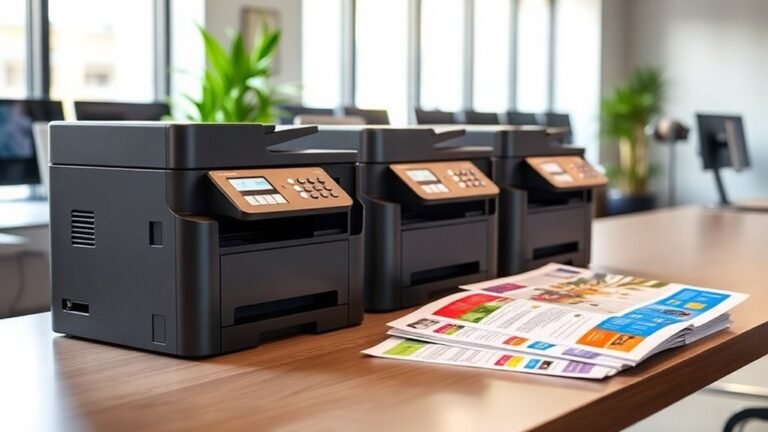
13 Best Badge Printers for 2027 That Professionals Trust
You’ll find trusted badge printers like the compact Badgy100 for on-demand, portable use and the Badgy200 for small businesses needing automatic duplex and database integration.
These models are perfect if you want reliable, easy-to-use options for everyday ID printing tasks.
For faster single-sided printing, the Bodno Seaory S25 and S26 deliver up to 18 cards per minute.
They’re great when speed is a priority without sacrificing quality.
If security and dual-sided printing matter, the Magicard 400X stands out with single-pass duplex and HoloKote watermark.
Plus, versatile kits like the IDP SMART-21S suit reception areas perfectly.
Discover what makes each a top choice for 2027 workflows.
| Image | Name | Editor's Rating | Price |
|---|---|---|---|

|
|
||

|
|
||

|
|
||

|
|
||

|
|
Badgy100 Plastic Card Printer with Badge Studio Software
- Suited to your single printing needs
- Get rid of sub-contractors deadlines; Print on demand based on your requirements and immediately replace any lost or stolen card
- Your badges are printed in high resolution on a quality plastic card; Moreover, the online template library offers professional-looking designs to choose from
- Brand Name - Badgy
The Badgy100 Plastic Card Printer offers a practical solution for creating tamper-proof ID badges quickly and efficiently. Its compact design makes it ideal for on-demand printing, allowing you to produce professional-quality badges wherever needed. The built-in Badge Studio software simplifies the design process, enabling users to customize badges with ease.
This printer handles credit card-sized media and prints in vibrant 24-bit color at 300 x 300 dpi. While the print speed is modest at around 1.3 color cards per minute, it suits environments where immediate card replacement and single-card printing are priorities. The lightweight 1.7 kg frame enhances portability, making it easy to move and set up onsite.
Maintenance is straightforward, with manual duplex printing available for double-sided badges, though this may slow production. Connectivity is limited to a USB 2.0 port, so it is best used in settings without the need for wireless or network printing. Overall, the Badgy100 is a reliable choice for small-scale badge printing with a focus on ease of use and portability.
Best for: Organizations or individuals needing a compact, easy-to-use printer for on-demand, full-color ID badge creation and immediate card replacements.
What We Like:
- Portable and lightweight for flexible onsite use
- Intuitive Badge Studio software with professional templates
- Produces vibrant, tamper-proof badges in rich 24-bit color
- Simple maintenance suited for occasional duplex printing
Specification:
| Feature | Details |
|---|---|
| Manufacturer | Badgy |
| Dimensions | Compact (exact size not specified) |
| Weight | 1.7 kg (3.75 lb) |
| Media Size | Credit card-sized cards |
| Print Resolution | 300 x 300 dpi |
| Color Depth | 24-bit color |
| Connectivity | USB 2.0 |
Bodno Seaory S25 Single Sided ID Card Printer Package
- ALL-INCLUSIVE PACKAGE: Get everything you need to start printing professional-grade ID cards right out of the box, including supplies and the Seaory 11011 color ribbon...
- HAND-FED, ONE CARD AT A TIME: Put one card in and get one finished card out, ideal for printing badges on demand.
- BODNO ID SOFTWARE, BRONZE EDITION: Lifetime License for the life of the printer, with templates and drag-and-drop design. Your license code comes by email.
- WINDOWS, MAC AND LINUX: Printer drivers for all three; Bodno ID software runs on Windows and Mac.
- 2-YEAR WARRANTY & LIFETIME SUPPORT: Includes a 2-year hardware warranty and lifetime Bodno software support.
The Bodno Seaory S25 Single-Sided ID Card Printer Package is designed to simplify your ID card creation process. It produces clear, vibrant cards quickly, printing up to 18 cards per minute with a resolution of 300 x 300 dpi. This makes it ideal for businesses that need fast, reliable card production without complicated setups.
Maintenance is straightforward, as the printer uses a hand-fed system, allowing you to load one card at a time. While this may slow down very high-volume printing, it ensures precise, error-free output for small to medium batches. The machine’s compact bronze design fits easily into tight spaces and requires minimal upkeep.
The package comes complete with 100 blank PVC cards and a YMCKO color ribbon, along with Bodno’s Bronze Edition software. This software offers a lifetime license and supports USB and Ethernet connections. It’s compatible with Windows, Mac, and Linux, making integration into existing systems hassle-free.
This printer is best suited for organizations needing an efficient, easy-to-use single-sided ID card printer. Its balance of speed, image quality, and software versatility helps streamline ID card production without unnecessary complexity.
Best for: Small to medium businesses seeking an efficient, easy-to-use single-sided ID card printer with reliable performance and versatile software compatibility.
What We Like:
- Fast printing speed of up to 18 cards per minute with vibrant colors
- Includes essential supplies: 100 blank PVC cards and color ribbon
- Lifetime license for Bodno’s intuitive Bronze Edition software
- Supports USB and Ethernet connectivity across Windows, Mac, and Linux
Specification:
| Feature | Details |
|---|---|
| Manufacturer | Bodno |
| Print Speed | Up to 18 cards per minute |
| Print Resolution | 300 x 300 dpi |
| Color Depth | 24-bit |
| Connectivity | USB, Ethernet |
| Included Supplies | 100 blank PVC cards, YMCKO ribbon |
| Software License | Lifetime for Bronze Edition |
| Operating Systems | Windows, Mac, Linux |
| Printer Type | Single-sided |
| Design Color | Bronze |
Badgy200 Plastic Card Printer with Badge Studio
- The Badgy200 all-in-one solution, includes all you need to quickly design and print full color professional tamperproof plastic ID's for students, employees, gift and...
- The Badgy200 prints in full color. Includes the upgraded Badge Studio+ software with database import, free templates, design wizard or start from scratch. Create custom...
- Add a level of security to your school or workplace. Create a sense of community among students and members with professional full color badges
- Includes a printer, 100 print color ribbon, 100 blank cards, Badge Studio Design software, USB & power cables, Quick start guide
- 1-year warranty, with optional extended warranty available. For technical support contact support@evolis.com, for general questions contact internalsales@evolis.com
The Badgy200 Plastic Card Printer with Badge Studio is designed to simplify ID badge printing for small to medium organizations. It produces vibrant, tamper-proof badges that stand out with clear, full-color images. This printer’s dye sublimation technology ensures high-quality results that enhance security and professionalism.
Its compact design fits easily into any workspace, while the automatic duplex printing saves time by printing on both sides of the card without manual intervention. The printer supports standard card sizes up to 3.37 inches, making it versatile for various ID needs.
Maintenance is straightforward, thanks to its reliable build and user-friendly Badge Studio+ software. You can create designs quickly using templates or import data from external databases, streamlining the printing process. However, the printer’s color speed of 1.6 ppm is best suited for moderate print volumes.
Connectivity is limited to USB 2.0, which means it requires a direct connection to a computer. The modest card input capacity calls for regular refilling during larger jobs but keeps the device compact and easy to handle.
Best for: Small to medium organizations such as schools, gyms, and event managers needing reliable, full-color, tamper-proof ID badge printing.
What We Like:
- High-quality dye sublimation printing for sharp, vibrant badges
- Automatic duplex printing improves efficiency
- User-friendly Badge Studio+ software with templates and database import
- Compact and lightweight design fits small workspaces
Specification:
| Feature | Details |
|---|---|
| Manufacturer | Badgy |
| Dimensions | Not specified |
| Weight | 3 kg (6.6 lbs) |
| Printing Technology | Dye sublimation |
| Print Resolution | 600 x 600 dpi |
| Card Size Supported | Up to 3.37 inches |
| Connectivity | USB 2.0 |
| Print Speed (Color) | 1.6 ppm |
| Software Included | Badge Studio+ |
Bodno Magicard 400X Dual Sided ID Printer Package
- COMPLETE DUAL-SIDED KIT: Printer, 300-print YMCKO color ribbon and starter supplies, so you can print two-sided photo IDs the day it arrives.
- BOTH SIDES IN ONE PASS: Photo and logo on the front, barcode or emergency info on the back, with no re-feeding.
- BUILT-IN CARD SECURITY: Magicard HoloKote adds a secure watermark to every card to deter copying.
- BODNO ID SOFTWARE, BRONZE EDITION: Lifetime License for the life of the printer, with templates and drag-and-drop design for Windows and Mac. Your license code comes by...
- 4-YEAR WARRANTY & LIFETIME SUPPORT: Enjoy peace of mind with a 4-year warranty and lifetime Bodno software support.
The Bodno Magicard 400X Dual-Sided ID Printer Package delivers a practical solution for printing professional two-sided photo IDs with ease. Its direct-to-card printing technology completes both sides in a single pass at 300 dpi, reducing errors and saving time.
This printer includes a built-in Magicard HoloKote watermark feature that helps protect against card forgery, enhancing security for your ID cards. The compact design and USB connectivity make it simple to set up and operate on either Windows or Mac systems.
Maintenance is straightforward, with included supplies like 300 blank PVC cards and a YMCKO ribbon ready to keep your printing running smoothly. The package also features easy-to-use ID software with a lifetime license and a Full HD 1080p camera for capturing sharp photos.
Though the color print speed is moderate at 3 cards per minute and connectivity is limited to one USB port, this setup offers a balanced mix of functionality and convenience for mid-volume ID production needs.
Best for: Organizations and businesses needing an efficient, secure, and portable dual-sided ID card printing solution compatible with both Windows and Mac.
What We Like:
- Single-pass dual-sided printing at 300 dpi for efficient card production
- Integrated Magicard HoloKote watermark enhances card security
- Complete package with blank cards, ribbon, camera, and lifetime licensed software
- Compact and portable design ideal for various work environments
Specification:
| Feature | Details |
|---|---|
| Manufacturer | Bodno |
| Printing Technology | Direct-to-card |
| Print Resolution | 300 dpi |
| Print Speed (Color) | 3 cards per minute |
| Included Supplies | 300 blank PVC cards, YMCKO ribbon |
| Software | Bodno ID software with lifetime license |
| Camera | Full HD 1080p |
| Connectivity | USB |
| Compatibility | Windows, Mac |
| Dimensions (approx.) | Compact design (exact size not specified) |
IDP SMART-21S ID Card Printer Kit with Ribbon
- What’s Included: This starter kit includes an IDP SMART-21S ID Card Printer, PC-only IDesigner Software and printer driver, manuals and guides, a power cord and USB...
- Brilliant Printing: Our printer offers professional quality high-resolution, full-color printing. This single-sided printer is also capable of producing monochromatic...
- Speedy System: Our system is compatible with Microsoft Windows 10 & 11. The control panel comprises of one easy-to-use LED button and can produce over 150 color cards and...
- Great For: Our printing system is an affordable solution for small businesses to print their own ID badges. It’s also perfect for larger corporations for printing...
- Smart Design: The printer measures 6.6 in x 10.2 in x 7 in, making it compact enough to fit in small spaces like desktops and multi-use spaces. The hand-feed printer also...

The IDP SMART-21S ID Card Printer Kit with Ribbon offers a straightforward solution for producing high-quality, single-sided ID cards. Designed to handle vibrant color printing at 300 dpi and sharp black-and-white images at 1200 dpi, it ensures clear, professional badges every time. This printer suits environments where space is limited but reliable output is essential.
Setup is simple with the included software, USB 2.0 cable, ribbon, and PVC cards. The compact design and intuitive LED controls allow users to operate the printer easily, reducing downtime and maintenance efforts. This makes it an effective tool for busy offices or reception areas.
Ideal for creating ID badges, access cards, and membership cards, the SMART-21S fits well in small to medium-sized businesses. Its compatibility with Windows 10 and 11 ensures smooth integration into existing systems, though it does not support Mac or wireless connections.
While it supports only single-sided printing and uses USB 2.0 connectivity, this printer excels in delivering consistent, high-quality results with minimal fuss.
Best for: Small to medium businesses or organizations needing a compact, reliable, and easy-to-use ID card printer for single-sided color and monochrome badges.
What We Like:
- Complete kit including printer, ribbon, cards, software, and USB cable
- High-resolution printing for vibrant colors and sharp monochrome images
- Compact footprint with simple LED controls ideal for tight spaces
- Easy setup and maintenance for quick badge production
Specification:
| Feature | Details |
|---|---|
| Manufacturer | IDP |
| Print Resolution | 300 dpi (color), 1200 dpi (monochrome) |
| Print Sides | Single-sided |
| Connectivity | USB 2.0 |
| Operating System | Windows 10, 11 |
| Included Ribbon | 100-print YMCKO ribbon |
| Included Cards | PVC cards |
| Dimensions | Compact footprint |
Bodno Seaory S26 Single Sided ID Card Printer Package

- ALL-INCLUSIVE PACKAGE & EASY SETUP: The Seaory S26 includes essential supplies like the Seaory 11011 color ribbon for 100 prints, making it simple to start printing...
- HIGH-QUALITY PRINTING: This single-sided ID card printer delivers high-resolution cards at up to 300 x 1200 dpi, offering impressive color depth and sharpness.
- VERSATILE COMPATIBILITY: Compatible with Windows, Mac, and Linux operating systems.
- BODNO ID SOFTWARE, BRONZE EDITION: Lifetime License for the life of the printer, with templates, drag-and-drop design and camera capture. Your license code comes by...
- 2-YEAR WARRANTY & LIFETIME SUPPORT: Enjoy a two-year hardware warranty and lifetime Bodno software support, ensuring help is always available.
Experience hassle-free ID card printing with the Bodno Seaory S26 Single-Sided ID Card Printer Package. Designed for professionals who need straightforward, high-quality color cards, this printer delivers crisp, vibrant images with ease. Its compact design ensures you can set it up quickly anywhere without complicated installation.
The package includes everything to start printing immediately—printer, camera, software, PVC cards, and ribbon. You can capture full HD photos directly, streamlining the ID creation process. Print sharp, 24-bit color cards at resolutions up to 300 x 1200 dpi, producing about 18 cards per minute to keep up with busy workflows.
Maintenance is simple thanks to the included consumables and a user-friendly interface. Connectivity options like USB and Ethernet allow seamless integration with Windows, Mac, and Linux systems. Although it only prints single-sided cards and has a limited card capacity before reloading, it remains an efficient solution for many small to medium-sized ID projects.
Best for: Professionals and small businesses needing a portable, easy-to-use single-sided ID card printer with integrated photo capture and lifetime software support.
What We Like:
- Complete all-in-one package for instant use
- High-resolution color printing with fast output
- Compatible with multiple operating systems
- Integrated Full HD photo ID camera
- USB and Ethernet connectivity options
Specification:
| Feature | Details |
|---|---|
| Manufacturer | Bodno |
| Printer Model | Seaory S26 |
| Print Resolution | Up to 300 x 1200 dpi |
| Color Depth | 24-bit |
| Print Speed | Approx. 18 cards per minute |
| Connectivity | USB, Ethernet |
| Card Type | PVC |
| Maximum Card Load | 30 cards |
| Operating Systems | Windows, Mac, Linux |
Magicard 300 Dual Sided ID Card Printer & Supplies Bundle (3300-0021)
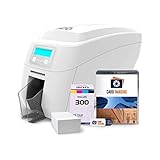
- 𝗦𝗨𝗣𝗣𝗟𝗜𝗘𝗦 𝗜𝗡𝗖𝗟𝗨𝗗𝗘𝗗: Color ribbon, 100 PVC cards, and Card Imaging design software
- 𝗙𝗥𝗘𝗘 𝗧𝗘𝗖𝗛 𝗦𝗨𝗣𝗣𝗢𝗥𝗧: Experts will help with printer set up
- 𝗟𝗖𝗗 𝗗𝗜𝗦𝗣𝗟𝗔𝗬 offers easy to understand messages and instructions
- 𝟯𝟬𝟬 𝗗𝗣𝗜 𝗣𝗥𝗜𝗡𝗧𝗜𝗡𝗚 ideal for images, logos, micro-text, and etc
- 𝟯 𝗬𝗘𝗔𝗥 Warranty
Experience hassle-free dual-sided ID card printing with the Magicard 300 Dual Sided ID Card Printer & Supplies Bundle (3300-0021). This printer delivers sharp, 300 dpi color cards, helping organizations produce professional-quality IDs on demand. Its auto-duplex feature simplifies double-sided printing, eliminating the need to flip cards manually.
The dye sublimation technology ensures vivid colors and durable prints, ideal for environments requiring clear, long-lasting identification. USB connectivity and an intuitive LCD display make setup and daily operation straightforward for office use. Maintenance is manageable, with the included supplies supporting smooth workflows from the start.
This bundle contains everything needed to begin printing immediately, including a color ribbon, 100 PVC cards, and Card Imaging design software. While the print speed of three cards per minute suits moderate workloads, heavy-volume needs might require multiple units. The single card tray capacity means occasional refills during large jobs.
Best for: Businesses and organizations seeking a reliable, all-in-one solution for efficient dual-sided color ID card production with easy setup and operation.
What We Like:
- Auto-duplex printing streamlines double-sided card creation
- Complete bundle with ribbon, cards, and design software included
- User-friendly interface with USB connectivity for easy integration
- Durable prints using dye sublimation technology
- Compact design fits well in office environments
Specification:
| Feature | Details |
|---|---|
| Manufacturer | Magicard |
| Print Resolution | 300 dpi |
| Print Speed | 3 cards per minute |
| Connectivity | USB 2.0 |
| Card Capacity | 100 cards (single tray) |
| Included Supplies | Color ribbon, 100 PVC cards, design software |
Brother QL-820NWB Professional Monochrome Label Printer
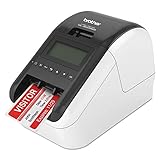
- Flexible connectivity the QL 820NWB network label printer features Bluetooth wireless technology, Ethernet and Wireless (802.11B/g/N) interfaces
- Also offers a USB host interface for use with a peripheral such as a Scanner
- Ultra fast, up to 110 standard address labels per minute with black text at 300dpi
- Easy to read monochrome LCD screen allows for standalone use
- Print amazing black/red labels using DK 2251; Maximum Label Length: 3 feet
Experience efficiency and versatility with the Brother QL-820NWB Professional Monochrome Label Printer, designed to keep your high-volume labeling tasks smooth and precise. Its fast printing speed of up to 110 labels per minute at 300 dpi delivers sharp, clear text, helping you maintain productivity without sacrificing quality.
This label printer offers flexible connectivity options including Bluetooth, Ethernet, Wi-Fi, and USB, allowing seamless integration into various work environments. You can even connect peripherals like scanners, making it a versatile tool for complex workflows.
The easy-to-read LCD screen enables straightforward standalone operation, reducing the need for constant computer access. Using the special DK-2251 consumables, you can print labels in black and red up to three feet long, adding color coding capabilities when needed.
Maintenance is straightforward, though users should note the requirement for specific consumables to access red printing. Its larger size and advanced features are best suited for professional settings rather than casual or low-volume use.
Best for: Businesses and professionals who require a fast, adaptable monochrome label printer with multiple connectivity options and standalone use.
What We Like:
- High-speed printing of up to 110 labels per minute at 300 dpi resolution
- Multiple connection methods including Bluetooth, Ethernet, Wi-Fi, and USB
- Supports long labels and black/red printing with special consumables
- Standalone operation via clear, easy-to-read LCD interface
Specification:
| Feature | Details |
|---|---|
| Manufacturer | Brother |
| Dimensions | Approx. 7.5 x 12.5 x 7.8 in |
| Weight | Approx. 3.9 lbs (1.77 kg) |
| Printing Resolution | 300 dpi |
| Connectivity | Bluetooth, Ethernet, Wi-Fi, USB |
| Consumables | DK-2251 (black/red labels) |
Bodno Magicard Pronto 100 ID Card Printer Package

- ALL-INCLUSIVE PACKAGE: The Magicard Pronto 100 includes supplies and a 100-print YMCKO ribbon, providing everything you need for professional ID card printing.
- 100-COUNT RIBBON INCLUDED: Comes with a 100-print YMCKO ribbon, allowing you to get started right out of the box.
- 50-CARD INPUT HOPPER: Load up to 50 cards for continuous printing, perfect for small batches.
- BODNO ID SOFTWARE, BRONZE EDITION: One-Time license with templates and drag-and-drop design. Your license code comes by email.
- 3-YEAR WARRANTY & LIFETIME SUPPORT: Enjoy peace of mind with a 3-year warranty and lifetime Bodno software support.
The Bodno Magicard Pronto 100 ID Card Printer Package offers a streamlined solution for creating sharp, professional badges with ease. Designed for quick setup, this package includes everything needed to start printing immediately. It solves the common challenge of slow and complicated ID card printing, helping you produce vibrant, full-color badges in just 23 seconds.
Its compact design fits well in any workspace, while the user-friendly interface reduces maintenance hassles. The printer supports both USB and Ethernet connections, allowing flexible integration into various office environments. With a 50-card input hopper, it balances capacity and space, ideal for small to medium print runs.
Although it prints on one side only, the Pronto 100 excels in delivering high-resolution images at 1200 x 1200 dpi. The included Bodno ID Software helps streamline badge design and management, though it’s licensed for single-user activation, making it best suited for individual or small team use.
Overall, this package enhances ID card production by combining quality, convenience, and efficiency in one compact printer.
Best for: Small businesses and professionals needing a reliable all-in-one ID card printing solution for fast, high-quality badge creation.
What We Like:
- Complete starter kit with printer, cards, ribbon, and software included
- Sharp thermal printing at 1200 x 1200 dpi for professional color badges
- Flexible connectivity options via USB and Ethernet
- Simple operation with compact, space-saving design
Specification:
| Feature | Details |
|---|---|
| Manufacturer | Bodno |
| Printer Model | Magicard Pronto 100 |
| Print Resolution | 1200 x 1200 dpi |
| Print Speed | 23 seconds per full-color card |
| Connectivity | USB, Ethernet |
| Card Hopper Capacity | 50 cards |
| Included Supplies | 100 blank PVC cards, YMCKO ribbon |
| Software | Bodno ID Software Bronze Edition (single-user license) |
Bodno Seaory S25 ID Card Printer Package Bronze Edition

- ALL-INCLUSIVE PACKAGE: Get everything you need to start printing professional-grade ID cards right out of the box, including supplies and the Seaory 11011 color ribbon...
- HAND-FED, ONE CARD AT A TIME: Put one card in and get one finished card out, ideal for printing badges on demand.
- BODNO ID SOFTWARE, BRONZE EDITION: Lifetime License for the life of the printer, with templates, drag-and-drop design and camera capture. Your license code comes by...
- VERSATILE COMPATIBILITY: Compatible with Windows, Mac, and Linux operating systems.
- 2-YEAR WARRANTY & LIFETIME SUPPORT: Includes a 2-year hardware warranty and lifetime Bodno software support.
The Bodno Seaory S25 ID Card Printer Package Bronze Edition is designed to simplify on-demand ID card production. It offers a compact solution for printing single-sided badges one at a time, making it ideal for environments where quality and efficiency matter. With an integrated Full HD photo ID camera, capturing crisp images for your cards is seamless.
This printer delivers sharp, full-color prints at 300 x 300 dpi, ensuring every detail stands out. It connects easily through USB or Ethernet, compatible with Windows, Mac, and Linux systems. Its straightforward design means minimal maintenance, allowing users to focus on creating professional-looking ID cards without hassle.
The package includes everything needed to get started immediately—printer, color ribbon, blank PVC cards, and software. This all-in-one solution is especially useful for small offices, schools, or organizations that require reliable badge printing combined with photo capture.
While it only supports single-sided printing and has a moderate print speed of 18 cards per minute, it meets the needs of low to medium volume applications effectively. Its user-friendly interface and lifetime software support enhance long-term usability.
Best for: Small offices, schools, and organizations needing on-demand, single-sided ID card printing with integrated photo capture and software support.
What We Like:
- Complete package with printer, camera, ribbon, software, and blank cards for immediate use
- High-quality 300 x 300 dpi dye sublimation printing with vivid 24-bit color
- Easy connectivity via USB and Ethernet across multiple operating systems
- Integrated Full HD photo ID camera for seamless image capture
- Simple maintenance with lifetime software support
Specification:
| Feature | Details |
|---|---|
| Manufacturer | Bodno |
| Printer Type | Single-sided dye sublimation |
| Print Resolution | 300 x 300 dpi |
| Print Speed | 18 cards per minute |
| Connectivity | USB 2.0, Ethernet |
| Included Supplies | YMCKO ribbon for 100 prints, 100 PVC cards |
| Software License | Lifetime |
| Compatible OS | Windows, Mac, Linux |
| Camera | Full HD photo ID camera |
| Dimensions | Compact design (exact size not specified) |
Bodno Magicard Pronto ID Card Printer Package

- ALL-INCLUSIVE PACKAGE: Includes the Magicard Pronto printer, supplies, and Bodno Bronze Edition software to start printing right out of the box.
- COMPACT AND PORTABLE: Lightweight design makes the Magicard Pronto easy to carry, perfect for small offices or mobile printing needs.
- MANUAL FEED PRINTER: Designed for single-card printing, offering greater control for small, one-off printing jobs.
- BODNO ID SOFTWARE, BRONZE EDITION: One-Time license with templates and drag-and-drop design. Your license code comes by email.
- 2-YEAR WARRANTY & LIFETIME SUPPORT: Includes a 2-year limited warranty and lifetime support for Bodno software.
The Bodno Magicard Pronto ID Card Printer Package is a practical solution for small offices and mobile professionals who need efficient ID card printing on demand. Its compact and portable design fits easily into tight spaces or travel bags, making it ideal for on-the-go use.
This all-in-one package includes everything necessary to start printing immediately: the Magicard Pronto printer, 100 PVC cards, a full-color ribbon, and Bodno’s Bronze Edition ID software with an emailed license. The printer uses dye sublimation technology to produce clear, professional-quality photo and membership cards in both color and monochrome.
Maintenance is simple with manual card feeding, suited for one-off or low-volume jobs. USB connectivity ensures straightforward setup, though it may not match the speed of wireless options. The printer supports single-sided printing, which keeps it lightweight but limits duplex capabilities.
Overall, this package is designed to provide reliable, high-quality ID card printing with minimal setup and hassle, especially when portability and space-saving are priorities.
Best for: Small offices and mobile professionals requiring a compact, all-in-one ID card printer for occasional color and monochrome printing.
What We Like:
- Complete package with printer, cards, ribbon, and licensed software included
- Lightweight and portable design for easy transport and setup
- High-quality dye sublimation printing for sharp, vibrant cards
- Simple maintenance with manual card feeding suited for low-volume use
Specification:
| Feature | Details |
|---|---|
| Manufacturer | Bodno |
| Printer Model | Magicard Pronto |
| Included Supplies | 100 PVC cards, full-color ribbon |
| Software | Bodno Bronze Edition ID software (license emailed) |
| Connectivity | USB 2.0 |
| Printing | Single-sided, color and monochrome |
| Dimensions | Compact, fits small spaces |
| Weight | Lightweight for portability |
2ID Fargo DTC1250e Badge Printer & Supplies Package
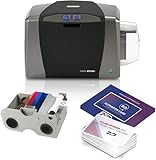
- Efficient Operation: Delivers high-quality ID cards with a built-in erase and rewrite function for temporary and reusable cards
The 2ID Fargo DTC1250e Badge Printer & Supplies Package offers a practical solution for organizations needing dependable, single-sided ID card printing. It excels at producing school IDs, corporate access cards, and membership badges with clear, vibrant colors and sharp black-and-white images. This printer’s straightforward design makes it easy to maintain and operate, reducing downtime.
Its dye sublimation technology prints vibrant colors at 300 dpi and detailed monochrome images up to 1200 dpi. The built-in erase and rewrite feature supports reusable cards, which helps lower printing costs and minimizes waste. With Ethernet and USB connections, it integrates smoothly into most office environments.
Printing speed is moderate, at up to three color cards per minute, suitable for small to medium print runs. The package comes complete with beginner-friendly software and all necessary supplies, allowing immediate setup and use. Its single-sided printing may not fit needs requiring double-sided cards, and it lacks wireless connectivity, which could limit flexibility.
Best for: Organizations needing a reliable, easy-to-use badge printer for efficient single-sided ID card production.
What We Like:
- High-quality color and monochrome printing for clear ID cards
- Includes beginner-friendly software and complete supplies
- Reusable card feature reduces waste and cost
- Supports Ethernet and USB connections for easy integration
Specification:
| Feature | Details |
|---|---|
| Manufacturer | Fargo |
| Model | DTC1250e |
| Printing Technology | Dye Sublimation |
| Print Resolution | 300 dpi (color), 1200 dpi (B&W) |
| Print Speed | Up to 3 cards per minute |
| Connectivity | Ethernet, USB |
| Printing Type | Single-sided |
| Included Software | Beginner-friendly card production software |
| Supplies | Complete package included |
2ID Fargo DTC1250e Single-Sided ID Badge Printer

- Versatile card printing: Single-sided ID printer: perfect for ID and Proximity cards, compatible with Windows (Ribbon cartridge and Id cards are sold separately)
- Compact: Its small footprint allows this card printer to easily fit on any desktop, making it ideal for small to medium businesses
- Global Warranty: By providing an extended global three-year warranty, the DTC1250e plastic ID card printer instills confidence by assuring customers of its long-term...
- Seamless Card Printing: Experience the printer's user-friendly design, enabling you to effortlessly produce professional cards within minutes. The DTC1250e guarantees...
- Complimentary Software Offer: Obtain the 2iD Beginner Edition card production software at no cost when you acquire a printer by simply requesting a license key through...
The 2ID Fargo DTC1250e is a compact and efficient solution for printing single-sided ID badges. It excels at producing clear, professional-quality cards using dye sublimation, offering vibrant full-color or sharp black-and-white prints. This printer’s edge-to-edge capability ensures your badges look polished and complete without white margins.
Designed primarily for Windows users, it offers straightforward USB connectivity for quick setup. The tray holds up to 100 CR80 cards, making it easy to manage medium-sized print jobs without constant refilling. Its fast black-and-white printing speed of up to 10 pages per minute helps streamline ID issuance.
Maintenance is simple with this model, but keep in mind you’ll need to purchase ribbons and cards separately. The single USB port limits connection options, and it does not support dual-sided printing, which may be a consideration for some organizations.
The printer’s compact design fits well in tight office spaces and its Energy Star certification helps reduce power consumption. It’s a practical choice for businesses that require reliable, straightforward badge printing without extra features.
Best for: Small to medium businesses and organizations needing reliable, fast, and compact single-sided ID badge printing with Windows compatibility.
What We Like:
- Produces high-quality edge-to-edge color and black-and-white badges
- Fast printing speed of up to 10 pages per minute (black and white)
- Compact design ideal for limited workspace
- Energy Star certified for efficient power use
Specification:
| Feature | Details |
|---|---|
| Manufacturer | 2ID Fargo |
| Dimensions | Compact size (exact dimensions not provided) |
| Weight | Not specified |
| Printing Technology | Dye sublimation |
| Print Resolution | 300 x 300 dpi |
| Card Type | CR80 single-sided |
| Card Capacity | Up to 100 cards |
| Connectivity | USB only |
| Color Options | Full-color and black-and-white |
Factors to Consider When Choosing a Badge Printer
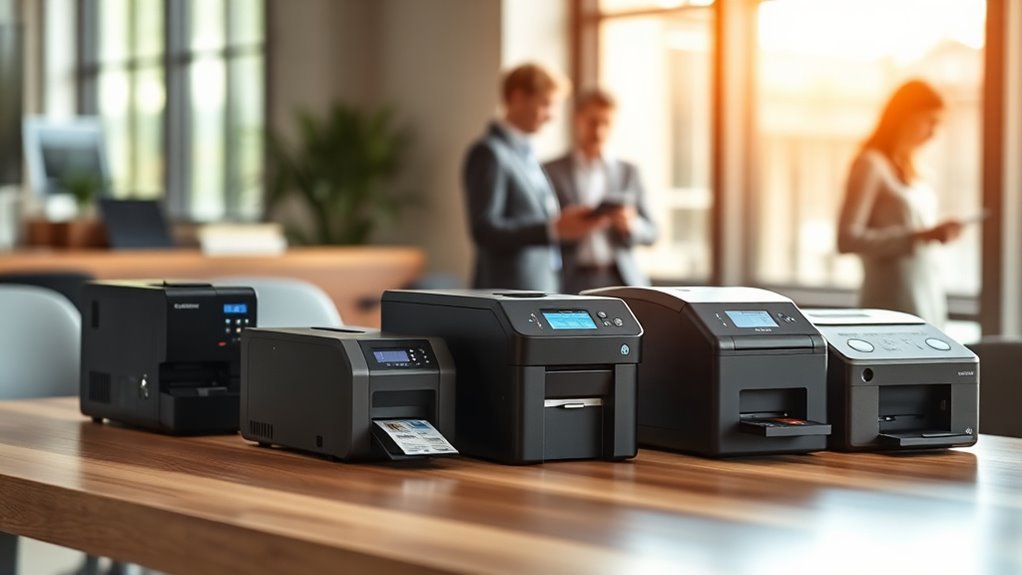
When choosing a badge printer, you’ll want to focus on print quality and speed to keep your workflow smooth. Consider how the printer connects to your system and whether it fits your workspace or needs portability.
Don’t forget to check the software features and licensing to guarantee everything works seamlessly for your setup. It’s all about making sure your badge printing is hassle-free and efficient.
Print Quality and Resolution
Choosing the right print quality and resolution is essential for creating professional-looking badges that clearly display photos, text, and logos. Aim for at least 300 dpi for full-color badges. But if you want sharper photos and finer text, opt for 600 dpi or higher.
The color depth matters too—a 24-bit color depth supports millions of colors, delivering realistic skin tones and smooth gradients. Consider the printing technology: dye-sublimation offers smoother continuous-tone colors, perfect for photographic badges. Meanwhile, direct-to-card printing might differ in finish.
Pay attention to the printer’s color panels like YMCKO and whether it includes a clear overlay to protect your prints from fading and abrasion. Balancing image fidelity with your throughput needs will help you pick the best printer for your badges.
Printing Speed and Efficiency
Printing speed and efficiency often determine how well your badge printer fits your workflow, especially under tight deadlines or high-volume demands. You should check print speeds in cards per minute (ppm) or seconds per card, focusing on higher ppm if you need fast batch output.
Remember, full-color dye-sublimation printing runs slower than monochrome thermal printing, so compare both speeds based on your print needs. Don’t overlook the initial card time—it’s vital for on-demand single-card jobs to reduce wait times during walk-up issuance.
Also, match the printer’s throughput and hopper capacity to your expected volume to avoid bottlenecks. If you require two-sided badges, choose a true single-pass duplex printer to maintain efficient throughput without re-feeds slowing you down.
Connectivity and Compatibility Options
Although speed and efficiency are critical, you’ll also want to make sure your badge printer offers the right connectivity and compatibility options to fit your technical environment. Choose printers with USB 2.0 for single workstations, Ethernet for shared networks, or Wi-Fi/Bluetooth for mobile setups.
Confirm that drivers and design software support your operating systems—Windows, macOS, or Linux—to prevent compatibility issues. If you plan to integrate with access control or HR systems, verify the printer supports standard APIs, SDKs, or network protocols for direct database imports and remote management.
Also, check controller and app compatibility to match your devices, whether mobile or desktop. For multi-user environments, select printers with network ports and firmware supporting user permissions, driver deployment, and remote troubleshooting to streamline administration.
Printer Size and Portability
When you need a badge printer that fits your workspace and workflow, size and portability become essential factors. Consider the printer’s physical footprint and weight—do you want a compact desktop unit or a portable model for events?
If you print on the go, look for lightweight printers under 6 kg and dimensions roughly below 20″ x 10″ x 10″ for easy transport. Decide between hand-fed single-card printers, which are smaller and more portable, and hopper-fed machines that offer higher capacity but bulkier size.
Also, verify power requirements; portable units should support low wattage or common outlets. Keep in mind built-in displays, extra trays, or larger card capacities add size and weight, so balance features with your need for mobility.
Software Features and Licensing
Before choosing a badge printer, you’ll want to evaluate the software features and licensing options carefully, as these directly impact your design flexibility and long-term costs. Look for software with a drag-and-drop editor and a library of prebuilt templates to speed up badge design without needing advanced skills.
Check if the license is perpetual or subscription-based, how many workstations or printers it covers, and whether support is included or requires renewal fees. Confirm database-import capabilities for CSV, Excel, or LDAP integration, plus photo capture for personalization.
Make sure the software supports your required output formats and security features like watermarking or encoding for smart cards or RFID. Also, verify cross-platform compatibility and network deployment options if you need multi-user or remote printing.
Media and Consumable Support
Since your badge printer’s media and consumable support directly affects print quality and operational costs, you need to make sure it handles your card size, thickness, and print type requirements. Check the maximum media dimensions—like CR80 (3.37″×2.125″)—and verify if edge-to-edge printing is supported.
Match ribbon types (YMCKO, YMCKO-K, monochrome) to your desired output since panel counts impact durability and cost-per-card. Confirm the printer’s input/output hopper capacities and recommended card thickness to avoid jams and frequent reloads.
Also, consider whether it uses hand-fed, single-card, or auto-feeder mechanisms and supports duplex printing if you need two-sided badges. Finally, make certain consumables like ribbons, overlays, and cleaning kits are readily available and either standard or proprietary, so you won’t face supply shortages or unexpected expenses.
Warranty and Technical Support
Although upfront specs and features matter, you should also prioritize warranty and technical support to protect your investment in a badge printer. Check the warranty length—typically 1 to 4 years—and confirm it covers parts, labor, and on-site service for long-term peace of mind.
Make sure technical support is accessible via phone, email, live chat, and an online knowledge base, with convenient hours to resolve issues quickly. It’s important that you can reach out easily whenever a problem pops up.
Verify firmware and driver updates are provided, along with spare parts and consumables support after purchase. Don’t forget to ask if software support or license updates are included or need separate contracts.
Finally, inquire about response times, repair policies, and if backup units are available to keep your operations running smoothly during repairs. This way, you won’t be left hanging if something goes wrong.
Frequently Asked Questions
How Do I Clean and Maintain a Badge Printer for Longevity?
You should regularly clean the printhead with isopropyl alcohol, and make sure to remove dust and debris from the rollers. Doing this keeps the printer running smoothly.
Also, avoid using low-quality ribbons because they can damage the printhead over time. And don’t forget to store the printer in a cool, dry place.
These simple steps really help your badge printer last longer and perform better. It’s all about keeping things clean and using good materials!
Can Badge Printers Integrate With Existing Security Systems?
You’ll be pleased to know badge printers often play nicely with your existing security systems, integrating smoothly through compatible software or APIs. This way, you can effortlessly enhance access control without overhauling your current setup.
It’s pretty convenient, right? Just plug in the printer, connect it to your system, and you’re good to go. No need to stress about complex installations or big changes.
What Are Common Troubleshooting Steps for Badge Printer Errors?
You should check connections, clean print heads, and verify ribbon and card alignment. Updating drivers and restarting the printer can also help.
Also, take a look at any error messages you see. Don’t forget to consult the manual—it can quickly guide you through common badge printer issues.
Are There Eco-Friendly Badge Printing Options Available?
Yes, you can find eco-friendly badge printing options that use sustainable materials and energy-efficient technology.
You’ll want to choose printers with recyclable ribbons and biodegradable badges to reduce your environmental impact effectively.
It’s a smart way to keep things green without sacrificing quality or convenience.
How Secure Are the Printing Processes Against Data Breaches?
You might be surprised, but modern badge printers use advanced encryption and secure data channels, so your information stays safe.
Just make sure you update firmware regularly and restrict access to prevent any potential breaches.
Conclusion
Choosing the right badge printer means balancing quality, speed, and ease of use. You want a printer that delivers sharp images, runs smoothly, and fits your budget.
Whether you pick the Badgy100 for simplicity, the Magicard 400X for versatility, or the Fargo DTC1250e for reliability, focus on what matters most to you.
Invest in a printer that works hard, prints fast, and lasts long—because your badges deserve nothing less. When searching for the best badge printers, prioritize durability and efficiency to ensure your professional needs are met.
Remember, a trusted badge printer not only enhances your workflow but also produces clear and crisp IDs every time. Make your choice wisely for a dependable badge printing experience that stands the test of time.