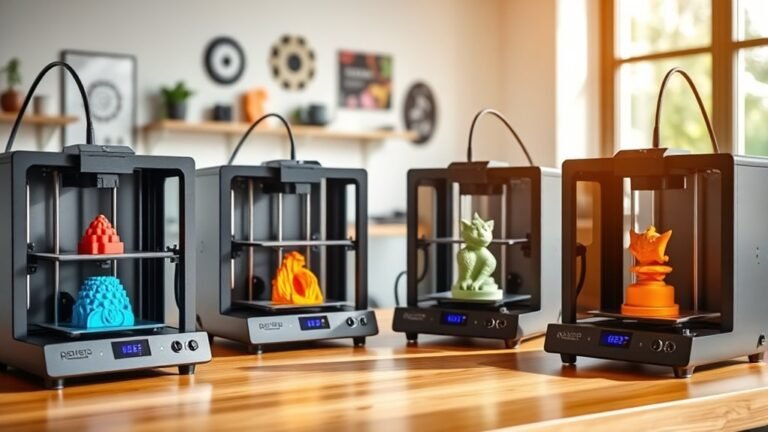
6 Best Assembled 3D Printers for 2027
If you’re looking for hassle-free setup and immediate printing, the Entina Tina2C Mini and the lightweight Mini Starter Kit are excellent choices.
Both come fully assembled, so you can start printing quickly without any complicated setup. These models are perfect for beginners or anyone who wants a straightforward 3D printing experience.
For those who want speedy, high-quality multicolor prints, Bambu Lab’s P2S Combo and Creality K2 Combo stand out.
They offer advanced automation and excellent material handling, making multicolor printing smoother and more efficient.
ELEGOO’s Centauri 2 Combo is another great option, especially for beginners seeking multicolor capabilities with intuitive controls.
The Bambu Lab P1S Combo takes it a step further by supporting even more color variety.
Keep exploring these top assembled 3D printers to find the one that best fits your creative needs and style!
| Image | Name | Editor's Rating | Price |
|---|---|---|---|

|
|
||

|
|
||

|
|
||

|
|
||

|
|
Entina Tina2C Mini 3D Printer for Beginners
- 【Easy to Use 3D Printer – Ready in 5 Minutes】 Meet the Entina Tina2C, a plug-and-play mini 3D printer designed for first-time users. Fully assembled with factory...
- 【3500+ 3D Models & Easy One-Tap Printing】 Explore 3500+ ready-to-print 3D models and 25+ DIY projects in the Poloprint Cloud app, with new designs added daily...
- 【Smart WiFi 3D Printer & AI-Powered App】 Connect via 2.4GHz WiFi and enjoy convenient 3D printer app control through Poloprint Cloud. Explore models, manage prints...
- 【Auto Leveling 3D Printer & Power-Loss Recovery】 Automatic bed leveling helps improve first-layer adhesion and reduces manual adjustments for a smoother 3D printing...
- 【Flexible Magnetic Print Bed & Quick-Swap Nozzle】 The flexible magnetic build plate makes finished 3D prints easier to remove with a gentle bend. A removable...
The Entina Tina2C Mini 3D Printer is designed to make 3D printing accessible and straightforward. It solves the common challenge of complex setup by arriving fully assembled and ready to print within minutes. This means you can focus on creating rather than troubleshooting.
Its compact design fits comfortably on any desk, making it ideal for small spaces. The printer’s auto leveling feature ensures your prints start perfectly every time, reducing failed prints and material waste. If power unexpectedly cuts out, the printer’s power-loss recovery saves your progress, protecting your work.
Maintenance is easy with a quick-swap removable nozzle that simplifies cleaning and upkeep. The Poloprint app offers guided setup and wireless control, helping beginners navigate the printing process with confidence. This app-based approach also allows for remote management and AI-powered features that enhance creativity.
While the build volume is limited to smaller projects, the Entina Tina2C Mini excels at delivering reliable, hassle-free printing for those new to 3D printing. Its focus on user-friendly functionality makes it a practical choice for hobbyists and learners.
Best for: Beginners and hobbyists seeking a compact, easy-to-use 3D printer with guided app support and minimal setup.
What We Like:
- Fully assembled and ready to print quickly
- Auto leveling for consistent first layers
- Power-loss recovery protects print progress
- Wireless control through an intuitive app
- Easy maintenance with removable nozzle
Specification:
| Specification | Details |
|---|---|
| Manufacturer | Entina |
| Build Volume | 3.9 x 3.9 x 3.9 inches |
| Setup Time | Approximately 5 minutes |
| Connectivity | Wireless via Poloprint app |
| Design | Compact, quiet |
Bambu Lab P2S Combo, P2S 3D Printer & AMS 2 Pro, Multi-Color 3D Printing
- High-Speed Precision: The Bambu Lab P2S 3D printer prints up to 600 mm/s while maintaining exceptional accuracy. With the PMSM Servo Extruder and Active Flowrate...
- Ready to Print in 15 Minutes: Set up your P2S FDM 3D printer and start printing in just 15 minutes. With AI failure detection, quick-swap nozzles, and automatic...
- Effortless Multi-Color Printing: The AMS 2 Pro enables seamless multi-color/multi-material 3D printing. It features built-in filament drying at up to 65 °C, keeping...
- Smart Airflow for Any Filament: The Adaptive Airflow System automatically balances cooling and heat retention—keeping overhangs crisp with cool air, or maintaining a...
- Limitless Creativity, Seamless Workflow: Explore over one million 3D models on MakerWorld and bring them to life with a smooth, unified workflow using Bambu Studio, Bambu...
Experience a new level of speed and precision with the Bambu Lab P2S Combo, designed to tackle the challenges of multi-color 3D printing. This system combines the high-speed CoreXY P2S printer with the AMS 2 Pro, enabling smooth, multi-material printing that meets demanding project requirements.
The combo solves common issues like slow print times and complex color changes. With print speeds up to 600 mm/s and sharp, detailed results, it streamlines workflows and boosts productivity. Maintenance is straightforward with automatic calibration and quick-swap nozzles, reducing downtime and simplifying setup.
Its Adaptive Airflow System and built-in filament drying ensure consistent print quality by managing material conditions effectively. AI error detection adds reliability by catching issues early, minimizing failed prints and material waste. Though the system is powerful, it requires space and some familiarity to unlock its full potential.
Best for: creators and professionals seeking fast, precise multi-color 3D printing with advanced automation and material handling.
What We Like:
- High-speed printing up to 600 mm/s with precise details
- Seamless multi-material printing with AMS 2 Pro’s drying and airflow control
- Easy setup through automatic calibration and quick nozzle swaps
- Reliable prints aided by AI error detection technology
Specification:
| Feature | Details |
|---|---|
| Manufacturer | Bambu Lab |
| Dimensions | Not specified |
| Weight | 46.3 pounds (21 kg) |
| Material | CoreXY frame with advanced extruder system |
| Color Options | Not specified |
Creality K2 Combo 3D Printer with Auto Leveling
- Multicolor 3D Printing: 4 × CFS for up to 16 colors. By hooking up as many as four CFS units together, you are able to print in the splendor of 16 colors. Saves the need...
- Ultra Quiet Printing: Silent Mode for a quieter printing experience. Annoyed by the buzzing noise? Not K2. By adopting step-servo motors and dynamically balanced fans. It...
- Out-of-the-Box Experience: Pre-assembled for plug and play. You can use K2 right after unpacking and screen installation. Unlocks a wider selection of materials...
- Smart Auto Leveling & AI Camera: Faster leveling of only the target print area. The leveling sensor only probes and levels the bed area relevant to the desired print...
- Superior Print Quality: Sturdy frame and precise step-servo motor system. K2 uses 3 step-servo motors, both in the extruder and on the X/Y axis. They can adjust torque...

The Creality K2 Combo 3D Printer with Auto Leveling transforms multicolor printing by allowing up to 16 colors through four linked CFS units. This capability removes the need for post-print painting, making your workflow cleaner and more efficient. Its generous 260 × 260 × 260 mm build volume supports a wide range of project sizes without sacrificing detail.
Equipped with a next-generation direct drive extruder and three step-servo motors, the printer dynamically adjusts torque for consistent, precise extrusion at speeds up to 600 mm/s. This ensures smooth printing with various materials like PLA, PETG, and ABS, improving your output quality and reliability.
Maintenance is simplified with smart auto-leveling, reducing manual adjustments and print failures. An AI camera continuously monitors the print progress in real time, allowing you to catch issues early. Despite arriving 95% pre-assembled, the setup requires screen installation, which may need some technical skill.
The sturdy frame minimizes vibrations, ensuring quiet operation and stable printing. This design balances advanced automation with durability, making it suitable for both hobbyists and professionals aiming for high-quality, multicolor prints.
Best for: Hobbyists and professionals seeking high-quality, multicolor 3D printing with advanced automation and a sizable build volume.
What We Like:
- Multicolor printing up to 16 colors with linked CFS units, reducing finishing time
- Dynamic torque adjustment for precise extrusion at high speeds
- Smart auto-leveling and AI camera improve print accuracy and reduce failures
- Quiet operation on a solid, stable frame
Specification:
| Feature | Details |
|---|---|
| Manufacturer | Creality |
| Build Volume | 260 × 260 × 260 mm |
| Extruder Type | Direct drive with step-servo motors |
| Max Print Speed | 600 mm/s |
| Supported Materials | PLA, PETG, ABS, others |
| Assembly | 95% pre-assembled |
| Additional Features | Auto leveling, AI camera |
Mini 3D Printer Starter Kit with WiFi
- High Precision and Speed: Our 3d printer for kids achieves a top speed of 250mm/s, significantly reducing printing time while maintaining professional-grade precision at...
- Ideal for Kids and Beginners: This toybox 3d printer was fully assembled and ready to use out of the box. This complete starter kit includes a mini 3d printer, a roll of...
- Outstanding Design: Automatic Nozzle Cleaning: Ensures a clean nozzle for consistent print quality;One-Button Auto-Leveling: Simplifies the setup process for...
- Friendly Warranty: We offer a 30-day worry-free return/replacement policy, 12-month free repair service, and lifetime professional technical support. If you have any...
- 【Notes & Tips】To use 1kg filament, simply print a 1kg-capable holder compatible with our mini printer. A pre-sliced file named 1kgFilamentSpoolHolder_1h30m.gcode is...
Discover the ease of 3D printing with this mini 3D printer starter kit with WiFi. Designed for kids and beginners, it simplifies the creative process by arriving fully assembled and ready to use. The compact design fits easily on any desk, making it perfect for small spaces.
Setup is hassle-free thanks to one-button auto-leveling and one-touch filament loading. These features reduce common setup errors and save time, allowing users to focus on printing. WiFi connectivity lets you send print jobs wirelessly, adding flexibility to your workflow.
Maintenance is straightforward with automatic nozzle cleaning and a PEI heated bed, which help keep prints smooth and reduce downtime. The included PLA filament and pre-sliced files get you started right away, making it easier to learn and experiment.
With a top speed of 250 mm/s and precision of 0.01 mm, this printer balances speed and detail, so beginners can achieve quality results quickly. Its lightweight design offers portability, though the compact build size limits larger projects.
Best for: Kids, beginners, and educators looking for a simple, fully assembled mini 3D printer starter kit with WiFi for fast learning and creative exploration.
What We Like:
- Fully assembled with simple auto-leveling and filament loading
- Fast printing speed with high precision for quality output
- Includes essential starter components and lifetime technical support
- Automatic nozzle cleaning and PEI heated bed for easy maintenance
Specification:
| Feature | Description |
|---|---|
| Manufacturer | Not specified |
| Dimensions | Compact size (exact not provided) |
| Weight | 6.61 pounds (3 kg) |
| Material | Not specified |
| Color Options | Not specified |
ELEGOO Centauri 2 Combo 3D Printer, Beginner-Friendly Multicolor Printing
- 4-Color Printing with CANVAS: Create vibrant multi-color models effortlessly with CANVAS 4-color printing. Independent motors, instant color switching, RFID filament...
- Start Printing with Confidence: Full auto calibration and smart pre-print checks simplify setup, while 22 intelligent sensors monitor every print in real time. From first...
- Designed for Speed: Experience faster creation with a high-speed CoreXY system reaching up to 500mm/s and 20,000mm/s² acceleration. The rigid aluminum frame and...
- Smoother, Sharper, Smarter: From the first layer to the final detail, intelligent calibration, vibration compensation, and precise extrusion control help produce clean...
- A Seamless Workflow from Idea to Print: Simplify your entire workflow with the ELEGOO ecosystem. Discover ready-to-print models on Nexprint, prepare projects with...
Experience seamless multicolor 3D printing with the ELEGOO Centauri 2 Combo. Designed to simplify complex projects, it uses an advanced 4-color CANVAS system that switches colors instantly with independent motors. This eliminates delays and interruptions, making multicolor prints smooth and efficient.
The printer’s smart features include RFID filament recognition and an auto refill system, which streamline the printing process and reduce manual handling. Its high-speed CoreXY motion and sturdy aluminum frame ensure precise, stable outputs. The 350°C nozzle expands material options for diverse printing needs.
Maintenance is straightforward thanks to intelligent calibration and 22 real-time sensors that monitor print quality continuously. User-friendly tools like a 5-inch touchscreen, magnetic printhead cover, and semi-automatic belt tensioner make setup and upkeep hassle-free.
Remote control via the ELEGOO Matrix app and access to ready-to-print models through Nexprint further enhance convenience. The ELEGOO Centauri 2 Combo meets the demands of both beginners and seasoned makers, balancing ease of use with powerful multicolor capabilities.
Best for: Makers and hobbyists seeking reliable, high-quality multicolor 3D printing with intuitive features and advanced performance.
What We Like:
- Instant 4-color switching with RFID filament recognition and auto refill.
- High-speed CoreXY motion system with a rigid aluminum frame.
- Intelligent calibration and 22 sensors for consistent print quality.
- User-friendly touchscreen and maintenance tools.
- Remote monitoring and ready-to-print model access.
Specification:
| Feature | Details |
|---|---|
| Manufacturer | ELEGOO |
| Dimensions | Not specified |
| Weight | Not specified |
| Material Frame | Aluminum |
| Nozzle Temperature | Up to 350°C |
| Color System | 4-color CANVAS |
| Display | 5-inch Touchscreen |
Bambu Lab P1S Combo, P1S 3D Printer and AMS, Multi-Color 3D Printing

- Up to 16 Colors: Bring your designs to life with vibrant multi-color/multi-material printing capabilities, perfect for showcasing your creativity. Note: Connecting Bambu...
- 500mm/s and 20000 mm/s² Acceleration True High Speed: Don't wait around for your masterpieces. Lightning-fast printing speed lets you focus on creating, not waiting.
- Enclosed Design: Fully enclosed body improves print performance for advanced filaments. Automatic Bed Leveling: Say hello to high-quality, successful prints. Auto bed...
- Set Up in 15 Minutes: Spend more time printing and less time setting up. User-friendly design ensures a hassle-free assembly experience for all skill levels.
- Supported Filament: Ideal: PLA, PETG, TPU, PVA, PET ABS, ASA; Capable : PA, PC; Not Recommended: Carbon/Glass Fiber Reinforced Polymer.
Experience the power of fast, multi-color 3D printing with the Bambu Lab P1S Combo. This printer is designed to tackle complex projects quickly, helping creators deliver vibrant, detailed models without long wait times. Its compact, enclosed frame fits neatly in most workspaces, making it easy to integrate into your setup.
The CoreXY architecture enables print speeds up to 500 mm/s and accelerations reaching 20,000 mm/s². This means you can produce prototypes and parts faster, improving your workflow efficiency. Automatic bed leveling simplifies maintenance, while the quick setup lets you start printing in about 15 minutes.
Adding the AMS accessory expands your printing capabilities by allowing up to 16 colors or materials in a single print. This multi-material flexibility supports a variety of filaments like PLA, PETG, and TPU, giving you creative freedom for advanced projects. Note that carbon or glass fiber reinforced polymers are not recommended.
The P1S Combo suits professionals and creators who need speed, precision, and color versatility in one reliable system.
Best for: Professionals and creators needing rapid, multi-color 3D printing with versatile material options.
What We Like:
- High-speed printing with up to 500 mm/s and strong acceleration.
- Multi-material printing with up to 16 colors via AMS accessory.
- Easy maintenance with automatic bed leveling.
- Compact enclosed design fits varied workspaces.
- Quick setup process around 15 minutes.
Specification:
| Feature | Details |
|---|---|
| Manufacturer | Bambu Lab |
| Dimensions | Compact enclosed frame (exact size not specified) |
| Weight | 47.5 lb (21.5 kg) |
| Supported Filaments | PLA, PETG, TPU |
| Multi-color Support | Up to 16 colors with AMS |
Factors to Consider When Choosing an Assembled 3D Printer
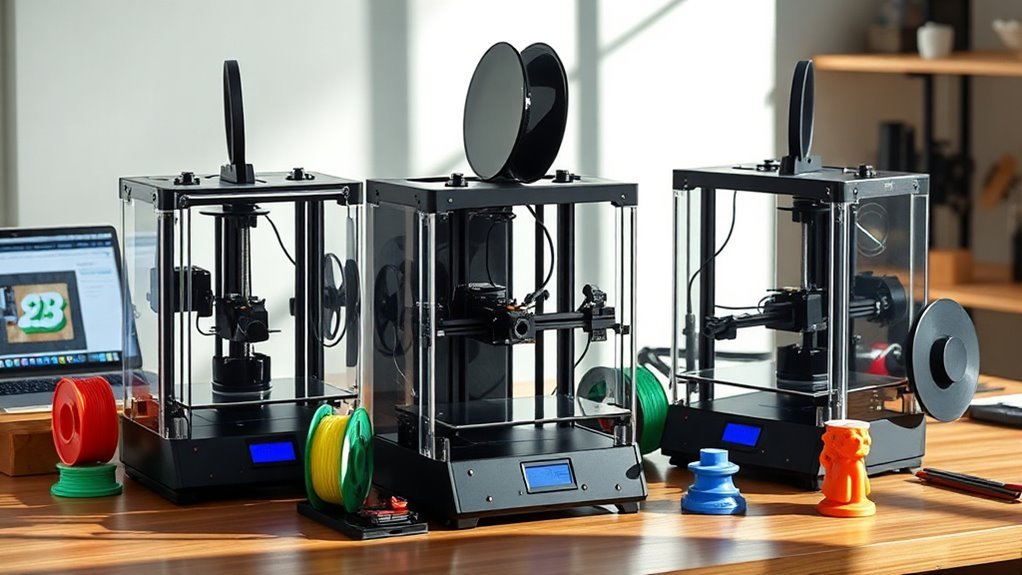
When choosing an assembled 3D printer, you’ll want to focus on ease of use, print quality, and speed to get reliable results quickly.
Also, consider connectivity options and software compatibility to streamline your workflow. It really helps to have these features sorted out from the start.
Don’t forget to check multi-material support, size, and portability to match your specific needs. Finding the right fit can make a big difference in your overall experience.
Ease Of Use
Although 3D printing can seem complex at first, choosing a fully assembled, plug-and-play printer with features like automatic bed leveling and one-button calibration makes getting started much easier. Look for machines that advertise ready-to-print setup in under 15 minutes to skip initial technical headaches.
Power-loss recovery and filament runout detection help you avoid failed prints, especially when you’re away. Simple filament loading, quick-swap nozzles, and removable magnetic build plates make maintenance and print removal hassle-free.
Intuitive connectivity options like Wi-Fi and SD cards, paired with user-friendly apps or cloud libraries offering ready-to-print models, let you start printing with just a tap—even if you’re new to 3D modeling. These ease-of-use features guarantee a smooth, frustration-free introduction to 3D printing.
Print Quality And Speed
Since print quality and speed greatly influence your final results and workflow efficiency, you’ll want to focus on key factors like layer height, maximum print speed, and extrusion accuracy when choosing an assembled 3D printer.
Layer height, ranging from 0.05 to 0.3 mm, affects surface detail and print time—you’ll get finer details at 0.05–0.1 mm but slower prints.
High print speeds (200–600 mm/s) boost throughput but can hurt surface quality unless motion control and extrusion are precise.
Extruder type and accuracy, such as direct drive versus Bowden setups, impact dimensional fidelity and consistent layers, especially on small features.
Don’t overlook mechanical stiffness, motion precision, and thermal stability, as these guarantee sharp details and reliable adhesion, even at higher speeds.
Connectivity And Software
Print quality and speed rely heavily on hardware, but how you connect and control your 3D printer shapes your overall experience and productivity. Make sure your printer supports both wireless (2.4/5 GHz Wi-Fi) and wired connections like USB or Ethernet to fit your network setup and remote needs.
Look for companion apps or cloud platforms that let you manage prints remotely, monitor progress, and queue jobs. At the same time, it’s great if they offer offline options such as SD or TF card printing.
Also, confirm compatibility with popular slicers like Cura or PrusaSlicer, and check if the printer can accept standard G-code for customization. Features like direct USB/SD transfer, OctoPrint support, automatic firmware updates, and AI-assisted tools can really streamline your workflow, reduce setup time, and enhance print reliability.
Multi-Material Compatibility
When choosing a 3D printer, you’ll want to make sure it supports the range of materials you plan to use, from flexible TPU to high-temperature nylons. Check which filament types the printer handles—PLA, PETG, ABS, TPU, PVA, Nylon, PET-CF, PC, and more. Also, verify any manufacturer restrictions.
Make certain it has a heated bed, an enclosed or temperature-controlled chamber, and a hotend capable of reaching up to 350 °C for demanding filaments. These features really come in handy when working with tricky materials.
Consider how it manages multi-material printing. Is it a single extruder with manual swaps, an automatic multi-filament system, or does it have independent multi-extruders? Each method has its perks depending on your needs.
Look for features like filament drying, flow compensation, quick-swap nozzles, purge towers, and filament sensors. These help keep your prints smooth and reduce hassle.
Finally, confirm its software supports multi-material workflows, including toolpath generation and model splitting. This will really streamline your printing process and save you time.
Size And Portability
Although the capabilities of a 3D printer matter most, you’ll also want to take into account its size and portability to make certain it fits your workspace and workflow. Check the build volume to confirm it handles the maximum part size you plan to print without overwhelming your space.
Compare the printer’s physical footprint and weight to your desk or storage area; compact models often weigh under 10 lb, while larger ones exceed 40 lb. Make sure you can easily access filament loading, print removal, and maintenance in your chosen location.
If portability matters, prioritize lightweight, fully assembled units with quick-disconnect features and protective covers. Also, consider ventilation needs—larger enclosed printers demand more room for safe operation and cooling compared to open, compact desktop models.
Frequently Asked Questions
What Materials Are Compatible With Assembled 3D Printers?
You can print with materials like PLA, ABS, PETG, TPU, and nylon on assembled 3D printers. Some also handle specialty filaments like carbon fiber or metal-infused, depending on your printer’s capabilities and nozzle type.
It really comes down to what your specific printer supports. So, before you start, check what materials are compatible with your setup. This way, you’ll get the best results without any issues.
How Do Assembled 3D Printers Compare to DIY Kits in Durability?
You’ll find assembled 3D printers are about 30% more durable than DIY kits because manufacturers use high-quality parts and precise assembly.
That means you won’t have to worry as much about wear or mechanical failures with an assembled model. They’re built to last right out of the box.
What Software Is Recommended for Designing 3D Prints?
You’ll want to use software like Fusion 360, Tinkercad, or Blender for designing 3D prints. They’re user-friendly, powerful, and widely supported.
These tools let you create detailed models ready for printing without any hassle. Plus, they’re great whether you’re a beginner or more experienced.
Are There Any Safety Precautions When Using 3D Printers?
Yes, you should always wear gloves and goggles to protect yourself from fumes and hot parts. It’s really important to keep yourself safe while the printer is running.
Make sure your workspace is well-ventilated. Also, never leave the printer unattended.
And don’t forget to keep flammable materials away from the printer. Safety first!
How Can I Maintain and Clean My Assembled 3D Printer?
Think of your 3D printer as a garden—regularly clean the nozzle, tighten screws, and lubricate moving parts.
Wipe the bed after prints, and keep dust away to guarantee it blooms with precision every time you print.
Conclusion
Choosing the right assembled 3D printer can make all the difference in your printing experience. Did you know that 78% of users report faster project completion with pre-assembled printers? It’s a game-changer for both beginners and pros alike.
With options like the beginner-friendly Entina Tina2C Mini or the advanced Bambu Lab P2S Combo, there’s something for every skill level. Whether you want simple prints or complex, multi-color masterpieces, the right printer is out there.
Keep your needs in mind, and you’ll enjoy hassle-free setup and vibrant, multi-color prints right out of the box. Ready to bring your ideas to life? Choosing one of the best assembled 3D printers for 2027 ensures you get reliable performance, quick start-up, and stunning results every time. Your 3D printing journey just got easier and more exciting!