3 Best Art Printers for Home Use in 2027
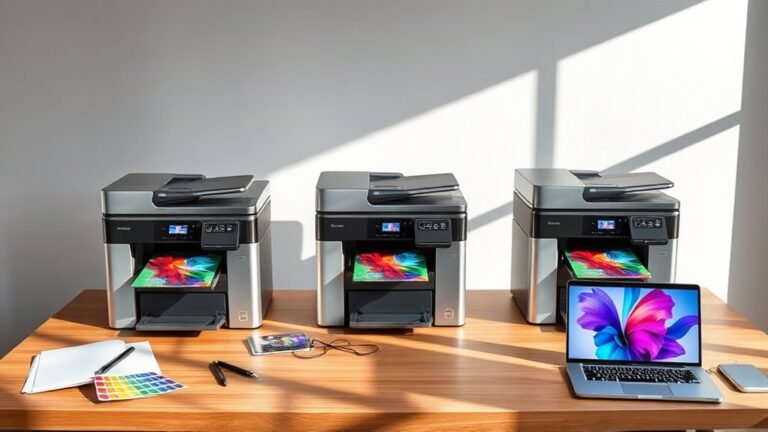
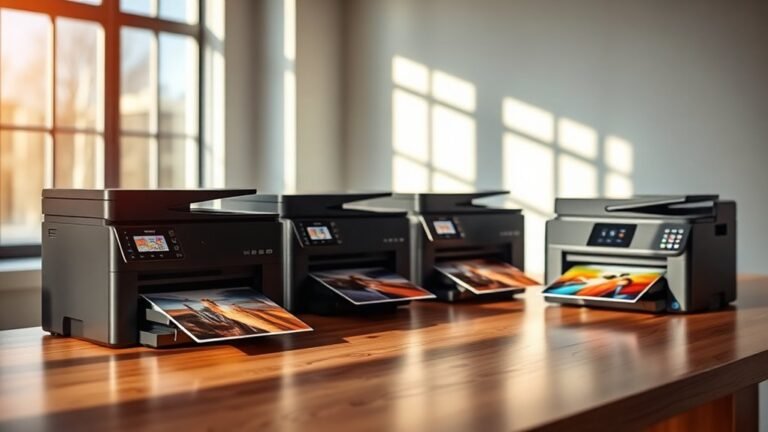
You’ll want the Epson EcoTank Photo ET-8550 for cartridge-free, lab-quality prints with wide media support and long-term ink savings. It’s perfect if you’re looking to save money on ink without sacrificing quality. Plus, it handles a variety of paper types so your art prints come out just right.
The Epson Expression Photo HD XP-15000 offers borderless 13 x 19-inch prints, high resolution, and automatic duplexing. This makes it great for larger projects where detail and size matter. It’s a solid choice if you want vibrant, professional-looking prints right at home.
For fast 4 x 6 photos plus scanning and copying, the XP-980 is ideal. It’s super convenient for quick prints and multitasking with scanning and copying features. Each of these printers balances print quality, cost, and connectivity, making them perfect for home art enthusiasts. Keep exploring to find which fits your creative needs best.
| Image | Name | Editor's Rating | Price |
|---|---|---|---|

|
|
||
|
|
||

|
|
Epson EcoTank Photo ET-8550 Wireless Wide-Format All-in-One Tank Printer
- CARTRIDGE-FREE PRINTING — Print lab-quality photos, graphics and creative projects; Get vibrant colors and sharp text with Epson's high-accuracy printhead and Claria ET...
- INK BOTTLES — Save on photos1 and creative projects with affordable in-house printing; All-in-one printer allows you to print 4" x 6" photos for about 4 cents each vs...
- LESS FREQUENT INK REPLACEMENT — Replacement ink bottles don't have to be changed nearly as often as ink cartridges¹; Printer, scanner and copier lets you print up to...
- PRINT FOR LONGER — Up to 2 years of ink in the box² (and with every replacement ink set) for fewer out-of-ink frustrations with this wireless printer
- ZERO CARTRIDGE WASTE — Epson EcoTank printer helps reduce the amount of cartridge waste ending up in landfills; Cartridge-free printer uses high-yield ink bottles; Each...

Experience vibrant, lab-quality photos and creative prints without the hassle of frequent cartridge changes. The Epson EcoTank Photo ET-8550 wireless wide-format printer is designed to simplify your printing needs. Its cartridge-free system uses Claria ET Premium 6-color inks, ensuring sharp text and vivid images every time.
Maintenance is easy with high-yield ink bottles that last up to 6,200 color pages, cutting down on refills and lowering your printing costs. The included ink supply can cover about two years of use, helping you save significantly per photo while reducing plastic waste.
This all-in-one printer supports wireless printing, scanning, and copying, accommodating wide-format documents and 4 x 6 photos with ease. Its design suits photographers, creatives, and home users who want professional-quality prints and multi-functionality without frequent interruptions.
While the initial cost may be higher than traditional cartridge printers, the long-term savings and environmental benefits are clear. The wide-format size requires more space, and ink bottle handling needs care to avoid spills, but these minor drawbacks are outweighed by its efficiency and quality.
Best for: photographers, artists, and home users seeking cost-effective, high-quality photo and document printing with minimal maintenance.
What We Like:
- Cartridge-free ink system with Claria ET Premium 6-color inks
- High-yield ink bottles lasting up to 6,200 color pages
- Wireless all-in-one printing, scanning, and copying
- Supports wide-format and 4 x 6 photo media
- Reduces landfill waste with refillable ink tanks
Specification:
| Feature | Details |
|---|---|
| Manufacturer | Epson |
| Dimensions | 23.8 x 13.9 x 7.9 inches |
| Weight | 18.7 lb (8.5 kg) |
| Ink System | Cartridge-free refillable tanks |
| Color Options | 6-color Claria ET Premium inks |
| Connectivity | Wireless |
Epson Expression Photo HD XP-15000 Wireless Wide-Format Inkjet Printer
- Epson printing system is designed to be used exclusively with Epson Genuine Cartridges. Use of non-genuine ink could cause damage not covered under the printer’s ltd...
- Professional ultra HD photo quality get brilliant border less prints upto 13 inches X 19 inches
- Individual 6 color Claria photo HD ink includes red and gray inks for an ultra wide color gamut and enhanced black and white prints. Sound pressure level: Pressure...
- Professional projects: Made easy features a 50 sheet rear tray for specialty media, including cardstock (1); Accommodates a variety of paper finishes and border less...
- Ultra compact wide format A3 plus printer 30 percent smaller than its predecessor (2); Easily fits on your desktop
The Epson Expression Photo HD XP-15000 transforms your home printing experience by delivering borderless photos up to 13 x 19 inches with vibrant, true-to-life colors. Its advanced 6-color Claria Photo HD ink system ensures sharp, detailed images and impressive black-and-white prints. This printer solves the challenge of producing professional-quality photos without the need for a costly studio setup.
Designed for versatility, it handles various media types such as cardstock and specialty papers. The dual tray system, including a 50-sheet rear tray and a 200-sheet front tray, helps manage different print jobs efficiently. Wireless and wired connectivity options make it easy to print from multiple devices, while automatic duplex printing saves time and paper.
Maintenance is straightforward with genuine Epson cartridges, ensuring consistent print quality and reducing downtime. The compact design fits neatly into home studios or creative workspaces, combining quiet operation with high-resolution output at 5760 x 1440 dpi. This printer is ideal for photographers and creative professionals who need reliable, wide-format photo printing.
Best for: Photographers, home studios, and creative users seeking high-quality, wide-format photo printing with vibrant, borderless results.
What We Like:
- High-resolution prints up to 13 x 19 inches with 6-color Claria Photo HD ink
- Supports diverse media types with convenient dual trays
- Wireless and wired connectivity plus automatic duplex printing
- Compact, quiet design ideal for home and studio environments
Specification:
| Feature | Detail |
|---|---|
| Manufacturer | Epson |
| Dimensions | Compact size (exact dimensions not provided) |
| Weight | Not specified |
| Ink System | 6-color Claria Photo HD |
| Max Print Size | 13 x 19 inches |
| Resolution | 5760 x 1440 dpi |
| Paper Trays | 50-sheet rear, 200-sheet front |
| Connectivity | Wireless and wired |
Epson Expression Photo XP-980 Wireless All-in-One Wide-Format Printer
- Professional-quality photos and prints — 6-color Claria Photo HD inks and a 5760 x 1440 dpi print resolution produce stunning borderless prints up to 11" x 17"
- Fast photo printing — delivers 4" x 6" borderless photos with astounding detail and accuracy in as fast as 11 seconds¹
- Convenient, easy operation — features 4.3" color touchscreen, plus Easy Mode for enhanced visibility and ease of use
- Versatile paper handling — separate trays for plain and photo paper, plus a rear feed for specialty paper
- Easy wireless printing — print from your laptop, desktop, smartphone or tablet³; use Wi-Fi Direct⁴ for router-free printing
Experience the freedom to create vibrant, borderless photos up to 11 x 17 inches with the Epson Expression Photo XP-980. This wireless all-in-one printer simplifies your workflow by combining printing, scanning, and copying in one sleek device. It transforms your home or studio into a creative hub without the hassle of complicated setups.
Designed for ease, the XP-980 uses six-color Claria Photo HD inks to deliver sharp, detailed images at a high resolution of 5760 x 1440 dpi. Printing a 4 x 6 photo takes just 11 seconds, helping you quickly bring your projects to life. Separate trays for plain and photo paper let you switch tasks effortlessly, while CD printing adds versatility.
Maintenance is straightforward, but keep in mind the use of Epson 279 ink cartridges, which may be costly. Avoid non-genuine inks to preserve warranty coverage. The printer’s size means it needs ample space, and its print speed of around 8 ppm may be slower compared to standard office printers.
Best for: photographers, scrapbookers, and creative hobbyists seeking high-quality, borderless photo printing with versatile scanning and copying capabilities.
What We Like:
- Produces vivid, sharp photos with six-color Claria Photo HD inks
- Supports wide-format, borderless printing up to 11 x 17 inches
- Fast 4 x 6 photo prints in just 11 seconds
- Easy-to-use 4.3-inch touchscreen and wireless connectivity
- Separate trays for plain and photo paper plus CD printing
Specification:
| Feature | Details |
|---|---|
| Manufacturer | Epson |
| Dimensions | Approx. 15.8 x 11.8 x 7.9 in |
| Weight | Approx. 14.3 lb (6.5 kg) |
| Ink Type | Six-color Claria Photo HD ink |
| Max Print Size | 11 x 17 inches (Tabloid) |
| Connectivity | Wireless, Epson Smart Panel app |
| Display | 4.3-inch color touchscreen |
Factors to Consider When Choosing an Art Printer for Home

When choosing an art printer for home, you’ll want to focus on print quality, ink type, and cost to get the best results without overspending. Consider the size and format support to match your creative projects.
Also, check connectivity options to guarantee seamless use with your devices. Don’t forget to weigh environmental impact factors, so your printer choices align with your values.
Print Quality Essentials
Although choosing an art printer for home use can feel overwhelming, focusing on print quality essentials will help you make a confident decision. Start by checking the maximum print resolution—higher dpi, like 5760 x 1440, means finer detail and smoother tones.
You’ll also want a multi-ink system with six or more channels, including light and special inks, to get accurate colors and subtle shadow gradations. Color management support, such as ICC profiles and calibration tools, ensures your prints match your screen’s colors.
Finally, consider paper handling: your printer should support heavy-weight and specialty art papers, borderless, and wide-format printing. This way, you’ll achieve the right texture, color absorption, and print size without compromising quality.
Ink Type And Cost
Since ink type directly affects both print quality and long-term costs, it’s essential to understand your options before choosing an art printer for home use. Pigment-based inks offer excellent color stability and longevity, ideal if you want your artwork to last.
Dye-based inks deliver vibrant colors but may fade faster under light, so consider how your prints will be displayed. Printers with more ink channels—six or more, including light or gray inks—produce smoother gradients and a wider color gamut, enhancing fine art quality.
Also, check ink yield and refill options; high-capacity bottles or XL cartridges greatly reduce cost per print compared to standard cartridges. Don’t forget to factor in whether the printer restricts third-party inks, as this can impact both expenses and warranty coverage.
Size And Format Support
Understanding ink types and their costs helps you manage print quality and expenses, but choosing the right printer also means considering the sizes and formats it supports. Make sure the printer handles the maximum paper size you plan to use, whether it’s 4×6 inches for small photos or up to 13×19 inches or larger for wide-format prints.
If you want edge-to-edge prints, check for borderless printing capabilities and their maximum dimensions. Consider media handling features, like separate trays or rear specialty-media feeds, to reliably print on heavy cardstock or textured fine art papers.
Also, verify the printer’s maximum sheet capacity and tray setup if you often switch paper types or run long print jobs. Finally, confirm support for thick or textured papers and uncommon sizes like A3+ or roll-fed wide formats for oversized artwork.
Connectivity And Compatibility
When choosing an art printer for home use, you’ll want to make sure it connects seamlessly with your devices and network. Check that the printer supports connection methods like Wi‑Fi, Wi‑Fi Direct, Ethernet, or USB to fit your setup.
Guarantee compatibility with your operating system—whether Windows, macOS, Android, or iOS—and verify updated drivers or apps are available to avoid limitations. If you plan to print from smartphones or tablets, look for support of mobile printing protocols like AirPrint or Mopria.
Also, confirm the printer accepts USB flash drives or memory cards for large files and offers built-in networking features such as secure Wi‑Fi setup (WPA2/WPA3), automatic duplexing, and firmware updates to maintain security and compatibility over time. It just makes life easier and keeps everything running smoothly.
Environmental Impact Considerations
Beyond connectivity and compatibility, you’ll also want to think about how your art printer impacts the environment. Choose cartridge-free tank or refillable-ink systems to cut down on plastic landfill waste from single-use cartridges.
Compare ink yield per bottle and calculate ink used per print to estimate long-term waste. Opt for pigment inks if you want prints that last longer and reduce reprints, but weigh this against your specific needs since dye inks might require more frequent replacement.
Look for energy-efficient models with low power usage and Energy Star certification to shrink your carbon footprint. Finally, check if the manufacturer offers take-back or recycling programs and supports remanufactured or refill options to extend the life of ink containers and printer parts, minimizing disposal impacts.
Frequently Asked Questions
Can I Print on Canvas With These Printers?
Yes, you can print on canvas with these printers. They’re designed to handle thick, textured materials, letting you create vibrant, gallery-quality art right at home.
Just make sure to use compatible canvas sheets for best results. That way, your prints will look sharp and last a long time.
How Do These Printers Handle Borderless Printing?
These printers handle borderless printing smoothly, letting you print edge-to-edge without white margins. You’ll appreciate the vibrant, full-bleed results, perfect for professional-quality art prints.
They look clean and polished every time you print. It’s a great feature if you want your prints to stand out without any distractions around the edges.
Are These Printers Compatible With Mac and Windows?
Like a key fitting perfectly into a lock, these printers work seamlessly with both Mac and Windows. You won’t have compatibility issues, letting you print your art effortlessly.
No matter which system you’re rocking, it’s all smooth sailing. Printing has never been this easy or hassle-free!
What Types of Ink Cartridges Do These Printers Use?
These printers usually use pigment-based ink cartridges, which offer vibrant colors and long-lasting prints. Some models also support dye-based inks for richer tones.
You’ll want to check each printer’s specs for cartridge compatibility. It’s always good to make sure you’re getting the right type for your specific model.
Do These Printers Support Direct Printing From Smartphones?
Of course, these printers don’t support smartphone printing—just kidding!
You’ll find almost all of them let you print directly from your phone via Wi-Fi or apps.
It makes it super easy to get your art on paper instantly.
Conclusion
When choosing the perfect art printer for your home, remember that over 60% of home artists prioritize color accuracy above all else. Whether you pick the Epson EcoTank Photo ET-8550, the XP-15000, or the XP-980, you’re investing in vibrant, true-to-life prints that bring your creativity to life.
Don’t settle for less—choose a printer that matches your passion. These top art printers for home use ensure your projects turn into stunning masterpieces every time. With excellent color precision and reliable performance, they’re designed to make your home art printing experience both enjoyable and professional.
So, if you want the best art printer for home use in 2027, focus on color accuracy and print quality. Picking one of these models means your artwork will always look vivid and impressive, just as you imagined. Ready to transform your home art projects? These printers are your perfect creative partners.