7 Best Art Printers for Fine Details in 2027
You want art printers that deliver sharp, vibrant prints with fine detail and rich color depth. Whether you’re a professional artist or a passionate hobbyist, having the right printer makes all the difference in bringing your creations to life. The Canon imagePROGRAF PRO-310 and PRO-1100 offer pigment-based inks with excellent durability, perfect for long-lasting artwork.
Epson’s EcoTank ET-8550 and XP-15000 boast wide-format capabilities and expanded color systems for smooth gradients that really pop. If speed is what you need, the Canon PIXMA PRO-200S and PRO-100 provide vivid dye-based output without compromising quality.
Plus, the XP-8800 adds versatility with all-in-one features, making it a great choice for multitaskers. Take a closer look at their specs to find your perfect match and elevate your art printing experience.
| Image | Name | Editor's Rating | Price |
|---|---|---|---|

|
|
||

|
|
||
|
|
||

|
|
||

|
|
Canon imagePROGRAF PRO-310 Wireless Photo Printer
- 9 COLOR + CHROMA OPTIMIZER pigment-based ink system produces gallery-quality prints.
- EASE OF USE — ultimate productivity with Anti-Clogging System and Skew Correction.
- MATTE BLACK INK offers enhanced black density and wider dark area reproduction range.
- Easily check ink levels, printer status, and other settings with the 3.0-Inch COLOR LCD MONITOR.
- The LUCIA PRO II INK SYSTEM produces enhanced gloss uniformity, and scratch resistance.

Experience stunning gallery-quality prints with the Canon imagePROGRAF PRO-310, a 13-inch wireless photo printer designed for precision and vibrant color. Its advanced 9-color pigment-based LUCIA PRO II ink system combined with a Chroma Optimizer delivers consistent gloss and scratch resistance, making every print look professional and durable.
This printer addresses common printing challenges by producing deeper blacks and richer dark tones thanks to its Matte Black ink. It supports various media sizes up to 13 inches wide, giving you flexibility for different projects. The maximum print resolution of 1200 x 1200 dpi ensures your photos and artwork come out with fine detail and true-to-life colors.
Designed with compactness and wireless connectivity, the PRO-310 fits seamlessly into any studio or workspace. Maintenance is straightforward, but keep in mind it has a single tray with a 100-sheet capacity, which may require frequent refilling in busy environments. Though print speed is moderate, its output quality makes it ideal for professional use.
Best for: professional photographers and artists who need a compact, wireless printer to produce high-quality, gallery-grade photo and fine art prints with exceptional color accuracy.
What We Like:
- Advanced 9-color LUCIA PRO II pigment ink system with Chroma Optimizer
- Supports media sizes up to 13″ wide for versatile printing
- Wireless connectivity and compact footprint for easy studio integration
Specification:
| Feature | Details |
|---|---|
| Manufacturer | Canon |
| Dimensions | Compact, fits studio spaces |
| Maximum Media Width | 13 inches |
| Ink System | 9-color LUCIA PRO II pigment |
| Print Resolution | 1200 x 1200 dpi |
| Connectivity | Wireless |
| Paper Tray Capacity | 100 sheets |
Epson EcoTank Photo ET-8550 Wireless Wide-Format All-in-One Tank Printer
- CARTRIDGE-FREE PRINTING — Print lab-quality photos, graphics and creative projects; Get vibrant colors and sharp text with Epson's high-accuracy printhead and Claria ET...
- INK BOTTLES — Save on photos1 and creative projects with affordable in-house printing; All-in-one printer allows you to print 4" x 6" photos for about 4 cents each vs...
- LESS FREQUENT INK REPLACEMENT — Replacement ink bottles don't have to be changed nearly as often as ink cartridges¹; Printer, scanner and copier lets you print up to...
- PRINT FOR LONGER — Up to 2 years of ink in the box² (and with every replacement ink set) for fewer out-of-ink frustrations with this wireless printer
- ZERO CARTRIDGE WASTE — Epson EcoTank printer helps reduce the amount of cartridge waste ending up in landfills; Cartridge-free printer uses high-yield ink bottles; Each...
The Epson EcoTank Photo ET-8550 transforms your photo printing experience with vibrant, lab-quality results. Its cartridge-free design uses Claria ET Premium 6-color inks, delivering sharp details and rich colors for your creative projects. This printer addresses the hassle and expense of frequent cartridge replacements, letting you print thousands of photos without interruption.
Designed for seamless use, this wireless all-in-one supports printing, scanning, and copying across various media sizes, including wide-format 4 x 6 photos. Its efficient ink system reduces waste and lowers your cost per print, making it ideal for both home and professional studios. Maintenance is simplified with high-yield ink bottles, though careful handling is necessary to avoid spills.
The printer’s wide-format capability allows you to tackle larger projects without sacrificing quality. While its size requires more space than compact models, the trade-off is a versatile, cost-effective solution for high-volume photo printing. This makes it a practical choice for photographers and artists who demand both quality and economy.
Best for: photographers, artists, and creative professionals seeking reliable, high-quality photo printing with efficient ink use and wide-format flexibility.
What We Like:
- Cartridge-free system with high-capacity ink bottles reduces printing costs and waste
- Produces sharp, vibrant photos with Claria ET Premium 6-color inks
- Wireless all-in-one functions for printing, scanning, and copying
- Supports wide-format printing up to 13 x 19 inches
- Simplified maintenance with easy-to-refill ink tanks
Specification:
| Feature | Details |
|---|---|
| Manufacturer | Epson |
| Dimensions | 16.3 x 23.2 x 9.6 inches (W x D x H) |
| Weight | 19.4 lb (8.8 kg) |
| Ink System | Cartridge-free, Claria ET Premium 6-color inks |
| Connectivity | Wireless, USB |
| Maximum Print Size | Wide-format, up to 13 x 19 inches |
Epson Expression Photo HD XP-15000 Wireless Wide-Format Inkjet Printer
- Epson printing system is designed to be used exclusively with Epson Genuine Cartridges. Use of non-genuine ink could cause damage not covered under the printer’s ltd...
- Professional ultra HD photo quality get brilliant border less prints upto 13 inches X 19 inches
- Individual 6 color Claria photo HD ink includes red and gray inks for an ultra wide color gamut and enhanced black and white prints. Sound pressure level: Pressure...
- Professional projects: Made easy features a 50 sheet rear tray for specialty media, including cardstock (1); Accommodates a variety of paper finishes and border less...
- Ultra compact wide format A3 plus printer 30 percent smaller than its predecessor (2); Easily fits on your desktop
Capture every detail in stunning wide-format photos with the Epson Expression Photo HD XP-15000. This printer is designed to help photographers and studios create vivid, borderless prints up to 13 x 19 inches. Its 6-color Claria Photo HD ink system, including gray and red inks, enhances color depth and photo quality, solving the problem of dull or inaccurate prints.
With a compact design, this wide-format printer fits neatly into your workspace. Dual paper trays allow you to load up to 250 sheets of various media types, reducing the need for frequent refills. Wireless and Ethernet connectivity options provide flexible printing solutions, while automatic duplexing enables efficient two-sided printing.
Maintenance is straightforward, but note that the printer focuses solely on printing—scanning and copying functions are not available. Firmware updates may limit the use of third-party ink cartridges, which could affect ongoing costs. Print speeds vary and may be slower for color jobs compared to some alternatives.
Overall, the Epson Expression Photo HD XP-15000 delivers professional-quality prints with precise detail, making it a reliable tool for creative professionals who prioritize photo accuracy and wide-format capabilities.
Best for: photographers, home studio users, and creative professionals needing reliable wide-format photo printing with vibrant colors and borderless output.
What We Like:
- Wide-format borderless printing up to 13 x 19 inches with rich, vibrant colors
- Compact design with dual trays supporting up to 250 sheets
- Flexible connectivity via wireless and Ethernet
- Automatic duplexing for two-sided prints
- Enhanced photo quality with 6-color Claria Photo HD ink including gray and red
Specification:
| Feature | Details |
|---|---|
| Manufacturer | Epson |
| Dimensions | Compact design (exact size not specified) |
| Weight | Not specified |
| Ink System | 6-color Claria Photo HD ink |
| Max Print Size | 13 x 19 inches |
| Print Resolution | 5760 x 1440 dpi |
| Connectivity | Wireless, Ethernet |
| Paper Capacity | Dual trays, up to 250 sheets |
| Duplex Printing | Automatic |
Canon imagePROGRAF PRO-1100: 17” Professional Wireless Inkjet Photo Printer
- 11 PIGMENT-BASED INK SYSTEM PLUS CHROMA OPTIMIZER: The 11 pigment-based ink system provides a broad color gamut and improved gloss uniformity for superb glossiness and...
- WIDE COLOR GAMUT FOR EXCEPTIONAL IMAGE CLARITY: The LUCIA PRO II ink system helps you achieve an improvement in color-reproduction, image clarity, and enhanced darker...
- PROFESSIONAL PRINT & LAYOUT SOFTWARE: This powerful software provides professional photographers with intuitive printing solutions. A standalone application that also can...
- PRINTER MANAGEMENT SOLUTIONS: Every detail in your print must be perfect, why not have the same obsession for your workflow? The PRO-1100 is precisely managed with...
- ANTI-CLOGGING TECHNOLOGY: Via a FINE print head that controls precise ink ejection.
The Canon imagePROGRAF PRO-1100 delivers precise color accuracy and sharp detail for professional photo printing. Its advanced 11-pigment LUCIA PRO II ink system with Chroma Optimizer enhances gloss uniformity and scratch resistance. This ensures your prints maintain vibrant, long-lasting quality with minimal maintenance.
Designed for large-format projects, the PRO-1100 supports media sizes up to 17 x 22 inches, including borderless and automatic duplex printing. The FINE print head and air feeding system work together to place ink accurately and prevent paper skewing, reducing wasted materials and improving workflow efficiency.
Connectivity options include USB and Wi-Fi, allowing flexible setup in studios or offices. While the printer is relatively heavy at 83 pounds, its robust build supports professional environments where quality outweighs portability. Print speed is modest, making it best suited for detailed, high-quality art and photographic prints rather than high-volume jobs.
Best for: Professional photographers and artists needing reliable, wide-format photo prints with exceptional color fidelity and fine detail.
What We Like:
- Broad color gamut and enhanced gloss from 11 pigment-based inks with Chroma Optimizer
- Precise ink placement with FINE print head and anti-skew air feeding system
- Supports large, borderless media up to 17 x 22 inches with duplex capability
- Wireless and USB connectivity for flexible studio use
Specification:
| Feature | Details |
|---|---|
| Manufacturer | Canon |
| Dimensions (W×D×H) | 33.5 × 23.6 × 11.9 inches |
| Weight | 83 pounds (37.6 kg) |
| Ink System | 11 pigment-based LUCIA PRO II inks + Chroma Optimizer |
| Max Resolution | 2400 × 1200 dpi |
| Media Size Support | Up to 17 × 22 inches |
| Connectivity | USB, Wi-Fi |
Canon PIXMA PRO-200S Wireless Photo Printer
- 8 COLOR dye-based ink system produces vibrant, high quality prints.
- BORDERLESS PRINTING from 3.5” x 3.5” up to 13” x 19”.
- HIGH SPEED PRINTING — bordered A3+ print in just 90 seconds or bordered 8" x 10" print in 53 seconds.
- 3.0'' COLOR LCD MONITOR -- Easily check ink levels, printer status, and other settings.
Experience true color precision with the Canon PIXMA PRO-200S wireless photo printer. Designed to bring your creative vision to life, it delivers vibrant, professional-quality prints that showcase every detail. Its 8-color dye-based ink system produces rich colors and smooth gradients, ideal for photographers and artists seeking excellence.
This printer supports borderless prints from as small as 3.5″ x 3.5″ up to large 13″ x 19″ sizes. It solves the common challenge of slow printing by producing an 8″ x 10″ print in just 53 seconds. The compact design fits easily into any workspace, while the 3.0″ color LCD keeps you informed about ink levels and printer status for hassle-free operation.
Maintenance is simple with clear on-screen alerts, helping you avoid interruptions. While dye-based inks deliver vibrant results, they may fade faster than pigment-based alternatives. Also, printing larger images may require premium photo paper, slightly increasing costs. Note that it does not support automatic duplex printing.
The PIXMA PRO-200S is a reliable choice for professionals who need fast, high-quality wireless photo printing with versatile size options.
Best for: Professional photographers and artists needing vibrant, borderless prints in various sizes with quick turnaround.
What We Like:
- Advanced 8-color dye-based ink system for vivid, detailed prints
- Supports borderless printing from 3.5″ x 3.5″ to 13″ x 19″
- Fast print speeds, 53 seconds for an 8″ x 10″ photo
- User-friendly 3.0″ color LCD for monitoring and operation
- Compact, sleek black design fits any workspace
Specification:
| Feature | Details |
|---|---|
| Manufacturer | Canon |
| Dimensions | Compact size (exact dimensions not provided) |
| Weight | Not specified |
| Ink System | 8-color dye-based |
| Print Size Range | 3.5″ x 3.5″ to 13″ x 19″ |
| Display | 3.0″ color LCD |
| Color Options | Black |
Epson Expression Photo XP-8800 Wireless Color All-in-One Inkjet Printer

- Lab-quality photos and prints — 6-color Claria Photo HD ink and high print resolution for amazing borderless prints up to 8.5" x 11"
- Fast photo printing — delivers 4" x 6" borderless photos with astounding detail and accuracy in as fast as 10 seconds (1)
- Convenient, easy operation — features flush 4.3" color touchscreen, plus Easy Mode for enhanced visibility and ease of use
- Versatile paper handling — separate trays for plain and photo paper, plus a rear feed for specialty paper
- Easy wireless printing — print from your laptop, desktop, smartphone or tablet (3); use Wi-Fi Direct (4) for router-free printing
The Epson Expression Photo XP-8800 is designed to bring your photos and creative projects to life with sharp, vibrant results. Its 6-color Claria Photo HD ink system ensures rich colors and detailed images, making it easier to produce professional-quality prints at home. You can print borderless photos up to 8.5 x 11 inches, perfect for albums or displays.
This compact all-in-one inkjet printer fits neatly into small spaces and features a 4.3″ touchscreen with Easy Mode for straightforward operation. It helps you save time with fast 4×6 prints in about 10 seconds and supports automatic duplex printing for efficient double-sided documents.
Wireless connectivity is simple with Wi-Fi Direct and the Epson Smart Panel app. These features allow you to print from multiple devices without hassle, making it a flexible choice for photographers and hobbyists who value convenience.
Maintenance is straightforward, but the printer requires Epson Genuine Cartridges to maintain print quality, which might affect running costs. Its maximum print size is limited to letter-sized media, so it may not suit users needing larger format prints.
Best for: photographers, hobbyists, and creative users seeking a compact wireless printer that delivers high-quality photo printing and all-in-one functionality.
What We Like:
- Produces sharp, vibrant photos with a 6-color ink system and borderless printing
- Fast 4×6 photo prints in as little as 10 seconds
- Easy wireless printing via Wi-Fi Direct and Epson Smart Panel app
- Compact design with intuitive 4.3″ touchscreen interface
Specification:
| Feature | Details |
|---|---|
| Manufacturer | Epson |
| Dimensions (W x D x H) | 13.6 x 9.7 x 5.8 inches |
| Weight | 11.7 lbs (5.3 kg) |
| Ink System | 6-color Claria Photo HD ink |
| Max Print Size | 8.5 x 11 inches (letter size) |
| Connectivity | Wi-Fi Direct, Epson Smart Panel app |
Canon PIXMA PRO-100 Professional Photo Printer

- 8 dye based inks for amazing gradients and color, 3 of which are dedicated grayscale inks for beautiful black and white prints
- The Optimum Image Generating System reproduces colors as you intend them by logically selecting the optimum ink combination and placement
- compatible with Individual CLI-42 Ink Tanks (Black, Gray, Light Gray, Cyan, Photo Cyan, Magenta, Photo Magenta, Yellow). Save Even More On Value Packs. Only Replace The...
- 4800 x 2400 dpi with FINE technology for incredible detail.Print your Vision up to 13" x 19": Print professional quality photos on various media up to 13" x 19"
The Canon PIXMA PRO-100 redefines photo printing by delivering professional-quality images with stunning detail and vibrant colors. Its advanced ink system uses eight dye-based inks, including three dedicated grayscale inks, to produce smooth tonal gradations and true neutral blacks. This ensures your black-and-white photos have exceptional depth and richness.
Thanks to the Optimum Image Generating System, the printer intelligently selects the ideal ink combinations for precise color accuracy. With a high resolution of 4800 x 2400 dpi and FINE print-head technology, it produces sharp, detailed prints up to 13 x 19 inches. This makes it perfect for large, gallery-quality photo projects.
Maintenance is straightforward with individual CLI-42 ink tanks. You only replace the color that runs out, reducing waste and saving money over time. However, the dye-based inks may not resist fading as well as pigment-based inks, and the printer’s size requires ample workspace.
Best for: Professional photographers and serious photo enthusiasts who demand vibrant, high-resolution photo prints up to 13 x 19 inches.
What We Like:
- Eight dye-based inks including three grayscale for superior black-and-white prints
- Intelligent ink selection for precise color reproduction
- Individual ink tanks reduce waste and lower running costs
- High-resolution output with sharp detail up to 13 x 19 inches
Specification:
| Feature | Details |
|---|---|
| Manufacturer | Canon |
| Dimensions (W x D x H) | 24.5 x 14.6 x 7.9 inches |
| Weight | 24.3 lbs (11 kg) |
| Ink Type | Dye-based, 8 individual tanks |
| Max Print Resolution | 4800 x 2400 dpi |
| Max Print Size | 13 x 19 inches |
Factors to Consider When Choosing an Art Printer for Fine Details
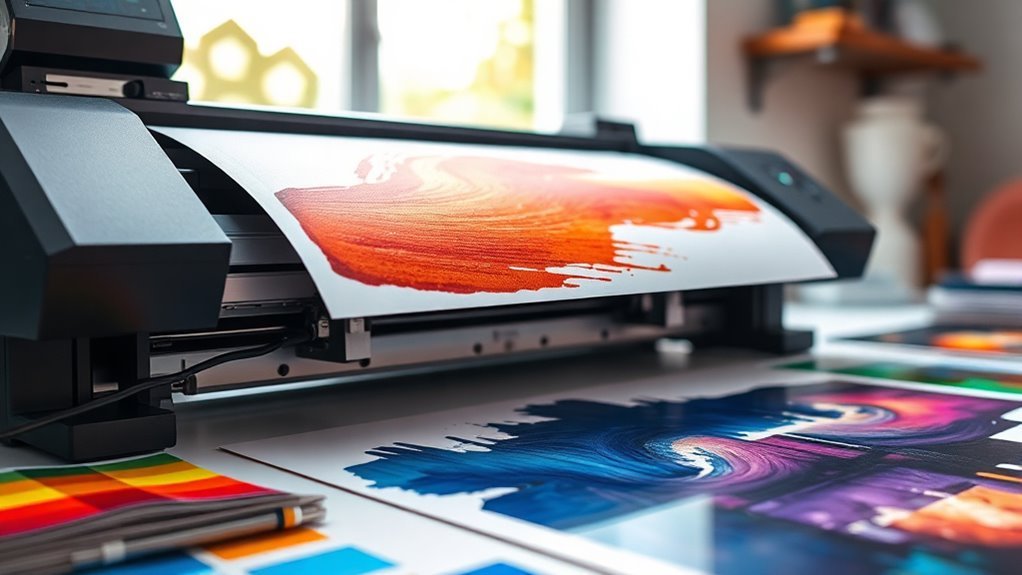
When choosing an art printer for fine details, you’ll want to focus on print resolution and the type of ink system it uses. These two factors really make a difference in how sharp and vibrant your prints come out.
Color accuracy and media size compatibility are also essential to get the best results. You want your printer to handle the sizes you plan to use without sacrificing quality.
Don’t forget to take into account print speed based on how quickly you need your pieces finished. It’s all about finding the right balance between quality and efficiency for your projects.
Print Resolution Importance
Because you want your fine art prints to capture every subtle detail, choosing a printer with high optical resolution is essential. Aim for at least 1200 dpi to guarantee fine details stand out, and consider 2400 dpi or higher for photorealistic quality.
But don’t rely solely on native resolution—printer engine quality and precise dot placement matter just as much for sharper images. Smaller, accurately placed ink droplets help reproduce delicate textures and thin lines more faithfully.
Also, pairing high resolution with greater color depth reduces banding and preserves smooth tonal shifts. Finally, make sure your source image’s pixel dimensions match your print size at the target dpi, like 300 dpi for gallery-quality prints, so your fine details don’t get lost when enlarging.
Ink System Types
Choosing the right ink system markedly impacts how your printer captures fine details in artwork. Pigment inks, with finely ground particles, offer superior lightfastness and color stability. They preserve delicate lines and textures better than dye-based inks.
While dye-based inks provide vivid colors and smooth blends, they’re prone to fading and bleeding on some papers. Multi-channel or expanded-color systems, featuring 6 to 12 inks including grays and reds, enhance tonal accuracy and gradient smoothness. This helps subtle details stand out.
You should also consider ink formulations—matte or glossy—since they affect how ink absorbs or sits on paper. That influences edge sharpness and micro-detail contrast. Finally, ink droplet size and control are essential; smaller, well-regulated droplets yield crisper lines and smoother tonal shifts. These are indispensable for fine-detail art.
Color Accuracy Needs
Color accuracy plays a vital role in capturing the true essence of fine art prints. To achieve this, choose printers supporting wide color gamuts like Adobe RGB or DCI-P3. This ensures vibrant hues and smooth shifts.
Also, opt for devices that handle 16-bit processing and 48-bit color depth to preserve subtle tonal gradations. This helps avoid banding in shadows and highlights.
Make sure to calibrate your entire workflow—monitor, editing software, and printer—using ICC profiles created with a spectrophotometer. Doing this maintains consistent color fidelity from screen to print.
You’ll want to favor pigment-based or photo-grade inks with multiple color channels and dedicated grays or blacks. These enhance neutrals and shadow detail while reducing metamerism.
Lastly, verify high printer resolution and precise droplet control. This improves micro-detail color blending and minimizes graininess in delicate color areas.
Media Size Compatibility
When selecting an art printer for fine details, you’ll want to make sure it supports the media sizes you need for your projects. Check if the printer handles your maximum required dimensions—whether that’s 13″ x 19″, 17″ x 22″, or larger. This way, you can print full-bleed images without tiling.
Also, confirm borderless printing capabilities at the specific sizes you use to avoid unwanted white margins. If you work with panoramas or banners, make sure to verify the maximum printable length for roll or custom media.
Don’t forget to consider how the printer manages different paper types and weights. It should support your preferred substrates like fine-art paper or canvas.
Features like skew correction and proper media handling matter too. They’ll keep your prints aligned and sharp every time.
Print Speed Considerations
Although faster print speeds can be tempting, you’ll want to focus on the quality mode times when working with fine-detail art prints. Draft speeds may be several times faster, but true fine art requires slow, precise passes that take minutes per page, especially at higher resolutions.
Look beyond pages per minute and compare best-quality mode times for realistic expectations. Complex color separations, multilayer ink passes, and additional channels like gray or varnish increase print time but enhance detail and tonal depth.
Remember to factor in maintenance cycles, calibration prints, and drying time, which add overhead. For batch production, prioritize measured throughput at your target quality rather than peak speed specs—your workflow depends on resolution, media, and color mode for consistent results.
Connectivity Options Available
Since fine-detail art prints often involve large, high-resolution files, you’ll want a printer that offers versatile connectivity options. Make certain it supports both wired interfaces like USB 3.0 and Gigabit Ethernet for faster, stable transfers. This is especially important with multi-gigabyte jobs or high DPI images.
Wireless options such as Wi-Fi and Wi-Fi Direct add convenience for mobile printing, but they can be slower. Check for compatibility with network printing protocols like IPP, AirPrint, and Mopria. Plus, make sure there are drivers for Windows, macOS, and Linux to fit seamlessly into your workflow.
Consider printers with direct media inputs—SD card slots or USB-host ports—so you can print files without a computer. This helps avoid bottlenecks and speeds things up.
Finally, verify network-accessible color management support and firmware update policies. These keep things running smoothly with third-party integration.
Durability And Longevity
Because your fine-detail art prints need to last, you should choose a printer that uses pigment-based inks and UV-resistant media to guarantee colors stay vibrant for decades. Look for printers with high-resolution, fine-droplet printheads and stable ink delivery to prevent clogging and nozzle drift. This helps preserve print fidelity over time.
Make sure your printer supports archival-grade papers—acid-free, lignin-free, and pH-neutral—with certified lightfastness. That way, you can avoid yellowing or pigment migration and keep your prints looking fresh.
Prioritize models with user-serviceable maintenance features like automated head cleaning and replaceable parts. These features minimize downtime and repair costs, which is always a plus.
Finally, consider printers built to withstand environmental factors, such as temperature and humidity variations. Mechanical stability and controlled drying conditions are key to keeping your fine details defect-free for years.
Frequently Asked Questions
How Do Different Paper Types Affect Fine Detail Printing Quality?
Different paper types impact fine detail printing by affecting ink absorption and texture. You’ll get sharper details on smooth, high-quality papers.
On the other hand, rough or porous ones might blur lines and reduce clarity. So, choose accordingly for crisp results.
What Is the Average Lifespan of Fine Art Prints From These Printers?
You can expect fine art prints to last 60 to 200 years, depending on ink, paper quality, and display conditions.
Using archival materials and avoiding sunlight will help your prints maintain their vibrant details much longer. So, taking a few extra steps really makes a difference!
Can These Printers Handle Textured or Specialty Art Papers?
Yes, these printers can handle textured or specialty art papers. You’ll find they adjust ink application precisely, ensuring vibrant, detailed prints without damaging delicate surfaces.
How Important Is Printer Calibration for Achieving Fine Details?
Calibration is the backbone of sharp prints; without it, your fine details blur. You’ll want to regularly calibrate your printer to guarantee colors and lines stay true.
This way, your artwork gets the precision it deserves every time. Keeping up with calibration really makes a difference!
Are There Eco-Friendly Ink Options Compatible With These Printers?
Yes, you’ll find eco-friendly ink options like vegetable-based and water-based inks compatible with many fine detail printers. They reduce environmental impact without sacrificing quality.
Conclusion
Choosing the right art printer for fine details can make all the difference in your creative work. Whether you prioritize color accuracy, print size, or wireless convenience, there’s a perfect option on this list for you.
Don’t settle for less when your artwork deserves the best. After all, why compromise on quality when capturing every intricate detail is what truly brings your art to life?
Your masterpiece deserves nothing but high-quality printing. With the best art printers for fine details, you can ensure your prints showcase vibrant colors and sharp lines every time. So go ahead, invest in a printer that meets your needs and lets your creativity shine without limits.