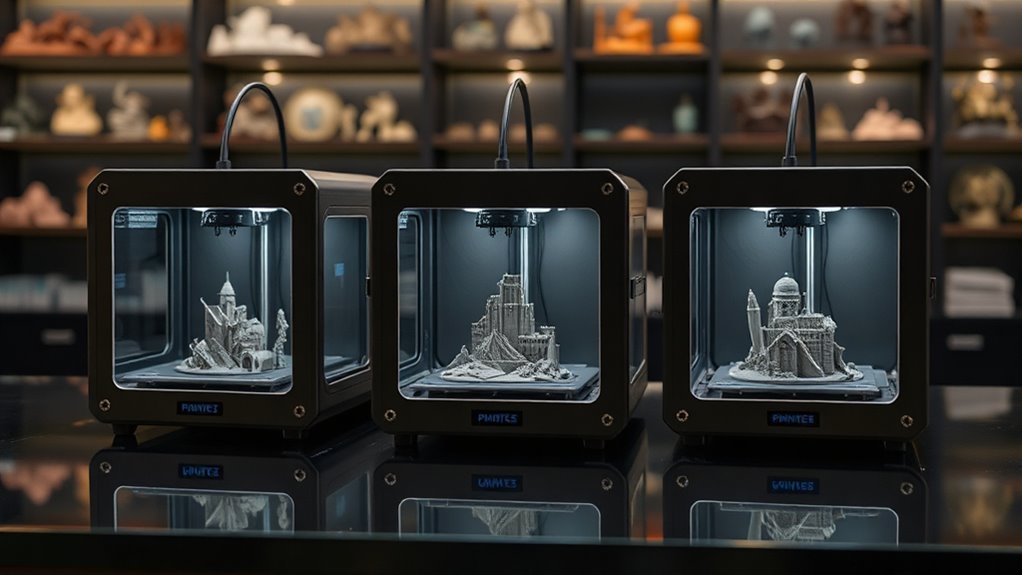
3 Best 3D Printers for Warhammer Terrain in 2027
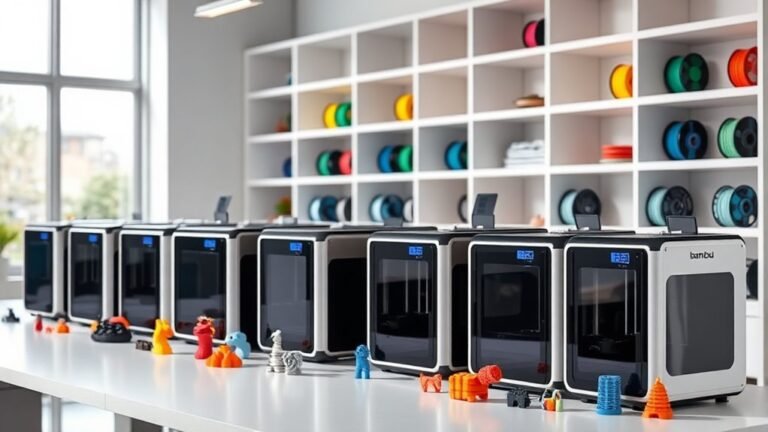
For Warhammer terrain in 2027, the Bambu Lab P2S Combo paired with AMS 2 Pro stands out as one of the best 3D printers. It lets you print multi-color, detailed pieces quickly with high reliability, which is perfect for crafting those intricate battlefield tiles. Its CoreXY design and heated chamber help minimize warping, especially on larger prints.
You’ll want a printer that balances a fine layer resolution around 0.05–0.1 mm with a build volume spacious enough to fit bigger models like Gothic Sector sets. This combo really nails that sweet spot. If you’re serious about Warhammer terrain, this setup is definitely worth considering.
Keep exploring to uncover more about gear, materials, and setup tips tailored specifically for tabletop terrain. There’s a lot to learn, but finding the right printer can make all the difference in your hobby.
| Image | Name | Editor's Rating | Price |
|---|---|---|---|

|
|
||

|
|
||

|
|
Bambu Lab P2S Combo, P2S 3D Printer & AMS 2 Pro, Multi-Color 3D Printing
- High-Speed Precision: The Bambu Lab P2S 3D printer prints up to 600 mm/s while maintaining exceptional accuracy. With the PMSM Servo Extruder and Active Flowrate...
- Ready to Print in 15 Minutes: Set up your P2S FDM 3D printer and start printing in just 15 minutes. With AI failure detection, quick-swap nozzles, and automatic...
- Effortless Multi-Color Printing: The AMS 2 Pro enables seamless multi-color/multi-material 3D printing. It features built-in filament drying at up to 65 °C, keeping...
- Smart Airflow for Any Filament: The Adaptive Airflow System automatically balances cooling and heat retention—keeping overhangs crisp with cool air, or maintaining a...
- Limitless Creativity, Seamless Workflow: Explore over one million 3D models on MakerWorld and bring them to life with a smooth, unified workflow using Bambu Studio, Bambu...
Bring your Warhammer terrain to life with vibrant, multi-color prints using the Bambu Lab P2S Combo. This system combines the precision of the P2S 3D printer with the AMS 2 Pro multi-material system, simplifying the process of creating detailed, colorful terrain pieces. It solves the common challenge of multi-color printing by delivering seamless transitions between materials, saving you time and effort.
The P2S’s high-speed CoreXY design ensures fast, smooth printing without sacrificing quality. Its PMSM Servo Extruder produces sharp, consistent layers that capture every intricate detail. A heated chamber and adaptive airflow system maintain optimal printing conditions, reducing warping and defects for reliable results.
Setup is straightforward and quick, taking about 15 minutes, even for beginners. AI-powered failure detection continuously monitors prints, minimizing errors and wasted material. Access to MakerWorld’s vast library of models keeps your creativity fueled with endless design options.
Maintenance is manageable, with durable components designed for longevity. The printer’s weight means it’s best suited for a dedicated workspace but ensures stability during high-speed printing. Note that multi-color functionality requires the AMS 2 Pro; the P2S alone does not support this.
Best for: hobbyists and professionals seeking efficient, high-quality multi-color 3D printing for detailed models and terrain with minimal hassle.
What We Like:
- Seamless multi-material and multi-color printing with AMS 2 Pro
- High-speed printing with sharp, smooth layers from CoreXY and PMSM Servo Extruder
- Simple setup and AI failure detection enhance reliability
- Heated chamber and adaptive airflow improve print quality
- Access to a large library of models in MakerWorld
Specification:
| Feature | Details |
|---|---|
| Manufacturer | Bambu Lab |
| Dimensions | Not specified |
| Weight | 46.3 lb (21 kg) |
| Material | Not specified |
| Color Options | Multi-color via AMS 2 Pro |
Gothic Sector 28mm Terrain Set for 40k Games
- On crate comes with no battle damage, the other two have bullet holes.
- Scale. This tabletop scenery is suitable for miniatures 28mm or 32mm in scale.
- 28mm Scale Compatibility: Perfectly scaled for Warhammer 40k, RPGs, and other tabletop miniature games.
- Modular and Versatile Layouts: Arrange structures and scatter terrain to create dynamic battlefields tailored to any mission or scenario.
- Unpainted and Ready for Customization: Arrives unpainted, ideal for hobbyists to add personal touches with paints and washes.
Enhance your Warhammer 40k battles with the Gothic Sector 28mm Terrain Set, designed to transform your gaming table into a dynamic sci-fi battlefield. This modular set offers a variety of terrain pieces that add depth and realism, helping you create immersive scenes for competitive play or RPG campaigns.
Each piece is crafted from durable, high-quality 3D printed PLA, ensuring longevity while allowing you to personalize your terrain through painting. The unpainted models provide a blank canvas to match your preferred style and color scheme, giving you full creative control.
Sized perfectly for 28mm miniatures, the set’s components fit naturally into your game layouts without overwhelming the space. Its post-apocalyptic aesthetic with battle-damaged details adds atmosphere but may require some consideration if you prefer pristine terrain.
Maintenance is straightforward; the sturdy PLA material is easy to clean and store indoors, preserving the set’s condition for repeated use. This terrain set is ideal for gamers focused on strategic depth and visual flair in 2000-point Warhammer 40k matches.
Best for: Tabletop gamers and hobbyists who want customizable, modular sci-fi terrain to elevate their 28mm Warhammer 40k battles and role-playing games.
What We Like:
- Versatile mix of containers, crates, barrels, and palettes for varied battlefield setups
- Durable 3D printed PLA material built for customization and reuse
- Perfectly scaled for 28mm miniatures, enhancing game immersion
- Post-apocalyptic design adds unique thematic elements
- Easy maintenance suitable for indoor gaming environments
Specification:
| Feature | Details |
|---|---|
| Manufacturer | Not specified |
| Dimensions | Containers: 4.5 x 2.375 x 2.125 in |
| Material | 3D printed PLA |
| Color Options | Unpainted, customizable |
| Scale | 28mm miniatures |
11th Edition Terrain Footprints Compatible with Warhammer 40K, 16pc
- 【Terrain Footprint Templates】This 16-piece terrain footprint set provides visible reference areas for tabletop miniature wargaming layouts. The clear templates...
- 【Compatible Tabletop Game Accessory】Designed for use with Warhammer 40K 11th Edition tabletop terrain layouts, these acrylic footprint templates provide reference...
- 【Transparent Acrylic Material】Made from clear 1.5 mm acrylic, these terrain footprint markers allow the underlying battle mat and tabletop surface to remain visible...
- 【16 Piece Terrain Shape Assortment】Includes 16 terrain footprint templates in half square, large, medium, small, and mini formats. The assorted shapes provide options...
- 【Five Terrain Footprint Sizes】The set includes footprint formats measuring approximately 11.5 x 8 inches, 11.5 x 7 inches, 6 x 4 inches, 10 x 2.5 inches, and 6 x...

Elevate your Warhammer 40K battles with the 11th Edition Terrain Footprints kit. This set solves the common issue of unclear terrain zones by providing precise, laser-cut acrylic templates. Transparent designs let you easily see your battle mat, keeping gameplay smooth and accurate.
These footprints are tailored for the 11th Edition, ensuring your terrain placement complies with the latest rules. The variety of five sizes covers different terrain features, making setup faster and more organized. Using these templates reduces guesswork and helps maintain a clean, professional battlefield.
Crafted from durable acrylic, the templates are easy to clean and built to last through countless game sessions. Their clear material avoids visual clutter, blending seamlessly with any gaming table. Keep your terrain zones well-defined without sacrificing style or function.
The set is ideal for solo players or hobbyists focusing on precise terrain layouts. However, it’s recommended for ages 15 and up, which might limit younger gamers. Also, some confusion over material descriptions (laser-cut acrylic vs. PLA) may arise but the product’s quality remains consistent.
Best for: Warhammer 40K 11th Edition hobbyists and tabletop gamers seeking clear, accurate terrain footprint templates to improve battlefield organization.
What We Like:
- Transparent acrylic ensures visibility of the battle mat beneath.
- Laser-cut edges provide precise outlines for terrain zones and cover markers.
- Includes 16 templates in five sizes to match diverse scenery layouts.
- Durable and easy to maintain for repeated use.
Specification:
| Feature | Details |
|---|---|
| Manufacturer | GIRAVO |
| Number of Pieces | 16 |
| Material | Laser-cut Acrylic |
| Compatible With | Warhammer 40K 11th Edition |
| Sizes Included | Five different sizes |
Factors to Consider When Choosing a 3D Printer for Warhammer Terrain

When choosing a 3D printer for Warhammer terrain, you’ll want to focus on print resolution to capture fine details and build volume for larger pieces.
Consider material compatibility to guarantee durability and whether multi-color printing matters for your designs. Balancing print speed with detail quality will help you get the best results without wasting time.
Print Resolution Importance
Although choosing a 3D printer involves many factors, print resolution plays a pivotal role in capturing the fine details and textures essential for convincing Warhammer terrain. You’ll want a layer height between 0.05 and 0.1 mm to achieve crisp details and smooth curves on 28–32 mm scenery, minimizing visible layer lines.
XY resolution, influenced by nozzle size and motion precision, sharpens small features like rivets and panel lines; a 0.2–0.4 mm extrusion width balances detail with reasonable print times. Resin printers (SLA/DLP) excel here, offering sub-0.05 mm layers and superior XY fidelity, ideal for intricate ruined facades.
Keep in mind, ultra-fine layers increase print time and require delicate post-processing to preserve details without damaging thin features. So, balancing resolution with speed and durability is key for quality Warhammer terrain.
Build Volume Needs
To nail down the right 3D printer, you’ll need to size up the largest terrain pieces you plan to create and pick a build volume that comfortably fits them with some extra room to spare. Estimate the biggest model—like buildings or multi-level ruins—and choose a build plate that accommodates its footprint plus 10–20% extra to avoid awkward repositioning.
Don’t forget height; tall towers need sufficient Z-axis clearance or printing in sections. If you print large battlefield tiles, a bigger volume reduces seams and alignment hassles.
But balance size with print quality and speed, since huge single prints risk warping and failures. Also, think ahead—pick a build volume that suits current projects and future, bigger ambitions so you won’t outgrow your printer soon.
Material Compatibility Options
Picking the right material compatibility for your 3D printer plays a crucial role in crafting Warhammer terrain that meets your durability, detail, and finish expectations. PLA is a great starting point—easy to print and paint but less heat-resistant.
If you want tougher pieces that can handle frequent handling, PETG offers better impact resistance and temperature tolerance. For rugged terrain, ABS is strong and heat-resistant but needs a heated chamber and good ventilation due to fumes.
Resin printers deliver exceptional detail for fine textures, though parts can be brittle and require careful post-curing. If you’re after unique finishes, composite filaments like wood or metal-fill provide realistic textures but demand hardened nozzles and fine-tuned settings to avoid clogs.
Choose a printer that supports the materials fitting your terrain’s needs. That way, you get the best results without the hassle.
Multi-Color Printing Capability
Material choices aren’t the only factor that shapes your Warhammer terrain—color plays a big role in bringing it to life. Multi-color printing lets you add per-part color variation, like hazard stripes or weathered crates, all in one print, saving you hours of painting.
Look for printers with multiple extruders or filament feeders to combine rigid PLA with flexible or textured filaments for realistic details. Make sure your slicer supports seamless tool changes, and that nozzle alignment minimizes layer shifts and visible seams.
Keep filament dry and feed paths clear to avoid failed color swaps or under-extrusion during long prints. Remember, multi-color printing increases complexity and print time, so weigh these trade-offs against the convenience of printing detailed, color-rich terrain directly from your 3D printer.
Speed Versus Detail
Although faster print speeds can shave hours off your production time, you’ll often sacrifice the fine detail that makes Warhammer terrain truly impressive.
Printing at speeds above 100 mm/s speeds up large base pieces but may introduce vibrations that blur sharp edges and delicate textures.
To capture crisp miniature-scale details, slow down to under 50 mm/s and use smaller nozzles with thinner layers (0.05–0.15 mm).
Thicker layers (0.2–0.3 mm) print faster but reduce sculpting fidelity.
You can balance this by printing bulky terrain quickly, then switching to slower, finer settings for ornaments or ruins.
Tweaking slicer settings like acceleration and cooling helps recover some detail at higher speeds, but only printers with stable hardware fully deliver both speed and precision.
Choosing wisely lets you optimize output without compromising quality.
Ease of Use
When choosing a 3D printer for Warhammer terrain, ease of use can make all the difference between frustration and creativity. You’ll want a printer with intuitive software and a quick-start setup that gets you printing in 15–30 minutes. That way, you spend less time configuring and more time building.
Automatic bed leveling and nozzle calibration save you hours, ensuring consistent first-layer adhesion—crucial for large terrain pieces. Look for features like quick-swap nozzles and guided filament loading to simplify maintenance and reduce errors.
A reliable filament drying system or enclosed chamber prevents clogging and print failures with hygroscopic materials like PLA or resin. And finally, built-in print-failure detection and resume-on-power-loss functions help you avoid wasted prints and recover from interruptions. This makes your printing experience smoother and more enjoyable.
Budget and Cost
Since 3D printing Warhammer terrain involves more than just buying a printer, you need to take into account the total cost—including the printer itself, filament or resin, and post-processing supplies. Filament runs about $20–$40 per kilogram, while resin costs $40–$100+ per liter, so factor in material use, especially for large pieces.
Cheaper FDM printers may seem budget-friendly upfront but often lead to more failed prints and maintenance, increasing long-term expenses. Don’t forget accessories like nozzles, adhesives, and paint supplies, which can add hundreds annually.
Also, consider electricity and ventilation costs if you print frequently or use heated chambers. Estimating cost per square inch by analyzing print time and material helps you balance quality, efficiency, and budget for your terrain projects.
Frequently Asked Questions
How Do I Maintain My 3D Printer for Optimal Warhammer Terrain Quality?
You should regularly clean the print bed, lubricate moving parts, and calibrate the nozzle height.
Keep your firmware updated and use quality filament.
Don’t forget to check for clogs to guarantee sharp, detailed Warhammer terrain prints.
What Software Is Best for Designing Custom Warhammer Terrain Pieces?
You might think complex software is best, but you’ll find Blender and Tinkercad perfect for designing custom Warhammer terrain. They’re user-friendly, versatile, and let you liberate creativity while keeping your designs detailed and ready to print.
Seriously, these tools strike a great balance between ease of use and powerful features. So, whether you’re a beginner or more advanced, they’ve got you covered for creating awesome terrain pieces.
Can I Use Recycled Filament for Printing Warhammer Terrain?
Yes, you can use recycled filament for printing Warhammer terrain, but it might affect print quality and strength.
Make sure the filament is well-processed and consistent to avoid warping or weak details in your miniatures.
It’s a great way to be eco-friendly, just keep an eye on how your prints come out. Sometimes a little tweaking in your printer settings can help too!
How Long Does It Typically Take to Print a Single Terrain Piece?
It typically takes you anywhere from 1 to 6 hours to print a single terrain piece, depending on size, complexity, and printer settings.
Faster printers cut time but might sacrifice some detail you want for Warhammer.
Are There Safety Concerns When Printing Warhammer Terrain at Home?
Just like a wizard guarding their spells, you’ve got to protect yourself when printing at home. Ventilate well, avoid fumes, and handle resin carefully—
these steps keep your hobby safe and your fortress standing strong.
Conclusion
Choosing the right 3D printer for your Warhammer terrain can feel like finding a needle in a haystack. But with options like the Bambu Lab P2S Combo, Gothic Sector 28mm Terrain Set, and 11th Edition Terrain Footprints, you’re well on your way.
By weighing your needs carefully, you’ll bring your battlefield to life with ease. These printers offer precision, detail, and quality that Warhammer enthusiasts crave.
So, don’t wait—dive in and watch your Warhammer world take shape! Whether you’re crafting intricate buildings or rugged landscapes, the best 3D printers for Warhammer terrain in 2027 make all the difference. Ready to elevate your tabletop game? Your perfect printer is just a click away!