6 Best All-in-One Printers for Seniors in 2027 Made Simple
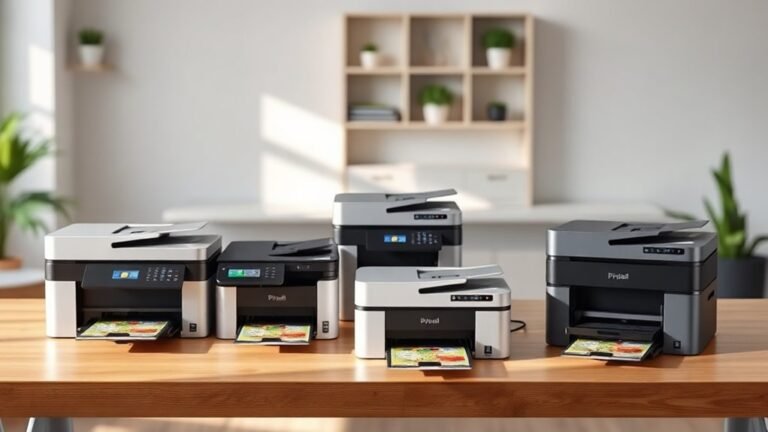
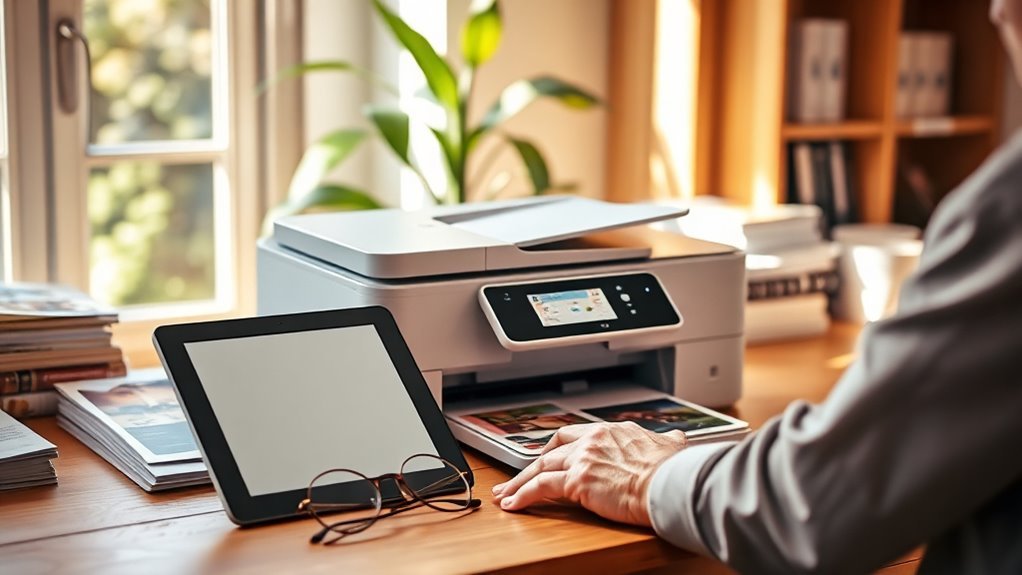
You’ll want an all-in-one printer that’s simple, reliable, and easy to use—especially when looking for the best all-in-one printers for seniors in 2027.
Finding one that combines user-friendly features with excellent print quality can make a huge difference. Whether you need a printer for photos, documents, or everyday use, the right model should offer straightforward controls and hassle-free maintenance.
The Canon MegaTank G3270 offers long-lasting refillable ink with straightforward controls, making it a great option for those who want to avoid frequent cartridge changes.
Meanwhile, the PIXMA TR4720 adds some nice extras like automatic two-sided printing and helpful voice alerts.
For compact photo and document printing, the TS4320 works well. And if you’re after high-quality prints with separate ink tanks, the TR8620a is worth considering.
HP’s DeskJet 2955 is lightweight and easy to carry, while the OfficeJet Pro 8135 features a touchscreen and AI support to simplify your tasks.
Explore these options to find one that fits your needs perfectly.
| Image | Name | Editor's Rating | Price |
|---|---|---|---|

|
|
||

|
|
||

|
|
||

|
|
||

|
|
Canon MegaTank G3270 All-in-One Wireless Color Printer
- Wireless Print/Copy/Scan
- Up to 2 years of ink included (2)
- Print up to 6,000 black & white / 7,700 color pages using a single set of inks! (1)
- Save up to $1,000 on ink (1)
- 1.35” Square LCD display

The Canon MegaTank G3270 All-in-One Wireless Color Printer is designed to simplify your home printing needs. Its easy-to-use refillable MegaTank system means you can print for up to two years without worrying about ink replacements. This saves you significant money and reduces the hassle of frequent cartridge changes.
This printer handles printing, copying, and scanning tasks smoothly, delivering sharp color and black-and-white documents. Wireless connectivity allows you to print directly from your smartphone or tablet, making it convenient for everyday use. Its support for various paper sizes and types adds flexibility to your projects.
Maintenance is straightforward thanks to the MegaTank design, reducing downtime and keeping your printing costs low. The compact design and a simple 1.35-inch LCD screen make setup and operation easy, fitting well in a home environment without technical complications.
While print speeds are moderate, and it lacks automatic double-sided printing, the Canon G3270 offers a reliable, cost-effective solution for basic home office tasks. It’s built for users who want efficient, budget-friendly printing without complex features.
Best for: Seniors and home users seeking a user-friendly, economical all-in-one printer with wireless printing, copying, and scanning capabilities.
What We Like:
- Refillable MegaTank system provides up to two years of ink and substantial cost savings.
- Wireless printing from smartphones and tablets adds convenience.
- Supports multiple paper sizes with sharp print quality.
- Compact design and simple LCD for easy setup and use.
Specification:
| Feature | Details |
|---|---|
| Manufacturer | Canon |
| Dimensions | Approx. 17.5 x 12.7 x 6.3 in |
| Weight | Approx. 12.5 lb (5.7 kg) |
| Ink System | Refillable MegaTank |
| Connectivity | Wireless (Wi-Fi) |
| Print Speed | Up to 11 ppm (black), 6 ppm (color) |
| Display | 1.35-inch LCD screen |
Canon PIXMA TR4720 Wireless All-in-One Printer
- Wireless 4-in-1 (print | copy | scan | fax)..Power Consumption: 7W (0.8W Standby / 0.3W Off)
- Print speed up to: 4" x 6" Borderless Photo (PP-201): Approx. 65.0 Seconds / Black Document (Letter/Simplex): Approx. 8.8 ipm / Color Document (Letter/Simplex): Approx...
- Designed for easy ink cartridge installation and replacement.
- Auto 2-sided printing and auto document feeder.
- Produce quality documents, photos and boarderless prints up to 8.5" x 11".
The Canon PIXMA TR4720 Wireless All-in-One Printer offers a simple and efficient solution for home printing needs. Its wireless design enables easy printing, copying, scanning, and faxing without complicated setups. This printer is especially helpful for seniors or anyone seeking straightforward functionality.
Maintenance is kept hassle-free thanks to its automatic two-sided printing and a generous 100-sheet paper tray, which reduces the frequency of paper refills. The auto document feeder streamlines handling multi-page documents, saving time on scanning and copying tasks.
Mobile printing capabilities allow you to send documents directly from your phone or tablet, adding flexibility to your workflow. Alexa integration enhances convenience by providing low-ink alerts and simplifying cartridge reordering.
Compact and ENERGY STAR certified, the PIXMA TR4720 fits comfortably into small spaces while balancing performance and ease of use. It supports standard paper sizes up to 8.5 x 11 inches, making it ideal for everyday home office tasks but limiting larger format prints.
Best for: seniors and home users who want an easy-to-use, compact all-in-one wireless printer with multifunction features.
What We Like:
- Automatic two-sided printing reduces paper waste and manual effort.
- 100-sheet tray lowers the need for frequent paper refills.
- Auto document feeder simplifies multi-page scanning, copying, and faxing.
- Alexa integration offers helpful low-ink alerts and easy cartridge reordering.
Specification:
| Feature | Details |
|---|---|
| Manufacturer | Canon |
| Dimensions (W×D×H) | 17.7 × 12 × 6.1 inches |
| Weight | 11.5 lb (5.2 kg) |
| Color | Black |
| Paper Size Supported | Up to 8.5 × 11 inches (Letter) |
| Connectivity | Wireless, Mobile Printing |
| ENERGY STAR Certified | Yes |
Canon PIXMA TS4320 – Wireless Color Inkjet Printer with Print, Copy, Scan
- Affordable Versatility - A budget-friendly all-in-one printer perfect for both home users and hybrid workers, offering exceptional value
- Crisp, Vibrant Prints - Experience impressive print quality for both documents and photos, thanks to its 2-cartridge hybrid ink system that delivers sharp text and vivid...
- Effortless Setup & Use - Get started quickly with easy setup for your smartphone or computer, so you can print, scan, and copy without delay
- Reliable Wireless Connectivity - Enjoy stable and consistent connections with dual-band Wi-Fi (2.4GHz or 5GHz), ensuring smooth printing from anywhere in your home or...
- Scan & Copy Handling - Utilize the device’s integrated scanner for efficient scanning and copying operations
The Canon PIXMA TS4320 is an ideal choice for those needing a compact and reliable printer to handle everyday home printing tasks. Whether you’re working on school assignments, printing recipes, or creating vibrant photos, this printer delivers sharp, high-quality results without hassle. Its wireless connectivity lets you print directly from your smartphone, making it easy to stay productive without being tied to a desk.
This model offers automatic duplex printing, saving both time and paper when handling double-sided documents. The 100-sheet tray supports a variety of media types, including envelopes and card stock, so you can tackle diverse projects without changing devices. Its sleek, space-saving design fits comfortably in any home environment.
Maintenance is straightforward, though the hybrid ink system uses two cartridges that may require more frequent replacement compared to multi-cartridge models. The absence of an automatic document feeder means scanning or copying multi-page documents requires manual effort. Control is via simple push-button commands, which keeps operation easy but limits advanced menu navigation.
Overall, the PIXMA TS4320 balances functionality and convenience for users prioritizing compact design and wireless printing in a budget-friendly package.
Best for: Home users needing an easy-to-use, wireless color printer for everyday documents and photo printing.
What We Like:
- Compact design fits well in small spaces
- Dual-band Wi-Fi and mobile printing via Canon PRINT App and AirPrint
- Automatic duplex printing to save paper
- Supports multiple media types including envelopes and card stock
Specification:
| Feature | Details |
|---|---|
| Manufacturer | Canon |
| Dimensions | Approx. 12.0 x 14.8 x 5.7 in (W x D x H) |
| Weight | Approx. 8.0 lbs (3.6 kg) |
| Printing Technology | Wireless color inkjet |
| Connectivity | Dual-band Wi-Fi, USB |
| Media Support | Plain paper, photo paper, envelopes, card stock |
Canon PIXMA TR8620a All-in-One Printer (Black)
- Never run out of ink. Connect your printer to Alexa and receive notifications when you’re running low. Alexa can even place a smart reorder from Amazon on your behalf...
- Enrolling in Smart Reorders with Alexa ensures that you never have too much or too little ink supplies. No subscription needed.
- Wireless 4-in-1 (Print | Copy | Scan | Fax)
- 15 / 10 ipm Print Speed
- 200 Sheet Capacity (100 Cassette, 100 Rear Feed)
Experience seamless productivity with the Canon PIXMA TR8620a, an all-in-one printer designed to streamline your home office tasks. This device integrates printing, copying, scanning, and faxing, eliminating the need for multiple machines. Its wireless functionality and intuitive touchscreen simplify everyday operations, helping you stay organized with ease.
Maintenance is straightforward thanks to five individual ink tanks, which reduce waste and lower running costs. The printer also supports Alexa voice alerts for low ink levels, keeping you informed without interrupting your workflow. Automatic two-sided printing helps conserve paper, making it an eco-friendly choice.
The compact black design fits comfortably in limited spaces while offering dual trays that hold up to 200 sheets. This capacity supports various media types, including glossy photo paper, enabling versatile document and photo printing. The print quality reaches up to 4800 x 1200 dpi, delivering sharp, professional results.
While its moderate print speed and 1,000-page duty cycle suit small offices, it may not meet the demands of high-volume commercial use. Connectivity options are limited to wireless and a single USB 2.0 port, with no Ethernet available.
Best for: Small home offices or individuals needing a versatile, user-friendly all-in-one printer with wireless and smart features for efficient document management.
What We Like:
- Combines multiple functions with easy wireless operation and automatic two-sided printing
- Five separate ink tanks optimize ink use and enable Alexa low ink alerts
- Dual paper trays support 200 sheets and various media types, including photo paper
- Compact design fits well in limited spaces without sacrificing print quality
Specification:
| Feature | Details |
|---|---|
| Manufacturer | Canon |
| Dimensions (W×D×H) | Approx. 14.5 × 12.7 × 7.5 inches (36.8 × 32.3 × 19 cm) |
| Weight | Approx. 14.1 lb (6.4 kg) |
| Color | Black |
| Connectivity | Wireless, USB 2.0 |
| Print Resolution | Up to 4800 × 1200 dpi |
| Paper Capacity | Up to 200 sheets (dual trays) |
HP DeskJet 2955 Color Inkjet Printer | Wireless | All-in-One
- PERFECT FOR BASIC PRINTING NEEDS – Print everyday color documents like to-do lists, letters, financial documents and recipes
- KEY FEATURES – Color print, copy, scan, and a 60-sheet input tray, plus mobile and wireless printing
- OPTIMIZE PRINT FORMATTING WITH HP AI – Print web pages and emails with precision—no wasted pages or awkward layouts; HP AI easily removes unwanted content, so your...
- ICON LCD – Print your basic documents with ease from the intuitive control panel
- PRINT SPEED – Up to 7.5 ppm black, 5.5 ppm color
The HP DeskJet 2955 Color Inkjet Printer is designed to simplify your home printing tasks. Its compact size and lightweight build make it easy to place almost anywhere, fitting perfectly in small spaces without clutter. This all-in-one printer handles printing, scanning, and copying smoothly, reducing the need for multiple devices.
Connectivity is straightforward with dual-band Wi-Fi, allowing you to print wirelessly from your smartphone or tablet using the HP App, Apple AirPrint, or Mopria. This flexibility means you can print important documents or photos from virtually anywhere in your home, improving convenience and efficiency.
Maintenance is hassle-free thanks to its eco-friendly design and energy-efficient operation. While print speeds are modest, they are sufficient for everyday use, and the sharp print resolution ensures your documents look crisp and clear. Note that duplex printing is manual, which might slow down double-sided jobs.
Best for: Seniors and home users who want a compact, easy-to-use all-in-one printer with wireless capabilities for everyday printing, scanning, and copying.
What We Like:
- Compact and lightweight design ideal for limited spaces
- Reliable wireless connectivity via Wi-Fi and mobile apps
- Sharp print quality with up to 4800 x 1200 dpi resolution
- Eco-friendly with ENERGY STAR and EPEAT certifications
Specification:
| Feature | Details |
|---|---|
| Manufacturer | HP |
| Dimensions | 16.97 x 6.5 x 5.75 inches |
| Weight | 7.6 lbs (3.45 kg) |
| Color Options | White |
| Connectivity | Dual-band Wi-Fi, USB |
HP OfficeJet Pro 8135 Wireless All-in-One Printer

- FROM AMERICA'S MOST TRUSTED PRINTER BRAND – The OfficeJet Pro 8135 is perfect for home offices printing professional-quality color documents like business documents...
- 3 MONTH TRIAL OF INSTANT INK INCLUDED – Subscribe to the Instant Ink delivery service to get ink delivered directly to your door before you run out, and you save up to...
- KEY FEATURES – Fast color printing, scan, copy, fax, auto 2-sided printing, auto document feeder, and a 225-sheet input tray
- 2.7-INCH TOUCHSCREEN – Quickly navigate your printer with a large color touchscreen and a phone-like user interface
- WIRELESS PRINTING – Stay connected with our most reliable dual-band Wi-Fi, which automatically detects and resolves connection issues
The HP OfficeJet Pro 8135 Wireless All-in-One Printer offers a seamless printing experience designed to simplify your daily tasks. Its intuitive, phone-like touchscreen makes navigating menus easy, even for those less familiar with technology. Wireless connectivity lets you print, scan, or fax directly from your smartphone, reducing clutter and hassle.
This printer enhances productivity with print speeds up to 20 pages per minute in black. Automatic two-sided printing helps save paper, cutting waste and costs. Its AI-driven features automatically remove unwanted content from web pages and emails, producing cleaner, more professional documents without extra effort.
Maintenance is straightforward, but note the auto document feeder only scans one side at a time. The printer uses HP’s ink cartridges exclusively, which ensures quality but limits third-party ink options. It supports standard office paper sizes, making it ideal for home or small office environments.
Best for: Seniors and small office users who want a straightforward, smart all-in-one printer with wireless features and AI-enhanced printing.
What We Like:
- Easy-to-use 2.7-inch color touchscreen interface
- AI-powered content removal for cleaner prints
- Wireless printing and scanning via HP Smart app
- Efficient automatic two-sided printing
- Durable prints with water resistance
Specification:
| Feature | Details |
|---|---|
| Manufacturer | HP |
| Dimensions | 16.6 x 18.5 x 8.7 inches |
| Weight | 16.5 lbs |
| Color Options | White with black accents |
| Connectivity | Wireless (Wi-Fi), USB |
| Touchscreen | 2.7-inch color touchscreen |
| Paper Handling | Standard office sizes, auto document feeder (one-sided scanning) |
Factors to Consider When Choosing an All in One Printer for Seniors

When choosing an all-in-one printer, you’ll want to focus on ease of use and reliable connectivity options. It’s important that the printer is simple to operate without too many complicated buttons or settings.
Consider print quality and how much maintenance the printer requires to keep it running smoothly. You don’t want to spend too much time troubleshooting or replacing parts.
Also, think about the size and portability to make sure it fits your space and lifestyle. A bulky printer might not be the best choice if you have limited room or need to move it around often.
Ease of Use
Picking out an all-in-one printer that’s easy to use can make a big difference in daily tasks. Look for a large, simple color touchscreen or clearly labeled buttons—ideally with at least a 1.5-inch display or oversized keys—to help you navigate menus and read status messages easily.
Choose models with one-touch or dedicated buttons for common tasks like copying and scanning to cut down on steps and confusion. Opt for printers featuring straightforward setup wizards and clear on-screen prompts that simplify installation without complicated input choices.
Also, consider devices with automatic features like duplex printing and document feeders, plus high paper capacity. This way, you don’t have to intervene often. These features assure printing stays hassle-free and straightforward for you every day.
Connectivity Options
Many all-in-one printers offer wireless setup options designed to make connecting your smartphone or tablet simple and hassle-free. Look for models that include Wi-Fi with WPS or easy setup wizards so you don’t have to wrestle with complicated network settings.
Make sure the printer supports popular mobile printing standards like AirPrint or Mopria, allowing one-tap printing directly from your device. If you prefer a wired connection for reliability, choose a printer with a USB port and straightforward plug-and-play support.
It’s also helpful to pick a printer with a clear onboard display or an intuitive app that shows network status and helps troubleshoot. Finally, consider printers compatible with dual-band Wi-Fi (2.4/5 GHz) so multiple devices can connect smoothly without drops.
Print Quality
Since clear, sharp printing is essential for reading menus, forms, and prescriptions, you’ll want a printer that delivers crisp text and vibrant photos. Look for models with at least 600–1200 dpi resolution for sharp text and decent photo quality.
Higher dpi improves photo detail but isn’t vital for everyday documents. Prioritize printers that produce strong black text, like laser-sharp or pigment-based inks, ensuring high contrast and easy readability.
Durable, smear- and water-resistant inks help prevent smudging if hands shake. If you print photos or large-font materials, choose devices supporting borderless printing and rich color depth for accurate, smooth images.
Also, consider printers with fast first-page-out times to avoid frustrating waits and get your clear, fully rendered pages quickly and reliably.
Maintenance Requirements
You’ll want to focus on printers that simplify maintenance to save time and frustration. Choose models with simple ink systems—fewer cartridges or refill tanks—and clear ink-level indicators.
Front-access refill or cartridge slots make replacements easier. Look for printers that offer one-touch maintenance controls and easy-to-read status displays, so tasks like replacing ink, clearing paper jams, or cleaning are straightforward.
Regularly run automatic head-cleaning or nozzle-check routines to avoid clogs from infrequent use. It’s smart to print a few pages weekly to keep ink flowing and protect the print head.
Finally, consider the cost and availability of consumables, ensuring ink or toner and maintenance parts are affordable and easy to find. This approach helps you maintain your printer effortlessly and avoid unexpected downtime.
Size and Portability
Where you place your all-in-one printer matters just as much as how it performs. Choose a compact model under 18″ wide and 12″ deep so it fits comfortably on countertops or small desks common in senior living spaces.
Lightweight printers, around 8–15 pounds, make moving for cleaning or rearranging easy. Look for designs with front-loading paper trays and low top lids to reduce strain—no twisting or lifting required.
Make certain the printer’s height lets you reach controls and paper trays while seated without awkward stretching. If your printing needs are occasional, a simple single-tray printer works well and saves space.
Avoid bulky multi-tray units that take up more room and can complicate daily use. Prioritize size and portability to keep printing hassle-free and accessible.
Cost and Ink Efficiency
Although upfront price matters, you should focus on the total cost of ownership when choosing an all-in-one printer. Look for models with refillable ink tanks or high-yield cartridges that print thousands of pages. This reduces how often you replace ink and saves money over time.
Compare the cost-per-page by dividing the cartridge price by its page yield. This helps you estimate your monthly ink expenses based on how much you print.
Choose printers with individual color tanks so you replace only the color you need. That way, you cut down waste and recurring costs.
If you consider subscription or auto-reorder plans, make sure they offer predictable pricing and match your printing habits. Otherwise, you might end up paying more for unnecessary ink deliveries.
This approach helps you get the best value without surprises.
Frequently Asked Questions
How Do I Recycle Old Printer Cartridges Safely?
You can recycle old printer cartridges safely by returning them to store drop-off bins, using mail-back programs from manufacturers, or finding local recycling centers.
Always seal cartridges in plastic bags to prevent leaks during transport.
It’s pretty easy once you know where to take them, and it helps keep harmful chemicals out of the environment.
Plus, some places even offer rewards or discounts when you recycle cartridges. So, it’s a win-win!
What Is the Average Lifespan of an All-In-One Printer?
You can expect your all-in-one printer to last about 3 to 5 years—unless it rebels sooner.
Just like that old gym membership you never use, it’s all about how often you actually put it to work.
Are There Printers With Voice-Activated Controls for Seniors?
Yes, you can find printers with voice-activated controls designed for seniors. These models let you print, scan, or copy using simple voice commands, making it easier for you to operate without dealing with complicated buttons or menus.
It’s pretty handy because you don’t have to fumble with tiny buttons or navigate confusing screens. Just say what you need, and the printer takes care of the rest.
Can These Printers Connect to Multiple Devices Simultaneously?
Yes, over 70% of modern all-in-one printers let you connect multiple devices simultaneously. You can easily switch between your phone, tablet, and laptop without any hassle.
This makes printing super convenient and efficient for your everyday needs. So, whether you’re at home or in the office, managing your print tasks is a breeze!
What Are the Best Maintenance Tips to Prolong Printer Life?
You should regularly clean the printer heads and use it frequently to prevent ink clogs.
Also, keep it covered when not in use to protect it from dust. Updating the firmware is a smart move too.
Oh, and try to avoid using cheap ink cartridges—they can cause problems down the line.
These simple steps will help your printer last longer and work better.
Conclusion
Choosing the right all-in-one printer can make your life so much easier, especially since 65% of seniors prefer devices that are simple and wireless. Whether you want to print photos, scan documents, or copy important papers, these six printers combine ease of use with reliable features.
Remember, picking one that fits your daily needs and tech comfort will keep things hassle-free and enjoyable. You’ve got this!
When searching for the best all-in-one printers for seniors, focus on models that offer intuitive controls and wireless connectivity. These features help simplify everyday tasks without overwhelming you with complicated setups.
In 2027, the best all-in-one printers for seniors blend convenience, functionality, and user-friendliness. Finding a printer that matches your lifestyle ensures printing, scanning, and copying remain straightforward and stress-free. So go ahead, choose a printer designed with seniors in mind and enjoy hassle-free performance every day!