9 Best All in One Printers for Photos That Impress in 2027
If you’re on the hunt for all-in-one printers that really impress with vivid, borderless photos and versatile media handling in 2027, you’ve come to the right place. These printers are perfect whether you’re a photography enthusiast or just want high-quality prints at home without the hassle.
For example, the Epson EcoTank ET-8550 stands out with its wide-format color printing and low ink costs. Then there’s the HP Envy Photo 7975, which offers automatic duplexing and a dedicated photo tray for convenience.
Canon’s MegaTank G3270 is another great pick, known for its long-lasting ink that keeps your printing affordable. Plus, Canon’s PIXMA series delivers sharp detail and easy wireless connectivity.
Take a look at these options to find the one that fits your photo printing needs perfectly!
| Image | Name | Editor's Rating | Price |
|---|---|---|---|

|
|
||

|
|
||

|
|
||

|
|
||

|
|
Epson EcoTank Photo ET-8550 Wireless Wide-Format All-in-One Tank Printer
- CARTRIDGE-FREE PRINTING — Print lab-quality photos, graphics and creative projects; Get vibrant colors and sharp text with Epson's high-accuracy printhead and Claria ET...
- INK BOTTLES — Save on photos1 and creative projects with affordable in-house printing; All-in-one printer allows you to print 4" x 6" photos for about 4 cents each vs...
- LESS FREQUENT INK REPLACEMENT — Replacement ink bottles don't have to be changed nearly as often as ink cartridges¹; Printer, scanner and copier lets you print up to...
- PRINT FOR LONGER — Up to 2 years of ink in the box² (and with every replacement ink set) for fewer out-of-ink frustrations with this wireless printer
- ZERO CARTRIDGE WASTE — Epson EcoTank printer helps reduce the amount of cartridge waste ending up in landfills; Cartridge-free printer uses high-yield ink bottles; Each...

Experience professional photo printing with the Epson EcoTank Photo ET-8550, designed to bring vibrant, lab-quality images right to your home or studio. This all-in-one wireless printer handles printing, scanning, and copying effortlessly, making it a versatile tool for creative tasks.
The cartridge-free EcoTank system addresses the common problem of high ink costs by using six Claria ET Premium ink bottles. This lowers your expenses to about four cents per 4×6 photo while reducing waste. Its ability to print borderless photos up to 13×19 inches offers flexibility for wide-format projects and displays.
Maintenance is simplified with easy-to-refill ink tanks, but initial setup might require some attention compared to standard cartridges. The printer supports various media types, including cardstock and CDs, expanding your creative options. Wireless connectivity and app control ensure convenient operation from multiple devices.
While print speeds are moderate, the quality and cost savings make it ideal for users who prioritize image detail over volume. Its larger size means it needs a dedicated space but rewards with exceptional photo results.
Best for: photographers, creative professionals, and hobbyists who need high-quality, wide-format photo printing with low-cost ink and versatile media handling.
What We Like:
- Cartridge-free EcoTank system cuts printing costs and waste.
- Wide-format, borderless printing up to 13 x 19 inches.
- Supports diverse media, including cardstock and CDs.
- Wireless and app-enabled for easy, flexible use.
Specification:
| Feature | Details |
|---|---|
| Manufacturer | Epson |
| Dimensions | Approx. 23.2 x 12.7 x 9.3 in |
| Weight | Approx. 14.1 lb (6.4 kg) |
| Ink System | Six Claria ET Premium ink bottles |
| Connectivity | Wireless, app control |
| Maximum Print Size | 13 x 19 inches (borderless) |
HP Envy Photo 7975 Wireless Inkjet Printer (B63K3A)
- From America's most trusted printer brand, the HP Envy Photo 7975 is a premium multi-purpose home printer with everything families need to learn, work, and create. Loaded...
- PERFECT FOR HOME - The HP Envy Photo 7975 is great for printing documents, high-quality true-to-screen borderless photos, creative projects and more. Print speeds up to...
- 3 MONTHS OF INK INCLUDED - Subscribe to the Instant Ink delivery service to get ink delivered directly to your door before you run out. After 3 months, a monthly fee...
- KEY FEATURES - Print, copy, scan, automatic 2-sided printing, advanced photo features, separate photo tray, auto document feeder, mobile and wireless printing.
- EFFORTLESS PRINTING - Smoothly navigate printing with a large intuitive printer color touchscreen.
The HP Envy Photo 7975 Wireless Inkjet Printer (B63K3A) is designed to make printing at home effortless and versatile. Whether you need vibrant photos, school projects, or office documents, this printer handles it all with ease. Its wireless connectivity allows you to print directly from your phone or tablet, saving time and hassle.
Maintenance is straightforward with an automatic two-sided printing feature and a 35-sheet automatic document feeder that streamlines multi-page tasks. A separate photo tray supports borderless prints, perfect for high-quality photos without extra steps. The 2.7” color touchscreen offers simple navigation and quick access to settings.
The printer delivers sharp images with up to 4800 x 1200 dpi resolution using vivid photo-enhanced ink. While print speeds are moderate, this model balances quality and convenience for everyday home use. It includes a 3-month Instant Ink trial, simplifying ink management after setup.
Best for: Families and individuals looking for an all-in-one home printer that combines photo-quality prints with reliable document handling.
What We Like:
- High-resolution printing for vivid photos and clear text.
- Automatic two-sided printing and 35-sheet ADF improve productivity.
- Wireless and mobile printing with easy touchscreen control.
- Separate photo tray for borderless prints.
- Includes 3-month Instant Ink trial for hassle-free ink refills.
Specification:
| Feature | Details |
|---|---|
| Manufacturer | HP |
| Dimensions | Approx. 17.28 x 11.81 x 5.71 in |
| Weight | Approx. 12.78 lbs (5.8 kg) |
| Printing Technology | Wireless Inkjet |
| Color Touchscreen | 2.7 inches |
| Automatic Document Feeder | 35 sheets |
| Max Print Resolution | 4800 x 1200 dpi |
Canon PIXMA TR8620a All-in-One Printer Black
- Never run out of ink. Connect your printer to Alexa and receive notifications when you’re running low. Alexa can even place a smart reorder from Amazon on your behalf...
- Enrolling in Smart Reorders with Alexa ensures that you never have too much or too little ink supplies. No subscription needed.
- Wireless 4-in-1 (Print | Copy | Scan | Fax)
- 15 / 10 ipm Print Speed
- 200 Sheet Capacity (100 Cassette, 100 Rear Feed)
The Canon PIXMA TR8620a is designed to simplify your printing tasks with versatile all-in-one functionality. It handles printing, copying, scanning, and faxing efficiently, making it a practical solution for home offices. The sharp 4800 x 1200 dpi resolution ensures your documents and photos come out crisp and clear every time.
This printer tackles busy workflows with its automatic duplex printing and a 20-sheet automatic document feeder. Two 100-sheet trays help keep your work moving without constant paper refills. Wireless connectivity and Alexa integration allow you to print easily from multiple devices.
Maintenance is straightforward with standard ink tanks, though frequent use may increase replacement costs. The printer’s size and 17.4-pound weight provide stability but may require a dedicated space. Its touchscreen LCD offers intuitive control, making operation quick and user-friendly.
The PIXMA TR8620a is a solid choice for users who need reliable, high-quality prints and versatile features in a single device. It enhances productivity while catering to photo enthusiasts who want vibrant borderless images up to 8.5 x 11 inches.
Best for: home office users and photo enthusiasts seeking a versatile all-in-one printer with high-quality printing, wireless connectivity, and smart features.
What We Like:
- High-resolution printing at 4800 x 1200 dpi with fast output speeds.
- Automatic duplex printing and a 20-sheet ADF improve efficiency.
- Wireless printing with Alexa compatibility and an easy-to-use touchscreen.
- Dual 100-sheet trays reduce paper refills for uninterrupted work.
Specification:
| Feature | Details |
|---|---|
| Manufacturer | Canon |
| Dimensions | Not specified |
| Weight | 17.4 lb (7.9 kg) |
| Color | Black |
| Print Resolution | 4800 x 1200 dpi |
| Print Speed | 15 ipm (black), 10 ipm (color) |
| Paper Capacity | 2 x 100-sheet trays |
| ADF Capacity | 20 sheets |
Canon MegaTank G3270 All-in-One Wireless Color Printer
- Wireless Print/Copy/Scan
- Up to 2 years of ink included (2)
- Print up to 6,000 black & white / 7,700 color pages using a single set of inks! (1)
- Save up to $1,000 on ink (1)
- 1.35” Square LCD display
The Canon MegaTank G3270 All-in-One Wireless Color Printer offers a smart solution for those seeking high-quality printing without frequent ink replacements. Its refillable MegaTank system provides ink for up to two years, which helps reduce the hassle and cost of buying cartridges often. This feature makes it ideal for users aiming to save time and money on maintenance.
With sharp prints at resolutions up to 4800 x 1200 dpi, this printer produces vivid photos and crisp documents. It supports wireless printing from smartphones and tablets, allowing for convenient, cable-free operation. Additionally, it can copy and scan, making it a versatile device for home or small office use.
Despite its compact design, the MegaTank G3270 handles various paper sizes and offers borderless printing, which is valuable for creative projects. The 1.35″ LCD screen, while small, simplifies setup and basic navigation. However, print speeds are moderate, and it only supports simplex printing, which may be a consideration for heavier users.
Best for: photographers and home office users seeking a cost-effective, versatile wireless color printer with scanning and copying capabilities.
What We Like:
- Refillable ink tanks lasting up to two years reduce maintenance frequency and cost
- High print resolution delivers sharp images and text
- Wireless printing from mobile devices enhances convenience
- Supports borderless printing suitable for photos and creative projects
- Compact design fits easily into small workspaces
Specification:
| Feature | Details |
|---|---|
| Manufacturer | Canon |
| Dimensions | Compact size (exact dimensions not specified) |
| Weight | Not specified |
| Color Options | Standard color printer |
| Print Resolution | Up to 4800 x 1200 dpi |
| Connectivity | Wireless, smartphone/tablet support |
| Functions | Print, copy, scan |
| Display | 1.35″ LCD |
Canon PIXMA TS6520 Wireless Color Inkjet Printer, 1.42″ OLED Display, White
- Affordable Versatility - A budget-friendly all-in-one printer perfect for both home users and hybrid workers, offering exceptional value
- Crisp, Vibrant Prints - Experience impressive print quality for both documents and photos, thanks to its 2-cartridge hybrid ink system that delivers sharp text and vivid...
- Effortless Setup & Use - Get started quickly with easy setup for your smartphone or computer, so you can print, scan, and copy without delay
- Reliable Wireless Connectivity - Enjoy stable and consistent connections with dual-band Wi-Fi (2.4GHz or 5GHz), ensuring smooth printing from anywhere in your home or...
- Scan & Copy Handling - Utilize the device’s integrated scanner for efficient scanning and copying operations
Experience hassle-free printing with the Canon PIXMA TS6520, a compact all-in-one solution designed to fit seamlessly into your home or study space. This printer offers reliable print, scan, and copy functions that help simplify everyday tasks without overwhelming your desk.
Its 1.42″ OLED display makes controlling print jobs and monitoring ink levels straightforward and intuitive. The hybrid 2-cartridge system ensures sharp, vibrant prints at a resolution up to 1200 dpi, perfect for both documents and photos.
Maintenance is easy with this model, though it features only one paper tray with moderate capacity. Auto duplex printing and borderless photo support enhance convenience, making it ideal for family projects and student assignments.
Stay connected effortlessly through dual-band Wi-Fi and mobile printing options, while Alexa compatibility adds a hands-free element to your printing routine. Despite moderate print speeds, its small footprint and dependable performance make it a practical choice.
Best for: Families, students, and home users seeking a compact, reliable all-in-one printer for moderate print, scan, and copy needs.
What We Like:
- Compact design fits well in limited spaces.
- Auto duplex printing and borderless photo capability.
- Dual-band Wi-Fi and mobile printing options.
- Easy-to-read 1.42″ OLED display.
- Alexa voice control compatibility.
Specification:
| Feature | Details |
|---|---|
| Manufacturer | Canon |
| Model | PIXMA TS6520 |
| Dimensions | Compact footprint (exact size not specified) |
| Weight | Not specified |
| Color Options | White |
| Display | 1.42″ OLED |
| Print Resolution | Up to 1200 dpi |
| Connectivity | Dual-band Wi-Fi, mobile printing, Alexa compatible |
Epson Expression Premium XP-7100 Wireless Color All-in-One Inkjet Printer
- CLEAR AND VIBRANT PRINT QUALITY ― All-in-one inkjet color printer produces sharp text for eye-catching documents and impressive color photos and graphics; Your next...
- PRINTER FOR HOME USE ― Designed to increase your productivity at home, this wireless color printer features a 30 page auto document feeder (ADF), auto 2-sided print...
- CREATIVITY MADE EASY ― Epson color printer provides creative versatility, allowing you to print photos and documents on specialty paper¹ and DVDs; You can even print...
- SIMPLE FUNCTIONALITY ― Convenient features make printing, scanning, and copying a snap; Use the large, intuitive 4.3 in touchscreen to view, edit and print photos...
- CONVENIENT WIRELESS PRINTER ― Ultimate wireless plus ethernet; Easily print photos and documents directly from your tablet or smartphone³; Includes Wi-Fi direct for...
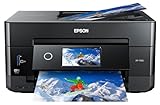
Experience high-quality photo printing and versatile all-in-one functionality with the Epson Expression Premium XP-7100. This printer delivers vibrant, borderless photos up to 8 × 10 inches quickly, helping you create stunning prints without long waits. Its 5-color Claria Premium ink system ensures rich colors and sharp details for every project.
Designed for ease of use, the XP-7100 features a 4.3-inch touchscreen that lets you edit and print photos directly from USB drives or SD cards. You can scan, copy, and print wirelessly, making it convenient for home or small office settings. The 30-page auto document feeder and automatic duplex printing simplify handling multiple pages and double-sided documents.
Maintenance is straightforward, but keep in mind the printer uses multiple individual ink cartridges, which may increase replacement costs. Specialty media requires rear paper feed and manual duplexing, which might be less convenient for some users. Wireless features and voice control need an internet connection and compatible devices to function fully.
This printer balances photo quality with everyday functionality, making it a practical choice for those who want more than just a photo printer.
Best for: users needing a versatile all-in-one printer that combines fast, high-quality photo printing with scanning, copying, and wireless convenience.
What We Like:
- Vibrant, borderless photo prints up to 8 × 10 inches with quick print speeds
- 30-page auto document feeder and automatic duplex printing enhance productivity
- 4.3-inch touchscreen enables easy photo editing and direct printing from USB/SD
- Wireless connectivity supports flexible placement and mobile printing
Specification:
| Feature | Details |
|---|---|
| Manufacturer | Epson |
| Dimensions (W×D×H) | 15.6 × 12.2 × 8.5 inches |
| Weight | 14.3 lb (6.5 kg) |
| Ink System | 5-color Claria Premium ink |
| Maximum Print Resolution | 4800 dpi |
| Connectivity | Wireless, USB, SD card slot |
| Auto Document Feeder | 30 pages |
| Duplex Printing | Automatic |
Canon PIXMA G620 Wireless MegaTank All-in-One Printer

- Never run out of ink. Connect your printer to Alexa and receive notifications when you’re running low. Alexa can even place a smart reorder from Amazon on your behalf...
- Enrolling in Smart Reorders with Alexa ensures that you never have too much or too little ink supplies. No subscription needed.
- MEGATANK HIGH PAGE YIELD: Print up to 3,800 4” x 6” color photos on a full set of ink.
- LOW COST PER PRINT with approx. ink cost of 2.5 cents per 4” x 6” color photo.2
- 6-COLOR DYE-BASED INK SYSTEM including Red and Gray inks for a wider color gamut.
The Canon PIXMA G620 Wireless MegaTank printer is designed for users who want vibrant photo prints without the hassle of frequent ink changes. Its innovative MegaTank system holds six dye-based inks, including red and gray, which enhances color depth and photo longevity. This feature allows you to print up to 3,800 4″ x 6″ photos from a single ink set, making it highly economical and reliable.
Setting up the PIXMA G620 is straightforward, and it supports both wireless and USB printing from multiple devices. This flexibility means you can print from your smartphone, tablet, or computer without connecting cables. The compact design fits well in small spaces, making it suitable for home offices or creative studios.
Maintenance is simple with Alexa integration, which helps you monitor ink levels and reorder supplies smartly, eliminating guesswork and interruptions. While the printer offers high-resolution print quality with CHROMALIFE100 technology for lasting images, note that the copy speed is modest and the paper tray holds a limited 50 sheets.
Best for: Users needing an affordable, high-yield photo printer that delivers sharp 4″ x 6″ prints with easy wireless connectivity and minimal upkeep.
What We Like:
- Prints up to 3,800 photos per ink set, lowering ink replacement frequency
- Six-color ink system with red and gray inks for richer, longer-lasting photos
- Alexa-enabled for convenient ink monitoring and smart reordering
- Compact design fits easily into small workspaces
Specification:
| Feature | Details |
|---|---|
| Manufacturer | Canon |
| Dimensions (W×D×H) | Compact size (exact size not provided) |
| Weight | Not specified |
| Ink System | Six dye-based inks (including red and gray) |
| Connectivity | Wireless and USB |
| Paper Tray Capacity | 50 sheets |
Canon PIXMA TS4320 – Wireless Color Inkjet Printer with Print, Copy, Scan

- Affordable Versatility - A budget-friendly all-in-one printer perfect for both home users and hybrid workers, offering exceptional value
- Crisp, Vibrant Prints - Experience impressive print quality for both documents and photos, thanks to its 2-cartridge hybrid ink system that delivers sharp text and vivid...
- Effortless Setup & Use - Get started quickly with easy setup for your smartphone or computer, so you can print, scan, and copy without delay
- Reliable Wireless Connectivity - Enjoy stable and consistent connections with dual-band Wi-Fi (2.4GHz or 5GHz), ensuring smooth printing from anywhere in your home or...
- Scan & Copy Handling - Utilize the device’s integrated scanner for efficient scanning and copying operations
Experience hassle-free printing with the Canon PIXMA TS4320, a compact all-in-one printer designed to simplify your everyday tasks. Its wireless connectivity eliminates cable clutter, allowing you to print, copy, and scan from anywhere in your home. The device supports mobile printing via the Canon PRINT App, AirPrint, and Mopria, making it easy to work directly from your smartphone or tablet.
This inkjet printer produces sharp, vibrant photos and professional-quality documents with a resolution up to 1200 x 1200 dpi. Automatic duplex printing helps you save paper while the flatbed scanner captures details at 600 dpi, ideal for school projects and photo archiving. Its stylish design fits neatly in small spaces without sacrificing functionality.
Maintenance is straightforward, with starter ink included to get you started right away. While it lacks an automatic document feeder, the single 100-sheet tray supports your daily printing needs efficiently. Control is intuitive through simple push buttons and app management, making operation smooth even without an OLED display.
Best for: Budget-conscious home users seeking a compact, versatile all-in-one printer for printing, copying, and scanning everyday documents and photos.
What We Like:
- Wireless printing with dual-band Wi-Fi and mobile compatibility
- High-quality color output with automatic duplex printing
- Compact design fits easily in limited spaces
- Simple setup with included starter ink
- Flatbed scanner provides clear, detailed scans
Specification:
| Feature | Details |
|---|---|
| Manufacturer | Canon |
| Dimensions | Approx. 12.0 x 14.7 x 5.2 in (W x D x H) |
| Weight | Approx. 9.9 lb (4.5 kg) |
| Printing Technology | Color Inkjet |
| Connectivity | Dual-band Wi-Fi, USB |
| Print Resolution | Up to 1200 x 1200 dpi |
| Scanner Resolution | Up to 600 dpi |
| Paper Capacity | Single tray, 100 sheets |
HP Envy 6555e Color Inkjet Printer | Wireless | All-in-One

- The Envy 6555e is perfect for homes printing everyday quality color documents like homework and borderless photos. Print speeds up to 7 ppm color, 10 ppm black.
- PERFECTLY FORMATTED PRINTS WITH HP AI – Print web pages and emails with precision—no wasted pages or awkward layouts; HP AI easily removes unwanted content, so your...
- KEY FEATURES – Color print, copy and scan, plus auto 2-sided printing, a 35-sheet auto document feeder and a 100-sheet input tray
- HP'S MOST INTUITIVE COLOR TOUCHSCREEN – Smoothly navigate your printer with the easy-to-use 2.4" touchscreen
- 3 MONTHS OF INSTANT INK WITH HP+ ACTIVATION – Subscribe to Instant Ink delivery service to get ink delivered directly to your door before you run out. After 3 months...
Experience the convenience of the HP Envy 6555e Color Inkjet Printer, designed to simplify your everyday printing needs. This all-in-one device handles printing, scanning, and copying with ease, making it ideal for busy homes and small offices.
Its auto duplex printing saves paper by automatically printing on both sides, while the 35-sheet automatic document feeder speeds up multi-page tasks. The vibrant 2.4″ color touchscreen ensures easy navigation, and HP’s AI formatting feature helps reduce paper waste by removing unwanted content.
Maintenance is straightforward with support for HP Instant Ink, which delivers ink automatically before you run out. While print speeds are moderate at up to 10 ppm for black and 7 ppm for color, the high-quality 4800 x 1200 dpi resolution produces sharp photos and crisp documents.
Wireless connectivity and compatibility with the HP Smart app make printing from your devices seamless. However, the printer uses proprietary HP 68 cartridges, which limits ink refill options.
Best for: Home users and home office workers who need a versatile, wireless all-in-one printer for documents and photo printing.
What We Like:
- Auto duplex printing and 35-sheet ADF for efficient multitasking
- Intuitive 2.4″ color touchscreen with AI formatting to reduce waste
- Supports HP Instant Ink for easy, cost-effective maintenance
- High-resolution prints with vibrant colors and clear details
- Wireless printing with HP Smart app compatibility
Specification:
| Feature | Details |
|---|---|
| Manufacturer | HP |
| Dimensions (W×D×H) | 17.2 × 14.5 × 5.7 inches |
| Weight | 13.3 lb (6.03 kg) |
| Printing Technology | Color Inkjet |
| Connectivity | Wireless, USB |
| Display | 2.4″ Color Touchscreen |
Factors to Consider When Choosing an All in One Printer for Photos
When choosing an all-in-one printer for photos, you’ll want to focus on print quality metrics and the types of ink it uses. Color accuracy is vital to make your images pop. You should also check if the printer supports the media sizes you plan to use.
Don’t forget to take into account how fast it prints, especially if you’ll be handling large batches of photos. Speed can make a big difference when you’re printing a lot. So, keep that in mind as you shop around.
Print Quality Metrics
Print quality stands at the heart of choosing an all-in-one photo printer, as it directly impacts how your images come to life on paper. You want a high resolution—look for printers offering 1200 to 5760 dpi—to capture fine details and smooth gradients.
Consider the color gamut too; printers with extended ink sets beyond CMYK, like photo black or gray, deliver richer, more accurate colors. Pay attention to color depth, as higher bit depth means smoother tonal shifts without banding, especially in skies or skin tones.
Also, check halftoning and printhead tech—smaller droplet sizes and precise nozzle placement yield sharper, cleaner prints. Finally, make sure the printer handles your preferred photo paper sizes and supports borderless printing for versatile, professional results.
Ink Type Options
Although choosing the right ink type might seem straightforward, it plays a crucial role in determining your photo prints’ vibrancy, longevity, and overall quality. Dye-based inks deliver vivid, saturated colors and smooth gradients, especially on glossy paper, but they can fade faster.
Pigment-based inks offer sharper text and superior fade resistance, making them ideal for archival prints, though their color gamut might be narrower. Look for printers with multi-color or extended-color systems—they enhance detail and tonal shift beyond basic setups.
Also, consider refillable individual ink tanks to cut waste and lower costs, since you replace only depleted colors. Finally, check print permanence ratings to match your prints’ purpose—whether everyday snapshots or long-term displays—so your photos impress today and last for years.
Color Accuracy Importance
Because even slight shifts in hue, saturation, or brightness can make your photos look unnatural, color accuracy is essential when choosing an all-in-one printer for photos. You want a printer with a wide color gamut and multiple color inks—like extra gray or photo black—to capture smooth gradients and true-to-life colors.
Proper color management is just as important: use ICC profiles, calibrate your monitor to standards like sRGB or Adobe RGB, and pick the right paper profile to match your prints. Keep in mind, a ΔE value below 2 means color differences are nearly invisible to the naked eye, so aim for printers that deliver low ΔE.
Finally, factors like lighting when viewing prints, paper type, drying time, and regular printer maintenance all influence consistent, accurate color results. Paying attention to these details really makes a difference!
Media Size Compatibility
When choosing an all-in-one photo printer, you’ll want to zero in on media size compatibility to make sure it handles all your printing needs. Check the maximum printable size—whether it’s 4″x6″, 8″x10″, or even 13″x19″—to confirm it supports your largest photo projects.
Make sure it offers borderless printing at the sizes you prefer, avoiding unwanted margins. Don’t forget to verify media thickness and weight compatibility; this guarantees smooth feeding of cardstock or fine art papers.
If you switch often between sizes or media types, look for multiple paper trays or a dedicated photo tray to save time and prevent jams. And finally, if you like creative formats, confirm the printer can handle specialty sizes like square prints or panoramic strips.
Print Speed Considerations
If you plan to print many photos, you’ll want to guarantee close attention to print speed, usually measured in pages per minute (ppm) or seconds per photo. Photo prints, especially high-resolution or borderless ones, take longer than standard documents because printers use slower, finer passes for better color accuracy.
Look for faster color ppm or specific photo timings, like 4×6 seconds, to estimate throughput. Keep in mind warm-up and first-page-out times, as frequent short jobs can be slowed by these delays.
Also, consider if the printer has high-speed photo modes that trade some quality for speed, but beware these may increase ink use or reduce image sharpness. Balancing speed with your desired photo quality guarantees you get prints that impress without unnecessary waits.
Connectivity and Wireless
How you connect your all-in-one photo printer can make a big difference in convenience and print quality. Make sure it supports dual-band Wi-Fi (2.4 GHz and 5 GHz) to minimize interference and speed up transferring high-resolution photos.
Look for direct mobile printing options like AirPrint, Mopria, or a dedicated app. That way, you can print from smartphones and tablets without any hassle.
If you often shoot outdoors or at events, Wi-Fi Direct or a built-in hotspot keeps printing possible without a local network.
For large or RAW files, rely on wired Ethernet or USB 3.0/USB‑C connections to get faster, more stable transfers.
Finally, check if the printer supports cloud printing and storage integration. This lets you print from cloud services and back up your shots remotely.
Cost Per Print
Beyond connectivity options, understanding the cost per print helps you choose an all-in-one photo printer that fits your budget. Calculate this by dividing the total ink or consumable cost by the number of pages that supply yields.
Remember, photo prints use more color ink and cost considerably more per page than black-and-white documents. Don’t just consider the initial ink; factor in long-term replacement frequency and yield—some cartridges or bottles cover thousands of pages.
Also, high-quality photo paper adds to your per-print expense, so include specialty media costs in your calculation. Finally, explore subscription or refill programs—they might lower your cost per print but can add recurring fees.
Maintenance and Durability
When selecting an all-in-one photo printer, you’ll want to focus on maintenance and durability to guarantee consistent performance and long-term value. Opt for models with refillable tanks or individual color cartridges to cut down on frequent replacements and reduce ongoing costs.
Regularly cleaning printheads, whether automatically or manually, prevents clogs that can ruin photo quality—but avoid excessive cleaning since it wastes ink.
Check the printer’s rated monthly duty cycle and recommended page volume to make certain it can handle your printing needs without premature wear. Also, verify the availability and price of replacement parts like printheads and rollers, as expensive or discontinued components can limit lifespan.
Finally, choose printers with robust paper handling—such as single-sheet rear feeds and support for thick photo paper—to minimize jams and mechanical stress. It really pays off to pick a model that can take the workload without breaking down.
Frequently Asked Questions
Can These Printers Handle Borderless Photo Printing?
Yes, these printers can handle borderless photo printing. You’ll get vibrant, edge-to-edge prints without white margins, perfect for showcasing your photos professionally.
Just make sure to select the borderless option in your print settings before printing. That way, your photos come out looking exactly how you want them.
What Types of Photo Paper Are Compatible With These Printers?
Did you know 85% of photo printers work best with glossy paper?
You’ll find these printers compatible with glossy, matte, luster, and sometimes even fine art papers. This variety lets you choose the perfect finish for your photos.
Do These Printers Support Direct Photo Printing From Smartphones?
Yes, these printers support direct photo printing from smartphones.
You’ll just need to connect via Wi-Fi or Bluetooth, use the compatible app, and you’re all set to print high-quality photos straight from your device quickly and easily.
How Long Do the Photo Prints Typically Last Without Fading?
Your prints can last up to 100 years without fading, like a timeless sunset captured forever.
With quality inks and paper, you’ll preserve memories vibrant and true.
They resist time’s gentle but relentless brush, keeping your moments alive for generations.
Are There Any Special Maintenance Tips for Photo Printing Quality?
You should regularly clean the print heads, use high-quality photo paper, and store your ink cartridges properly. Also, keep your printer dust-free and update its firmware to maintain consistent photo printing quality over time.
Keeping your printer in good shape really pays off. It’s not just about cleaning; using the right materials helps a lot too.
And don’t forget to check for firmware updates. They often fix bugs and improve print quality, so it’s worth doing regularly.
Conclusion
Choosing the right all-in-one printer for your photos can truly transform your creative projects. Imagine Sarah, an avid photographer, who switched to the Epson EcoTank Photo ET-8550 and instantly saw sharper prints with vibrant colors.
Whether you prioritize wireless convenience, print quality, or cost-efficiency, there’s a perfect fit for you. Don’t settle—pick a printer that brings your photos to life, just like Sarah did.
With the best all-in-one printers for photos, you can impress with every print. They combine vibrant color accuracy, sharp details, and reliable performance. So, if you want your memories to stand out and last, choose a photo printer that matches your needs and budget. Your photos deserve that kind of brilliance every time.