7 Best All in One Printers for 2027 That Save You Money
You’ll save big with the 7 best all-in-one printers for 2027 that balance speed, quality, and low running costs. These all-in-one printers are perfect if you want to cut down on expenses without sacrificing performance. From the HP OfficeJet Pro 8125’s smart AI ink savings to Canon’s MegaTank G3270 refillable system, there’s something for everyone.
Brother’s high-yield INKvestment cartridges also make a strong case for budget-friendly printing. Whether you need vibrant color prints, automatic duplexing, or cloud connectivity, these models offer smart features that keep expenses down. Take a closer look at these printers to find your perfect cost-efficient match for home or office use.
| Image | Name | Editor's Rating | Price |
|---|---|---|---|

|
|
||
|
|
||

|
|
||

|
|
||

|
|
HP OfficeJet Pro 8125 Wireless All-in-One Printer
- FROM AMERICA'S MOST TRUSTED PRINTER BRAND – The OfficeJet Pro 8125 is perfect for home offices printing professional-quality color documents like business documents...
- 3 MONTH TRIAL OF INSTANT INK INCLUDED – Subscribe to the Instant Ink delivery service to get ink delivered directly to your door before you run out, and you save up to...
- KEY FEATURES – Fast color printing, scan, copy, auto 2-sided printing, auto document feeder, and a 225-sheet input tray
- 2.7-INCH TOUCHSCREEN – Quickly navigate your printer with a large color touchscreen and a phone-like user interface
- WIRELESS PRINTING – Stay connected with our most reliable dual-band Wi-Fi, which automatically detects and resolves connection issues

The HP OfficeJet Pro 8125 Wireless All-in-One Printer is designed to make your home or small office printing tasks simple and efficient. It handles printing, scanning, copying, and faxing in one compact device. With print speeds of up to 20 ppm in black and 10 ppm in color, it helps you complete tasks quickly without sacrificing quality.
The 2.7-inch color touchscreen makes operation straightforward, while wireless dual-band Wi-Fi lets you print directly from laptops or smartphones. Its 225-sheet paper tray supports different paper sizes, reducing the need for constant refills during everyday use. HP’s AI technology optimizes print jobs to save ink and paper, cutting down on waste.
Maintenance is hassle-free thanks to the included 3-month Instant Ink trial, which helps keep ink costs manageable. The printer also incorporates sustainable materials, reflecting an eco-conscious design. However, it requires original HP cartridges with chips, limiting third-party ink options and potentially causing firmware restrictions. Faxing is only available through a mobile app, which might not suit all users.
Best for: Home users or small offices needing a reliable wireless all-in-one printer with smart ink management and eco-friendly features.
What We Like:
- Fast print speeds with sharp black and color output
- Easy wireless connectivity and intuitive touchscreen control
- AI-driven ink and paper savings for cost-effective printing
- Uses recycled plastic materials for a greener footprint
- Includes a 3-month Instant Ink trial for convenient ink supply
Specification:
| Feature | Details |
|---|---|
| Manufacturer | HP |
| Dimensions | Approx. 16.5 x 14.4 x 8.5 in |
| Weight | About 17.4 lbs |
| Connectivity | Wireless dual-band Wi-Fi |
| Paper Tray Capacity | 225 sheets |
| Display | 2.7-inch color touchscreen |
| Functions | Print, scan, copy, fax |
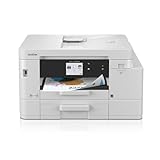
Brother INKvestment 4555 Wireless Color Inkjet Printer
- BEST FOR SMALL OFFICE AND SMALL BUSINESS: This multifunction printer makes it easy to print, copy, scan, and fax —all in one compact printer. Includes one 1,800-page...
- INNOVATIVE CONNECTIVITY TECHNOLOGY: Connect your way via ethernet, wireless network, or USB connection. Wi-Fi Direct enables convenient wireless printing, even without an...
- CLOUD APP CONNECTIONS: Print from and scan to popular Cloud apps(4), including Google Drive, Dropbox, Box, OneDrive, and more with an impressive 2.7” color touchscreen...
- PRODUCTIVITY-FOCUSED FEATURES: Automatic duplex (2-sided) printing, 400-sheet paper capacity between 2 trays, 20-page single-sided auto document feeder (ADF), 1-sheet...
- THE BROTHER MOBILE CONNECT APP: Put the power of printing at your fingertips. Go mobile with the Brother Mobile Connect app(7) that delivers easy onscreen menu navigation...
The Brother INKvestment 4555 Wireless Color Inkjet Printer is designed to streamline your daily printing tasks. It offers all-in-one functionality, allowing you to print, scan, copy, and fax with ease. The intuitive 2.7″ color touchscreen simplifies navigation and gives quick access to cloud services, helping you stay connected and productive.
This printer handles large workloads efficiently, thanks to its two paper trays holding up to 400 sheets and a 20-sheet automatic document feeder. Automatic duplex printing saves time and paper by printing on both sides without manual intervention. Print speeds can reach up to 20 ppm for black and 19 ppm for color, making it suitable for busy environments.
Maintenance is straightforward with Brother’s Refresh subscription, which helps reduce ink costs and ensures you always have ink when needed. However, initial ink cartridges may require replacement sooner with heavy use. While the USB host port supports JPEG plug-and-print, it limits other direct printing options.
Best for: Small offices, home businesses, and home offices seeking a versatile, wireless all-in-one printer with efficient ink management.
What We Like:
- User-friendly 2.7″ color touchscreen with cloud app access
- Large paper capacity with dual trays and automatic document feeder
- Fast print speeds with automatic duplex printing
- Cost-effective ink subscription service for hassle-free maintenance
Specification:
| Feature | Details |
|---|---|
| Manufacturer | Brother |
| Dimensions (WxDxH) | Approx. 16.3 x 15.7 x 9.9 in |
| Weight | Approx. 18.3 lbs (8.3 kg) |
| Color Options | White with black accents |
| Connectivity | Wi-Fi, Ethernet, USB |
Canon MegaTank G3270 All-in-One Wireless Color Printer
- Wireless Print/Copy/Scan
- Up to 2 years of ink included (2)
- Print up to 6,000 black & white / 7,700 color pages using a single set of inks! (1)
- Save up to $1,000 on ink (1)
- 1.35” Square LCD display
The Canon MegaTank G3270 All-in-One Wireless Color Printer is designed to help you cut ink costs without compromising print quality. Its refillable ink tank system delivers up to two years of ink, allowing you to print thousands of pages before needing a refill. This reduces the hassle and expense of constantly replacing cartridges.
This printer handles everyday tasks like printing, copying, and scanning with sharp detail, thanks to a high resolution of 4800 x 1200 dpi. It supports a variety of paper sizes, making it versatile for both personal and professional documents.
Connectivity is simple with Wi-Fi and USB options, letting you print wirelessly from smartphones, tablets, or computers. The compact design fits neatly on your desk without taking up much space. While it only prints single-sided pages and offers moderate speed, it excels in cost efficiency and image quality.
Maintenance is straightforward with the MegaTank system, minimizing interruptions and keeping running costs low. The small LCD screen provides basic controls but may limit advanced navigation.
Best for: Home and home office users seeking an economical, high-quality all-in-one wireless color printer with low maintenance.
What We Like:
- Refillable MegaTank ink system with high page yields for significant cost savings
- Sharp print, copy, and scan resolution for professional-quality output
- Wireless printing with mobile device compatibility and flexible paper handling
- Compact and lightweight design ideal for small workspaces
Specification:
| Feature | Details |
|---|---|
| Manufacturer | Canon |
| Dimensions | Not specified |
| Weight | 13.2 lb (6 kg) |
| Technology | Wireless Inkjet |
| Maximum Resolution | 4800 x 1200 dpi |
| Connectivity | Wi-Fi, USB |
| Paper Handling | Various sizes, single-sided |
HP Envy 6155 Wireless All-in-One Printer (C2WR7A)
- FROM AMERICA'S MOST TRUSTED PRINTER BRAND – The Envy 6155 is perfect for homes printing everyday high-quality color documents like homework and borderless photos. Print...
- 3 MONTH TRIAL OF INSTANT INK – Subscribe to the Instant Ink delivery service to get ink delivered directly to your door before you run out, and you save up to 50% on...
- KEY FEATURES – Color print, copy and scan, plus auto 2-sided printing and a 100-sheet input tray
- HP'S MOST INTUITIVE COLOR TOUCHSCREEN – Smoothly navigate your printer with the easy-to-use 2.4" touchscreen
- WIRELESS PRINTING – Stay connected with our most reliable dual-band Wi-Fi, which automatically detects and resolves connection issues
The HP Envy 6155 Wireless All-in-One Printer (C2WR7A) is designed to make everyday printing simple and efficient. Whether you’re handling homework, documents, or photos, this printer delivers vibrant, true-to-screen colors that bring your projects to life. Its borderless photo printing lets you create professional-looking prints without extra effort.
This all-in-one device combines printing, scanning, and copying capabilities, helping you manage tasks without switching machines. Auto duplex printing saves paper by printing on both sides automatically, while the 100-sheet tray reduces frequent refills. Its compact design fits neatly in home or office spaces.
Connectivity is effortless with dual-band Wi-Fi, allowing you to print from multiple devices. The 2.4-inch color touchscreen and HP App provide intuitive control over all functions. HP’s AI technology optimizes layouts to reduce paper waste, making printing smarter and more eco-friendly.
Maintenance is streamlined with a 3-month Instant Ink trial that ensures you won’t run out of ink unexpectedly. The printer’s eco-conscious design includes 60% recycled plastic, reflecting a commitment to sustainability. However, it requires original HP cartridges, which may limit ink options.
Best for: Families and individuals who want a versatile, easy-to-use printer that delivers high-quality color prints and handles everyday scanning and copying needs.
What We Like:
- Auto duplex and borderless photo printing improve efficiency and print quality
- Dual-band Wi-Fi and touchscreen enable flexible, user-friendly operation
- HP AI reduces paper use with optimized layouts
- Eco-friendly build with 60% recycled plastic
- Convenient 3-month Instant Ink trial helps manage ink supply
Specification:
| Feature | Details |
|---|---|
| Manufacturer | HP |
| Dimensions | Compact size (exact size not specified) |
| Weight | Not specified |
| Material | 60% recycled plastic |
| Color Options | Not specified |
HP OfficeJet Pro 9125 Wireless All-in-One Printer
No products found.
The HP OfficeJet Pro 9125 Wireless All-in-One Printer is designed to simplify your printing and scanning tasks. It produces sharp color and black-and-white prints quickly, helping you stay productive. With print speeds of up to 22 pages per minute in black and 18 in color, it meets tight deadlines without sacrificing quality.
This printer handles two-sided scanning effortlessly thanks to its dual-pass automatic document feeder. This feature cuts down the time spent on manual page flipping. You can control the device easily with the intuitive 2.7-inch touchscreen or use the HP Smart app for wireless printing from your mobile devices.
Maintenance is straightforward with a 250-sheet input tray that suits moderate print volumes. However, users should note that firmware updates might restrict cartridge use to originals only. The printer’s design also emphasizes eco-friendliness by incorporating recycled materials.
Its blend of speed, duplex scanning, and wireless connectivity makes it a practical choice for professionals and small offices. The HP OfficeJet Pro 9125 balances convenience, functionality, and environmental considerations in one compact unit.
Best for: professionals and small office users who require a reliable, fast all-in-one printer with wireless and duplex scanning capabilities.
What We Like:
- High-speed printing up to 22 ppm black and 18 ppm color
- Dual-pass ADF enables effortless two-sided scanning and copying
- Simple operation via 2.7-inch touchscreen and HP Smart app
- Compact design with a 250-sheet tray fitting moderate workloads
- Use of recycled materials supports environmental responsibility
Specification:
| Feature | Details |
|---|---|
| Manufacturer | HP |
| Model | OfficeJet Pro 9125 |
| Dimensions (W×D×H) | 18.7 × 16.3 × 9.6 inches |
| Weight | Approximately 17.5 lbs (7.9 kg) |
| Color Options | Black and gray |
| Connectivity | Wireless, USB |
| Paper Capacity | 250 sheets |
| Touchscreen Size | 2.7 inches |
Brother MFC-L5915DW Professional Laser Printer All-in-One
- FAST BUSINESS PRINTING AND COPYING: The Brother MFC-L5915DW business monochrome laser all-in-one printer delivers high-quality output and print and copy speeds of up to...
- LOW-COST OUTPUT: Help reduce operating costs by using the Brother Genuine TN920UXXL ultra high-yield 18,000-page replacement toner cartridge. Includes a Brother Genuine...
- FAST, HIGH-VOLUME SCANNING: The 70-page capacity(3) auto document feeder offers single-pass, two-sided scanning up to 56ipm(4). Features a large document glass for up to...
- FLEXIBLE CONNECTIVITY OPTIONS: Features built‐in Gigabit Ethernet and dual band wireless networking to seamlessly set up and share on your wired.
Experience efficient, reliable printing with the Brother MFC-L5915DW, designed to handle the demands of busy offices. This monochrome laser all-in-one streamlines your workflow by integrating printing, scanning, copying, and faxing capabilities into a single device. It delivers crisp, professional documents at speeds of up to 50 pages per minute, helping you meet tight deadlines effortlessly.
The intuitive 5-inch color touchscreen simplifies operation, reducing time spent navigating menus. Automatic duplex printing and a 70-sheet automatic document feeder enhance productivity by minimizing manual intervention. Connectivity options like Gigabit Ethernet, dual-band Wi-Fi, and USB allow seamless integration into your existing network, while mobile and cloud printing support keep your team flexible.
Maintenance is straightforward with a high-capacity toner cartridge that yields up to 18,000 pages, cutting downtime and lowering running costs. Although it offers only monochrome printing and a single 250-sheet tray, the device is built to support the high-volume needs of small business environments.
Best for: Small businesses and workgroups requiring a fast, multifunction monochrome laser printer to boost productivity and reduce operational costs.
What We Like:
- Fast printing speed up to 50 ppm with sharp 1200 x 1200 dpi output
- Multifunction design with scanning, copying, faxing, duplex, and 70-sheet ADF
- Flexible connectivity including Gigabit Ethernet, dual-band Wi-Fi, USB, and mobile/cloud printing
Specification:
| Feature | Details |
|---|---|
| Manufacturer | Brother |
| Dimensions (W×D×H) | 16.1 x 15.7 x 12.5 inches |
| Weight | 20.9 lbs (9.5 kg) |
| Color | White |
| Print Technology | Monochrome Laser |
| Max Print Speed | 50 pages per minute |
| Resolution | 1200 x 1200 dpi |
| Connectivity | Gigabit Ethernet, Wi-Fi (dual-band), USB |
| Paper Capacity | 250-sheet tray |
| ADF Capacity | 70 sheets |
Brother INKvestment 5110 Wireless Color Inkjet Printer

- BEST FOR SMALL BUSINESS: Print, copy, scan, and fax with one powerful device, with advanced security features for business. Includes one 1,800-page yield black ink...
- PRODUCTIVE PRINTING FEATURES: A 500-sheet capacity between two trays, a 100-sheet multipurpose tray, single-pass duplex copy & scan for up to 50 pages via ADF, automatic...
- SUPERIOR PRINTING: Engineered with the PerfectPrint Auto Detection System, which helps ensure reliable, consistent print quality and performance you can depend on for all...
- SEAMLESS CONNECTIONS: Simplify your workflow with Wi-Fi Direct and multiple connection options, including wireless network interfacing, Ethernet, and USB. Plus, print...
- THE BROTHER MOBILE CONNECT APP: Put the power of printing at your fingertips. Go mobile with the Brother Mobile Connect app that delivers easy onscreen navigation for...
Experience hassle-free, high-quality color printing with the Brother INKvestment 5110 Wireless Color Inkjet Printer. Designed to meet the needs of busy small offices and home users, this all-in-one device simplifies your workflow by handling printing, copying, scanning, and faxing in one compact unit. It delivers sharp, vibrant prints at 4800 x 1200 dpi, ensuring every document and photo stands out.
This printer tackles large jobs with ease thanks to its 500-sheet paper capacity and automatic duplex printing, reducing the need for frequent refills and saving time. Wireless connectivity options, including dual-band Wi-Fi and Ethernet, allow effortless printing from multiple devices, while the 4.3″ touchscreen and Brother Mobile Connect app make operation intuitive and convenient.
Maintenance is straightforward with the INKvestment system, which uses high-yield cartridges to minimize replacements and keep running costs manageable. However, its 37.7-pound weight may limit portability, and color cartridge yields vary, so plan accordingly for frequent color prints.
Best for: Small offices and home users who need a versatile, easy-to-use color inkjet printer with strong connectivity and efficient multitasking.
What We Like:
- Produces sharp, vibrant color prints with high resolution.
- Large paper capacity and automatic duplex printing support heavy workloads.
- Flexible connectivity options including dual-band Wi-Fi, Ethernet, and mobile printing.
- User-friendly 4.3″ touchscreen and companion mobile app enhance ease of use.
Specification:
| Feature | Details |
|---|---|
| Manufacturer | Brother |
| Dimensions (W×D×H) | Approx. 16.2 × 16.1 × 9.0 in |
| Weight | 37.7 lbs (17.1 kg) |
| Printer Type | Wireless Color Inkjet |
| Connectivity | Dual-band Wi-Fi, Ethernet |
| Display | 4.3-inch touchscreen |
Factors to Consider When Choosing an All in One Printer for Money
When choosing an all-in-one printer, you’ll want to focus on printing speed and ink efficiency to save both time and money.
Don’t forget to check connectivity options and paper handling capacity to fit your workflow.
Ensuring the print quality meets your standards is also key for getting the best value.
Printing Speed Efficiency
Although print quality matters, printing speed plays a pivotal role in how efficiently you handle large or frequent jobs with an all-in-one printer. You’ll want to check the pages per minute (ppm) for both black and color prints since color often runs slower and can bottleneck your workflow.
First-page-out time is critical too—faster starts under 10–20 seconds reduce your wait and keep tasks flowing smoothly. Don’t overlook duplex speeds, especially if you print double-sided often; two-sided scanning can be single- or dual-pass, affecting total job time.
Finally, make sure the printer’s rated monthly volume and duty cycle match your needs so it maintains speed without overheating or slowing down during heavy use. This way, you’ll get the best efficiency and save valuable time.
Ink Cost and Yield
Printing speed affects how quickly you finish tasks, but managing ink cost and yield impacts how much you’ll spend over time. To compare real running costs, divide the price of replacement ink or toner by its rated yield in pages.
Opt for printers with high-yield or XL cartridges and refillable ink tanks, as these typically lower your cost per page markedly compared to standard cartridges. If you consider manufacturer subscription or auto-replenishment programs, check cartridge sizes and monthly fees against your actual printing volume first.
Connectivity Options Variety
Among the key factors to contemplate for an all-in-one printer is the variety of connectivity options it offers. Make certain your printer supports both wired connections like Ethernet and USB, and wireless options such as dual-band Wi-Fi and Wi-Fi Direct. This flexibility lets you choose between stable, fast wired transfers or convenient mobile printing.
Check for compatibility with mobile and cloud printing protocols like AirPrint and Mopria, so you can print or scan directly from your smartphone or tablet without extra drivers. For multi-user offices, look for Gigabit Ethernet and security features like WPA3 and user authentication to protect your network.
Don’t forget to take into account available ports—USB-A host for flash drives, front USB for walk-up JPEG printing, and Bluetooth for legacy devices—to make sure versatile, hassle-free use. It’s all about making your printing experience as smooth and adaptable as possible.
Print Quality Standards
Your printer’s connectivity options matter, but so does the quality of the output it delivers. When choosing an all-in-one printer, check the maximum print resolution—look for values like 1200 x 1200 dpi for sharp text and up to 4800 x 1200 dpi for vibrant photos.
Separate specs for black and color resolution help you judge text clarity versus photo detail. Don’t overlook color depth and gamut support; higher bits per channel and wider gamuts provide smoother gradients and more accurate colors.
Also, trust ISO/IEC standardized speeds and yields rather than manufacturer claims, since real-world performance varies. Consider ink type, droplet size, and whether the printer includes image enhancement or color management features—that guarantees consistent, fade-resistant prints that save you money over time.
Paper Handling Capacity
Paper handling capacity plays a vital role in keeping your printing tasks smooth and efficient. First, consider the input tray capacity—commonly between 100 and 500 sheets—to match your monthly print volume and avoid constant refills.
If you use various paper types or sizes, opt for multiple trays or a multipurpose tray to keep them ready without swapping. Check the output tray size and whether the printer supports automatic duplex printing; larger trays and two-sided printing cut down jams and manual work during heavy jobs.
Don’t forget the automatic document feeder (ADF) capacity and its ability to scan or copy double-sided documents, which boosts efficiency for bulk tasks. Lastly, make sure the printer handles the media sizes and weights you need, like envelopes or cardstock, for seamless operation.
Multifunction Features Included
When choosing an all-in-one printer, you should confirm which multifunction features you actually need, such as printing, copying, scanning, or faxing. Adding advanced options like automatic document feeder (ADF) scanning or duplex functions can increase both the initial cost and ongoing consumable expenses.
If you handle multi-page documents often, look for ADF capacity and single-pass duplex scanning to save time. Check whether the printer supports automatic two-sided printing and scanning to reduce paper use and speed up tasks.
Consider if the scanner is flatbed only or includes sheetfed capabilities, since sheetfed scanners handle large volumes faster, while flatbeds are better for books or delicate items. Only opt for fax features if you regularly send or receive faxes, and decide between traditional phone line or internet-based faxing to manage recurring costs.
Device Compatibility Range
Although many all-in-one printers offer advanced features, you’ll want to make certain the device fully supports the operating systems and devices you use daily. Check compatibility with Windows, macOS, iOS, Android, and Chromebook, as some functions like mobile printing or drivers may be limited on certain platforms.
Make sure the printer supports your exact OS versions, including 32- or 64-bit and recent updates, to avoid missing features like duplex scanning or cloud integration. Look for connectivity options such as Wi-Fi, Wi-Fi Direct, Ethernet, USB, AirPrint, and Mopria to connect seamlessly with laptops, smartphones, and tablets.
If multiple users share the printer, confirm network capabilities like guest access and user authentication. Finally, verify mobile and cloud app functions match your needs and device compatibility. That way, you’ll ensure smooth operation across all your gadgets.
Energy Consumption Levels
Beyond compatibility and connectivity, energy consumption plays a big role in the overall cost of owning an all-in-one printer. Look for models with sleep or idle power under 5–10 watts and active printing power that fits your needs—inkjets typically use 10–50 watts, lasers 300–700 watts.
Check the energy per page, since faster printers or those with high warm-up power might use more energy despite low idle draw. Automatic duplexing cuts paper use and energy per document by about half for double-sided jobs.
Choose printers with Energy Star certification and features like auto power-off or scheduled sleep to slash annual energy costs. If you print often, prioritize quick wake-up and efficient first-page energy.
If you print rarely, pick models with low standby draw and reliable auto-shutoff to prevent phantom energy waste. Makes sense, right? It’s all about matching the printer to how you use it!
Frequently Asked Questions
How Do All-In-One Printers Impact Environmental Sustainability?
All-in-one printers reduce waste by combining functions, so you use fewer devices. You’ll save energy and materials, especially with eco-friendly ink and duplex printing.
Choosing efficient models helps you lower your environmental footprint. It’s a smart move if you want to be more eco-friendly without giving up convenience.
Can All-In-One Printers Connect With Smart Home Devices?
Yes, you can connect many all-in-one printers with smart home devices. They often support Wi-Fi, Bluetooth, and apps.
This lets you print or scan hands-free using voice commands through assistants like Alexa or Google Assistant. Pretty convenient, right?
What Are the Best Maintenance Practices for All-In-One Printers?
Think of your all-in-one printer as a hardworking engine; you’ll want to clean the print heads regularly. Using it often helps prevent ink clogs and keeps everything flowing smoothly.
Also, be sure to update the firmware when needed. And don’t forget to replace cartridges promptly to keep your printer running efficiently without any hiccups.
Are There Subscription Plans Available for Ink Replacement?
Yes, many brands offer subscription plans for ink replacement, so you don’t have to worry about running out.
You’ll get automatic deliveries at discounted rates, saving you time and money while keeping your printer ready to go.
How Secure Are Wireless Connections on All-In-One Printers?
Wireless connections on all-in-one printers can be both secure and vulnerable. You’ll want to use strong passwords and enable encryption like WPA3.
Also, regularly updating the firmware helps keep hackers out. This way, you can enjoy convenient printing without cables.
Conclusion
You might think buying an all-in-one printer is just adding another gadget to your clutter, but ironically, it’s the smart way to save money and space. Instead of juggling separate devices and wasting ink, these printers do it all—print, scan, copy, and fax—without draining your wallet.
So, go ahead, pick one that fits your needs, and watch how this “extra” device quietly becomes your office hero, saving you both time and cash. With the best all-in-one printers, you get convenience and cost-efficiency wrapped into one compact machine. It’s not just about cutting down clutter; it’s about making your workspace smarter and your budget happier. Whether you’re working from home or managing a small office, these all-in-one printers help you streamline tasks and keep expenses low. Investing in one today means you’re set up for smoother, more affordable printing tomorrow.