10 Best All-in-One Printers for Cardstock in 2027
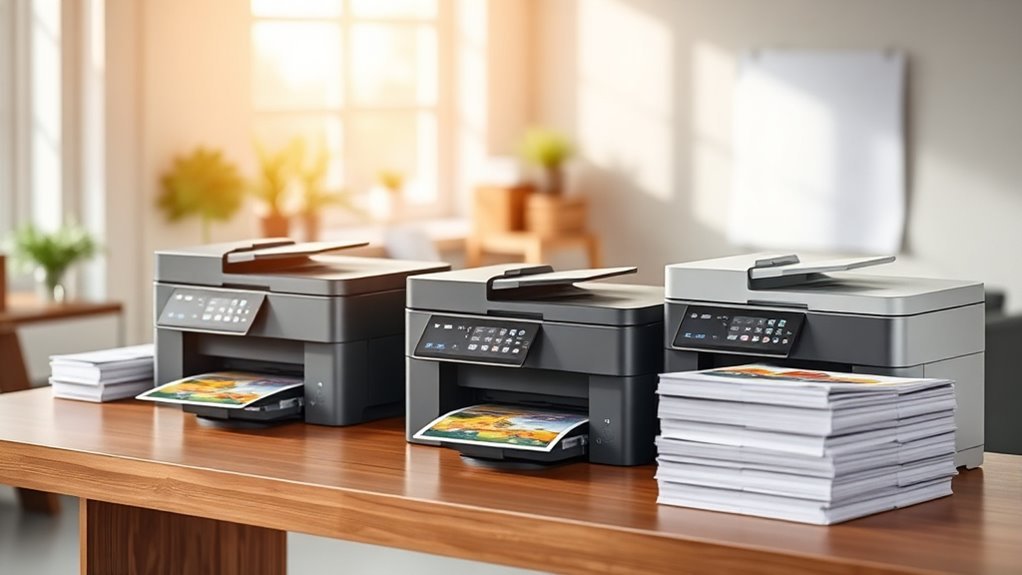
You’ll want an all-in-one printer that handles cardstock smoothly, offers sharp print quality, and keeps ink costs down. Finding the best all-in-one printer for cardstock means looking for versatility with media sizes and affordability.
Models like the Canon MegaTank G3270 and PIXMA TS9521Ca excel at these features, making them great choices for both home and office use.
Meanwhile, the Epson EcoTank Photo ET-8550 delivers vibrant wide-format prints that really stand out.
HP’s OfficeJet Pro series is another solid option, balancing speed, eco-friendliness, and durability.
Plus, features like auto duplexing and smart ink management help you save time and money.
Keep exploring to find the perfect all-in-one printer that fits your specific needs and budget. You’re sure to discover a model that makes printing cardstock a breeze!
| Image | Name | Editor's Rating | Price |
|---|---|---|---|

|
|
||

|
|
||

|
|
||

|
|
||

|
|
Canon MegaTank G3270 All-in-One Wireless Color Printer
- Wireless Print/Copy/Scan
- Up to 2 years of ink included (2)
- Print up to 6,000 black & white / 7,700 color pages using a single set of inks! (1)
- Save up to $1,000 on ink (1)
- 1.35” Square LCD display

The Canon MegaTank G3270 is designed to simplify printing tasks while keeping costs low. It handles a variety of paper types, including cardstock up to 8.5 x 14 inches, making it ideal for creative projects or professional documents. Its high-quality printing ensures sharp images and text with a resolution of 4800 x 1200 dpi.
This all-in-one wireless color printer offers more than just printing. You can easily copy and scan documents, reducing the need for multiple devices. With a 100-sheet capacity, it supports longer print runs without frequent paper refills, saving time and effort.
Maintenance is straightforward thanks to the MegaTank refillable ink system. It allows for high page yields—up to 6,000 black-and-white and 7,700 color pages per set—helping users save on ink expenses over time. The compact design fits neatly on a desk, making it suitable for home offices or small workspaces.
Wireless connectivity lets you print directly from smartphones and tablets, enhancing convenience. While its print speed is moderate, the printer balances quality and functionality effectively. A small LCD screen provides basic controls but may not suit users needing extensive menu navigation.
Best for: users seeking an affordable, versatile all-in-one printer that supports various media types and lowers ink costs without sacrificing print quality.
What We Like:
- Refillable MegaTank ink system with high page yields for cost savings
- Supports cardstock and borderless printing up to 8.5 x 14 inches
- Wireless printing compatible with smartphones and tablets
- Compact footprint fits well in limited spaces
- All-in-one functionality: print, copy, and scan
Specification:
| Feature | Details |
|---|---|
| Manufacturer | Canon |
| Dimensions (W×D×H) | 15.7 x 11.7 x 6.4 inches |
| Weight | Approx. 11.5 lb (5.2 kg) |
| Color Options | Black |
| Print Resolution | Up to 4800 x 1200 dpi |
| Paper Capacity | 100 sheets |
| Media Size Support | Up to 8.5 x 14 inches (legal) |
Canon PIXMA TS9521Ca – Wireless Home All-in-One Inkjet Printer
- ALL-IN-ONE: Print, Copy, Scan features for full control at your fingertips. Comes with a 1 year limited warranty.
- FAST PRINT SPEEDS: Print approximately 15 (black) / 10 (color) images per minute.
- EASY SETUP and INSTALL: Get running in just a few minutes thanks to a streamlined and easy setup process out of the box. The five individual ink system makes it easy to...
- USER-FRIENDLY TOUCHSCREEN: Get the job done with an intuitive and easy to use 4.3” touch LCD screen.
- AUTO 2-SIDED PRINTING: Built in auto duplex printing for convenience & paper savings.
The Canon PIXMA TS9521Ca is designed to bring versatility and ease to your printing tasks. Its ability to handle media sizes up to 11” x 17” means you can work on a wide range of projects, from detailed scrapbooking to eye-catching banners. This flexibility eliminates the need for multiple devices, simplifying your workspace.
Wireless connectivity and a 4.3” touch LCD make setup and daily operation smooth and intuitive. You can print from various devices without hassle, saving time and reducing clutter. The printer’s five individual ink cartridges allow you to replace only the colors you need, cutting down on waste and maintenance costs.
With sharp print quality up to 4800 x 1200 dpi and duplex printing, your documents and creative projects look professional while conserving paper. While print speeds are moderate, this printer prioritizes precision and quality. The 20-sheet auto document feeder suits occasional scanning but may limit heavy use.
This all-in-one printer is ideal for those who need a blend of creative capability and reliable home office functionality. Its thoughtful design supports both detailed crafts and everyday tasks efficiently.
Best for: Creative individuals and small business users seeking versatile media handling and high-quality wireless printing for home and craft projects.
What We Like:
- Supports media sizes up to 11” x 17” for diverse projects
- High-resolution prints with automatic duplex for sharp images and paper savings
- Easy wireless setup with a responsive 4.3” touch LCD
- Five individual ink cartridges reduce waste and lower maintenance costs
- Compact design balances creative and office needs
Specification:
| Feature | Details |
|---|---|
| Manufacturer | Canon |
| Maximum Media Size | 11” x 17” (Tabloid) |
| Print Resolution | Up to 4800 x 1200 dpi |
| Display | 4.3” Touch LCD |
| Ink Cartridges | 5 Individual |
| Auto Document Feeder | 20 sheets |
| Connectivity | Wireless |
Epson EcoTank Photo ET-8550 Wireless Wide-Format All-in-One Tank Printer
- CARTRIDGE-FREE PRINTING — Print lab-quality photos, graphics and creative projects; Get vibrant colors and sharp text with Epson's high-accuracy printhead and Claria ET...
- INK BOTTLES — Save on photos1 and creative projects with affordable in-house printing; All-in-one printer allows you to print 4" x 6" photos for about 4 cents each vs...
- LESS FREQUENT INK REPLACEMENT — Replacement ink bottles don't have to be changed nearly as often as ink cartridges¹; Printer, scanner and copier lets you print up to...
- PRINT FOR LONGER — Up to 2 years of ink in the box² (and with every replacement ink set) for fewer out-of-ink frustrations with this wireless printer
- ZERO CARTRIDGE WASTE — Epson EcoTank printer helps reduce the amount of cartridge waste ending up in landfills; Cartridge-free printer uses high-yield ink bottles; Each...
Experience vibrant, professional-quality prints with the Epson EcoTank Photo ET-8550. Designed for creatives who demand sharp, colorful images, this printer tackles wide-format projects with ease. It supports media up to 13 x 19 inches and thick cardstock up to 1.3 mm, delivering impressive results for photo books, marketing materials, and art prints.
This wireless all-in-one printer uses a cartridge-free ink system with six-color Claria ET Premium Ink. It provides sharp, high-resolution prints up to 5760 x 1440 dpi, helping you achieve precise detail and rich colors. The included high-yield ink bottles reduce frequent replacements and lower your overall printing costs.
Maintaining the EcoTank ET-8550 is simple, thanks to the refillable ink tanks that minimize waste and save money. Print speeds reach up to 12 color pages per minute, balancing quality and efficiency for moderate workloads. Control is convenient with touchscreen and app options, making it easy to manage print jobs from anywhere.
While ideal for detailed, wide-format printing, this model lacks Ethernet connectivity and offers a moderate print speed. Its design suits professionals who prioritize image quality and cost-effective ink use over rapid, high-volume output.
Best for: photographers, designers, and creative professionals needing vibrant, wide-format prints on thick cardstock with efficient, cartridge-free ink.
What We Like:
- Cartridge-free six-color ink system delivers sharp, high-resolution prints
- Handles wide-format media up to 13 x 19 inches and thick cardstock
- High-yield ink bottles reduce ink replacement frequency and costs
- Wireless connectivity with easy app and touchscreen controls
Specification:
| Feature | Details |
|---|---|
| Manufacturer | Epson |
| Maximum Print Size | 13 x 19 inches |
| Cardstock Thickness | Up to 1.3 mm |
| Ink System | Six-color Claria ET Premium Ink |
| Print Resolution | Up to 5760 x 1440 dpi |
| Print Speed (Color) | Up to 12 pages per minute |
| Connectivity | Wireless, USB |
HP OfficeJet Pro 8125 Wireless All-in-One Printer
- FROM AMERICA'S MOST TRUSTED PRINTER BRAND – The OfficeJet Pro 8125 is perfect for home offices printing professional-quality color documents like business documents...
- 3 MONTH TRIAL OF INSTANT INK INCLUDED – Subscribe to the Instant Ink delivery service to get ink delivered directly to your door before you run out, and you save up to...
- KEY FEATURES – Fast color printing, scan, copy, auto 2-sided printing, auto document feeder, and a 225-sheet input tray
- 2.7-INCH TOUCHSCREEN – Quickly navigate your printer with a large color touchscreen and a phone-like user interface
- WIRELESS PRINTING – Stay connected with our most reliable dual-band Wi-Fi, which automatically detects and resolves connection issues
Experience seamless printing with the HP OfficeJet Pro 8125 Wireless All-in-One Printer, designed to handle the demands of busy home offices. Its wireless capabilities eliminate cable clutter, allowing you to print from multiple devices effortlessly. With a 225-sheet input tray, you can focus on your work without constant paper refills.
This printer delivers sharp, high-quality prints at speeds up to 20 ppm in black and 10 ppm in color. The 2.7-inch color touchscreen makes navigating settings simple, saving time on every task. Dual-band Wi-Fi and mobile printing options like Apple AirPrint keep you connected and productive.
Maintenance is straightforward, thanks to AI-driven optimization that reduces wasted ink and paper. The eco-friendly design uses over 45% recycled plastic, reflecting a commitment to sustainability. While the color print speed is slower and the size may be bulky for tight spaces, it balances performance with environmental care.
Best for: busy home office users who need fast, high-quality color printing with versatile wireless connectivity and eco-friendly features.
What We Like:
- Sharp, fast printing with up to 20 ppm black and 10 ppm color output
- Easy navigation via 2.7-inch color touchscreen
- Reliable dual-band Wi-Fi and mobile printing support
- AI optimization reduces waste and lowers maintenance
- Eco-friendly design using over 45% recycled plastic
Specification:
| Feature | Details |
|---|---|
| Manufacturer | HP |
| Dimensions | Not specified |
| Weight | 17.6 lb (8 kg) |
| Material | Recycled plastic (>45%) |
| Connectivity | Dual-band Wi-Fi, Apple AirPrint |
| Input Tray Capacity | 225 sheets |
Canon PIXMA TR8620a All-in-One Printer Black
- Never run out of ink. Connect your printer to Alexa and receive notifications when you’re running low. Alexa can even place a smart reorder from Amazon on your behalf...
- Enrolling in Smart Reorders with Alexa ensures that you never have too much or too little ink supplies. No subscription needed.
- Wireless 4-in-1 (Print | Copy | Scan | Fax)
- 15 / 10 ipm Print Speed
- 200 Sheet Capacity (100 Cassette, 100 Rear Feed)
The Canon PIXMA TR8620a is designed to simplify printing tasks with versatile functionality tailored for busy home offices. It delivers reliable cardstock printing and fast output, helping you handle a variety of projects quickly and efficiently. Its compact design fits well in small spaces without compromising on performance.
This all-in-one printer enables you to print, copy, scan, and fax with ease. The auto two-sided printing feature saves paper and time, while dual feeding options support up to 200 sheets, reducing frequent paper refills. Wireless connectivity lets you print directly from smartphones or tablets using AirPrint®, Android, or Alexa voice commands.
Maintenance is hassle-free thanks to smart ink management, which alerts you when ink is low and can reorder supplies automatically without the need for subscriptions. This keeps your workflow uninterrupted and ensures consistent print quality over time.
Energy-conscious users will appreciate its ENERGY STAR certification and EPEAT Silver rating, reflecting efficient power use and environmental responsibility. While its 1,000-page duty cycle suits moderate workloads, very high-volume users might find it limiting.
Best for: Small to medium-sized home offices or personal users who need a versatile, efficient all-in-one printer with smart ink management and voice control features.
What We Like:
- Fast print speeds with auto two-sided printing and large paper capacity
- Wireless printing via AirPrint®, Android, and Alexa voice control
- Smart ink alerts and automatic reorder for seamless maintenance
- ENERGY STAR certified and environmentally friendly design
Specification:
| Feature | Details |
|---|---|
| Manufacturer | Canon |
| Dimensions | Not specified |
| Weight | Not specified |
| Color Options | Black |
| Paper Capacity | Up to 200 sheets |
| Print Speed | 15 ipm (black), 10 ipm (color) |
| Connectivity | Wireless, AirPrint®, Android, Alexa voice control |
Epson EcoTank ET-15000 Wireless All-in-One Wide-Format Supertank Printer

- PHOTO PRINTING — Ultra HD photo printer delivers borderless prints up to 13 in x 19 in with 6-color Claria Photo HD ink system including red and gray for enhanced color...
- COMPACT DESKTOP PRINTER — Wide format A3 plus printer is 30% smaller than predecessor and fits on desktop, easily fits on desktop while accommodating specialty media...
- WIRELESS CONNECTIVITY — Wi-Fi printer enables convenient printing from computers, smartphones and tablets with auto 2-sided document printing capability and 200-sheet...
- INDIVIDUAL INK SYSTEM — 6-color cartridge system with Claria Photo HD technology provides color accuracy and longevity; Designed for use with genuine Epson printer ink...
- SMART CONVENIENCE — Amazon Dash Replenishment Ready feature automatically tracks ink usage and orders replacement cartridges when running low; Supports uninterrupted...
Experience vibrant, borderless prints with the Epson EcoTank ET-15000, designed for creatives who demand high-quality output on thick cardstock. This wide-format printer handles media sizes up to 13 by 19 inches, making it perfect for projects that require larger, detailed prints without sacrificing color accuracy.
Maintenance is simplified thanks to the cartridge-free ink tank system. You can print up to 6,000 pages per refill, reducing downtime and ink expenses by up to 90%. The front tray accommodates 250 sheets, while a specialty feed handles 50 sheets, supporting various media types with ease.
The wireless connectivity and 2.7-inch touchscreen streamline your workflow, allowing easy setup and operation. Auto duplex printing adds efficiency by producing double-sided prints automatically, saving paper and time.
Compact yet robust, the EcoTank ET-15000 fits neatly on desks, ideal for high-volume use in creative studios or small offices. While its size requires ample workspace and print speeds are moderate, the printer balances quality and convenience for demanding print tasks.
Best for: creatives and small businesses needing vibrant, borderless wide-format prints on cardstock with efficient, low-cost ink usage.
What We Like:
- Cartridge-free EcoTank system cuts ink costs and waste with high-yield refill bottles
- Supports large, borderless prints up to 13 x 19 inches on thick cardstock and other media
- Wireless connectivity and intuitive touchscreen enhance ease of use
- Automatic duplex printing improves efficiency and reduces paper use
Specification:
| Feature | Details |
|---|---|
| Manufacturer | Epson |
| Dimensions | Not specified |
| Weight | Not specified |
| Max Print Size | 13 x 19 inches |
| Ink System | Cartridge-free EcoTank |
| Paper Capacity | 250-sheet front tray, 50-sheet specialty feed |
| Connectivity | Wireless |
| Display | 2.7-inch touchscreen |
Epson Workforce Pro WF-4935 Wireless All-in-One Printer

- Built for Speed — PrecisionCore Heat-Free technology delivers fast, high-volume printing with 25 (black)/12 (color) ISO ppm and fast first-page-out
- High-Precision Office Printing — Accurate dot placement and DURABrite Ultra instant-dry pigment inks for professional-quality prints
- High-Volume Durability for Heavy Workloads — Innovative heat-free technology engineered for reliability and reduced downtime
- Complete Duplex Solution — All-in-one printer with auto 2-sided print, copy, scan and fax; plus 50-sheet ADF
- Maximize Printing Productivity — High-performance office printer with 500-sheet paper capacity; includes two 250-sheet trays for added convenience
The Epson Workforce Pro WF-4935 is designed to handle demanding printing tasks with speed and precision. It delivers sharp, detailed prints at up to 25 black pages per minute, ideal for projects involving heavy cardstock. This wireless all-in-one inkjet improves productivity by combining printing, copying, scanning, and faxing in one compact device.
Maintenance is straightforward with its user-friendly 4.3-inch touchscreen, making navigation and settings adjustments simple. The DURABrite Ultra pigment inks dry quickly, reducing smudges and keeping your prints crisp. Its large 500-sheet capacity and 50-sheet automatic document feeder help keep your workflow efficient without frequent interruptions.
The printer supports versatile wireless connectivity and mobile printing, giving you flexibility to print from various devices. While it excels at handling standard and cardstock media up to 8.5 x 14 inches, it is not suited for larger format printing. Color print speeds are slower, which is worth considering for color-intensive jobs.
Best for: professionals and small businesses needing fast, high-quality printing and versatile all-in-one functionality for heavy cardstock and high-volume workloads.
What We Like:
- Fast black printing at 25 ppm with high 4800 x 2400 dpi resolution
- Large 500-sheet input tray plus 50-sheet automatic document feeder
- Wireless connectivity and mobile printing support
- Quick-drying DURABrite Ultra pigment inks
- Intuitive 4.3-inch color touchscreen
Specification:
| Feature | Details |
|---|---|
| Manufacturer | Epson |
| Dimensions (W×D×H) | 18.7 × 18.5 × 11.4 inches |
| Weight | 21.4 lb |
| Color Options | Black |
| Maximum Print Resolution | 4800 x 2400 dpi |
| Print Speed (Black) | Up to 25 ppm |
| Print Speed (Color) | Up to 12 ppm |
| Maximum Media Size | 8.5 × 14 inches |
| Paper Capacity | 500 sheets + 50-sheet ADF |
HP Smart Tank 7603 Ink Tank Printer | 3 Years of Ink Included | All-in-One

- THE LAST PRINTER YOU'LL EVER NEED – Set it up once and print with confidence; no complicated maintenance, just easy, reliable printing you can count on
- FULLY LOADED WITH SAVINGS – Best for low-cost, high-volume printing—up to 3 years of HP Ink included; get up to 8,000 color or 6,000 black pages right out of the box
- KEY FEATURES – Print, copy and scan and fax, auto document feeder, magic touch control panel, plus borderless prints, mobile and wireless printing
- MESS-FREE REFILL – Replenish ink with HP's easy-access, mess-free refill system; simply plug the ink bottles into this cartridge-free ink tank and let them drain—no...
- BEST PRINT QUALITY, PERIOD – Sharper text, richer colors, only with HP Smart Tank
Printing large batches of cardstock can be a hassle, but the HP Smart Tank 7603 is designed to simplify this task. With up to 3 years of ink included, it handles high-volume jobs without constant interruptions for refills. This feature ensures your workflow remains smooth and efficient.
The all-in-one design combines printing, copying, scanning, and faxing into a single device. Its auto document feeder and magic touch control panel make operations quick and intuitive. You can easily manage multiple tasks without switching devices.
Maintenance is straightforward thanks to the easy-access ink tanks that allow mess-free refilling. No squeezing or spilling means less downtime and cleaner workspaces. Setup is fast, and upkeep stays simple, so your projects keep moving forward.
Borderless printing and wireless mobile options add flexibility for busy environments. Whether you’re working from a home office or a small business, this printer supports a variety of needs with minimal hassle. Its footprint is larger, but the features justify the space.
Best for: small businesses and home offices needing versatile, high-volume printing with minimal maintenance.
What We Like:
- Long-lasting ink supply supports up to 8,000 color or 6,000 black pages
- All-in-one functionality with efficient auto document feeder
- Easy and clean ink refilling process
- Intuitive magic touch control panel for smooth operation
Specification:
| Feature | Details |
|---|---|
| Manufacturer | HP |
| Dimensions | Not specified |
| Weight | Not specified |
| Color Options | Not specified |
| Ink Supply Included | Up to 3 years |
| Functions | Print, Copy, Scan, Fax |
HP OfficeJet Pro 9730 Wireless All-in-One Printer

- FROM AMERICA'S MOST TRUSTED PRINTER BRAND – The wide-format OfficeJet Pro 9730 is perfect for offices printing professional-quality color documents like floorplans...
- 3 MONTH TRIAL OF INSTANT INK INCLUDED – Subscribe to the Instant Ink delivery service to get ink delivered directly to your office door before you run out, and you save...
- KEY FEATURES – Fast color printing up to 11 x 17, copy, auto 2-sided printing, auto document feeder with single-pass 2-sided scanning, and two 250-sheet input trays
- EASILY ACHIEVE VIBRANT, SCREEN-ACCURATE PRINTS – Print true to screen with the world's first and only wide-format printer with P3 for a wider color gamut vs. sRGB
- 4.3-INCH TOUCHSCREEN – Quickly navigate your printer with a large color touchscreen and a phone-like user interface
Experience efficient wide-format printing with the HP OfficeJet Pro 9730. Designed for professionals, it handles cardstock printing up to 11 x 17 inches, perfect for creating detailed documents and presentations. Its dual 250-sheet trays provide a total 500-sheet capacity, reducing interruptions during large print jobs.
This all-in-one printer simplifies office tasks with wireless dual-band Wi-Fi and an intuitive 4.3-inch touchscreen. You can easily print, scan, copy, and fax from virtually anywhere. Fast print speeds of up to 22 ppm in black and 18 ppm in color help keep your workflow moving smoothly.
Maintenance is straightforward thanks to AI optimization that ensures consistent quality and HP Wolf Pro Security that safeguards your data and output. While the printer has a larger footprint, its robust build includes recycled plastic, blending durability with eco-conscious design.
Ink management may require attention, as costs can add up without a subscription to HP’s Instant Ink service. However, its versatile features and reliable performance make it a practical choice for busy work environments.
Best for: professionals and small businesses needing fast, high-quality wide-format printing with versatile wireless functionality and robust security features.
What We Like:
- Large dual 250-sheet trays reduce paper refills.
- Fast print speeds up to 22 ppm black and 18 ppm color.
- Easy wireless setup with a clear 4.3-inch touchscreen.
- AI-driven print optimization for consistent quality.
- Built partly from recycled plastic for sustainability.
Specification:
| Feature | Details |
|---|---|
| Manufacturer | HP |
| Maximum Print Size | 11 x 17 inches |
| Paper Capacity | 500 sheets (2 x 250-sheet trays) |
| Print Speed | Up to 22 ppm black, 18 ppm color |
| Resolution | 4800 x 1200 dpi |
| Connectivity | Wireless dual-band Wi-Fi |
| Display | 4.3-inch touchscreen |
| Material | Includes recycled plastic |
| Dimensions (W x D x H) | Not specified |
| Weight | Not specified |
HP Color LaserJet Pro 3304fdw | Color Laser Printer | Wireless | All-in-One

- FROM AMERICA'S MOST TRUSTED PRINTER BRAND – Perfect for office teams creating professional-quality color documents and reports. Auto 2-sided printing/scanning, auto...
- SIMPLIFY SCAN TO EMAIL – Save time when scanning documents to email. HP AI automatically generates smart subject lines, file names, and actionable summaries to...
- BLAZING FAST COLOR – Up to 26 color pages per minute, with sharp details and incredible color
- STAYS CONNECTED – Reliable Wi-Fi automatically reconnects to stay online and ready to print
- PROTECTS YOUR DATA – Includes HP Wolf Pro Security with customizable settings so your printer and information are always secure
The HP Color LaserJet Pro 3304fdw is designed to meet the demands of small to medium office teams needing quick, high-quality printing. It delivers vibrant color and sharp black-and-white prints at speeds up to 26 pages per minute. Automatic duplexing helps reduce paper use, making everyday tasks more efficient and eco-friendly.
This all-in-one printer supports a variety of media types like cardstock, envelopes, and labels, allowing users to handle diverse printing jobs effortlessly. Its wireless and Ethernet connectivity options, including Apple AirPrint, provide flexible placement and easy integration into existing networks.
Maintenance is straightforward with original HP cartridges, ensuring consistent print quality, though this may increase running costs. The auto document feeder speeds up scanning and copying tasks, while HP AI enhances scan-to-email workflows, saving time and simplifying office routines.
Security is a priority, with HP Wolf Pro protecting sensitive data during operation. Despite its compact design, the printer’s size and relatively high power consumption may require consideration in smaller or energy-conscious workspaces.
Best for: Small to medium office teams needing a versatile, reliable color laser all-in-one printer with advanced security and wireless connectivity.
What We Like:
- Fast print speeds with automatic double-sided printing.
- Supports multiple media types for versatile office use.
- Enhanced security with HP Wolf Pro and AI-powered scan-to-email.
- Flexible connectivity including wireless, Ethernet, and Apple AirPrint.
- Efficient workflow with auto document feeder and intuitive scan features.
Specification:
| Feature | Details |
|---|---|
| Manufacturer | HP |
| Dimensions (D x W x H) | 16.5 x 16.46 x 13.44 inches |
| Weight | 37.7 pounds |
| Print Speed | Up to 26 pages per minute |
| Connectivity | Wireless, Ethernet, Apple AirPrint |
| Media Support | Cardstock, envelopes, labels |
Factors to Consider When Choosing an All in One Printer for Cardstock
When picking an all-in-one printer for cardstock, you’ll want to check its paper handling capacity and print resolution quality. This helps guarantee smooth, sharp results every time.
Also, consider the media compatibility range and ink efficiency. That way, you can match your specific cardstock needs without overspending.
And don’t forget about connectivity options. They make printing convenient and hassle-free, so you can get your projects done with ease.
Paper Handling Capacity
Choosing an all-in-one printer for cardstock means paying close attention to paper handling capacity. You’ll want to check the maximum media size the printer supports—some handle up to 13 x 19 inches, perfect for larger projects.
A higher paper capacity, like a 200-sheet input tray, helps reduce refills during big jobs. Look for printers with a dedicated rear feed or specialty tray to manage thicker cardstock smoothly and prevent jams.
If you frequently scan or copy multiple cardstock sheets, an automatic document feeder (ADF) can boost your efficiency. Finally, verify your printer supports various media types, including different cardstock weights and finishes, so you have flexibility for all your printing needs without hassle.
Print Resolution Quality
Print resolution quality plays an essential role in achieving crisp, detailed prints on cardstock. When choosing an all-in-one printer, look for models offering at least 1200 dpi to guarantee sharp text and vibrant colors without pixelation.
Higher resolutions, like 4800 x 1200 dpi, deliver finer detail, making your presentations and creative projects stand out. Keep in mind, though, that higher print resolutions can slow down printing speed, which matters if you’re handling large batches.
Also, a printer’s ability to manage thick cardstock often aligns with its resolution capabilities, so picking a high-resolution printer usually means better media handling. Don’t forget, the right ink type pairs with resolution to boost print fidelity, assuring consistent, high-quality results every time you print on cardstock.
Media Compatibility Range
Since cardstock varies widely in thickness and size, you’ll want an all-in-one printer that supports heavier weights, typically between 80 lb and 110 lb cover stock. Check the maximum media size it can handle—many printers accommodate standard letter size (8.5 x 11 inches) up to larger formats like 11 x 17 inches.
Prioritize models with a rear feed or specialized tray designed for thicker media to avoid jams and guarantee smooth feeding. Also, verify if the printer can duplex print on cardstock, as not all handle double-sided printing on thick sheets efficiently.
Ink Efficiency And Cost
Although the upfront cost of an all-in-one printer is important, you’ll save more in the long run by focusing on ink efficiency and cost. Opt for printers with high page yield ink systems like refillable tanks that produce thousands of pages. This can cut down your ink expenses considerably.
Look for models offering low cost-per-print metrics—some can bring color printing costs to as low as 1 cent per page. Also, consider devices that include ink to last up to two years, which helps minimize frequent replacements.
Choosing printers with individual cartridges lets you replace only the colors you need. This saves money compared to multi-color cartridges.
And don’t forget features like automatic duplex printing. They help you use less paper by printing double-sided on cardstock, further reducing your overall printing costs.
Connectivity And Convenience
Saving on ink and paper is only part of the equation when choosing the right all-in-one printer for cardstock. You’ll want to prioritize connectivity options like USB, Wi-Fi, and Ethernet to print seamlessly from your computer, smartphone, or tablet.
Wireless printing lets you avoid tangled cables and print from anywhere in your home or office. Look for compatibility with mobile printing apps to manage documents effortlessly on the go.
Automatic duplex printing is a huge time-saver, letting you produce double-sided cardstock projects without manual flipping.
Finally, an intuitive user interface—such as a touchscreen display—makes maneuvering settings and features straightforward. That way, you spend less time fumbling and more time creating.
These convenience factors streamline your workflow and enhance your printing experience.
Durability And Warranty
Durability plays an essential role when choosing an all-in-one printer for cardstock, as the thicker paper can put extra strain on components like rollers and print heads. You should opt for models built for high-volume or heavy-duty use since they typically feature sturdier construction and longer-lasting parts.
Also, check if the printer explicitly supports various media types, including cardstock. This signals a robust design that can handle thicker sheets without damage.
Don’t overlook the warranty—aim for at least one year to cover potential failures from heavy cardstock printing. Finally, stick to recommended media and perform regular maintenance to extend your printer’s life and minimize malfunctions.
These steps help guarantee your investment withstands frequent cardstock tasks efficiently.
Frequently Asked Questions
How Do I Properly Store Cardstock to Avoid Printer Jams?
You should store cardstock flat in a cool, dry place, away from direct sunlight and humidity. Keep it in its original packaging or a sealed container to prevent warping and dust.
This really helps avoid printer jams. Trust me, keeping it protected makes a big difference!
Can These Printers Handle Textured or Embossed Cardstock?
Yes, many printers can handle textured or embossed cardstock, but you’ll want to check the specifications first. Using the manual feed tray and adjusting settings helps prevent jams.
This way, you’ll guarantee your prints come out crisp and clear every time. It’s all about making sure your printer is set up just right!
What Is the Average Lifespan of Ink Cartridges With Heavy Cardstock Use?
Ink cartridges, like worn shoes on a long journey, last about 200-300 heavy cardstock prints before needing replacement.
If you print often, you’ll feel the wear faster, so keep spares ready to stay on track.
Are There Specific Settings for Double-Sided Printing on Cardstock?
Yes, you’ll find specific double-sided printing settings for cardstock in your printer’s menu. Just select the cardstock type and double-sided option to avoid jams and smudges.
This helps ensure crisp, professional prints every time. It’s pretty straightforward once you know where to look!
How Do Environmental Conditions Affect Cardstock Printing Quality?
You’ll notice humidity can cause cardstock to warp or jam, while extreme temperatures might affect ink drying times.
Keep your printing area stable and dry to guarantee crisp, clean prints every time you use cardstock. It really makes a difference!
Conclusion
So, you want the perfect all-in-one printer for cardstock, right? Well, turns out, picking one isn’t just about ink and speed—it’s a mini adventure in itself.
But hey, once you pick from these top contenders, your cardstock projects will look so good, you might just start printing invitations for every occasion.
Who knew printing could be this exciting? Just don’t blame us if you suddenly become the family’s go-to printer guru!
Choosing the best all-in-one printer for cardstock means thinking beyond just basic features. You want a printer that handles thick paper smoothly, delivers vibrant colors, and works quickly without jams. With the right all-in-one printer, your cardstock prints will be sharp, professional, and perfect for everything from invitations to custom crafts. So dive into these top picks, and get ready to elevate your printing game to the next level!