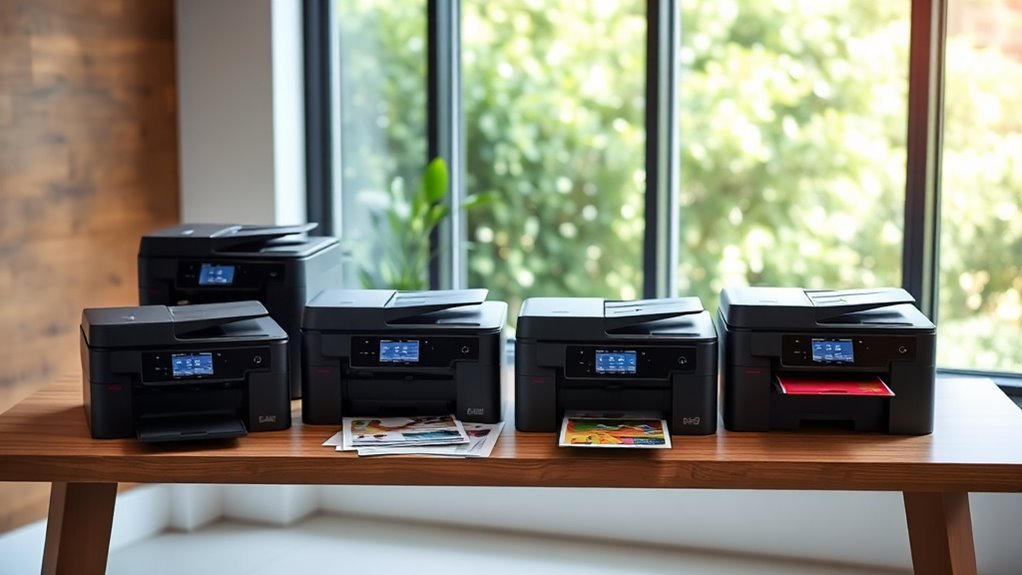
7 Best All-in-One Inkjet Printers for Print Speed in 2027
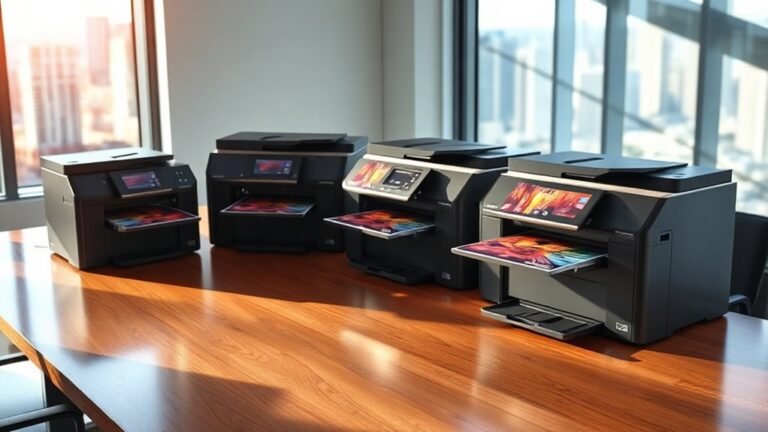
If you want fast, reliable all-in-one inkjet printing in 2027, you’ve got some great options to consider. Models like the HP OfficeJet Pro 8135 and Canon Megatank G3290 are perfect for speedy black prints and handling high-volume tasks without breaking a sweat.
The Epson WF-4920 and Canon MAXIFY GX2020 also shine with quick output and large paper capacities, making them ideal for busy offices.
For versatile home office use, the Canon PIXMA TR8620a and Brother Work Smart 1410 strike a nice balance between speed and features.
Keep exploring these models to find the best fit for your print needs and workflow. You’ll be surprised how much time a fast, efficient printer can save you!
| Image | Name | Editor's Rating | Price |
|---|---|---|---|

|
|
||

|
|
||

|
|
||

|
|
||

|
|
HP OfficeJet Pro 8135 Wireless All-in-One Printer
- FROM AMERICA'S MOST TRUSTED PRINTER BRAND – The OfficeJet Pro 8135 is perfect for home offices printing professional-quality color documents like business documents...
- 3 MONTH TRIAL OF INSTANT INK INCLUDED – Subscribe to the Instant Ink delivery service to get ink delivered directly to your door before you run out, and you save up to...
- KEY FEATURES – Fast color printing, scan, copy, fax, auto 2-sided printing, auto document feeder, and a 225-sheet input tray
- 2.7-INCH TOUCHSCREEN – Quickly navigate your printer with a large color touchscreen and a phone-like user interface
- WIRELESS PRINTING – Stay connected with our most reliable dual-band Wi-Fi, which automatically detects and resolves connection issues

The HP OfficeJet Pro 8135 Wireless All-in-One Printer is designed to streamline your daily tasks with ease. It combines printing, scanning, copying, and faxing, making it a versatile solution for home or small office environments. The flatbed scanner and automatic document feeder help you handle multiple pages efficiently.
This printer delivers crisp black text at up to 20 pages per minute and vibrant color prints at 10 ppm. Its sharp 1200 x 1200 dpi resolution ensures professional-quality output without slowing your workflow. The 2.7-inch color touchscreen simplifies navigation and settings adjustment.
Maintenance is straightforward with wireless and Ethernet connectivity supporting remote access via a mobile app. This feature reduces downtime and keeps your work moving smoothly. The device’s eco-conscious design incorporates more than 45% recycled plastic, helping reduce environmental impact.
While the HP OfficeJet Pro 8135 handles standard media sizes up to 8.5 x 11.7 inches, it may not suit larger format needs. It requires genuine HP 923 series cartridges, which ensures print quality but may limit third-party options.
Best for: Small businesses or individuals seeking a reliable, eco-friendly all-in-one printer with balanced print speeds and wireless functionality for everyday office tasks.
What We Like:
- Multifunctional with print, scan, copy, fax, ADF, and duplex printing
- User-friendly 2.7-inch touchscreen and mobile app support
- Environmentally responsible build using over 45% recycled plastic
- Sharp print resolution for clear, professional documents
Specification:
| Feature | Detail |
|---|---|
| Manufacturer | HP |
| Dimensions | Not provided |
| Weight | Not provided |
| Print Speed (Black) | Up to 20 ppm |
| Print Speed (Color) | Up to 10 ppm |
| Print Resolution | 1200 x 1200 dpi |
| Connectivity | Wireless, Ethernet |
| Media Size (Max) | 8.5 x 11.7 inches |
| Cartridge Type | HP 923 series (original) |
| Touchscreen | 2.7-inch color |
| Material | Over 45% recycled plastic |
Canon Megatank G3290 All-in-One Wireless Printer
- Wireless Print/Copy/Scan (2)
- Up to 2 years of ink included
- Print up to 6,000 black & white / 7,700 color pages using a single set of inks! (1)
- Save up to $1,000 on ink (1)
- 2.7” LCD Color Touchscreen
The Canon Megatank G3290 is a practical solution for those needing reliable, high-volume printing without frequent ink changes. Its high ink capacity means you can print thousands of pages before needing a refill, reducing interruptions and maintenance time. This makes it ideal for both home and small office environments.
Designed with functionality in mind, the G3290 offers wireless and USB connectivity, allowing easy printing from multiple devices. The 2.7″ LCD touchscreen simplifies navigation, helping users quickly access features like scanning, copying, and borderless photo printing. Auto-duplex capability also saves paper by printing on both sides automatically.
Maintenance is straightforward thanks to the refillable ink tanks, which lower operating costs and simplify upkeep. The printer’s compact design fits comfortably in limited spaces without sacrificing performance or quality. While print speeds are moderate, the balance of speed and cost-efficiency suits everyday document and photo printing.
Best for: individuals or small businesses needing a cost-effective, versatile all-in-one printer with wireless functionality and minimal maintenance.
What We Like:
- High ink yield reduces the frequency of refills
- User-friendly touchscreen and wireless connectivity
- Auto-duplex printing saves paper
- Compact design fits small spaces
- Versatile functions including scan, copy, and borderless photos
Specification:
| Feature | Details |
|---|---|
| Manufacturer | Canon |
| Dimensions | Approx. 17.7 x 12.2 x 7.5 inches |
| Weight | Approx. 5.8 kg (12.8 lbs) |
| Connectivity | Wi-Fi, USB 2.0 |
| Ink System | 4-color hybrid refillable tanks |
| Display | 2.7-inch LCD touchscreen |
Epson Workforce Pro WF-4920 Wireless All-in-One Printer
- Built for Speed — PrecisionCore Heat-Free technology delivers fast, high-volume printing with 25 (black)/12 (color) ISO ppm and fast first-page-out
- High-Precision Office Printing — Accurate dot placement and DURABrite Ultra instant-dry pigment inks for professional-quality prints
- High-Volume Durability for Heavy Workloads — Innovative heat-free technology engineered for reliability and reduced downtime
- Designed for Productivity — All-in-one printer with auto 2-sided printing and 1-sided, 35-page ADF streamline workflow
- Maximize Printing Efficiency — High-performance office printer with large, 250-sheet paper capacity
The Epson Workforce Pro WF-4920 is designed to keep busy professionals productive with reliable, high-volume printing. It tackles large jobs efficiently, delivering crisp documents quickly to meet tight deadlines. Its fast print speeds and instant-dry DURABrite Ultra pigment inks ensure sharp results that last.
This all-in-one printer simplifies workflow with a 250-sheet paper tray and a 35-page automatic document feeder. Wireless and Ethernet connectivity allow flexible placement in any office. You can easily manage print tasks from your smartphone using the Epson Smart Panel app, enhancing convenience.
Maintenance is straightforward, but keep in mind it uses proprietary Epson 842 ink cartridges, which may increase running costs and affect warranty if refilled with non-genuine ink. The single paper tray limits simultaneous access to multiple paper types, which might require occasional manual switching.
The 4.3″ color touchscreen and voice-activated printing make operation intuitive, saving time and reducing errors. This durable, versatile printer blends functionality and ease of use, making it a solid choice for small offices with demanding print needs.
Best for: Professionals and small offices needing fast, reliable wireless all-in-one printing with efficient mobile management.
What We Like:
- Fast black and color print speeds with quick first-page output
- Large paper capacity and automatic document feeder for volume tasks
- Multiple connectivity options including Wi-Fi, Ethernet, and mobile app control
- Easy-to-use touchscreen and voice-activated printing
Specification:
| Manufacturer | Epson |
|---|---|
| Dimensions (W×D×H) | 17.7 × 18.1 × 11.7 in |
| Weight | 25.6 lb (11.6 kg) |
| Color Options | Black |
| Paper Capacity | 250 sheets |
| Automatic Document Feeder | 35 pages |
Canon MAXIFY GX2020 Wireless All-in-One Printer
- Wireless Print/Copy/Scan/Fax (2)
- Print up to 3,000 black & white / 3,000 color pages using a single set of inks! (1)
- 2.7” LCD Color Touchscreen
- Auto 2-sided printing
- ADF – 35 sheet Auto Document Feeder
The Canon MAXIFY GX2020 Wireless All-in-One Printer is designed to streamline your printing tasks with speed and efficiency. Its fast print speeds of up to 15 black-and-white and 10 color pages per minute help reduce wait times, keeping busy offices productive. This printer also handles large print volumes with ease, producing up to 3,000 pages per ink set thanks to its refillable MegaTank system.
Maintenance is straightforward and cost-effective. The MegaTank ink system minimizes frequent cartridge replacements and lowers running expenses. Duplex printing and a 35-sheet auto document feeder reduce manual handling, making multi-page printing and scanning more efficient.
With versatile connectivity options, including dual-band Wi-Fi and wired LAN, this printer fits seamlessly into various work environments. Its compact design supports different media sizes up to 8 x 10 inches, catering to typical office and home printing needs. However, it weighs 17.8 pounds, which may limit portability, and has a single USB port, restricting simultaneous wired connections.
Overall, the Canon MAXIFY GX2020 offers a practical solution for users seeking reliable, high-volume printing with low maintenance and flexible connectivity.
Best for: Small to medium-sized offices or home users needing cost-effective, high-volume printing with versatile connection options.
What We Like:
- High page yield up to 3,000 pages per ink set lowers running costs
- Fast print speeds up to 15 B&W and 10 color pages per minute
- Duplex printing and 35-sheet ADF improve workflow efficiency
- Dual-band Wi-Fi and wired LAN enable flexible network connectivity
Specification:
| Feature | Details |
|---|---|
| Manufacturer | Canon |
| Dimensions (W×D×H) | Not specified |
| Weight | 17.8 lb (8.07 kg) |
| Media Size | Up to 8 x 10 inches |
| Connectivity | Dual-band Wi-Fi, wired LAN, USB port |
| Display | 2.7″ Touchscreen |
Canon PIXMA TR8620a All-in-One Printer Black
- Never run out of ink. Connect your printer to Alexa and receive notifications when you’re running low. Alexa can even place a smart reorder from Amazon on your behalf...
- Enrolling in Smart Reorders with Alexa ensures that you never have too much or too little ink supplies. No subscription needed.
- Wireless 4-in-1 (Print | Copy | Scan | Fax)
- 15 / 10 ipm Print Speed
- 200 Sheet Capacity (100 Cassette, 100 Rear Feed)
Experience the convenience of the Canon PIXMA TR8620a, designed to streamline your home office tasks with ease. This all-in-one printer offers reliable printing, copying, scanning, and faxing capabilities, helping you manage multiple jobs without hassle.
Its auto document feeder and automatic two-sided printing simplify handling multi-page documents, saving you time and effort. With print speeds of 15 ipm for black and 10 ipm for color, it supports efficient workflow in busy environments.
Maintenance is straightforward thanks to the 200-sheet capacity, reducing frequent paper refills. Wireless connectivity options including AirPrint, Android support, and Alexa integration allow seamless printing from various devices and smart notifications for reordering supplies.
The sleek black design fits well in any office space, while ENERGY STAR certification and EPEAT Silver rating reflect its energy-efficient, eco-friendly operation. Although its duty cycle suits moderate use, it balances functionality and convenience effectively.
Best for: busy home office users seeking a versatile, efficient all-in-one printer with smart wireless features and eco-friendly design.
What We Like:
- Fast and reliable 4-in-1 printing, copying, scanning, and faxing
- Automatic two-sided printing and document feeder for multitasking
- Wireless connectivity with AirPrint, Android compatibility, and Alexa support
- Energy-efficient design with ENERGY STAR and EPEAT Silver ratings
Specification:
| Feature | Details |
|---|---|
| Manufacturer | Canon |
| Dimensions (W×D×H) | 14.5 × 12.7 × 7.5 inches |
| Weight | 15.7 lbs (7.12 kg) |
| Color | Black |
| Functionality | Print, Copy, Scan, Fax |
| Paper Capacity | 200 sheets |
Brother Work Smart 1410 Wireless Color Inkjet Printer

- BEST FOR HOME OFFICE AND SMALL OFFICE: Get your work done with a multifunction printer. Print, copy, and scan on one convenient, compact printer, with quick and easy...
- EASY-TO-USE TOUCHSCREEN WITH CLOUD APP CONNECTIONS: Seamless integration with the Cloud(2). Print from and scan to popular Cloud apps(2), including Google Drive, Dropbox...
- PRODUCTIVITY-FOCUSED FEATURES: Automatic duplex (2-sided) printing, 20-sheet single-sided Automatic Document Feeder (ADF)(3), 150-sheet paper tray(3). Print at fast...
- MULTIPLE CONNECTION OPTIONS: Connect your way. Interface with your printer on your wireless network or via USB.
- THE BROTHER MOBILE CONNECT APP: Go mobile with the Brother Mobile Connect app(5) for easy onscreen menu navigation for printing, copying, scanning, and device management...
The Brother Work Smart 1410 wireless color inkjet printer is designed to streamline your home office or small business tasks. It offers a practical balance of speed and versatility, helping you handle printing, copying, scanning, and faxing without hassle. This all-in-one device reduces downtime and keeps your workflow smooth.
With print speeds of up to 16 ppm in black and 9 ppm in color, it helps you complete jobs quickly. The automatic duplex printing feature saves paper and effort by printing on both sides. Its compact design fits easily in limited workspaces while offering a 20-sheet ADF and a 150-sheet paper tray that supports multiple media sizes.
Maintenance is straightforward thanks to ink level monitoring, which helps you avoid unexpected interruptions. You can connect wirelessly or via USB, and manage tasks remotely through the Brother Mobile Connect app. The 2.7″ color touchscreen provides intuitive controls for easy operation.
While the printer offers excellent functionality, note that it has a single USB 2.0 port, which may limit wired connections. Also, print resolution varies between Windows and Mac, which can affect output consistency.
Best for: Small business owners and home office users who need a compact, versatile all-in-one printer with reliable wireless connectivity and efficient color printing.
What We Like:
- Fast print speeds with automatic duplex printing
- Multi-function device with 20-sheet ADF and 150-sheet tray
- Wireless and USB connectivity with remote management
- Intuitive 2.7″ color touchscreen for easy operation
Specification:
| Feature | Detail |
|---|---|
| Manufacturer | Brother |
| Dimensions (W×D×H) | Compact size |
| Weight | Lightweight |
| Connectivity | Wireless, USB 2.0 |
| Paper Capacity | 150-sheet tray, 20-sheet ADF |
| Print Speed | Up to 16 ppm black, 9 ppm color |
| Display | 2.7″ color touchscreen |
Canon PIXMA TS6520 Wireless Color Inkjet Printer, 1.42″ OLED Display, White

- Affordable Versatility - A budget-friendly all-in-one printer perfect for both home users and hybrid workers, offering exceptional value
- Crisp, Vibrant Prints - Experience impressive print quality for both documents and photos, thanks to its 2-cartridge hybrid ink system that delivers sharp text and vivid...
- Effortless Setup & Use - Get started quickly with easy setup for your smartphone or computer, so you can print, scan, and copy without delay
- Reliable Wireless Connectivity - Enjoy stable and consistent connections with dual-band Wi-Fi (2.4GHz or 5GHz), ensuring smooth printing from anywhere in your home or...
- Scan & Copy Handling - Utilize the device’s integrated scanner for efficient scanning and copying operations
The Canon PIXMA TS6520 is designed to meet the needs of families, students, and home workers who require reliable, versatile printing in limited spaces. Its compact design fits neatly into any room without sacrificing performance. You benefit from wireless dual-band Wi-Fi, enabling effortless mobile printing and hands-free voice commands through Alexa.
This printer delivers sharp, clear prints with resolutions up to 1200 x 1200 dpi. It handles color and black-and-white documents quickly, with speeds up to 9 ppm and 14 ppm respectively. Automatic duplex printing reduces paper use, making it an eco-friendly choice for everyday tasks.
Maintenance is straightforward with included starter inks and an intuitive 1.42″ OLED display that simplifies operation. While it lacks an automatic document feeder, it still offers high-quality scanning and copying functions for single-page documents. The single paper tray suits light to moderate printing volumes.
Best for: individuals and small households needing a compact, wireless color inkjet printer with scanning and copying capabilities.
What We Like:
- Dual-band Wi-Fi and Alexa voice control for versatile wireless printing
- Automatic duplexing reduces paper waste
- Sharp print quality at 1200 x 1200 dpi
- Compact footprint fits small workspaces
- Easy-to-use 1.42″ OLED display
Specification:
| Feature | Details |
|---|---|
| Manufacturer | Canon |
| Dimensions | Compact (exact size not specified) |
| Weight | Not provided |
| Color Options | White |
| Display | 1.42″ OLED |
| Connectivity | Dual-band Wi-Fi, voice control (Alexa) |
Factors to Consider When Choosing an All in One Inkjet Printer Print Speed
When choosing an all-in-one inkjet printer, you’ll want to look closely at print speed metrics to find what matches your needs. Consider the difference between black and color printing speeds, as well as how resolution settings affect performance.
Also, don’t forget to check duplex printing speed and the warm-up or first-page times. These details give you a full picture of the printer’s overall efficiency.
Print Speed Metrics
Figuring out print speed involves more than just glancing at pages per minute (ppm) numbers on a spec sheet. You’ll want to compare both black and color ppm since they can vary widely.
Look for ISO/IEC 24734 test results instead of vendor “up to” speeds, as standardized tests give a more realistic pace. Don’t overlook first-page-out time—it impacts how quickly your printer starts, especially for short or intermittent jobs.
Also, remember copy and scan speeds differ and usually run slower than print speeds, particularly in color. If you plan to use duplex printing or the automatic document feeder (ADF), expect some slowdown because the machine takes extra time handling double-sided or multi-page tasks, reducing overall throughput.
Black Vs Color Speed
Many users notice a clear difference between black and color print speeds, which can heavily impact your choice of an all-in-one inkjet printer. Black print speeds usually outpace color because printing text uses only the black nozzle and requires less processing.
Expect black pages per minute (ppm) to exceed color speeds by several pages. Color printing often needs multiple passes or precise droplet placement, cutting color ppm to about half or less than black.
Manufacturers list black and color speeds separately, so always compare like-for-like metrics. First-page-out times also favor black prints, making short black jobs feel quicker.
Plus, duplex and detailed color prints slow throughput more than black duplexing, as color requires more ink and processing. Keep these differences in mind when choosing a printer aligned with your print speed needs.
Impact Of Resolution
Although higher print resolutions produce sharper images, they also slow down your all-in-one inkjet printer by increasing the amount of data processed per page. Printing at photo-quality settings like 4800 x 1200 dpi can add several seconds to the first page and notably reduce your overall speed compared to draft modes at 300–600 dpi.
Since printers offer variable resolution settings, you can choose lower dpi for text documents and higher dpi for photos to balance speed and quality. It’s a handy way to get good results without wasting time.
Keep in mind that scanning or copying multi-page documents at high resolution further increases processing time and file size, which slows printing and data transfer. But some printers use smart techniques like optimized halftoning to maintain sharpness without always printing at maximum dpi. This helps you save time without sacrificing output quality.
Duplex Printing Speed
Balancing print resolution affects not only quality but also speed, especially when you print on both sides of the paper. Duplex printing is usually slower than single-sided because the printer flips the paper internally or reroutes it, so expect duplex ppm to be 50–80% of single-sided speeds.
High-volume office models often keep duplex speeds closer to single-sided rates by using dedicated duplex paths and faster paper handling. In contrast, compact home printers slow down more during two-sided jobs.
When comparing duplex speeds, consider first-page-out and warm-up times since frequent small jobs feel these delays more. Also, duplex printing can cause more paper jams at higher speeds, so check rated ADF reliability and recommended monthly volumes.
This way, you can make sure your printer can handle sustained duplex performance without issues.
Warm-Up And First-Page
When you start a print job, warm-up and first-page-out times play a critical role in how quickly your printer responds. Warm-up time is the delay from powering on until the printer is ready. It often lasts a few seconds to a minute due to heating or initialization.
First-page-out time measures how long it takes from sending a job until the first page prints. For consumer inkjets, this usually falls between 5 and 20 seconds. Faster warm-up and first-page times really help improve the perceived speed, especially if you’re just printing short jobs now and then.
A few things influence these times, like processor speed, firmware, and connectivity (USB tends to be faster than wireless). Also, whether the printer primes ink or keeps the printhead ready when waking up makes a difference.
Keep in mind, energy-saving modes can increase warm-up time, even though they lower standby power. So, it’s a good idea to check manufacturers’ first-page-out specs if you want to compare printers quickly.
Paper Handling Capacity
Your printer’s paper handling capacity plays a crucial role in maintaining high print speeds, especially during large or continuous print jobs. Larger input trays holding 200–250 sheets reduce reloads, letting you print longer without interruption.
Similarly, a high output tray capacity—ranging from 60 to 250 sheets—prevents frequent stops to clear printed pages, keeping your workflow steady.
If you scan or copy multi-page documents, an auto document feeder (ADF) with a larger sheet capacity allows unattended batch processing, matching your fast print speeds. Duplex printing can slow pages per minute unless the printer supports quick automatic two-sided printing, so consider this for efficiency.
Also, multiple paper trays or media paths let you switch between paper types without manual swaps, sustaining speed during mixed-media jobs. It’s a handy feature when you need to juggle different paper types without missing a beat.
Connectivity Influence
Although print speed depends heavily on the printer’s hardware, your choice of connectivity can markedly impact how quickly your jobs start and finish. Wired Ethernet or USB connections usually deliver lower latency and steadier throughput than Wi-Fi, cutting delays between sending a job and the first page printing.
If you prefer wireless, 5 GHz dual-band Wi-Fi typically offers faster, more stable performance than crowded 2.4 GHz networks. Those 2.4 GHz networks can cause retries and slow printing, which is frustrating.
Keep in mind, direct mobile printing methods like AirPrint add overhead, especially with large files, affecting speed. Also, if multiple users share a network or printer, higher-throughput connections and dedicated network segments help reduce queuing delays, making sure your prints come out faster.
Ink Technology Effects
Since ink technology directly influences drying time and print clarity, it plays a crucial role in determining an all-in-one inkjet printer’s effective print speed. If you prioritize sharp, fast-drying text, pigment-based black inks are your best bet—they dry quickly and support higher black print speeds, especially in mixed documents.
For vivid photos, dye-based color inks offer superior vibrancy but often need longer drying and color processing, which can slow sustained color printing speeds. Hybrid ink systems combine pigment black with dye colors to balance crisp text and photo quality, resulting in faster black print speeds compared to color.
Additionally, high-yield, pigment-heavy inks dry instantly, enabling quicker duplex printing and multi-page workflows. Choosing inks with optimized viscosity and curing behavior also helps maintain high ISO print-speed ratings by supporting fast nozzle firing and minimal smudging.
Frequently Asked Questions
How Do Inkjet Printers Compare to Laser Printers in Print Speed?
You’ll find inkjet printers generally print slower than laser printers, especially for large volumes.
However, inkjets excel in photo quality and color. They really shine when you want vibrant, detailed images.
On the other hand, lasers handle text and bulk printing much faster and more efficiently. So, if you need speed and volume, laser printers are usually the way to go.
What Maintenance Is Required to Keep an Inkjet Printer Fast?
You’ll need to regularly clean the print heads and use the printer often to prevent clogs.
Also, replace cartridges promptly and keep the firmware updated.
These steps help maintain fast, smooth printing without slowdowns or jams.
Can All-In-One Inkjet Printers Handle Heavy-Duty Printing Tasks?
Imagine you’re printing 200 pages daily. Most all-in-one inkjets can’t handle that heavy-duty load consistently.
However, models like the Epson EcoTank Pro series manage higher volumes with fast speeds. They also offer reliable performance under pressure.
Are There Eco-Friendly Ink Options for All-In-One Inkjet Printers?
Yes, you can find eco-friendly ink options for all-in-one inkjet printers. These inks use plant-based or recycled materials, reduce toxins, and often come in refillable cartridges.
This helps you minimize your environmental impact while printing efficiently. It’s a great way to be kind to the planet without sacrificing quality.
How Does Wireless Connectivity Affect Print Speed and Reliability?
Imagine printing a 20-page report wirelessly; you’ll notice slight delays compared to USB. Wireless connectivity can reduce print speed and sometimes cause dropouts.
Conclusion
Choosing the right all-in-one inkjet printer is like picking the perfect running partner—you want speed, reliability, and smooth performance. Imagine racing with a printer that handles 22 pages per minute effortlessly, keeping pace with your busiest days.
Whether you’re juggling work or family projects, these top printers won’t slow you down. So, gear up with one of these models and watch your printing tasks fly by, making every page count.
When it comes to print speed, having a fast all-in-one inkjet printer can make a huge difference in your daily routine. These printers combine efficiency and quality, ensuring your documents and photos come out sharp without wasting time. Choosing from the best all-in-one inkjet printers for print speed in 2027 means investing in a device that keeps up with your life’s demands, whether at home or the office. With one of these printers, you’re not just buying speed—you’re getting reliability and smooth performance all in one.