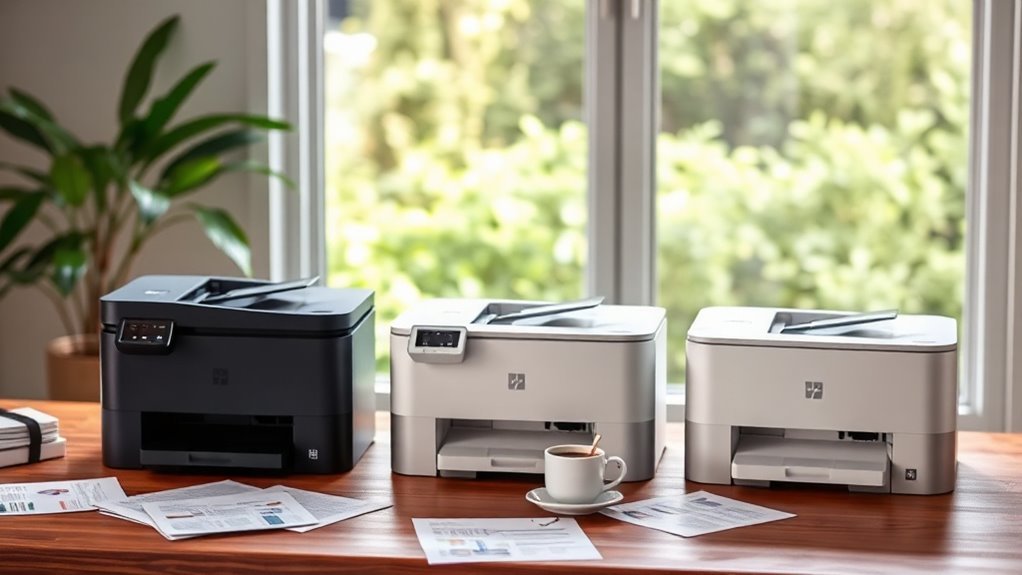
3 Best All-in-One Laser Printers Under $200 in 2027
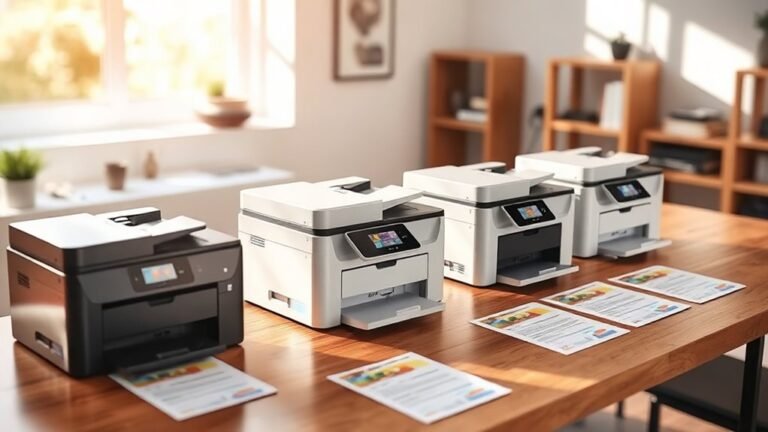
If you’re looking for reliable all-in-one laser printers under $200 in 2027, you’ve got some great options to consider. These printers combine printing, scanning, and copying without breaking the bank. Plus, they offer fast speeds, solid connectivity, and decent paper handling that suits home offices or small businesses.
First up, the Brother DCP-L2640DW delivers speedy prints at 36 ppm and comes with a large 250-sheet tray. It’s perfect if you need to churn through documents quickly without constant refills.
Then there’s the HP LaserJet MFP M140w. This model stands out for its compact size and easy wireless printing through the HP Smart app. It’s great when space is tight but you still want convenience.
Lastly, the HP LaserJet Pro M130fn adds fax capabilities and gets your first page out quickly. Each of these printers balances speed, connectivity, and paper handling to fit different needs. Take a closer look to see which features align best with your workflow.
| Image | Name | Editor's Rating | Price |
|---|---|---|---|

|
|
||

|
|
||

|
|
Brother DCP-L2640DW Wireless Compact Monochrome Printer
- BEST FOR SMALL BUSINESSES – Engineered for extraordinary productivity, the Brother DCP-L2640DW Monochrome (Black & White) 3-in-1 combines laser printer, scanner, copier...
- FAST PRINTER WITH EFFICIENT SCANNING – Produces documents quickly with print speeds up to 36 ppm(2) and scan speeds up to 23.6/7.9 ipm(3) (black/color). A 50-page auto...
- FLEXIBLE CONNECTION OPTIONS – Easily navigate the changing demands of your business with secure multi-device connectivity via built-in dual-band wireless (2.4GHz...
- BROTHER MOBILE CONNECT APP – Print, scan, and manage your wireless printer anytime, from almost anywhere from your mobile device. Order Brother Genuine Supplies, track...
- CHOOSE BROTHER GENUINE TONER – When it’s time to replace your toner, be sure to choose Brother Genuine TN830 or TN830XL replacement toner. And with Refresh EZ Print...

The Brother DCP-L2640DW is a compact, wireless monochrome printer designed to simplify printing tasks in busy small offices or home workspaces. It combines printing, copying, and scanning, making it a versatile tool that reduces the need for multiple devices.
With a print speed of up to 36 pages per minute, it helps you finish jobs quickly, minimizing wait times. The 50-sheet auto document feeder and 250-sheet paper tray support continuous work without frequent interruptions, streamlining your daily tasks.
Its wireless dual-band connectivity allows seamless connection with laptops, smartphones, and tablets through the Brother Mobile Connect app. This flexibility ensures you can print from virtually anywhere in your workspace, improving convenience and productivity.
Maintenance is straightforward thanks to its energy-efficient design, featuring automatic duplex printing and toner-saving modes. These help lower running costs and reduce environmental impact, making it a practical and responsible choice for budget-conscious users.
Best for: Small businesses and home offices needing a fast, reliable, and compact monochrome printer with scanning and copying capabilities.
What We Like:
- Fast print and copy speeds up to 36 ppm
- Wireless dual-band and Ethernet connectivity
- Easy mobile device integration via Brother Mobile Connect app
- Energy-saving automatic duplex printing
- Compact design fits limited office spaces
Specification:
| Feature | Details |
|---|---|
| Manufacturer | Brother |
| Dimensions (W x D x H) | 16.1 x 15.7 x 12.5 inches |
| Weight | 15.4 lbs |
| Color | White/Gray |
| Paper Capacity | 250-sheet tray, 50-sheet ADF |
| Print Speed | Up to 36 ppm |
| Scanner Resolution | 300 x 300 dpi |
HP Laserjet MFP M140w Wireless Printer
- FROM AMERICA'S MOST TRUSTED PRINTER BRAND – Perfect for small teams printing, scanning and copying professional-quality black & white documents and reports. Perfect for...
- WORLD'S SMALLEST LASER IN ITS CLASS – Precision laser printing, scanning, and copying that fits anywhere
- FAST PRINT SPEEDS – Up to 21 black-and-white pages per minute single-sided
- WIRELESS WITH SELF-RESET – Helps you stay connected
- EASILY COPY ID CARDS AND MORE – Copy both sides of ID cards or other small-size documents onto the same side of one sheet of paper
The HP LaserJet MFP M140w Wireless Printer is designed to fit seamlessly into small workspaces. Its compact size makes it the world’s smallest laser printer in its category, providing a space-saving solution without compromising on performance. This printer handles everyday office tasks efficiently, delivering sharp black-and-white prints at speeds up to 21 pages per minute.
Beyond printing, it offers easy scanning and copying functions, including the ability to copy both sides of an ID card onto a single sheet. Wireless connectivity simplifies printing from various devices, such as smartphones, tablets, and PCs, through the HP Smart app. It supports multiple platforms, including Microsoft, Mac, AirPrint, Android, and Chromebook.
Maintenance is straightforward with original HP cartridges, which help keep the printer secure and reliable. Firmware updates ensure consistent performance by preventing the use of non-HP chips, although this limits cartridge options. This feature supports long-term reliability but may require users to stick with genuine HP supplies.
Best for: Small teams or individuals needing a compact, dependable black-and-white all-in-one laser printer for daily office tasks.
What We Like:
- Compact design ideal for limited space
- Fast and clear black-and-white printing
- Convenient wireless printing from multiple devices
- Simple multi-function capability: print, scan, and copy
- Secure use of original HP cartridges with firmware updates
Specification:
| Feature | Details |
|---|---|
| Manufacturer | HP |
| Dimensions | Compact size (exact dimensions not specified) |
| Weight | Not specified |
| Color Options | Not specified |
| Connectivity | Wireless (supports HP Smart app, Microsoft, Mac, AirPrint, Android, Chromebook) |
HP LaserJet Pro M130fn All-in-One Laser Printer
- Main functions of the HP M130fn laser printer: monochrome print, scanner, copier, fax, LCD display, secure Ethernet connectivity, and more
- This HP M130fn laser printer replaces the HP M127fn printer, additionally the newer HP M130fn has 10% faster print speed plus 25% faster first page out
- Prints up to 23 pages/minute, input tray paper capacity up to 150 sheets, duty cycle up to 1,500 pages/month
- The power of your printer in the palm of your hand: The HP Smart app allows you to easily set up your printer, scan from your smartphone, order toner, and print from the...
- Keep things simple with HP’s smallest LaserJet MFP; print professional documents from a range of mobile devices, plus scan, copy, fax, and help save energy with an MFP...
Experience efficient printing that keeps your small workgroup productive with the HP LaserJet Pro M130fn All-in-One Laser Printer. This monochrome device delivers sharp black-and-white documents quickly, helping you reduce wait times and boost workflow. Its ability to print up to 23 pages per minute and a 25% faster first page out means tasks get done without delay.
Designed for versatility, the M130fn combines printing, scanning, copying, and faxing in one compact unit. The 150-sheet tray accommodates various media types, including envelopes and cardstock, providing flexibility for different business needs. Manual duplex printing offers a way to save paper, though it requires user intervention.
Maintenance is straightforward with durable Original HP Toner cartridges featuring JetIntelligence technology, which ensures consistent quality and longer life. Connectivity options like USB and secure Ethernet make it easy to integrate into your existing setup. The HP Smart app further simplifies mobile and cloud printing, enhancing convenience.
This reliable printer supports small offices and home workgroups with up to five users, offering a balance of speed, functionality, and compact design. Its monochrome output suits professionals focused on text-heavy documents without the need for color.
Best for: Small to medium businesses and home offices requiring a reliable monochrome all-in-one printer for workgroups of 1–5 users.
What We Like:
- Fast print speed with 25% quicker first page out time
- Multifunctional: print, scan, copy, and fax in one device
- Supports various media types including envelopes and cardstock
- Durable Original HP Toner with JetIntelligence for consistent results
- Convenient mobile and cloud printing via HP Smart app
Specification:
| Feature | Details |
|---|---|
| Manufacturer | HP |
| Dimensions (W×D×H) | 15.35 × 14.17 × 10.07 inches |
| Weight | 13.2 lb (6 kg) |
| Color | White and gray |
| Input Tray Capacity | 150 sheets |
| Print Speed | Up to 23 ppm (pages per minute) |
| Connectivity | USB, Ethernet |
Factors to Consider When Choosing an All in One Laser Printer Under 200
When choosing an all-in-one laser printer under $200, you’ll want to focus on print speed to keep up with your tasks and check which connectivity options fit your setup.
Don’t forget to take into account paper handling capacity and how much consumables will cost over time.
Also, make sure the device size works well in your space without crowding your desk.
Print Speed Importance
Although print speed may not seem critical for occasional home use, it becomes essential if you handle frequent or large print jobs. Print speed, measured in pages per minute (ppm), determines how fast your single-sided documents come out.
Faster first-page-out times matter when you need urgent prints, especially for short, intermittent tasks common in small offices. If multiple users share a printer or batch printing is routine, a higher ppm rating really helps.
Keep in mind, rated speeds usually reflect ideal conditions—complex layouts, higher resolutions, or duplex printing slow things down. Also, consider the printer’s duty cycle and paper handling; fast printing won’t benefit you if the device can’t handle your monthly volume or lacks sufficient input capacity.
Balancing these factors makes certain smooth, efficient printing. It’s all about finding the right fit for your specific needs.
Connectivity Options Overview
Since reliable connectivity directly impacts your printing experience, choosing the right options is essential for an all-in-one laser printer under $200. Look for models with dual-band Wi-Fi (2.4 GHz and 5 GHz) or at least 2.4 GHz support to guarantee stable connections and avoid interference in busy wireless environments.
If you need a more dependable setup, consider printers with Ethernet ports for wired LAN access. These are ideal for small offices or shared workgroups. USB 2.0 connectivity remains handy for direct, secure links to a single PC and initial setup.
Don’t forget mobile printing compatibility like AirPrint or Mopria. This way, you can easily print and scan from smartphones without installing drivers. Plus, automatic reconnect and app-based management features simplify maintenance and keep downtime minimal.
Paper Handling Capacity
Connectivity options keep your printer linked seamlessly to your devices, but paper handling capacity determines how smoothly your printing tasks flow.
Check the input tray capacity—usually 100 to 250 sheets on budget models—to match your weekly print volume and cut down on refills.
An automatic document feeder (ADF) with 20 to 50 sheets helps you scan or copy multi-page documents efficiently without constant manual feeding.
Don’t forget output tray capacity, typically 50 to 150 sheets, to avoid frequent clearing or jams during larger jobs.
Make sure the printer supports the media sizes you use most, like legal paper or envelopes.
Finally, review the maximum monthly duty cycle and recommended volume to confirm your printer’s paper handling system can handle your workload reliably.
Consumable Costs Impact
When choosing an all-in-one laser printer under $200, you’ll want to factor in how much you’ll spend on consumables like toner and maintenance parts. Calculate the cost per page by dividing the replacement toner price by its rated page yield. Small differences in yield can double your running costs over time, so this step is pretty important.
Compare standard versus high-yield cartridges. High-yield options often offer a lower cost per page and reduce replacement frequency, even though they have a higher upfront price. It’s usually worth considering if you print a lot.
Don’t forget to check if the printer requires separate drum units or maintenance kits. These can add periodic expenses that might catch you off guard.
Look for toner-saving modes and automatic duplexing to cut toner and paper use. These features can save you money without much effort.
Finally, consider your expected monthly volume and warranty terms to estimate annual consumable costs accurately. That way, you won’t be surprised by ongoing expenses down the road.
Device Size Considerations
Although all-in-one laser printers under $200 often advertise compact designs, you’ll want to measure your available desk or shelf space carefully before making a purchase. Many compact monochrome AIO lasers are roughly 12–16 inches wide, 13–16 inches deep, and 10–13 inches tall.
Remember to factor in extra clearance for paper trays, the automatic document feeder (ADF), and access to controls. You’ll need several inches in front and above to pull out trays and open the scanner lid comfortably.
If placing the printer on a small table or shelf, check the furniture’s weight capacity since many models weigh 20–30 pounds. Also, consider cable access and workflow—make sure power cords and USB or Ethernet cables can connect easily without moving the device often.
For shared use, a slightly larger model with a bigger input tray and ADF might save you frequent refills. It’s worth thinking about if you don’t want to keep topping up paper all the time.
Energy Efficiency Features
Since energy costs add up over time, choosing an all-in-one laser printer under $200 with strong energy efficiency features can save you money and reduce your environmental impact. Look for ENERGY STAR certification to guarantee the printer meets power-efficiency standards in sleep, idle, and active modes.
Compare typical standby power—usually under 15 W—and peak printing power, which can exceed 300 W, as both affect your energy bills. Automatic duplex printing cuts paper use and energy per page by reducing sheet handling.
Also, check for advanced power management like configurable sleep timers and instant-on fuser technology to lower energy during idle times. Finally, faster ADF speed and higher duty cycles improve scan and copy efficiency, reducing energy per job by minimizing active runtime.
Frequently Asked Questions
Can These Printers Scan to Cloud Storage Services?
Yes, many all-in-one laser printers let you scan directly to cloud storage services like Google Drive or Dropbox. You’ll just need to connect the printer to Wi-Fi and use its built-in scanning app or software.
It’s pretty straightforward once you have everything set up. Just follow the prompts on the printer’s screen or the software on your computer, and you’ll be good to go!
What Is the Average Cost per Page for Each Printer?
You’ll find the average cost per page ranges from about 2 to 5 cents, depending on the printer’s toner efficiency and cartridge price.
It really varies by model, so it’s a good idea to check each one’s specs. That way, you can get a more accurate estimate of your actual printing expenses.
Are These Printers Compatible With Mac and Linux Systems?
Imagine your Mac and Linux desktops smoothly communicating with your printer. Yes, these printers are compatible with both systems, letting you print, scan, and copy effortlessly.
You won’t have to worry about driver issues or connectivity hiccups. It just works, making your workflow a breeze.
Do These Printers Support Duplex Scanning?
Most models don’t support duplex scanning, so you’ll need to manually flip pages for double-sided scans.
However, some higher-end options within this price range might offer limited duplex scanning features. So, make sure to check each printer’s specs carefully before buying.
How Long Is the Warranty Period for These Models?
Just like a clock ticking steadily, these printers typically come with a one-year warranty. You’ll find most manufacturers offer this period to cover defects, giving you peace of mind as you print, scan, and copy daily.
It’s pretty standard, really. This way, if anything goes wrong within that first year, you’re usually covered without any extra hassle. Makes the whole printing experience a bit less stressful, don’t you think?
Conclusion
Choosing the perfect all-in-one laser printer under $200 doesn’t have to feel like searching for a needle in a haystack. With options like the Brother DCP-L2640DW, HP LaserJet MFP M140w, and HP LaserJet Pro M130fn, you’re set to print, scan, and copy with ease.
So, why settle for less when these reliable, budget-friendly printers can transform your workspace? Whether you’re working from home or managing a small office, these models offer great performance without breaking the bank.
Your perfect match is just a click away—grab it and watch your productivity soar! Investing in one of these all-in-one laser printers under $200 can streamline your tasks and keep your workflow smooth. Don’t miss out on combining affordability with efficiency in 2027!