3 Best AirPrint Printers for Photo Booths in 2027
For your 2027 photo booth, choosing the best AirPrint printers is key to delivering quick, high-quality photos that guests will love. The Canon Selphy CP1500 stands out as a compact option, offering fast dye-sublimation prints with built-in Wi-Fi and AirPrint support. It’s perfect for producing sharp 4×6 photos on the go.
If you want a hassle-free setup, the Selphy CP1500 Bundle includes handy supplies that make maintenance a breeze. On the other hand, for larger prints with stunning detail, the Canon PIXMA iP8720 Bundle handles sizes up to 13×19 inches. It combines wireless flexibility with vivid inkjet quality, making it ideal for bigger formats.
Keep these printer options in mind as you explore features and performance to find the perfect match for your photo booth’s exact needs.
| Image | Name | Editor's Rating | Price |
|---|---|---|---|

|
|
||
|
|
Canon Selphy CP1500 Wireless Compact Photo Printer (Black)
No products found.
Capture and print memories instantly with the Canon Selphy CP1500, a compact photo printer designed to fit effortlessly into any photo booth or event setup. Its vibrant dye sublimation technology delivers water-resistant, long-lasting 4”x6” photos, ensuring your prints stay vivid for years without fading. This printer makes sharing physical photos easy, right from your smartphone or camera.
The Selphy CP1500 features a built-in 3.5” LCD screen, allowing you to preview and apply simple edits or filters before printing. Wireless connectivity options like Wi-Fi, AirPrint, and USB support streamline the printing process, reducing setup time and clutter. Its lightweight design combined with an optional battery pack makes it highly portable for on-the-go use.
Maintenance is straightforward with easy replacement of ink and paper cartridges, helping you keep your photo booth running smoothly. While the print size is limited to 4”x6” and the output tray holds up to 10 sheets, the quality and convenience outweigh these minor restrictions.
Best for: Individuals or businesses needing a portable, user-friendly photo printer for quick, high-quality, water-resistant prints ideal for events, photo booths, or home use.
What We Like:
- Compact, lightweight design with optional battery for mobility
- Durable, water-resistant dye sublimation prints lasting up to 100 years
- Multiple wireless and wired connectivity options for easy device pairing
- Intuitive 3.5” LCD screen for image preview and edits before printing
Specification:
| Feature | Details |
|---|---|
| Manufacturer | Canon |
| Dimensions | Approx. 7.1 x 5.1 x 2.7 inches (18 x 13 x 6.9 cm) |
| Weight | Approx. 1.8 lbs (0.82 kg) |
| Printing Technology | Dye sublimation |
| Max Print Size | 4” x 6” |
| Connectivity | Wi-Fi, USB, AirPrint |
| Display | 3.5” LCD |
| Color Options | Black |
Canon SELPHY CP1500 Wireless Compact Photo Printer Bundle
- COMPLETE CANON SELPHY CP1500 BUNDLE: Includes Canon SELPHY CP1500 Wireless Compact Photo Printer (Black), Genuine Canon RP-108 Color Ink & Paper Set (108 Sheets of 4x...
- 108 PHOTO PRINTS INCLUDED: Genuine Canon RP-108 Color Ink & Paper Set includes 108 sheets of 4x6-inch photo paper and 2 ink cartridges, each capable of producing...
- WIRELESS & CONVENIENT PHOTO PRINTING: Easily print beautiful photos directly from compatible smartphones, tablets, memory cards, USB flash drives, or Mac and Windows...
- MULTIPLE PHOTO SIZES: Supports four different paper sizes, including standard 4x6-inch postcard prints and 2.1x3.4-inch adhesive sticker prints (additional paper sold...
- VIBRANT, HIGH-QUALITY PHOTO PRINTS: Advanced dye-sublimation printing technology produces stunning 300 x 300 dpi photos with up to 16.7 million colors, delivering rich...
Experience the joy of instant photo printing with the Canon SELPHY CP1500 Wireless Compact Photo Printer Bundle. This compact printer solves the hassle of waiting for prints by delivering vibrant 4×6 photos quickly and reliably using dye-sublimation technology. Its portable design fits easily into any setting, making it ideal for on-the-go printing needs.
The printer’s built-in Wi-Fi allows seamless wireless printing directly from your smartphone, tablet, or computer through the Canon SELPHY Photo Layout app. This feature removes the need for cables or transferring files to a PC, streamlining your workflow whether at home or events.
Maintenance is straightforward with included accessories such as cleaning cloths and extra ink cartridges, ensuring your printer stays in top condition for consistent image quality. The bundle also provides ample photo paper and protective screen covers, supporting immediate use without extra purchases.
While it prints crisp and colorful photos at 300 x 300 dpi, it’s designed specifically for photo printing and supports only 4 x 6-inch paper sizes. This focus ensures simple operation but limits versatility for larger prints or multifunction tasks.
Best for: Individuals or small event organizers needing a portable, user-friendly printer for quick, high-quality 4×6 photo prints directly from mobile devices or computers.
What We Like:
- Vibrant, long-lasting dye-sublimation prints with rich color depth
- Complete bundle with photo paper, ink cartridges, and cleaning accessories
- Easy wireless printing via built-in Wi-Fi and mobile app support
- Compact and lightweight design ideal for portability
- Simple maintenance with included cleaning cloth and extra ink
Specification:
| Feature | Details |
|---|---|
| Manufacturer | Canon |
| Dimensions | Approx. 7.1 x 5.4 x 2.7 in |
| Weight | Approx. 1.7 lbs (0.77 kg) |
| Printing Technology | Dye-sublimation |
| Maximum Print Size | 4 x 6 inches |
| Connectivity | Built-in Wi-Fi |
| Included Accessories | 108 sheets photo paper, 2 ink cartridges, postcard-size cassette, LCD screen protectors, memory card wallet, cleaning cloth |
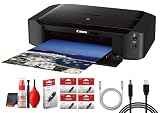
Canon PIXMA iP8720 Wireless Inkjet Photo Printer (8746B002) Bundle
- Items Include: Canon PIXMA iP8720 Wireless Inkjet Photo Printer for Wide Format Photos, Art Prints, School Displays, Marketing Sheets, Labels and Detailed Color Printing...
- Built to handle daily printing with less friction, the Canon PIXMA iP8720 Wireless Inkjet Photo Printer combines Print Resolution 9600 x 2400 dpi, Up to 13 x 19 in Print...
- Connectivity and convenience matter just as much as print quality, which is why this model is positioned for flexible use from desks, shared spaces, and mobile devices...
- Speed, paper handling, and media support help determine whether a printer actually saves time, and this one is configured for dependable everyday performance. Specs like...
- Whether you need a compact family printer, a reliable home office upgrade, a high-volume MegaTank model, or a photo-focused option for craft projects, the iP8720 is built...
Experience stunning photo-quality prints with the Canon PIXMA iP8720 Wireless Inkjet Photo Printer. Designed for photo booth operators and creatives, it delivers vibrant, high-resolution images that bring your projects to life. Its ability to print borderless photos up to 13 x 19 inches helps you create impressive large-format prints with ease.
The printer supports a variety of media types including cardstock, glossy photo paper, and labels. This versatility ensures you can handle diverse printing needs without hassle. Wireless connectivity adds convenience by allowing direct printing from laptops, smartphones, or tablets, streamlining your workflow in busy environments.
Maintenance is straightforward with included setup ink cartridges and a cleaning kit, helping maintain print quality over time. The bundle also features a disc tray for added functionality. Although the printer is relatively heavy at 23.6 pounds and lacks scanning capabilities, it excels in producing detailed, vibrant prints for professional use.
Best for: Photo booth operators and creative professionals needing high-resolution, wide-format, borderless color prints on diverse media with wireless convenience.
What We Like:
- Exceptional 9600 x 2400 dpi resolution for sharp, vivid images
- Supports large, borderless prints up to 13 x 19 inches
- Wireless printing from multiple devices for flexible operation
- Versatile media handling including cardstock and labels
- Includes setup cartridges and cleaning kit for easy maintenance
Specification:
| Feature | Details |
|---|---|
| Manufacturer | Canon |
| Dimensions | Not specified |
| Weight | 23.6 lb (10.7 kg) |
| Print Resolution | 9600 x 2400 dpi |
| Max Print Size | 13 x 19 inches |
| Connectivity | Wireless (Wi-Fi) |
| Included Accessories | Setup ink cartridges, cleaning kit, disc tray |
Factors to Consider When Choosing an Airprint Printer for Photo Booth
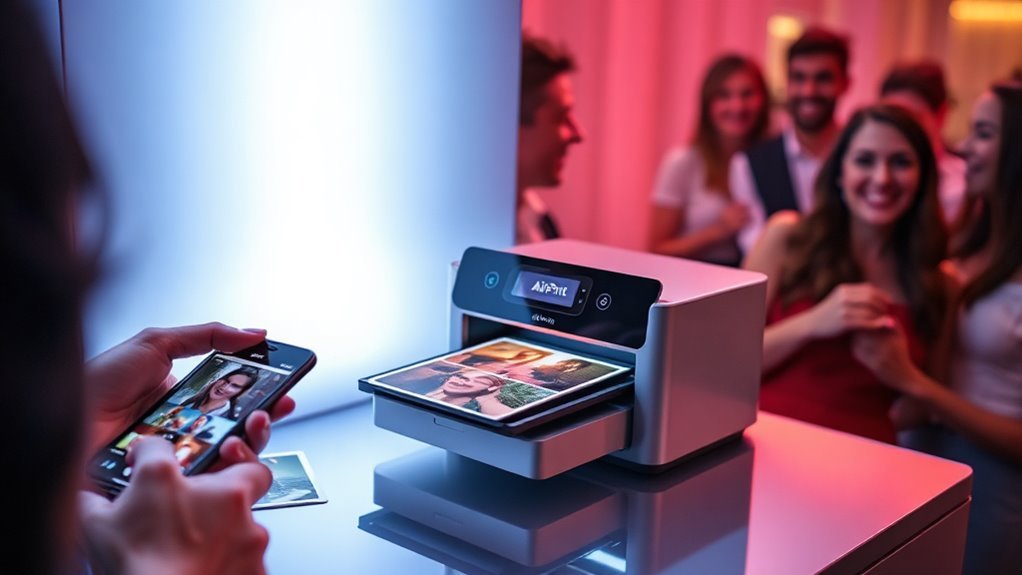
When choosing an AirPrint printer for your photo booth, you’ll want to focus on print quality and resolution to guarantee sharp images. Make sure the printer supports wireless connectivity options that match your setup and offers fast print speeds to keep lines moving.
Also, consider media size compatibility, portability, and power options to fit your specific event needs. It’s all about finding a printer that works seamlessly with your setup and keeps your guests happy with quick, high-quality prints.
Print Quality and Resolution
Print quality plays a crucial role in making your photo booth memories stand out. Choose printers with at least 300 dpi for 4×6 prints and 600–1200 dpi or higher for larger sizes to capture fine details and smooth gradients.
Look for high color depth (24-bit or more) and wide color gamut support, including extended CMYK or extra dye/gray inks, to guarantee accurate skin tones and vibrant colors. Prioritize continuous-tone or dye-sublimation printers—they provide smoother tonal shifts, instant-dry, water-resistant photos, and reduce banding.
Also, check for borderless printing and true color management features like ICC profiles to keep colors consistent across sessions. Finally, consider print speed at high resolutions; slower prints can slow down busy events, so balance quality with throughput to keep your photo booth running smoothly.
Wireless Connectivity Options
To keep your photo booth running smoothly, you’ll want to make sure your AirPrint printer connects seamlessly over Wi‑Fi. Look for support of Wi‑Fi standards like 802.11b/g/n/ac so iOS devices can print directly without extra drivers, saving setup time.
Prioritize dual-band or 5 GHz Wi‑Fi to reduce interference and boost speed when many guests print at once. It really helps keep things moving without those annoying delays.
Check if the printer offers Wi‑Fi Direct or a stable peer-to-peer mode—this lets smartphones print even if the venue’s network is restricted or requires authentication. That way, you’re not stuck waiting for network access just to get a photo.
Make certain it can handle multiple connections or queue jobs efficiently, preventing slowdowns during busy periods. You want everyone’s photos coming out fast and smooth.
Finally, consider backup wireless options like AirPrint over Ethernet or mobile printing apps to keep your photo booth operational if Wi‑Fi hiccups occur. It’s always good to have a Plan B just in case!
Print Speed and Efficiency
Although photo quality matters, you’ll want a printer that delivers 4×6 prints quickly—ideally under 40 to 60 seconds each—to keep your guests happy and lines moving. Don’t forget to factor in warm-up and first-print times, as dye-sublimation printers may require 20 to 60 seconds initially before printing starts.
Look beyond manufacturers’ burst speeds and test real-world continuous-print rates since cooling or ribbon changes can slow sustained throughput. Also, consider finishing time—whether prints are adhesive stickers or laminated—and drying times, which are usually instant with dye-sublimation.
Finally, plan for peak-event demand by calculating the total prints per hour and checking the printer’s duty cycle and how quickly you can reload paper and ink. This guarantees smooth operation without frustrating delays.
Media Size Compatibility
When choosing an AirPrint printer for your photo booth, you’ll want to make sure it supports the exact media sizes you plan to offer. Common photo booth sizes include 4×6 in prints, 2.1×3.4 in stickers, 2.1×2.1 in squares, and passport or card sizes.
Check the printer’s maximum media width and length to guarantee it handles any oversized or specialty prints you want. Also, confirm it accepts your preferred media finish—glossy, matte, or adhesive stickers—since some printers limit paper types.
Don’t forget to verify input and output tray capacities and cassette formats to manage reloading during busy events. Finally, make certain the printer’s app supports borderless printing and matches your templates’ aspect ratios to prevent unwanted borders or scaling.
Portability and Power Options
Since you’ll often set up your photo booth in different locations, choosing a compact, lightweight AirPrint printer makes a big difference for portability and ease of use. Aim for a model under 3 kg that fits easily on tight tables and in transport cases.
Battery operation or an external battery pack is a smart choice to keep printing through entire events without relying on venue power. Check the printer’s power consumption and voltage range to guarantee it works with available supplies, reducing the need for bulky generators.
Also, consider startup time—printers ready in under a minute keep lines moving smoothly. Finally, verify physical connectors and adapter types so you can bring the right cables and spares for any mobile setup challenges.
Frequently Asked Questions
How Does Airprint Impact Battery Life During Continuous Photo Printing?
AirPrint itself doesn’t drain your battery much, but continuous photo printing keeps your device awake and Wi-Fi active. This does use more power than usual.
You’ll notice faster battery drain during long, nonstop print sessions. So, it’s not AirPrint alone, but the ongoing activity that impacts your battery life.
Can Airprint Printers Connect to Multiple Photo Booths Simultaneously?
You can’t connect a single AirPrint printer to multiple photo booths simultaneously because AirPrint supports one device at a time.
If you want to print from multiple booths, you’ll need separate printers or a networked printer with advanced sharing capabilities. That way, each booth can send print jobs without any hassle.
What Are the Environmental Impacts of Using Airprint Photo Printers?
Using AirPrint photo printers leaves a carbon footprint like footprints on a sandy beach—you’ll consume paper, ink, and energy.
To reduce impact, you can choose eco-friendly ink and recycled paper while minimizing unnecessary prints. It’s all about making smarter choices without giving up on quality.
How Secure Is Airprint Technology for Public Event Photo Booths?
AirPrint uses encryption, so your data’s generally secure. But when it comes to public event booths, there’s still a risk of unauthorized access.
It’s a good idea to implement strong network security. Also, keep an eye on connections to stay ahead of any issues.
That way, you can keep things safe and protect users’ privacy without much hassle.
Are There Any Airprint Printers Compatible With Non-Apple Devices?
You might think AirPrint only works with Apple, but some printers, like HP’s newer models, support AirPrint-like features on non-Apple devices through apps or Wi-Fi Direct.
It’s like using a rotary phone in 2027!
Conclusion
When choosing an AirPrint printer for your photo booth, remember that convenience and quality matter most. Did you know 65% of event photographers prefer wireless printing to speed up service? It really helps keep things running smoothly.
With options like the Canon Selphy CP1500 and PIXMA iP8720, you’ll get reliable, high-quality prints without the hassle of cables. Plus, these printers deliver vibrant, sharp photos that guests love.
So, pick a printer that fits your needs and keeps your guests smiling with instant, vibrant photos every time. Finding the best AirPrint printer for your photo booth means balancing speed, quality, and ease of use—ensuring unforgettable memories are captured and shared seamlessly.