5 Best All-in-One Inkjet Printers for Offices in 2027
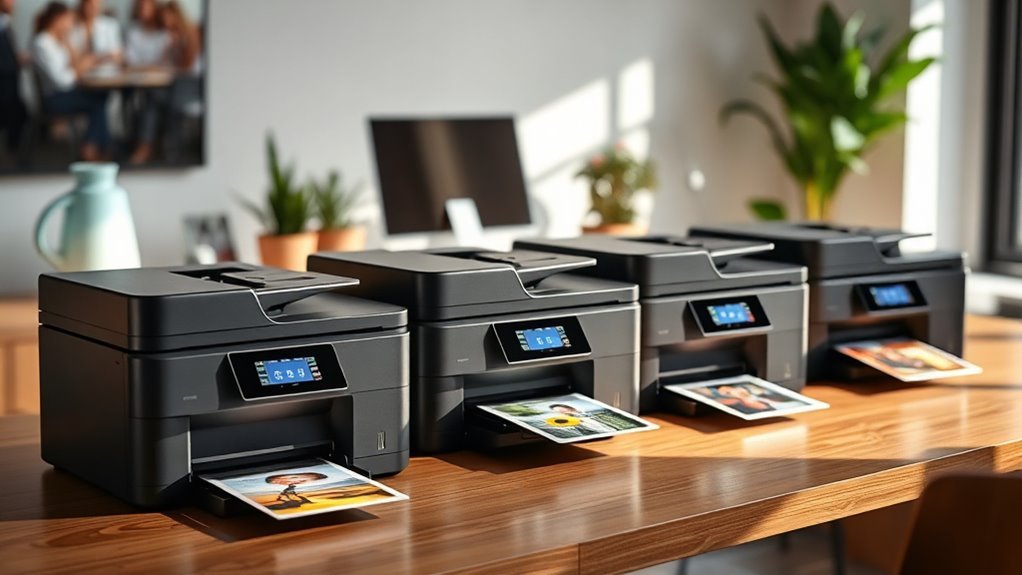
If you’re on the hunt for reliable, versatile all-in-one inkjet printers for your office in 2027, you’ve got some great options to consider. These printers combine printing, scanning, copying, and sometimes faxing, so they handle all your office needs without taking up too much space. Plus, they offer sharp color quality, fast output, and wireless connectivity to keep your workflow smooth and efficient.
For example, the HP OfficeJet Pro 8125 delivers crisp color prints and makes wireless printing a breeze. Meanwhile, the Canon PIXMA TR8620a is perfect if you want multifunction features with an eco-friendly touch. And if high volume and speed are your priorities, the Epson Workforce Pro WF-4935 won’t let you down.
Looking to cut down on running costs? The Canon MegaTank G3270 has large ink tanks that save you money over time. Then there’s the Brother Work Smart 1410, which strikes a nice balance between speed and usability. Take your time to explore these options and find the one that fits your workflow and connectivity needs best!
| Image | Name | Editor's Rating | Price |
|---|---|---|---|

|
|
||

|
|
||

|
|
||

|
|
||

|
|
HP OfficeJet Pro 8125 Wireless All-in-One Printer
- FROM AMERICA'S MOST TRUSTED PRINTER BRAND – The OfficeJet Pro 8125 is perfect for home offices printing professional-quality color documents like business documents...
- 3 MONTH TRIAL OF INSTANT INK INCLUDED – Subscribe to the Instant Ink delivery service to get ink delivered directly to your door before you run out, and you save up to...
- KEY FEATURES – Fast color printing, scan, copy, auto 2-sided printing, auto document feeder, and a 225-sheet input tray
- 2.7-INCH TOUCHSCREEN – Quickly navigate your printer with a large color touchscreen and a phone-like user interface
- WIRELESS PRINTING – Stay connected with our most reliable dual-band Wi-Fi, which automatically detects and resolves connection issues

Experience seamless printing and scanning with the HP OfficeJet Pro 8125 Wireless All-in-One Printer. It tackles everyday office tasks with ease, delivering professional-quality color prints and sharp black text. This printer ensures your documents look crisp with up to 4800 x 1200 dpi resolution, supporting both fast printing and detailed images.
Designed for efficiency, it features automatic two-sided printing and a generous 225-sheet input tray that handles various paper sizes. The 2.7-inch color touchscreen simplifies navigation, making it easy to manage print, scan, and fax jobs from the device itself or your mobile phone using wireless connectivity.
Maintenance is straightforward, but keep in mind it requires original HP cartridges with embedded chips. Firmware updates might limit the use of third-party cartridges, so plan accordingly. The fax function works through the mobile app rather than a built-in machine, which may affect traditional fax users.
This all-in-one printer is ideal for home users and small office professionals who need reliable, high-quality output with versatile wireless options and a compact design that fits neatly into any workspace.
Best for: Home users and small home office professionals needing an all-in-one printer that delivers high-quality color printing, efficient scanning, and versatile wireless connectivity.
What We Like:
- Sharp print quality with fast speeds up to 20 ppm black and 10 ppm color
- Automatic two-sided printing and large input tray for convenience
- Intuitive 2.7-inch color touchscreen and mobile app support for easy wireless use
Specification:
| Feature | Details |
|---|---|
| Manufacturer | HP |
| Model | OfficeJet Pro 8125 |
| Print Speed | Up to 20 ppm (black), 10 ppm (color) |
| Print Resolution | Up to 4800 x 1200 dpi |
| Input Tray Capacity | 225 sheets |
| Display | 2.7-inch color touchscreen |
| Connectivity | Wireless, mobile app |
| Fax | App-based fax functionality |
Canon PIXMA TR8620a All-in-One Printer Black
- Never run out of ink. Connect your printer to Alexa and receive notifications when you’re running low. Alexa can even place a smart reorder from Amazon on your behalf...
- Enrolling in Smart Reorders with Alexa ensures that you never have too much or too little ink supplies. No subscription needed.
- Wireless 4-in-1 (Print | Copy | Scan | Fax)
- 15 / 10 ipm Print Speed
- 200 Sheet Capacity (100 Cassette, 100 Rear Feed)
The Canon PIXMA TR8620a is designed to meet the needs of small offices and home users who require a versatile and dependable all-in-one printer. It simplifies daily tasks by combining printing, copying, scanning, and faxing into one compact device. The built-in auto document feeder and two-sided printing save time and reduce paper waste, making it easier to manage multi-page documents efficiently.
This printer supports wireless connectivity through AirPrint and Android devices, allowing seamless printing directly from smartphones and tablets. Integration with Alexa adds convenience by enabling voice notifications and smart reordering of supplies. Its sleek black design fits well in any office setting without taking up too much space.
Maintenance is straightforward with a moderate 1,000-page duty cycle and a 200-sheet paper capacity, suitable for moderate workloads. While print speeds of 15 ipm for black and 10 ipm for color are average, the printer balances performance with ease of use. ENERGY STAR and EPEAT Silver certifications highlight its energy efficiency and commitment to environmentally friendly operation.
Best for: Small offices and home users needing a multifunction printer with smart connectivity and eco-conscious features.
What We Like:
- 4-in-1 functionality with auto document feeder and duplex printing
- Wireless printing via AirPrint, Android, and Alexa integration
- ENERGY STAR and EPEAT Silver certified for eco-friendly use
Specification:
| Feature | Details |
|---|---|
| Manufacturer | Canon |
| Dimensions | Not specified |
| Weight | Not specified |
| Color | Black |
| Functionality | Print, Copy, Scan, Fax |
| Paper Capacity | 200 sheets |
| Print Speed | 15 ipm (black), 10 ipm (color) |
| Duty Cycle | 1,000 pages |
Epson Workforce Pro WF-4935 Wireless All-in-One Printer
- Built for Speed — PrecisionCore Heat-Free technology delivers fast, high-volume printing with 25 (black)/12 (color) ISO ppm and fast first-page-out
- High-Precision Office Printing — Accurate dot placement and DURABrite Ultra instant-dry pigment inks for professional-quality prints
- High-Volume Durability for Heavy Workloads — Innovative heat-free technology engineered for reliability and reduced downtime
- Complete Duplex Solution — All-in-one printer with auto 2-sided print, copy, scan and fax; plus 50-sheet ADF
- Maximize Printing Productivity — High-performance office printer with 500-sheet paper capacity; includes two 250-sheet trays for added convenience
The Epson Workforce Pro WF-4935 is built to streamline your office tasks with reliable, high-volume printing. It handles printing, copying, scanning, and faxing smoothly, reducing downtime with its automatic duplex and 50-sheet ADF. This capacity supports busy workflows and minimizes manual intervention.
Designed for efficiency, the printer delivers sharp prints with a resolution of up to 4800 x 2400 dpi. PrecisionCore Heat-Free technology ensures fast first-page output, helping you meet tight deadlines. The dual 250-sheet trays and 50-sheet feeder keep your projects moving without frequent paper reloads.
Connectivity is flexible with Wi-Fi, Ethernet, and USB options. You can easily manage jobs via the 4.3-inch touchscreen or the Epson Smart Panel app. Maintenance is straightforward, making it easier to keep the printer running smoothly in a fast-paced environment.
With its sturdy build, the WF-4935 is a dependable office companion. However, the larger footprint may require careful placement in smaller spaces. The color print speed is slower than black, which could affect mixed-color projects, and it lacks advanced fax forwarding features some users might need.
Best for: Busy offices and professionals needing a versatile all-in-one printer that balances speed, volume, and reliable wireless connectivity.
What We Like:
- Fast black printing at 25 ppm with quick first-page output
- High paper capacity with dual trays and a 50-sheet ADF
- Multiple connectivity options including Wi-Fi and Ethernet
- User-friendly 4.3″ touchscreen and mobile app support
Specification:
| Feature | Details |
|---|---|
| Manufacturer | Epson |
| Dimensions (W x D x H) | 16.7″ x 15.3″ x 13″ |
| Weight | 23.6 lb |
| Print Resolution | Up to 4800 x 2400 dpi |
| Print Speed | 25 ppm (black), 12 ppm (color) |
| Paper Capacity | 500 sheets (dual 250-sheet trays + 50-sheet ADF) |
| Connectivity | Wi-Fi, Ethernet, USB |
Canon MegaTank G3270 All-in-One Wireless Color Printer
- Wireless Print/Copy/Scan
- Up to 2 years of ink included (2)
- Print up to 6,000 black & white / 7,700 color pages using a single set of inks! (1)
- Save up to $1,000 on ink (1)
- 1.35” Square LCD display
Experience smooth and efficient printing with the Canon MegaTank G3270 All-in-One Wireless Color Printer. This printer is designed to tackle the common hassle of frequent ink replacements, thanks to its refillable MegaTank system. You can print up to 6,000 black and 7,700 color pages per ink set, reducing interruptions and saving time.
The G3270 supports printing, copying, and scanning with sharp 4800 × 1200 dpi resolution, making it ideal for clear documents and vibrant photos. Its wireless connectivity and smartphone control add convenience, allowing you to print easily from your desk or on the go.
Maintenance is straightforward with the large ink tanks, minimizing refills and lowering running costs. Although it only supports single-sided printing, its compact design fits comfortably in most home office setups without compromising on functionality.
Weighing 13.2 pounds, it’s portable enough to move if needed but requires adequate space. This printer is perfect for users who want a high-capacity, versatile device that reduces downtime while handling everyday printing needs.
Best for: Home office users and individuals needing an affordable, high-capacity all-in-one color printer with wireless features and long-lasting ink supply.
What We Like:
- High ink yield reduces frequent refills
- Clear, high-resolution printing, copying, and scanning
- Wireless and USB connectivity with smartphone control
- Refillable tanks lower running costs
Specification:
| Feature | Details |
|---|---|
| Manufacturer | Canon |
| Dimensions | Not specified |
| Weight | 13.2 lb (6 kg) |
| Color Options | Not specified |
| Print Resolution | 4800 × 1200 dpi |
| Connectivity | Wi-Fi, USB |
Brother Work Smart 1410 Wireless Color Inkjet Printer
- BEST FOR HOME OFFICE AND SMALL OFFICE: Get your work done with a multifunction printer. Print, copy, and scan on one convenient, compact printer, with quick and easy...
- EASY-TO-USE TOUCHSCREEN WITH CLOUD APP CONNECTIONS: Seamless integration with the Cloud(2). Print from and scan to popular Cloud apps(2), including Google Drive, Dropbox...
- PRODUCTIVITY-FOCUSED FEATURES: Automatic duplex (2-sided) printing, 20-sheet single-sided Automatic Document Feeder (ADF)(3), 150-sheet paper tray(3). Print at fast...
- MULTIPLE CONNECTION OPTIONS: Connect your way. Interface with your printer on your wireless network or via USB.
- THE BROTHER MOBILE CONNECT APP: Go mobile with the Brother Mobile Connect app(5) for easy onscreen menu navigation for printing, copying, scanning, and device management...
Experience seamless printing and multitasking with the Brother Work Smart 1410, a compact wireless color inkjet printer designed to simplify your workspace. This all-in-one device combines printing, copying, scanning, and faxing, helping you manage everyday tasks without clutter.
Its wireless connectivity and 2.7″ touchscreen offer easy setup and control, letting you print from multiple devices effortlessly. The 150-sheet tray supports various paper types, including envelopes and glossy media, while automatic duplex printing saves paper and time.
Maintenance is straightforward with the Page Gauge feature, which helps track ink levels and reduces unexpected interruptions. Although print speeds are moderate—up to 16 ppm for black and 9 ppm for color—the printer balances quality and efficiency for home or small office use.
Weighing just 16.8 pounds, the device’s compact design fits well in tight spaces. However, it offers only one USB port for wired connections and relies on a subscription service for ink cartridges, which may involve ongoing costs.
Best for: Individuals and small businesses seeking a compact, versatile all-in-one printer with wireless connectivity and reliable color and black printing.
What We Like:
- Combines print, copy, scan, and fax functions in one device
- Automatic duplex printing and versatile 150-sheet tray
- Easy wireless setup with 2.7″ color touchscreen
- Page Gauge helps monitor ink levels efficiently
Specification:
| Feature | Details |
|---|---|
| Manufacturer | Brother |
| Dimensions (W×D×H) | Not specified |
| Weight | 16.8 lb (7.62 kg) |
| Printing Technology | Wireless Color Inkjet |
| Paper Tray Capacity | 150 sheets |
| Connectivity | Wi-Fi, USB (1 port) |
| Display | 2.7″ Color Touchscreen |
Factors to Consider When Choosing an All in One Inkjet Printer for Offices
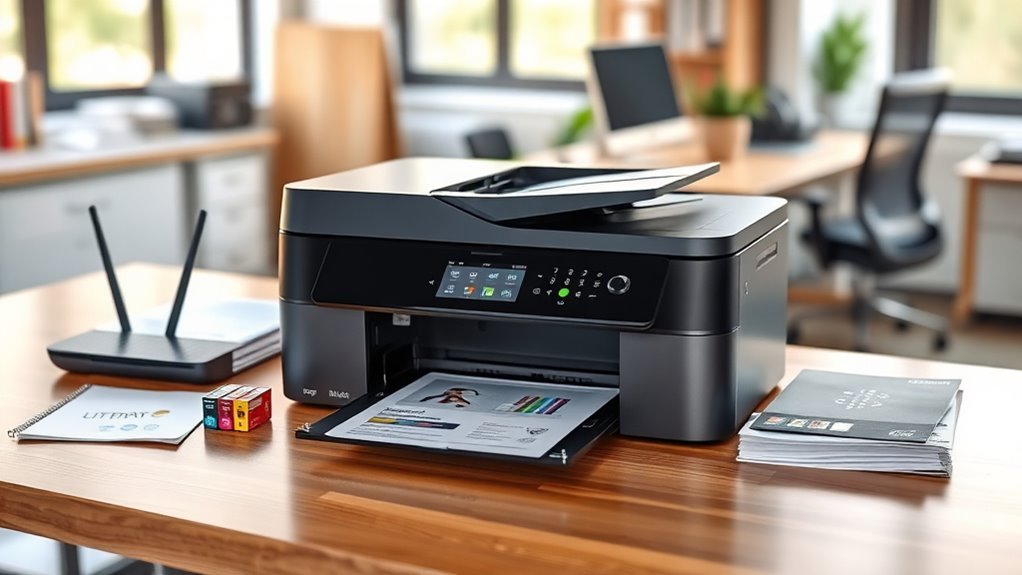
When choosing an all-in-one inkjet printer for your office, you’ll want to focus on print speed to keep up with your workload. Make sure it offers the connectivity options you need and meets your quality standards.
Also, don’t forget to check the paper handling capacity and ink efficiency. This way, you can avoid those frustrating, frequent interruptions.
It’s all about finding the right balance between performance and convenience for your daily tasks.
Print Speed Importance
Although print speed might seem like a simple metric, it plays a crucial role in maintaining office efficiency, especially during high-volume document jobs. You’ll want a printer with black print speeds of 20+ ppm and color speeds around 10+ ppm to keep workflows smooth and avoid bottlenecks.
Don’t overlook first-page-out time—waiting 15–20 seconds for a single page can slow you down during quick tasks. When comparing models, look for ISO/IEC speed ratings instead of manufacturer claims to get realistic expectations.
Also, consider how duplex printing and automatic document feeder (ADF) speeds impact overall throughput for two-sided or multi-page jobs. Checking these combined specs guarantees you pick a printer that truly meets your office’s productivity demands.
Connectivity Options Availability
Because connectivity shapes how easily your office communicates with its printer, you’ll want to prioritize models that support both Wi-Fi (preferably dual-band 2.4/5 GHz) and wired Ethernet for reliable network access.
Also, look for USB-A or USB-B ports to connect directly to PCs for quick local printing or firmware updates without relying solely on the network.
Verify mobile and cloud printing compatibility—AirPrint, Mopria, or native apps—to let smartphones and tablets print, scan, and receive notifications effortlessly.
An automatic document feeder with duplex scanning and network capabilities can speed up multi-page workflows.
Finally, make certain the printer includes security and management features like secure printing, user authentication, SNMP/IPP support, and remote configuration to protect sensitive data and monitor usage across your office efficiently.
Print Quality Standards
How sharp and vibrant your office prints appear can make a big difference in professionalism and readability. Choose printers with at least 1200 x 1200 dpi resolution for crisp text and fine details, and up to 4800 x 1200 dpi or higher for photo-quality color output.
Check if the printer uses pigment inks for sharper, water-resistant prints or dye-based inks for richer photos, as ink type impacts durability and color vibrancy. It’s worth looking into the ink to make sure it fits your needs.
Look for ISO or manufacturer-stated resolutions and color depth, plus support for advanced color management like ICC profiles or sRGB/Adobe RGB if accurate color is vital. These features really help if color accuracy matters to you.
Also, consider first-page-out time and consistent ppm speeds, balancing print quality with workflow efficiency. You want to keep things moving smoothly without sacrificing quality.
Don’t forget duplex printing and ADF scan resolution to guarantee two-sided documents remain clear and professional. These little details make a big difference in everyday use.
Paper Handling Capacity
Many office tasks demand a printer that can handle a substantial amount of paper without constant refills. You should look for total paper capacity—input plus secondary trays—that matches your monthly volume.
If your office prints heavily, aim for 300–500+ sheets to minimize interruptions. Check the automatic document feeder (ADF) capacity and whether it supports duplex scanning. ADFs holding 20–50 sheets speed up multi-page scanning and copying.
Make sure the printer supports multiple paper sources and tray sizes so you can load letter, legal, envelopes, and specialty media simultaneously. Also, confirm it offers automatic duplex printing and scanning to save paper and streamline workflows.
Finally, consider the maximum media size and thickness the printer supports. This way, you can handle envelopes, labels, or cardstock your office needs without any hassle.
Ink Efficiency Considerations
When choosing an all-in-one inkjet printer for your office, you’ll want to zero in on ink efficiency to keep costs manageable. Look for models that support high-yield or refillable ink options like tanks or XL cartridges—they print thousands of pages per set and lower your cost per page substantially.
Don’t just compare cartridge prices; calculate the actual cost per page by factoring in page yields and cartridge or tank costs. It really makes a difference when you look beyond the sticker price.
Be wary of printers requiring original-chip cartridges or firmware locks, as these limit third-party refills and drive up expenses. Nobody wants to be stuck paying more just because of some lock-in system.
Also, consider features like duplex printing, draft modes, and automatic two-sided scanning to reduce ink use. These little extras can save you a surprising amount over time.
Match the ink system—standard, high-yield, or continuous—with your monthly page volume to avoid frequent replacements and higher consumption. That way, you won’t run out of ink when you need it most.
Security Features Necessity
Since printers handle sensitive documents and connect to your office network, you’ll want to prioritize robust security features. Look for printers supporting WPA2 or WPA3 Wi-Fi, wired Ethernet segmentation, and secure boot to block unauthorized access and protect firmware integrity.
User authentication via PIN, LDAP/Active Directory, or card readers guarantees only authorized personnel can print, copy, or scan. This helps reduce data exposure and keeps your information safe.
Encryption matters—TLS secures data in transit, and AES protects stored jobs. Plus, optional secure erase features prevent document recovery, which is a nice extra layer of protection.
Also, choose models offering cryptographically signed firmware updates and automatic checks to patch vulnerabilities promptly. These keep your devices up to date against new threats.
Audit logging, role-based access control, and secure fax or scan-to-email workflows with destination confirmation help you maintain compliance. They also prevent accidental leaks, making these features essential for office security.
User Interface Ease
Security is only effective if users can easily interact with the printer without frustration or errors. Look for a color touchscreen around 2.5 to 4 inches with phone-like menus and clear icons to speed up tasks like copying, scanning, and duplex printing.
Make sure the interface supports mobile apps and web access, with simple setup wizards and onscreen troubleshooting to cut down IT time. Dedicated physical buttons or customizable quick-keys help minimize steps for frequent workflows.
The UI should show live status info—ink levels, paper jams, job progress—and offer actionable prompts instead of cryptic error codes. Finally, check that multi-function workflows like ADF scanning and faxing via app have clear, step-by-step options and confirmation screens to prevent user errors and wasted pages.
Frequently Asked Questions
How Do Inkjet Printers Compare to Laser Printers for Office Use?
You’ll find inkjet printers excel at high-quality color prints but run slower and cost more per page than laser printers.
Laser printers handle large volumes quickly and cheaply, making them better for heavy office use.
What Are Common Maintenance Tips for All-In-One Inkjet Printers?
You should clean the print heads regularly and use the printer frequently to prevent clogging.
Also, replace ink cartridges promptly to avoid any interruptions. Keep the printer dust-free to maintain its performance.
Don’t forget to update the firmware now and then. These simple steps help keep your all-in-one inkjet running smoothly and efficiently.
Can These Printers Handle Printing on Specialty Media Like Labels or Cardstock?
These printers proudly print on specialty surfaces like labels and cardstock. Just check your model’s manual, adjust settings accordingly, and you’ll smoothly sail through your special media projects without a single snag or smudge.
It’s pretty straightforward once you get the hang of it. Just a little tweak here and there, and you’re good to go!
What Security Features Should I Look for in Office Printers?
You should look for printers with user authentication, secure printing release, data encryption, and firmware updates. These features protect sensitive documents and prevent unauthorized access.
That way, your office information stays safe and secure at all times. It’s all about keeping your data locked down without slowing you down.
Are There Eco-Friendly Ink Options Available for These Printers?
Yes, you’ll find eco-friendly ink options like plant-based and refillable cartridges. They reduce waste and toxins, helping your office stay green.
Plus, these options maintain quality prints without sacrificing performance or reliability. It’s a win-win for your business and the environment!
Conclusion
Imagine your office humming smoothly, with every print, scan, and copy flowing effortlessly from one sleek device. Choosing the right all-in-one inkjet printer is like picking the perfect tool that fits seamlessly into your workspace, boosting productivity without the clutter.
Whether it’s sharp text or vivid color you need, these top picks make sure you’re covered. So, take the leap—equip your office with a printer that works as hard as you do.
When it comes to office efficiency, having the best all-in-one inkjet printer can make all the difference. These devices combine printing, scanning, and copying in one compact unit, saving space and time. By choosing the right model, you ensure crisp documents and vibrant images every time.
So, if you want to streamline your workflow and enhance productivity, investing in a quality all-in-one inkjet printer is a smart move. Your office deserves technology that keeps up with your pace and professional demands.