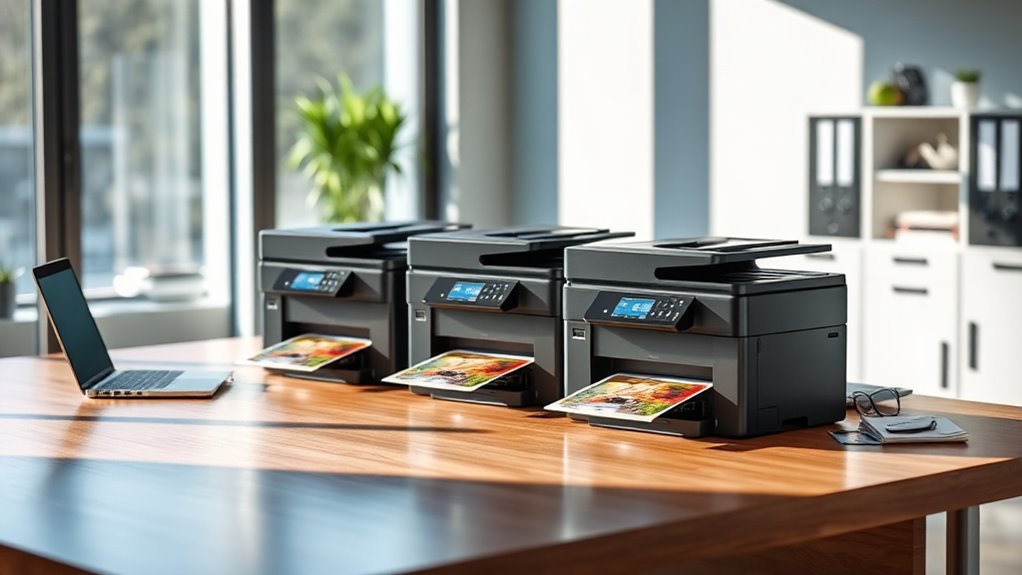
3 Best All-in-One A3 Printers for 2027 That Boost Productivity
You’ll love the Epson EcoTank Photo ET-8550 for vibrant photo prints with its refillable tank. It’s perfect if you want high-quality photos without constantly buying new ink cartridges.
The Epson EcoTank ET-15000 offers large 13×19-inch prints plus double-sided scanning to save time. This model is great for handling bigger projects efficiently.
For specialty media, the DSV A3 UV DTF Printer handles surfaces like glass and leather with instant curing and laminating. It’s ideal if you need versatile printing options for unusual materials.
Each printer boosts productivity through wide-format capacity and efficient workflows. Keep exploring to find the right fit for your printing needs and workspace.
| Image | Name | Editor's Rating | Price |
|---|---|---|---|

|
|
||

|
|
||

|
|
Epson EcoTank Photo ET-8550 Wireless Wide-Format All-in-One Tank Printer
- CARTRIDGE-FREE PRINTING — Print lab-quality photos, graphics and creative projects; Get vibrant colors and sharp text with Epson's high-accuracy printhead and Claria ET...
- INK BOTTLES — Save on photos1 and creative projects with affordable in-house printing; All-in-one printer allows you to print 4" x 6" photos for about 4 cents each vs...
- LESS FREQUENT INK REPLACEMENT — Replacement ink bottles don't have to be changed nearly as often as ink cartridges¹; Printer, scanner and copier lets you print up to...
- PRINT FOR LONGER — Up to 2 years of ink in the box² (and with every replacement ink set) for fewer out-of-ink frustrations with this wireless printer
- ZERO CARTRIDGE WASTE — Epson EcoTank printer helps reduce the amount of cartridge waste ending up in landfills; Cartridge-free printer uses high-yield ink bottles; Each...

Experience high-quality photo printing without the hassle of frequent ink replacement. The Epson EcoTank Photo ET-8550 offers a cartridge-free, refillable EcoTank system that significantly lowers ink costs. You can produce stunning, lab-quality photos up to 13 x 19 inches with vivid colors and sharp details.
Designed for convenience, this wireless wide-format printer supports fast print speeds—up to 16 ppm in black and 12 ppm in color—helping you complete projects quickly. Its high-resolution output of 5760 dpi ensures every image is crisp and vibrant, perfect for professional or personal use.
Maintenance is straightforward thanks to the EcoTank’s large ink reservoirs that reduce interruptions. The eco-friendly design also minimizes waste by eliminating disposable cartridges, supporting a greener printing solution. However, its larger size means it requires ample space, and scanning capabilities focus mainly on photos rather than advanced document features.
This printer is ideal if you want to combine professional photo quality with low ink costs and environmental benefits. It fits well in home studios or artist workspaces where wide-format prints are essential.
Best for: photographers, artists, and home users needing high-quality wide-format photo printing with cost-effective ink management.
What We Like:
- Cartridge-free refillable EcoTank system reduces ink expenses and waste
- Produces vibrant, lab-quality photos up to 13 x 19 inches
- Wireless connectivity with fast print speeds: 16 ppm black, 12 ppm color
- High resolution up to 5760 dpi for sharp, detailed images
Specification:
| Feature | Details |
|---|---|
| Manufacturer | Epson |
| Printer Type | Wireless All-in-One Tank Printer |
| Print Size | Up to 13 x 19 inches |
| Ink System | Refillable EcoTank with 6 Claria ET Premium inks |
| Print Speed | Up to 16 ppm (black), 12 ppm (color) |
| Resolution | Up to 5760 dpi |
| Dimensions (W×D×H) | Approx. 23.7 × 14.3 × 9.6 in |
| Weight | Approx. 14.3 lb |
Epson EcoTank ET-15000 Wireless All-in-One Wide-Format Supertank Printer
- PHOTO PRINTING — Ultra HD photo printer delivers borderless prints up to 13 in x 19 in with 6-color Claria Photo HD ink system including red and gray for enhanced color...
- COMPACT DESKTOP PRINTER — Wide format A3 plus printer is 30% smaller than predecessor and fits on desktop, easily fits on desktop while accommodating specialty media...
- WIRELESS CONNECTIVITY — Wi-Fi printer enables convenient printing from computers, smartphones and tablets with auto 2-sided document printing capability and 200-sheet...
- INDIVIDUAL INK SYSTEM — 6-color cartridge system with Claria Photo HD technology provides color accuracy and longevity; Designed for use with genuine Epson printer ink...
- SMART CONVENIENCE — Amazon Dash Replenishment Ready feature automatically tracks ink usage and orders replacement cartridges when running low; Supports uninterrupted...
The Epson EcoTank ET-15000 Wireless All-in-One Wide-Format Supertank Printer transforms how you handle printing tasks at home or in a small office. It solves the common challenge of balancing high-quality, borderless photo printing with everyday document needs by supporting wide-format prints up to 13 x 19 inches. This versatility means you can print vibrant photos and sharp documents without switching devices.
Designed for ease of use, the printer features a 250-sheet front tray and a 50-sheet rear specialty tray that handles cardstock and specialty media effortlessly. Its auto-duplexing capability saves time and paper by printing double-sided automatically. The 2.7-inch color touchscreen and voice-activated printing simplify operation, making it accessible for users with varying tech skills.
Maintenance is straightforward with refillable six-color Claria Photo HD ink tanks that significantly cut ink costs by up to 90%. This system reduces cartridge waste, offering an eco-friendly solution that fits both budget and environmental concerns. Wireless, Ethernet, and USB connectivity ensure you stay connected in multiple setups.
While its larger size requires more desk space, and the initial ink setup slightly reduces the first yield, these minor trade-offs support a powerful, all-in-one device ideal for diverse printing needs.
Best for: users needing versatile wide-format printing with cost-effective, high-quality photo and document output for home or small office environments.
What We Like:
- Supports borderless photo printing up to 13 x 19 inches.
- Refillable six-color ink system reduces costs and waste.
- Auto-duplexing and easy-to-use 2.7-inch color touchscreen.
- Voice-activated printing enhances convenience.
- Multiple connectivity options including wireless and Ethernet.
Specification:
| Feature | Details |
|---|---|
| Manufacturer | Epson |
| Dimensions (W×D×H) | Approx. 23.7 × 15.4 × 9.8 in (60.2 × 39.1 × 24.9 cm) |
| Weight | Approx. 17.5 lb (7.94 kg) |
| Ink System | Refillable six-color Claria Photo HD tanks |
| Media Size Support | Up to 13 × 19 inches |
| Connectivity | Wireless, Ethernet, USB |
| Touchscreen | 2.7-inch color touchscreen |
DSV A3 UV DTF Printer with Laminator & Stand
- ✅【All-in-One Printer & Laminator – A3Pro Large Format, Ultra-HD Quality】Integrated printing and laminating in one machine – no separate laminator needed. With a...
- ✅【Dual F1080 Printheads – Dedicated Heads for Color+White & Varnish】Dual F1080 printheads with 12-channel CMYK+White+Varnish. One handles color+white, the other...
- ✅【RIIN RIP Software – Virus-Safe, One-Click Printing】Unlike risky third-party downloads that may carry viruses, our package includes official RIIN RIP software...
- ✅【Print on Virtually Any Surface – Tumblers, Phone Cases, Hats & More】 Create vibrant, high-quality custom transfers for a wide range of products – mugs...
- ✅【Smart White Ink Circulation – No Clogging, Longer Printhead Life】 White ink settling and nozzle clogging are the #1 frustration for UV dtf printers. Our...
The DSV A3 UV DTF Printer with Laminator & Stand offers a smart solution for creators who demand fast, durable prints on a variety of materials. Its instant UV curing technology ensures prints dry quickly, reducing wait times and increasing productivity. This printer handles substrates like glass, leather, and metal with ease, expanding your creative possibilities.
Maintenance is simplified thanks to the dual F1080 printheads and a smart white ink circulation system that keeps the printer running smoothly and reduces downtime. The vacuum suction workbench secures materials firmly in place, ensuring precision and minimizing waste during printing.
With an integrated laminator and a 13-inch flatbed, this all-in-one machine streamlines your workflow. The included RIIN RIP software supports easy USB connectivity, making setup and operation straightforward. Its robust design, although weighing 160 lbs, comes with a mobile stand to help position it comfortably in your workspace.
While the print speed is modest at 0.5 pages per minute, this printer prioritizes quality and reliability over volume. The USB-only connection might limit network options, but it keeps the setup simple.
Best for: Artists, small business owners, and hobbyists seeking a versatile UV DTF printer with built-in laminating for high-quality, long-lasting prints.
What We Like:
- High-resolution printing with instant UV curing for vibrant, durable results
- Smart white ink circulation reduces maintenance needs
- Integrated laminator and vacuum suction improve print precision and material handling
Specification:
| Feature | Details |
|---|---|
| Manufacturer | DSV |
| Dimensions | Not specified |
| Weight | 160 lbs (72.5 kg) |
| Print Resolution | 2880 x 1440 dpi |
| Print Size | A3 (13-inch flatbed) |
| Connectivity | USB |
Factors to Consider When Choosing an All in One A3 Printer
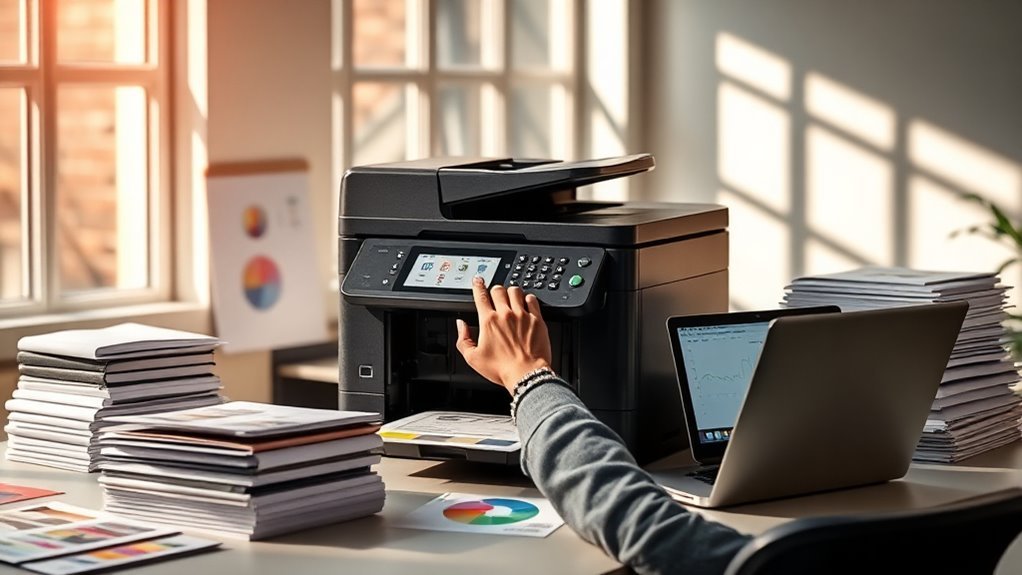
When choosing an all-in-one A3 printer, you’ll want to focus on print quality and resolution to guarantee sharp results. It’s really important to get crisp, clear prints every time.
Also, consider the ink type and cost, along with the media sizes the printer can handle. You don’t want to get stuck with expensive ink or limited paper options.
Don’t forget to check connectivity options and how fast the printer works to match your efficiency needs. After all, a printer that’s slow or hard to connect can really slow you down.
Print Quality and Resolution
Since print quality directly impacts how your work appears, choosing an all-in-one A3 printer with the right resolution and color capabilities is essential. If you print photos or fine art, aim for a maximum resolution between 2400 and 5760 dpi to capture intricate details.
For general office documents, 600 to 1200 dpi usually suffices. Consider the printer’s color gamut and bit depth; a higher bit depth like 48-bit guarantees smoother gradients and more realistic colors.
Also, check the printhead technology and ink channels—additional inks like gray or light cyan improve shadow detail and color accuracy. Don’t overlook substrate support: printers handling thicker media maintain sharper prints.
Finally, features like droplet size and color management tools help you achieve consistent, high-quality output every time.
Ink Type and Cost
Although print quality is essential, understanding ink type and cost plays an equally important role in choosing an all-in-one A3 printer. First, check if the printer uses refillable tanks, individual cartridges, or proprietary bulk ink. Refillable tanks usually offer much lower per-page costs than single-use cartridges.
Next, compare ink yields and cost-per-page, keeping in mind real-world use often consumes more ink than test metrics suggest. Consider the number and types of ink channels; extra colors improve photo quality but raise replacement costs.
Also, factor in maintenance needs—some inks require circulation or frequent head cleaning, which uses more ink. Finally, match ink chemistry to your media and longevity requirements, as specialty inks or coatings can increase expenses.
Balancing these factors helps you pick an efficient, cost-effective printer. It’s all about finding the right mix for your specific needs.
Media Size and Handling
Choosing the right all-in-one A3 printer means making sure it can handle the media sizes and types you need. Confirm your printer supports true A3 (297 x 420 mm) or even 13 x 19-inch wide-format printing. This is especially important if you want borderless printing for full-bleed photos or posters.
Check the maximum media thickness it accommodates—some handle cardstock up to 1.3 mm, envelopes, or rigid sheets. Paper capacity matters too; a higher capacity tray (200+ sheets) means fewer interruptions during large jobs.
Look for multiple feed options like front trays, rear specialty trays, or automatic document feeders for versatility. Don’t forget duplex printing capabilities and size limits for two-sided jobs to avoid manual flipping.
Finally, verify any maximum printable length or width restrictions for banner or wide-format printing projects. It’s always good to know exactly what your printer can handle before you start printing!
Connectivity Options Available
Once you’ve confirmed your printer handles the media sizes and types you need, the next step is ensuring it connects seamlessly with your devices and network. Look for Wi-Fi, including Wi-Fi Direct, and Ethernet options to support wireless mobile printing and reliable wired access for multiple users.
USB ports—Type-A, Type-B, or the faster USB-C—offer direct connections and sometimes USB-host printing from flash drives. If your AIO has an Automatic Document Feeder, check that it supports network or USB scanning to PCs or network shares.
Cloud printing and mobile app compatibility require internet access and support for services like AirPrint or Mopria. Also, consider voice-activated printing, but verify supported protocols and security standards such as WPA3 and TLS to protect your network.
Speed and Efficiency
When evaluating an all-in-one A3 printer, you’ll want to focus on speed and efficiency to keep your workflow smooth. Check the pages-per-minute (ppm) rates for black and color printing against your typical monthly volume to avoid backlogs during peak jobs.
Look for automatic duplexing and a paper tray with 100+ sheet capacity to minimize manual refills and boost throughput, especially for double-sided or bulk printing. It really helps keep things moving without constant interruptions.
Consider the scanner’s speed and whether its automatic document feeder handles your common originals efficiently. Also, evaluate first-page-out and warm-up times, along with the device’s processor and memory, since delays add up over multiple small jobs.
Finally, factor in maintenance downtime and consumable yields to make certain your printer stays productive without frequent interruptions. Picking the right model means less hassle and more getting things done.
Scanner and Copier Features
Although speed and efficiency matter, you’ll also want to carefully evaluate scanner and copier features to make certain your all-in-one A3 printer meets your specific needs. Check the scanner’s optical resolution—aim for at least 600 dpi for clear documents and 1200 dpi or more for detailed image scans.
Make certain the scanner type and bed size support true A3 or A3+ flatbed glass for full-width scanning of bulky materials. Look for an automatic document feeder (ADF) that handles A3 or A4 pages with fast ppm rates to streamline batch scanning.
Don’t overlook color depth and dynamic range for accurate photo or artwork reproduction. For copying, verify A3 support, duplex capability, zoom options, and high copy resolution to get precise, two-sided reproductions with flexible scaling.
Warranty and Support Options
Because your all-in-one A3 printer plays a crucial role in your workflow, you’ll want to carefully review warranty and support options before making a purchase. Check the length and scope of the manufacturer’s warranty, which typically covers one year. Also, see if extended service plans are available for parts, labor, or longer coverage.
Confirm which components are included, noting any exclusions or shorter coverage for high-wear parts like printheads. Make sure you understand any requirements, such as registration or using genuine consumables, to keep your warranty valid.
Also, evaluate the responsiveness of technical support—whether by phone, email, or live chat. Look for service guarantees like swap-out replacements or onsite repairs to minimize downtime and keep your business running smoothly.
Frequently Asked Questions
What Is the Average Lifespan of an A3 All-In-One Printer?
You can expect an A3 all-in-one printer to last around 3 to 5 years with regular use. Proper maintenance and quality ink can extend its lifespan, helping you avoid frequent replacements and keep productivity steady.
Taking good care of your printer really makes a difference. Simple things like cleaning it regularly and using the right supplies can go a long way. So, it’s definitely worth the effort to keep it running smoothly!
Are There Eco-Friendly Ink Options Available for These Printers?
Yes, you can find eco-friendly ink options for A3 all-in-one printers, like soy-based or refillable cartridges. These reduce environmental impact and waste.
They help you print sustainably without sacrificing quality or convenience. So, it’s a win-win for both you and the planet.
How Do A3 Printers Compare in Energy Consumption?
You’ll find A3 printers gently sip power rather than guzzle it, especially newer models. They often feature energy-saving modes, so you can print big without worrying about a big electricity bill sneaking up on you.
It’s pretty cool how these printers balance performance and efficiency. So, if you’re concerned about energy use, going for a newer A3 model is definitely a smart move.
Can These Printers Connect to Multiple Devices Simultaneously?
Yes, these printers can connect to multiple devices simultaneously via Wi-Fi, Ethernet, or Bluetooth.
This lets you and your team print, scan, or fax without hassle, boosting your workflow and collaboration.
What Warranty Options Are Typically Offered With A3 Printers?
Think of warranties as your printer’s safety net. You’ll usually find one-year standard coverage, with options to extend for up to three years.
These often cover parts, labor, and sometimes on-site repairs to keep you worry-free. It’s all about making sure your printer keeps running smoothly without unexpected costs.
Conclusion
Choosing the right all-in-one A3 printer can truly transform your workflow and productivity. Whether you prioritize vibrant photo quality, wide-format capabilities, or advanced features like UV printing and laminating, there’s a perfect option for you.
So, why settle for less when you can have a printer that handles all your needs efficiently? Investing in the right model now means smoother projects and better results every time you print.
With the best all-in-one A3 printers for 2027, you’re not just getting a device—you’re upgrading your entire printing experience. These printers boost productivity by combining multiple functions into one sleek machine, saving you time and space.
Choosing the right all-in-one A3 printer ensures you enjoy vibrant prints, high-speed output, and versatile features that meet both home and professional needs. Don’t wait to enhance your workflow—make the smart choice today and see the difference in every project you tackle.