7 Best All in One Color Laser Printers for Home Use in 2027
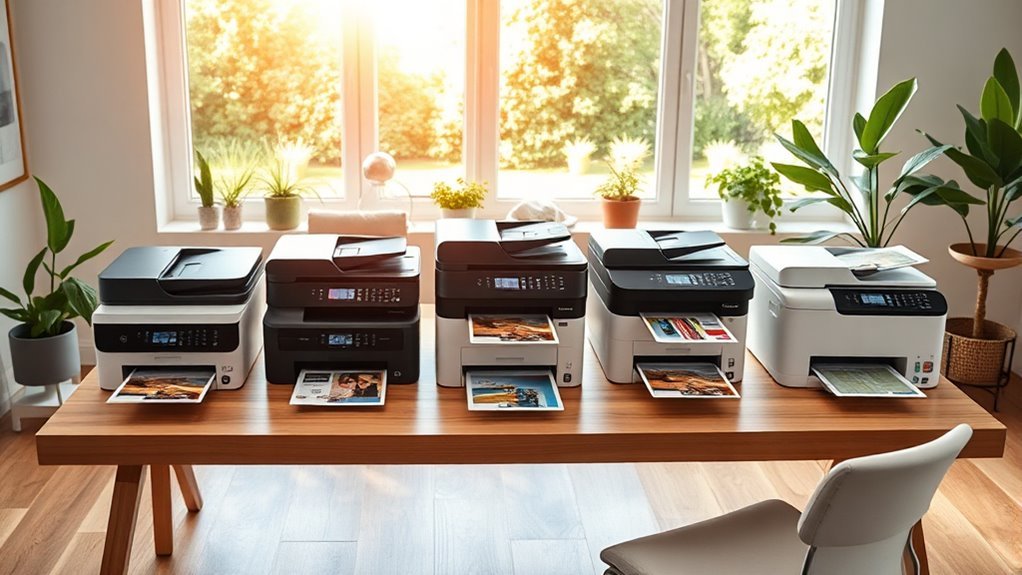
You’ll want an all-in-one color laser printer like the Canon MF662Cdw or HP 3301sdw for sharp prints, speedy duplexing, and wireless mobile support.
These models offer crisp 600–1200 dpi color quality, 250-sheet trays, and easy touchscreen controls—great for home use.
Plus, features like automatic duplex scanning and energy-saving modes boost efficiency.
Looking for more options tailored to your needs? Keep exploring to find the perfect fit with detailed specs and handy features.
| Image | Name | Editor's Rating | Price |
|---|---|---|---|

|
|
||

|
|
||

|
|
||

|
|
||

|
|
Canon imageCLASS MF662Cdw Wireless Duplex Laser Printer
- Color, Wireless, Duplex 3-in-1: Print, scan, copy.
- Fast Print Speeds: Print up to 26 ppm in both color and monochrome and spend less time waiting with a quick first print time of approximately 10.3 seconds.
- Easy Wireless Setup: Setup your wireless connection and get up and running in just a few steps.
- 5-inch Color Touchscreen: Get the job done quickly with Application Library - an intuitive and easy to use customizable access to the features you use most.
- Mobile Device Printing: Print from your compatible mobile devices using the free Canon PRINT app, Apple AirPrint and Mopria Print Service.

Experience seamless printing with the Canon imageCLASS MF662Cdw, a wireless color laser printer designed to simplify your daily tasks. Its fast print speed of up to 26 pages per minute means fewer waits and more productivity. Whether printing vibrant color documents or crisp black-and-white pages, it delivers clear output at 600 x 600 dpi resolution.
The intuitive 5-inch touchscreen enhances ease of use by allowing you to set up custom shortcuts for frequent tasks. Automatic duplex printing saves paper and time, making it ideal for busy environments. Its 250-sheet paper capacity reduces the need for constant refills, supporting longer print runs without interruption.
Connectivity is straightforward with support for laptops, smartphones, and Chromebooks. Mobile printing is convenient via the Canon PRINT app and AirPrint, enabling you to print directly from your devices. This printer fits well in home offices or small workspaces, though its 55.1-pound weight means it requires a stable surface.
Maintenance involves occasional toner replacements; keep in mind the starter toner cartridges yield 500 pages for color and 700 pages for black. The single USB port limits wired connection options, so wireless use is preferred for flexibility.
Best for: Small and home offices or hybrid work environments needing a versatile, wireless color laser printer with scanning and copying capabilities.
What We Like:
- Fast, sharp printing at 26 ppm with 600 x 600 dpi resolution.
- User-friendly 5-inch touchscreen with customizable shortcuts.
- Automatic duplex printing for efficient two-sided output.
- Broad compatibility with mobile devices and print apps.
Specification:
| Feature | Details |
|---|---|
| Manufacturer | Canon |
| Dimensions | Not specified |
| Weight | 55.1 lb (25 kg) |
| Color Options | Not specified |
| Print Technology | Wireless Duplex Laser |
HP Color LaserJet Pro MFP 3301sdw Printer
- FROM AMERICA'S MOST TRUSTED PRINTER BRAND – Perfect for small teams printing, scanning and copying professional-quality color documents and reports. Print speeds up to...
- PROFESSIONAL PRODUCTIVITY – Proficiency with every print—next-generation TerraJet toner brings your business to life with more vivid colors.
- ORIGINAL HP TONER CARTRIDGES – This HP printer uses Original HP 218A standard and 218X high yield LaserJet toner cartridges.
- UPGRADED FEATURES – Fast color printing, scan, copy, auto 2-sided printing, auto document feeder, and a 250-sheet input tray.
- AWARD-WINNING RELIABILITY – Performance you can count on page after page, and always ready for the high demands of business.
The HP Color LaserJet Pro MFP 3301sdw Printer is designed to bring professional-quality color printing to your small office or home workspace. It solves common bottlenecks by delivering sharp, vivid prints quickly, with speeds up to 26 pages per minute. This efficiency helps keep your projects moving without delays.
Its all-in-one functionality means you can print, scan, and copy wirelessly, reducing clutter and simplifying your workflow. Auto two-sided printing and a document feeder further streamline tasks, allowing you to handle multi-page documents effortlessly. This combination saves time and enhances productivity.
Maintenance is straightforward but requires original HP 218A or 218X toner cartridges. These cartridges include HP chips, ensuring consistent print quality but limiting compatibility with third-party options. The 250-sheet input tray balances capacity and size, perfect for moderate workloads without frequent refills.
Built with next-generation TerraJet toner, this printer produces accurate, vivid colors that enhance presentations and reports. Its reliable performance and award-winning design make it a dependable choice for busy professionals who need quality and versatility in one device.
Best for: Small teams and home offices needing a versatile, professional-grade color laser printer with efficient workflow features.
What We Like:
- Fast, consistent print speeds up to 26 ppm for color and black documents.
- Wireless print, scan, and copy capabilities with auto two-sided printing.
- High-quality TerraJet toner for sharp, vivid color output.
- Auto document feeder simplifies multi-page tasks.
- Reliable performance trusted for busy office environments.
Specification:
| Feature | Details |
|---|---|
| Manufacturer | HP |
| Model | Color LaserJet Pro MFP 3301sdw |
| Print Speed | Up to 26 ppm (color and black) |
| Input Capacity | 250 sheets |
| Connectivity | Wireless |
| Toner Cartridges | HP 218A / 218X (with chips) |
| Functions | Print, Scan, Copy |
| Duplex Printing | Automatic two-sided printing |
Canon imageCLASS MF652Cw Wireless Color Laser Printer
- Wireless 3-in-1 (print, scan, copy)
- Print up to 22 pages per minute (CL/BW), with first print out in approximately 10.3 seconds
- Uses Canon Genuine Toner 067 / 067 high capacity
- Print on-the-go using a variety of mobile apps, including the Canon PRINT app using your compatible mobile device
- 250-sheet standard cassette, 1-sheet multipurpose tray
Experience seamless printing, scanning, and copying with the Canon imageCLASS MF652Cw Wireless Color Laser Printer. Designed to simplify your office tasks, it delivers vibrant color prints and sharp text at up to 22 pages per minute, helping you meet deadlines efficiently. Its high 1200 x 1200 dpi resolution ensures every document looks professional and clear.
Connectivity options include Wi-Fi, Ethernet, and USB, allowing you to print directly from mobile devices using Canon’s app. This flexibility supports a smooth workflow without the hassle of cables or complicated setups. The 5-inch color touchscreen offers intuitive navigation, making operation straightforward for all users.
Maintenance is hassle-free with a 250-sheet paper capacity that reduces frequent refills. Although duplex printing requires manual intervention, this printer handles various media types, making it adaptable for different office needs. Its sturdy design suits small to medium-sized workspaces but may require dedicated space due to its weight.
The ENERGY STAR certification highlights its energy efficiency, contributing to lower operating costs and environmental impact. The printer balances performance and convenience, making it a reliable choice for professional environments.
Best for: Small and medium-sized businesses requiring a versatile, wireless all-in-one color laser printer with dependable performance and mobile connectivity.
What We Like:
- Sharp 1200 x 1200 dpi color prints at up to 22 ppm speed
- Multiple connectivity options including Wi-Fi, Ethernet, USB, and mobile printing
- Easy-to-use 5-inch color touchscreen interface
- ENERGY STAR certified for energy-efficient operation
- Large 250-sheet paper capacity for reduced maintenance
Specification:
| Feature | Details |
|---|---|
| Manufacturer | Canon |
| Dimensions | Approx. 16.5 x 18.1 x 15.2 in (W x D x H) |
| Weight | Approximately 39.7 lb (18 kg) |
| Printing Technology | Color Laser |
| Connectivity | Wi-Fi, Ethernet, USB |
| Display | 5-inch Color Touchscreen |
| Paper Capacity | 250 sheets |
| Resolution | 1200 x 1200 dpi |
Canon Color imageCLASS MF753Cdw II – All-in-One Color Duplex Laser Printer
- Color, Wireless, Duplex 4-in-1: Print, scan, copy, fax.
Experience vibrant color printing and streamlined productivity with the Canon Color imageCLASS MF753Cdw II. This all-in-one color duplex laser printer is designed to enhance the workflow of small and home offices. Its sharp 1200 x 1200 dpi resolution produces crisp, professional-quality documents every time.
The printer’s efficient automatic duplex scanning and printing features help save time and reduce paper waste. With a 50-sheet duplex ADF and expandable paper capacity up to 850 sheets, you can handle large print jobs without frequent refills. This design supports consistent multitasking in busy office environments.
Connectivity options include Wi-Fi, Ethernet, and USB, allowing flexible integration into your workspace. The customizable 5-inch touchscreen simplifies control and navigation of tasks. Mobile printing via the Canon PRINT app adds convenience for hybrid work settings.
Maintenance is straightforward but note the starter toner cartridges have a lower yield, so replacements may be needed sooner. The unit weighs 50 pounds, which may limit portability, and it offers only a single USB port for wired connections.
Best for: Small and home office users seeking a reliable, fast color laser printer with duplex scanning and flexible connectivity.
What We Like:
- High-quality 1200 x 1200 dpi color output at up to 35 ppm
- Automatic duplex scanning and printing with a 50-sheet ADF
- Expandable paper capacity up to 850 sheets for large jobs
- Multiple connection options including Wi-Fi and mobile printing
- Intuitive 5-inch touchscreen for easy operation
Specification:
| Feature | Details |
|---|---|
| Manufacturer | Canon |
| Dimensions (W×D×H) | Approx. 17.3 × 18.4 × 15.5 in |
| Weight | 50 lb |
| Technology | Color Duplex Laser |
| Connectivity | Wi-Fi, Ethernet, USB |
| Touchscreen | 5-inch customizable color |
HP Color LaserJet Pro 3304fdw | Color Laser Printer | Wireless | All-in-One
- FROM AMERICA'S MOST TRUSTED PRINTER BRAND – Perfect for office teams creating professional-quality color documents and reports. Auto 2-sided printing/scanning, auto...
- SIMPLIFY SCAN TO EMAIL – Save time when scanning documents to email. HP AI automatically generates smart subject lines, file names, and actionable summaries to...
- BLAZING FAST COLOR – Up to 26 color pages per minute, with sharp details and incredible color
- STAYS CONNECTED – Reliable Wi-Fi automatically reconnects to stay online and ready to print
- PROTECTS YOUR DATA – Includes HP Wolf Pro Security with customizable settings so your printer and information are always secure
The HP Color LaserJet Pro 3304fdw is designed to streamline your office tasks with ease. Whether printing, scanning, copying, or faxing, it handles all functions efficiently, making busy workdays smoother. Its sharp 600 dpi resolution ensures your documents look professional every time.
This all-in-one printer supports fast printing speeds up to 26 pages per minute, reducing wait times significantly. Wireless connectivity and the HP app allow you to print and scan directly from your smartphone. This convenience keeps your workflow flexible and mobile.
Maintenance is straightforward thanks to the auto duplex printing and an automatic document feeder, which save paper and time. However, the printer is relatively heavy at 37.7 pounds and consumes up to 416 watts, considerations for workspace and energy use.
Security is another key benefit. The device includes robust protection features to keep your documents safe. Be aware that firmware updates may restrict the use of non-HP cartridges with non-HP chips, which could affect your supply options.
Best for: Small work teams or home offices needing a reliable all-in-one color laser printer with wireless connectivity and robust security features.
What We Like:
- Fast print speed with sharp 600 x 600 dpi output
- Supports print, scan, copy, and fax with auto duplex and document feeder
- Mobile printing and scanning via HP app, Apple AirPrint, and wireless direct printing
Specification:
| Feature | Details |
|---|---|
| Manufacturer | HP |
| Dimensions | Approximately 16 x 16 x 16 inches |
| Weight | 37.7 lbs (17.1 kg) |
| Print Resolution | Up to 600 x 600 dpi |
| Connectivity | Wireless, HP app, AirPrint |
Canon Color imageCLASS MF665Cdw – Wireless, All-in-One Duplex Laser Printer

- Color, Wireless, Duplex 4-in-1: Print, scan, copy, fax.
- Fast Print Speeds: Print up to 26 ppm in both color and monochrome and spend less time waiting with a quick first print time of approximately 10.3 seconds.
- Easy Wireless Setup: Setup your wireless connection and get up and running in just a few steps.
- 5-inch Color Touchscreen: Get the job done quickly with Application Library - an intuitive and easy to use customizable access to the features you use most.
- Mobile Device Printing: Print from your compatible mobile devices using the free Canon PRINT app, Apple AirPrint and Mopria Print Service.
The Canon Color imageCLASS MF665Cdw is designed to streamline your office tasks with reliable wireless connectivity and efficient duplex printing. This compact all-in-one printer handles color and black-and-white documents with ease, boosting productivity in busy home offices.
Its 50-sheet duplex automatic document feeder simplifies handling two-sided documents, saving time on scanning and copying. The intuitive 5-inch color touchscreen lets you quickly access and customize functions to fit your workflow, reducing interruptions.
Maintenance is straightforward with high-capacity toner options that lower the frequency of replacements, although initial costs may be higher. The printer supports various mobile printing methods like Canon PRINT and Apple AirPrint, keeping you connected from multiple devices without hassle.
With a 250-sheet cassette, it suits moderate print volumes but may require frequent paper refills for heavier use. Its Energy Star certification highlights its eco-conscious design, balancing performance with energy efficiency.
Best for: small to medium home offices or workgroups seeking a versatile color laser printer with wireless and duplex capabilities.
What We Like:
- Fast printing up to 26 ppm with quick first page output
- 50-sheet duplex automatic document feeder for efficient two-sided scanning
- Customizable 5-inch color touchscreen with smart mobile printing options
- Energy Star certified for eco-friendly operation
Specification:
| Feature | Details |
|---|---|
| Manufacturer | Canon |
| Dimensions (W x D x H) | 17.7 x 18.5 x 16.5 inches |
| Weight | 45.6 lb (20.7 kg) |
| Color Options | White with black accents |
| Connectivity | Wireless, Ethernet, USB |
Brother MFC-L3720CDW Wireless Color Laser Printer

- Professional Performance: Dominate your business printing with this Brother Genuine color laser printer delivering exceptional print speeds up to 19 ppm and stunning...
- Advanced Connectivity: Take command of your workflow with dual-band wireless networking (2.4GHz/5GHz), Wi-Fi Direct, and USB 2.0 interface, enabling multiple users to...
- Productivity Powerhouse: Maximize efficiency with the 50-sheet auto document feeder, 250-sheet adjustable paper tray, and automatic duplex printing, ensuring...
- Smart Integration: Transform your workflow with the intuitive 3.5" color touchscreen featuring 48 customizable shortcuts and direct access to popular cloud services...
- Mobile Command Center: Leverage the power of mobile printing with remote access capabilities, toner level monitoring, and complete printer management directly from your...
The Brother MFC-L3720CDW is designed to simplify your home office tasks by combining fast, high-quality color printing with versatile all-in-one capabilities. Whether you need to print, scan, copy, or fax, this printer handles multiple jobs efficiently in one compact device. It produces sharp, detailed prints at up to 19 pages per minute, enhancing productivity without sacrificing quality.
Maintenance is straightforward with a 250-sheet paper tray and a 50-sheet automatic document feeder, reducing frequent refills. The printer’s automatic duplexing saves paper and effort by enabling double-sided printing. A 3.5-inch touchscreen with customizable shortcuts makes navigation and operation intuitive, cutting down on time spent managing print jobs.
Connectivity options include dual-band Wi-Fi, USB, and mobile app control, allowing seamless printing from various devices. Its ENERGY STAR certification reflects a commitment to eco-friendly operation, though users should note its power consumption is on the higher side. Weighing 44 pounds, it’s sturdy but may require adequate desk space.
Best for: Home office users seeking a reliable, fast, and multifunction wireless color laser printer with strong connectivity and eco-conscious features.
What We Like:
- Produces sharp color and black-and-white prints at 19 ppm with 2400 x 600 dpi resolution
- Combines scanning, copying, faxing, and automatic duplex printing in one device
- Intuitive 3.5″ touchscreen with customizable shortcuts for easy operation
- Multiple wireless connectivity options including mobile app and cloud printing
- ENERGY STAR certified for environmentally friendly use
Specification:
| Manufacturer | Brother |
|---|---|
| Dimensions | 16.1 x 18.7 x 15.7 in (41 x 47.5 x 40 cm) |
| Weight | 44 lb (20 kg) |
| Color Options | White with gray accents |
| Connectivity | Dual-band Wi-Fi, USB, Mobile app |
Factors to Consider When Choosing an All in One Color Laser Printer for Home Use
When choosing an all-in-one color laser printer for home use, you’ll want to contemplate how fast it prints and the variety of connectivity options it offers.
Don’t forget to check its paper handling capacity and print quality features to guarantee it meets your needs. Also, look for energy efficiency standards to save on power without sacrificing performance.
Print Speed Importance
Although print speed might not seem essential for occasional printing, it markedly impacts your experience with larger or frequent jobs. Print speed, measured in pages per minute (ppm), ranges from about 19 to 35 ppm for home laser printers.
Faster models help reduce wait times, especially for multi-page or duplex documents. First-page-out time also matters; printers with 7 to 10 seconds feel more responsive for quick tasks.
If you often print reports, school packets, or photo-heavy pages, prioritizing higher sustained ppm and automatic duplexing will save you time. Keep in mind, real-world speeds might be slower than advertised due to factors like duplexing, color printing, and warm-up time.
Connectivity Options Variety
How easily can you connect your all-in-one color laser printer to your devices? Look for printers supporting both Wi‑Fi (including dual-band 2.4 GHz and 5 GHz) and Ethernet. This way, you can choose wireless convenience or a stable wired connection.
Mobile printing compatibility like AirPrint, Mopria, or vendor-neutral protocols lets you print and scan directly from smartphones and tablets via dedicated apps. Wi‑Fi Direct or Wireless Direct features enable printing without a network. That’s perfect for guest access without sharing your main password.
Check for physical ports such as USB for direct PC connections and USB host for thumb drives. Don’t forget network security: WPA3/WPA2 encryption, secure PIN-release printing, and firmware updates protect your documents and devices on shared home networks.
Paper Handling Capacity
Besides connectivity, paper handling capacity plays a big role in choosing the right all-in-one color laser printer for your home. Check the standard input tray capacity—usually between 150 and 250 sheets—to fit how often you want to reload paper.
Make sure the printer has a multipurpose or manual feed tray for envelopes, labels, or heavier media. That way, you won’t have to swap paper mid-job.
If you often scan or copy multi-page documents, consider the automatic document feeder (ADF) capacity, which typically holds up to 50 sheets. Also, look for automatic duplexing to save paper.
Finally, see if the printer supports expandable trays and the paper sizes you’ll print, like legal or A4. This will help you handle all your projects without hassle.
Print Quality Features
When choosing an all-in-one color laser printer for home use, you’ll want to focus on print quality features that guarantee sharp text and vibrant colors. Look for a resolution of at least 600 x 600 dpi for clear text and basic graphics.
If you want finer photo and gradient detail, go for 1200 x 1200 dpi or higher. Also, check if the printer supports multi-bit color processing, like 24-bit color, which helps with smoother color shifts and accurate hues.
Think about toner technology and color fidelity enhancements too. These make sure your prints are vivid and consistent, especially when you’re printing graphics or marketing materials.
Don’t forget about first-page-out times and print speed. They matter when you want to minimize waiting for quick jobs.
Finally, support for color calibration tools or ICC profiles is a big plus. It helps keep colors accurate when printing photos or client documents.
Energy Efficiency Standards
Although print quality is essential, choosing an energy-efficient all-in-one color laser printer can save you money and reduce environmental impact over time. Look for ENERGY STAR certification to guarantee the printer meets strict EPA energy standards in active, idle, and sleep modes.
Check if the model has an EPEAT registration—Bronze, Silver, or Gold—since higher tiers signal better overall environmental performance. Compare power consumption during printing and standby; lower watts mean less electricity use.
Opt for printers with fast return-to-sleep features and adjustable sleep timers to minimize energy waste. Also, select models with automatic duplex printing and efficient warm-up technology to cut paper use and reduce power during startup.
These factors help you choose a printer that’s both eco-friendly and cost-effective for home use. It’s a win-win for your wallet and the planet!
Frequently Asked Questions
How Energy Efficient Are Color Laser Printers Compared to Inkjet Printers?
You’ll find color laser printers generally use more energy than inkjets, especially during warm-up.
However, they’re efficient for high-volume printing, so if you print a lot, they might save energy overall compared to frequent inkjet use.
It really depends on how much you print and what your needs are. If you only print occasionally, an inkjet might be more energy-friendly. But for heavy printing, lasers can be the better choice energy-wise.
Can Color Laser Printers Print on Different Paper Sizes and Types?
You’ll find color laser printers happily handle various paper sizes and types, from standard sheets to envelopes and labels. They’re quite flexible, letting you print on different media without fuss.
This makes your projects look professional and polished every time. So, whether you’re printing flyers or mailing labels, these printers have you covered.
What Is the Average Lifespan of Toner Cartridges in These Printers?
Toner cartridges typically last between 2,000 to 5,000 pages, depending on your printer model and usage. You’ll want to check your specific cartridge’s yield to estimate how often you’ll need replacements.
It really varies, so keeping an eye on your printer’s specs can save you some surprises. Plus, your printing habits play a big role too!
Are There Any Specific Maintenance Tips for Color Laser Printers at Home?
Yes, you should regularly clean the drum and rollers. Also, avoid touching the drum surface to keep it in good condition.
It’s a good idea to use the printer frequently to prevent toner clumping. Plus, make sure to keep it in a dust-free, well-ventilated area.
Doing these things will help guarantee peak performance and longevity for your color laser printer. Taking care of it a little bit often really pays off!
How Do Color Laser Printers Handle Photo Printing Quality?
Color laser printers handle photo printing decently but won’t match inkjets’ vibrancy or detail.
You’ll get sharp text and good colors, but for high-quality photos, you’ll want a dedicated photo printer instead.
Conclusion
Choosing the perfect all-in-one color laser printer for your home might feel overwhelming. But imagine the crisp documents and vibrant photos you’ll create with ease.
Each option here promises reliability and sharp quality. Yet, one stands out just enough to make your decision exciting.
Ready to discover which printer will transform your home office? Jump in, because the right choice is waiting to elevate your printing experience like never before.
Finding the best all-in-one color laser printer for home use means balancing speed, quality, and features. Whether you need fast printing for work or vibrant colors for photos, these printers offer it all.
By choosing the right model, you’ll enjoy seamless printing, scanning, and copying in one device. So, get ready to upgrade your home office with a reliable, efficient, and high-quality all-in-one color laser printer that fits your needs perfectly.