8 Best 3D Printer Resolutions for 2027
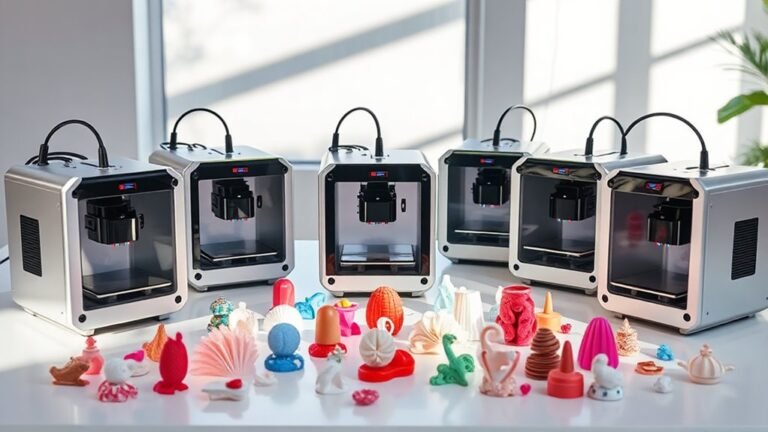
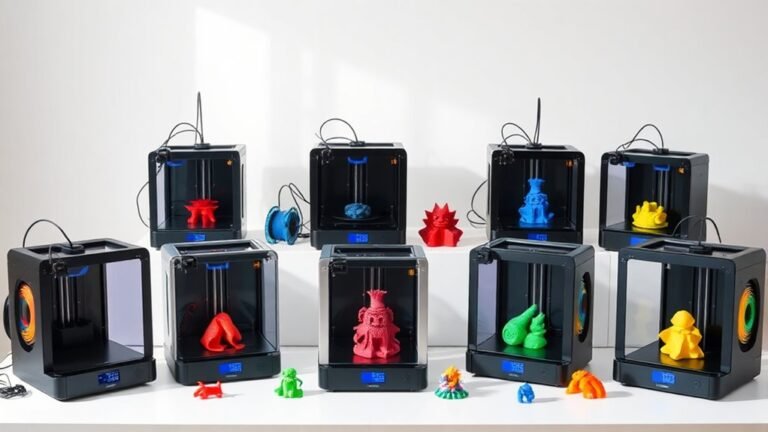
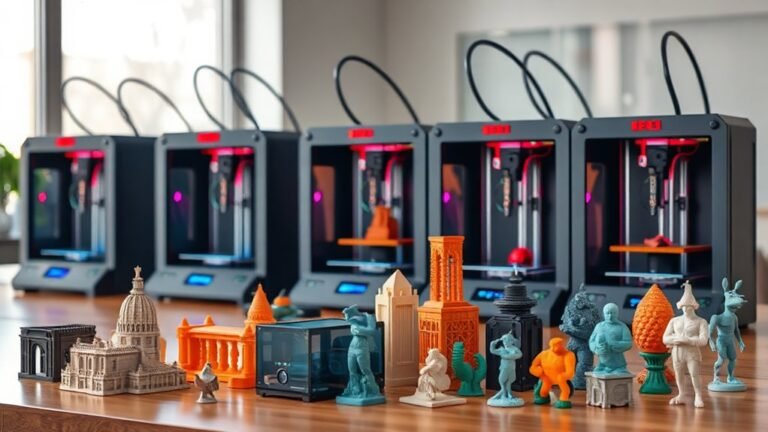
You’ll find top 3D printers in 2027 offering stunning resolutions, perfect for everything from detailed miniatures to functional prototypes.
These printers deliver ultra-fine 10-18 micron detail with resin models like the ELEGOO Mars 5 and Creality HALOT-X1 Neo.
If speed is what you need, high-speed CoreXY systems such as the Bambu Lab P2S Combo and FLASHFORGE Adventurer 5M Pro provide crisp, multi-material prints without sacrificing quality.
Beginners often lean toward user-friendly models like the Ender 3 V3 SE or ELEGOO Centauri 2, which balance ease of use with solid print quality.
Let’s explore what makes each of these 3D printers stand out for your projects, whether you’re just starting out or looking to upgrade your printing game.
| Image | Name | Editor's Rating | Price |
|---|---|---|---|

|
|
||
|
|
||

|
|
||

|
|
||

|
|
Bambu Lab P2S Combo, P2S 3D Printer & AMS 2 Pro, Multi-Color 3D Printing
- High-Speed Precision: The Bambu Lab P2S 3D printer prints up to 600 mm/s while maintaining exceptional accuracy. With the PMSM Servo Extruder and Active Flowrate...
- Ready to Print in 15 Minutes: Set up your P2S FDM 3D printer and start printing in just 15 minutes. With AI failure detection, quick-swap nozzles, and automatic...
- Effortless Multi-Color Printing: The AMS 2 Pro enables seamless multi-color/multi-material 3D printing. It features built-in filament drying at up to 65 °C, keeping...
- Smart Airflow for Any Filament: The Adaptive Airflow System automatically balances cooling and heat retention—keeping overhangs crisp with cool air, or maintaining a...
- Limitless Creativity, Seamless Workflow: Explore over one million 3D models on MakerWorld and bring them to life with a smooth, unified workflow using Bambu Studio, Bambu...
If you want precise multi-color 3D prints without the usual hassle, the Bambu Lab P2S Combo offers a smart solution. It pairs the P2S 3D printer with the AMS 2 Pro, enabling smooth switching between materials and colors. This setup solves the common problem of time-consuming filament changes and print inconsistencies.
The high-speed CoreXY system prints up to 600 mm/s, balancing speed with fine detail. Setup is simple and fast, with automatic calibration and AI-driven error detection that reduce downtime. These features make complex projects easier and more reliable.
Maintaining print quality is effortless thanks to the AMS 2 Pro’s filament drying and adaptive airflow. This keeps materials in optimal condition, preventing clogs and ensuring crisp layers. The combo design supports continuous, vibrant printing with minimal user intervention.
With Bambu Studio software and access to a large model library, creating advanced multi-material parts is straightforward. This system is designed for users who demand precision and automation in multi-color 3D printing.
Best for: professionals and advanced hobbyists who need fast, accurate multi-material and multi-color 3D printing with dependable automation.
What We Like:
- High-speed CoreXY system delivers precise prints up to 600 mm/s
- AMS 2 Pro enables seamless multi-material/color changes with filament drying
- Quick, user-friendly setup with automatic calibration and AI error detection
- Reliable environmental control ensures consistent print quality
Specification:
| Feature | Details |
|---|---|
| Manufacturer | Bambu Lab |
| Dimensions | Not specified |
| Weight | 46.3 lb (21 kg) |
| Material | Multi-material (via AMS 2 Pro) |
| Color Options | Not specified |
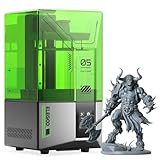
ELEGOO Mars 5 Resin 3D Printer
- 【Effortless Magic with One-Click Automatic Leveling】Effortless precision is just a click away. ELEGOO Mars 5 resin 3D printer offers advanced automatic leveling...
- 【Print Smarter, Print Worry-Free】With a smart mechanical sensor, ELEGOO Mars 5 resin printer supports residue detection to prevent damage to the LCD screen. Plus...
- 【One-Click Self-Check, Ensuring Reliable Prints】Tired of setup hassles and unexpected errors ruining your printing projects? With just a simple click, ELEGOO Mars...
- 【4K Mono LCD for Stunning Details】Featuring a 4K mono LCD with advanced COB light source, ELEGOO Mars 5 impresora 3D de resina faithfully reproduces intricate details...
- 【Advanced Overheat Protection, Cool and Safe】No more overheating worries. The advanced overheat protection automatically halts printing and triggers an alarm if the...

The ELEGOO Mars 5 Resin 3D Printer offers exceptional precision for creators who demand fine detail in every print. Its 4K mono LCD delivers sharp, high-resolution results, making it ideal for intricate models and professional prototypes. This printer tackles common resin printing challenges by simplifying setup with one-click automatic leveling and a self-check system, which helps reduce failed prints.
Maintenance is straightforward thanks to built-in safety features such as a residue sensor, resin shortage alarms, and overheat protection. These safeguards not only protect the machine but also offer peace of mind during longer print jobs. The printer’s efficient cooling system ensures consistent performance, even during extended use.
Designed with a compact build volume of 5.65 × 3.53 × 5.91 inches, the Mars 5 fits well in small workspaces without sacrificing detail. While its sturdy frame weighs 14.52 pounds, it remains manageable for desktop use. This balance of precision, reliability, and ease of use makes it a versatile tool for both hobbyists and professionals.
Best for: Users seeking high-detail resin printing with simple setup and dependable safety features.
What We Like:
- Sharp 4K mono LCD ensures detailed, precise prints
- One-click automatic leveling minimizes print errors
- Safety features include residue detection and resin shortage alarms
- Efficient cooling maintains stable operation
- Compact size fits well in limited spaces
Specification:
| Feature | Detail |
|---|---|
| Manufacturer | ELEGOO |
| Dimensions | 20.87 × 12.8 × 11.61 inches |
| Weight | 14.52 lb |
| Print Volume | 5.65 × 3.53 × 5.91 inches |
| Display | 4K Mono LCD |
| Release Date | July 2024 |
ANYCUBIC Photon Mono 4, Resin 3D Printer with 7” 10K Mono LCD Screen
- 【7'' 10K High Resolution】Photon Mono 4 boasts an impressive 105% increase in print precision compared to Mono 2. With a resolution of 9024x5120, each pixel measures a...
- 【Powerful Light Source】The time-tested Anycubic LighTurbo matrix light source technology delivers stable, balanced, and uniform lighting to reduce layer lines and...
- 【Sufficient Print Size】With a generous maximum build volume of 6.04'' x 3.42'' x 6.49''/153.4mm x 87mm x 165mm, you have ample print space to easily tackle your daily...
- 【Laser-engraved Print Platform 2.0】With a new design, the laser engraving platform of the photon mono 4 improves adhesion to mitigate lifting and warping of the model...
- 【User-friendly Function】The 4-point leveling method is ideal for beginners, after the first leveling and tightening the 4 screws, no need to repeat leveling. Photon...
Experience the power of ultra-high resolution with the ANYCUBIC Photon Mono 4 resin 3D printer. Designed for creators who demand exceptional detail, this printer solves common issues with surface smoothness and print precision. Its 7-inch 10K mono LCD screen, boasting a 9024 x 5120 resolution and 17 μm pixels, captures fine details with remarkable accuracy.
The innovative LighTurbo matrix lighting system ensures consistent exposure across the build plate. This uniform lighting reduces imperfections and delivers smooth finishes on every model. Maintenance is simplified thanks to a laser-engraved platform that enhances adhesion and minimizes warping during printing.
Setup is straightforward with a reliable 4-point leveling system that rarely needs readjusting. With print speeds up to 70 mm/h and a power recovery feature, it supports efficient workflow without sacrificing quality. While the build volume is moderate and remote control options are limited, this printer is ideal for detailed prototypes and small, intricate models.
Best for: hobbyists and professionals seeking precision and fine detail in resin 3D printing for detailed models and prototypes.
What We Like:
- 10K 7″ mono LCD delivers ultra-fine detail and enhanced precision
- LighTurbo lighting ensures even exposure and smooth surfaces
- Laser-engraved platform improves adhesion and reduces warping
- Stable 4-point leveling system requires minimal adjustments
- Fast print speeds up to 70 mm/h with power recovery
Specification:
| Feature | Details |
|---|---|
| Manufacturer | ANYCUBIC |
| Display Size | 7 inches |
| Screen Resolution | 9024 x 5120 (10K mono LCD) |
| Pixel Size | 17 μm |
| Print Speed | Up to 70 mm/h |
| Leveling System | 4-point |
| Platform | Laser-engraved |
| Build Volume | Moderate |
Bambu Lab P1S Combo, P1S 3D Printer and AMS, Multi-Color 3D Printing
- Up to 16 Colors: Bring your designs to life with vibrant multi-color/multi-material printing capabilities, perfect for showcasing your creativity. Note: Connecting Bambu...
- 500mm/s and 20000 mm/s² Acceleration True High Speed: Don't wait around for your masterpieces. Lightning-fast printing speed lets you focus on creating, not waiting.
- Enclosed Design: Fully enclosed body improves print performance for advanced filaments. Automatic Bed Leveling: Say hello to high-quality, successful prints. Auto bed...
- Set Up in 15 Minutes: Spend more time printing and less time setting up. User-friendly design ensures a hassle-free assembly experience for all skill levels.
- Supported Filament: Ideal: PLA, PETG, TPU, PVA, PET ABS, ASA; Capable : PA, PC; Not Recommended: Carbon/Glass Fiber Reinforced Polymer.
Experience precise, multi-color 3D printing with the Bambu Lab P1S Combo, engineered to deliver fast, reliable results for creators. Its high-speed CoreXY design allows print speeds up to 500 mm/s and acceleration of 20,000 mm/s², cutting production time without sacrificing detail.
This printer’s automatic bed leveling and enclosed body provide consistent print quality and support advanced filaments. Maintenance is straightforward, helping you keep prints smooth and accurate with minimal effort. The P1S Combo’s setup is quick, taking just 15 minutes, so you can start producing multi-material projects without delay.
Pairing the P1S with the AMS unit unlocks the ability to print with up to 16 colors or materials like PLA, PETG, and TPU. This flexibility improves creative options, making it ideal for complex designs. However, it is not compatible with carbon or glass fiber reinforced polymers, which may limit some advanced material uses.
Weighing 47.5 pounds, the unit offers stability but less portability. Released in mid-2024, it is a modern solution with growing user adoption and room for refinements.
Best for: Professionals and creators needing efficient, multi-color 3D printing with easy setup and versatile material support.
What We Like:
- Supports up to 16 colors/materials using the AMS unit
- High-speed CoreXY design for fast, precise printing
- Quick 15-minute setup with automatic bed leveling
- Enclosed body enhances print consistency and filament compatibility
Specification:
| Feature | Details |
|---|---|
| Manufacturer | Bambu Lab |
| Dimensions | Not specified |
| Weight | 47.5 lb (21.5 kg) |
| Material Support | PLA, PETG, TPU, others |
| Color Options | Multi-color via AMS unit |
Creality Ender 3 V3 SE Beginner-Friendly 3D Printer with Auto Leveling
- 250mm/s High-Speed Printing: Print at speeds of up to 250mm/s with 2500mm/s² acceleration, helping you complete prototypes, functional parts, and everyday projects...
- Easy Setup with Auto Leveling: Designed for a fast and straightforward setup, the Ender 3 V3 SE can be assembled in just a few simple steps. CR Touch Auto Leveling and...
- Proven Sprite Direct Drive Extruder: The upgraded Sprite Direct Drive Extruder provides smooth and consistent filament feeding for PLA, PETG, and TPU. Its proven design...
- Stable Motion System for Consistent Results: Dual synchronized Z-axis lead screws and precision Y-axis linear shafts work together to help reduce vibration and Z...
- Quiet Operation with Easy Print Removal: A 32-bit silent mainboard helps reduce operating noise for a more comfortable printing experience, while the flexible PC spring...
The Creality Ender 3 V3 SE is designed to make 3D printing straightforward and enjoyable, especially for beginners. Its CR Touch auto leveling and automatic Z-offset calibration simplify setup, ensuring your first layers stick perfectly without manual adjustments. This reduces frustration and helps you focus on creating.
The printer features an upgraded Sprite Direct Drive Extruder that delivers smooth, consistent filament feeding. It handles common materials like PLA, PETG, and TPU, making it versatile for everyday projects. Dual synchronized Z-axis screws enhance stability, reducing vibrations and wobble for more precise prints.
Maintenance is hassle-free with a flexible PC spring steel build plate that allows easy print removal. The silent 32-bit mainboard keeps noise levels low, making it suitable for home or office use. Assembly is quick, taking just a few simple steps, so you can start printing sooner.
With a max speed of 250 mm/s, the Ender 3 V3 SE balances performance and reliability. However, it is limited to common filaments and may not support advanced materials or larger builds, which might affect users seeking specialized capabilities.
Best for: Beginners and hobbyists wanting an easy-to-use 3D printer with dependable auto leveling and quiet operation for everyday creative projects.
What We Like:
- CR Touch auto leveling and automatic Z-offset calibration for reliable first layers
- Smooth extrusion with upgraded Sprite Direct Drive Extruder supporting PLA, PETG, TPU
- Dual synchronized Z-axis screws reduce vibrations for precise printing
- Flexible PC spring steel build plate for easy print removal
- Silent 32-bit mainboard enables quiet operation
Specification:
| Feature | Details |
|---|---|
| Manufacturer | Creality |
| Dimensions (L×W×H) | Not specified |
| Weight | Not specified |
| Supported Filaments | PLA, PETG, TPU |
| Max Print Speed | 250 mm/s |
| Build Plate Material | PC spring steel |
| Z-Axis | Dual synchronized screws |
| Mainboard | Silent 32-bit |
Creality HALOT-X1 Neo 9K Resin 3D Printer

- 𝟗𝐊 𝐔𝐋𝐓𝐑𝐀-𝐇𝐈𝐆𝐇 𝐑𝐄𝐒𝐎𝐋𝐔𝐓𝐈𝐎𝐍: Bring fine details to life with a 6.8-inch 9K LCD, 8520 × 4320 resolution, and...
- 𝐏𝐋𝐔𝐆 & 𝐏𝐋𝐀𝐘 𝐅𝐎𝐑 𝐁𝐄𝐆𝐈𝐍𝐍𝐄𝐑𝐒: Start printing right out of the box with a factory pre-leveled build platform. Scan...
- 𝐀𝐈-𝐏𝐎𝐖𝐄𝐑𝐄𝐃 𝟐𝐃-𝐓𝐎-𝟑𝐃 𝐂𝐑𝐄𝐀𝐓𝐈𝐎𝐍: Powered by FanForge, AI model generation transforms 2D images into 3D...
- 𝐅𝐋𝐄𝐗𝐈𝐁𝐋𝐄 𝐂𝐎𝐍𝐍𝐄𝐂𝐓𝐈𝐕𝐈𝐓𝐘 & 𝐒𝐋𝐈𝐂𝐈𝐍𝐆: Transfer files via USB, 2.4GHz WiFi, or Creality Cloud...
- 𝐂𝐎𝐌𝐏𝐀𝐂𝐓 & 𝐇𝐈𝐆𝐇-𝐏𝐑𝐄𝐂𝐈𝐒𝐈𝐎𝐍 𝐏𝐑𝐈𝐍𝐓𝐈𝐍𝐆: With a 153.36 × 77.76 × 160 mm build volume and...
Experience precision like never before with the Creality HALOT-X1 Neo 9K Resin 3D Printer. Designed for creators who demand exceptional detail, this printer delivers ultra-high resolution that brings miniature models and tabletop figures to life. Its 9K monochrome LCD ensures every fine feature is captured with stunning clarity.
Maintenance is straightforward thanks to the factory pre-leveled build platform, reducing setup time and avoiding common calibration issues. The robust build volume of 153 × 77 × 160 mm fits intricate projects while maintaining sharpness at an 18 μm XY pixel size. Layer thickness can be adjusted from 0.01 to 0.2 mm, allowing for versatile print finishes.
Connectivity options include WiFi, USB, and cloud support, making file transfers and remote printing easy and efficient. Unique to this model, AI-powered 2D-to-3D model generation streamlines the creative process, helping users convert ideas into detailed prints faster. While the printer’s advanced features offer great potential, some users may need time to adapt to its AI integration.
Best for: Hobbyists and miniature creators seeking ultra-high resolution resin 3D printing with precise detail and a user-friendly workflow.
What We Like:
- Ultra-high 9K resolution with 18 μm pixel size for detailed prints
- Factory pre-leveled build platform for easy setup
- Multiple connectivity options including WiFi, USB, and cloud
- AI-assisted 2D-to-3D model generation for streamlined creativity
Specification:
| Feature | Details |
|---|---|
| Manufacturer | Creality |
| Build Volume | 153 × 77 × 160 mm |
| LCD Screen Size | 6.8 inches |
| Resolution | 8520 × 4320 pixels (9K) |
| XY Pixel Size | 18 μm |
| Layer Thickness Range | 0.01 – 0.2 mm |
| Connectivity | WiFi, USB, Cloud |
FLASHFORGE Adventurer 5M Pro 3D Printer with 1 Click Auto Printing System

- 600mm/s Speed & CoreXY Structure — Powered by an all-metal CoreXY frame and 20,000mm/s² acceleration, Adventurer 5M Pro reaches speeds up to 600mm/s. Integrated...
- 3-Second Quick-Swap Nozzle & Auto Leveling — Features a tool-free, quick-release nozzle mechanism for effortless 3-second replacements across multiple sizes...
- Dual Filtration System & Quiet Enclosure — Built with an integrated dual filtration system and a fully enclosed chamber to ensure a clean printing environment and...
- 280°C High-Temp Extruder & Broad Material Compatibility — With a 280°C max nozzle temperature and a 110°C heated bed, it reliably prints engineering materials like...
- Smart Camera & Mobile Control — Features a built-in camera for real-time monitoring and time-lapse video creation. Monitor progress, adjust settings, and receive...
The FLASHFORGE Adventurer 5M Pro delivers fast, precise 3D printing with minimal setup, making it ideal for busy professionals and hobbyists. Its sturdy all-metal CoreXY frame supports quick acceleration and high printing speeds, reducing production time without sacrificing quality. Vibration compensation technology ensures every print comes out clean and detailed.
Maintenance is straightforward with the tool-free nozzle swap and one-click auto-leveling, allowing easy calibration and less downtime. The fully enclosed chamber maintains consistent temperatures, which is crucial for printing engineering materials like ABS and PETG-CF alongside common filaments such as PLA. Dual filtration helps keep your workspace clean and safe.
Remote monitoring via the built-in camera and control through Flash Studio enhance convenience and oversight. Although the build volume is moderate at 220 x 220 x 220 mm, it suits many professional and hobbyist projects. The maximum nozzle temperature of 280°C supports a wide range of materials but may limit some specialty filaments.
At 22 pounds, the printer is sturdy but less portable, prioritizing stability over mobility. Overall, the Adventurer 5M Pro balances speed, reliability, and functionality for a smooth printing experience.
Best for: professionals and enthusiasts seeking efficient, precise 3D printing with advanced material support and remote management.
What We Like:
- High-speed printing with up to 600 mm/s and rapid acceleration for efficiency
- Tool-free nozzle changes and easy auto-leveling reduce setup time
- Enclosed chamber with dual filtration maintains thermal stability and clean air
- Remote print monitoring via built-in camera improves convenience
Specification:
| Feature | Details |
|---|---|
| Manufacturer | FLASHFORGE |
| Build Volume | 220 x 220 x 220 mm |
| Max Nozzle Temp | 280°C |
| Weight | 22 lb (10 kg) |
| Frame Material | All-metal CoreXY frame |
ELEGOO Centauri 2 3D Printer, Full Auto Calibration, Beginner-Friendly

- Easy from Start to Finish: Whether you’re a beginner or an experienced maker, automatic calibration and smart pre-print checks take care of setup before every job...
- Designed for Speed: Turn hours of waiting into finished creations with speeds up to 500 mm/s and 20,000 mm/s² acceleration. The high-speed CoreXY system and rigid...
- Smoother, Sharper, Smarter: From the first layer to the final detail, intelligent calibration, vibration compensation, and precise extrusion control help produce clean...
- A Seamless Workflow from Idea to Print: Find inspiration from thousands of ready-to-print models on Nexprint, prepare files easily with ElegooSlicer, and monitor your...
- Made for Easier Everyday Printing: A user-friendly 5-inch touchscreen simplifies operation, while the magnetic printhead cover, semi-automatic belt tensioner, and nozzle...
The ELEGOO Centauri 2 transforms 3D printing into a seamless experience with its full auto calibration and intuitive design. This printer removes the guesswork, ensuring every print starts perfectly aligned, so you save time and avoid frustration.
Its large 256 × 256 × 256 mm build volume lets you create bigger or multiple parts in a single run. The high-temperature nozzle, reaching up to 350°C, expands your material options, enabling prints with advanced filaments that require higher heat.
Designed for precision and speed, the CoreXY motion system and sturdy aluminum frame deliver stable, sharp prints up to 500 mm/s. The 5-inch touchscreen and intelligent pre-print checks guide users through setup and operation with ease, reducing errors and maintenance needs.
Loading filament is straightforward, and the ELEGOO Matrix app allows remote monitoring, so you can keep an eye on your projects from anywhere. This makes it suitable for both beginners and experienced users who value convenience and control.
Best for: Beginners and hobbyists seeking a reliable, easy-to-use 3D printer with advanced calibration and remote print monitoring.
What We Like:
- Full auto calibration simplifies setup and improves print accuracy
- Large build volume supports versatile printing projects
- High-temperature nozzle allows use of diverse materials
- CoreXY system ensures fast, stable prints with fine detail
- Remote monitoring via ELEGOO Matrix app adds convenience
Specification:
| Feature | Details |
|---|---|
| Manufacturer | ELEGOO |
| Build Volume | 256 × 256 × 256 mm |
| Nozzle Temperature | Up to 350°C |
| Motion System | CoreXY |
| Frame Material | Aluminum |
| Touchscreen Size | 5 inches |
| Weight | 13.65 kg (30.1 lb) |
Factors to Consider When Choosing 3d Printer Resolution
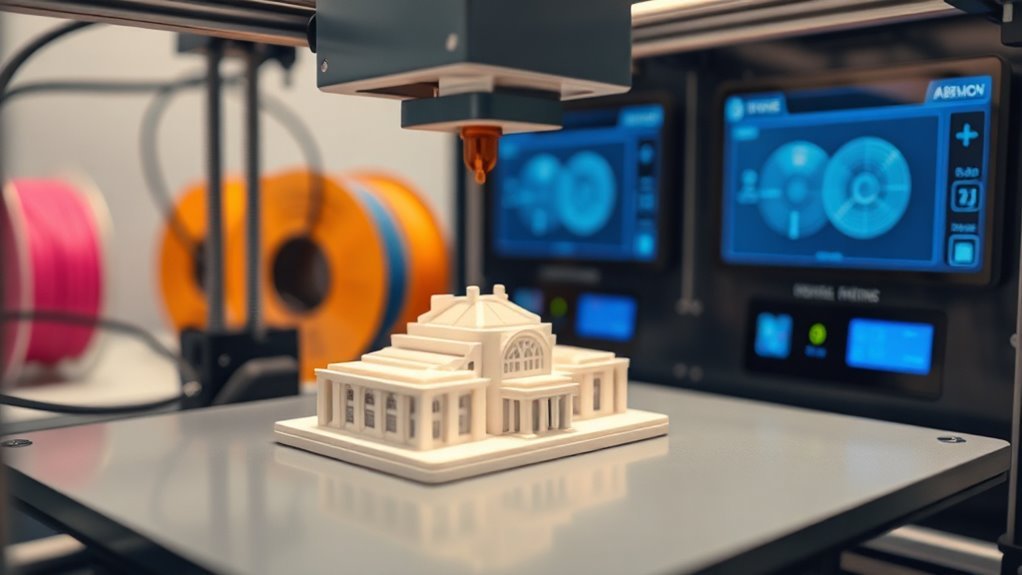
When choosing a 3D printer resolution, you need to weigh factors like print layer thickness and XY resolution carefully. The printer technology and material compatibility also play essential roles in the final print quality.
Don’t forget that proper calibration and precision can make a big difference in achieving your desired results. It’s all about getting those details just right for the best outcome.
Print Layer Thickness
Choosing the right print layer thickness plays a crucial role in balancing detail and print time in 3D printing. You’ll find typical layer heights range from 0.05 to 0.3 mm for FDM and 0.01 to 0.1 mm for resin MSLA printers.
Thinner layers deliver finer vertical detail and smoother surfaces but markedly increase print time—halving layer height roughly doubles print duration. You should also consider your nozzle diameter; for FDM, layer height should be about 25–75% of the nozzle size to make certain good layer adhesion and extrusion consistency.
While very thin layers improve small-feature fidelity, they might weaken interlayer strength if printing conditions aren’t optimized. Ultimately, match layer thickness to your project needs: thicker layers for functional parts needing strength and speed, thinner ones for display models demanding smoothness.
XY Resolution Importance
Although you might focus on layer thickness, understanding XY resolution is equally essential because it determines the smallest lateral detail your 3D printer can capture.
XY resolution depends on nozzle diameter for FDM printers—usually 0.25–0.4 mm—or pixel size for resin printers, like 17–18 μm for high-res LCDs. Smaller nozzles or pixels yield finer detail but require precise mechanical motion.
Any vibration or slack can ruin accuracy. Keep in mind, finer XY resolution also means longer print times and more complex files, so balance detail with efficiency.
For resin printers, a higher pixel count screen offers better lateral detail, while for FDM, features smaller than your nozzle won’t print sharply.
Choosing the right XY resolution helps you get the detail you want without unnecessary delays or wasted effort.
Printer Technology Impact
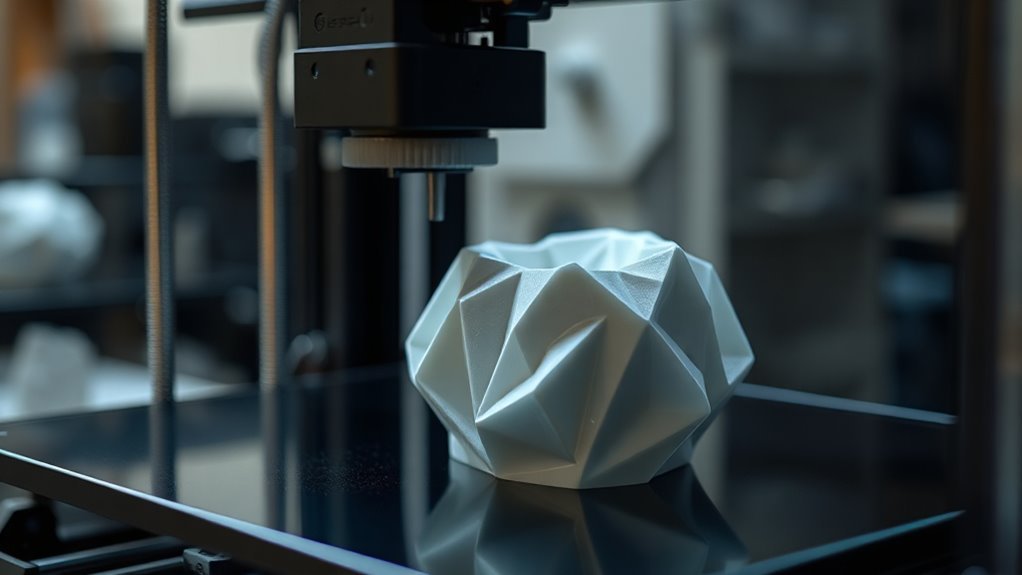
Understanding how different 3D printing technologies impact resolution helps you pick the right printer for your projects. Resin printers like MSLA, DLP, and LCD achieve native XY and Z resolutions down to 10–50 μm. They’re perfect for detailed miniatures and intricate textures.
In contrast, FFF/FDM printers rely on nozzle diameter and layer height—usually 0.2–0.8 mm and 0.05–0.3 mm respectively. That means finer detail comes with slower print speeds.
Vat photopolymer printer XY resolution hinges on pixel or micromirror size, while FFF machines depend on mechanical precision and extrusion width. Although hybrid FFF systems can boost accuracy and consistency, they can’t match resin printers’ micro-scale XY fidelity.
Material Compatibility Effects
When you plunge into 3D printing, material compatibility plays a big role in determining the resolution you can realistically achieve. Resin printers with monochrome LCDs deliver sub-50 μm XY resolution and layer heights as low as 10 μm. This means they can produce finer details than typical FDM setups.
In contrast, FDM filament types like PLA, PETG, and ABS are limited by nozzle diameter—usually 0.4 mm—so their detail falls short of resin quality. Using smaller nozzles for finer features slows printing down quite a bit.
High-temp and composite filaments need thicker layers for reliable flow, which reduces fine resolution. Flexible filaments tend to blur details because of their stretch and retraction behavior. They also require slower speeds and thicker layers to print well.
Multi-material printing adds complexity to the mix. It often means you have to go with coarser layers and larger features to keep deposition consistent and avoid defects.
Calibration and Precision
Material choice sets the stage, but dialing in your printer’s calibration and precision ultimately liberates the resolution you can achieve. Regularly calibrate Z-axis steps/mm and E-steps using a digital caliper and test prints like a 20 mm cube to keep dimensional error under 0.1 mm.
Always verify bed leveling and nozzle-to-bed offset before printing, since a perfect first layer impacts Z-resolution and surface detail. Use fine nozzles and set slicer layer heights to about 75–80% of the nozzle diameter to maintain XY and Z fidelity without straining your printer’s mechanics.
Tune motion parameters such as acceleration and microstepping to reduce ringing and overshoot. Finally, check and tighten belts, rails, and screws regularly to guarantee consistent positional precision over time.
Speed Versus Detail
Balancing speed and detail is essential when choosing your 3D printer’s resolution. Higher resolution means smaller layer heights and finer XY detail, which gives smoother surfaces and intricate features but slows your print considerably.
For example, halving layer height roughly doubles the number of layers—and print time. Keep in mind, pushing speeds too high risks ringing, layer shifts, and loss of surface quality unless your printer’s motion system is finely tuned.
Also, increasing XY resolution beyond your nozzle or pixel size won’t improve detail; physical limits cap true precision. Decide your resolution-speed tradeoff based on the part’s purpose: opt for higher resolution and slower speeds for detailed, cosmetic prints, and lower resolution with faster speeds for functional prototypes prioritizing strength and accuracy over finish.
Environmental Control Role
Although you might focus primarily on printer specs, controlling your printing environment plays a crucial role in achieving high-resolution results. Maintaining a stable chamber temperature reduces warping and layer delamination by ensuring consistent filament cooling and minimizing thermal gradients.
Active airflow control also matters: strong localized cooling sharpens fine details, while a warm chamber around 50 °C improves interlayer adhesion for engineering filaments. You should manage humidity carefully—moisture-sensitive filaments like nylon can swell and cause extrusion issues if not dried or printed in dehumidified conditions.
Additionally, filtering airborne particulates and resin fumes helps maintain curing uniformity and surface quality in resin prints. Finally, minimizing ambient temperature swings and using heated build plates reduce residual stress, preserving dimensional accuracy and fine detail in your prints.
Software and Slicing
How do software settings influence your 3D print’s resolution? Your slicer directly controls vertical resolution through layer height—FDM printers typically use 0.05–0.3 mm, while resin/MSLA printers range from 0.01–0.1 mm. Smaller layers boost detail but increase print time.
Horizontal resolution depends on nozzle diameter, XY compensation, line width, and wall count. Activating adaptive layer heights helps reduce layer thickness only where needed, enhancing detail without excessive print time.
Managing retraction, coasting, and combing settings minimizes stringing and blobs, which can impact perceived resolution more than layer height. Post-processing options like support density, contact type, and smoothing routines also affect the final surface quality.
Choosing the right slicing settings guarantees you balance detail, print speed, and surface fidelity effectively for your 3D prints. It’s all about finding that sweet spot between quality and efficiency.
Frequently Asked Questions
What Materials Work Best With High-Resolution 3D Printers?
You’ll get the best results with photopolymer resins, PLA, and ABS when using high-resolution 3D printers. These materials offer fine detail and smooth finishes, letting you create intricate, precise models with minimal post-processing.
Pretty neat, right? Using these can really make your prints stand out and save you time on cleanup.
How Does Print Speed Affect Resolution Quality?
You’ll find that faster print speeds often reduce resolution quality because the printer can’t deposit material as precisely.
Slowing down lets you capture finer details, improving overall print accuracy and surface smoothness. It’s all about giving the printer enough time to do its job right.
Can I Upgrade the Resolution on My Existing 3D Printer?
You can’t turn a caterpillar into a butterfly overnight, but you can upgrade your 3D printer’s resolution by swapping nozzles, updating firmware, or adding better components.
These changes help sharpen your prints and bring finer details to life. It’s all about making small improvements step by step.
What Software Settings Optimize 3D Printer Resolution?
You optimize 3D printer resolution by adjusting layer height, print speed, and extrusion width in your slicer software. Don’t forget to enable features like adaptive layer height and use high-quality filament profiles for sharper, smoother prints.
These tweaks might seem small, but they really make a difference. Plus, playing around with these settings lets you find the perfect balance between detail and print time. Give it a try and see how your prints improve!
How Does Resolution Impact the Strength of 3D Printed Objects?
You know what they say, “The devil’s in the details.” Higher resolution means finer layers, which usually increases strength by improving layer adhesion.
But too fine can cause brittleness, so balance resolution with material properties for best results. It’s all about finding that sweet spot!
Conclusion
Choosing the right 3D printer resolution can truly transform your projects, whether you’re just starting out or you’re a seasoned pro. For example, the ANYCUBIC Photon Mono 4 features an impressive 10K mono LCD screen that delivers ultra-fine details, making your models really pop.
Keep in mind, higher resolution means sharper prints, but it might take a bit longer to finish. It’s all about finding the perfect balance between speed and detail.
By doing that, you’ll create impressive, precise prints that fit your needs perfectly. So, pick wisely and watch your ideas come to life with the best 3D printer resolutions in 2027!