4 Best 3D Printers for Warhammer Minis in 2027
If you’re diving into the world of Warhammer minis and want crisp, detailed models, choosing the right 3D printer is key. The best 3D printers for Warhammer minis in 2027 combine sharp resolution, reliability, and ease of use to bring your tabletop army to life. Whether you need ultra-fine detail or fast multi-color printing, there’s a great option out there that fits your style and workspace.
The ELEGOO Mars 5 Resin delivers sharp 4K resolution and smart resin sensing for consistent, high-quality prints. It’s perfect if detail is your top priority.
On the other hand, the Bambu Lab P2S Combo with AMS 2 Pro is a powerhouse designed for speed and multi-color prints, with quick calibration that gets you printing faster.
If portability and multi-material printing sound appealing, check out the compact Bambu Lab A1 Mini Combo. It balances convenience with versatility.
For those with limited space, the MALYAN S100 Mini Resin offers user-friendly features in a small footprint, making it ideal for tight workspaces.
Explore these options to find the best fit for your hobby!
| Image | Name | Editor's Rating | Price |
|---|---|---|---|
|
|
||

|
|
||

|
|
||

|
|
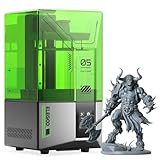
ELEGOO Mars 5 Resin 3D Printer
- 【Effortless Magic with One-Click Automatic Leveling】Effortless precision is just a click away. ELEGOO Mars 5 resin 3D printer offers advanced automatic leveling...
- 【Print Smarter, Print Worry-Free】With a smart mechanical sensor, ELEGOO Mars 5 resin printer supports residue detection to prevent damage to the LCD screen. Plus...
- 【One-Click Self-Check, Ensuring Reliable Prints】Tired of setup hassles and unexpected errors ruining your printing projects? With just a simple click, ELEGOO Mars...
- 【4K Mono LCD for Stunning Details】Featuring a 4K mono LCD with advanced COB light source, ELEGOO Mars 5 impresora 3D de resina faithfully reproduces intricate details...
- 【Advanced Overheat Protection, Cool and Safe】No more overheating worries. The advanced overheat protection automatically halts printing and triggers an alarm if the...

Discover the precision and ease the ELEGOO Mars 5 Resin 3D Printer brings to your miniature modeling. Designed to capture the finest details, it uses a 4K mono LCD with a COB light source to enhance texture clarity and resolution. This makes it ideal for intricate projects like Warhammer figures.
Setup and maintenance are simple thanks to automatic one-click leveling and self-check systems. These features reduce calibration errors and save time, allowing you to focus on printing rather than adjustments. The printer also includes a smart mechanical sensor that detects resin residue, protecting the LCD from damage.
Continuous printing is supported by alarms that notify you of resin shortage or leveling issues. Plus, the built-in overheat protection and efficient cooling system ensure stable performance during long printing sessions. Its compact design fits comfortably in most workspaces without sacrificing durability.
With its moderate build volume, the Mars 5 is best suited for small to medium-sized models. Although weighing about 14.5 pounds, it remains manageable for desktop use but may be less portable for frequent relocation.
Best for: hobbyists and miniatures enthusiasts seeking high-detail resin 3D prints with reliable, user-friendly features in a compact printer.
What We Like:
- Sharp 4K mono LCD with COB lighting for detailed textures
- One-click automatic leveling reduces setup time
- Smart sensors prevent resin waste and protect the screen
- Alarms for resin shortage and leveling errors keep prints uninterrupted
- Efficient cooling and overheat protection ensure consistent operation
Specification:
| Feature | Details |
|---|---|
| Manufacturer | ELEGOO |
| Dimensions | 20.87 × 12.8 × 11.61 inches |
| Weight | 14.52 pounds |
| Build Volume | 5.65 × 3.53 × 5.91 inches |
| Display Type | 4K Mono LCD with COB light |
Bambu Lab P2S Combo, P2S 3D Printer & AMS 2 Pro, Multi-Color 3D Printing
- High-Speed Precision: The Bambu Lab P2S 3D printer prints up to 600 mm/s while maintaining exceptional accuracy. With the PMSM Servo Extruder and Active Flowrate...
- Ready to Print in 15 Minutes: Set up your P2S FDM 3D printer and start printing in just 15 minutes. With AI failure detection, quick-swap nozzles, and automatic...
- Effortless Multi-Color Printing: The AMS 2 Pro enables seamless multi-color/multi-material 3D printing. It features built-in filament drying at up to 65 °C, keeping...
- Smart Airflow for Any Filament: The Adaptive Airflow System automatically balances cooling and heat retention—keeping overhangs crisp with cool air, or maintaining a...
- Limitless Creativity, Seamless Workflow: Explore over one million 3D models on MakerWorld and bring them to life with a smooth, unified workflow using Bambu Studio, Bambu...
Step into the world of high-precision 3D printing with the Bambu Lab P2S Combo, designed to transform how you create detailed multi-color miniatures. This machine tackles common challenges like slow print speeds and inconsistent layering, making it easier to produce sharp, vibrant models with ease.
The P2S features a high-speed CoreXY system that can reach print speeds up to 600 mm/s. This rapid performance, combined with the PMSM Servo Extruder and Active Flowrate Compensation, ensures each layer is smooth and precise. Paired with the AMS 2 Pro, multi-material and multi-color prints become hassle-free, with built-in filament drying that keeps materials ready and prevents print failures.
Maintenance is straightforward, thanks to automatic calibration and AI failure detection. These tools minimize downtime and simplify troubleshooting, so you spend less time fixing issues and more time printing. The printer’s setup is intuitive, welcoming both beginners and experienced hobbyists to create complex Warhammer miniatures without frustration.
While the P2S alone doesn’t support multi-color printing, the AMS 2 Pro combo unlocks this feature seamlessly. Its substantial size and weight mean it requires a dedicated workspace, but this robust build supports reliable, high-quality production over time.
Best for: Warhammer enthusiasts and hobbyists who demand precise, fast multi-color 3D printing for detailed miniature models.
What We Like:
- High-speed CoreXY design delivers sharp, fast prints.
- AMS 2 Pro enables easy multi-color and multi-material printing with filament drying.
- Automatic calibration and AI failure detection reduce print errors.
- Quick-swap nozzles simplify maintenance and enhance versatility.
- Beginner-friendly setup with unified software for smooth operation.
Specification:
| Feature | Details |
|---|---|
| Manufacturer | Bambu Lab |
| Dimensions (W×D×H) | 18 × 22 × 18 inches |
| Weight | 46.3 pounds (21 kg) |
| Printing Technology | CoreXY with PMSM Servo Extruder |
| Multi-Color Capability | Yes, with AMS 2 Pro accessory |
| Filament Drying | Built-in with AMS 2 Pro |
Bambu Lab A1 Mini Combo, A1 Mini 3D Printer&AMS lite, Multi-Color Printing
- High-Speed Precision: Experience unparalleled speed and precision with the Bambu Lab A1 Mini 3D Printer. With an impressive acceleration of 10,000 mm/s², the A1 Mini...
- Multi-Color Printing with AMS lite: Unlock your creativity with vibrant and multi-colored 3D prints. The Bambu Lab A1 Mini 3D printers make multi-color printing...
- Full-Auto Calibration: Say goodbye to manual calibration hassles. The A1 Mini 3D printer takes care of all the calibration processes automatically, ensuring optimal...
- Active Flow Rate Compensation: Achieve consistently smooth prints with active flow rate compensation. The algorithm actively compensates the flow rate according to the...
- Easy and Quiet 3D Printing: A1 mini 3D printer offers easy printing with a user-friendly interface and simplified touchscreen. Setup for your first print takes just...
Experience the power of vibrant, multi-color 3D printing with the Bambu Lab A1 Mini Combo. This compact printer transforms your creative projects, such as detailed Warhammer miniatures, by delivering precise, colorful results that bring your models to life.
Designed for ease of use, setup takes just about 20 minutes with full-auto calibration and an intuitive touchscreen interface. The 1-Clip nozzle swap simplifies material changes, reducing downtime and maintenance effort. Its quiet operation, supported by active noise cancellation, ensures a peaceful workspace.
The included AMS lite accessory enables seamless multi-material printing, expanding your creative possibilities. High-speed performance with 10,000 mm/s² acceleration and active flow rate compensation guarantees accuracy and sharp detail in every print.
Weighing only 22 pounds, the A1 Mini Combo balances portability with robust functionality. While it requires the AMS lite for full multi-color capabilities and is a newer product with limited long-term reviews, its features offer significant advantages for miniature hobbyists.
Best for: Miniature enthusiasts and hobbyists seeking a compact, user-friendly 3D printer with reliable multi-color printing and fast, precise output.
What We Like:
- Multi-color printing enabled by AMS lite for detailed, vibrant models
- Fast, accurate printing with high acceleration and flow rate control
- Easy setup and maintenance with full-auto calibration and 1-Clip nozzle swap
- Quiet operation thanks to active noise cancellation
Specification:
| Feature | Details |
|---|---|
| Manufacturer | Bambu Lab |
| Dimensions | Compact size (exact dimensions not specified) |
| Weight | 22 lb (approximately 10 kg) |
| Color Options | Not specified |
| Multi-Color Printing | Enabled via AMS lite |
MALYAN S100 Mini Resin 3D Printer, 5.5″ LCD
- 【Entry-level Resin 3D Printer】MALYAN S100 features a 5.5-inch LCD screen with a resolution of 2560x1440, which can better restore 3d printing models and realize...
- 【Auto Calibrates And Leveling】MALYAN S100 Mini resin 3d printer has a printing size of 115x65x110 mm, which can be calibrated and run in one click. It automatically...
- 【Magnetic Build Plate】The magnetic build plate is easy to remove and takes the hassle out of cleaning and prepping for multiple print jobs in quick succession. The...
- 【Upgraded light source】The 57W parallel LED array can provides a stable and uniform parallel light source, thus effectively reducing the layer lines and eliminating...
- 【Laser-engraved Build Plate】S100 is equipped with a laser engraved platform, which has excellent flatness that can increase model adhesion, making the 3d model hard...
Step up your miniature crafting with the MALYAN S100 Mini Resin 3D Printer, designed to bring sharp detail and smooth finishes to your Warhammer models. Its 5.5″ 2K LCD screen with a powerful 57W parallel LED array ensures your prints have crisp layers and minimal lines, improving the overall quality of your miniatures.
This printer is compact and lightweight, making it ideal for small workspaces. Setup is straightforward thanks to its one-click auto calibration and magnetic removable build plate, which also simplifies model removal and cleanup. These features reduce the learning curve and save time during maintenance.
To get the best results, it’s important to adjust your printing parameters to match the resin type you use. While the printing volume is limited, the precision and ease of use make it a practical choice for detailed, smaller models.
Best for: Beginners and hobbyists needing a user-friendly resin 3D printer to create finely detailed miniatures in tight spaces.
What We Like:
- Sharp, detailed prints from 2K 5.5″ LCD with 57W parallel LED light
- Easy setup with one-click auto calibration and leveling
- Magnetic removable build plate simplifies cleaning and model removal
Specification:
| Feature | Details |
|---|---|
| Manufacturer | MALYAN |
| Printing Screen Size | 5.5 inches |
| LCD Resolution | 2K |
| LED Power | 57W parallel array |
| Weight | Lightweight (compact design) |
| Printing Volume | Limited (small models) |
Factors to Consider When Choosing a 3d Printer for Warhammer Minis
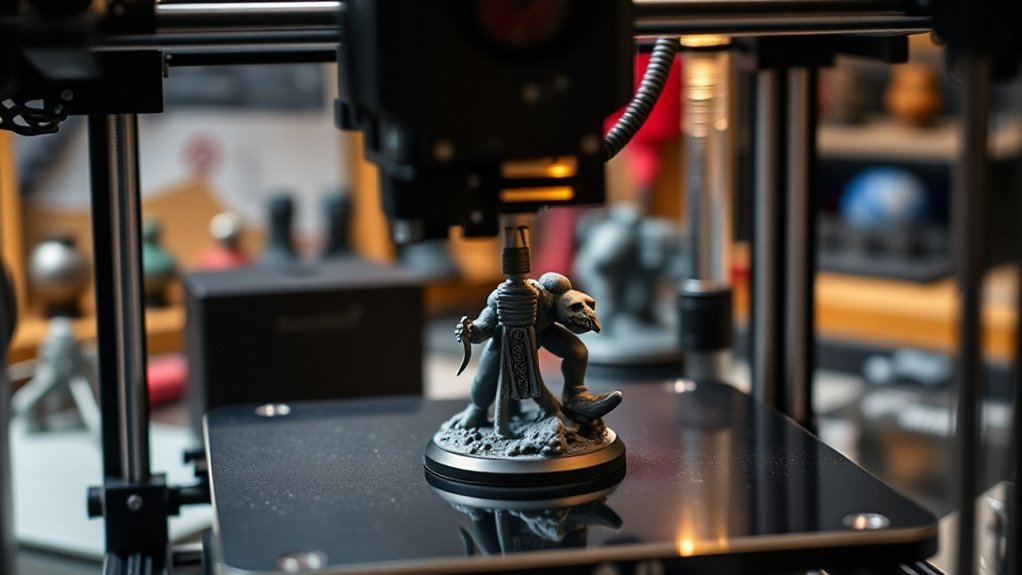
When picking a 3D printer for your Warhammer minis, focus on print resolution to capture fine details and build volume to fit your projects. You’ll also want to check material compatibility to use the best resins.
Plus, consider printing speed so you don’t wait forever. Finally, make sure the printer is easy to use so you can spend more time creating and less time troubleshooting.
Print Resolution Importance
Although print resolution might seem like a technical detail, it plays a crucial role in capturing the intricate features of your Warhammer minis. Higher XY resolution—around 35 to 50 microns or better—sharpens tiny details like faces, armor edges, and glyphs, making your models truly stand out.
Layer height, or Z resolution, between 20 and 50 microns, smooths curved surfaces and reduces visible layer lines, cutting down on sanding time. Resin and LCD printers excel here, offering far finer detail than typical FDM printers.
Keep in mind, though, that higher resolution means longer print times and more resin use. So, choose settings based on your mini’s scale—tiny infantry benefits from the finest detail, while larger models can handle slightly coarser resolution without losing quality.
Build Volume Needs
Choosing the right build volume is essential for printing your Warhammer minis effectively. Start by figuring out the maximum mini height you want to print—whether that’s the full 28–32 mm infantry or bigger monsters up to 70–100 mm. Make sure your printer’s Z height is taller than that, plus a bit extra for supports.
If you’re planning to print lots of small models in one batch, you’ll want a compact X/Y footprint with high resolution. This helps when you’re packing dense sprues.
For bigger multi-part models or scenic bases, go for taller Z build volumes—somewhere around 80–150 mm. That way, you can avoid splitting models and messy glue seams.
Also, remember to add 10–20% extra clearance for how you orient models and the supports they need, since these take up space. Balancing your build volume with printing speed and post-processing means you can get the most out of your print runs.
Material Compatibility Options
Because fine detail is essential for Warhammer minis, resin printers often deliver the best results with their ability to produce sharp surface textures and thin features at resolutions between 10 and 50 microns.
You’ll want to pick resins made for miniatures—high-toughness or low-viscosity types—to get crisp sculpt lines and reduce brittleness in small parts.
Filament printers can handle larger bases and terrain but usually can’t match resin’s micro-detail unless you use very small nozzles and high-res settings. Also, consider post-processing needs: some resins demand specific washing and UV curing, and they can be sensitive to solvents, while filaments might benefit from annealing or smoothing for better paint adhesion.
Keep in mind safety—resins are toxic until fully cured, so use gloves and ventilation, whereas filaments emit ultrafine particles and VOCs during printing.
Printing Speed Considerations
Material and post-processing choices directly impact how quickly you can get your Warhammer minis ready, but print speed itself plays a big role in planning your workflow. Increasing print speed can cut production time, but pushing it too far often causes visible layer artifacts that blur fine details on small minis.
Resin printers, like SLA or DLP, have slower cure and peel cycles per layer, so even “fast” settings can lag behind high-speed FDM printers in throughput. When printing batches, focus on total print time per build, as stacking or tiling models maximizes efficiency.
Remember, thicker layers or longer exposure speed prints but soften edges and obscure textures. Also, post-processing steps—washing, curing, support removal—add hours, often offsetting speed gains from aggressive print settings.
Balance speed with detail preservation for the best results. It’s all about finding that sweet spot between getting things done quickly and keeping your minis looking sharp.
Ease of Use
Finding a 3D printer that’s easy to use can save you hours and frustration when creating Warhammer minis. Look for models with one-click or automatic bed leveling and Z-offset calibration to reduce setup time and avoid failed first layers.
Choose printers featuring intuitive touchscreen controls and simple software, so slicing, starting prints, and maintenance require minimal steps. Pre-configured profiles or easy profile imports for typical miniature layer heights (0.02–0.05 mm) help you skip tedious manual tuning.
Also, consider printers with automatic resin or filament flow detection that alert you to issues before long prints fail, saving time and materials. Finally, prioritize machines with accessible maintenance—removable build plates, quick-swap nozzles, or easy vat access—to speed part removal, cleaning, and job turnover.
Multi-Color Printing
When you want to bring multiple colors into your Warhammer minis straight off the printer, multi-color printing becomes a key consideration. Typically, this means using a multi-extruder FDM system or a filament-swapping accessory, letting you print distinct color regions without hand-painting.
Resin printers, though excellent for detail, rarely handle multi-color printing well due to complex processes like multiple pours or masking. Keep in mind, multi-color workflows increase slicer complexity—you need solid tool-change support and precise alignment between passes.
Also, each color change adds print time, calibration, and potential failure points, so expect slower, less reliable prints. Before investing in multi-color hardware, weigh if the reduced painting time justifies the extra cost and workflow challenges compared to printing single-color minis and painting them yourself.
Durability and Maintenance
Maintaining your 3D printer is essential to guarantee consistent, high-quality Warhammer minis. Regularly clean the resin vat and replace the FEP film every few dozen prints to avoid failures and protect the LCD.
Don’t forget to upkeep your UV-curing and post-wash equipment by cleaning isopropyl alcohol baths, changing wash fluids, and swapping out curing bulbs or LEDs. This helps keep part strength and finish looking sharp.
Inspect and lubricate mechanical parts like linear rails and lead screws to keep dimensional accuracy sharp for tiny details. Replace worn build plates or nozzle tips on filament printers promptly to prevent adhesion or clogging issues.
Finally, store resins and filaments in cool, dark, sealed environments with desiccants. This avoids premature curing or moisture damage that weakens your miniatures’ durability.
Safety Features
Because 3D printing Warhammer minis involves hazardous materials and intense light sources, prioritizing safety features in your printer is essential. Choose resin printers with enclosures or ventilation systems, ideally equipped with carbon or HEPA filters, to reduce exposure to harmful VOCs and ultrafine particles.
Built-in temperature and overheat protections are vital—they stop printing and trigger alarms if components get too hot. This helps prevent damage and fire risks.
Look for mechanical sensors or resin-level alarms that detect spills or low resin to avoid failed prints and skin contact with uncured resin. Finally, secure lid interlocks and clear UV exposure warnings help protect your eyes and skin from accidental exposure.
Frequently Asked Questions
What Materials Are Best for Painting Warhammer Minis Post-Printing?
You’ll want acrylic paints since they stick well and dry fast on minis. Use a primer first to help paint adhere properly.
Also, consider washes and varnishes to enhance details and protect your finished paint job. They really make your mini pop and keep it looking great for longer.
How Do I Maintain and Clean Resin 3D Printers Effectively?
You’ll maintain resin 3D printers by cleaning the vat and build plate after each print, using isopropyl alcohol for resin residue. Regularly checking and replacing the FEP film is important too.
Also, keep the printer dust-free to guarantee consistent quality. This way, your prints come out looking great every time.
Can I Print Warhammer Minis in Multi-Material or Multi-Color?
You can absolutely print Warhammer minis in multi-material or multi-color, but it’s not a walk in the park.
You’ll need a printer with dual extruders or advanced resin tech to bring your detailed visions to life.
It takes some skill and the right equipment, but the results can be pretty impressive!
What Software Is Recommended for Designing Custom Warhammer Miniatures?
You should try Blender or ZBrush for designing custom Warhammer miniatures—they’re powerful, user-friendly, and widely used by hobbyists.
TinkerCAD works too if you want something simpler and quicker to learn. It’s great for beginners who want to jump right in without a steep learning curve.
Are There Any Safety Precautions When Printing With Resin for Minis?
You’d think resin is as harmless as water, but it’s not! Always wear gloves and a mask, work in a ventilated area, and avoid skin contact to keep yourself safe while printing those epic Warhammer minis.
Seriously, resin can irritate your skin and lungs, so taking these precautions is a must. Plus, good ventilation helps reduce those strong fumes that resin gives off.
Conclusion
Choosing the right 3D printer for your Warhammer minis can really transform your hobby. Did you know that over 60% of miniatures enthusiasts prefer resin printers for their superior detail?
Whether you go for the ELEGOO Mars 5’s precision or the Bambu Lab’s multi-color options, you’ll see your armies come to life with incredible detail. Pick a printer that fits your style and budget, and get ready to dominate the battlefield with stunning, custom minis!
When it comes to 3D printers for Warhammer minis, resin printers like the ELEGOO Mars 5 offer exceptional detail that makes your models pop. On the other hand, if you want vibrant multi-color options, Bambu Lab’s printers are a solid choice.
Ultimately, the best 3D printer for Warhammer minis depends on what you value most—precision, color, or budget. With the right printer, you can create amazing, personalized minis that truly stand out on the tabletop. So, choose wisely and watch your Warhammer armies come alive like never before!