3 Best 3D Printers for Warhammer Miniatures in 2026
If you want top-tier Warhammer miniatures in 2026, choosing the right 3D printer is key. The Bambu Lab P2S Combo stands out with blazing multi-color printing and AI fail-safe features that keep your prints flawless. It’s perfect for creating vibrant, detailed figures that really pop.
For ultra-fine detail and smooth surfaces, especially on 28–32 mm figures, the ANYCUBIC Photon Mono 4’s 10K monochrome LCD shines. This printer nails those tiny details every Warhammer enthusiast craves.
If space is tight but multi-color printing is a must, the compact Bambu Lab A1 Mini Combo offers great portability and ease of use. It’s a solid choice if you’re looking for convenience without sacrificing quality.
Keep reading to explore which 3D printer fits your style best!
| Image | Name | Editor's Rating | Price |
|---|---|---|---|

|
|
||

|
|
||

|
|
Bambu Lab P2S Combo, P2S 3D Printer & AMS 2 Pro, Multi-Color 3D Printing
- High-Speed Precision: The Bambu Lab P2S 3D printer prints up to 600 mm/s while maintaining exceptional accuracy. With the PMSM Servo Extruder and Active Flowrate...
- Ready to Print in 15 Minutes: Set up your P2S FDM 3D printer and start printing in just 15 minutes. With AI failure detection, quick-swap nozzles, and automatic...
- Effortless Multi-Color Printing: The AMS 2 Pro enables seamless multi-color/multi-material 3D printing. It features built-in filament drying at up to 65 °C, keeping...
- Smart Airflow for Any Filament: The Adaptive Airflow System automatically balances cooling and heat retention—keeping overhangs crisp with cool air, or maintaining a...
- Limitless Creativity, Seamless Workflow: Explore over one million 3D models on MakerWorld and bring them to life with a smooth, unified workflow using Bambu Studio, Bambu...
The Bambu Lab P2S Combo redefines multi-color 3D printing, making it easier to create vivid, detailed miniatures and complex prototypes. By combining the high-speed P2S 3D printer with the AMS 2 Pro automatic material system, it solves the challenge of seamless multi-material printing without manual intervention.
Its CoreXY design enables print speeds up to 600 mm/s while maintaining engineering-grade precision, thanks to a heated chamber. This means faster production times without sacrificing quality. Setup and maintenance are simplified with quick-swap nozzles and automatic calibration, reducing downtime and user frustration.
Reliability is enhanced by AI failure detection that monitors prints in real-time, minimizing wasted material. The integrated filament drying system ensures consistent filament quality, preventing common printing issues caused by moisture. Its unified software ecosystem offers an intuitive experience, suitable for both beginners and experienced users.
While the standalone P2S does not support multi-color printing, the AMS 2 Pro combo unlocks this capability. The device has a relatively large footprint and weight, which may affect portability. However, these trade-offs come with advanced functionality that benefits professionals and hobbyists focused on detailed, multi-material projects.
Best for: hobbyists and professionals needing high-speed, multi-color, and multi-material 3D printing for detailed miniatures and precision engineering parts.
What We Like:
- Seamless multi-material printing with AMS 2 Pro integration
- High-speed CoreXY mechanism with heated chamber for precision
- User-friendly setup with AI failure detection and automatic calibration
- Built-in filament drying to maintain print quality
- Unified software ecosystem for smooth workflow
Specification:
| Feature | Details |
|---|---|
| Manufacturer | Bambu Lab |
| Dimensions | 18 x 22 x 18 inches |
| Weight | 46.3 pounds (21 kg) |
| Printer Model | P2S 3D Printer |
| Material System | AMS 2 Pro |
| Print Speed | Up to 600 mm/s |
ANYCUBIC Photon Mono 4, Resin 3D Printer with 7” 10K Mono LCD Screen
- 【7'' 10K High Resolution】Photon Mono 4 boasts an impressive 105% increase in print precision compared to Mono 2. With a resolution of 9024x5120, each pixel measures a...
- 【Powerful Light Source】The time-tested Anycubic LighTurbo matrix light source technology delivers stable, balanced, and uniform lighting to reduce layer lines and...
- 【Sufficient Print Size】With a generous maximum build volume of 6.04'' x 3.42'' x 6.49''/153.4mm x 87mm x 165mm, you have ample print space to easily tackle your daily...
- 【Laser-engraved Print Platform 2.0】With a new design, the laser engraving platform of the photon mono 4 improves adhesion to mitigate lifting and warping of the model...
- 【User-friendly Function】The 4-point leveling method is ideal for beginners, after the first leveling and tightening the 4 screws, no need to repeat leveling. Photon...
The ANYCUBIC Photon Mono 4 stands out as a precision tool for creators who require ultra-fine detail in their resin 3D prints. Its advanced 7″ 10K monochrome LCD screen delivers a remarkable native resolution and tiny 17 μm pixel size, allowing for sharper, more detailed miniatures. This precision significantly enhances the quality of models like Warhammer figures, making surface details crisp and clear.
Designed for efficiency, the LighTurbo matrix light source provides consistent and even curing. This reduces visible layer lines and ensures a smooth finish. The printer’s build platform features laser engraving for improved adhesion, which helps keep prints firmly in place during production while allowing for easy removal once completed.
Setup is simplified with a 4-point leveling system, cutting down preparation time and ensuring reliable print results. The build volume accommodates most miniature projects, though it may feel restrictive for larger models. Maintenance is straightforward, making it accessible for both hobbyists and professionals.
Best for: hobbyists and professionals seeking ultra-fine detail and smooth surfaces in resin 3D prints, especially for miniatures like Warhammer models.
What We Like:
- High-resolution 7″ 10K monochrome LCD enhances print detail
- Even curing with LighTurbo matrix light source minimizes layer lines
- Laser-engraved platform ensures strong adhesion and easy print removal
- Four-point leveling system simplifies setup and improves reliability
Specification:
| Feature | Details |
|---|---|
| Manufacturer | ANYCUBIC |
| Screen Size | 7 inches |
| Screen Resolution | 9024 x 5120 pixels |
| Pixel Size | 17 μm |
| Build Volume | 6.04 x 3.42 x 6.49 inches |
| Light Source | LighTurbo matrix LED |
| Leveling System | 4-point manual leveling |
| Platform Surface | Laser-engraved stainless steel |
Bambu Lab A1 Mini Combo, A1 Mini 3D Printer&AMS lite, Multi-Color Printing
- High-Speed Precision: Experience unparalleled speed and precision with the Bambu Lab A1 Mini 3D Printer. With an impressive acceleration of 10,000 mm/s², the A1 Mini...
- Multi-Color Printing with AMS lite: Unlock your creativity with vibrant and multi-colored 3D prints. The Bambu Lab A1 Mini 3D printers make multi-color printing...
- Full-Auto Calibration: Say goodbye to manual calibration hassles. The A1 Mini 3D printer takes care of all the calibration processes automatically, ensuring optimal...
- Active Flow Rate Compensation: Achieve consistently smooth prints with active flow rate compensation. The algorithm actively compensates the flow rate according to the...
- Easy and Quiet 3D Printing: A1 mini 3D printer offers easy printing with a user-friendly interface and simplified touchscreen. Setup for your first print takes just...
Experience the power of multi-color 3D printing with the Bambu Lab A1 Mini Combo, designed to bring your creative projects to life in vivid detail. This compact printer merges the A1 Mini 3D Printer with the AMS lite accessory, enabling smooth and seamless color transitions that elevate miniature models or prototypes.
Its design focuses on ease and efficiency. Setup takes only about 20 minutes, while the 1-Clip nozzle swap simplifies maintenance, saving you time and effort. The printer operates quietly, thanks to active motor noise cancellation, making it suitable for home or office environments without causing distractions.
The A1 Mini Combo excels in delivering high-speed, precise printing with features like active flow rate compensation and full-auto calibration. These ensure your prints come out smooth and accurate every time, even when working with complex, multi-color designs.
This printer is ideal for hobbyists and miniature painters seeking a compact, user-friendly solution for detailed, multi-color 3D printing projects. Its blend of functionality and convenience makes it a valuable tool for creative expression.
Best for: hobbyists and miniature painters wanting a compact 3D printer with advanced multi-color capabilities and easy maintenance.
What We Like:
- Seamless multi-color printing enabled by AMS lite accessory
- Fast setup and simple 1-Clip nozzle replacement
- Quiet operation with effective motor noise cancellation
- High-speed printing with precise flow rate control and auto calibration
Specification:
| Feature | Details |
|---|---|
| Manufacturer | Bambu Lab |
| Dimensions | Compact size (exact dimensions not specified) |
| Weight | 22 lb (10 kg) |
| Material | Not specified |
| Color Options | Multi-color printing via AMS lite accessory |
Factors to Consider When Choosing a 3d Printer for Warhammer Miniatures 2026
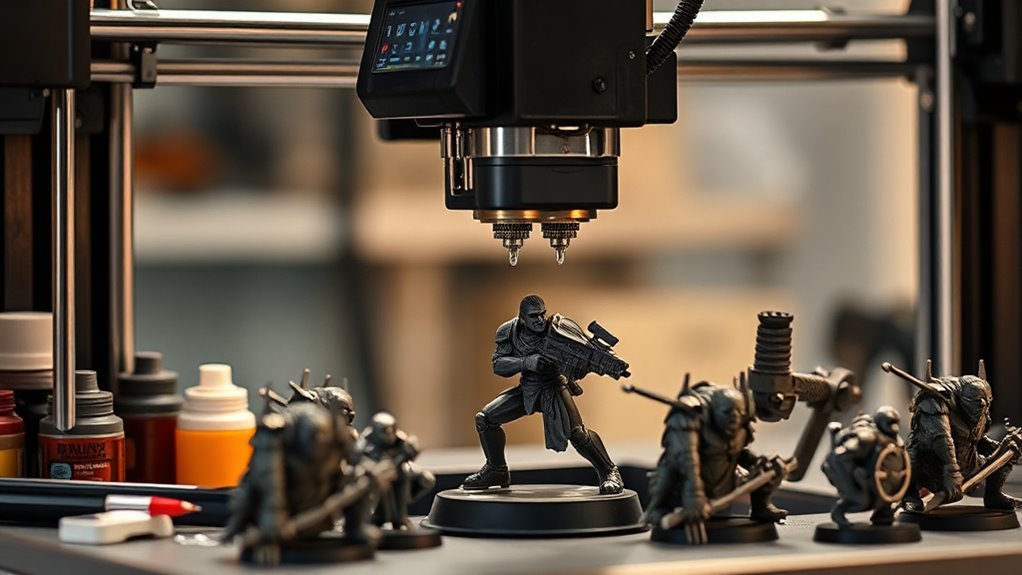
When picking a 3D printer for your Warhammer miniatures, you’ll want to focus on print resolution to capture fine details. Consider the materials it supports and whether you need multi-color printing for more vibrant models.
Also, think about the build volume and print speed to match your project size and deadlines. Finding the right balance between quality and efficiency can make a big difference in your overall experience.
Print Resolution Importance
Although high print resolution is essential for capturing the intricate details of Warhammer miniatures, you’ll need to balance it with print time and post-processing efforts. Aim for XY resolutions between 50–100 microns to achieve crisp facial features and armor textures without visible pixelation.
For vertical details, choose Z-layer heights around 20–50 microns—20–30 microns smooths slopes and refines layer shifts noticeably. Resin or LCD printers excel here, offering finer detail than FDM models, so prioritize their resolution specs.
Remember, the smallest printable feature, like pixel size or nozzle diameter, limits real-world detail, so proper calibration is key. High resolution slows prints and demands careful washing, curing, or sanding to keep details sharp.
Balance your resolution needs with your available time and workflow to get the best results.
Material Compatibility Options
Choosing the right material compatibility plays a crucial role in selecting a 3D printer for Warhammer miniatures.
Resin printers (SLA/DLP/LCD) excel with ultra-fine detail and smooth surfaces, perfect for 28–32mm figures. They produce layers as thin as 10–50 microns, which really brings out the intricate details.
If durability and cost-efficiency matter more, FDM printers using PLA or PETG filaments work well for gaming pieces and terrain. Just keep in mind, they won’t capture the same level of detail and often need some post-processing.
Tougher filaments like ABS blends offer impact resistance but print less finely and require higher temps. Specialty flexible materials add unique effects but often compromise detail or complicate curing.
Also, think about how easily your materials sand, prime, and paint. Standard hobby resins and PLA simplify finishing, helping your miniatures look their best without extra hassle.
Multi-Color Printing Needs
Multi-color printing can really bring your Warhammer miniatures to life by blending vibrant hues and intricate details in a single print. To achieve this, consider printers with multi-extruder setups or automated spool systems that reduce post-painting while ensuring precise color alignment.
Keep in mind, resin printers usually print in one color per build, so multi-material resin systems or post-print painting are needed for true color detail. Accuracy is essential—you’ll want millimeter-level nozzle repeatability to capture tiny features like eyes and insignia.
Also, multi-color workflows increase complexity and failure risks, so look for features like autonomous filament handling and failure detection to improve reliability. Finally, choose printers with small nozzles or high-resolution light engines (below 50 µm XY resolution) to preserve fine sculpt details across color boundaries.
Build Volume Requirements
A suitable build volume is essential when printing Warhammer miniatures, as it determines how many pieces you can produce in one go and the size of your models. For single infantry figures or small groups at 28–32 mm scale, a 100 x 100 x 100 mm build area usually suffices.
However, if you want to print sprues, squads, or multipart casts together, aim for at least 150 x 150 x 150 mm to fit several components comfortably. Larger bases or flying stands demand more Z height—consider printers with 180–200 mm or greater to avoid splitting parts excessively.
Print Speed Considerations
While faster print speeds can get your Warhammer miniatures ready sooner, they often come at the cost of fine detail and surface quality. For 28–32 mm minis, prioritize finer layer heights—around 25–50 µm—to preserve sculpt details, even if print times increase.
High speeds, like over 60 mm/s for FDM or 50 mm/h for resin, risk visible layers and loss of sharp edges. Tuning acceleration and jerk settings helps balance speed with quality by reducing vibrations that cause ringing.
In resin printing, slower vertical speeds improve surface detail, so optimize exposure and lift speeds rather than pushing for raw speed. If you batch print many miniatures, expect to slow individual prints and space models to avoid defects from resin flow or vibrations.
Balancing speed and detail is key to stunning Warhammer minis. Taking a bit more time can really pay off in the final look.
Ease of Use
Even if you have the best 3D printer specs, ease of use can make or break your Warhammer miniature printing experience. Look for printers with pre-calibrated or fully automatic bed leveling and Z-offset features to save setup time and nail first-layer accuracy.
A user-friendly touchscreen or clear software with straightforward slicing presets tailored for tiny layer heights (0.01–0.05 mm) simplifies print prep. Prioritize models allowing quick, tool-free access to nozzles and resin vats, so you spend less time maintaining and more time printing.
Also, make certain your printer supports reliable connectivity and resume-on-power-loss. This way, you avoid lengthy prints failing due to interruptions.
Finally, bundled calibration guides, community profiles, and easy firmware updates help you get consistent, detailed results faster. These features reduce your learning curve markedly.
Reliability and Maintenance
Since failed prints can waste both time and materials, you’ll want a 3D printer that excels in reliability and ease of maintenance. Look for models with features like resume-on-power-loss and filament runout detection to minimize failed prints and wasted resin or filament.
It’s also smart to prioritize printers with modular, swappable parts—like nozzles, build plates, FEP films, and resin vats. This helps reduce downtime and makes repairs a breeze.
Don’t forget to check the availability and cost of consumables. Frequent, expensive replacements can really add up and increase your long-term maintenance burden.
Choose machines that offer automated calibration and self-check routines. These cut down on manual upkeep and help improve print consistency.
Finally, make sure the printer comes with accessible service documentation, a supportive user community, and user-replaceable parts. This combo will help you troubleshoot faster and keep your Warhammer miniatures printing smoothly.
Frequently Asked Questions
How Do I Maintain My 3D Printer for Long-Term Use?
You should clean the print bed regularly and lubricate moving parts to keep everything running smoothly. Make sure to update the firmware often and check the nozzle condition frequently, too.
Also, store your filament properly to avoid moisture issues. Don’t forget to calibrate your printer regularly—this helps guarantee consistent, long-term performance.
What Post-Processing Techniques Improve Warhammer Miniature Details?
You’ll want to clean, sand, and prime your miniatures first. Then, use fine brushes and washes to highlight details.
Sealing with a matte varnish protects your work and enhances the miniature’s intricate features beautifully. It really makes all those small details pop!
Can I Use Third-Party Resin With These Printers?
You can use third-party resin, but compatibility varies. For example, a hobbyist swapped official resin for a budget brand on their Elegoo Mars.
Results were mixed, so test small prints first to avoid ruining detailed Warhammer miniatures. It’s always better to be safe than sorry!
How Do Printing Speeds Vary Between Resin and Filament Printers?
You’ll find resin printers generally print slower due to layer curing times, while filament printers work faster by extruding plastic continuously.
However, resin offers finer detail, so choose based on speed versus quality priorities for your miniatures. It really depends on what matters more to you—getting your print done quickly or having that extra level of detail.
Are There Specific Software Recommendations for Warhammer Miniature Design?
You know what they say, “The devil’s in the details.” You’ll want software like Blender or ZBrush for intricate Warhammer designs. These tools really help you nail those fine features.
Then, when it’s time to prep your prints, programs like Chitubox or Lychee Slicer come in handy. They make the process precise and pretty easy to manage.
Conclusion
Choosing the right 3D printer for your Warhammer miniatures is like picking the perfect brush for a masterpiece. The Bambu Lab P2S Combo offers precision and color like a painter’s palette, bringing your figures to life with vivid detail.
Then there’s the ANYCUBIC Photon Mono 4, which carves out details sharper than a sculptor’s chisel. It’s ideal for capturing those tiny, intricate features that make your miniatures stand out. Meanwhile, the Bambu Lab A1 Mini Combo balances versatility and speed like a seasoned artisan, making it a great all-rounder for any hobbyist.
Whichever 3D printer you choose, your battlefield will come alive with stunning, intricate warriors ready for war. Investing in the best 3D printer for Warhammer miniatures means sharper details, smoother finishes, and faster production times. This ensures your army looks as epic on the table as it does in your imagination.