3 Best 3D Printers for Tweens to Explore in 2027
If you’re looking for an easy and safe 3D printing experience for tweens, the Entina Tina2C Mini is a fantastic choice. This printer is perfect for beginners thanks to its auto-leveling feature and kid-friendly design. It helps young creators get started without any hassle.
The Starter Bundle is a great addition because it includes filament and a large model library. This means kids can follow guided projects and learn as they go. It’s a smooth way to combine fun and education in one package.
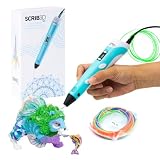
Another cool option is the SCRIB3D P1 pen. It lets tweens draw in 3D anywhere they want. With adjustable speed and safe ceramic tips, it’s both portable and safe for little hands. These picks strike a nice balance between fun, safety, and learning.
Keep reading to discover more about what makes each of these 3D printers ideal for young creators. You’ll find details that help you decide the best fit for your tween’s creativity and growth.
| Image | Name | Editor's Rating | Price |
|---|---|---|---|

|
|
||

|
|
||
|
|
Entina Tina2C Mini 3D Printer for Beginners
- 【Easy to Use 3D Printer – Ready in 5 Minutes】 Meet the Entina Tina2C, a plug-and-play mini 3D printer designed for first-time users. Fully assembled with factory...
- 【3500+ 3D Models & Easy One-Tap Printing】 Explore 3500+ ready-to-print 3D models and 25+ DIY projects in the Poloprint Cloud app, with new designs added daily...
- 【Smart WiFi 3D Printer & AI-Powered App】 Connect via 2.4GHz WiFi and enjoy convenient 3D printer app control through Poloprint Cloud. Explore models, manage prints...
- 【Auto Leveling 3D Printer & Power-Loss Recovery】 Automatic bed leveling helps improve first-layer adhesion and reduces manual adjustments for a smoother 3D printing...
- 【Flexible Magnetic Print Bed & Quick-Swap Nozzle】 The flexible magnetic build plate makes finished 3D prints easier to remove with a gentle bend. A removable...
The Entina Tina2C Mini 3D Printer invites beginners to explore 3D printing with ease and confidence. Its fully assembled design means users can start printing within minutes, eliminating common setup frustrations. The guided auto-leveling through the Poloprint app ensures precise first prints without the usual trial and error.
This compact printer offers quiet operation and a flexible magnetic build plate, making maintenance simple and hassle-free. The removable nozzle allows for easy cleaning, helping to keep the printer running smoothly over time. These features reduce downtime and make upkeep manageable, especially for younger users.
With both WiFi and offline printing options, the Entina Tina2C Mini provides versatile access to thousands of 3D models and AI-powered design tools. This connectivity supports creativity and learning, particularly in STEM education for kids and families. However, its small build volume limits the size of projects, focusing its use on beginner-level tasks.
While lightweight and portable, its compact frame may affect stability during larger prints. Overall, the Entina Tina2C Mini balances user-friendly functionality with essential features, making 3D printing accessible and enjoyable for newcomers.
Best for: Beginners, kids, and families seeking a user-friendly, compact 3D printer perfect for creative projects and STEM learning.
What We Like:
- Fully assembled and quick setup with app-guided auto-leveling.
- Flexible magnetic build plate and removable nozzle ease maintenance.
- Supports both WiFi and offline printing with access to extensive model libraries.
- Quiet operation suitable for home and classroom environments.
Specification:
| Feature | Details |
|---|---|
| Manufacturer | Entina |
| Dimensions | 8.3 x 8.3 x 8.3 inches |
| Build Volume | 3.9 x 3.9 x 3.9 inches |
| Weight | Lightweight (exact weight not specified) |
| Connectivity | WiFi, Offline Printing |
| Color Options | Not specified |
Entina Tina2C Mini 3D Printer Starter Bundle
- Complete Starter Bundle with 1kg PLA: Includes four 250g rolls of PLA filament in different colors. Start creating colorful toys, decorations, and DIY projects without...
- Fully Assembled & Ready in 5 Minutes: No complicated assembly required. The Tina2C mini 3D printer comes ready for guided setup through the Poloprint Cloud app, helping...
- 3500+ Models, New Designs Added Daily: Explore over 3500 printable models and 25+ DIY modules through the app. Discover fresh creative projects and hands-on STEM...
- Auto Leveling & Power-Loss Recovery: Automatic bed leveling improves first-layer setup and reduces manual adjustments. Power-loss recovery helps resume interrupted...
- Magnetic Build Plate & Quick-Swap Nozzle: The flexible magnetic plate helps release finished prints with a gentle bend, while the quick-swap nozzle design makes routine...
Step into the world of 3D printing with the Entina Tina2C Mini 3D Printer Starter Bundle. This compact printer is designed to help beginners and kids start creating with minimal setup. Its fully assembled design and guided Poloprint Cloud app let you print quickly and with confidence.
The printer’s small footprint and 3.9-inch build volume make it ideal for classrooms or family use, where space and ease matter. Quiet operation and built-in LED lighting enhance usability without distraction. Maintenance is straightforward thanks to features like auto bed leveling and a magnetic flexible build plate, which simplify print setup and cleanup.
The bundle includes four colorful 250 g PLA rolls and access to over 3,500 printable models, providing plenty of creative options. Power-loss recovery helps protect your projects from interruptions, making the printing process more reliable. However, its limited build size and 2.4 GHz WiFi may not suit advanced or professional needs.
Best for: beginners, children, and educators who want a user-friendly, compact 3D printer starter kit with guided setup and dependable functionality.
What We Like:
- Quick start with fully assembled printer and guided app
- Multiple filament colors and extensive model library included
- Auto bed leveling and magnetic build plate simplify maintenance
- Power-loss recovery enhances print reliability
Specification:
| Feature | Details |
|---|---|
| Manufacturer | Entina |
| Build Volume | 3.9 x 3.9 x 3.9 inches |
| Filament Included | 4 rolls, 250 g PLA each |
| Connectivity | WiFi 2.4 GHz |
| Lighting | Built-in LED |
| Special Features | Auto bed leveling, power-loss recovery, magnetic flexible build plate |
SCRIB3D P1 3D Printing Pen Kit with Display
- [A GIFT FOR THE WHOLE FAMILY] Create, Draw, Doodle, and Build in 3D with this affordable yet high grade 3D pen. The new SCRIB3D P1 3D Pen helps improve spatial thinking...
- [READY-TO-USE KIT] Includes 3 colors (30 feet) of PLA plastic to keep you Doodling for ages, as well as a power adapter, step-by-step manual, and a free stencil guide...
- [BEGINNER FRIENDLY] Plug the adapter into the back of the pen and choose your filament. The red light will turn on indicating warm up, this will take about 2-3 mins...
- [MULTI-FUNCTIONAL] The SCRIB3D P1 Pen is temperature adjustable to accommodate multiple types of filament: PLA (160-210℃, 320-410°F) or ABS (210-235℃, 410-455°F...
- [SAFE & RISK FREE PURCHASE] The P1's ceramic nozzle and premium motor ensure safety and high performance without clogging. Equipped with 2 minute auto sleep function...
Transform your ideas into tangible creations with the SCRIB3D P1 3D Printing Pen Kit with Display. This pen offers precise control over speed and temperature, allowing users to tailor their 3D drawing experience. Its stepless speed slider and adjustable temperature settings are designed for smooth, consistent extrusion, which helps reduce common printing issues like clogs.
The pen’s ceramic nozzle and anti-clogging design minimize interruptions during use, making it reliable for longer projects. Beginners will find the controls intuitive, and the included starter filaments and stencil book provide a helpful introduction to 3D design. Maintenance is straightforward; the ceramic nozzle resists buildup, reducing the need for frequent cleaning.
Safety is a priority with features such as auto-sleep mode and a heat-resistant ceramic tip, ensuring worry-free operation. While it works exclusively with PLA and ABS filaments, this focus helps simplify material choices for young users. The pen warms up in 2–3 minutes, which allows for more stable filament flow but may delay spontaneous use.
Best for: Tweens and beginners aiming to explore creative 3D drawing with easy and safe pen technology.
What We Like:
- Stepless speed and temperature controls for tailored 3D printing
- Ceramic nozzle and anti-clogging features improve reliability
- Includes starter filaments and stencil book for guided creativity
- Safety-focused design with auto-sleep and heat-resistant tip
Specification:
| Feature | Details |
|---|---|
| Manufacturer | SCRIB3D |
| Dimensions | Not specified |
| Weight | Not specified |
| Compatible Filaments | PLA, ABS |
| Color Options | Not specified |
Factors to Consider When Choosing a 3d Printer for Tween
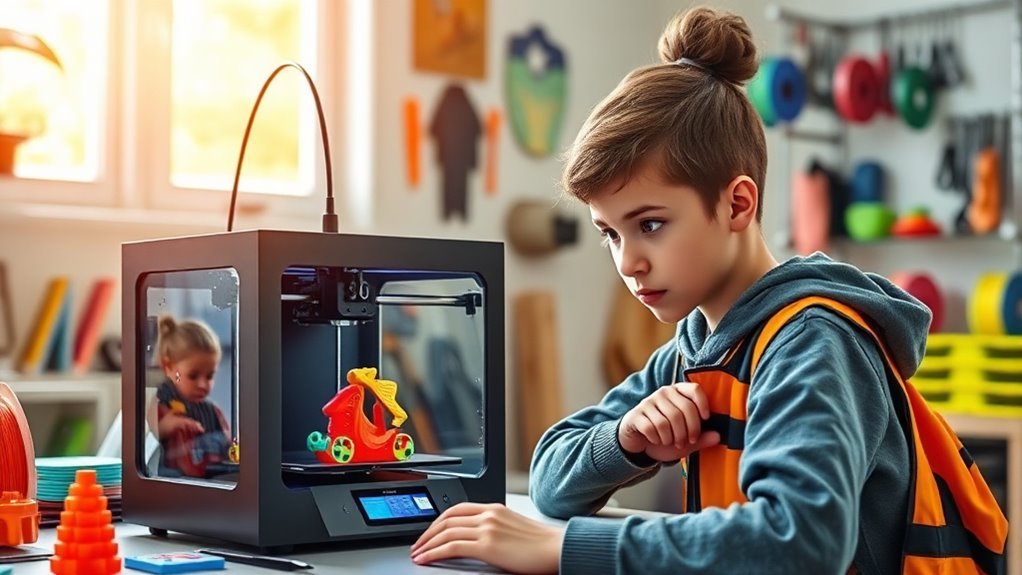
When choosing a 3D printer for your tween, you’ll want to focus on safety features and how easy it is to use.
Print quality and size matter, along with software compatibility to keep things running smoothly.
Don’t forget to check connectivity options so your tween can create without any hassle.
Safety Features Importance
Although 3D printing can be an exciting hobby for tweens, prioritizing safety features is essential to prevent accidents and injuries. You should look for printers with enclosed or partially enclosed build areas and cool-to-touch exterior panels.
This helps reduce burn risks from hot nozzles, which can reach temperatures between 160–235°C. Also, choose models with automatic shutoff, sleep mode, and power-loss recovery to avoid hazards if prints pause or fail.
Removable magnetic build plates with non-stick surfaces are great because they let you remove parts safely without needing sharp tools. Filament detection, feed sensors, and thermal runaway protection are also vital to prevent overheating.
Finally, make sure the printer has electrical safety certifications like UL or CE. It’s a good idea if the printer offers lockable or password-protected settings too, so tweens can’t make unsafe adjustments.
Ease of Use
How easy a 3D printer is to use can make all the difference for a tween just starting out. You’ll want a fully assembled, plug-and-play machine with guided setup and factory presets. This way, your tween can start printing in about five minutes without dealing with complex calibration.
Features like automatic bed leveling and power-loss recovery simplify the first-layer setup and let prints resume after interruptions, reducing frustration. Plus, a magnetic build plate and quick-swap nozzle access make removing prints and clearing clogs safer and easier for small hands.
Look for printers with app or cloud integration offering one-tap printing and offline options. Also, quiet operation, built-in LED lighting, and a compact design help the printer fit comfortably in bedrooms or classrooms.
Print Quality and Size
Selecting a 3D printer with the right print quality and size guarantees your tween’s projects look great without overwhelming them. Aim for a layer height between 0.1 and 0.2 mm to balance smooth surfaces and reasonable print times.
A build volume around 10 x 10 x 10 cm suits most small figurines and school models, avoiding unnecessarily large, complicated prints. Choose a 0.4 mm nozzle for dependable detail and speed, while smaller nozzles increase detail but slow prints and need more upkeep.
Reliable first-layer adhesion—through features like auto bed leveling or textured build plates—prevents frustrating failed prints. Also, pick PLA-friendly printers with stable extrusion and tight temperature control (±2–5°C) to assure accurate, consistent results for your tween’s learning and creativity.
Software Compatibility
When choosing a 3D printer for your tween, you’ll want to make sure it works smoothly with popular slicing software like Cura or Simplify3D. This gives access to community profiles and helpful plugins, making the printing process a lot easier.
Guarantee the printer supports standard file formats such as STL, OBJ, and 3MF. That way, your child can easily import models from online libraries or beginner design tools without any hassle.
Look for firmware that allows adjusting print settings—from basic presets to advanced tuning. This flexibility helps your tween grow their skills as they become more comfortable with 3D printing.
It’s also important the printer offers compatibility with both desktop slicing programs and mobile or cloud apps. This ensures flexible workflows and easy file management wherever you are.
Finally, verify the printer supports offline printing via SD or TF cards. That means projects can start without needing a constant computer connection, which is super convenient.
Connectivity Options
Beyond software compatibility, connectivity plays a big role in how easily your tween can manage and control their 3D printing projects. Choose a printer that supports both Wi-Fi (ideally 2.4 GHz) and offline options like SD cards or USB drives. This flexibility lets them print from phones or tablets or run projects independently without a computer.
Look for mobile apps or cloud integration with simple one-tap print and remote monitoring, so your child can start, pause, and check prints on the go. Make sure the printer offers secure network connections (WPA2) and parental controls to restrict access and approve files.
Also, check for resume-after-power-loss and remote notifications to avoid print failures and keep you informed. That way, you can ensure smooth, hassle-free printing sessions every time.
Educational Value
You’ll want to focus on 3D printers that bring STEM learning to life by encouraging design thinking, spatial reasoning, and hands-on problem-solving. Choose models with simple interfaces and features like auto-leveling to lower technical barriers.
Compatibility with beginner-friendly design tools helps tweens build skills from basic shapes to complex projects. Access to age-appropriate model libraries and lesson plans enhances learning by aligning with math, science, and art standards.
Safety features such as enclosed build areas, low-temp filaments, and quiet operation make printers suitable for young users and classrooms. Reliable print recovery and durable consumables minimize frustration, ensuring continuous learning during limited sessions.
Prioritizing these educational aspects turns 3D printing into an engaging, effective tool for developing essential STEM skills. It’s all about making the experience fun and accessible!
Maintenance and Durability
Regular maintenance and durability play essential roles in choosing a 3D printer for tweens, ensuring a smooth and frustration-free experience. Look for printers with removable, flexible build plates and quick-swap nozzles to make part removal and cleaning easier, reducing wear.
Features like auto bed leveling and power-loss recovery minimize manual adjustments and failed prints, extending the printer’s lifespan. Enclosed or semi-enclosed frames protect parts from dust and bumps, while quiet stepper drivers keep noise low for a tween’s room.
Consider the cost and availability of consumables like filament, nozzles, and build plates, since common parts may need replacement every few months to a year. Finally, choose models with simple, user-serviceable designs and strong online support, so caregivers or supervised tweens can safely perform routine maintenance.
Frequently Asked Questions
How Much Electricity Does a Typical Tween 3D Printer Consume?
A typical tween 3D printer consumes about 50 to 150 watts while printing. You’ll find the exact usage depends on the model and printing duration.
But overall, it’s pretty energy-efficient for home use. So, if you’re thinking about getting one, it won’t really spike your electricity bill.
Are There Any Specific Safety Precautions for Kids Using 3D Printers?
Yes, you should supervise kids closely, make certain proper ventilation, and use non-toxic filaments. Also, teach them to avoid touching hot parts and keep the workspace clean to prevent accidents while they’re 3D printing.
It’s really important to keep an eye on them the whole time. Kids might not realize how hot some parts can get, so a little guidance goes a long way.
Plus, good airflow helps keep any fumes away, and choosing safe materials means less worry for everyone. Keeping things tidy also cuts down on the chance of trips or spills.
Can Tweens Customize 3D Models Without Advanced Software?
Yes, you can customize 3D models without advanced software by using kid-friendly programs like Tinkercad or SculptGL. These tools offer simple interfaces, letting you modify designs easily.
Plus, they help you learn basic 3D modeling skills as you go. It’s a great way for tweens to get creative without feeling overwhelmed.
How Long Does It Take to Complete an Average 3D Print?
Think of 3D printing like baking a cake—it usually takes about 1 to 3 hours per print. Depending on size and detail, you’ll watch your creation slowly rise from layers, just like frosting on a cake!
It’s pretty cool to see something start as just a design and then turn into a physical object right before your eyes. Sometimes it’s faster, sometimes it takes longer, but that’s all part of the fun!
What Types of Filaments Are Safest for Children to Handle?
You should choose PLA filaments since they’re non-toxic, biodegradable, and emit minimal odors.
Avoid ABS or flexible filaments, as they release fumes and can be tricky to handle safely for children.
Conclusion
Choosing the right 3D printer can spark your tween’s creativity and boost their STEM skills. Did you know that kids who engage in hands-on tech activities like 3D printing are 40% more likely to pursue STEM careers?
Whether you pick the Entina Tina2C Mini or the SCRIB3D P1 pen, you’re setting your tween up for fun and future success. These tools make learning interactive and exciting.
So, jump in and watch their imagination come to life! Exploring the best 3D printers for tweens opens doors to creativity and critical thinking. With options designed especially for young users, 3D printing becomes a thrilling way to develop skills in science, technology, engineering, and math. Embracing these innovative printers will inspire your child to create, experiment, and grow, making the journey into STEM both enjoyable and rewarding.