7 Best 3D Printers for Toy Making in 2027 That Inspire Creativity
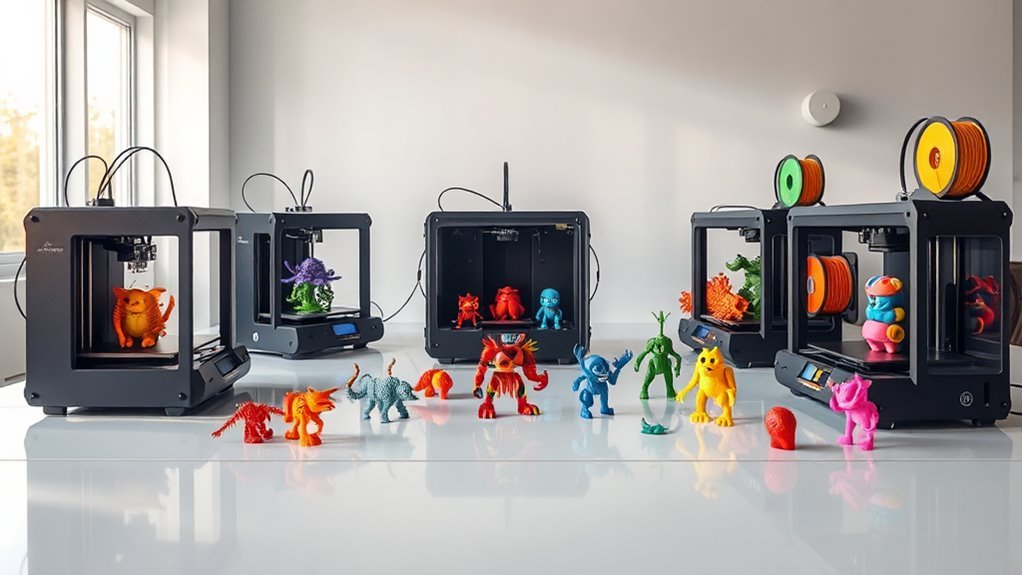
You’ll love the 7 best 3D printers for toy making in 2027, especially if you’re looking to spark creativity and bring your toy ideas to life.
Whether you’re a parent wanting something safe and easy for kids or a hobbyist aiming for vibrant, multi-color designs, there’s something here for everyone.
These printers combine ease of use, speed, and quality to make toy making fun and accessible.
Take the beginner-friendly Toybox Alpha Four and Three, for example.
They’re perfect for kids with their safe, hassle-free setups.
If you want vibrant, multi-color creations, check out the Bambu Lab P1S and P2S Combos with AMS modules.
These offer fast, precise printing.
The FLASHFORGE AD5X stands out with high-speed, 4-color simultaneous printing and filament auto-refill.
Plus, the Bambu Lab A1 balances ease and quality beautifully.
Let’s dive in and see what makes each one great for your creative toy projects!
| Image | Name | Editor's Rating | Price |
|---|---|---|---|

|
|
||

|
|
||

|
|
||

|
|
||

|
|
Toybox 3D Printer for Beginners and Kids Alpha Four
- 3D Printing Kit for Kids and Families: Includes the Toybox 3D Printer, 1 PLA filament spool for creative toy-making projects at home and a 1 month trial of Toybox Pro...
- New Auto-Leveling Bed System: The redesigned Toybox printer automatically calibrates print settings for greater precision, improved reliability, and a smoother printing...
- Fast, Easy Printing with Kid-Safe Design: Lightweight, durable frame and non-toxic PLA filament ensure safe, worry-free printing for children and families.
- Licensed Toys: Print officially licensed favorites from SpongeBob, Batman, How to Train Your Dragon, and more using the included filament spool.
- Access 15,000+ Ready-to-Print Designs: Choose from thousands of toys, including licensed characters, or draw and upload your own STL, OBJ, and gCode files through the...
Step into the world of 3D printing with the Toybox Alpha Four, designed specifically for beginners and young creators. This printer simplifies the learning curve by combining safety and ease of use. Its lightweight, durable frame and non-toxic PLA filament make it a secure choice for kids.
Setting up the Toybox Alpha Four is quick and hassle-free. The printer’s auto-leveling bed system ensures every print is precise and smooth without complicated adjustments. This feature reduces errors and saves time, letting users focus on their creative projects instead of technical frustrations.
Maintenance is straightforward, with the printer’s design supporting easy filament replacement and minimal upkeep. The included Toybox app opens access to over 15,000 ready-to-print designs, plus a trial of Toybox Pro for premium content, offering a vast library to explore and customize.
Supporting STL, OBJ, and gCode files, the Toybox Alpha Four offers flexibility for various projects. While limited to PLA filament, this choice prioritizes safety and ease for younger users, though it may restrict advanced material options.
Best for: beginners and kids seeking a safe, user-friendly 3D printer with extensive design resources and simple app control.
What We Like:
- Safe, durable design using non-toxic PLA filament
- Auto-leveling bed ensures consistent, smooth prints
- Access to a large library of designs via the free Toybox app
- Supports multiple file formats for creative flexibility
Specification:
| Feature | Details |
|---|---|
| Manufacturer | Toybox |
| Dimensions | Not specified |
| Weight | Lightweight |
| Material | Durable plastic frame |
| Filament Type | PLA (non-toxic) |
| Color Options | Not specified |
Toybox 3D Printer for Beginners and Kids – Alpha Three
No products found.
The Toybox 3D Printer for Beginners and Kids — Alpha Three makes 3D printing approachable and fun for families and young creators. Its improved speed and enhanced detail bring projects to life faster and with greater precision. This means less waiting and more time enjoying creative builds.
Setup is simple with one-touch printing and tool-free calibration. These features reduce frustration and make maintenance easier, allowing users to focus on their designs instead of technical hurdles. The printer’s lightweight, durable frame ensures it can withstand active use by kids.
Safety is a priority with the use of non-toxic PLA filament, giving parents peace of mind. The Toybox app offers access to over 10,000 ready-made models and popular licensed characters, plus the ability to upload custom designs. This variety inspires creativity and learning.
While it’s designed primarily for beginners, the limited filament options may restrict advanced users looking for material variety. However, its balance of ease and performance makes it a solid choice for early 3D printing experiences.
Best for: families, beginners, and children seeking a safe, user-friendly, and quick-start 3D printing experience.
What We Like:
- Up to twice the printing speed and 50% more detail than the previous model
- Simple one-touch operation with no tools required for calibration
- Extensive library of 10,000+ ready-to-print and licensed designs
Specification:
| Feature | Details |
|---|---|
| Manufacturer | Toybox |
| Dimensions | Compact, lightweight frame |
| Weight | Lightweight |
| Filament Material | Non-toxic PLA |
| Color Options | Available in standard colors |
Bambu Lab P1S Combo, P1S 3D Printer and AMS, Multi-Color 3D Printing
- Up to 16 Colors: Bring your designs to life with vibrant multi-color/multi-material printing capabilities, perfect for showcasing your creativity. Note: Connecting Bambu...
- 500mm/s and 20000 mm/s² Acceleration True High Speed: Don't wait around for your masterpieces. Lightning-fast printing speed lets you focus on creating, not waiting.
- Enclosed Design: Fully enclosed body improves print performance for advanced filaments. Automatic Bed Leveling: Say hello to high-quality, successful prints. Auto bed...
- Set Up in 15 Minutes: Spend more time printing and less time setting up. User-friendly design ensures a hassle-free assembly experience for all skill levels.
- Supported Filament: Ideal: PLA, PETG, TPU, PVA, PET ABS, ASA; Capable : PA, PC; Not Recommended: Carbon/Glass Fiber Reinforced Polymer.
Experience the power of multi-color 3D printing with the Bambu Lab P1S Combo, designed to transform your creative projects. Its AMS system enables printing with up to 16 colors, allowing you to bring intricate toy designs to life with vibrant detail.
This printer features a CoreXY motion system capable of speeds up to 500 mm/s, delivering fast and precise prints. The fully enclosed build chamber supports advanced filaments such as PLA, PETG, and TPU, making it ideal for crafting durable, high-quality toys.
Setup is straightforward, taking around 15 minutes, and automatic bed leveling ensures consistent print quality with minimal hassle. While it weighs 47.5 pounds, this stability benefits print reliability, though it may reduce portability.
Note that multi-color printing requires connection to the AMS module, which adds some complexity to the setup. Also, it is not compatible with carbon or glass fiber reinforced polymers, limiting the use of certain advanced materials.
Best for: hobbyists and professionals looking for a fast, precise, and user-friendly multi-color 3D printer for detailed and durable toy models.
What We Like:
- Supports up to 16 colors for vibrant and complex prints
- High-speed CoreXY system with precise tuning
- Fully enclosed design with automatic bed leveling for consistent results
- Compatible with a variety of advanced filaments for durable toys
Specification:
| Feature | Details |
|---|---|
| Manufacturer | Bambu Lab |
| Dimensions | Not specified |
| Weight | 47.5 lbs (21.5 kg) |
| Material Support | PLA, PETG, TPU |
| Color Options | Multi-color via AMS (up to 16) |
Bambu Lab P2S Combo, P2S 3D Printer & AMS 2 Pro, Multi-Color 3D Printing
- High-Speed Precision: The Bambu Lab P2S 3D printer prints up to 600 mm/s while maintaining exceptional accuracy. With the PMSM Servo Extruder and Active Flowrate...
- Ready to Print in 15 Minutes: Set up your P2S FDM 3D printer and start printing in just 15 minutes. With AI failure detection, quick-swap nozzles, and automatic...
- Effortless Multi-Color Printing: The AMS 2 Pro enables seamless multi-color/multi-material 3D printing. It features built-in filament drying at up to 65 °C, keeping...
- Smart Airflow for Any Filament: The Adaptive Airflow System automatically balances cooling and heat retention—keeping overhangs crisp with cool air, or maintaining a...
- Limitless Creativity, Seamless Workflow: Explore over one million 3D models on MakerWorld and bring them to life with a smooth, unified workflow using Bambu Studio, Bambu...
Bring your toy creations to life with vibrant, multi-colored 3D prints using the Bambu Lab P2S Combo with AMS 2 Pro. This system solves common printing challenges by combining speed and precision, letting you produce detailed models faster and more reliably. Its CoreXY motion design supports print speeds up to 600 mm/s, ensuring sharp, smooth layers every time.
The AMS 2 Pro module adds seamless multi-material and multi-color printing, complete with built-in filament drying to prevent clogging and maintain consistent flow. The heated chamber stabilizes print conditions, granting engineering-grade accuracy even for complex parts. Setup is straightforward, taking about 15 minutes, and AI-powered failure detection helps minimize wasted prints.
Maintenance is simplified through smart design, reducing downtime and making it accessible for hobbyists and professionals alike. While the printer’s size and advanced features may require some workspace consideration, its performance justifies the footprint.
Best for: Toy makers and hobbyists seeking fast, high-precision multi-color 3D printing with user-friendly operation and reliable results.
What We Like:
- Rapid print speeds up to 600 mm/s with fine layer quality
- AMS 2 Pro supports smooth multi-material/color printing with filament drying
- Easy setup in about 15 minutes plus AI failure detection enhances print success
- Heated chamber ensures stable, high-precision prints
Specification:
| Feature | Details |
|---|---|
| Manufacturer | Bambu Lab |
| Dimensions | 18 x 22 x 18 inches |
| Weight | 46.3 pounds |
| Printing Technology | FDM (Fused Deposition Modeling) |
| Print Speed | Up to 600 mm/s |
| Heated Chamber | Yes, 50 °C |
| Multi-Material | Yes, with AMS 2 Pro |
FLASHFORGE AD5X High-Speed Multi-Color 3D Printer
- Vivid Multi-Color Printing: Bring your creations to life with vibrant, multi-color prints. This printer supports up to 4 colors simultaneously, giving you endless...
- 1-Click Auto Leveling: Enjoy smooth, uninterrupted prints with the advanced 1-Click Auto Leveling feature that automatically calibrates your print bed for optimal results...
- Ultra-Fast 12X Printing Speed: The AD5X features a Core XY structure with speeds up to 600mm/s and acceleration of 20,000mm/s². Its stable design boosts both efficiency...
- Exceptional Print Quality: The AD5X delivers outstanding print results with its advanced dual-channel cooling fan, vibration compensation system, and 300°C direct-drive...
- Versatile Nozzle Options: The AD5X supports four nozzle sizes (0.25mm to 0.8mm) for full creative control. The 0.4mm nozzle comes pre-installed for versatile, everyday...
The FLASHFORGE AD5X High-Speed Multi-Color 3D Printer is designed to bring your multi-colored creations to life quickly and with precision. It solves the challenge of producing vibrant, multi-color prints without sacrificing speed or detail. This printer can handle up to four colors simultaneously, accelerating your workflow and enabling rapid prototyping or batch production.
Its Core XY motion system ensures stable, precise movement while reaching high speeds and acceleration. This structure minimizes print errors and maintains quality during fast printing. The printer offers multiple nozzle sizes, allowing you to balance fine detail and faster output depending on your project needs.
Maintenance is simplified with features like 1-click auto leveling and filament auto feeding, reducing downtime and keeping your prints consistent. A power-loss resume function protects your work from interruptions, while the Flash Maker app lets you control and monitor prints remotely for added convenience.
Compact yet sturdy, the AD5X fits well in small workshops or classrooms. It’s best suited for those who require efficient multi-color printing with reliable performance and easy operation.
Best for: hobbyists, educators, and small businesses needing a fast, multi-color 3D printer for detailed prototypes and creative projects.
What We Like:
- Simultaneous 4-color printing with versatile nozzle size options
- Stable Core XY system with high acceleration for rapid prototyping
- User-friendly features like auto leveling, filament feeding, and power-loss recovery
- Remote print monitoring and control via Flash Maker app
Specification:
| Feature | Details |
|---|---|
| Manufacturer | Flashforge |
| Build Volume | 220 x 220 x 220 mm |
| Max Print Speed | 600 mm/s |
| Acceleration | Up to 20,000 mm/s² |
| Weight | 24.2 lb (11 kg) |
| Nozzle Options | Multiple sizes available |
Bambu Lab A1 3D Printer, Ready-to-Use FDM 3D Printer for Beginners and Kids
- High-Speed Precision: Experience unparalleled speed and precision with the Bambu Lab A1 3D Printer. With an impressive acceleration of 10,000 mm/s², the A1 delivers...
- Multi-Color Printing with AMS lite: Unlock your creativity with vibrant and multi-colored 3D prints. The Bambu Lab A1 3D printers make multi-color printing accessible and...
- Full-Auto Calibration: Say goodbye to manual calibration hassles. The A1 3D printer takes care of all the calibration processes automatically, ensuring optimal...
- Active Flow Rate Compensation: Achieve consistently smooth prints with active flow rate compensation. The algorithm actively compensates the flow rate according to the...
- Easy and Quiet 3D Printing: Experience effortless printing with the Bambu Lab A1 FDM 3D printer. Its user-friendly interface and simplified touchscreen make it easy to...
Step into the world of 3D printing with the Bambu Lab A1 3D Printer, designed to make creativity accessible for beginners and kids. This ready-to-use printer removes the usual setup hurdles, allowing users to start creating toys and projects right away. Its fast printing capability, reaching an acceleration of 10,000 mm/s², ensures quick results without compromising on precision.
Maintenance is straightforward with features like full-auto calibration and active flow rate compensation, which guarantee consistent print quality. The intuitive touchscreen interface combined with a 1-Clip quick-swap nozzle makes operation and upkeep simple, minimizing downtime. Active motor noise canceling helps maintain a quiet workspace, ideal for focused creativity.
While the printer supports multi-color printing through the AMS Lite add-on, this accessory is sold separately or bundled with the A1 Combo. The Bambu Lab A1 prioritizes ease of use and speed over advanced professional features, making it an excellent choice for educational and hobbyist environments rather than industrial applications.
Best for: Beginners and children eager to explore 3D printing with a fast, precise, and user-friendly device.
What We Like:
- High-speed printing acceleration of 10,000 mm/s² without losing detail
- Automated calibration and flow rate management for reliable results
- Easy-to-use touchscreen and quick nozzle replacement for hassle-free maintenance
- Quiet operation thanks to active motor noise canceling
Specification:
| Feature | Description |
|---|---|
| Manufacturer | Bambu Lab |
| Dimensions | Not specified |
| Weight | Not specified |
| Material | FDM 3D printer components |
| Color Options | Not specified |
FLASHFORGE AD5X Multi-Color & Material 3D Printer with IFS, 220x220x220mm

- Enjoy 4-Colors Printing: With Intelligent Filament System,FLAFORGE AD5X allows your printing in 4 colors,and will be about to achieve different types of filament...
- Speedy and Stable: FLASHFORGE AD5X multicolor 3D printer can reach up to 600mm/s travel speed and 20m/s² acceleration, CoreXY all metal design ensures stable printing...
- Multi-Filament Print:Equipped with 300°C High Temp nozzle andd 32mm³/s large flow hotend will greatly shorten the waiting time for printing.Easily achieve...
- Excellent Printing Function: Multi color 3d printer machine AD5X integrates key features that one-click auto leveling,vibration compensation,4.3inch colorful...
- Multi-Device Management: With Flash Maker and Orca-Flashforge,it allows users manage hundreds of printers remotely,real-time monitoring of print progress(need to add an...
The FLASHFORGE AD5X Multi-Color & Material 3D Printer is designed to bring your creative ideas to life with vibrant colors and diverse materials. Its Intelligent Filament System allows seamless printing with up to four colors at once, solving the challenge of multi-material projects with ease.
Built on a stable CoreXY all-metal frame, this printer delivers fast, accurate prints at speeds up to 600 mm/s. It accommodates specialty filaments like TPU and carbon-fiber, expanding your design possibilities. The 220x220x220 mm build volume fits most toy and prototype sizes without consuming excessive space.
Maintenance is simplified with features like one-click auto bed leveling and automatic filament loading, including a 4 kg auto-refill system that supports long, uninterrupted print runs. The 4.3-inch touchscreen and remote print management keep you in control, reducing downtime and ensuring smooth operation.
While the build volume suits many projects, very large prints may require other solutions. Also, live video monitoring needs an additional camera kit. Overall, the AD5X balances speed, multi-color capability, and user-friendly maintenance for reliable, complex 3D printing.
Best for: Hobbyists and small businesses needing versatile, fast multi-color and multi-material 3D printing with efficient filament handling.
What We Like:
- Supports up to four colors simultaneously for creative multi-material designs
- High-speed CoreXY frame with 300°C hotend handles diverse filaments
- One-click auto bed leveling and 4 kg auto filament refill simplify maintenance
- 4.3-inch touchscreen plus remote print management enhances user control
Specification:
| Feature | Details |
|---|---|
| Manufacturer | FLASHFORGE |
| Build Volume | 220 x 220 x 220 mm |
| Print Speed | Up to 600 mm/s |
| Hotend Temperature | Up to 300°C |
| Filament Colors Supported | Up to 4 colors |
| Frame Material | All-metal CoreXY |
| Touchscreen Size | 4.3 inches |
Factors to Consider When Choosing a 3d Printer for Toy Making

When choosing a 3D printer for toy making, you’ll want to focus on print quality and precision to guarantee detailed results. Consider material compatibility and safety, especially if kids will use the toys.
Also, think about printing speed, ease of use, and whether you need multi-color or multi-material support for more creative options. These factors can really make a difference in your final product and how enjoyable the process is.
Print Quality and Precision
Although selecting a 3D printer for toy making involves many factors, print quality and precision stand out as essential for producing detailed and accurate models. You’ll want a layer height between 0.05 and 0.2 mm, with 0.05–0.1 mm ideal for capturing fine facial features and small details.
Nozzle diameter plays a key role; smaller nozzles (0.25–0.4 mm) provide sharper details, while larger ones speed up prints but can blur intricate parts. The printer’s motion system must be accurate and rigid to maintain dimensional precision, especially for tiny toy components.
Also, using high-quality filament like PLA with tight diameter tolerances (±0.02 mm) guarantees consistent extrusion and cleaner finishes. Finally, fine-tune your slicer settings—slower print speeds, active cooling, and proper retraction help reduce artifacts like stringing and layer misalignment.
Material Compatibility and Safety
Achieving high print quality means little if the materials you use aren’t safe or compatible with your 3D printer. You should choose non-toxic, food-safe filaments like PLA, which is biodegradable and emits fewer VOCs than ABS or nylon.
Check if your printer supports the filaments you want—PLA, PETG, TPU, or PVA—since incompatible extruders or heated beds can cause print failures or filament damage.
Consider the mechanical properties: PLA suits detailed toys, PETG adds toughness, and TPU offers flexible, child-safe parts. For high-temp filaments, make sure your printer is enclosed with ventilation to reduce harmful emissions.
If toys may contact a child’s mouth or food, pick certified filaments or apply FDA-approved coatings, and aim for smooth, dense prints to avoid bacteria buildup.
Printing Speed and Efficiency
Speed and efficiency play a vital role in 3D printing toys, especially if you want to balance quality with productivity. Aim for print speeds between 40 and 150 mm/s.
Slower speeds around 40–60 mm/s enhance fine details on small toys, while faster speeds of 80–150 mm/s boost output for larger batches. Adjust acceleration and jerk settings carefully—higher values cut print time but may cause ringing on detailed features.
Using larger nozzles (0.6–0.8 mm) speeds up bulky parts, though you’ll sacrifice some detail compared to smaller nozzles (0.25–0.4 mm). Layer height also impacts speed and finish; choose 0.1–0.15 mm for smooth figurines, or 0.2–0.3 mm to speed up structural pieces.
Don’t forget to factor in warm-up, adhesion, and post-processing—they add essential time to overall efficiency.
Ease of Use and Setup
Balancing print speed with quality matters, but how easy a 3D printer is to set up and use can make just as much difference when making toys. You’ll want a printer with automatic bed leveling and one-touch calibration to guarantee down manual adjustments and boost your first-print success.
Look for models supporting common file formats like STL, OBJ, and gCode, paired with simple apps or slicers featuring preset profiles for toy-friendly materials such as PLA.
Quick-start setup under 30 minutes and clear tutorials help flatten the learning curve. Choose printers with tool-free maintenance—think quick-swap nozzles and easy filament loading—to keep downtime minimal.
Finally, an intuitive interface, whether touchscreen or desktop, plus well-documented troubleshooting, guarantees you spend less time fixing issues and more time creating.
Multi-Color and Multi-Material Support
When choosing a 3D printer for toy making, you’ll want to zero in on multi-color and multi-material support to bring your creations to life with vibrant details and varied textures. Check how many filament channels or extruders it has—dual or multi-extruder setups let you print colors simultaneously and avoid messy color changes.
See if it includes an integrated multi-material system or uses multi-spool accessories, as dedicated filament routing and purge towers guarantee cleaner shifts. If you plan complex parts, confirm it supports dissolvable filaments like PVA for clean overhangs.
Also, consider nozzle temperature range and hotend design to print flexible or durable materials like TPU or nylon. Don’t forget software features, too—good slicer support with automatic toolpath mixing and filament change scripting reduces waste and hassles.
Size and Build Volume
Selecting the right build volume is essential to guarantee your 3D printer can handle your largest toy designs without constant resizing or splitting models. Aim for a build volume that comfortably fits your biggest toy plus any necessary supports—for example, a 220 x 220 x 220 mm space suits most small action figures.
Keep in mind larger volumes mean a bigger printer footprint, so check your workspace for sufficient clearance. If you print articulated or multipart toys, a bed size that allows multiple parts at once helps keep material and color consistent.
Also, consider the maximum printable height separately from the XY area if your designs are tall or stacked. Planning ahead? Choose a printer with a build volume slightly larger than your current biggest project to avoid frequent adjustments later.
Software and Content Availability
Digging into software and content availability can make a big difference in how smoothly your toy-making projects go. You want software that supports common file formats like STL, OBJ, and gCode, so importing your own designs or scans is hassle-free.
Look for printers offering a rich library or marketplace full of ready-to-print toy models with clear licensing, saving you design time. The best slicers come with toy-focused templates, preconfigured settings for detailed parts, and material-specific profiles like PLA or TPU.
Simple editing tools—scaling, hollowing, adding supports—and print previews help you fine-tune prints efficiently. Finally, guarantee ongoing software updates, active community forums, and thorough tutorials are available to keep you learning and troubleshooting, making your toy printing experience reliable and enjoyable.
Frequently Asked Questions
What Types of Filament Are Safest for Children’s Toys?
You should use PLA filament because it’s non-toxic, biodegradable, and safe for kids. Avoid materials with harmful chemicals like ABS.
Always check for food-safe or child-safe certifications to keep your toys safe and durable. That way, you can be sure the toys won’t cause any harm while still lasting a long time.
How Do 3D Printers Handle Small, Intricate Toy Parts?
3D printers handle small, intricate toy parts by using high-resolution settings and precise nozzles, letting you create detailed designs. You’ll need fine-tuned calibration and quality filament to guarantee accuracy and smooth finishes every time.
It’s all about the details, right? Getting those tiny parts just right takes patience and a bit of tweaking. But once you nail it, the results can be really impressive!
Can These Printers Be Used for Educational Purposes Beyond Toy Making?
Yes, you can use these printers for educational purposes beyond toy making. They help you explore design, engineering, and problem-solving skills.
This makes learning interactive and hands-on across various subjects like science, math, and art. It’s a great way to engage students and spark creativity.
What Post-Processing Techniques Are Recommended for Toy Durability?
To make your toys tough as nails, you’ll want to sand, prime, and apply a clear coat.
Sealing with epoxy resin also boosts durability, so your creations can take a beating and still shine bright.
Are There Any Software Tools Included for Toy Design Customization?
Yes, many 3D printers come with user-friendly software tools that let you customize toy designs easily. You’ll find features like drag-and-drop, resizing, and color options to spark your creativity and personalize every toy.
It’s pretty straightforward to use, even if you’re new to design software. So, you can jump right in and start making toys that are truly your own.
Conclusion
Choosing the right 3D printer for toy making can feel like balancing endless possibilities with practical needs. On one side, you’ve got beginner-friendly models like the Toybox Alpha series, perfect for sparking creativity without complications.
On the other, advanced multi-color printers like the Bambu Lab and FLASHFORGE AD5X open doors to intricate, vibrant designs. Whichever path you take, these printers turn ideas into tangible fun.
They blend imagination with technology in the most exciting way. Whether you’re just starting or looking to create complex toys, the best 3D printers for toy making inspire creativity and bring your ideas to life beautifully.