9 Best 3D Printers for the Money in 2027 (Top Value Picks)
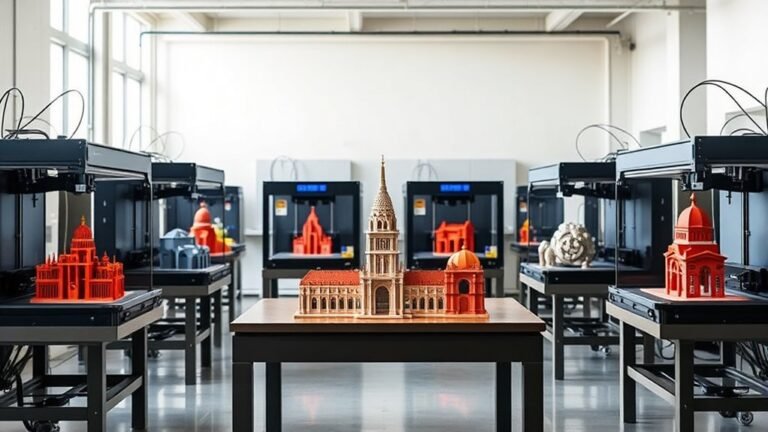
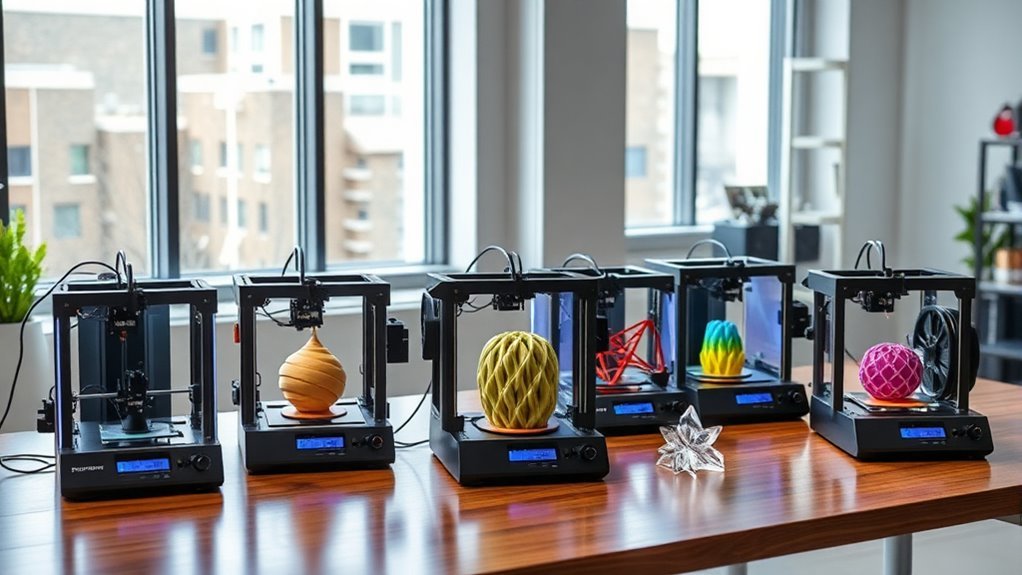
If you’re on the lookout for the best 3D printers for the money in 2027, you’ve got some fantastic options to consider. Whether you want multi-material capabilities, high-speed printing, or ultra-high resolution, there’s something for everyone. Finding a printer that combines value, features, and ease of use can make a big difference in your 3D printing experience.
For top value, the Bambu Lab P2S Combo stands out with its multi-material printing and AI failure detection, making your prints faster and more reliable. If you prefer native four-color printing and an easy setup, the Anycubic Kobra X Multicolor is a solid pick.
The resin-based ANYCUBIC Photon Mono 4 is perfect if you want ultra-high resolution for detailed models. Beginners will appreciate the Creality Ender 3 V3 SE, which comes with auto-leveling to simplify setup. Meanwhile, the Creality SPARKX i7 offers AI monitoring to keep an eye on your prints.
There are plenty of other options to explore too. Check out key features and reviews to find the perfect 3D printer that fits your needs and budget!
| Image | Name | Editor's Rating | Price |
|---|---|---|---|

|
|
||

|
|
||

|
|
||

|
|
||

|
|
Bambu Lab P2S Combo, P2S 3D Printer & AMS 2 Pro, Multi-Color 3D Printing
- High-Speed Precision: The Bambu Lab P2S 3D printer prints up to 600 mm/s while maintaining exceptional accuracy. With the PMSM Servo Extruder and Active Flowrate...
- Ready to Print in 15 Minutes: Set up your P2S FDM 3D printer and start printing in just 15 minutes. With AI failure detection, quick-swap nozzles, and automatic...
- Effortless Multi-Color Printing: The AMS 2 Pro enables seamless multi-color/multi-material 3D printing. It features built-in filament drying at up to 65 °C, keeping...
- Smart Airflow for Any Filament: The Adaptive Airflow System automatically balances cooling and heat retention—keeping overhangs crisp with cool air, or maintaining a...
- Limitless Creativity, Seamless Workflow: Explore over one million 3D models on MakerWorld and bring them to life with a smooth, unified workflow using Bambu Studio, Bambu...
Experience the future of 3D printing with the Bambu Lab P2S Combo, designed to simplify multi-color and multi-material projects. This innovative system combines the P2S 3D Printer with the AMS 2 Pro, allowing you to print complex models without manual filament changes. It takes the hassle out of multi-color printing, making your creative process smooth and efficient.
The built-in filament drying and automatic calibration ensure every print maintains high precision and quality. With speeds reaching up to 600 mm/s and a heated chamber, the printer delivers consistent layer adhesion and sharp details. This means less time waiting and more time creating.
Maintenance is straightforward thanks to AI failure detection, helping you avoid common printing issues before they happen. Setup is quick and accessible, ideal for those new to advanced 3D printing without sacrificing professional-grade results.
Though the combo is relatively large and requires both units for full multi-material use, its robust design supports detailed, high-speed projects. It’s perfect for makers who want to expand their capabilities with reliable, high-performance equipment.
Best for: Professionals and enthusiasts who need precise, high-speed multi-material printing with easy operation and reliable results.
What We Like:
- Seamless multi-color printing with AMS 2 Pro integration
- Fast print speeds up to 600 mm/s with quality output
- Built-in filament drying and automatic calibration for consistent results
- AI failure detection reduces print errors
- Beginner-friendly setup in about 15 minutes
Specification:
| Feature | Details |
|---|---|
| Manufacturer | Bambu Lab |
| Dimensions (in) | 18 x 22 x 18 |
| Weight (lb) | 46.3 |
| Print Speed (mm/s) | Up to 600 |
| Chamber | Heated |
| Color Options | Multi-color with AMS 2 Pro |
Anycubic Kobra X Multicolor 3D Printer, Easy Setup, Native 4-Color
- 【 Newest Level - 19-Color with 4 ACE 2 Pro】Why settle for one color when you can have multicolor? The Kobra X comes born with 4 colors built-in. It is innovative 3D...
- 【 Savings 2X Time】Stop wasting hours and filament on purging! Kobra X impresora 3D reduces the filament and machine travel path by 81.25%, so 2X the Speed, and...
- 【Hardened Precision & High Speed 】 Equipped with a high-durability hardened steel nozzle and vibration compensation, the Kobra X ensures every layer remains smooth...
- 【Flawless First Layer with LeviQ 3.0】The LeviQ 3.0 and auto bed leveling system uses a 49-point calibration and advanced leveling algorithm to ensure 100% bed...
- 【Smart AI Monitoring & Large Model Library】APP remote control, features Spaghetti detection and foreign object detection. The innovative top-mount spool holder...

Experience faster, more colorful 3D printing with the Anycubic Kobra X Multicolor 3D Printer. Designed for ease and efficiency, this printer supports native 4-color printing, dramatically reducing the time and effort needed to switch filaments. It speeds up your projects with print speeds reaching up to 600 mm/s while cutting filament travel by over 80%, saving both material and time.
Setup is straightforward, taking about 15 minutes thanks to the LeviQ 3.0 auto bed leveling system which ensures consistent, perfect first layers every time. The hardened steel nozzle can handle a wide variety of filaments at temperatures up to 300°C, giving you flexibility in your material choices for different projects.
With smart connectivity via Wi-Fi or LAN, you can monitor and control your prints remotely through the Anycubic app featuring AI detection. This makes managing print jobs easier and more convenient, whether you’re a beginner or an experienced user.
Maintenance is simplified with compatible replacement parts available through Anycubic’s program, though filament must be purchased separately. This printer is built for reliability and performance in multi-color 3D printing applications.
Best for: Creators and professionals seeking quick, multicolor 3D printing with easy setup and versatile filament options.
What We Like:
- Native 4-color printing with expansion up to 19 colors
- Fast print speeds with material-saving filament travel reduction
- Advanced auto bed leveling for precise first layers
- Remote print monitoring and control via smart app
- Durable hardened steel nozzle supporting diverse filaments
Specification:
| Feature | Details |
|---|---|
| Manufacturer | Anycubic |
| Dimensions | Not specified |
| Weight | Not specified |
| Color Options | Multicolor (4-color native) |
| Print Speed | Up to 600 mm/s |
| Maximum Nozzle Temp | 300°C |
| Connectivity | Wi-Fi, LAN |
| Bed Leveling | LeviQ 3.0 Auto Bed Leveling |
ANYCUBIC Photon Mono 4, Resin 3D Printer with 7” 10K Mono LCD Screen
- 【7'' 10K High Resolution】Photon Mono 4 boasts an impressive 105% increase in print precision compared to Mono 2. With a resolution of 9024x5120, each pixel measures a...
- 【Powerful Light Source】The time-tested Anycubic LighTurbo matrix light source technology delivers stable, balanced, and uniform lighting to reduce layer lines and...
- 【Sufficient Print Size】With a generous maximum build volume of 6.04'' x 3.42'' x 6.49''/153.4mm x 87mm x 165mm, you have ample print space to easily tackle your daily...
- 【Laser-engraved Print Platform 2.0】With a new design, the laser engraving platform of the photon mono 4 improves adhesion to mitigate lifting and warping of the model...
- 【User-friendly Function】The 4-point leveling method is ideal for beginners, after the first leveling and tightening the 4 screws, no need to repeat leveling. Photon...
Experience next-level resin 3D printing with the ANYCUBIC Photon Mono 4, designed for creators who demand precision and smooth finishes. Its 7-inch 10K monochrome LCD screen delivers an ultra-high resolution of 9024 x 5120 pixels, ensuring every detail comes out crisp and clear. This means sharper prints with less visible layering.
The built-in LighTurbo matrix light source provides stable and uniform illumination, reducing imperfections like layer lines. This results in cleaner surfaces that require less post-processing. The printer’s compact build volume of 6.04 x 3.42 x 6.49 inches fits most detailed projects, while the Laser-engraved Print Platform 2.0 enhances adhesion and minimizes warping during printing.
Maintenance is straightforward with robust components designed to withstand repeated use. The printer also supports resume-on-power-loss functionality, protecting your work from unexpected interruptions. While it lacks remote app control, its reliable hardware setup ensures consistent performance for detailed resin prints.
Best for: Creators and hobbyists who need high-precision resin printing with smooth finishes and dependable output.
What We Like:
- High-resolution 7″ 10K monochrome LCD offers exceptional detail
- Uniform LighTurbo matrix light source reduces layer lines
- Laser-engraved platform boosts adhesion and prevents warping
- Resume-on-power-loss feature safeguards long prints
Specification:
| Feature | Details |
|---|---|
| Manufacturer | ANYCUBIC |
| LCD Screen Size | 7 inches |
| Screen Resolution | 9024 x 5120 pixels |
| Pixel Size | 17 μm |
| Build Volume | 6.04 x 3.42 x 6.49 inches |
| Print Platform | Laser-engraved Print Platform 2.0 |
Bambu Lab P1S 3D Printer, Ready-to-Use FDM 3D Printer
- Up to 16 Colors: Bring your designs to life with vibrant multi-color/multi-material printing capabilities, perfect for showcasing your creativity. Note: Connecting Bambu...
- 500mm/s and 20000 mm/s² Acceleration True High Speed: Don't wait around for your masterpieces. Lightning-fast printing speed lets you focus on creating, not waiting.
- Enclosed Design: Fully enclosed body improves print performance for advanced filaments. Automatic Bed Leveling: Say hello to high-quality, successful prints. Auto bed...
- Set Up in 15 Minutes: Spend more time printing and less time setting up. User-friendly design ensures a hassle-free assembly experience for all skill levels.
- Supported Filament: Ideal: PLA, PETG, TPU, PVA, PET ABS, ASA; Capable : PA, PC; Not Recommended: Carbon/Glass Fiber Reinforced Polymer.
The Bambu Lab P1S 3D Printer offers a powerful solution for users who want to start printing immediately without complex setup. Its CoreXY enclosed design delivers high-speed printing up to 500 mm/s, enabling faster project completion without sacrificing quality. This makes it ideal for both beginners and professionals needing efficient output.
Setup is straightforward and quick, taking about 15 minutes thanks to automatic bed leveling and an intuitive interface. The printer’s ecosystem, including the MakerWorld model library, simplifies the process of selecting and preparing models to print. Maintenance is minimal, allowing you to focus more on creation than troubleshooting.
Versatility is a key benefit, supporting a broad range of filaments such as PLA, PETG, and TPU. With the optional AMS accessory, users can print with up to 16 colors, expanding creative possibilities. However, it’s not suited for carbon or glass fiber reinforced polymers, limiting some advanced material options.
Despite its compact footprint, the printer weighs nearly 39 pounds, which may impact portability. Advanced multi-color printing requires additional hardware, adding to setup complexity for some users.
Best for: Makers and professionals seeking a fast, versatile, and beginner-friendly FDM 3D printer with multi-material and multi-color capabilities.
What We Like:
- High printing speeds up to 500 mm/s with rapid acceleration
- Easy 15-minute setup with automatic bed leveling
- Supports a wide variety of filaments
- Multi-color printing capability with the AMS accessory
Specification:
| Feature | Details |
|---|---|
| Manufacturer | Bambu Lab |
| Dimensions | Compact design (exact size not provided) |
| Weight | 38.9 lb (17.65 kg) |
| Printer Type | Ready-to-use FDM 3D printer |
| Print Speed | Up to 500 mm/s |
| Acceleration | 20,000 mm/s² |
| Supported Filaments | PLA, PETG, TPU, others |
| Color Options | Up to 16 colors with AMS |
Creality Ender 3 V3 SE Beginner-Friendly 3D Printer with Auto Leveling
- 250mm/s High-Speed Printing: Print at speeds of up to 250mm/s with 2500mm/s² acceleration, helping you complete prototypes, functional parts, and everyday projects...
- Easy Setup with Auto Leveling: Designed for a fast and straightforward setup, the Ender 3 V3 SE can be assembled in just a few simple steps. CR Touch Auto Leveling and...
- Proven Sprite Direct Drive Extruder: The upgraded Sprite Direct Drive Extruder provides smooth and consistent filament feeding for PLA, PETG, and TPU. Its proven design...
- Stable Motion System for Consistent Results: Dual synchronized Z-axis lead screws and precision Y-axis linear shafts work together to help reduce vibration and Z...
- Quiet Operation with Easy Print Removal: A 32-bit silent mainboard helps reduce operating noise for a more comfortable printing experience, while the flexible PC spring...
The Creality Ender 3 V3 SE offers a straightforward 3D printing experience, especially for those new to the technology. Its CR Touch auto leveling system removes the hassle of manual bed adjustments, ensuring your prints start with a perfect first layer every time. This feature alone helps reduce errors and saves valuable setup time.
With the Sprite Direct Drive Extruder, this printer handles a variety of filaments like PLA, PETG, and TPU smoothly. The auto-loading function further simplifies the printing process, allowing users to focus more on design than on troubleshooting filament issues. Print quality benefits from stable dual Z-axis screws that provide precise layer alignment.
Maintenance is user-friendly thanks to the flexible PC spring steel bed, letting you remove prints without damaging the surface or the model. The lightweight and compact design makes it convenient to fit in different workspaces, while the quiet 32-bit mainboard allows for distraction-free operation.
Overall, this machine balances speed, accuracy, and ease of use, making it well-suited for hobbyists and beginners who want reliable results without complicated setup or upkeep.
Best for: Beginners and hobbyists seeking an easy-to-use 3D printer with reliable auto leveling and versatile filament compatibility.
What We Like:
- CR Touch auto leveling and automatic Z-offset calibration for hassle-free setup
- Sprite Direct Drive Extruder supports multiple filament types with smooth feeding
- Quiet operation with a 32-bit silent mainboard and stable dual Z-axis screws for accuracy
Specification:
| Feature | Details |
|---|---|
| Manufacturer | Creality |
| Dimensions | Compact, lightweight design |
| Weight | Approximately 20 lbs (9 kg) |
| Material | PC spring steel bed |
| Color Options | Standard black and yellow |
Creality Ender 3 V3 SE 3D Printer Upgrade

- 【250mm/s High-speed Printing】Creality Ender 3 V3 SE 3d printer supports a maximum printing speed of 250mm/s, 2500mm/s² acceleration.The speed has been greatly...
- 【Powerful ""Sprite"" Direct Extruder】Ender 3 V3 SE is the upgrade of ender 3, ender 3 v2, ender 3 pro, ender 3 neo, ender 3 v2 neo, ender 3 s1, ender 3 s1 pro etc 3d...
- 【Worry-free CR Touch Auto Leveling & Strain Sensor】Creality Ender 3 upgraded 3d printer features a CR Touch sensor for auto leveling and a strain sensor for auto...
- 【Stable Dual Z-axis & Y-axis Linear Shafts】High-precision dual Z-axis lead screws reduce Z wobbling effectively, avoid printing deviation in single-axis printing...
- 【Quick Assembly & Easy to Use】Preassembly has solved those hassles and worries of parts assembly, It only takes 3 steps to complete the assemble the ender-3 v3 se 3d...
Experience a 3D printer upgrade designed to enhance both speed and precision. The Creality Ender 3 V3 SE features a powerful Sprite full-metal dual-gear extruder that ensures smooth filament feeding and consistent performance. This upgrade minimizes common printing issues like wobble, delivering sharper details and cleaner results.
Its dual Z-axis lead screws work alongside dual 8 mm steel linear shafts to provide stable, accurate movements and long-term reliability. The printer handles faster print speeds up to 250 mm/s without compromising quality. Setup is straightforward thanks to auto leveling and easy filament loading, reducing downtime and user frustration.
The build volume of 8.66 x 8.66 x 9.84 inches offers ample space for a variety of projects, making it suitable for most hobbyist and professional needs. While assembly takes roughly 20 minutes, the process is simplified and manageable with basic 3D printer experience. Maintenance is also streamlined, thanks to the robust metal components and intuitive controls.
This upgrade balances performance and usability, solving typical 3D printing challenges by enhancing precision, speed, and ease of use.
Best for: Professionals and enthusiasts looking for a reliable, fast, and precise 3D printer upgrade with advanced features for efficient and high-quality printing.
What We Like:
- Smooth and reliable filament feeding with a full-metal dual-gear extruder
- Stable, wobble-free printing due to dual Z-axis lead screws and steel linear shafts
- Simplified setup with auto leveling and filament loading/unloading
- Fast print speeds up to 250 mm/s, improving productivity
Specification:
| Feature | Detail |
|---|---|
| Manufacturer | Creality |
| Build Volume | 8.66 x 8.66 x 9.84 inches |
| Print Speed | Up to 250 mm/s |
| Extruder Type | Full-metal dual-gear extruder |
| Linear Shafts | Dual 8 mm steel |
| Z-Axis Lead Screws | Dual, high-precision |
| Assembly Time | Approximately 20 minutes |
Anycubic Kobra X Multicolor 3D Printer, Easy One-Click Printing

- 【Vivid 19-Color and Versatile Materials】Unleash creativity beyond limits. The Kobra X supports 4-color standard and expands up to 19 colors with 4 ACE 2 Pro for...
- 【600mm/s High Speed Performance】Don't let slow speeds limit your creativity. This high-speed FDM 3D printer reaches up to 600mm/s, completing tasks significantly...
- 【True Plug & Play Experience】Start your first project in as little as 15 minutes. The Kobra X arrives with a user-friendly setup and LeviQ 3.0 automatic bed leveling...
- 【LeviQ 3.0 Perfect First Layer】Forget the frustration of manual bed leveling that plagues beginner machines. The LeviQ 3.0 system utilizes 49-point full-auto leveling...
- 【Quiet & Reliable for Home】The ultra-quiet ≤48 dB operation ensures the living or learning space remains peaceful. Combined with power loss recovery and filament...
The Anycubic Kobra X Multicolor 3D Printer transforms your creative process with fast, multi-material printing that requires minimal setup. Its native 4-color printing capability lets you produce vibrant, detailed models without complex reloading. You can even expand to 19 colors for more intricate projects by adding accessories.
This printer moves at speeds up to 600 mm/s while maintaining sharp detail through vibration compensation. Setting it up is simple thanks to true plug & play and an automatic 49-point leveling system, ensuring flawless first layers every time. The hardened steel nozzle supports a range of filaments like PLA, PETG, and TPU, accommodating diverse materials for different applications.
Maintenance is straightforward with AI-powered monitoring that detects printing errors instantly. Features like power-loss recovery and filament sensors enhance reliability, reducing failed prints. Though it’s a bit bulky and designed for specific filament types, its ease of use and advanced functions make it ideal for beginners and educators.
Best for: users seeking a dependable, easy-to-use 3D printer that handles multiple materials with minimal fuss.
What We Like:
- Native 4-color printing, expandable to 19 colors with accessories
- Fast printing speeds up to 600 mm/s with vibration control
- Easy setup with automatic 49-point leveling and plug & play
- AI-powered monitoring for error detection and print reliability
- Hardened steel nozzle compatible with various filaments
Specification:
| Feature | Details |
|---|---|
| Manufacturer | Anycubic |
| Dimensions | 17.93 x 17.53 x 18.16 inches |
| Weight | 20.9 lb (9.5 kg) |
| Color Options | Multicolor printing capability |
| Supported Filaments | PLA, PETG, TPU (TPU 68D recommended) |
Creality SPARKX i7 3D Printer with AI Monitoring

- Easy 3D Printing with Auto Leveling: The Creality SPARKX i7 features automatic bed leveling, quick setup, and streamlined calibration for a smoother desktop 3D printing...
- Smart Camera Monitoring for Reliable Printing: Built-in smart camera monitoring supports remote viewing, time-lapse recording, and print status detection to help improve...
- Quiet High-Speed Desktop 3D Printer: With an optimized motion system and low-noise operation, the SPARKX i7 delivers stable high-speed 3D printing with reduced vibration...
- Large Build Volume for Bigger Creative Projects: Featuring a 260×260×255mm build volume and flexible PEI build plate, the SPARKX i7 supports larger models, props...
- 5-Second Quick-Swap Hotend for Easy Maintenance: The tool-free quick-swap hotend design allows faster nozzle replacement and simplified maintenance, helping reduce...
The Creality SPARKX i7 3D Printer with AI Monitoring transforms the way creators approach desktop printing. It tackles common challenges like print failure and time-consuming maintenance, allowing you to focus on your projects. With its direct drive extruder and 5-second tool-free hotend swaps, upkeep becomes fast and straightforward, minimizing downtime.
This printer’s automatic bed leveling and flexible PEI build plate make setup and print removal effortless. The optimized motion system ensures prints are completed quickly, quietly, and with minimal vibration — ideal for home or office environments.
Remote monitoring through the built-in AI camera lets you keep an eye on prints from anywhere, reducing material waste and increasing reliability. WiFi connectivity adds convenience, and an optional multi-material upgrade expands creative options, all within a generous 260 × 260 × 255 mm build volume.
While the build volume suits most desktop projects, it may limit very large prints. The multi-material upgrade is sold separately, and some users have noted room for improvement in customer support.
Best for: Creators and hobbyists seeking a reliable, fast, and easy-to-use desktop 3D printer with advanced AI monitoring and remote capabilities.
What We Like:
- Fast, tool-free hotend swaps simplify maintenance.
- Automatic bed leveling and flexible PEI plate ease print setup and removal.
- Built-in AI camera enables remote print monitoring, reducing waste.
- Quiet, low-vibration motion system suited for desktop use.
Specification:
| Feature | Details |
|---|---|
| Manufacturer | Creality |
| Build Volume | 260 × 260 × 255 mm |
| Motion System | Optimized for speed & quiet |
| Extruder | Direct drive |
| Connectivity | WiFi |
| AI Monitoring | Built-in AI camera |
| Bed Plate | Flexible PEI |
FLASHFORGE Adventurer 5M 3D Printer,Support Multi Materials, High Precision

- Unparalleled Speed: With Core XY All Metal Structure, Flashforge Adventurer 5M Can realize Max 600mm/s travel speed and 20000mm/s² acceleration, More than 70% shorter...
- Details Better: 32mm³/s high flow nozzle,rapid heating to 200°C in 35s, to ensure that the filament are fully melted during high-speed and high-temperature printing...
- One-Click Automatic Leveling: Effortless to get flawless first layers without any operation or attention. 5M 3D Printer with dual-sided PEI platform can remove model...
- Significant Feature: Dual-channel effective cooling fan enhances the cooling effect. Various nozzle diameter (0.25/0.4/0.6/0.8mm) options for both high-precision and...
- Remote App Control: Smart App Flash Maker allows for remote real-time monitoring, adjustment of parameters, receiving message alerts, and file sending,etc (Need add...
Experience precision and versatility with the FLASHFORGE Adventurer 5M 3D Printer, designed to meet the needs of makers and professionals alike. This printer handles a wide variety of materials, including challenging carbon-fiber blends, ensuring your designs come out accurate and durable every time.
Its robust CoreXY all-metal frame enables fast print speeds and smooth motion, reducing your project time significantly. The rapid heating hotend and detachable nozzles allow for easy maintenance and quick swaps, helping you stay productive without downtime.
Automatic leveling and vibration compensation keep prints stable and flawless, minimizing manual adjustments. The Flash Maker app enhances usability by letting you monitor and control prints remotely, adding convenience and flexibility to your workflow.
While the build volume is moderate, it suits most standard projects well. Do note that remote camera monitoring requires an optional camera kit, and nozzle changes need careful handling to maintain peak performance.
Best for: Makers and professionals seeking a high-precision, multi-material 3D printer with fast printing and user-friendly remote management.
What We Like:
- Supports diverse materials including carbon-fiber blends with high accuracy
- Fast print speeds enabled by CoreXY all-metal frame and rapid heating hotend
- Easy maintenance with detachable nozzles and multiple diameter options
- Stable prints through automatic leveling and vibration compensation
- Remote print control via Flash Maker app for enhanced convenience
Specification:
| Feature | Details |
|---|---|
| Manufacturer | FLASHFORGE |
| Build Volume | 220 × 220 × 220 mm |
| Frame | CoreXY all-metal |
| Max Print Speed | Up to 600 mm/s |
| Max Acceleration | 20,000 mm/s² |
| Materials | PLA, Carbon-fiber blends, Multi-material support |
| Connectivity | Flash Maker app (remote control) |
Factors to Consider When Choosing a 3D Printer for the Money

When choosing a 3D printer for your money, you’ll want to focus on print quality and precision to get the best results. Consider speed, material compatibility, and how easy the printer is to use for your projects.
Don’t forget to factor in your budget and warranty to make a smart, lasting investment. It’s all about finding the right balance that fits what you need and what you’re willing to spend.
Print Quality and Precision
Achieving high print quality and precision means paying close attention to several key factors before choosing a 3D printer. First, check the printer’s layer height capability; typical FDM models offer 50–300 µm, with lower values delivering finer vertical detail.
Next, consider the X–Y motion system—CoreXY setups or quality linear rails enhance accuracy by reducing ringing and improving repeatability. Look at nozzle diameter and if quick-swap nozzles are available; smaller nozzles (0.25–0.4 mm) produce finer details, while larger ones suit rough prints.
Evaluate extrusion control too—direct or geared extruders with precise flow compensation prevent common issues like stringing or inconsistent layers. Finally, make sure the build platform is sturdy and flat, with reliable adhesion and auto-leveling features, as a solid foundation prevents first-layer errors that affect the whole print.
Speed and Efficiency
Although print quality matters, you’ll want to prioritize speed and efficiency if quick turnaround or high-volume output is your goal. Focus on maximum print speed and acceleration—higher values mean faster moves and shorter print times.
But don’t overlook build volume; a fast printer with a tiny build area won’t necessarily produce more parts per hour than a slightly slower, larger machine. Adjusting layer height and nozzle diameter can dramatically cut print time, though at some cost to detail.
Also, consider non-print overheads like bed heating, filament changes, and calibration—these affect total job time. Features such as multi-head setups, quick-swap nozzles, and automated tool changes can boost productivity by minimizing manual interventions and idle time, especially for complex or multi-color projects.
Material Compatibility Options
Picking the right 3D printer means paying close attention to the materials it can handle. You should check which filament and resin types the printer supports—PLA, ABS, TPU, Nylon, and more—since each requires specific temperatures and adhesion conditions.
Confirm the printer’s maximum nozzle and heated bed temperatures. For tough materials like Nylon or PC, you’ll need nozzles that reach over 250°C and possibly a heated chamber.
Consider the extruder type too. Direct-drive extruders handle flexible filaments better, while hardened nozzles resist wear from abrasive fibers.
If you want multi-material or multi-color prints, make sure the printer manages tool changes smoothly. Also, think about safety and post-processing: resin printers need ventilation and curing equipment.
Some filaments emit odors or particles that call for enclosures and filters. So, it’s worth keeping that in mind before making your choice.
Ease of Use
When you explore into choosing a 3D printer, ease of use should top your list of priorities. Look for printers with automatic bed leveling and reliable Z-offset routines to cut down manual calibration and boost first-layer success.
Opt for models that offer plug-and-play setup with guided wizards and preconfigured profiles, so you can start printing in about 15 minutes. Prioritize intuitive software and mobile apps that combine slicing, printer control, and monitoring for smooth file prep and remote oversight.
Also, pick printers with tool-free nozzle swaps, quick filament loading, and easy-access components to reduce maintenance hassle. Features like built-in failure detection, camera monitoring, and resume-on-power-loss make unattended printing less stressful and save you from reprints, enhancing your overall user experience.
Budget and Warranty
Set a realistic budget that covers not only the 3D printer itself but also essential extras like filament or resin, spare parts, tools, and ventilation—these can add 10–30% to your initial cost. Don’t just focus on the upfront price; factor in maintenance and consumable expenses like nozzles, build surfaces, and replacement motors over the first year to understand total ownership costs.
Compare warranty lengths and coverage—aim for at least 12 months covering parts like electronics, extruders, and frames. Also, check what post-purchase support is included, such as technical help, firmware updates, and spare part availability, since cheaper printers might charge extra for support.
Finally, prioritize vendors with clear return policies and accessible troubleshooting resources. This way, you can minimize downtime and avoid hidden expenses down the road.
Frequently Asked Questions
What Filament Types Are Best for Beginners Using These 3D Printers?
You’ll want to start with PLA filament since it’s easy to print, eco-friendly, and doesn’t require a heated bed.
PETG is also beginner-friendly, offering strength and flexibility without much hassle.
Avoid ABS initially.
How Do Maintenance Costs Vary Among These 3D Printers?
Maintenance costs vary widely; some printers are a dime a dozen to upkeep, while others need pricey parts or frequent calibrations.
You’ll want to factor in replacement nozzles, bed adhesives, and occasional repairs when budgeting. It’s all part of keeping your 3D printer running smoothly.
Can These Printers Handle Large-Scale Projects Effectively?
Yes, many of these printers handle large-scale projects effectively. You’ll find models with spacious build volumes and reliable performance.
This lets you create big, detailed prints without compromising quality or spending too much on materials and maintenance. Pretty handy, right?
What Software Compatibility Do These 3D Printers Offer?
You’ll find these 3D printers compatible with popular software like Cura, PrusaSlicer, and Simplify3D. They also support various file formats, giving you flexibility and ease when preparing your models for printing.
This means whether you’re a beginner or a pro, setting up your prints will be smooth and straightforward. Plus, with so many options, you can pick the software that feels right for you.
Are There Warranty or Customer Support Differences Worth Noting?
Think of warranty and support as your safety net; some brands wrap you in a warm blanket with longer coverage and responsive help, while others leave you shivering.
You’ll want to pick printers with solid, reliable backing. It makes all the difference when something goes wrong, and you need quick assistance.
Conclusion
When choosing a 3D printer, you want the best value without breaking the bank. Did you know over 70% of hobbyists prefer printers with multi-color capabilities? That’s why models like the Bambu Lab P2S Combo and Anycubic Kobra X stand out.
They combine ease of use with impressive features. Whether you’re a beginner or advanced user, these top picks deliver quality and versatility.
Making your 3D printing projects more exciting and affordable than ever. With the best 3D printers for the money, you get a perfect blend of performance and price. So, if you want reliable, multi-color, and user-friendly options, these printers are definitely worth considering.