5 Best 3D Printers for Tabletop Minis in 2027
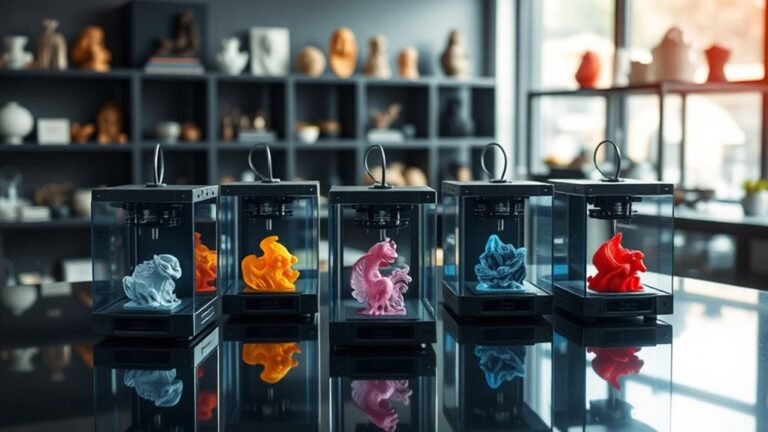
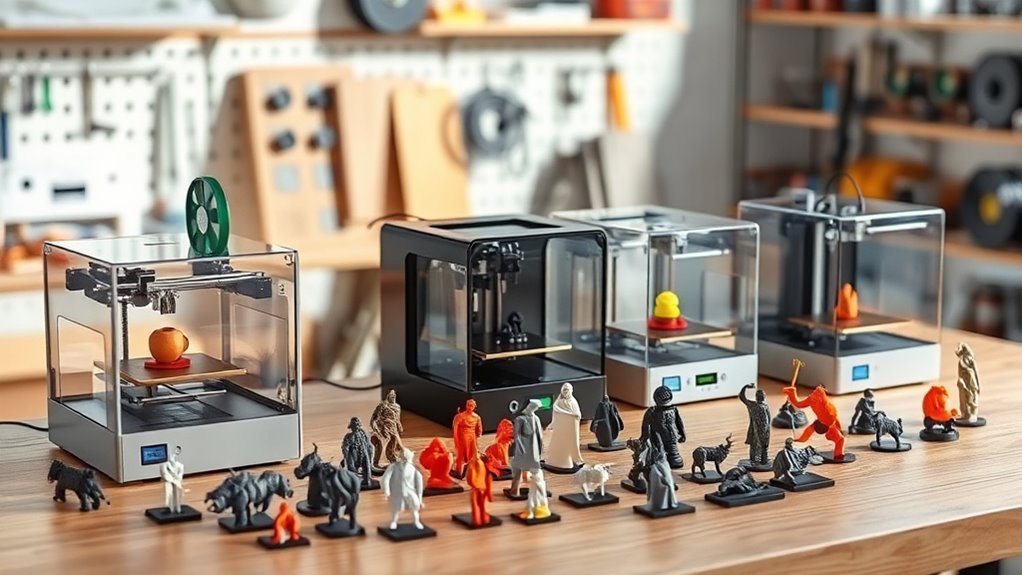
If you’re diving into the world of tabletop minis, having the right 3D printer makes all the difference. Whether you’re after ultra-fine detail, multi-color prints, or a larger build volume, there’s a printer out there that fits your style and budget perfectly. From resin printers that capture razor-sharp details to combo machines that handle color with ease, the options keep getting better every year.
For ultra-fine detail, the phrozen Sonic Mini 8K Resin printer offers a razor-sharp 22 µm resolution, perfect for minis. Want to tackle multi-color projects? The Bambu Lab A1 Mini Combo with AMS lite excels at seamless, quiet prints that bring your models to life.
Need a bigger build volume without sacrificing precision? The phrozen Sonic Mighty 8K strikes a great balance.
On a tighter budget? The MALYAN S100 and ELEGOO Mars 5 both deliver quality results with user-friendly setups. Keep exploring to find the one that suits your mini-making style best!
| Image | Name | Editor's Rating | Price |
|---|---|---|---|

|
|
||

|
|
||

|
|
||

|
|
||
|
|
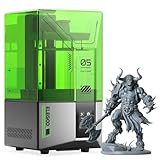
phrozen Sonic Mini 8K Resin 3D Printer
- Beginner Friendly - With an attractive value for money and user-friendly specifications, the Phrozen Sonic Mini 8K is the ideal 3D printer for beginners.
- Art with Precision - Immerse yourself in a world of detail with an XY resolution of 22 microns and the 8K mono LCD where every nuance of your works comes to life.
- Compact and Powerful - The resin printer offers sufficient space to let your creativity run wild with a printing volume of 16.5 x 7.2 x 17 cm and a load capacity of up to...
- Wide Compatibility - The support for open source software and your favourite slicers such as Lychee, Chitubox or Tango assures you the freedom to realize your ideas...
- Sophisticated Technology - Thanks to the precise Z-axis calibration, the printer ensures even and accurate printing and takes your craft to a new level.
Experience precision printing like never before with the phrozen Sonic Mini 8K Resin 3D Printer. Designed to bring your tabletop miniatures to life, it captures every detail with remarkable clarity. Its 7.1-inch monochrome 8K LCD and 22-micron XY resolution ensure your models boast sharp, intricate features without complex setup.
This printer’s build volume comfortably fits most miniatures, making it ideal for hobbyists focused on detailed small-scale projects. The Z-axis calibration system maintains accuracy across prints, reducing errors and wasted material. Its compatibility with popular slicers like Lychee and Chitubox, along with open-source software support, makes it accessible to both beginners and experienced users.
Maintenance is straightforward, and although it weighs 22 pounds, the solid build quality ensures stable printing. While its size limits larger models, it excels at producing fine details in miniatures. Some users may encounter occasional troubleshooting, but the printer’s performance consistently delivers high-resolution results.
Best for: hobbyists and beginners seeking detailed, reliable resin 3D printing for tabletop miniatures.
What We Like:
- High resolution with 22 µm XY detail for sharp prints
- User-friendly compatibility with popular slicers and software
- Precise Z-axis calibration for consistent accuracy
- Robust build quality ensures stable operation
Specification:
| Feature | Details |
|---|---|
| Manufacturer | phrozen |
| Display Size | 7.1 inches |
| Resolution | 8K monochrome LCD (22 µm XY) |
| Build Volume | Suitable for miniatures |
| Weight | 22 lb (10 kg) |
Bambu Lab A1 Mini Combo, A1 Mini 3D Printer&AMS lite, Multi-Color Printing
- High-Speed Precision: Experience unparalleled speed and precision with the Bambu Lab A1 Mini 3D Printer. With an impressive acceleration of 10,000 mm/s², the A1 Mini...
- Multi-Color Printing with AMS lite: Unlock your creativity with vibrant and multi-colored 3D prints. The Bambu Lab A1 Mini 3D printers make multi-color printing...
- Full-Auto Calibration: Say goodbye to manual calibration hassles. The A1 Mini 3D printer takes care of all the calibration processes automatically, ensuring optimal...
- Active Flow Rate Compensation: Achieve consistently smooth prints with active flow rate compensation. The algorithm actively compensates the flow rate according to the...
- Easy and Quiet 3D Printing: A1 mini 3D printer offers easy printing with a user-friendly interface and simplified touchscreen. Setup for your first print takes just...
The Bambu Lab A1 Mini Combo redefines what a compact 3D printer can do for tabletop mini enthusiasts. Its integration with the AMS lite system allows you to produce multi-color prints effortlessly, adding vibrancy and detail without complex setups. This printer excels in delivering smooth extrusion and precise results through active flow rate compensation.
Maintenance is straightforward with full-auto calibration and quick 1-Clip nozzle swaps, reducing downtime and keeping projects moving. The setup process is user-friendly, enabling you to start printing in roughly 20 minutes. Its quiet operation, running under 48 dB, ensures it fits comfortably in any workspace without distraction.
Designed for both beginners and seasoned users, the printer features an intuitive touchscreen that simplifies control and navigation. Its compact size supports creative projects on a manageable scale, while compatibility with MakerWorld’s model library expands your design possibilities. Although its build volume limits larger prints, it remains a versatile tool for intricate multi-color creations.
Best for: tabletop mini enthusiasts and beginners seeking an easy-to-use, multi-color 3D printing solution with high-speed precision and quiet operation.
What We Like:
- Seamless multi-color printing with included AMS lite.
- Simplified maintenance via full-auto calibration and fast nozzle swaps.
- Quiet operation (≤48 dB) ideal for shared or home environments.
- User-friendly touchscreen interface for easy control.
- Compact design fits well on desks or small workspaces.
Specification:
| Specification | Details |
|---|---|
| Manufacturer | Bambu Lab |
| Dimensions | 16.77 x 14.82 x 19.5 inches |
| Weight | 22 pounds (9.98 kg) |
| Color Options | Not specified |
| Special Features | AMS lite multi-color system, 1-Clip nozzle swap, full-auto calibration |
phrozen Sonic Mighty 8K Resin 3D Printer
- Ultra-Fine 8K Resolution - Capture miniature-level detail and high-resolution surfaces without the need for post-polish with 28µm Ultra-Fine XY Resolution.
- Enhanced Volume with 8K Detail - Print larger, sharper models with a 10" monochrome LCD and 8.6" x 4.8" x 9.3" printing volume.
- Stable Z-axis Structure - Reinforced dual linear rails ensure precise layer alignment and smoother vertical motion throughout each print.
- Highly Efficient Operation - Smart firmware, consistent exposure, and improved thermal performance reduce failed prints and save time.
- Ideal for Resin Creators - Whether you're making action figures or professional-grade prototypes, this 3D resin printer handles it with ease.
The phrozen Sonic Mighty 8K Resin 3D Printer is designed for those who demand exceptional detail in their tabletop miniatures and models. Its 10-inch monochrome LCD screen produces an 8K resolution with 28 µm XY precision, delivering crisp, high-resolution surfaces that reduce the need for extra finishing work.
This printer’s reinforced dual linear rails stabilize the Z-axis, ensuring smoother layer alignment and more accurate prints. It also features smart firmware that adjusts exposure and manages heat effectively, minimizing failed prints and saving valuable time during production.
With a build volume of 8.6 × 4.8 × 9.3 inches, it handles larger, intricate models without compromising detail. The machine’s weight of 31.5 pounds requires a sturdy workspace but contributes to its overall stability and consistent print quality. Maintenance is straightforward, thanks to its robust design and reliable components.
Best for: hobbyists and professionals who need ultra-fine detail and high-resolution surface quality in resin 3D prints, especially for miniatures, models, and prototypes.
What We Like:
- 8K resolution with 28 µm precision for ultra-fine details
- Dual linear rails ensure stable and smooth Z-axis movement
- Smart firmware reduces failed prints through optimized exposure and thermal control
Specification:
| Feature | Details |
|---|---|
| Manufacturer | phrozen |
| Dimensions | Not specified |
| Weight | 31.5 lb (14.3 kg) |
| Build Volume | 8.6 × 4.8 × 9.3 inches |
| LCD Screen | 10-inch monochrome LCD |
| Resolution | 8K (28 µm XY precision) |
MALYAN S100 Mini Resin 3D Printer with 2K LCD
- 【Entry-level Resin 3D Printer】MALYAN S100 features a 5.5-inch LCD screen with a resolution of 2560x1440, which can better restore 3d printing models and realize...
- 【Auto Calibrates And Leveling】MALYAN S100 Mini resin 3d printer has a printing size of 115x65x110 mm, which can be calibrated and run in one click. It automatically...
- 【Magnetic Build Plate】The magnetic build plate is easy to remove and takes the hassle out of cleaning and prepping for multiple print jobs in quick succession. The...
- 【Upgraded light source】The 57W parallel LED array can provides a stable and uniform parallel light source, thus effectively reducing the layer lines and eliminating...
- 【Laser-engraved Build Plate】S100 is equipped with a laser engraved platform, which has excellent flatness that can increase model adhesion, making the 3d model hard...
The MALYAN S100 Mini Resin 3D Printer offers a simple and efficient solution for those new to resin printing. Its one-click auto calibration and leveling take the guesswork out of setup, helping beginners get started quickly without frustration. This ease of use can save valuable time and reduce errors during your printing projects.
Equipped with a 5.5-inch 2K LCD, the printer delivers high-resolution details that bring miniatures to life with crisp and smooth finishes. The magnetic, laser-engraved build plate ensures your models stick securely during printing yet come off easily once complete, minimizing the risk of damage.
Compact and lightweight, the S100 fits comfortably on any desk while offering a printing volume suitable for small to medium-sized models. Maintenance is straightforward, making it ideal for hobbyists who want a reliable printer without complex upkeep.
While the print area is limited and the power rating moderate, this printer balances precision with accessibility. It’s a practical choice for those who prioritize simplicity and quality in a beginner-friendly resin printer.
Best for: Beginners and hobbyists seeking an easy-to-use, compact resin 3D printer with good detail and simple setup.
What We Like:
- One-click auto calibration simplifies setup for novices.
- Sharp 5.5″ 2K LCD delivers detailed prints.
- Magnetic, laser-engraved build plate for secure adhesion and easy model removal.
Specification:
| Feature | Details |
|---|---|
| Manufacturer | MALYAN |
| Printing Volume | 115 x 65 x 110 mm |
| LCD Screen Size | 5.5 inches |
| LCD Resolution | 2K |
| Power Consumption | 57W |
| Build Plate | Magnetic, laser-engraved |
| Dimensions | Compact (exact size not provided) |
| Weight | Lightweight (exact weight not provided) |
ELEGOO Mars 5 Resin 3D Printer
- 【Effortless Magic with One-Click Automatic Leveling】Effortless precision is just a click away. ELEGOO Mars 5 resin 3D printer offers advanced automatic leveling...
- 【Print Smarter, Print Worry-Free】With a smart mechanical sensor, ELEGOO Mars 5 resin printer supports residue detection to prevent damage to the LCD screen. Plus...
- 【One-Click Self-Check, Ensuring Reliable Prints】Tired of setup hassles and unexpected errors ruining your printing projects? With just a simple click, ELEGOO Mars...
- 【4K Mono LCD for Stunning Details】Featuring a 4K mono LCD with advanced COB light source, ELEGOO Mars 5 impresora 3D de resina faithfully reproduces intricate details...
- 【Advanced Overheat Protection, Cool and Safe】No more overheating worries. The advanced overheat protection automatically halts printing and triggers an alarm if the...

Experience precision and ease with the ELEGOO Mars 5 Resin 3D Printer, designed to bring your detailed tabletop miniatures to life. Its 4K mono LCD with COB light source ensures your prints have crisp textures and fine details, reducing the need for post-processing.
Setting up is quick thanks to the automatic one-click leveling and self-check, which help prevent printing errors and save time. This printer is built to maintain smooth operation by detecting resin residue and alerting you to resin shortages or leveling problems.
Maintenance is straightforward with advanced cooling and overheat protection that safeguard the machine from damage. Its compact design suits desktop use, though the build volume limits larger projects. The printer’s reliable performance supports consistent, high-quality results for hobbyists.
This 3D printer is ideal for users who want a combination of detailed output and hassle-free setup to enhance their creative workflow.
Best for: hobbyists and tabletop gamers seeking a reliable resin 3D printer for detailed miniatures with easy maintenance.
What We Like:
- High-resolution 4K mono LCD for sharp, detailed printing
- Automatic leveling and self-check reduce setup time and errors
- Safety features like resin residue detection and overheat protection
- Compact design suited for desktop use
Specification:
| Attribute | Details |
|---|---|
| Manufacturer | ELEGOO |
| Build Volume | 5.65 × 3.53 × 5.91 inches |
| Weight | 14.52 pounds |
| Display Type | 4K Mono LCD with COB light |
| Cooling System | Advanced cooling with overheat protection |
Factors to Consider When Choosing a 3d Printer for Tabletop Minis
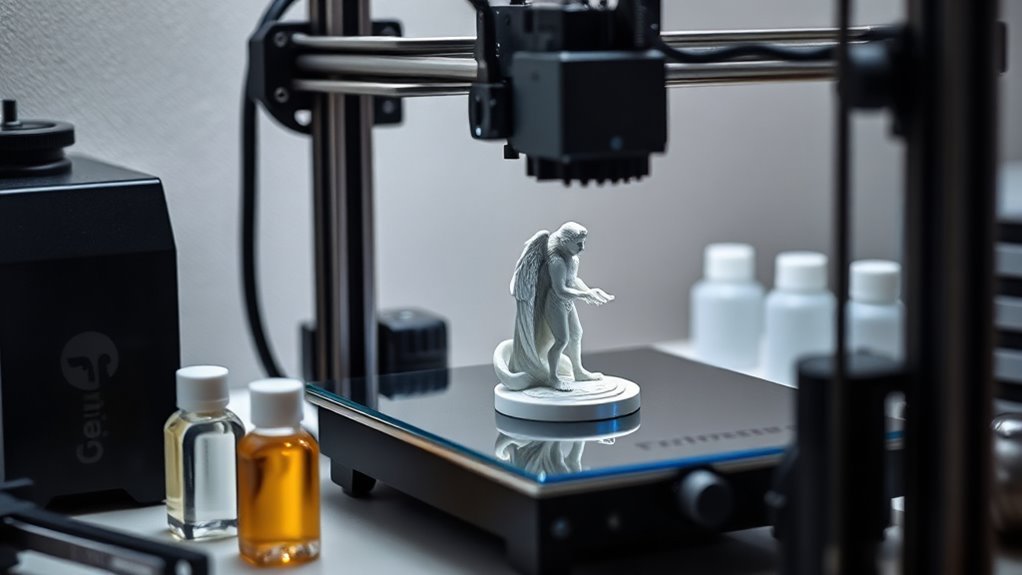
When choosing a 3D printer for tabletop minis, you need to balance print resolution with speed. This helps capture fine details without long wait times.
Consider the build volume to make certain your printer fits the size of your projects. Also, check material compatibility for the types of resin or filament you want to use.
Don’t forget ease of use, since a user-friendly setup can save you time and frustration. It really makes a difference when you’re getting started or tweaking prints.
Print Resolution Importance
Although many factors influence the quality of your tabletop minis, print resolution plays a pivotal role in capturing sharp facial features, fine armor details, and thin weapons without visible pixelation.
Aim for an XY resolution of 20–50 µm to guarantee crisp detail, and choose Z-layer thickness between 25–50 µm for smooth vertical surfaces without excessive print times. Going below 25 µm is only necessary for ultra-smooth finishes.
Don’t get distracted by high “K” or DPI specs—focus on true effective voxel size after optics and anti-aliasing. Resin printers typically outperform FDM here, thanks to their finer voxel-based resolution.
Build Volume Needs
Choosing the right build volume can make or break your 3D printing experience for tabletop minis. If you mainly print single figures or small squads, a build area around 6–9 cm square by 6–10 cm tall usually fits your needs and lets you stack a few minis at once.
But if you want to tackle full squads, multi-part vehicles, or large bases in one go, aim for at least 12 × 12 × 12 cm to avoid tedious slicing and assembly. Pay close attention to Z height; taller models or scenic pieces might need 9–15 cm vertical space.
Keep in mind, a bigger build volume doesn’t always mean faster prints or better quality, as part orientation and XY resolution impact results. Balance batch size with print time and material use for best efficiency.
Material Compatibility Options
Picking the right material compatibility for your 3D printer can make a big difference in the quality and durability of your tabletop minis. Resin printers using SLA, DLP, or LCD technology deliver exceptional surface detail with layer heights as fine as 20–50 microns. This is perfect for crisp facial features and armor.
You’ll find resins with various properties—standard, flexible, hard, or even castable—tailored to your mini’s needs. Whether you want toughness or fine detail, there’s a resin for that. Water-washable resins simplify cleanup but require attention to curing and shelf life.
On the other hand, FDM printers use filaments like PLA or PETG, which cost less and suit larger terrain. But they can’t match resin’s fine detail. Consider specialty resins and colorants if you plan to paint or cast your models.
Ease of Use
How easily you can operate your 3D printer plays a huge role in your tabletop mini printing experience. Look for models with one-click or fully automatic bed leveling and Z-offset calibration to reduce setup time and avoid failed first layers.
A monochrome LCD screen speeds up curing times and simplifies resin handling, cutting down wait periods and exposure tweaks. Beginner-friendly software with presets for resin types and layer heights minimizes slicer setup and trial-and-error.
Clear, responsive touchscreens and straightforward file transfers via USB, SD, or Wi-Fi help you breeze through menus and workflow. Plus, printers backed by extensive community documentation, tutorials, and reliable firmware updates make troubleshooting and learning much easier, especially if you’re new to resin printing.
Speed Versus Detail
While speed can be tempting when printing tabletop minis, you’ll need to balance it carefully with the level of detail you want. Higher XY resolution delivers finer details but often requires slower exposures and thinner layers, which extends print time.
Increasing layer height speeds prints markedly—cutting time by more than half when moving from 0.02 mm to 0.05 mm layers—but it also reduces vertical detail and smoothness on curves. You can push faster peeling and lift speeds, but that risks layer shifts and surface flaws. So, don’t sacrifice reliability just for speed.
Resin printers trade shorter exposure times for detail, meaning ultra-fine features take longer due to more cure cycles. It’s all about matching your print settings to your minis’ purpose.
If you want display-quality models, go for slower, high-res prints. But if you’re making mass tabletop tokens where detail isn’t as critical, faster prints with thicker layers will do just fine.
Post-Processing Requirements
Because resin prints require careful cleaning and curing, you’ll need to plan for post-processing when choosing a 3D printer for tabletop minis. After printing, you’ll spend 2–10 minutes washing your model in isopropyl alcohol or safer alternatives. Then, you’ll cure it under UV light for 2–20 minutes, depending on size and resin type.
Removing supports and rafts is essential. Use fine needle files and 400–2000 grit sandpaper to smooth seams without losing detail.
To get the best surface, prime and apply filler before painting. This helps minimize layer lines and imperfections.
Remember to prioritize safety—wear nitrile gloves, eye protection, and work in a ventilated space or with an extraction system. Post-processing often takes longer than printing and requires additional consumables, so factor that into your workflow.
Frequently Asked Questions
How Do Resin Fumes Affect Indoor Air Quality?
Resin fumes release volatile organic compounds that can irritate your eyes, nose, and lungs. It’s pretty important to be aware of that when you’re working with resin printers.
You should always use resin printers in well-ventilated areas or with air purifiers. This helps keep your indoor air safe and clean.
What Post-Processing Tools Are Essential for Mini Printing?
To bring your minis to life, you’ll need gentle helpers like a fine brush, a craft knife, and a soothing bath of isopropyl alcohol.
Don’t forget a UV light to give your prints their final glow. It really makes a difference!
Can These Printers Handle Materials Beyond Resin?
Yes, many of these printers can handle materials beyond resin, like certain flexible or composite filaments.
You’ll just need to check compatibility and possibly adjust settings or use different print heads for peak results.
How Does Temperature Affect Print Quality?
Temperature’s like a temperamental artist—if it’s off, your print quality suffers. You’ll find that too hot or cold alters resin curing, causing warping or weak details.
Keep it steady for crisp, flawless minis every time.
What Safety Precautions Are Needed When Using Resin Printers?
You should wear gloves and a mask to avoid skin contact and inhalation of fumes. Work in a well-ventilated area.
Also, keep resin away from children and pets. Clean spills immediately to stay safe. It’s all about being careful and prepared!
Conclusion
So, you want to turn your dusty tabletop into a tiny army of flawless minis? Grab one of these 3D printers before your imagination outruns your budget—and your patience. Whether it’s the Sonic Mini 8K’s precision or the Bambu Lab’s color wizardry, these machines practically print victory on a platter.
Just don’t blame us when your coffee table looks more like a sci-fi battlefield than a place for snacks. Ready to dominate your next game night? With the best 3D printers for tabletop minis in 2027, crafting detailed, vibrant miniatures has never been easier or more fun. Dive into the world of high-res prints and color accuracy, and watch your gaming experience transform right before your eyes. Your tabletop deserves the best, and these printers deliver exactly that.