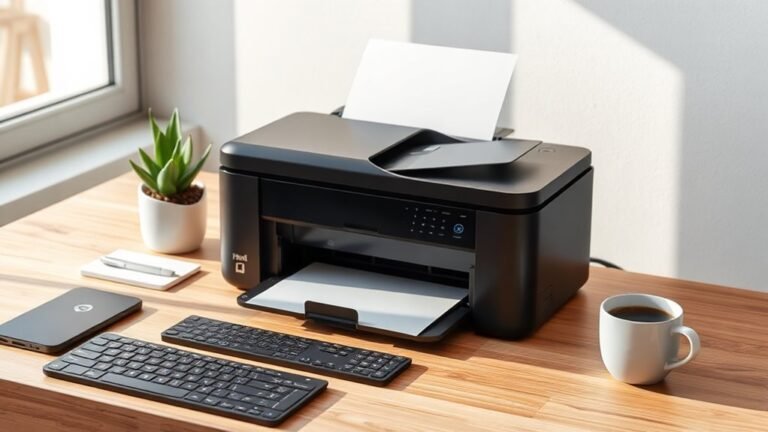
4 Best Bluetooth Printer and Scanner Combos for 2027
For 2027, you’ll want Bluetooth printer and scanner combos like the Canon PIXMA TS4320, HP Envy Photo 7975, Canon PIXMA TR4720, and Canon MegaTank G3270.
These models offer sharp prints and efficient wireless connectivity, making them perfect for your home office or creative projects. With versatile all-in-one functionality and fast speeds, they handle everything from everyday documents to vibrant photos.
They come packed with handy features like duplex printing and mobile support, so you can print and scan straight from your smartphone or tablet.
Whether you’re a photo enthusiast or just need reliable gear for work, these combos deliver quality and convenience.
Keep exploring to find out how each can perfectly match your printing and scanning needs.
| Image | Name | Editor's Rating | Price |
|---|---|---|---|

|
|
||

|
|
||

|
|
||

|
|
Canon PIXMA TS4320 – Wireless Color Inkjet Printer with Print, Copy, Scan
- Affordable Versatility - A budget-friendly all-in-one printer perfect for both home users and hybrid workers, offering exceptional value
- Crisp, Vibrant Prints - Experience impressive print quality for both documents and photos, thanks to its 2-cartridge hybrid ink system that delivers sharp text and vivid...
- Effortless Setup & Use - Get started quickly with easy setup for your smartphone or computer, so you can print, scan, and copy without delay
- Reliable Wireless Connectivity - Enjoy stable and consistent connections with dual-band Wi-Fi (2.4GHz or 5GHz), ensuring smooth printing from anywhere in your home or...
- Scan & Copy Handling - Utilize the device’s integrated scanner for efficient scanning and copying operations

The Canon PIXMA TS4320 combines compact design with reliable performance for everyday printing, copying, and scanning needs. Its small footprint and stylish look make it an ideal choice for home offices or small workspaces. This printer simplifies your tasks with straightforward controls and wireless connectivity.
You’ll benefit from sharp, clear prints thanks to its hybrid 2-cartridge ink system. The print resolution can reach up to 1200 x 1200 dpi, delivering detailed color and black-and-white documents. Wireless dual-band Wi-Fi and mobile printing support keep you connected without hassle.
Maintenance is easy with the auto-duplex feature that reduces paper waste by printing on both sides automatically. The flatbed scanner accommodates various media types, making it versatile for scanning photos, documents, or receipts. It’s designed to handle daily tasks without complexity.
While the PIXMA TS4320 lacks an advanced display screen, its simple interface suits users who prefer straightforward operation. Print speeds are moderate, especially for color prints, and the 100-sheet paper capacity is best for light to moderate use.
Best for: Individuals seeking a compact and easy-to-use all-in-one printer for everyday home or small office tasks.
What We Like:
- Compact design with wireless dual-band Wi-Fi and mobile printing options
- Sharp print quality with hybrid 2-cartridge ink system at 1200 x 1200 dpi
- Auto-duplex printing reduces paper waste and supports diverse media types
- Simple controls suitable for everyday use without complicated setup
Specification:
| Feature | Details |
|---|---|
| Manufacturer | Canon |
| Dimensions (W×D×H) | Approx. 15.0 × 11.7 × 5.6 inches |
| Weight | 15.5 lb (7.0 kg) |
| Color Options | Not specified |
| Connectivity | Wireless dual-band Wi-Fi, Mobile printing (Canon app, AirPrint, Mopria) |
HP Envy Photo 7975 Wireless Inkjet Printer (B63K3A)
- From America's most trusted printer brand, the HP Envy Photo 7975 is a premium multi-purpose home printer with everything families need to learn, work, and create. Loaded...
- PERFECT FOR HOME - The HP Envy Photo 7975 is great for printing documents, high-quality true-to-screen borderless photos, creative projects and more. Print speeds up to...
- 3 MONTHS OF INK INCLUDED - Subscribe to the Instant Ink delivery service to get ink delivered directly to your door before you run out. After 3 months, a monthly fee...
- KEY FEATURES - Print, copy, scan, automatic 2-sided printing, advanced photo features, separate photo tray, auto document feeder, mobile and wireless printing.
- EFFORTLESS PRINTING - Smoothly navigate printing with a large intuitive printer color touchscreen.
The HP Envy Photo 7975 Wireless Inkjet Printer is designed to bring vibrant, high-quality photo and document printing into your home or office. Its ability to produce borderless photos at a sharp 4800 x 1200 dpi resolution ensures your memories and projects look professional and vivid. Automatic duplex printing helps save paper and time, making it ideal for busy households or small workgroups.
This printer offers seamless connectivity through Wi-Fi and USB, so you can print directly from your smartphone, laptop, or PC without hassle. The 2.7” color touchscreen makes navigation simple and intuitive, helping you manage print jobs quickly. A 35-sheet automatic feeder and separate photo tray streamline your workflow, reducing interruptions.
Maintenance is straightforward, especially with the included 3-month Instant Ink trial that prevents unexpected ink shortages. While its print speed may lag behind some laser models and the 125-sheet paper capacity might require frequent refills, it balances photo quality and everyday document printing well. Ink costs can be higher without the subscription, but the convenience of wireless, versatile printing offsets this.
Best for: Families and creative users who want versatile, high-quality photo and document printing with easy wireless connectivity.
What We Like:
- High-resolution borderless photo printing up to 4800 x 1200 dpi
- Automatic duplex printing and 35-sheet automatic document feeder
- Easy-to-use 2.7” color touchscreen for quick navigation
- Supports wireless and mobile printing options
Specification:
| Feature | Details |
|---|---|
| Manufacturer | HP |
| Model | Envy Photo 7975 |
| Dimensions (W×D×H) | 17.27 × 14.76 × 5.84 inches |
| Weight | 13.2 lb (6 kg) |
| Color Options | Black |
Canon PIXMA TR4720 Wireless All-in-One Printer
- Wireless 4-in-1 (print | copy | scan | fax)..Power Consumption: 7W (0.8W Standby / 0.3W Off)
- Print speed up to: 4" x 6" Borderless Photo (PP-201): Approx. 65.0 Seconds / Black Document (Letter/Simplex): Approx. 8.8 ipm / Color Document (Letter/Simplex): Approx...
- Designed for easy ink cartridge installation and replacement.
- Auto 2-sided printing and auto document feeder.
- Produce quality documents, photos and boarderless prints up to 8.5" x 11".
The Canon PIXMA TR4720 stands out with its compact design and versatile wireless capabilities, making printing, scanning, copying, and faxing straightforward. Its sharp 4800 x 1200 dpi resolution ensures clear documents and vibrant color prints. This all-in-one printer fits neatly in small spaces, ideal for home offices or limited desk areas.
Handling everyday tasks efficiently, it prints black-and-white pages at 8.8 ipm and color pages at 4.4 ipm. Automatic duplex printing helps reduce paper waste and saves time, while its 100-sheet front paper tray supports standard letter-size media, meeting common printing needs without bulk.
Connectivity is simple with both USB and Wi-Fi options. You can print directly from mobile devices using Canon’s app, enhancing convenience. Alexa integration adds smart features by notifying you of low ink and enabling easy reordering, reducing maintenance hassles.
Energy efficiency is another key benefit, with an ENERGY STAR rating that lowers power use. Ink replacement is user-friendly, keeping upkeep manageable. However, the limited paper capacity and slower color print speed may affect users with heavier or larger print jobs.
Best for: users seeking a compact, versatile wireless all-in-one printer for home or small office needs with dependable print, scan, copy, and fax functions.
What We Like:
- Automatic duplex printing saves paper and time
- Wireless and mobile app connectivity with Alexa support
- ENERGY STAR certified for energy efficiency
Specification:
| Feature | Details |
|---|---|
| Manufacturer | Canon |
| Dimensions | Compact size (exact size not provided) |
| Paper Capacity | 100 sheets |
| Print Resolution | Up to 4800 x 1200 dpi |
| Print Speed | 8.8 ipm (black-and-white), 4.4 ipm (color) |
| Media Size | Up to 8.5 x 11 inches |
| Connectivity | USB, Wi-Fi |
| Special Features | Automatic duplex, Alexa integration, ENERGY STAR rated |
Canon MegaTank G3270 All-in-One Wireless Color Printer
- Wireless Print/Copy/Scan
- Up to 2 years of ink included (2)
- Print up to 6,000 black & white / 7,700 color pages using a single set of inks! (1)
- Save up to $1,000 on ink (1)
- 1.35” Square LCD display
Compact and efficient, the Canon MegaTank G3270 is designed to meet your everyday printing needs without taking up much space. Its all-in-one capability lets you print, copy, and scan documents easily, making it ideal for home offices or small businesses. The wireless connectivity means you can print directly from your smartphone or tablet, reducing hassle and increasing convenience.
This printer’s MegaTank ink system is built to save you time and money. With the ability to print up to 7,700 color pages on a single ink set, you won’t need frequent refills. This feature minimizes interruptions and keeps your workflow smooth.
Maintenance is straightforward thanks to the high-capacity ink tanks, which are easy to refill. The compact design includes a 100-sheet paper tray, suitable for moderate use, while its energy-efficient operation helps keep running costs low.
While print speeds are moderate, the G3270 delivers sharp black-and-white and color prints consistently. Its simple setup and versatile functions make it a practical choice for users needing a reliable, space-saving printer.
Best for: individuals and small businesses seeking a compact, cost-effective all-in-one wireless color printer for moderate volume printing, copying, and scanning.
What We Like:
- High ink yield with MegaTank system, supporting up to 7,700 color pages per set
- Combines printing, copying, and scanning in a compact desktop design
- Wireless and USB connectivity for easy mobile device printing
- Easy-to-refill ink tanks reduce maintenance effort
Specification:
| Feature | Details |
|---|---|
| Manufacturer | Canon |
| Dimensions | Compact size (exact dimensions not provided) |
| Weight | Not specified |
| Color Options | Not specified |
| Connectivity | Wi-Fi, USB |
| Paper Tray Capacity | 100 sheets |
Factors to Consider When Choosing a Bluetooth Printer and Scanner
When choosing a Bluetooth printer and scanner, you’ll want to check the connectivity options to guarantee smooth pairing with your devices. It’s important to make sure everything links up easily without any hassle.
Consider the print quality and scanning resolution to meet your specific needs. You want your documents and images to look sharp and clear, right?
Don’t forget to evaluate compatibility, speed, and overall efficiency for the best performance. After all, a device that works quickly and well with your gadgets will save you a lot of time and frustration.
Connectivity Options Available
Choosing the right connectivity options is essential for getting the most out of your Bluetooth printer and scanner combo. Most Bluetooth printers offer wireless connections, letting you print directly from smartphones, tablets, and laptops without cables.
Many also support dual-band Wi-Fi (2.4GHz and 5GHz), so you get reliable performance regardless of your network setup. If you often print on the go, look for compatibility with apps like Apple AirPrint and Google Cloud Print for seamless mobile printing.
Some models include USB ports, giving you the option for faster, wired transfers when needed. Plus, integration with smart home devices can let you print or get notifications using voice commands, boosting your efficiency and convenience.
Print Quality Standards
Although many factors influence your decision, print quality stands out as one of the most important when selecting a Bluetooth printer and scanner combo. You’ll want to check the dots per inch (dpi) rating—higher resolutions like 4800 x 1200 dpi deliver sharper, more detailed images, especially for photos.
Color accuracy and depth matter too, as they affect how vibrant your prints look. A hybrid ink system, blending dye-based and pigment-based inks, can enhance colors and deepen blacks for richer results.
Also, consider print speed; typical color printers range from 6 to 10 pages per minute, which impacts your productivity. Finally, borderless printing lets you create professional edge-to-edge prints on up to 8.5 x 11 inches, perfect for photos and brochures.
Scanning Resolution Capabilities
Understanding scanning resolution capabilities is essential for getting the most out of your Bluetooth printer and scanner combo. Scanning resolution, measured in dots per inch (dpi), determines the detail and clarity of your scanned images.
For everyday document scanning, 600 x 600 dpi is usually enough. But if you want sharper results for detailed graphics, 1200 x 1200 dpi is the way to go.
If you plan to scan high-quality photos or intricate artwork, look for a model with a higher maximum optical resolution. It’s better to rely on true optical resolution rather than software-enhanced interpolated resolution.
Also, consider features like automatic two-sided scanning. This can boost your efficiency without compromising image quality.
Device Compatibility Range
When you pick a Bluetooth printer and scanner combo, making certain it works smoothly with all your devices helps avoid frustration later. Look for models supporting a wide range of operating systems like Windows, macOS, and mobile platforms.
This guarantees versatility whether you’re using a laptop, desktop, tablet, or smartphone. Don’t forget to check for mobile printing features such as AirPrint and Mopria to print seamlessly from iOS and Android devices.
Also, consider devices that offer USB connectivity alongside Bluetooth, so you can connect wired when needed. Finally, verify the supported file formats for scanning and printing—this affects how well the device integrates with your apps and workflow.
Prioritizing compatibility upfront saves you hassle and boosts productivity across all your gadgets.
Speed And Efficiency
Ensuring your Bluetooth printer and scanner combo works seamlessly with your devices sets the stage for smooth operation, but speed and efficiency determine how well it keeps up with your workflow.
You’ll want to look at print speeds—inkjet printers typically churn out 4 to 14 color pages or up to 15 black-and-white pages per minute. Keep in mind, high-resolution prints (around 4800 x 1200 dpi) offer stunning detail but take longer.
The initial page print time, usually 9 to 10 seconds, affects how fast your first document appears. Automatic duplex printing boosts efficiency by handling double-sided jobs without extra effort.
For scanning and copying, speeds from 4 to 9 pages per minute influence your multitasking capabilities, helping you stay productive throughout the day.
Paper Handling Capacity
How much paper can your Bluetooth printer and scanner handle before you need to refill it? Paper handling capacity refers to the maximum sheets your device’s input tray holds.
If you print often or in large volumes, aim for a capacity of 100 sheets or more to minimize interruptions. Also, consider whether your printer supports different media types like envelopes, cardstock, or photo paper. That way, you get more versatility for your projects.
An automatic document feeder (ADF) is a major plus. It lets you scan or copy multiple pages automatically, which really boosts productivity.
Don’t forget to check the maximum media size your printer can handle. This tells you if you can print larger documents without constantly swapping paper.
Choosing a device with strong paper handling capacity guarantees smoother, more efficient printing and scanning sessions. Makes your work way easier in the long run!
Energy Consumption Levels
Although Bluetooth printers and scanners offer convenience and flexibility, their energy consumption levels play an essential role in your overall experience and cost. You should look for models with low power usage, some operating at just 7 watts during active use and even less in standby mode.
Choosing ENERGY STAR-certified devices helps reduce electricity bills while supporting eco-friendly practices. Don’t overlook power consumption in both active and idle states since printers still draw energy when not printing.
Many modern combos include energy-saving modes that automatically cut power when idle, boosting efficiency without compromising performance. Evaluating a printer’s wattage alongside features guarantees you pick a device that balances operational costs and functionality, making your investment smarter and more sustainable.
Maintenance And Support
When you choose a Bluetooth printer and scanner, regular maintenance is key to keeping it running smoothly and extending its lifespan. Cleaning print heads and replacing cartridges promptly help maintain peak performance.
Check the warranty length—most models offer about one year of coverage, which typically includes parts and service. But keep in mind, extended support often costs extra.
Also, consider how easy it is to find replacement parts and cartridges. Limited availability can really hinder long-term use.
Manufacturer support varies a lot. Some provide free technical help during the warranty period, while others might charge afterward.
Finally, look for energy efficiency certifications like ENERGY STAR. These indicate lower operating costs and an environmentally friendly design. That makes maintenance easier and more cost-effective over time.
Frequently Asked Questions
How Secure Is Bluetooth Printing Compared to Wi-Fi Printing?
Bluetooth printing is generally more secure than Wi-Fi printing because it uses short-range connections, reducing hacking risks.
That said, you should still enable encryption and authentication to protect your documents from unauthorized access. It’s always better to be safe than sorry!
Can Bluetooth Printers Connect to Multiple Devices Simultaneously?
You won’t find a Bluetooth printer juggling more devices than a circus performer, but most can connect to multiple devices one at a time.
You’ll need to switch connections manually; simultaneous printing isn’t usually supported.
What Is the Typical Battery Life of Portable Bluetooth Printers?
You’ll typically get 4 to 8 hours of battery life from portable Bluetooth printers, depending on usage and model.
Some can last a full day with light printing, while heavier use drains them faster. So, it really depends on how much you’re printing.
Are There Any Apps Recommended for Managing Bluetooth Printer Settings?
Over 70% of users prefer apps like Epson iPrint or HP Smart for managing Bluetooth printer settings. You’ll find these apps intuitive, letting you customize print jobs, monitor ink, and troubleshoot directly from your smartphone effortlessly.
They really make handling your printer a breeze. Plus, you don’t need to be tech-savvy to get everything set up and running smoothly. Give them a try, and you might find printing from your phone way easier than you thought!
Can Bluetooth Printers Scan Directly to Cloud Storage Services?
Yes, many Bluetooth printers let you scan directly to cloud storage like Google Drive or Dropbox.
You’ll usually need the printer’s app, which connects to your cloud account for seamless scanning and saving on the go.
It’s pretty convenient once you set it up! Just a few taps and your scans are saved without needing a computer.
Conclusion
Choosing the right Bluetooth printer and scanner combo can make your life so much easier. Whether you prioritize color quality, speed, or ink savings, these top picks have you covered.
Don’t forget to evaluate connectivity, compatibility, and your specific needs before deciding. So, why settle for anything less than seamless printing and scanning at your fingertips?
With the right choice, you’ll enjoy convenience and efficiency every time you print or scan. Bluetooth printer and scanner combos offer the perfect blend of wireless freedom and functionality, making them ideal for home or office use.
By choosing a reliable combo, you ensure smooth connectivity, quick setup, and hassle-free operation. In the end, finding the best Bluetooth printer and scanner combo means enjoying high-quality prints and scans without the clutter of cables.