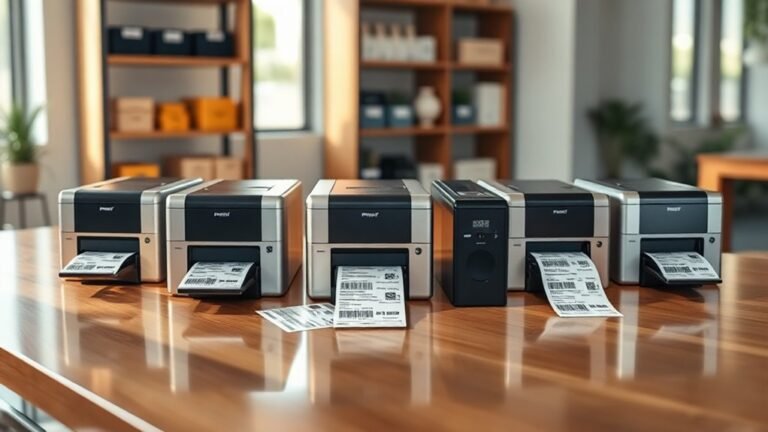
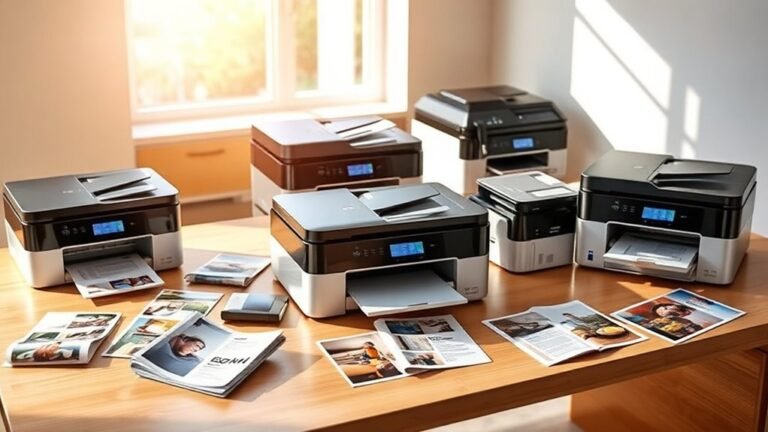
9 Best Brother Wireless Printers for 2027 That Impress Every Time
If you’re on the hunt for reliable Brother wireless printers in 2027, you’ve got some great choices.
Models like the HL-L2405W and HL-L2460DW are perfect for fast, crisp monochrome printing—ideal for home office setups.
Looking for vibrant color prints? Brother’s INKvestment series, including the 4355 and 6960, delivers just that.
They also feature smart duplexing and high-capacity trays to keep your workflow smooth.
Need an all-in-one printer? The MFC-J1365DW and Work Smart 1360 strike a nice balance between color quality and handy scanning features.
Whether it’s efficiency, sharp output, or advanced connectivity you’re after, there’s a Brother wireless printer tailored for you.
Dive into the full lineup and find the one that fits your needs perfectly!
| Image | Name | Editor's Rating | Price |
|---|---|---|---|

|
|
||

|
|
||

|
|
||

|
|
||

|
|
Brother HL-L2405W Wireless Monochrome Laser Printer
- BEST FOR HOMES & HOME OFFICES – Engineered for consistent, premium print quality, the Brother HL-L2405W Monochrome (Black & White) Laser Printer delivers sharp, crisp...
- COMPACT, CONNECTED PRINTER – Flexible connection options make this an ideal printer for home use and at-home offices. Securely connect to multiple devices with built-in...
- BROTHER MOBILE CONNECT APP – Manage your printer remotely and print from your mobile device anytime, from almost anywhere. Order Brother Genuine Supplies, track toner...
- VERSATILE PAPER HANDLING – Enjoy seamless, reliable everyday printing with the 250-sheet paper tray(4) and a manual feed slot that enables printing on envelopes and...
- BROTHER IS AT YOUR SIDE – Backed by Brother with a 1-year limited warranty and free online, call, or live chat support for the life of your printer

The Brother HL-L2405W Wireless Monochrome Laser Printer is designed to meet the needs of small spaces while delivering reliable black-and-white printing. Its compact build fits easily in home offices or dorm rooms without sacrificing performance. This printer ensures fast output, producing sharp text at a resolution of 1200 x 1200 dpi, making documents clear and professional.
Connectivity is straightforward with dual-band Wi-Fi and USB options, allowing seamless printing from multiple devices, including smartphones via the Brother Mobile Connect app. The 250-sheet paper tray plus a manual feed slot support various media types, helping you manage daily printing tasks efficiently.
Maintenance is simple with easy access to replace toner and clear paper jams, reducing downtime. While it offers manual duplex printing, users must flip pages themselves, which is a minor trade-off for its compact size and affordability. The monochrome output focuses on crisp text rather than color images, ideal for text-heavy documents.
Best for: Small home offices, dorm rooms, and compact workspaces needing fast, reliable black-and-white printing with wireless convenience.
What We Like:
- Fast printing speed of up to 30 pages per minute with sharp resolution
- Dual-band wireless and USB connectivity for versatile device use
- Compact design with a 250-sheet tray and manual feed slot for flexible media handling
Specification:
| Feature | Details |
|---|---|
| Manufacturer | Brother |
| Dimensions | Compact size (exact size not provided) |
| Weight | Not specified |
| Print Technology | Monochrome Laser |
| Print Speed | Up to 30 pages per minute |
| Resolution | 1200 x 1200 dpi |
| Connectivity | Dual-band Wi-Fi, USB |
| Paper Capacity | 250-sheet tray + manual feed slot |
Brother HL-L2460DW Wireless Monochrome Laser Printer
- BEST FOR HOME OFFICES & SMALL TEAMS – Engineered for consistent, premium print quality, the Brother HL-L2460DW Monochrome (Black & White) Laser Printer produces...
- COMPACT, CONNECTED, EXCEPTIONALLY EFFICIENT– Connect with built-in dual-band wireless (2.4GHz/5GHz), Ethernet, or to a single computer via USB interface. Prints at...
- BROTHER MOBILE CONNECT APP – Manage your wireless printer remotely and print from your mobile device anytime, from almost anywhere. Order Brother Genuine Supplies...
- VERSATILE PAPER HANDLING – Tackle high-volume black & white printing with the 250-sheet capacity paper tray.(4) The manual feed slot enables printing on envelopes and...
- BROTHER IS AT YOUR SIDE – Backed by Brother with a 1-year limited warranty and free online, call, or live chat support for the life of your printer
Experience efficient black-and-white printing designed to keep your home office or small team productive. The Brother HL-L2460DW Wireless Monochrome Laser Printer offers fast printing speeds up to 36 pages per minute, helping you complete tasks quickly without waiting. Its automatic duplex feature reduces paper use, making printing more eco-friendly and cost-effective.
This printer’s compact design fits neatly on your desk, saving valuable space while handling day-to-day printing needs. The 250-sheet tray accommodates various media types, including envelopes, so you can easily print invoices, letters, and more without frequent paper refills.
Maintenance is straightforward with the Toner Save Mode, extending cartridge life and reducing your running costs. Stay connected effortlessly through its versatile options, including dual-band wireless, Ethernet, and USB, allowing seamless printing from laptops, tablets, or smartphones.
The Brother Mobile Connect app enhances convenience by enabling remote print management, so you control your workflow even when away. Crisp 1200 x 1200 dpi resolution ensures clear, professional-quality text with every page.
Best for: small teams and home office users seeking fast, reliable monochrome printing with wireless and mobile connectivity.
What We Like:
- Fast print speed with automatic duplex saves time and paper
- Multiple connectivity options for flexible device use
- Toner Save Mode lowers printing costs
- Compact footprint suits limited workspace
- Easy remote management via mobile app
Specification:
| Feature | Details |
|---|---|
| Manufacturer | Brother |
| Model | HL-L2460DW |
| Print Technology | Monochrome Laser |
| Print Speed | Up to 36 ppm |
| Resolution | 1200 x 1200 dpi |
| Paper Capacity | 250 sheets |
| Connectivity | Dual-band Wireless, Ethernet, USB |
| Dimensions (W×D×H) | 16.1 × 15.7 × 8.7 inches (41 × 40 × 22 cm) |
| Weight | 16.5 lbs (7.5 kg) |
Brother INKvestment 1365 Wireless Color Printer (MFC-J1365DW)
- BEST FOR HOME AND HOME OFFICE: This multifunction printer makes it easy to print, copy, and scan—all in one compact printer. Includes one 1,200-page yield black...
- WIRELESS, MOBILE, AND USB CONNECTIVITY: Connect your way. Interface with your printer on your wireless network or via USB. Enhance your workflow with Wi-Fi Direct, which...
- CLOUD APP CONNECTIONS: Print from and scan to popular Cloud apps(3), including Google Drive, Dropbox, Box, OneDrive, and more, from an impressive 1.8” color display...
- PRODUCTIVITY-FOCUSED FEATURES: A 150-sheet paper tray(4), 20-page single-sided automatic document feeder (ADF)(4), and automatic duplex (2-sided) printing. Prints at fast...
- THE BROTHER MOBILE CONNECT APP: Put the power of printing at your fingertips. Go mobile with the Brother Mobile Connect app(6) that delivers easy onscreen menu navigation...
The Brother INKvestment 1365 Wireless Color Printer (MFC-J1365DW) is designed to make everyday printing tasks easier and more efficient. Whether you need to print, scan, or copy, this all-in-one printer handles it smoothly. Its automatic duplex printing saves time and paper by printing on both sides without manual effort.
This printer includes a 150-sheet paper tray and a 20-page automatic document feeder (ADF), ideal for managing multi-page documents quickly. Print sharp, vibrant color pages at up to 9 ppm and crisp black text at 16 ppm, ensuring your documents look professional every time. The high print resolution guarantees clear and detailed output.
Maintaining the printer is convenient with the included ink subscription trial, which helps manage supply costs. However, color cartridges yield up to 500 pages, so frequent replacements might be necessary for heavy color users. Wireless connectivity options like Wi-Fi, Wi-Fi Direct, and mobile app support allow easy setup and printing from multiple devices.
Best for: Small offices and individuals who need a versatile, reliable all-in-one wireless color printer with efficient multi-page handling and cost-effective ink management.
What We Like:
- Automatic duplex printing and 20-page ADF for efficient document handling
- High print resolution (up to 1,200 x 6,000 dpi) for sharp color and black prints
- Wireless connectivity with mobile app and cloud printing support
- Ink subscription trial helps reduce supply costs
Specification:
| Feature | Details |
|---|---|
| Manufacturer | Brother |
| Model | MFC-J1365DW |
| Dimensions (W×D×H) | Approx. 16.3 × 14.7 × 7.5 in |
| Weight | Approx. 13.9 lb (6.3 kg) |
| Print Resolution | Up to 1,200 x 6,000 dpi |
| Print Speed | Up to 9 ppm color / 16 ppm black |
| Paper Capacity | 150-sheet input tray |
| Automatic Document Feeder | 20 pages |
| Connectivity | Wi-Fi, Wi-Fi Direct, USB |
| Ink Subscription | Trial included (U.S. only) |
Brother Work Smart 1360 Wireless Color Inkjet Printer
- AFFORDABLE ALL-IN-ONE FOR HOME AND HOME OFFICE: Print, copy, and scan on one compact wireless printer designed for everyday home office printing, schoolwork, documents...
- EASY TO USE WITH CLOUD APP CONNECTIONS: Print from and scan to popular Cloud apps(2), including Google Drive, Dropbox, Box, OneDrive, and more from the simple-to-use...
- FULL-SIZE FEATURES IN A COMPACT DESIGN: This printer includes automatic duplex (2-sided) printing, a 20-sheet single-sided Automatic Document Feeder (ADF)(3), and a...
- MULTIPLE CONNECTION OPTIONS: Connect your way. Interface with your printer on your wireless network or via USB.
- MOBILE PRINTING MADE EASY: Go mobile with the Brother Mobile Connect app(5) that delivers easy onscreen menu navigation for printing, copying, scanning, and device...
The Brother Work Smart 1360 Wireless Color Inkjet Printer is designed to streamline your everyday document tasks. Its all-in-one functionality lets you print, copy, scan, and fax without hassle, saving space and time in busy environments.
With automatic duplex printing and a 20-sheet automatic document feeder, handling multi-page documents becomes effortless. The 150-sheet paper tray reduces frequent refills, making it ideal for home offices or small businesses with moderate printing needs.
Connectivity is simple and flexible, featuring Wi-Fi Direct, USB, and support for mobile and cloud printing. The Brother Mobile Connect app helps you manage printing jobs remotely, improving workflow efficiency.
Maintenance is straightforward, but keep in mind the starter cartridges might need early replacement, and ink costs can accumulate without high-yield options. Its energy-efficient design keeps running costs low while supporting sustainable use.
Best for: individuals or small businesses needing a versatile, reliable wireless color inkjet printer for moderate home or office use.
What We Like:
- Automatic duplex printing and 20-sheet ADF simplify handling multi-page documents.
- Flexible connectivity options including Wi-Fi Direct and mobile/cloud printing.
- Energy Star certified for efficient, cost-effective operation.
Specification:
| Feature | Details |
|---|---|
| Manufacturer | Brother |
| Dimensions | Not specified |
| Weight | Not specified |
| Connectivity | Wi-Fi Direct, USB, Mobile/Cloud printing |
| Paper Capacity | 150-sheet tray, 20-sheet ADF |
| Print Speed | Up to 16 ppm (black), 9 ppm (color) |
| Print Resolution | Up to 1200 x 6000 dpi |
Brother INKvestment 4355 Wireless Color Inkjet Printer
- UP TO 1-YEAR OF INK IN-BOX¹ – Enjoy exceptional convenience and savings with enough ink for up to 1 year of printing right out of the box¹.
- REVOLUTIONARY INKVESTMENT TANK TECHNOLOGY – Internal ink tank system works with front-loading cartridges for hassle-free, uninterrupted printing with no manual refills.
- COMPACT ALL-IN-ONE FUNCTIONALITY – Print, copy, scan, and fax with fast speeds, duplex printing, and a 20-page automatic document feeder
- WIRELESS AND CLOUD READY – Print-from and scan-to popular cloud services and mobile devices via the Brother Mobile Connect App³.
- VERSATILE PAPER HANDLING – Features a 150-sheet adjustable paper tray, bypass tray, and automatic duplex printing for letter and legal-size paper.
Experience hassle-free printing with the Brother INKvestment 4355 Wireless Color Inkjet Printer. It comes with up to a year’s worth of ink, reducing the need for frequent cartridge changes. This innovative design blends an internal ink tank with easy-to-replace front-loading cartridges, simplifying maintenance and saving time.
This all-in-one printer handles printing, copying, scanning, and faxing with ease. It delivers sharp, high-resolution prints at up to 19 ppm in color and 20 ppm in black. Duplex printing helps save paper while versatile connectivity options like Wi-Fi, Ethernet, and USB keep you connected wherever you work.
Designed for small to medium-sized offices or busy home users, this model supports efficient workflows with the Brother Mobile Connect app. Though it has a modest 150-sheet paper tray and a 20-sheet automatic feeder, it balances functionality with compact design.
The printer is energy-efficient and Alexa-enabled, offering smart integration in modern workspaces. However, it lacks a manual refill option for the ink tanks, which may be a consideration for some users.
Best for: Small to medium-sized offices or home users needing a reliable, all-in-one color printer with long-lasting ink and wireless connectivity.
What We Like:
- Up to one year of ink included, reducing cartridge swaps
- Fast printing speeds with crisp 1,200 x 4,800 dpi resolution
- All-in-one functionality: print, copy, scan, fax, and duplex print
- Multiple connectivity options including Wi-Fi and Ethernet
- Energy-efficient design with Alexa compatibility
Specification:
| Feature | Details |
|---|---|
| Manufacturer | Brother |
| Dimensions | Approximately 16.1 x 14.7 x 7.9 in (41 x 37.3 x 20 cm) |
| Weight | Around 14.7 lbs (6.7 kg) |
| Color Options | White |
Brother MFC-L3720CDW Wireless Color Laser Printer

- Professional Performance: Dominate your business printing with this Brother Genuine color laser printer delivering exceptional print speeds up to 19 ppm and stunning...
- Advanced Connectivity: Take command of your workflow with dual-band wireless networking (2.4GHz/5GHz), Wi-Fi Direct, and USB 2.0 interface, enabling multiple users to...
- Productivity Powerhouse: Maximize efficiency with the 50-sheet auto document feeder, 250-sheet adjustable paper tray, and automatic duplex printing, ensuring...
- Smart Integration: Transform your workflow with the intuitive 3.5" color touchscreen featuring 48 customizable shortcuts and direct access to popular cloud services...
- Mobile Command Center: Leverage the power of mobile printing with remote access capabilities, toner level monitoring, and complete printer management directly from your...
The Brother MFC-L3720CDW is designed to streamline your color printing needs with reliable speed and multifunctionality. It prints vibrant color documents at up to 19 pages per minute, ensuring your workloads stay on track. This all-in-one laser printer also scans and copies with crisp, smudge-free quality at 2400 x 600 dpi resolution.
Maintenance is simple thanks to its 250-sheet adjustable paper tray and 50-sheet automatic document feeder. Automatic duplex printing helps reduce paper waste, supporting eco-friendly office practices. The printer connects seamlessly through dual-band Wi-Fi, Wi-Fi Direct, or USB, allowing flexible placement and easy remote management via a companion app.
This model suits busy small to medium-sized offices and home workspaces needing dependable wireless multifunction printing. While it weighs 44 pounds, making it less portable, its robust design handles daily demands effectively. The 3.5″ touchscreen adds convenience for quick control and cloud service integration.
Best for: Small to medium-sized businesses and home offices needing reliable, fast wireless color printing with multifunction capabilities.
What We Like:
- Fast printing and scanning speeds enhance productivity.
- Multiple connectivity options including Wi-Fi Direct and USB.
- Automatic duplexing promotes eco-friendly printing.
- Easy-to-use 3.5″ touchscreen interface.
- Supports cloud services for flexible workflows.
Specification:
| Feature | Details |
|---|---|
| Manufacturer | Brother |
| Dimensions (W×D×H) | 16.1 x 18.5 x 15.7 inches |
| Weight | 44 lbs (20 kg) |
| Print Technology | Wireless Color Laser |
| Print Speed | Up to 19 ppm |
| Scan Speed | Up to 29 ipm |
| Resolution | 2400 x 600 dpi |
| Paper Capacity | 250 sheets adjustable tray |
| Connectivity | Dual-band Wi-Fi, USB |
| Display | 3.5″ Touchscreen |
Brother MFC-L2900DW High-Speed Laser All-in-One Printer

- Professional Performance: Elevate your business efficiency with this Brother Genuine laser printer delivering lightning-fast 36 ppm output, crystal-clear monochrome...
- Versatile Connectivity: Take command of your workflow with dual-band wireless (2.4GHz/5GHz), Ethernet, or USB connectivity options, plus seamless mobile printing and...
- Advanced Document Handling: Maximize productivity with the 50-page auto document feeder, automatic duplex printing to save paper, and convenient single-pass two-sided...
- Smart Interface: Navigate effortlessly through printing, scanning, and cloud functions using the responsive 3.5 in touchscreen display, with direct access to popular...
- Energy Efficient: Benefit from an enhanced fuser design that delivers 22% reduction in electricity consumption, faster warm-up times from sleep mode, and automatic duplex...
The Brother MFC-L2900DW is designed to streamline your office workflow with fast, reliable monochrome printing. It tackles high-volume tasks efficiently, producing sharp documents at a speed of 36 pages per minute. This printer ensures your work stays crisp and professional with a resolution of 1200 x 1200 dpi.
Its automatic duplex printing and 50-page automatic document feeder simplify multitasking. You can scan double-sided documents in a single pass, saving time on repetitive tasks. The printer’s robust design supports busy office environments where productivity matters.
Connectivity is flexible with dual-band wireless, Ethernet, and USB options. Mobile printing via the Brother Mobile Connect app keeps your workflow versatile and convenient. Maintenance is straightforward thanks to genuine Brother toner cartridges, ensuring consistent performance without hassle.
Although it only prints in monochrome, the MFC-L2900DW offers energy-efficient operation, reducing power consumption by 22%. Keep in mind, the starter toner cartridge has a yield of about 700 pages, so you might need to replace it sooner in heavy-use settings.
Best for: Busy offices and professionals needing a fast, reliable monochrome laser all-in-one printer with efficient duplex printing and scanning capabilities.
What We Like:
- Fast print speed of 36 ppm with sharp 1200 x 1200 dpi output
- Automatic duplex printing and single-pass duplex scanning with a 50-page ADF
- Multiple connectivity options including dual-band Wi-Fi, Ethernet, and USB
- Energy-efficient design reduces power consumption significantly
- Simple maintenance using genuine Brother toner cartridges
Specification:
| Feature | Specification |
|---|---|
| Manufacturer | Brother |
| Dimensions (W×D×H) | 16.1 × 15.7 × 12.5 inches (41 × 40 × 32 cm) |
| Weight | 19.8 lbs (9 kg) |
| Print Technology | Monochrome Laser |
| Print Speed | 36 pages per minute |
| Resolution | 1200 x 1200 dpi |
| Duplex | Automatic duplex printing and scanning |
| ADF Capacity | 50 pages |
| Connectivity | Dual-band wireless, Ethernet, USB, Mobile app |
Brother INKvestment 6960 Wireless All-in-One Printer

- BEST FOR SMALL BUSINESS: This multifunction printer makes it easy to print, copy, scan, and fax on up to 11”x17” paper. Includes one 1,800-page yield black ink...
- PRODUCTIVITY-FOCUSED FEATURES: 500-sheet capacity with two trays(3), 100-sheet multipurpose tray(3), up to 50-page single-pass duplex copy & scan via ADF(3), and...
- SPEED & QUALITY: Engineered with MAXIDRIVE Technology with print speeds of up to 31 pages per minute (ppm) in black and up to 30 ppm in color(5). The PerfectPrint Auto...
- INNOVATIVE TECHNOLOGY: With Wi-Fi Direct, print wirelessly without an external network connection. Print from and scan to Cloud apps(6), including Google Drive, Dropbox...
- THE BROTHER MOBILE CONNECT APP: The power of printing at your fingertips. Go mobile with the simple-to-use Brother Mobile Connect app(7) that delivers onscreen menu...
Experience seamless productivity with the Brother INKvestment 6960 Wireless All-in-One Printer. Designed for small businesses and busy offices, it delivers fast, high-quality color prints that handle various media sizes up to 11” x 17”. This printer solves common workflow bottlenecks by offering automatic duplex printing and a 50-sheet single-pass duplex automatic document feeder, boosting efficiency with minimal effort.
Connectivity is straightforward and versatile. Dual-band Wi-Fi, Ethernet, and cloud app support let you print and scan directly from multiple devices. The intuitive 3.5” color touchscreen simplifies navigation, reducing downtime and making daily tasks easier.
Maintenance is hassle-free thanks to the affordable ink subscription service, which helps keep running costs low and ensures you never run out of ink unexpectedly. However, color cartridge yields are lower than black, so color printing may be more costly over time.
Compact for its capabilities, the printer weighs over 50 pounds, making it less portable but stable for office use. Its large paper capacity accommodates busy print jobs without constant refills.
Best for: Small businesses and offices needing reliable, versatile printing with efficient media handling and easy device connectivity.
What We Like:
- Fast print speeds with automatic duplex for efficient double-sided printing
- Large paper capacity including two trays and a 50-sheet duplex ADF
- Multiple connectivity options including dual-band Wi-Fi and Ethernet
- User-friendly 3.5” color touchscreen interface
- Ink subscription service reduces downtime and running costs
Specification:
| Feature | Details |
|---|---|
| Manufacturer | Brother |
| Dimensions (W x D x H) | Approximately 16.7 x 15.7 x 12.2 inches |
| Weight | Over 50 lbs (approximate) |
| Color Options | Standard white/gray |
| Connectivity | Dual-band Wi-Fi, Ethernet, USB, Cloud apps |
Brother INKvestment 5010 Wireless Color Inkjet Printer

- BEST FOR SMALL BUSINESS: Print, copy, scan, and fax with one powerful device, with advanced security features for business. Includes one 1,800-page yield black ink...
- PRODUCTIVITY-FOCUSED FEATURES: A 250-sheet paper tray, 50-page single-pass duplex (2-sided) automatic document feeder (ADF), and automatic duplex printing on paper up to...
- SUPERIOR PRINTING: Engineered with the Brother PerfectPrint Auto Detection System, which helps ensure reliable, consistent print quality and performance you can depend on...
- SEAMLESS CONNECTIONS: Simplify your workflow with Wi-Fi Direct and multiple connection options, including wireless network interfacing, Ethernet, and USB. Plus, print...
- THE BROTHER MOBILE CONNECT APP: Put the power of printing at your fingertips. Go mobile with the simple-to-use Brother Mobile Connect app, which delivers easy on-screen...
The Brother INKvestment 5010 Wireless Color Inkjet Printer is designed to keep your small business or home office running smoothly. It delivers fast, reliable color prints at up to 28 ppm in black and 26 ppm in color, helping you meet tight deadlines without compromising quality.
This all-in-one printer simplifies multitasking with automatic duplex printing and a 50-page duplex ADF, making scanning and copying more efficient. Its 250-sheet tray handles legal-size documents, reducing interruptions during busy workdays.
Maintenance is straightforward thanks to the INKvestment system, which uses high-yield cartridges to lower ink costs and offers smart monitoring to avoid unexpected replacements. Wireless, Ethernet, and USB options provide flexible connectivity for various setups.
A compact 2.7″ color touchscreen makes navigation easy, although the smaller screen may take some getting used to. While ink cartridges are proprietary and can be pricier than generic alternatives, their high yield helps balance overall running costs.
Best for: Small business owners and home office users who need a fast, versatile, and cost-effective color inkjet all-in-one printer with wireless connectivity and multifunction features.
What We Like:
- Fast print speeds with automatic duplex and 50-page duplex ADF
- Cost-efficient INKvestment ink system with high-yield cartridges
- Multiple connectivity options including dual-band Wi-Fi and Ethernet
- Supports legal-size paper with a 250-sheet main tray
- Intuitive color touchscreen for easy operation
Specification:
| Feature | Details |
|---|---|
| Manufacturer | Brother |
| Dimensions (W x D x H) | 16.1 x 14.7 x 7.5 inches |
| Weight | Approx. 15.4 lbs (7 kg) |
| Paper Capacity | 250 sheets |
| Connectivity | Wireless dual-band Wi-Fi, Ethernet, USB |
| Display | 2.7-inch color touchscreen |
Factors to Consider When Choosing a Brother Wireless Printer
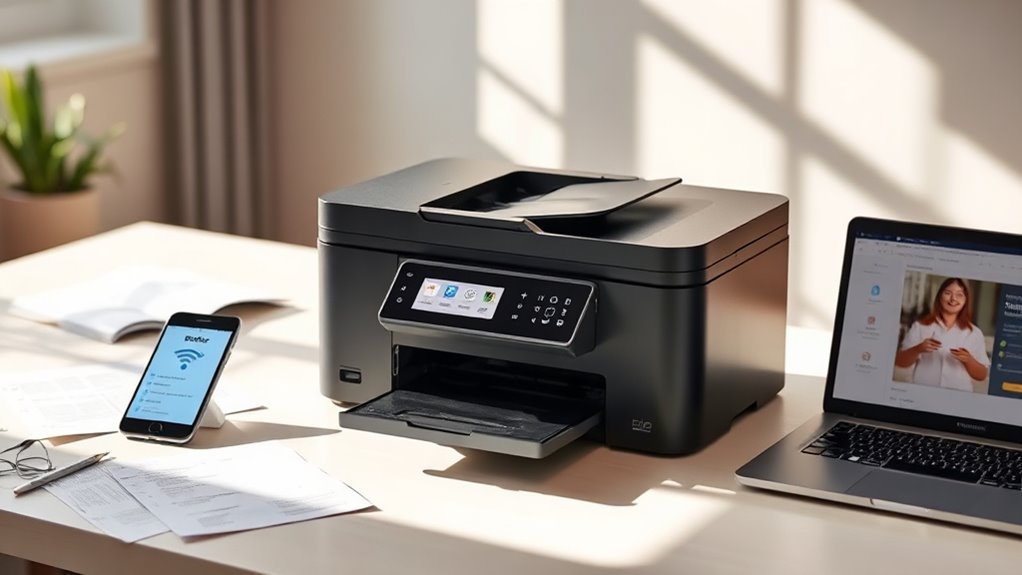
When choosing a Brother wireless printer, you’ll want to compare print speeds and check which connectivity options fit your setup.
Think about whether a multifunction model or a single-function printer suits your needs. Also, pay attention to ink or toner efficiency.
Don’t forget to evaluate the paper handling capacity. This will help ensure it matches your typical printing volume.
Print Speed Comparison
Consider how quickly you need your documents printed before choosing a Brother wireless printer, as print speed varies widely across models. Print speed, measured in pages per minute (ppm), shows how many single-sided pages a printer can produce under standard conditions.
Pay attention to the first-page-out time, which tells you how fast the initial page prints from a ready or sleep state—it’s often faster than sustained ppm. If you print in color, know that inkjet printers generally run slower on color pages compared to black-and-white.
Monochrome laser models typically offer the highest black-and-white speeds. Also, look for ISO/IEC test-based speeds rather than manufacturer claims to get accurate comparisons.
Connectivity Options Available
Print speed matters, but how your Brother wireless printer connects can impact convenience and performance just as much. Look for dual-band Wi-Fi (2.4 GHz and 5 GHz) to guarantee broader compatibility and faster, less congested transfers on 5 GHz.
If you need rock-solid reliability or enhanced security, an Ethernet wired port is a smart choice, especially in shared office settings. Wi-Fi Direct comes in handy for quick printing from mobile devices without relying on a network or router.
For straightforward single-user setups, USB 2.0 offers a simple, stable connection and helps with initial configuration. Finally, don’t forget about cloud and mobile printing support through companion apps—these let you print or scan remotely and even reorder supplies.
Just keep in mind, though, they do require internet access and app compatibility.
Multifunction vs. Single-Function
Although both multifunction and single-function Brother wireless printers serve printing needs, your choice depends on how you plan to use the device. If you require scanning, copying, or faxing, a multifunction printer saves space and avoids the hassle of extra hardware.
Features like duplex copying and an automatic document feeder make handling multi-page jobs easier.
On the other hand, if your focus is on high-volume, fast black-and-white printing without the need for scanning, a single-function laser printer offers speed and lower cost per page.
For home offices or small businesses, multifunction models add versatility.
But if you want a reliable, cost-efficient machine solely for printing, single-function devices can be the smarter choice in the long run.
Ink and Toner Efficiency
Once you’ve decided between multifunction and single-function Brother wireless printers, it’s important to focus on how efficiently the device uses ink or toner. Start by checking cartridge yields—compare standard and high-yield options to understand how many pages you can print before needing replacements.
Look for automatic duplexing and ink or toner save modes, which cut down consumption per page. Also, consider printers that come with starter cartridges showing page yields, so you can estimate early costs and replacement timing.
While subscription or smart-reorder programs offer convenience, evaluate them based on cost per page and cartridge size, not as a substitute for yield and price. Prioritize models with efficient duty cycles to avoid wasting supplies on frequent small print jobs.
This way, you’ll get the best value from your Brother printer.
Paper Handling Capacity
When choosing a Brother wireless printer, you’ll want to take into account how much paper it can hold at once to keep your workflow smooth. Check the input tray capacity—typically 150 to 250 sheets—to match your monthly print volume and reduce refills.
Don’t overlook a multipurpose or manual feed slot, usually holding one sheet. It’s ideal for envelopes or labels without disrupting the main tray.
Consider total paper capacity across all trays if you handle multiple paper types or large jobs. Also, verify the output tray size; around 100 sheets prevents overflow during unattended printing.
Finally, confirm supported media sizes and tray adjustability to guarantee compatibility with legal or ledger paper formats you use regularly. These factors guarantee efficient, uninterrupted printing tailored to your needs.
Frequently Asked Questions
How Do Brother Printers Handle Firmware Updates?
Brother printers automatically notify you when firmware updates are available. You can easily download and install them via the printer’s control panel or Brother’s software.
This way, your device stays secure, efficient, and up-to-date without any hassle. It’s a simple process that keeps everything running smoothly.
What Is the Average Lifespan of Brother Wireless Printers?
Back in the heyday of typewriters, you’d expect Brother wireless printers to last about 3 to 5 years with regular use.
You’ll get the best lifespan by updating firmware and keeping the device clean and well-maintained. Taking a little time for these simple steps really pays off in the long run.
Are Brother Wireless Printers Compatible With Macos and Linux?
Yes, Brother wireless printers generally work with macOS and Linux. You’ll find official drivers for macOS, which makes setup pretty straightforward.
When it comes to Linux, many models are supported through open-source drivers. So, you shouldn’t have much trouble getting them up and running on either system.
Do Brother Printers Support Mobile Printing Apps?
Yes, Brother printers support mobile printing apps like Brother iPrint&Scan, Apple AirPrint, and Google Cloud Print.
You’ll find it easy to print directly from your smartphone or tablet without needing a computer.
So, whether you’re at home or on the go, getting your documents or photos printed is pretty straightforward.
Just connect your device, and you’re good to go!
What Eco-Friendly Features Do Brother Printers Offer?
Brother printers help you save energy with their low power consumption and auto-sleep mode. They also support duplex printing, reducing paper use.
Plus, they use high-yield cartridges, so you replace ink less often. This means less waste and a smaller environmental footprint.
Conclusion
Choosing the right Brother wireless printer means embracing a future where your printing needs are effortlessly met, without the usual hassle. Whether you lean towards sleek monochrome laser models or vibrant color inkjets, there’s a perfect fit waiting for you.
While no device is flawless, these options gently nudge you closer to seamless productivity. So, take a step toward smarter printing—your workspace deserves a companion that quietly elevates every task without demanding too much in return.
When you pick one of the best Brother wireless printers, you’re not just buying a machine; you’re investing in convenience, efficiency, and quality. From home offices to busy workplaces, these printers deliver reliable performance and easy connectivity. So go ahead, make your printing experience smoother and more enjoyable with a Brother wireless printer that suits your style and needs perfectly.