5 Best Budget Friendly 3D Printers for Beginners in 2027
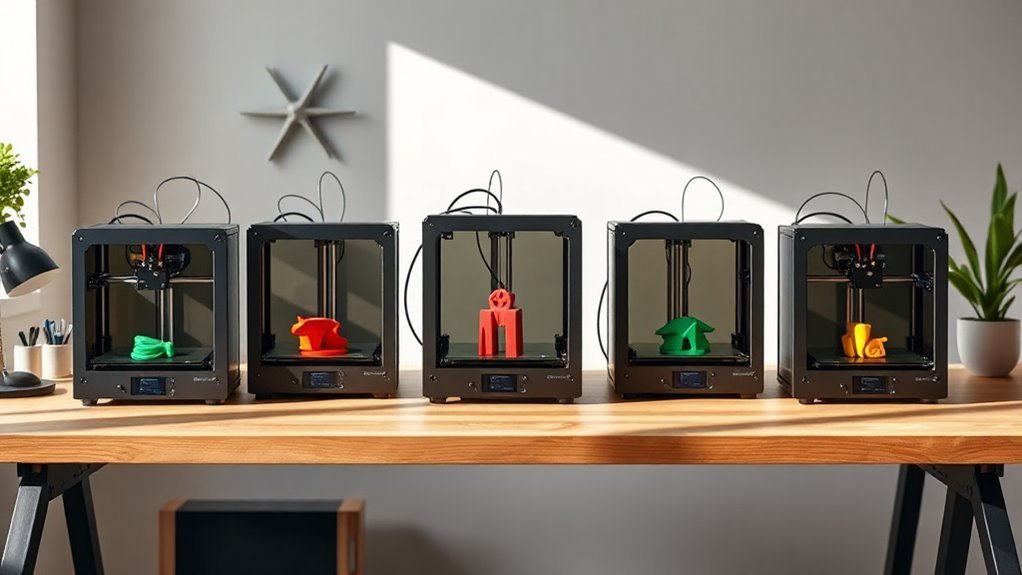
If you’re new to 3D printing and looking for the best budget-friendly 3D printers for beginners in 2027, there are some great options to consider. These printers offer easy setup, reliable performance, and features that make your first printing experience smooth and enjoyable.
Whether you want something portable, kid-friendly, or capable of multicolor prints, there’s a model that fits your needs without breaking the bank.
Consider the Entina Tina2 Plus WiFi for easy app control or the Creality Ender 3 V3 SE with auto leveling for hassle-free setup. The portable CAIDAQC model is perfect for small projects on the go.
If you want vibrant prints, the Anycubic Kobra X Multicolor adds simple multicolor use. For kids, the Geeetech M1S offers intuitive one-button loading. These choices balance user-friendly features and reliability—explore their strengths to find your perfect beginner printer.
| Image | Name | Editor's Rating | Price |
|---|---|---|---|

|
|
||

|
|
||

|
|
||

|
|
||

|
|
Entina Tina2 Plus WiFi 3D Printer for Beginners
- 【Start Printing in Minutes – Beginner Friendly】No setup required. Tina2 Plus 3d printer comes fully assembled and ready to use out of the box. With included TF card...
- 【Fast 250mm/s Printing Performance】This Tina2 Plus high speed 3D printer print speeds up to 250 mm/s help reduce waiting time and support fast project turnaround...
- 【WiFi App Control & STEM Model Library】Powered by the Poloprint Cloud app, this WiFi-enabled 3D printer gives access to 3,500+ printable models and 25+ creative DIY...
- 【40-Second Fast Heat Ceramic Hotend】High-efficiency ceramic hotend heats up in just 40 seconds for faster start-up and less downtime. The quick-swap nozzle design...
- 【Compact 3D Printer for Home & Classroom】Designed with a space-saving footprint while maintaining practical print capacity, this compact 3D printer fits easily on...
Step into the world of 3D printing with the Entina Tina2 Plus WiFi, designed to simplify your creative journey. This printer arrives fully assembled, eliminating setup hassles and allowing you to start printing immediately. Preloaded models on the included TF card make it easy for beginners to explore and learn without delay.
Its user-friendly design suits kids, educators, and first-time users, providing a smooth, guided experience. The WiFi connectivity and Poloprint Cloud app enable remote control and access to thousands of printable models, making project management effortless and flexible.
Maintenance is straightforward thanks to its stable, partially enclosed structure that keeps internal components protected. The fast-heating ceramic hotend reduces wait times and ensures consistent print quality. The compact size keeps your workspace neat and safe, ideal for home or classroom environments.
While advanced customization options are limited, and the printer requires supervision, it offers reliable performance for straightforward printing tasks. Its build size suits smaller projects, making it a practical choice for educational STEM activities.
Best for: Beginners, kids, and educators seeking an easy-to-use, reliable 3D printer for home or classroom STEM projects.
What We Like:
- Fully assembled with preloaded models for quick startup
- WiFi-enabled with app control and access to a large model library
- Fast-heating ceramic hotend for consistent prints
- Stable dual Z-axis structure for reliable performance
- Compact, partially enclosed design for safety and neatness
Specification:
| Feature | Detail |
|---|---|
| Manufacturer | Entina |
| Dimensions | Compact (exact size not specified) |
| Weight | Not specified |
| Material | Includes ceramic hotend |
| Color Options | Not specified |
Creality Ender 3 V3 SE Beginner-Friendly 3D Printer with Auto Leveling
- 250mm/s High-Speed Printing: Print at speeds of up to 250mm/s with 2500mm/s² acceleration, helping you complete prototypes, functional parts, and everyday projects...
- Easy Setup with Auto Leveling: Designed for a fast and straightforward setup, the Ender 3 V3 SE can be assembled in just a few simple steps. CR Touch Auto Leveling and...
- Proven Sprite Direct Drive Extruder: The upgraded Sprite Direct Drive Extruder provides smooth and consistent filament feeding for PLA, PETG, and TPU. Its proven design...
- Stable Motion System for Consistent Results: Dual synchronized Z-axis lead screws and precision Y-axis linear shafts work together to help reduce vibration and Z...
- Quiet Operation with Easy Print Removal: A 32-bit silent mainboard helps reduce operating noise for a more comfortable printing experience, while the flexible PC spring...
The Creality Ender 3 V3 SE brings simplicity and precision to 3D printing for beginners. Its auto leveling system with CR Touch and automatic Z-offset calibration eliminates tedious manual adjustments, making setup smooth and stress-free. This means you spend less time troubleshooting and more time creating.
The printer’s upgraded Sprite Direct Drive Extruder ensures consistent feeding of PLA, PETG, and TPU filaments. Changing materials is easy with auto filament loading, reducing downtime and hassle. These features help users achieve reliable prints without complicated maintenance.
Built for stability, the dual synchronized Z-axis lead screws and precision Y-axis shafts reduce vibration and Z wobble. This results in sharper, more consistent layers. The 32-bit silent mainboard keeps noise levels low, making it suitable for home or small workshop environments.
Maintenance is straightforward with a flexible spring steel build plate that simplifies print removal. Compact and lightweight, it fits well in limited spaces but may not support very large projects. Overall, the Ender 3 V3 SE balances user-friendliness with solid performance.
Best for: Beginners and hobbyists seeking a reliable 3D printer with automated leveling and smooth filament handling.
What We Like:
- CR Touch auto leveling with automatic Z-offset calibration
- Smooth multi-filament support via Sprite Direct Drive Extruder
- Dual synchronized Z-axis lead screws reduce vibration and wobble
- Quiet operation with 32-bit silent mainboard
- Flexible spring steel build plate for easy print removal
Specification:
| Feature | Details |
|---|---|
| Manufacturer | Creality |
| Dimensions (approx.) | Compact size |
| Weight | 19.8 pounds (9 kg) |
| Supported Materials | PLA, PETG, TPU |
| Build Plate Material | Flexible spring steel |
Portable Compact FDM 3D Printer with Removable Plate
- Foolproof Setup with Video Guides – Never get stuck! We provide a crystal-clear Quick Start Guide and step-by-step video tutorials. Watch them online to get started.
- Simple Assembly with Video Guide – Requires quick modular setup (watch our step-by-step video). Comes with 10m PLA filament, TF card, tools, and 12V Type-C power...
- Versatile Filament Compatibility – Unleash your creativity with both PLA and flexible TPU (1.75mm). The reliable 0.4mm nozzle and precise 0.05-0.3mm layer thickness...
- Reliable Performance & Compact Design – Features stable FDM technology and a removable build plate for easy model removal. The perfect 100x100x100mm build volume is...
- Complete Package – No Hidden Costs – Includes printer, 10m PLA filament, 8GB TF card + reader, tools, illustrated manual, and 12V Type-C power adapter. Plus free...
This portable compact FDM 3D printer is designed to fit seamlessly into any workspace. Its small footprint allows it to sit neatly on desks without clutter. The removable build plate makes model removal straightforward, reducing the risk of damage and simplifying cleanup.
With a build volume of 100 x 100 x 100 mm, it is tailored for small-scale projects and detailed prints. The 0.4 mm nozzle supports layer thickness from 0.05 to 0.3 mm, allowing for fine details while maintaining efficient print times. Its compatibility with PLA and TPU filaments caters to common beginner-friendly materials.
Maintenance is easy thanks to the removable plate and simple setup process, guided by clear manuals and video tutorials. Weighing just 2.2 pounds, this printer is portable enough to move between locations or store when not in use. It balances convenience with reliable functionality for creative users.
While the build volume limits larger projects and filament options are focused, this printer excels in accessibility and ease of use. It provides a practical solution for learning and prototyping without complexity.
Best for: Beginners, students, and hobbyists seeking a portable, user-friendly 3D printer for small creative projects and STEM education.
What We Like:
- Compact, lightweight design ideal for limited spaces
- Removable build plate for easy print removal and cleaning
- Clear setup guides and video tutorials support quick learning
- Supports PLA and TPU filaments suitable for flexible and rigid models
Specification:
| Specification | Details |
|---|---|
| Manufacturer | CAIDAQC |
| Build Volume | 100 x 100 x 100 mm |
| Nozzle Diameter | 0.4 mm |
| Layer Thickness | 0.05 – 0.3 mm |
| Supported Filaments | PLA, TPU |
| Weight | 2.2 lbs (1.0 kg) |
| Build Plate | Removable |
Anycubic Kobra X Multicolor 3D Printer, Easy One-Click Printing
- 【Vivid 19-Color and Versatile Materials】Unleash creativity beyond limits. The Kobra X supports 4-color standard and expands up to 19 colors with 4 ACE 2 Pro for...
- 【600mm/s High Speed Performance】Don't let slow speeds limit your creativity. This high-speed FDM 3D printer reaches up to 600mm/s, completing tasks significantly...
- 【True Plug & Play Experience】Start your first project in as little as 15 minutes. The Kobra X arrives with a user-friendly setup and LeviQ 3.0 automatic bed leveling...
- 【LeviQ 3.0 Perfect First Layer】Forget the frustration of manual bed leveling that plagues beginner machines. The LeviQ 3.0 system utilizes 49-point full-auto leveling...
- 【Quiet & Reliable for Home】The ultra-quiet ≤48 dB operation ensures the living or learning space remains peaceful. Combined with power loss recovery and filament...
The Anycubic Kobra X Multicolor transforms multicolor 3D printing into a straightforward experience. With its simple one-click setup, it removes the complexity of multi-filament projects, letting you focus on creativity. This printer supports up to four colors out of the box, expandable to 19 with additional modules, providing flexibility for detailed designs.
Its design includes an adaptive extrusion compensator that ensures smooth transitions between colors. The hardened steel nozzle heats up to 300°C, accommodating common materials like TPU, PLA, and PETG with ease. Fast travel speeds of 600 mm/s combined with vibration compensation deliver precise, sharp prints without sacrificing efficiency.
Maintenance is made easier through the LeviQ 3.0 automatic bed leveling system, which guarantees a consistent first layer every time. The integrated 720p camera and AI features allow real-time monitoring and error prevention, minimizing print failures and saving time.
The build volume of 260 × 260 × 260 mm suits most hobbyist and educational projects but may limit very large prints. Expanding color options requires purchasing additional ACE 2 Pro modules, which adds to the investment but greatly enhances creative potential.
Best for: hobbyists and educators seeking a user-friendly multicolor 3D printer with advanced features for smooth color shifts and reliable high-speed printing.
What We Like:
- Supports up to 4 colors standard, expandable to 19 with modules
- LeviQ 3.0 automatic bed leveling ensures reliable first layers
- High travel speed (600 mm/s) with vibration compensation for sharp details
- Adaptive extrusion compensator for smooth color transitions
- AI monitoring and 720p camera improve print oversight
Specification:
| Feature | Specification |
|---|---|
| Manufacturer | Anycubic |
| Build Volume | 260 × 260 × 260 mm |
| Max Nozzle Temperature | 300°C |
| Color Support | 4 colors standard, expandable to 19 |
| Filament Compatibility | TPU, PLA, PETG |
| Travel Speed | Up to 600 mm/s |
Geeetech M1S 3D Printer for Kids and Beginners
- Smart 3D Printer: Compact body with sleek design. Access massive 3D models, enjoy WiFi printing, and experience seamless smart operation-connect the "Geeetech" APP and...
- Designed for Kids and Beginners: The Geeetech M1 comes fully assembled and is incredibly user-friendly with knob operation and one-button filament loading. Its 2.4" LCD...
- High-Speed Printing & Superior Quality: Experience the future of printing with Geeetech M1's advanced nozzle and 50W heating rod, ensuring efficient heat dissipation for...
- Innovative Direct Drive Extruder: Equipped with a high-performance dual-drive metal gear system offering a 1:5 gear ratio for unmatched torque and extrusion force...
- Auto-Leveling & Heated Build Plate: Simplify your printing process with our 16-point full-auto leveling technology and a heated, flexible magnetic build plate. These...
The Geeetech M1S 3D Printer offers a user-friendly experience designed specifically for kids and beginners. Its fully assembled setup and one-button filament loading make starting a print project straightforward and hassle-free. This compact printer’s smart design includes a 2.4″ color LCD screen and an intuitive control knob, simplifying navigation and operation.
Connectivity options include WiFi printing through the Geeetech app or direct printing via a TF card. This flexibility allows users to print wirelessly or offline, catering to different environments and preferences. The direct drive extruder handles PLA and TPU filaments with ease, ensuring smooth extrusion and consistent results.
Maintenance is simplified with the 16-point auto-leveling system that automatically calibrates the build plate. The heated, flexible magnetic bed reduces warping and makes print removal easier, saving time and effort during post-processing. While the print area size is modest, it suits smaller projects commonly found in educational and beginner use.
Best for: Kids and beginners seeking an easy-to-use, fully assembled 3D printer with reliable features for learning and creative projects.
What We Like:
- One-button filament loading and simple knob controls for quick setup
- WiFi and TF card printing provide versatile connectivity
- 16-point auto-leveling and heated magnetic bed improve print quality
- Direct drive extruder supports flexible filaments like TPU
Specification:
| Feature | Details |
|---|---|
| Manufacturer | Geeetech |
| Print Area (L×W×H) | 3.94 × 4.33 × 3.94 inches |
| Screen | 2.4″ color LCD |
| Filament Compatibility | PLA, TPU |
| Connectivity | WiFi (Geeetech app), TF card |
| Bed | Heated, flexible magnetic bed |
Factors to Consider When Choosing a Budget Friendly 3D Printer for Beginners
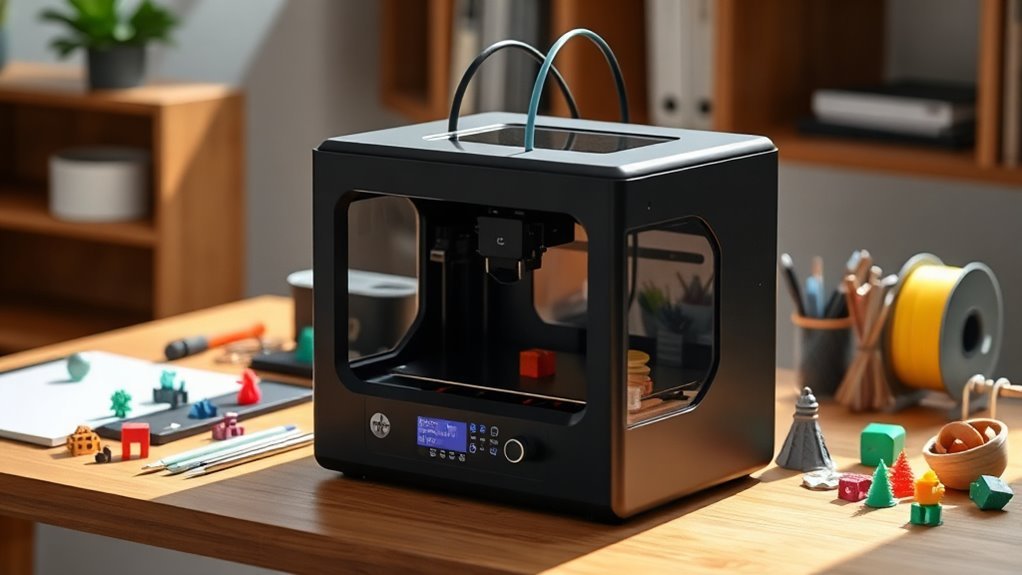
When picking a budget-friendly 3D printer, you’ll want to focus on how easy it is to set up and the quality and speed of its prints.
Check the connectivity options it offers and make sure it includes important safety features.
Don’t forget to factor in the support and warranty that come with the printer to protect your investment.
Ease Of Setup
Since ease of setup can make or break your first 3D printing experience, choosing a budget-friendly printer that arrives fully assembled or offers tool-free, modular assembly is key. Look for clear Quick Start guides so you can begin printing within minutes.
Preloaded sample files on removable cards or apps with one-click print options remove slicing headaches for beginners. Auto bed-leveling or guided manual leveling guarantees your first layer sticks well, saving calibration time.
Choose printers with simple filament loading systems and removable build plates to speed up setup and model removal. Cross-platform connectivity like Wi-Fi, USB, or TF card support, paired with companion apps, streamlines setup by avoiding complex software installs.
These features help you jump into 3D printing quickly without frustration.
Print Quality And Speed
Although budget 3D printers may have some limitations, understanding key factors like layer height, print speed, and nozzle diameter will help you choose one that balances quality and efficiency. Lower layer heights (0.05–0.1 mm) deliver finer surface details but increase print time.
Standard nozzle sizes (0.4 mm) strike a good balance between resolution and speed. Keep in mind that pushing print speeds beyond 250 mm/s can reduce detail and cause defects unless the printer’s motion system is well-tuned.
Also, consider the extrusion system’s stability—consistent filament feeding and proper cooling are essential for smooth surfaces and accurate dimensions. Lastly, reliable bed adhesion and first-layer quality, supported by features like auto-leveling and a heated bed, ensure your prints start strong and look great from the get-go.
Connectivity Options Available
Choosing the right connectivity options can make a big difference in how smoothly your 3D printing workflow runs. Wi-Fi lets you send prints wirelessly and monitor remotely using apps. But keep in mind, it can be slower or less reliable depending on your network.
USB or USB-C connections provide a direct, stable link. They’re often faster for large files and firmware updates.
If you prefer offline printing, SD or TF card slots offer a simple, hassle-free method. Just slice on your computer, transfer the file, and print without needing a network.
Ethernet ports deliver consistent, low-latency performance for remote control. The catch? They require wired connections.
Advanced users can leverage serial or host connections for remote management and automation. These do need a bit of extra setup.
Safety Features Included
When you’re starting out with 3D printing, safety should be a top priority to protect yourself and those around you. Look for printers with partially or fully enclosed build areas and guarded hotends to prevent accidental contact with hot components or moving parts.
Make sure the printer includes thermal runaway protection and firmware safeguards that cut power if temperatures exceed safe limits. Filament run-out detection and power-loss recovery help avoid failed prints and potential hazards.
Auto or assisted bed-leveling reduces your need to handle hot surfaces during setup, lowering burn risks. Additionally, choose models with child-safe features like cool-touch exteriors, secured access panels, clear status indicators, and emergency stop functions to keep everyone safe during operation.
Support And Warranty
Since 3D printers can encounter technical issues, you’ll want solid support and warranty coverage to keep your projects on track. First, confirm the warranty length—ideally 12 months or more—and check if it covers parts and labor for key components like the hotend, motors, and electronics.
Make sure you understand any requirements, such as registering your purchase promptly or having repairs done by authorized centers. Look for clear support channels like email, phone, live chat, or forums, with response times of 24–72 hours.
Also, verify post-purchase resources such as firmware updates, tutorials, and parts availability to minimize downtime. Finally, review return policies, including restocking fees and shipping costs, so you’re prepared for any extra expenses during repairs or returns.
Frequently Asked Questions
What Types of Filaments Are Compatible With Budget 3D Printers?
You’ll find budget 3D printers typically work well with PLA, ABS, and PETG filaments. These materials are affordable, easy to use, and offer decent strength.
Just make sure your printer’s heated bed supports ABS or PETG printing. That way, you’ll avoid any printing issues and get the best results.
How Much Maintenance Do Beginner 3D Printers Typically Require?
You’ll need to perform regular maintenance like cleaning the nozzle, lubricating rails, and calibrating the bed. It’s usually simple and quick, taking about 30 minutes weekly to keep your 3D printer running smoothly and producing quality prints.
It’s not too overwhelming, honestly. Just a bit of routine care to make sure everything stays in good shape.
Are There Any Safety Concerns When Using 3D Printers at Home?
Yes, you should watch for fumes, hot parts, and electrical risks. Always use your 3D printer in a well-ventilated area.
Never touch heated components, and follow safety guidelines to keep yourself and your home safe. It’s better to be cautious than sorry!
Can Budget 3D Printers Be Upgraded With Additional Features?
You can definitely upgrade budget 3D printers, turning them from plain vanilla into a sundae with toppings.
You’ll add features like better nozzles, auto bed leveling, or improved firmware to boost performance and print quality.
It’s a great way to get more out of your printer without spending a fortune. Plus, upgrading can make the printing process smoother and more enjoyable.
What Software Is Best for Designing 3D Models for Beginners?
You’ll find Tinkercad perfect for starting 3D design because it’s free, user-friendly, and web-based. It’s really easy to jump right in and start creating.
As you get more comfortable, think about trying Fusion 360. It offers more advanced features but won’t overwhelm you.
Both options are great for sparking your creativity as a beginner. Give them a go and see which one clicks with you!
Conclusion
Choosing the right budget-friendly 3D printer means finding one that’s easy to use, reliable, and packed with helpful features. Whether you want wireless convenience, automatic leveling, or portability, there’s a perfect pick for you.
Maybe you’re looking for multicolor options or a kid-friendly design — no worries, those exist too! You’ll save money, learn quickly, and create confidently with the right choice.
So, explore your options and trust your instincts. Start printing your ideas into reality with the best beginner-friendly 3D printer for you. Finding a budget-friendly 3D printer for beginners doesn’t have to be complicated. With the right features and ease of use, you’ll enjoy every step from first print to finished project. Dive in, have fun, and watch your creativity come to life!