5 Best Budget 3D Printers Under $500 for 2027
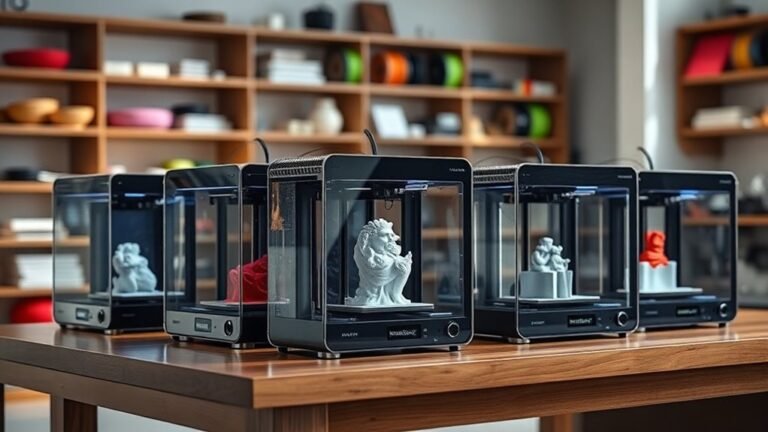
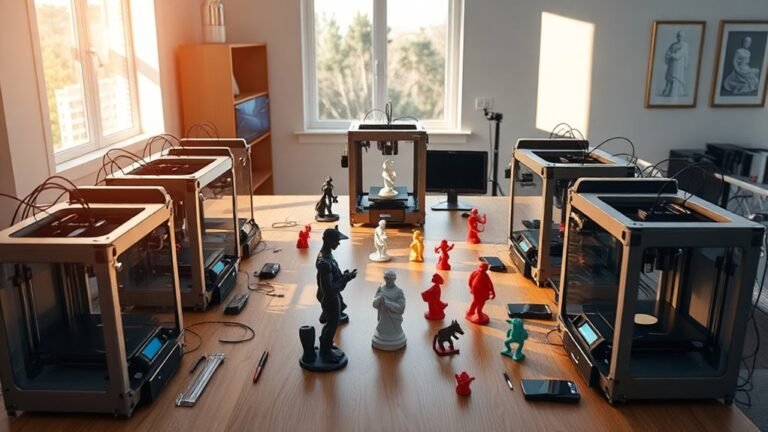
You’ll find top budget 3D printers under $500 in 2027 that deliver great value without breaking the bank. Whether you’re a hobbyist, a beginner, or someone working with limited space, there’s something for everyone in this price range.
These affordable 3D printers combine speed, quality, and ease of use, making them perfect for various creative projects and practical applications.
For example, the Creality Ender 3 V3 SE is known for its fast, precise prints and compatibility with versatile filaments. If you’re just starting out, the Entina Tina2 Plus offers WiFi connectivity and a quick setup to get you printing right away.
Compact models like the Portable FDM printer and CAIDAQC Mini Kit are ideal for small spaces and creative minds. Meanwhile, the Malyan M320 stands out with its reliable, fully assembled design.
Each of these budget-friendly options balances performance and convenience—explore how they fit your needs!
| Image | Name | Editor's Rating | Price |
|---|---|---|---|

|
|
||

|
|
||

|
|
||

|
|
||
|
|
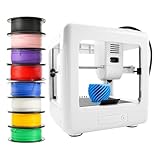
Creality Ender 3 V3 SE 3D Printer Upgrade
- 【250mm/s High-speed Printing】Creality Ender 3 V3 SE 3d printer supports a maximum printing speed of 250mm/s, 2500mm/s² acceleration.The speed has been greatly...
- 【Powerful ""Sprite"" Direct Extruder】Ender 3 V3 SE is the upgrade of ender 3, ender 3 v2, ender 3 pro, ender 3 neo, ender 3 v2 neo, ender 3 s1, ender 3 s1 pro etc 3d...
- 【Worry-free CR Touch Auto Leveling & Strain Sensor】Creality Ender 3 upgraded 3d printer features a CR Touch sensor for auto leveling and a strain sensor for auto...
- 【Stable Dual Z-axis & Y-axis Linear Shafts】High-precision dual Z-axis lead screws reduce Z wobbling effectively, avoid printing deviation in single-axis printing...
- 【Quick Assembly & Easy to Use】Preassembly has solved those hassles and worries of parts assembly, It only takes 3 steps to complete the assemble the ender-3 v3 se 3d...

Experience faster, more reliable 3D printing with the Creality Ender 3 V3 SE upgrade. Designed to enhance your workflow, this upgrade drastically cuts print times by up to 73%, letting you complete projects quicker and more efficiently. Its high-speed capabilities help you meet tight deadlines without sacrificing quality.
The printer’s Sprite full-metal dual-gear direct extruder is built to handle a variety of filaments like PLA, TPU, and PETG with ease. Automatic filament loading and unloading simplify maintenance, reducing downtime and hassle. This means you can focus more on creating and less on manual adjustments.
Precision is ensured with the CR Touch auto-leveling sensor and dual Z-axis lead screws. These features provide stable and accurate prints, minimizing errors and improving overall print quality. The sturdy design also contributes to consistent results across different print jobs.
Setting up the system is quick and straightforward, making it accessible for both hobbyists and professionals. While the print volume is suitable for most small to medium-sized projects, it may limit larger builds. Weighing 15.66 pounds, the unit balances portability with stability.
Best for: hobbyists and professionals seeking a fast, reliable 3D printer upgrade with advanced filament handling and precise print stability.
What We Like:
- High-speed printing reduces project turnaround time
- Versatile full-metal extruder supports multiple filament types
- CR Touch sensor and dual Z-axis screws ensure print accuracy
- Easy filament loading/unloading simplifies maintenance
- Quick setup for hassle-free operation
Specification:
| Feature | Details |
|---|---|
| Manufacturer | Creality |
| Print Speed | Up to 250 mm/s |
| Acceleration | Up to 2500 mm/s² |
| Print Volume | 8.66 x 8.66 x 9.84 inches |
| Weight | 15.66 pounds |
| Extruder Type | Sprite full-metal dual-gear |
| Filament Compatibility | PLA, TPU, PETG |
Entina Tina2 Plus Fast WiFi 3D Printer
- 【Start Printing in Minutes – Beginner Friendly】No setup required. Tina2 Plus 3d printer comes fully assembled and ready to use out of the box. With included TF card...
- 【Fast 250mm/s Printing Performance】This Tina2 Plus high speed 3D printer print speeds up to 250 mm/s help reduce waiting time and support fast project turnaround...
- 【WiFi App Control & STEM Model Library】Powered by the Poloprint Cloud app, this WiFi-enabled 3D printer gives access to 3,500+ printable models and 25+ creative DIY...
- 【40-Second Fast Heat Ceramic Hotend】High-efficiency ceramic hotend heats up in just 40 seconds for faster start-up and less downtime. The quick-swap nozzle design...
- 【Compact 3D Printer for Home & Classroom】Designed with a space-saving footprint while maintaining practical print capacity, this compact 3D printer fits easily on...
The Entina Tina2 Plus Fast WiFi 3D Printer is designed to get beginners printing quickly and easily. Its fully assembled setup and preloaded TF card mean you can start creating models within minutes. This printer solves the common frustration of long wait times by heating up in just 40 seconds and printing at speeds up to 250 mm/s.
The printer’s stable motion system and dual Z-axis ensure precise and consistent results. Its PEI spring steel plate with auto-leveling simplifies maintenance, reducing the need for manual adjustments. This makes it ideal for users who want reliable prints without constant tinkering.
With built-in WiFi and app control, customizing projects becomes intuitive and accessible. Access to over 3,500 models helps users explore and experiment without searching for external files. Its compact design fits well in classrooms or home desks, supporting STEM learning and creative DIY projects.
While the partially enclosed frame requires supervision during use, the compact build suits smaller projects and learning environments. This printer balances ease of use with performance, making it a practical choice for educational and hobbyist settings.
Best for: Beginners, educators, and kids looking for an easy-to-use, fast, and reliable 3D printer for STEM learning and DIY projects.
What We Like:
- Preassembled with preloaded models for quick startup
- Fast 250 mm/s print speed and rapid 40-second heat-up
- WiFi connectivity and app control for easy customization
- Stable dual Z-axis and auto-leveling for quality prints
- Compact frame ideal for desks and classrooms
Specification:
| Feature | Details |
|---|---|
| Manufacturer | Entina |
| Dimensions | Not specified |
| Weight | Not specified |
| Material | PEI spring steel plate |
| Color Options | Not specified |
Portable Compact FDM 3D Printer with Removable Plate
- Foolproof Setup with Video Guides – Never get stuck! We provide a crystal-clear Quick Start Guide and step-by-step video tutorials. Watch them online to get started.
- Simple Assembly with Video Guide – Requires quick modular setup (watch our step-by-step video). Comes with 10m PLA filament, TF card, tools, and 12V Type-C power...
- Versatile Filament Compatibility – Unleash your creativity with both PLA and flexible TPU (1.75mm). The reliable 0.4mm nozzle and precise 0.05-0.3mm layer thickness...
- Reliable Performance & Compact Design – Features stable FDM technology and a removable build plate for easy model removal. The perfect 100x100x100mm build volume is...
- Complete Package – No Hidden Costs – Includes printer, 10m PLA filament, 8GB TF card + reader, tools, illustrated manual, and 12V Type-C power adapter. Plus free...
Experience hassle-free 3D printing with this portable compact FDM 3D printer designed to make your creative projects simple and efficient. Its removable build plate allows for easy model removal and fast cleanup, saving time during and after each print. The printer’s nozzle offers precise layer control from 0.05 to 0.3 mm, delivering detailed results in a manageable 100 x 100 x 100 mm build area.
Its lightweight and compact design make it easy to move and fit into small workspaces. Supporting PLA and TPU filaments, this printer suits beginners and hobbyists who want reliable performance without complex setup. Maintenance is straightforward thanks to the removable plate and included tools, helping you keep the printer in optimal condition.
Ideal for educational settings, it comes with a 10 m PLA filament, tools, an 8 GB TF card, and clear video tutorials. These resources ensure a foolproof assembly and quick start, making it perfect for classrooms and STEM learning environments.
Best for: beginners, students, and hobbyists looking for a portable, user-friendly 3D printer for creative and educational use.
What We Like:
- Removable build plate simplifies model removal and cleaning
- Clear video tutorials and setup guides for easy assembly
- Compact, lightweight design for portability and small spaces
- Supports PLA and TPU filaments for versatile printing projects
Specification:
| Feature | Details |
|---|---|
| Manufacturer | Not specified |
| Build Volume | 100 x 100 x 100 mm |
| Nozzle Diameter | 0.4 mm |
| Layer Resolution | 0.05 – 0.3 mm |
| Supported Filaments | PLA, TPU |
| Included Extras | 10 m PLA filament, tools, 8 GB TF card, video tutorials |
| Weight | Lightweight (exact weight not specified) |
Malyan M320 Fully Assembled 3D Printer
- 1. Ready to Print: Unlike most other low-cost 3D printers, this printer ships fully assembled and has already been calibrated at the factory. We even include sample PLA...
- 2. LCD Touch Screen: Touch screen interface, simply navigate through the easy to use touch screen to level the print bed, select the part you want to print, and let the...
- 3. Heated aluminum build plate nozzle cooling fan for printing all filament types. Complete kit with sample PLA filament, bed scraper, and MicroSD card with preloaded...
- 4. All Metal Hotend for Stability: The all metal hotend is capable of superior performance and prevents wear and tear, while the heat brake design allows for efficient...
- 5. Removable Magnetic Build Plate: The easy to remove magnetic build plate makes the often times messy and difficult removal of prints simple and straightforward. You can...
Experience seamless 3D printing with the Malyan M320, designed to eliminate setup frustrations by arriving fully assembled and factory calibrated. Its sturdy metal frame ensures durability and precision in every print. The compact build volume of 150 x 150 x 150 mm is ideal for small to medium projects, making it perfect for hobbyists and creative makers.
The heated aluminum build plate and all-metal hotend provide consistent temperature control, reducing print failures and improving adhesion. Removing prints is hassle-free thanks to the magnetic, removable build surface, simplifying post-printing cleanup and maintenance. The intuitive LCD touchscreen makes navigation and bed leveling straightforward, saving time on adjustments.
This 3D printer supports direct printing from a microSD card or via USB connection to a PC or Mac, offering flexible workflow options. Compatibility with popular slicing software like Cura further enhances its ease of use. While the included sample PLA filament helps you start printing immediately, additional filament types will need to be sourced separately.
Best for: Hobbyists and small to medium project makers seeking a reliable, fully assembled 3D printer with easy setup and versatile connectivity options.
What We Like:
- Fully assembled and factory calibrated for immediate use
- Heated aluminum bed with removable magnetic print surface
- Supports standalone printing via microSD or USB connection
- Compatible with popular slicers like Cura
Specification:
| Feature | Details |
|---|---|
| Manufacturer | Malyan |
| Build Volume | 150 x 150 x 150 mm |
| Frame Material | Metal |
| Print Bed | Heated aluminum, removable magnetic surface |
| Connectivity | microSD card, USB |
| Display | LCD touchscreen |
Mini 3D Printer Kit with 8 Colors Filament
- 🎨 All-in-One Starter 3D Printer Kit – Comes with 8 vibrant PLA filament colors (200g each), a fully equipped printing kit, and user-friendly instructions—perfect...
- 🖨️ Compact & Portable FDM Design – This mini desktop 3D printer uses FDM technology and is compact enough for any desk or workspace. Great for school, home, or...
- 🧠 Effortless Setup, Plug & Print – No complex calibration needed. Supports TF Card and USB connections, compatible with Windows and macOS using CURA, Easyware, or...
- 💡 Precise & Smooth Printing – Achieve detailed prints with 0.05-0.2mm accuracy. Features a 0.4mm nozzle, supports 1.75mm PLA, and even WOOD filament.
- 📦 Full Accessories Included – Package includes the printer components, 8-color filaments, TF card and reader, US power adapter, filament holder, screwdriver, and a...
Experience the ease of 3D printing with the Mini 3D Printer Kit, designed for beginners and creative hobbyists alike. This compact printer brings your ideas to life with simple plug-and-play setup—no complex calibration required. Its lightweight design fits perfectly on any desk, making it ideal for small workspaces.
The kit includes eight vibrant PLA filament colors and supports wood filament, expanding your creative options. It prints using 1.75 mm filament with a 0.4 mm nozzle, offering reliable performance for everyday projects. Compatible with Windows and macOS, it accepts G-Code files via USB or TF card for convenient file transfer.
Maintenance is straightforward, ensuring smooth operation without hassle. While the print accuracy ranges from 0.05 to 0.2 mm, it suits most home and school projects, though it may not meet the needs of users requiring ultra-high precision. Note that it lacks advanced features like a heated bed or multi-material printing.
This all-in-one kit provides an accessible introduction to 3D printing, perfect for those exploring creative designs at home or school without a steep learning curve.
Best for: Beginners, kids, and hobbyists seeking an easy-to-use, compact 3D printer kit for creative projects.
What We Like:
- Eight vibrant filament colors plus wood filament compatibility
- Plug-and-play setup with no complex calibration
- Compact, lightweight design ideal for small spaces
- Supports Windows and macOS via USB or TF card
- Simple maintenance for hassle-free use
Specification:
| Feature | Details |
|---|---|
| Manufacturer | CAIDAQC |
| Dimensions | Compact size (exact dimensions not specified) |
| Weight | 3.3 lb (1.5 kg) |
| Filament Diameter | 1.75 mm |
| Nozzle Size | 0.4 mm |
| Filament Types | PLA, wood filament |
| Connectivity | USB, TF card |
| Supported OS | Windows, macOS |
Factors to Consider When Choosing a Budget 3D Printer Under $500
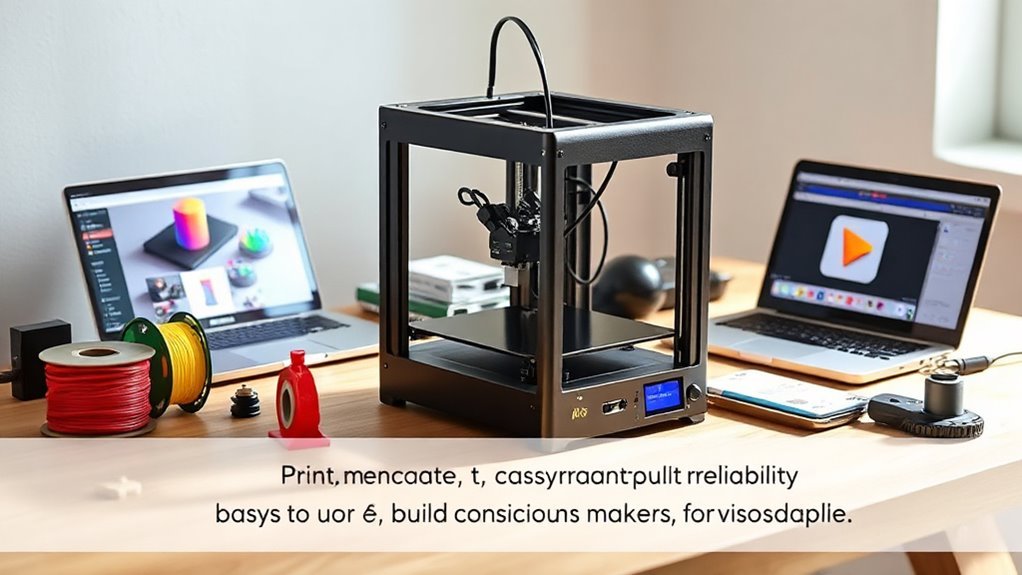
When choosing a budget 3D printer under $500, you’ll want to balance printing speed and quality with the build volume that fits your projects.
Think about the types of filament it supports and how easy it is to use, especially if you’re new to 3D printing.
Also, don’t forget to check connectivity options and software compatibility. This will help guarantee a smooth experience.
Printing Speed And Quality
Although faster print speeds can cut down your project time, you’ll often need to slow down to maintain quality, especially on detailed or tall prints. Higher maximum speeds—up to about 250 mm/s—are appealing but usually require dialing back to avoid surface defects like ringing.
Pay attention to acceleration and jerk settings; lower values improve detail but extend print times. Layer height and nozzle diameter impact resolution, with typical budget printers using 0.4 mm nozzles and 0.05–0.2 mm layers to balance speed and detail.
Your filament and extrusion system matter too—direct-drive extruders handle flexible filaments and fine details better than Bowden setups. Finally, stable motion hardware, such as dual Z leadscrews and rigid rails, minimizes vibration and Z-wobble, helping maintain quality even at higher speeds.
Build Volume And Size
Print speed and quality matter, but so does the space you’ll have to work with. First, consider the maximum build volume you need. A 150×150×150 mm capacity lets you create medium-sized parts, while anything under 100×100×100 mm restricts you to smaller models.
Also, check the printer’s physical footprint to make sure it fits your workspace. Keep in mind that larger build volumes require stronger frames and precise motion components to maintain accuracy.
If you want to print taller objects, prioritize Z-axis height and features like dual Z-leadscrews to reduce wobble. Finally, look for removable or flexible build plates, especially with bigger beds, to make part removal easier.
Balancing size and build volume guarantees you get the most from your budget 3D printer.
Filament Compatibility Options
Since your choice of filament directly affects print quality and material properties, you’ll want to make sure your budget 3D printer supports the types and diameters you plan to use. Most budget models handle 1.75 mm filament, so confirm compatibility to avoid buying unusable spools or nozzles.
PLA and PETG are common and user-friendly, but if you want flexible TPU, check for a direct-drive extruder or a well-constrained filament path to prevent jams. A heated bed is essential if you plan to print PETG or ABS, as it improves adhesion and reduces warping.
Also, look at nozzle size—0.4 mm is standard—and whether swapping hotends is straightforward for finer details or faster prints. Features like filament sensors and easy loading help minimize filament handling issues.
Ease Of Use
When choosing a budget 3D printer under $500, ease of use can make all the difference in your experience. Look for printers that come fully assembled or require minimal setup, and include clear quick-start guides or video tutorials to get you printing quickly.
Prioritize models with auto-bed leveling or assisted routines plus adjustable Z-offset to reduce trial-and-error and improve first-layer success. These features really take the stress out of getting started.
Opt for simple filament handling features like auto-loading, clear filament paths, and removable build plates to make material changes and print removal hassle-free. It’s all about making your life easier when swapping materials or taking prints off the bed.
Choose a printer with a user-friendly interface—such as a touchscreen or well-labeled menus—and preloaded sample models to simplify print control. This way, you won’t feel overwhelmed by complicated settings.
Also, consider brands offering responsive customer support, accessible tutorials, and active user communities to help you troubleshoot and learn faster. Having that kind of backup can be a real lifesaver when you’re just getting started.
Connectivity And Software
Getting your budget 3D printer connected and ready to go is key to a smooth printing experience. Look for multiple connectivity options like USB, SD or TF card, Wi‑Fi, and Ethernet. But always choose a printer that supports at least one offline method—so you can print without relying on a network.
If remote control or cloud slicing matters to you, confirm Wi‑Fi support and check if the mobile or web app offers online slicing, model libraries, or print monitoring. These features can really make your printing life easier.
Make sure the printer handles common file formats like G‑code, STL, and OBJ. It should also work with popular slicers such as Cura or PrusaSlicer—or come with a reliable built-in slicer.
Finally, verify cross-platform compatibility and firmware update support. This is especially important if you plan to customize or upgrade your printer’s software down the road.
Assembly And Setup Time
Although budget 3D printers under $500 often appeal for their affordability, you’ll want to take into account assembly and setup time carefully to avoid frustration. Fully assembled models can have you printing in minutes, while semi-kit printers usually need 20 to 60 minutes for basic assembly and calibration.
Look for machines with pre-calibrated parts, guided setup videos, or Quick Start Guides to speed up the process and reduce errors. Features like automatic bed leveling and filament load/unload functions cut prep time compared to manual steps.
Modular, tool-free designs and pre-mounted wiring also shorten build time, avoiding tedious screwing or cable routing. Finally, included extras like preloaded print files or bundled tutorials help you start printing immediately without hunting for test models or slicing settings.
Warranty And Support
Since budget 3D printers under $500 often come with limited warranties, you should carefully check the length and coverage before buying. Many offer 6–12 months covering defects in materials and workmanship, but components like hotends or control boards might have different terms.
Make sure you confirm what support channels are available—email, phone, live chat, or forums—and check typical response times to minimize downtime. It’s also a good idea to see if you need to register the warranty within a specific timeframe and keep your proof of purchase handy for claims.
Don’t forget to understand return, replacement, and repair policies, including who covers shipping or repair labor costs. Lastly, prefer sellers with accessible documentation, regular firmware updates, and active user communities to help you troubleshoot beyond formal support.
Frequently Asked Questions
What Types of Filaments Are Compatible With Budget 3D Printers?
You’ll mostly use PLA and ABS filaments with budget 3D printers since they’re easy to print and affordable.
Some models also handle PETG and TPU, but flexible filaments might require specific settings or upgrades. It’s good to check your printer’s specs before trying these out.
How Do I Maintain and Clean a 3D Printer Regularly?
You might think regular cleaning is tedious, but you can easily maintain your 3D printer by wiping the nozzle, cleaning the print bed, lubricating moving parts, and checking belts.
This keeps prints smooth and prevents costly jams. It’s really not as much work as it sounds! Just a little care goes a long way.
Can Budget 3D Printers Print Multi-Color Models?
You can print multi-color models with budget 3D printers, but it’s often limited. Most require manual filament changes or specialized attachments, so don’t expect full-color prints like expensive, multi-extruder machines.
It’s doable but needs patience. Just be ready to spend some time swapping filaments and tweaking settings. It’s not as smooth as the high-end options, but you can get there!
What Software Is Best for Slicing 3D Models?
When it comes to slicing 3D models, Cura’s your best bet. It’s user-friendly, versatile, and packed with features.
You’ll hit the ground running and get precise prints without breaking a sweat or your budget.
Are Budget 3D Printers Suitable for Beginners?
Yes, budget 3D printers are great for beginners. They’re affordable, easy to use, and let you learn the basics without a big investment.
You’ll quickly get hands-on experience and improve your skills with them. It’s a smart way to start without spending too much.
Conclusion
Choosing a budget 3D printer under $500 is like planting a seed in a garden of creativity. With models like the Creality Ender 3 V3 SE and Malyan M320, you’re watering your ideas, watching them grow layer by layer.
Each print is a blossoming flower, proof that even with a modest investment, you can cultivate innovation and bring your imagination to life.
So, pick your printer and start crafting your masterpiece today. Finding the best budget 3D printer under $500 means you don’t have to break the bank to explore 3D printing. Whether you’re a beginner or a hobbyist, these affordable options offer great quality and reliability. Dive into the world of 3D printing and watch your creativity take shape without stretching your budget too far.