3 best budget 3d printer beginner 2026
If you’re searching for the best budget 3D printer for beginners in 2026, you’ve got some great options to consider. Finding a printer that’s easy to use, affordable, and reliable is key when you’re just starting out with 3D printing.
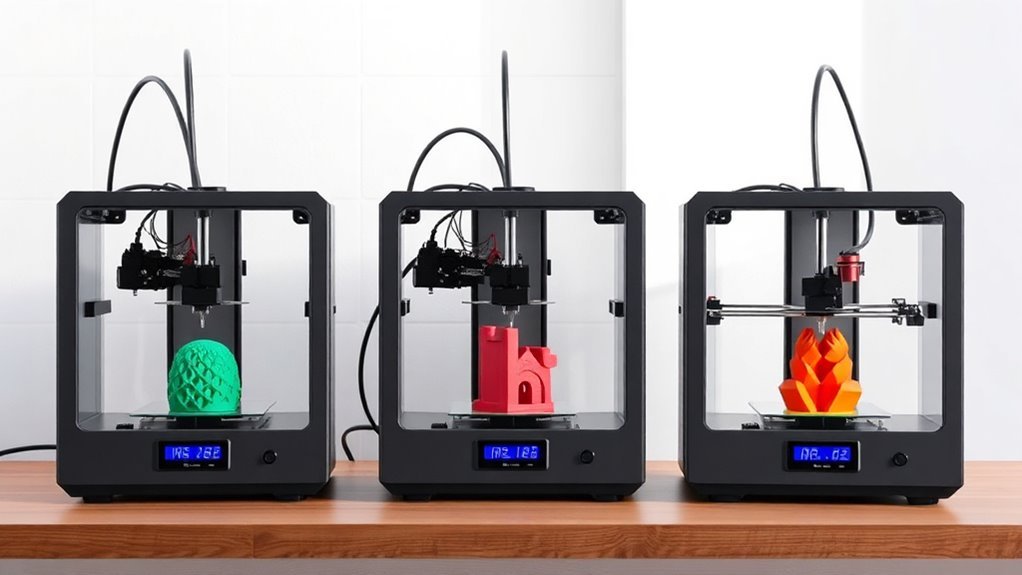
The Anycubic Kobra X Multicolor is a fantastic choice because it offers simple one-click printing and supports multicolor projects. If you want something with fast WiFi connectivity and a quick setup, the Entina Tina2 Plus might be the perfect fit.
For those looking for something kid-friendly with straightforward controls, the Geeetech M1S is an excellent pick. All three printers strike a good balance between speed, filament options, and ease of use. Keep reading to discover helpful tips and features that will guide you to the best 3D printer for your needs.
| Image | Name | Editor's Rating | Price |
|---|---|---|---|

|
|
||

|
|
||

|
|
Anycubic Kobra X Multicolor 3D Printer, Easy One-Click Printing
- 【Vivid 19-Color and Versatile Materials】Unleash creativity beyond limits. The Kobra X supports 4-color standard and expands up to 19 colors with 4 ACE 2 Pro for...
- 【600mm/s High Speed Performance】Don't let slow speeds limit your creativity. This high-speed FDM 3D printer reaches up to 600mm/s, completing tasks significantly...
- 【True Plug & Play Experience】Start your first project in as little as 15 minutes. The Kobra X arrives with a user-friendly setup and LeviQ 3.0 automatic bed leveling...
- 【LeviQ 3.0 Perfect First Layer】Forget the frustration of manual bed leveling that plagues beginner machines. The LeviQ 3.0 system utilizes 49-point full-auto leveling...
- 【Quiet & Reliable for Home】The ultra-quiet ≤48 dB operation ensures the living or learning space remains peaceful. Combined with power loss recovery and filament...
Step into the world of multicolor 3D printing with the Anycubic Kobra X Multicolor, designed to simplify your creative process. Its true plug-and-play setup removes the usual barriers, letting you start printing quickly without complicated assembly or calibration.
This 3D printer supports up to four colors right out of the box, with the option to upgrade to an impressive 19 colors. It handles popular materials like TPU, PLA, and PETG, giving you flexibility for various projects. The hardened steel nozzle heats up to 300°C, ensuring smooth extrusion and reliable performance.
Maintenance is straightforward thanks to the LeviQ 3.0 automatic bed leveling, which guarantees consistent first layers and reduces print failures. The built-in 720p camera and AI-assisted monitoring let you keep an eye on your prints remotely, helping to catch errors early and save time.
Its compact build volume of 260 × 260 × 260 mm fits most hobbyist needs but may limit very large models. While the printer is beginner-friendly, unlocking the full multicolor potential requires additional upgrades.
Best for: Beginners and hobbyists seeking a hassle-free multicolor 3D printer with reliable results and easy monitoring.
What We Like:
- True plug-and-play design for quick start-up
- Supports 4 colors standard, expandable to 19
- Automatic LeviQ 3.0 bed leveling for consistent prints
- AI features with 720p camera for real-time print monitoring
Specification:
| Feature | Details |
|---|---|
| Manufacturer | Anycubic |
| Build Volume | 260 × 260 × 260 mm |
| Nozzle Material | Hardened Steel |
| Max Nozzle Temp | 300°C |
| Supported Materials | TPU, PLA, PETG |
| Color Options | Up to 4 standard, expandable |
Entina Tina2 Plus Fast WiFi 3D Printer
- 【Start Printing in Minutes – Beginner Friendly】No setup required. Tina2 Plus 3d printer comes fully assembled and ready to use out of the box. With included TF card...
- 【Fast 250mm/s Printing Performance】This Tina2 Plus high speed 3D printer print speeds up to 250 mm/s help reduce waiting time and support fast project turnaround...
- 【WiFi App Control & STEM Model Library】Powered by the Poloprint Cloud app, this WiFi-enabled 3D printer gives access to 3,500+ printable models and 25+ creative DIY...
- 【40-Second Fast Heat Ceramic Hotend】High-efficiency ceramic hotend heats up in just 40 seconds for faster start-up and less downtime. The quick-swap nozzle design...
- 【Compact 3D Printer for Home & Classroom】Designed with a space-saving footprint while maintaining practical print capacity, this compact 3D printer fits easily on...
The Entina Tina2 Plus Fast WiFi 3D Printer is designed to simplify 3D printing for beginners and educators. It arrives fully assembled, allowing users to start printing immediately without any setup. This makes it an excellent choice for classrooms and home projects where ease of use is a priority.
With fast print speeds up to 250 mm/s and a ceramic hotend that heats in just 40 seconds, this printer minimizes wait times and keeps projects moving. The easy-to-swap nozzle design also reduces maintenance effort, making it a practical option for frequent use.
Wireless connectivity and the Poloprint Cloud app offer convenient print management from a smartphone. Users can access over 3,500 preloaded models via a TF card or download new designs, supporting creativity and learning in STEM activities.
The printer’s compact size and partially enclosed frame make it safe and space-efficient. However, its smaller build volume may limit larger projects, and the open-source customization options are somewhat limited, which may affect advanced users.
Best for: Beginners, kids, and educators seeking a fast, ready-to-use 3D printer with wireless control and simple maintenance.
What We Like:
- Fully assembled with preloaded models for quick startup
- Fast printing and rapid hotend heating for efficient workflow
- WiFi-enabled with mobile app control and cloud access
Specification:
| Feature | Details |
|---|---|
| Manufacturer | Entina |
| Dimensions | Compact (exact size not provided) |
| Weight | Not specified |
| Material | Not specified |
| Color Options | Not specified |
Geeetech M1S 3D Printer for Kids and Beginners
- Smart 3D Printer: Compact body with sleek design. Access massive 3D models, enjoy WiFi printing, and experience seamless smart operation-connect the "Geeetech" APP and...
- Designed for Kids and Beginners: The Geeetech M1 comes fully assembled and is incredibly user-friendly with knob operation and one-button filament loading. Its 2.4" LCD...
- High-Speed Printing & Superior Quality: Experience the future of printing with Geeetech M1's advanced nozzle and 50W heating rod, ensuring efficient heat dissipation for...
- Innovative Direct Drive Extruder: Equipped with a high-performance dual-drive metal gear system offering a 1:5 gear ratio for unmatched torque and extrusion force...
- Auto-Leveling & Heated Build Plate: Simplify your printing process with our 16-point full-auto leveling technology and a heated, flexible magnetic build plate. These...
Geeetech M1S 3D printer is designed to make 3D printing accessible and enjoyable for kids and beginners. Its compact and smart design simplifies the printing process, allowing users to start creating quickly without complicated setups. Wireless printing through the Geeetech app or easy TF card use eliminates barriers to entry.
Maintenance is straightforward with one-button filament loading and intuitive knob controls. The 2.4″ color LCD screen paired with bright lighting improves visibility and usability during operation. Automatic 16-point leveling ensures the print bed is always correctly calibrated, reducing errors and frustration.
This printer handles flexible TPU and standard PLA filaments smoothly thanks to its direct drive extruder and heated magnetic build plate. While the print area is modest, it is well-suited for small projects and learning purposes. The printer supports smaller filament spools by default but can be adapted for larger spools with an additional holder.
Overall, the Geeetech M1S offers a hassle-free introduction to 3D printing with reliable performance and easy maintenance. It balances user-friendly features with functionality that supports creativity and learning.
Best for: Kids and beginners seeking a simple, dependable 3D printer for starting their creative projects.
What We Like:
- Fully assembled with one-button filament loading and knob operation for ease of use
- Wireless printing via Geeetech app or TF card for flexible workflow
- 16-point auto-leveling and heated magnetic build plate for consistent print quality
- Direct drive extruder that handles TPU and PLA filaments smoothly
Specification:
| Feature | Details |
|---|---|
| Manufacturer | Geeetech |
| Print Area | 3.94 × 4.33 × 3.94 inches |
| Max Print Speed | 250 mm/s |
| Filament Support | TPU, PLA |
| Filament Spool Size | Up to 0.5 kg (1 kg with holder) |
| Screen | 2.4″ LCD color display |
| Weight | Not specified |
Factors to Consider When Choosing Budget 3d Printer Beginner 2026

When choosing a budget 3D printer, you’ll want to take into account print speed and what materials it supports. Make sure the setup is straightforward and the software is user-friendly.
Don’t forget to check connectivity options and essential safety features to keep your experience smooth and secure. It’s all about making your 3D printing journey easy and enjoyable!
Print Speed Importance
Often, print speed plays a pivotal role in how quickly you can complete your 3D projects, but it’s important to balance speed with print quality and reliability. While some printers boast speeds up to 600 mm/s, achieving those speeds depends heavily on the printer’s mechanics, hotend heating, and cooling systems.
Printing too fast can cause issues like ringing, loss of detail, or weak layer adhesion, especially without vibration compensation. For beginners, sticking to moderate speeds around 40–80 mm/s when printing PLA usually offers the best mix of dependable results and reasonable turnaround times.
Material Compatibility Options
Picking the right materials can make or break your 3D printing experience, especially as a beginner on a budget. First, check which filaments your printer supports—PLA, PETG, TPU, PVA, or heat-resistant ASA each need specific nozzle temperatures and settings.
Also, verify the maximum nozzle temperature and whether the hotend is wear-resistant if you want to print abrasive or high-temp filaments. It’s important to match your printer’s capabilities with the material requirements.
Consider the extruder type: direct-drive handles flexible TPU better, while Bowden excels with stiffer filaments like PLA. Knowing this can save you a lot of frustration.
Look for features like filament run-out detection, heated beds for adhesion, and dry-box compatibility to keep filaments dry. These little extras can really improve your printing success.
If you’re aiming for multi-material or multi-color prints, make sure the printer supports multiple extruders or easy filament switching. This is key for soluble supports and complex designs.
Ease Of Setup
Getting your 3D printer up and running quickly can make all the difference in staying motivated as a beginner. Look for models labeled “fully assembled” or “plug-and-play” that offer one-click print starts, so you can begin printing within 15–30 minutes.
Automatic bed leveling drastically cuts down on manual calibration, ensuring your first layer sticks well without frustration. Clear, guided setup flows in the printer’s UI or companion app, along with preloaded start-up models, shorten your learning curve and reduce troubleshooting time.
Features like one-button filament loading, filament run-out detection, and power-loss recovery prevent common startup issues. Plus, accessible monitoring tools, such as built-in cameras or app notifications, let you track prints remotely and catch errors early.
All these extras make setup and initial use a whole lot smoother. It’s really about getting you printing faster and with less hassle!
Connectivity And Software
How you connect and control your 3D printer can greatly impact your printing experience. Check the available connection methods: USB and SD/TF cards offer reliable wired options for large prints, while Wi-Fi or Ethernet provide remote monitoring and mobile control.
Make sure the printer supports your operating system—Windows, macOS, Linux, or Chromebooks. Also, see whether it uses direct USB mass-storage or needs proprietary drivers.
Choose printers compatible with popular slicers like Cura or PrusaSlicer, or that let you export open G-code to avoid vendor lock-in. It’s a good idea to evaluate bundled apps or cloud platforms for remote slicing, camera monitoring, and over-the-air firmware updates.
Keep an eye on subscription requirements for those cloud services. And don’t forget to confirm support for standard file formats and local control options just in case your network’s down.
Safety Features Needed
When you’re choosing a budget 3D printer for beginners, safety features should be a top priority to protect both users and surroundings. Look for enclosed or partially enclosed frames that shield hot components and moving parts, reducing burn and pinch risks—especially important if kids will use it.
Make certain it includes thermal safety measures like temperature sensors, thermal runaway protection, and automatic cutoff to prevent overheating. Filament run-out detection and power-loss recovery help avoid failed prints and overheating during unattended sessions.
Opt for low-noise models (ideally ≤50 dB) with proper ventilation or filtration if printing VOC-emitting materials. And don’t forget easy-to-use software locks, admin controls, and clear emergency stop buttons. That way, you can quickly halt printing if hazards arise, ensuring a safer experience every time.
Frequently Asked Questions
What Materials Are Best for Beginner 3D Printing?
You’ll want to use PLA for beginner 3D printing since it’s easy to work with, non-toxic, and requires low printing temperatures.
It’s perfect for learning without worrying about warping or complex bed adhesion issues. Plus, it’s super forgiving when you’re just starting out.
How Do I Maintain My 3D Printer for Longevity?
You should maintain your 3D printer like you’d care for a delicate watch: clean the nozzle regularly, lubricate moving parts, tighten screws, and update firmware.
Doing this keeps your printer running smoothly and extends its lifespan. It’s kind of like giving your machine a little TLC to keep it happy and working well.
Can I Upgrade a Budget 3D Printer Later?
Yes, you can upgrade a budget 3D printer later. You’ll often swap parts like nozzles, build plates, or firmware.
Just check compatibility, and you’ll improve print quality and features without buying a new machine. It’s a great way to get more out of your printer over time!
What Software Is Easiest for 3D Printing Beginners?
You’ll find Ultimaker Cura easiest for 3D printing beginners because it’s user-friendly and free. It simplifies slicing models and offers helpful presets, so you can start printing quickly without overwhelming settings or steep learning curves.
Plus, it’s got a nice, clean interface that doesn’t scare you off. Even if you’re new to this, Cura makes the whole process feel manageable and pretty straightforward.
Are There Safety Tips for Children Using 3D Printers?
Yes, you should always supervise kids and keep the printer in a well-ventilated area. Avoid touching hot parts, and teach them proper handling.
Wearing safety glasses and keeping the workspace clean also helps prevent accidents effectively. It’s all about staying safe while having fun!
Conclusion
Choosing the right budget 3D printer for beginners in 2026 doesn’t have to be rocket science. Whether you pick the Anycubic Kobra X for its colorful charm, the speedy Entina Tina2 Plus with WiFi, or the kid-friendly Geeetech M1S, you’re stepping into a world where creativity meets affordability.
So why wait? Jump in, press print, and watch your ideas come to life—because the only limit is your imagination!
If you’re looking for the best budget 3D printer beginner options in 2026, these models stand out for their ease of use, features, and price. They make 3D printing accessible without breaking the bank. Whether you’re a hobbyist, student, or just curious, starting with any of these printers will set you up for success. Remember, the perfect beginner 3D printer is one that fits your needs and sparks your creativity!