3 best budget all in one printer 2026
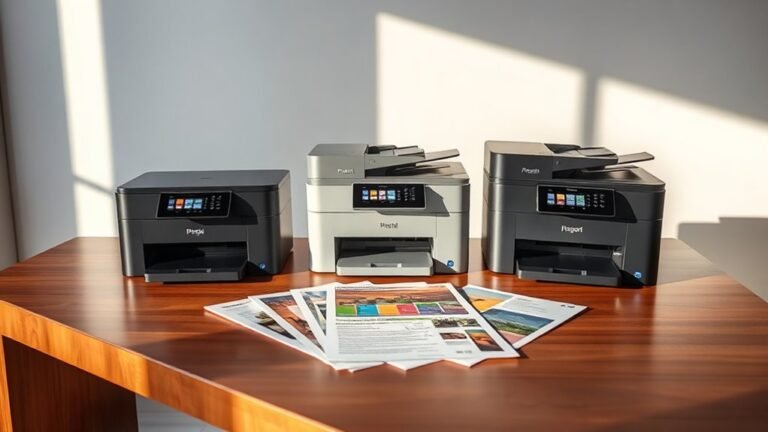
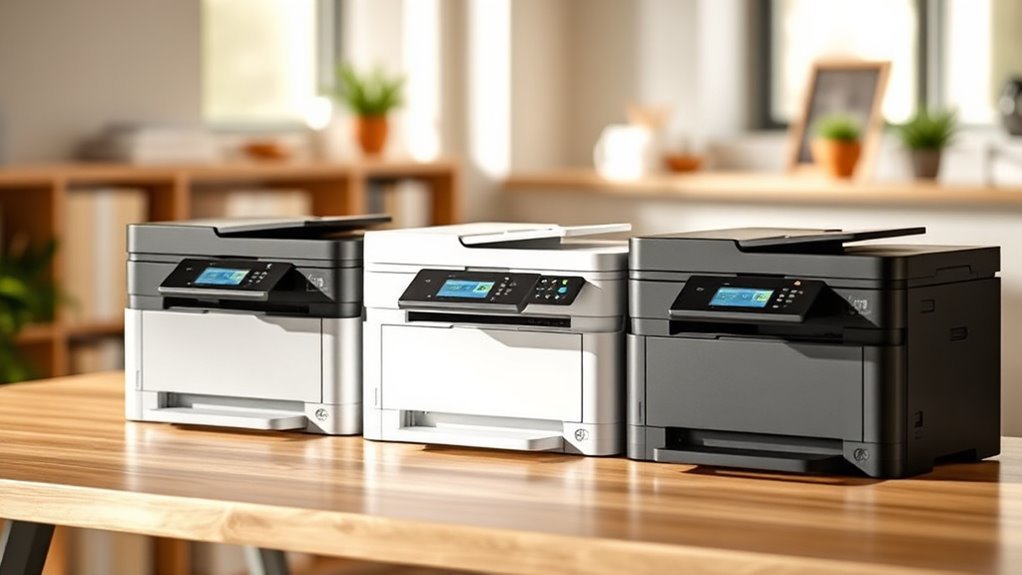
For budget all-in-one printers in 2026, check out the Canon MegaTank G3270 for high-capacity color printing at a low ink cost. It’s perfect if you want to save on supplies without sacrificing print quality.
Then there’s the Canon MegaTank G3290, which offers automatic duplex printing and a handy touchscreen for easy use. This model makes printing double-sided documents a breeze and is super user-friendly.
If you need something compact but versatile, the Brother Work Smart 1410 is a solid choice. It features duplex printing, an automatic document feeder (ADF), and even fax capabilities.
Each of these printers balances affordability, efficiency, and functionality well. If you’re looking to find the perfect fit for your needs, you’ll uncover useful details ahead to guide your choice.
| Image | Name | Editor's Rating | Price |
|---|---|---|---|

|
|
||

|
|
||

|
|
Canon MegaTank G3270 All-in-One Wireless Color Printer
- Wireless Print/Copy/Scan
- Up to 2 years of ink included (2)
- Print up to 6,000 black & white / 7,700 color pages using a single set of inks! (1)
- Save up to $1,000 on ink (1)
- 1.35” Square LCD display

If you need a reliable all-in-one printer that handles large volumes of color printing without constant ink changes, the Canon MegaTank G3270 is designed to meet those needs. Its refillable MegaTank system significantly reduces running costs by delivering up to 7,700 color pages and 6,000 black pages on a single ink set.
This printer offers versatile functionality, allowing you to print, copy, and scan with sharp clarity at a maximum resolution of 4800 × 1200 dpi. Wireless connectivity via Wi-Fi and USB ensures easy setup, while the 1.35″ LCD and smartphone apps provide simple control and monitoring.
Maintenance is hassle-free with the refillable ink tanks that minimize interruptions. It supports various paper sizes and types, including borderless printing, making it suitable for creative projects and everyday documents. However, it prints only on one side, as it lacks automatic duplex capability.
Its compact design fits well in home offices and small workspaces. While the input/output trays hold up to 100 sheets, this may require frequent refills during heavy use. Overall, this printer balances efficiency and convenience for users needing consistent, high-volume color output.
Best for: Home office users and small businesses seeking an affordable, high-capacity wireless color printer with low ink replacement needs.
What We Like:
- Refillable MegaTank system with high page yield cuts ink costs.
- Wireless and USB connectivity with easy smartphone app control.
- Supports multiple paper sizes and borderless printing.
- Compact design suitable for limited space.
- Energy-efficient operation for daily use.
Specification:
| Feature | Details |
|---|---|
| Manufacturer | Canon |
| Dimensions | Not specified |
| Weight | Not specified |
| Printing Resolution | Up to 4800 × 1200 dpi |
| Connectivity | Wi-Fi, USB |
| Display | 1.35″ LCD |
| Ink System | Refillable MegaTank |
| Max Input/Output Tray | 100 sheets |
Canon Megatank G3290 All-in-One Wireless Printer
- Wireless Print/Copy/Scan (2)
- Up to 2 years of ink included
- Print up to 6,000 black & white / 7,700 color pages using a single set of inks! (1)
- Save up to $1,000 on ink (1)
- 2.7” LCD Color Touchscreen
The Canon Megatank G3290 is designed to simplify high-volume printing while keeping costs low. Its refillable SuperTank system means you can print thousands of pages without constantly buying new cartridges. This reduces interruptions and helps you stay productive.
With sharp text and vibrant photos thanks to 4-color hybrid ink technology, the G3290 delivers quality output suitable for both home and office tasks. The printer supports auto-duplex printing, saving paper by printing on both sides automatically.
Wireless and USB connectivity options make it easy to print from multiple devices without hassle. The 2.7″ touchscreen provides intuitive control, making navigation and setup straightforward. Maintenance is hassle-free with easy-to-refill ink bottles that keep running costs down.
Though print speeds of 11 ppm black and 6 ppm color are moderate, this printer balances performance with affordability. Its single 100-sheet paper tray suits light to medium workloads but may require frequent refilling in busy settings.
Best for: Budget-conscious home users and small offices needing cost-effective, high-volume printing with vibrant color and sharp text.
What We Like:
- Refillable SuperTank ink system lowers printing expenses.
- User-friendly 2.7″ touchscreen and wireless connectivity.
- Auto-duplex and borderless photo printing enhance versatility.
Specification:
| Feature | Details |
|---|---|
| Manufacturer | Canon |
| Dimensions (W×D×H) | Approx. 17.7 × 12.7 × 5.8 in (45 × 32.3 × 14.7 cm) |
| Weight | Approx. 9.7 lb (4.4 kg) |
| Ink System | Refillable SuperTank |
| Connectivity | Wireless, USB |
| Display | 2.7″ Color Touchscreen |
| Paper Tray Capacity | 100 sheets |
| Print Speed | 11 ppm (black), 6 ppm (color) |
Brother Work Smart 1410 Wireless Color Inkjet Printer
- BEST FOR HOME OFFICE AND SMALL OFFICE: Get your work done with a multifunction printer. Print, copy, and scan on one convenient, compact printer, with quick and easy...
- EASY-TO-USE TOUCHSCREEN WITH CLOUD APP CONNECTIONS: Seamless integration with the Cloud(2). Print from and scan to popular Cloud apps(2), including Google Drive, Dropbox...
- PRODUCTIVITY-FOCUSED FEATURES: Automatic duplex (2-sided) printing, 20-sheet single-sided Automatic Document Feeder (ADF)(3), 150-sheet paper tray(3). Print at fast...
- MULTIPLE CONNECTION OPTIONS: Connect your way. Interface with your printer on your wireless network or via USB.
- THE BROTHER MOBILE CONNECT APP: Go mobile with the Brother Mobile Connect app(5) for easy onscreen menu navigation for printing, copying, scanning, and device management...
Experience seamless printing, scanning, copying, and faxing with the Brother Work Smart 1410 Wireless Color Inkjet Printer. Its compact design fits easily into home offices or small workspaces, helping you save space without sacrificing functionality. Automatic duplex printing reduces paper waste and streamlines double-sided document handling.
This all-in-one printer connects effortlessly via wireless or USB, giving you the flexibility to manage tasks from the 2.7″ touchscreen or the Brother Mobile Connect app. The 20-sheet automatic document feeder (ADF) simplifies multi-page scanning and copying, saving you time on repetitive tasks.
Maintenance is straightforward with ink level monitoring that prevents unexpected interruptions. While the color print speed is slower than black and white, this model balances quality and efficiency, delivering sharp prints at resolutions up to 1,200 x 6,000 dpi on Windows.
Overall, the Brother Work Smart 1410 offers reliable performance tailored for everyday use. It supports a 150-sheet tray capacity, ideal for moderate printing needs, though high-volume users may need to replace starter ink cartridges more frequently.
Best for: Home users, home offices, and small offices needing a compact, versatile all-in-one color inkjet printer with wireless connectivity and automatic duplex printing.
What We Like:
- Automatic duplex printing reduces paper use and boosts efficiency
- Wireless and USB options with intuitive touchscreen and mobile app control
- 20-sheet ADF speeds up multi-page scanning and copying
- Ink level monitoring helps avoid printing interruptions
Specification:
| Feature | Details |
|---|---|
| Manufacturer | Brother |
| Dimensions (W x D x H) | Compact size (exact size not provided) |
| Weight | Not specified |
| Connectivity | Wireless, USB |
| Paper Capacity | 150 sheets |
| Print Speed (Black) | Up to 16 ppm |
| Print Speed (Color) | Up to 9 ppm |
| Print Resolution | Up to 1,200 x 6,000 dpi (Windows) |
| Display | 2.7″ Touchscreen |
| ADF Capacity | 20 sheets |
Factors to Consider When Choosing a Budget All in One Printer 2026
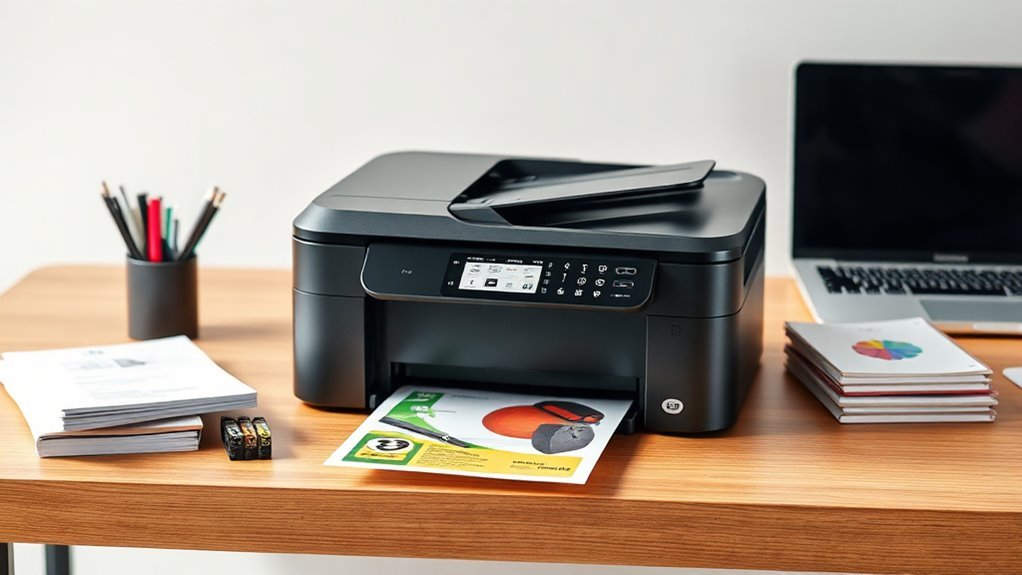
When choosing a budget all-in-one printer, you’ll want to focus on print quality, ink efficiency, and connectivity options to fit your needs.
Don’t forget to check the printer’s speed, performance, and how much paper it can handle at once.
These factors will help you find a reliable printer without overspending.
Print Quality Standards
Although budget all-in-one printers come with varying features, you should prioritize print quality standards to get the best value. Start by checking maximum print resolutions—up to 4800 × 1200 dpi for color is ideal for sharp photos and details.
Know the difference between pigment and dye inks: pigment yields crisp black text, while dye produces more vivid photos. Don’t overlook print speeds and first-page-out times; high-quality modes often slow down printing.
Also, consider color depth and output bit depth, plus driver support for ICC profiles and color spaces like sRGB or AdobeRGB. This helps ensure accurate colors.
Finally, consistent print density matters, so look for high-yield ink or tank systems that reduce banding and color shifts over time.
Ink Efficiency & Costs
After ensuring your printer meets high print quality standards, you’ll want to focus on ink efficiency and costs to keep your budget in check. Refillable ink-tank systems are a smart choice, often delivering thousands of pages per full ink set. This lowers your cost per page compared to cartridge-based models.
Calculate the total cost of ownership by dividing replacement costs by yield. Then, factor in how often you print to estimate monthly expenses.
Hybrid ink systems, combining pigment black for sharp text and dye color for vivid photos, can save black ink and improve text longevity. Also, look for features like draft modes, automatic duplexing, and ink-level monitoring to reduce ink use.
Finally, check if the printer includes a starter ink supply. And be sure to verify manufacturer yield claims carefully.
Connectivity Options Available
Choosing a budget all-in-one printer means you’ll want to zero in on connectivity options that fit your workflow seamlessly. Make sure the printer offers both Wi-Fi and USB 2.0, so you can print wirelessly from smartphones or tablets and connect directly to a PC.
Check for mobile printing support like native apps and cloud compatibility, letting you print and scan easily from iOS or Android devices. If multiple users share the printer, consider models with Ethernet or network-ready features for reliable wired connections.
Also, look for duplex and scanning controls accessible via the device’s LCD or companion app, making remote operation simple. Finally, verify the printer supports WPA2 or WPA3 security and allows firmware updates to keep your network printing safe and up to date.
Speed And Performance
Several key factors shape the speed and performance of budget all-in-one printers, directly impacting your daily productivity. You’ll want to check print speeds—around 10–16 ppm for black and 6–9 ppm for color suits most tasks.
Don’t overlook the first-page-out time; a printer that delivers a page in under 7–10 seconds feels much faster for quick jobs. For scanning and copying, ADF capacity and copy speeds close to print speeds keep multi-page tasks moving smoothly.
Automatic duplexing saves time on double-sided prints, so prioritize models that support it over manual duplexing. Finally, match the printer’s duty cycle and recommended monthly page volume to your workload to avoid performance drops or premature wear.
Paper Handling Capacity
When you pick a budget all-in-one printer, you’ll want to take into account its paper handling capacity carefully. Look at the input tray size, which usually ranges from 50 to 150 sheets. A larger tray means fewer reloads for bigger jobs.
Check the output tray capacity too—support for around 100 sheets helps avoid interruptions during batch printing. Verify supported paper sizes, including Letter, A4, envelopes, and custom sizes up to about 8.5″ wide and 47″ long.
If you print photos, see if the printer handles borderless printing and photo sheets, which typically have smaller capacities. Finally, consider whether it offers duplex printing and an automatic document feeder (ADF).
These features boost efficiency when scanning or copying multi-page and double-sided documents.
Device Compatibility Features
How well will your new printer work with your devices? Make sure it supports all your operating systems—Windows, macOS, iOS, Android—and offers up-to-date drivers to prevent compatibility headaches after OS updates.
Look for multiple connectivity options like Wi-Fi, USB 2.0/3.0, and mobile-printing protocols such as AirPrint and Mopria. This way, you can print from smartphones, tablets, and laptops without needing extra adapters.
Check if the printer supports apps and cloud printing for scanning to email or remote printing. Budget models often limit these features, so it’s good to keep an eye out.
Also, pick a setup interface you’re comfortable with, whether it’s a touchscreen, physical buttons, or a web/app setup. This helps avoid complicated configurations.
Finally, confirm the manufacturer provides firmware updates and security patches. Keeping everything running smoothly and securely is key.
Warranty And Support
Although budget all-in-one printers often come at a lower upfront cost, you’ll want to carefully evaluate their warranty and support options to avoid unexpected expenses down the line. Check the warranty length and coverage—typically one year for parts and labor—and confirm what’s excluded, like printheads or user damage.
Make sure spare parts and repair services remain available for several years to keep ownership costs down. It’s also a good idea to look into support channels such as phone, email, live chat, or in-person repairs. See if remote troubleshooting or firmware updates are included, too.
Understand warranty conditions like registration deadlines and authorized repair requirements. Finally, review service terms, including repair turnaround times, loaner options, and any shipping fees, so you’re fully prepared if issues arise.
Frequently Asked Questions
How Long Do Ink Cartridges Typically Last in Budget All-In-One Printers?
Ink cartridges in budget all-in-one printers typically last for about 200 to 400 pages. How long they last depends on your print frequency and type of documents, so you’ll want to monitor ink levels regularly.
It really varies based on what you’re printing and how often. If you print a lot of heavy graphics or photos, the ink might run out faster. So, keeping an eye on your ink levels is always a good idea!
Can Budget All-In-One Printers Print on Both Sides Automatically?
Yes, some budget all-in-one printers can print on both sides automatically, but not all. You’ll want to check for “duplex printing” in the specs to make sure your printer handles double-sided printing without manual flipping.
It’s a handy feature to have, especially if you print a lot and want to save paper. Just keep an eye out for that term when shopping!
Are Budget All-In-One Printers Compatible With Mobile Printing Apps?
Yes, many budget all-in-one printers support mobile printing apps like Apple AirPrint, Google Cloud Print, or manufacturer-specific apps. You can easily print documents or photos directly from your smartphone or tablet without hassle.
It’s pretty convenient, especially if you’re always on the go. Just connect your device, and you’re good to go!
What Warranty Period Is Common for Budget All-In-One Printers?
You’ll usually get a one-year warranty, which feels like a lifetime in printer years!
Don’t worry, it covers most defects. Some brands even offer extended plans, so you can keep printing without stressing over breakdowns.
Do Budget All-In-One Printers Support Scanning to Cloud Services?
Yes, many budget all-in-one printers support scanning to cloud services like Google Drive or Dropbox.
You’ll often find this feature in their software, making it easy to save and access your scanned documents online quickly.
It’s pretty convenient if you want to keep things organized and accessible from anywhere.
Conclusion
Choosing the right budget all-in-one printer in 2026 might feel overwhelming, but isn’t it funny how the perfect match often finds you? Whether it’s the Canon MegaTank G3270, the G3290, or the Brother Work Smart 1410, you’ll discover one that fits your needs and budget effortlessly.
Just like that, your print, scan, and copy tasks become seamless. Sometimes, the best choices come when you least expect them—ready to make your life easier.
When looking for the best budget all-in-one printer, it’s all about balancing quality, features, and cost. These models are known for delivering great value without breaking the bank. So, if you want a reliable printer that handles all your essential tasks, these picks are a smart place to start.
In 2026, the right budget all-in-one printer can transform your home or office setup. With options like the Canon MegaTank G3270, G3290, and Brother Work Smart 1410, you’re set for smooth printing, scanning, and copying—without overspending.