8 Best Blueprint Printers for 2027
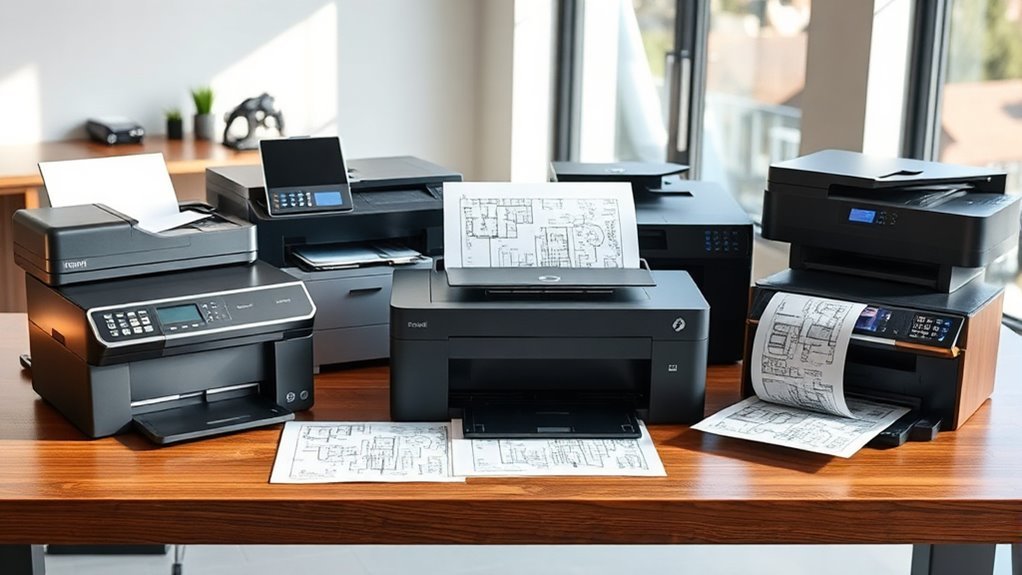
You’ll want a blueprint printer that offers sharp detail and handles large formats with ease. High-resolution prints and reliability are key when working with blueprints and architectural plans.
Options like the HP DesignJet T210 and T630 provide prints up to 36 inches wide and come with eco-friendly features.
Epson’s EcoTank ET-15000 stands out with wireless all-in-one convenience and long-lasting ink tanks. It’s a great choice if you need both quality and efficiency.
Canon’s imagePROGRAF series delivers versatility across 24 and 36-inch models, perfect for various project sizes.
Explore these top choices to find the perfect fit for your precise, high-volume printing needs. Whether you prioritize detail, size, or eco-conscious features, there’s a blueprint printer here that’ll work for you.
| Image | Name | Editor's Rating | Price |
|---|---|---|---|

|
|
||

|
|
||

|
|
||
|
|
||

|
|
HP DesignJet T210 24-inch Large Format Printer
- Ideal for: Technical line drawings, renders requiring precise, accurate line-quality and crisp text, posters, maps, and professional sewing patterns.
- Media Sizes: Up to 24-inch wide media rolls (large format), and up to 13-inch by 19-inch sheets (wide format) using the optional automatic sheet feeder accessory.
- Media Handling: Sheet feed, roll feed, automatic horizontal cutter.
- Simple & Cost Effective: Print multi-size projects automatically, without needing to manually switching the media source. Cost saving efficiencies like using 95% less ink...
- Simplify Printing with Included HP Click Software: Save time, ink, and paper waste with PDF error checking, alerts, and auto-nesting. Predefine your print settings and...

The HP DesignJet T210 24-inch printer is built to handle large-format blueprints with accuracy and speed. It prints detailed images at a sharp 2400 x 1200 dpi resolution, making it ideal for technical drawings. The device supports rolls up to 24 inches wide and sheets up to 13 x 19 inches with an optional feeder, offering versatile media handling.
This printer connects easily via Ethernet, USB, or Wi-Fi, allowing seamless integration into your workspace. Remote printing is possible through the HP Smart app, helping you manage tasks efficiently. Its lightweight design simplifies placement, while eco-friendly features reduce ink usage and support sustainable printing.
Maintenance is straightforward with this model, which balances performance and ease of use. Its moderate memory capacity handles most print jobs reliably, though very complex tasks may require additional resources. The DesignJet T210 is a practical choice for professionals needing dependable large-format output without unnecessary complexity.
Best for: Architects, engineers, and professionals requiring precise, fast large-format printing of technical drawings and blueprints.
What We Like:
- High-resolution output ensures crisp and clear prints.
- Multiple connectivity options support flexible workflows.
- Eco-conscious design reduces ink consumption.
- Compact and lightweight for easy setup.
- Supports both roll and sheet media with optional feeder.
Specification:
| Feature | Details |
|---|---|
| Manufacturer | HP |
| Print Width | Up to 24 inches (roll) |
| Maximum Sheet Size | 13 x 19 inches (with feeder) |
| Print Resolution | 2400 x 1200 dpi |
| Connectivity | Ethernet, USB, Wi-Fi |
| Memory | 500 MB RAM |
| Weight | Lightweight (exact weight not specified) |
HP DesignJet T630 36-inch Large Format Printer
- Ideal for: Technical line-drawings, renders requiring precise, accurate line-quality and crisp text, posters, and maps. This printer is popular among architects...
- Media Sizes: Up to 36-inch wide media rolls (large format), and up to 13-inch by 19-inch sheets (wide format) using the included automatic sheet feeder accessory.
- Media Handling: Sheet feed, roll feed, automatic sheet/roll switch, media bin, automatic horizontal cutter.
- Connectivity: Gigabit Ethernet (1000Base-T), Hi-Speed USB 2.0, Wi-Fi 802.11 b/g/n.
- Simplify Printing with Included HP Click Software: Save time, ink, and paper waste with PDF error checking, alerts, and auto-nesting. Predefine your print settings and...
The HP DesignJet T630 36-inch large format printer transforms complex architectural and engineering plans into sharp, precise prints quickly. Its ability to handle both 36-inch rolls and 13×19-inch sheets means you can easily print versatile media sizes without hassle. This printer brings clarity to detailed blueprints with high-resolution output at 2400 x 1200 dpi, ensuring every line and color is accurate.
Maintenance is straightforward thanks to its automatic sheet feeder, roll switching, and built-in cutter. These features reduce manual handling and help keep your workflow smooth. Connectivity options like Wi-Fi, Ethernet, and USB allow you to print from multiple devices and even manage jobs remotely through the HP Smart app.
Designed for professionals, this printer saves time while maintaining precision. Its eco-conscious design uses recycled plastics and lowers CO2 emissions, making it a responsible choice for busy offices. The compact footprint fits well in dedicated workspaces, though its size and weight mean it’s best suited for stationary use.
Best for: architects, engineers, and construction professionals who need reliable, high-precision large-format printing with efficient media handling and eco-friendly benefits.
What We Like:
- Sharp 2400 x 1200 dpi prints with vivid color accuracy using HP Bright Office Inks
- Easy media management with automatic sheet feeder, roll switching, and cutter
- Flexible connectivity via Wi-Fi, Ethernet, USB, plus remote job control through HP Smart app
Specification:
| Feature | Details |
|---|---|
| Manufacturer | HP |
| Maximum Media Width | 36 inches (91.4 cm) |
| Print Resolution | 2400 x 1200 dpi |
| Media Types | Roll and sheets (up to 13×19 inches) |
| Connectivity | Wi-Fi, Ethernet, USB |
| Weight | 123 lbs (55.8 kg) |
| Dimensions (W×D×H) | Compact design (specific size not provided) |
Epson EcoTank ET-15000 Wireless All-in-One Wide-Format Supertank Printer
- PHOTO PRINTING — Ultra HD photo printer delivers borderless prints up to 13 in x 19 in with 6-color Claria Photo HD ink system including red and gray for enhanced color...
- COMPACT DESKTOP PRINTER — Wide format A3 plus printer is 30% smaller than predecessor and fits on desktop, easily fits on desktop while accommodating specialty media...
- WIRELESS CONNECTIVITY — Wi-Fi printer enables convenient printing from computers, smartphones and tablets with auto 2-sided document printing capability and 200-sheet...
- INDIVIDUAL INK SYSTEM — 6-color cartridge system with Claria Photo HD technology provides color accuracy and longevity; Designed for use with genuine Epson printer ink...
- SMART CONVENIENCE — Amazon Dash Replenishment Ready feature automatically tracks ink usage and orders replacement cartridges when running low; Supports uninterrupted...
Experience the convenience of high-quality wide-format printing without the hassle of frequent ink changes. The Epson EcoTank ET-15000 wireless all-in-one printer delivers crisp, ultra HD borderless prints up to 13 x 19 inches. Its 6-color Claria Photo HD ink system ensures rich, accurate colors for photos and documents alike.
With supersized ink tanks, this model prints up to 6,000 pages per refill, cutting ink costs by up to 90% and minimizing interruptions. The compact design fits neatly on your desktop, while wireless connectivity and voice-activated printing simplify workflow. A 2.7-inch touchscreen offers easy navigation and control.
Maintenance is straightforward thanks to the large ink reservoirs, reducing downtime and cartridge waste. It handles various media types with speed and precision, though note the color print speed is moderate at 9 ppm. The scanner accommodates documents up to 8.5 x 14 inches, and the 250-sheet front tray suits moderate print volumes.
Best for: professionals and creatives who need detailed, wide-format photo and document printing with minimal ink replacements.
What We Like:
- Ultra HD borderless prints up to 13 x 19 inches with 6-color ink for superior color accuracy
- Supersized ink tanks yield up to 6,000 pages per refill, lowering ink costs significantly
- Compact wireless design with voice-activated printing and an intuitive 2.7-inch touchscreen
- Efficient media handling ideal for professional-quality prints
Specification:
| Feature | Details |
|---|---|
| Manufacturer | Epson |
| Dimensions (W×D×H) | Compact desktop size |
| Weight | Not specified |
| Ink System | 6-color Claria Photo HD |
| Max Print Size | 13 x 19 inches |
| Connectivity | Wireless, voice-activated |
| Touchscreen | 2.7 inches |
| Paper Tray Capacity | 250 sheets |
| Scan Size | Up to 8.5 x 14 inches |
HP DesignJet T630 24-inch Large Format Printer
- Ideal for: Technical line-drawings, renders requiring precise, accurate line-quality and crisp text, posters, and maps. This printer is popular among architects...
- Media Sizes: Up to 24-inch wide media rolls (large format), and up to 13-inch by 19-inch sheets (wide format) using the included automatic sheet feeder accessory.
- Media Handling: Sheet feed, roll feed, automatic sheet/roll switch, media bin, automatic horizontal cutter.
- Connectivity: Gigabit Ethernet (1000Base-T), Hi-Speed USB 2.0, Wi-Fi 802.11 b/g/n.
- Simplify Printing with Included HP Click Software: Save time, ink, and paper waste with PDF error checking, alerts, and auto-nesting. Predefine your print settings and...
The HP DesignJet T630 large format printer transforms how architects and engineers handle high-speed printing tasks. Its ability to print on media up to 24 inches wide lets you create sharp technical drawings, posters, and maps with ease. Switching between rolls and sheets is simple, thanks to the auto sheet feeder and media bin, saving time during busy projects.
This printer’s compact design fits neatly into busy offices without sacrificing performance. Its eco-friendly build reduces CO2 emissions and uses recycled plastics, helping reduce environmental impact. You can rely on the T630 to deliver quality prints while supporting sustainable practices.
Maintenance is straightforward with automatic cutting and a 50-sheet capacity, though frequent refills might be necessary in very high-volume settings. Connectivity options like Gigabit Ethernet, USB, and Wi-Fi make remote job management easy through the HP Smart app, streamlining workflow.
The DesignJet T630 is a practical choice for professionals who need versatile, precise large-format printing without complicated setup. It balances functionality, ease of use, and environmental responsibility in a single compact unit.
Best for: Architects, engineers, and construction professionals needing efficient large-format printing with versatile media handling and remote management.
What We Like:
- Prints up to 24-inch wide media rolls and sheets with automatic switching and cutting
- Multiple connectivity options including Ethernet, USB, and Wi-Fi for flexible remote operation
- Compact, eco-friendly design reduces CO2 emissions and uses recycled materials
Specification:
| Feature | Details |
|---|---|
| Manufacturer | HP |
| Maximum Print Width | 24 inches (61 cm) |
| Sheet Capacity | Up to 50 sheets |
| Connectivity | Gigabit Ethernet, USB, Wi-Fi |
| Dimensions | Compact office-friendly size |
| Environmental | Uses recycled plastics, reduces CO2 emissions |
Canon imagePROGRAF TC-21 24″ Large Format Printer
- Quality Prints: The 4-color ink printer delivers crisp text and vibrant images for attention grabbing posters on a wide variety of cut sheet and roll media.
- Ships with a full set of ink: The imagePROGRAF TC-21 ships with 280 ml (70 ml of each color), the most in its class.
- 24" desktop roll printer with automatic sheet feeder: The imagePROGRAF TC-21 can print up to 24" wide on a variety of roll media or sheet media from the automatic sheet...
- Easy Setup and Maintenance: imagePROGRAF TC-21 printers have an intuitive tiltable touchscreen control panel and animated installation guides to provide quick-and-easy...
- Wired and Wireless Productivity: High-speed USB and Ethernet connectivity lets you connect to your network for fast, reliable printing - Print wirelessly from your...
Experience high-quality, large-format printing that meets the demands of busy professionals. The Canon imagePROGRAF TC-21 produces sharp color and black-and-white prints up to 24 inches wide, helping you complete projects quickly without sacrificing detail. Its precision resolutions ensure every print looks crisp and professional.
Designed for ease of use, this printer offers a simple touchscreen interface that streamlines operation. Flexible connectivity options, including USB, Ethernet, and built-in Wi-Fi, allow you to print effortlessly from multiple devices. This versatility fits well in dynamic work environments with diverse printing needs.
Maintenance is straightforward with top and front access to ink and paper, reducing downtime. The 4-color ink system ensures vibrant color output, though note the cartridges hold a modest 70 ml each, which may require more frequent refills. Its substantial size calls for a dedicated workspace but supports robust printing demands.
Best for: Professionals and small businesses needing fast, reliable large-format color and black-and-white prints with versatile connectivity and easy maintenance.
What We Like:
- Fast print speeds of 15 color and 20 black-and-white pages per minute
- Flexible connectivity via USB, Ethernet, and built-in Wi-Fi
- User-friendly touchscreen operation
- Convenient top and front ink and paper access
Specification:
| Feature | Details |
|---|---|
| Manufacturer | Canon |
| Maximum Print Width | 24 inches (61 cm) |
| Color System | 4-color ink |
| Color Print Speed | 15 pages per minute |
| Black-and-White Print Speed | 20 pages per minute |
| Color Resolution | 1200 x 1200 dpi |
| Black-and-White Resolution | 600 dpi |
| Ink Cartridge Size | 70 ml per color |
| Dimensions (D x W x H) | 44 x 29 x 16 inches |
| Weight | 71 pounds (32.2 kg) |
Epson SureColor T5170 36 in Wide Format Wireless Inkjet Printer
- Breakthrough Print Speeds — produce accurate A1/D-size prints in 31 seconds (1)
- Easy to Operate — large intuitive 4 3" LCD color touchscreen simplifies print tasks
- Compact Clean Design — ultra small footprint (4) and sleek minimal design that enhances your workspace
- Replace Ink Less Often — high-capacity cartridges up to 50 mL color and 80 mL Black
- Print from Virtually Anywhere in the Office — easily print from tablets smartphones and more (3) with integrated wireless plus router-free Wi-Fi Direct printing (2)
The Epson SureColor T5170 delivers fast, vibrant large-format prints in a sleek, space-saving design. It tackles the challenge of producing sharp blueprints and technical drawings quickly, helping professionals meet tight deadlines without sacrificing quality. This printer uses UltraChrome XD2 pigment inks, ensuring prints remain bold and durable over time.
Its compact footprint fits easily into busy workspaces, while the 4.3-inch touchscreen simplifies operation. You can print directly from rolls or sheets up to 11 x 17 inches, adding versatility to your workflow. Wireless and Wi-Fi Direct connectivity reduce cable clutter and enable hassle-free printing from various devices.
Maintenance is straightforward with high-capacity ink cartridges that minimize interruptions. The T5170 balances performance and convenience, making it a practical choice for architects, engineers, and design professionals who need reliable, high-quality large-format output in a small package.
Best for: professionals and small businesses needing fast, high-quality wide-format prints with wireless ease and compact design.
What We Like:
- Sharp, durable prints using UltraChrome XD2 pigment inks
- User-friendly 4.3-inch touchscreen for easy operation
- Flexible media handling with rolls or sheets up to 11 x 17 inches
- Wireless and Wi-Fi Direct for seamless device connectivity
Specification:
| Feature | Details |
|---|---|
| Manufacturer | Epson |
| Dimensions | Compact footprint (exact size not specified) |
| Weight | 101 lb (46 kg) |
| Ink Type | UltraChrome XD2 pigment |
| Max Media Size | 11 x 17 inches |
| Connectivity | Wireless, Wi-Fi Direct |
Canon imagePROGRAF TM-340 36″ Large Format Printer
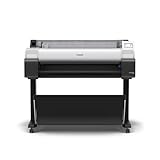
- The 5-color pigment ink printer delivers crisp text, sharp lines, and vibrant images for attention grabbing posters with on a wide variety of media types.
- The imagePROGRAF TM-340 ships with 300 ml of ink (BK/C/M/Y (55ml) MBK (80ml).
- With automatic media selection the TM-340 makes operating the printer simple and easy. Once users load the media, the TM-340 can determine the media type, width, and...
- Automatic color calibration helps ensure that prints look consistent.
- Easy Setup and Maintenance: imagePROGRAF TM-340 printers have an intuitive tiltable touchscreen control panel and animated installation guides to provide quick-and-easy...
Experience crisp, detailed prints with the Canon imagePROGRAF TM-340, designed to meet the demands of professionals who require precision and vibrant color. This large-format printer produces sharp 36-inch prints using a 5-color pigment ink system, ensuring your blueprints and graphics stand out with clarity and color accuracy.
The TM-340 simplifies your workflow with automatic media detection and a user-friendly 4.3-inch tiltable touchscreen. It supports various media types, reducing setup time and minimizing errors. High-speed USB and Ethernet connections enable fast, reliable data transfer for uninterrupted productivity.
Maintenance is straightforward thanks to its energy-efficient design, backed by ENERGY STAR and EPEAT Gold certifications. While the printer has a substantial footprint and weight, its robust build suits busy offices where space is available. Ink cartridges vary in capacity, so managing replacements carefully ensures consistent output.
This printer is ideal for architects, engineers, and graphic designers who need dependable large-format printing with vivid color and detailed output. Its balance of functionality and ease of use makes it a practical choice for professional environments.
Best for: Professionals and businesses requiring high-quality large-format prints with reliable media handling and vibrant color reproduction.
What We Like:
- Produces sharp, vivid 36-inch prints with a 5-color pigment ink system.
- Easy operation with 4.3-inch tiltable touchscreen and automatic media detection.
- Energy-efficient design certified by ENERGY STAR and EPEAT Gold.
- Supports multiple media types for versatile printing needs.
- Fast connectivity via USB and Ethernet for smooth workflows.
Specification:
| Feature | Details |
|---|---|
| Manufacturer | Canon |
| Dimensions (in) | 35.9 D x 57.6 W x 31.5 H |
| Weight | 130.5 lb |
| Print Width | Up to 36 inches |
| Ink System | 5-color pigment ink |
| Connectivity | USB, Ethernet |
| Touchscreen Size | 4.3 inches (tiltable) |
Canon imagePROGRAF TC-21M – 24″ Large Format Multifunction Printer

- ENLARGE COPY - Make enlargements of smaller originals directly from a letter flatbed scanner in a few simple steps.
- USB FLASH DRIVE PORT - Easily print in large format by just inserting a USB Flash Drive.
- 2.7” TOUCHSCREEN LCD - Get the job done with an easy to use tiltable 2.7” touchscreen LCD.
- CLOUD PRINTING & SCANNING - Easily print to or scan from the cloud directly from the printer.
- AUTO SHEET FEEDER - Automatically load up to 100 sheets of letter size paper or up to 50 sheets of 11” x 17” paper for greater print flexibility.
The Canon imagePROGRAF TC-21M redefines large-format printing and scanning with precision and ease. Designed for professionals, it handles roll media up to 24” wide or single sheets from letter size up to A1, making it adaptable to varied project needs. Its flatbed scanner enlarges smaller originals quickly, streamlining workflows in busy environments.
Print speeds reach up to 8 color and 16 black-and-white pages per minute at a sharp 2400 x 1200 dpi resolution. This balance of speed and quality helps reduce downtime and keeps productivity high. The multifunction design combines printing and scanning, reducing the need for multiple devices in your workspace.
Connectivity is straightforward with Wi-Fi, Ethernet, USB, and cloud printing options. The 2.7” tiltable touchscreen simplifies navigation, making operation intuitive even for new users. Large ink capacity means fewer interruptions for refills, supporting continuous output and reducing maintenance efforts.
With a footprint of 21D x 38W x 10H inches, it fits well in medium-sized offices where space is a consideration. While the paper capacity maxes out at 100 sheets, this model strikes a good balance between functionality and size for moderate volume tasks.
Best for: Professionals and businesses requiring reliable, high-quality large-format printing and scanning with versatile media handling for education, architecture, or healthcare sectors.
What We Like:
- Supports roll media up to 24” wide and handles sheets up to A1 size.
- High-resolution printing at 2400 x 1200 dpi with fast output speeds.
- Multiple connectivity options including Wi-Fi, Ethernet, USB, and cloud printing.
- User-friendly 2.7” tiltable touchscreen for easy operation.
- Large ink tanks reduce refill frequency, minimizing maintenance interruptions.
Specification:
| Feature | Details |
|---|---|
| Manufacturer | Canon |
| Dimensions (W x D x H) | 38 x 21 x 10 inches |
| Media Width | Up to 24 inches (roll) |
| Supported Sheet Sizes | Letter to A1 |
| Print Resolution | 2400 x 1200 dpi |
| Print Speed | 8 color ppm, 16 b/w ppm |
| Connectivity | Wi-Fi, Ethernet, USB, Cloud |
| Touchscreen | 2.7-inch tiltable |
Factors to Consider When Choosing a Blueprint Printer
When picking a blueprint printer, you’ll want to focus on print resolution quality and media size compatibility. This helps guarantee your designs come out sharp and accurate.
Don’t forget to check printing speed and connectivity options. These features keep your workflow smooth and efficient.
Also, consider the ink system’s sustainability. It can save you costs and reduce waste over time.
Print Resolution Quality
Although print resolution might seem like a technical detail, it plays an essential role in guaranteeing your blueprints come out sharp and clear. Print resolution, measured in dots per inch (dpi), determines how detailed and crisp your images appear.
For blueprints, a minimum of 1200 dpi is advisable to capture fine lines and intricate details accurately. While 600 dpi suffices for simple black and white prints, color blueprints benefit from higher resolutions, like 2400 x 1200 dpi, to showcase vibrant hues and subtle gradients.
Advanced pigment inks also boost print durability and color accuracy, enhancing overall quality. When working with large format prints, maintaining high resolution guarantees your professional presentations stay precise and visually impressive across bigger dimensions.
Media Size Compatibility
Choosing a blueprint printer means thinking carefully about the media sizes it supports, since this affects the range of projects you can handle. Make sure the printer can accommodate your largest needs—whether that’s up to 24 or 36 inches wide.
It’s a good idea to opt for printers that handle both roll and sheet media. This gives you the flexibility to print large formats like A1/D and smaller sizes such as 11 x 17 inches.
Look for models that automatically switch between media types to keep your workflow smooth and reduce manual changes. High-capacity features like auto sheet feeders or media bins help minimize interruptions during busy print sessions.
Also, check if the printer supports various media thicknesses and types. That way, you can print technical drawings, posters, or other materials without any hassle.
Printing Speed Efficiency
Since printing speed directly impacts your workflow, selecting a blueprint printer that balances fast output with high-quality resolution is essential. Look for printers that can produce an A1/D size print in as little as 30 seconds to notably cut wait times.
High-speed models enable you to complete up to 76 prints per hour, boosting productivity in busy environments. Don’t sacrifice detail—choose printers offering up to 2400 x 1200 dpi to maintain sharp, precise prints without slowing down.
Efficient media handling features like automatic sheet or roll switching and integrated cutters help reduce manual tasks, speeding up your process. Also, consider ink efficiency; some printers use up to 95% less ink for maintenance, saving you money and downtime while keeping your operation running smoothly.
Connectivity Options Available
Fast printing speeds mean little if you can’t easily get your blueprints from device to printer. When choosing a blueprint printer, consider connectivity options that match your workflow.
Wired connections like USB and Ethernet guarantee stable, interference-free transfers, which is ideal for large files. Wireless options such as Wi-Fi and Wi-Fi Direct offer flexibility, letting you print from smartphones, tablets, or laptops without cables.
If you often work remotely, look for printers supporting mobile printing apps so you can send jobs from anywhere on your network. Compatibility is key—make sure the printer works seamlessly with your operating systems, whether Android, Windows, or macOS.
Many models also include integrated software for managing print jobs remotely, providing print previews and easy submissions. Prioritizing connectivity guarantees smooth, efficient printing every time.
Ink System Sustainability
When you prioritize ink system sustainability, you not only cut costs but also reduce environmental impact. Look for printers with cartridge-free designs and refillable tanks—they can save you up to 90% on ink costs compared to traditional cartridges.
Models with high-capacity ink tanks minimize how often you replace ink, reducing waste and the footprint from manufacturing and disposal. Choosing printers that use pigment-based inks guarantees your prints last longer, decreasing the frequency of reprints and conserving resources.
Also, consider eco-friendly printers made with up to 30% recycled materials for a greener option. Some advanced printers track ink usage and automate reordering, helping you avoid excess ink waste and maintain efficient material use.
These features together make your blueprint printing both economical and environmentally responsible. It’s a smart move for your budget and the planet!
User Interface Ease
Although selecting a blueprint printer often focuses on print quality and speed, you shouldn’t overlook user interface ease. A user-friendly touchscreen display simplifies navigation, letting you quickly access print settings and manage jobs.
Intuitive software like HP Click or Epson’s smart apps makes submitting print jobs and handling multiple documents remotely a breeze, saving you time. Features such as animated installation guides provide clear step-by-step help during setup, reducing frustration.
Connectivity options like Wi-Fi Direct and mobile app compatibility allow you to print easily from various devices, which really boosts flexibility. Plus, a clear control panel with easy-to-read icons shortens the learning curve, helping you work efficiently right away.
Maintenance And Support
One key factor you shouldn’t overlook when choosing a blueprint printer is maintenance and support, as these directly affect your long-term costs and hassle. Look for printers that use less ink for maintenance tasks, which can save you money over time.
Check the warranty length—some offer one year, others two—since strong manufacturer support helps if issues arise. Easy maintenance features, like top access for ink refills and paper replacement, simplify your upkeep routine.
Also, consider printers with ENERGY STAR certification; they use less power and cut operational costs. Finally, make certain you have reliable customer support options, whether through online resources or direct contact with service reps, so you get help quickly when needed.
These factors keep your printer running smoothly and your projects on track. It’s worth paying attention to them to avoid headaches down the line.
Frequently Asked Questions
How Do Blueprint Printers Handle Different Paper Types and Thicknesses?
Blueprint printers adjust settings automatically or manually to handle different paper types and thicknesses. You’ll load the paper, and the printer calibrates pressure and ink flow. This ensures crisp, accurate prints without jams or smudges.
It’s pretty clever how they manage all this. By tweaking these settings, the printer can work smoothly with everything from thin tracing paper to thicker, more durable sheets. That way, your blueprints always come out just right.
What Are the Typical Maintenance Costs for Large Format Blueprint Printers?
Think of maintenance costs as the oil keeping your printer’s engine running smoothly. You’ll typically spend a few hundred dollars yearly on ink, parts, and occasional service, depending on usage and printer model.
Stay proactive, and you’ll avoid costly breakdowns. It’s all about keeping things running without surprises.
Can Blueprint Printers Integrate With CAD Software Seamlessly?
Yes, you can seamlessly integrate blueprint printers with CAD software. Most modern printers support direct printing from CAD programs, making your workflow smoother.
This also saves time by reducing file conversions and compatibility issues. So, you can focus more on your designs and less on technical hassles.
Are There Eco-Friendly Options for Blueprint Printing?
You’ll find eco-friendly blueprint printers that use soy-based inks and recycled paper, coincidentally reducing waste and emissions. These options let you print detailed plans while protecting the planet.
What Security Features Do Blueprint Printers Offer for Confidential Designs?
You’ll find blueprint printers offering secure printing options like user authentication, encrypted data transfer, and password-protected access. These features help you keep your confidential designs safe from unauthorized viewing or copying.
It’s all about making sure only the right people get to see or print your blueprints. So, you don’t have to worry about sensitive information falling into the wrong hands.
Conclusion
Imagine unrolling crisp, vibrant blueprints that bring your visions to life with every precise line and color pop. Choosing the right blueprint printer means you’re not just printing—you’re crafting your future, blueprint by blueprint.
Whether you need wide-format power or multifunction ease, these top printers guarantee your ideas flow smoothly from screen to paper. So, pick the one that fits your space, budget, and style, and watch your projects take shape effortlessly.
Finding the best blueprint printer for 2027 doesn’t have to be overwhelming. With options designed for accuracy, speed, and reliability, you can create stunning large-format prints that showcase every detail. Invest in a printer that matches your workflow and needs, and turn your designs into reality with ease. Your perfect blueprint printer is waiting to help you bring your creative projects to life!