5 Best Brother Laser All in One Printers for 2027 Reviewed
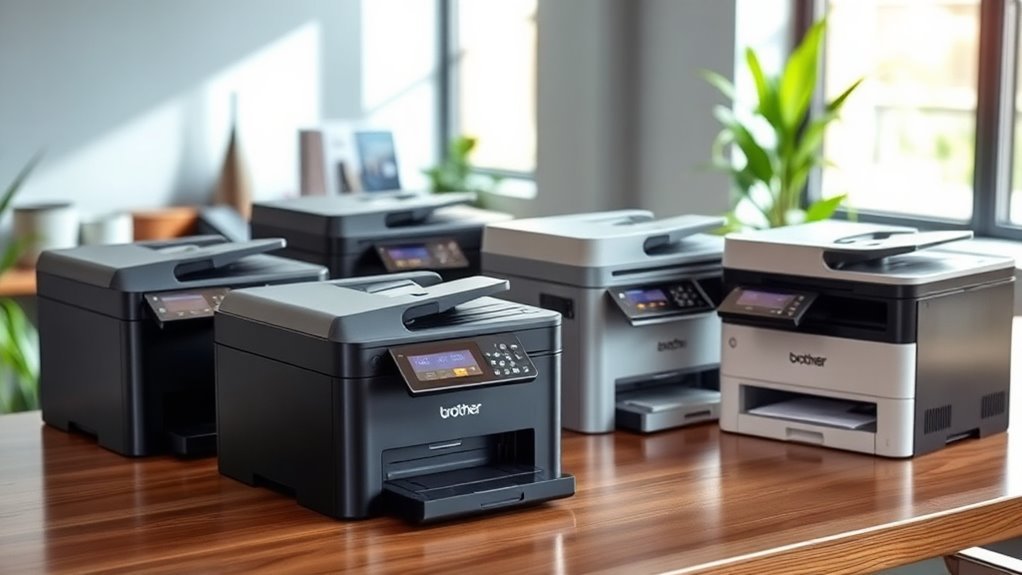
If you’re looking for a reliable Brother laser all-in-one printer in 2027, you’re in the right place. Models like the DCP-L2640DW offer fast wireless monochrome printing, making them perfect for busy offices. Another great option is the MFC-L2820DW, which adds versatile scanning and faxing features, including duplex printing.
Both of these printers are energy-efficient and come with strong connectivity options, so you can easily integrate them into your workflow. While color inkjets, such as the Work Smart series, provide added versatility with color printing, these monochrome laser printers are usually the best fit for office needs. Keep exploring to find the model that matches your budget and workflow perfectly.
| Image | Name | Editor's Rating | Price |
|---|---|---|---|

|
|
||

|
|
||

|
|
||

|
|
||

|
|
Brother DCP-L2640DW Wireless Monochrome Multi-Function Printer
- BEST FOR SMALL BUSINESSES – Engineered for extraordinary productivity, the Brother DCP-L2640DW Monochrome (Black & White) 3-in-1 combines laser printer, scanner, copier...
- FAST PRINTER WITH EFFICIENT SCANNING – Produces documents quickly with print speeds up to 36 ppm(2) and scan speeds up to 23.6/7.9 ipm(3) (black/color). A 50-page auto...
- FLEXIBLE CONNECTION OPTIONS – Easily navigate the changing demands of your business with secure multi-device connectivity via built-in dual-band wireless (2.4GHz...
- BROTHER MOBILE CONNECT APP – Print, scan, and manage your wireless printer anytime, from almost anywhere from your mobile device. Order Brother Genuine Supplies, track...
- CHOOSE BROTHER GENUINE TONER – When it’s time to replace your toner, be sure to choose Brother Genuine TN830 or TN830XL replacement toner. And with Refresh EZ Print...

The Brother DCP-L2640DW is designed to streamline your office tasks with speed and efficiency. This wireless monochrome multi-function printer handles printing, scanning, and copying in one compact device. It delivers sharp black-and-white documents at speeds up to 36 pages per minute, helping busy offices stay productive without delays.
Its space-saving design fits neatly in small workspaces, while the 50-page automatic document feeder simplifies handling multi-page documents. The wireless dual-band connectivity allows easy printing from laptops, smartphones, and tablets, reducing cable clutter and improving workflow flexibility.
Maintenance is straightforward with a 250-sheet paper tray that minimizes refills and automatic duplex printing that saves paper. The device is ENERGY STAR and EPEAT Silver certified, making it an eco-friendly choice that helps reduce operational costs. However, it only supports monochrome printing and has a moderate paper capacity, which might require more frequent attention during very large print jobs.
Best for: Small businesses needing a reliable, high-volume, space-saving all-in-one monochrome laser printer with wireless connectivity.
What We Like:
- Fast printing and copying at up to 36 ppm with a 50-page auto document feeder
- Wireless dual-band support for versatile mobile and network printing
- ENERGY STAR and EPEAT Silver ratings for energy-efficient operation
Specification:
| Specification | Details |
|---|---|
| Manufacturer | Brother |
| Dimensions (W×D×H) | 16.1 × 15.7 × 11.7 in |
| Weight | 18.7 lb (8.5 kg) |
| Color Options | White |
| Connectivity | Wireless dual-band, USB |
Brother Work Smart 1360 Wireless Color Inkjet All-in-One Print, Scan, Copy
- AFFORDABLE ALL-IN-ONE FOR HOME AND HOME OFFICE: Print, copy, and scan on one compact wireless printer designed for everyday home office printing, schoolwork, documents...
- EASY TO USE WITH CLOUD APP CONNECTIONS: Print from and scan to popular Cloud apps(2), including Google Drive, Dropbox, Box, OneDrive, and more from the simple-to-use...
- FULL-SIZE FEATURES IN A COMPACT DESIGN: This printer includes automatic duplex (2-sided) printing, a 20-sheet single-sided Automatic Document Feeder (ADF)(3), and a...
- MULTIPLE CONNECTION OPTIONS: Connect your way. Interface with your printer on your wireless network or via USB.
- MOBILE PRINTING MADE EASY: Go mobile with the Brother Mobile Connect app(5) that delivers easy onscreen menu navigation for printing, copying, scanning, and device...
The Brother Work Smart 1360 Wireless Color Inkjet All-in-One is designed to bring efficiency and versatility to your home office. It simplifies everyday document tasks by combining printing, scanning, and copying in one compact device. Its wireless capabilities allow you to print directly from multiple devices without hassle.
With sharp print resolutions up to 1200 x 6000 dpi, your documents and photos come out crisp and clear. The printer handles up to 150 sheets, and its automatic duplexing feature saves time and paper by printing on both sides. The 20-sheet automatic document feeder (ADF) further speeds up scanning and copying jobs.
Maintenance is straightforward thanks to Brother’s mobile app and cloud integration, which streamline document management and printer monitoring. However, the color print speed is slower than black, and the single paper tray may require frequent refills during large print runs.
This all-in-one model fits well in limited spaces and is tailored for users who need a reliable, wireless printer that balances quality with everyday convenience.
Best for: Small home office users and individuals needing an affordable, versatile all-in-one printer with wireless connectivity for daily document handling.
What We Like:
- Sharp, professional-quality prints with high resolution
- Automatic duplex printing and 20-sheet ADF boost productivity
- Wireless options including Wi-Fi, AirPrint, and Mopria
- Mobile app and cloud support for easy device management
Specification:
| Feature | Details |
|---|---|
| Manufacturer | Brother |
| Dimensions | Compact design (exact size not specified) |
| Weight | Not specified |
| Technology | Wireless Color Inkjet |
| Paper Capacity | 150 sheets |
| Connectivity | Wi-Fi, AirPrint, Mopria |
| Scanner Type | Flatbed with 20-sheet ADF |
Brother INKvestment 1365 Wireless Color Inkjet Printer
- BEST FOR HOME AND HOME OFFICE: This multifunction printer makes it easy to print, copy, and scan—all in one compact printer. Includes one 1,200-page yield black...
- WIRELESS, MOBILE, AND USB CONNECTIVITY: Connect your way. Interface with your printer on your wireless network or via USB. Enhance your workflow with Wi-Fi Direct, which...
- CLOUD APP CONNECTIONS: Print from and scan to popular Cloud apps(3), including Google Drive, Dropbox, Box, OneDrive, and more, from an impressive 1.8” color display...
- PRODUCTIVITY-FOCUSED FEATURES: A 150-sheet paper tray(4), 20-page single-sided automatic document feeder (ADF)(4), and automatic duplex (2-sided) printing. Prints at fast...
- THE BROTHER MOBILE CONNECT APP: Put the power of printing at your fingertips. Go mobile with the Brother Mobile Connect app(6) that delivers easy onscreen menu navigation...
Experience reliable color printing with the Brother INKvestment 1365 Wireless Color Inkjet Printer, designed to simplify your daily tasks. This all-in-one printer handles printing, copying, scanning, and automatic duplexing, making it a versatile solution for small offices and home setups.
Its 150-sheet paper tray and 20-page automatic document feeder help manage multi-page jobs efficiently, reducing interruptions. With print speeds up to 16 ppm in black and 9 ppm in color, it balances quality and productivity for everyday use.
Maintenance is straightforward thanks to high-yield ink cartridges that lower running costs and extend time between replacements. Wireless connectivity options like Wi-Fi and mobile app support enable convenient remote printing, enhancing flexibility.
The compact design fits easily into limited spaces without sacrificing functionality. While the color print speed is slower and paper capacity may require refills, this printer effectively meets the needs of users seeking dependable, cost-effective color printing.
Best for: Small offices and home users needing a versatile, wireless all-in-one color inkjet printer with efficient maintenance features.
What We Like:
- High-yield cartridges reduce ink replacement frequency and costs
- Automatic duplexing and 20-page ADF improve workflow efficiency
- Wireless and mobile app support for flexible remote printing
Specification:
| Feature | Details |
|---|---|
| Manufacturer | Brother |
| Dimensions | Compact size (exact size not provided) |
| Weight | Not specified |
| Color Options | Standard white |
| Connectivity | Wi-Fi, Wi-Fi Direct, USB |
Brother Work Smart 1410 Wireless Color Inkjet Printer
- BEST FOR HOME OFFICE AND SMALL OFFICE: Get your work done with a multifunction printer. Print, copy, and scan on one convenient, compact printer, with quick and easy...
- EASY-TO-USE TOUCHSCREEN WITH CLOUD APP CONNECTIONS: Seamless integration with the Cloud(2). Print from and scan to popular Cloud apps(2), including Google Drive, Dropbox...
- PRODUCTIVITY-FOCUSED FEATURES: Automatic duplex (2-sided) printing, 20-sheet single-sided Automatic Document Feeder (ADF)(3), 150-sheet paper tray(3). Print at fast...
- MULTIPLE CONNECTION OPTIONS: Connect your way. Interface with your printer on your wireless network or via USB.
- THE BROTHER MOBILE CONNECT APP: Go mobile with the Brother Mobile Connect app(5) for easy onscreen menu navigation for printing, copying, scanning, and device management...
The Brother Work Smart 1410 Wireless Color Inkjet Printer is designed to make printing, scanning, and copying straightforward and efficient. Its compact design fits well in home offices or small workspaces, helping you manage daily tasks without clutter. The 2.7” color touchscreen offers intuitive controls, so you can operate the printer with ease.
This all-in-one printer helps improve productivity with automatic duplex printing and a 20-sheet automatic document feeder. It supports wireless and USB connections, allowing flexible setup options. Managing print jobs remotely is simple through the Brother Mobile Connect app.
Maintenance is hassle-free with Brother Genuine LC501 ink cartridges, ensuring consistent, high-quality prints. While the 150-sheet paper tray suits moderate workloads, it may be limiting for very high-volume users. Print speeds reach up to 16 pages per minute in black and 9 pages per minute in color, suitable for everyday office needs.
Cloud integration with Google Drive and Dropbox adds convenience by allowing direct printing from popular cloud services. This feature supports smooth document handling and sharing without the need for a computer.
Best for: Small office and home office users seeking a versatile wireless all-in-one printer with dependable color printing and cloud connectivity.
What We Like:
- Automatic duplex printing and 20-sheet ADF enhance workflow efficiency
- Easy-to-use 2.7” color touchscreen and mobile app support remote control
- Seamless cloud integration with Google Drive and Dropbox for flexible document access
Specification:
| Feature | Details |
|---|---|
| Manufacturer | Brother |
| Dimensions (W x D x H) | Approx. 16.1 x 14.3 x 7.2 inches (40.9 x 36.3 x 18.3 cm) |
| Weight | Approx. 15.2 lbs (6.9 kg) |
| Color | White |
| Connectivity | Wireless (Wi-Fi), USB |
Brother MFC-L2820DW Wireless Monochrome Laser Printer
- BEST FOR SMALL OFFICES – Combining space-saving efficiency and premium monochrome (black & white) print quality with affordability, the Brother MFC-L2820DW delivers...
- EFFICIENT PRINTING & SCANNING – Produces black & white documents quickly with print speeds up to 36 ppm(2) and scan speeds up to 23.6/7.9 ipm(3) (bk/cl). A 50-page auto...
- FLEXIBLE CONNECTION OPTIONS – Securely connect to multiple devices with built-in dual-band wireless (2.4GHz / 5GHz), Ethernet, or connect locally to a single computer...
- 2.7" TOUCHSCREEN – The intuitive 2.7” touchscreen enables effortless navigation with the added ability to print-from and scan-to popular Cloud-based apps such as...
- BROTHER MOBILE CONNECT APP – Print, scan, and manage your wireless printer anytime, from almost anywhere from your mobile device. Order Brother Genuine Supplies, track...
Discover a compact and efficient all-in-one printer designed to simplify your office tasks. The Brother MFC-L2820DW wireless monochrome laser printer delivers sharp black-and-white prints quickly, helping you save time on every project. Its fast printing speed of up to 34 pages per minute ensures you stay productive without delays.
This printer handles printing, copying, scanning, and faxing seamlessly, making it ideal for small offices or home environments. With a 250-sheet tray and a 50-page automatic document feeder, it easily manages multi-page documents, reducing the need for frequent paper refills.
Connectivity is straightforward with dual-band Wi-Fi, Ethernet, and USB options. You can also print and scan directly from your smartphone using Brother Mobile Connect, offering flexibility and convenience. The automatic duplex feature cuts paper usage, supporting an eco-friendlier office.
Maintaining the MFC-L2820DW is hassle-free, but keep in mind it only prints in monochrome. It’s a reliable choice when color printing isn’t needed, balancing performance and simplicity.
Best for: Small office or home users seeking a compact, dependable wireless monochrome laser all-in-one printer with efficient multitasking capabilities.
What We Like:
- Fast print speed with rapid first page output
- Versatile all-in-one functionality including fax and scan
- Multiple connection options including mobile app support
- Automatic duplex printing reduces paper waste
Specification:
| Feature | Details |
|---|---|
| Manufacturer | Brother |
| Dimensions | Approx. 16.1 x 15.7 x 12.7 in (40.9 x 39.9 x 32.3 cm) |
| Weight | Approx. 18.7 lbs (8.5 kg) |
| Printing Technology | Monochrome Laser |
| Connectivity | Dual-band Wi-Fi, Ethernet, USB |
| Paper Capacity | 250-sheet tray, 50-sheet ADF |
Factors to Consider When Choosing Brother Laser All in One Printer
When choosing a Brother Laser All-in-One printer, you’ll want to contemplate print speed and quality to match your needs. Check the connectivity options and paper handling capacity to guarantee smooth operation.
Don’t forget to evaluate multi-function features and energy efficiency ratings for the best overall value. It’s all about finding the right balance that fits your workflow and budget.
Print Speed and Quality
Although print speed and quality might seem straightforward, they play a crucial role in choosing the right Brother Laser All-in-One printer for your needs. You’ll want a model with a high pages-per-minute (ppm) rating—fast office units can print in the mid-30s ppm, while compact models usually run slower.
Print resolution is key too; look for up to 1200 x 1200 dpi to make certain crisp text and sharp details, especially for professional documents. Don’t overlook first-page-out times, often under 10 seconds, since quick warm-up boosts your workflow.
If you print duplex regularly, check if two-sided printing runs at full speed, as slower duplex can cut throughput in half. Remember, real-world speeds may vary with complex documents and toner-saving modes, so balance specs with your actual usage.
Connectivity Options Available
Print speed and quality matter a lot, but how you connect your Brother Laser All-in-One printer can impact your overall experience just as much. Look for dual-band Wi-Fi (2.4 GHz and 5 GHz) to boost wireless reliability and avoid interference in busy networks.
If you prefer a wired setup, make sure the printer supports Ethernet for stable, high-speed connections, especially in office settings. USB 2.0 ports come in handy for direct, plug‑and‑print use with a single workstation or temporary setups.
Don’t forget mobile printing protocols like AirPrint and Mopria, which let you print directly from smartphones and tablets without extra drivers. Plus, cloud and app integration allows you to submit jobs and manage your device remotely, making your workflow more flexible and efficient.
Paper Handling Capacity
Several key factors influence the paper handling capacity of Brother Laser All-in-One printers, and understanding these can help you choose a model that fits your workflow.
First, check the input tray capacity—typically between 150 and 250 sheets—to match your usual print volume and minimize refills. Also, consider the output tray capacity, usually around 120 to 250 sheets, to prevent overflow during large print jobs.
If you often scan or copy multi-page documents, look for an automatic document feeder (ADF) with a capacity of 20 to 50 sheets. Don’t forget to verify automatic duplex printing and maximum media size support, especially if you print two-sided or legal-size documents.
Finally, confirm the monthly duty cycle to make certain the printer can handle your workload reliably. It’s all about finding the right fit so your printing runs smoothly!
Multi-Function Features
When choosing a Brother Laser All-in-One printer, you’ll want to make sure it offers all the multifunction features you need, including printing, copying, scanning, and faxing. Verify the scanner type and ADF capacity—like a flatbed with a 50-sheet automatic document feeder—to handle both single and multi-page originals efficiently.
Also, confirm automatic duplex printing and duplex scanning to save paper and streamline two-sided workflows. Check the maximum copy and scan resolutions, plus first-page-out speeds, to ensure high-quality images and quick output.
Finally, evaluate the maximum copy run and output capacity to match your typical batch jobs. These features guarantee your printer can keep up with diverse office demands without unnecessary delays or manual effort.
Energy Efficiency Ratings
Although performance matters, you should also prioritize energy efficiency when choosing a Brother Laser All-in-One printer. Look for ENERGY STAR certification to make certain the model meets strict government standards. This helps cut power use in both active and standby modes.
Check the printer’s power consumption ratings—active, idle, and sleep—to get a clear idea of energy costs. Features like automatic duplex printing save paper and reduce overall resource use. Plus, built-in sleep and auto-off timers help lower idle power consumption.
Don’t overlook annual energy consumption (kWh/year) figures if available, as they provide a practical measure of long-term efficiency. Finally, consider toner yield and economy modes, which reduce per-page energy use and waste. This makes your printer more eco-friendly and cost-effective over time.
Warranty and Support
Since your Brother Laser All-in-One printer is a significant investment, you’ll want to carefully review the warranty and support options before making a decision. Check the warranty length and coverage—whether it’s a one- or two-year limited warranty—and what parts like the print engine or drum it includes.
Also, confirm support channels such as phone, live chat, or online help, plus their availability. See if firmware updates, driver downloads, and mobile app support come throughout the product’s life and if they require account registration.
Make sure you understand return windows and extended service plans, including accidental damage protection and their costs. Finally, review warranty exclusions and your responsibilities, like proper maintenance, using recommended supplies, and keeping your proof of purchase for any claims.
This guarantees you’re fully covered and supported.
Consumables and Costs
To choose the right Brother Laser All-in-One printer, you need to weigh the ongoing costs of consumables carefully. Start by calculating the cost per page—divide the replacement toner price by its rated page yield. For example, a $90 toner cartridge yielding 3,000 pages costs about 3 cents per page.
Don’t overlook high-yield or twin-pack options; they often reduce your per-page cost and the frequency of replacements. Also, factor in the drum unit and other imaging components, as these have separate replacement cycles.
Remember, transfer belts, fusers, and rollers add to mid-lifecycle expenses. To save on toner, use toner save modes, duplex printing, and draft settings.
Keeping these in mind helps you avoid surprises and manage your printer’s total cost effectively.
Device Compatibility
Managing consumable costs is important, but you also need to make sure the printer works smoothly with your devices and network. First, confirm the Brother printer supports your operating systems—Windows, macOS, Linux, iOS, or Android—as compatibility varies by driver and features.
Check connection options like Wi-Fi (2.4/5 GHz), Ethernet, USB, or Wi-Fi Direct to guarantee reliable links with laptops, desktops, or mobiles. It’s worth making sure these options fit how you like to connect.
Verify the availability of full-featured drivers, software, and apps for advanced tasks like duplex scanning, scan-to-email, and cloud integration. You’ll want these features to work seamlessly without extra hassle.
Also, make certain the printer fits your network environment, supporting corporate domains, VLANs, proxy setups, and authentication protocols like LDAP or 802.1x. This helps keep everything secure and running smoothly.
Finally, confirm ongoing firmware updates and consumable support to keep your device secure and functional long-term. Staying updated means fewer surprises down the road.
Frequently Asked Questions
How Does Brother Customer Support Handle Printer Repairs?
Brother customer support guides you through troubleshooting steps and, if needed, arranges repair service or replacement.
They’ll keep you updated, ensuring your printer gets fixed efficiently, so you won’t be stuck without a working device for long.
Are Brother Laser Printers Compatible With Mac OS?
You might worry about compatibility, but Brother laser printers work smoothly with Mac OS.
You’ll find drivers and software readily available, so you won’t struggle setting up or printing from your Mac at all.
What Is the Average Lifespan of Brother Laser Printers?
You can expect Brother laser printers to last around 5 to 7 years with regular use.
Proper maintenance and timely replacement of parts will help you get the most out of your printer’s lifespan.
Taking good care of your printer really makes a difference in how long it serves you well.
Can Brother Printers Be Used for Duplex Scanning?
You’ll love that Brother printers do offer duplex scanning, letting you scan both sides of a document in one smooth dance.
This feature saves time and effort, making your workflow slick and efficient. It’s pretty handy when you have lots of double-sided pages to scan.
Do Brother Laser Printers Support Mobile Printing Apps?
Yes, Brother laser printers support mobile printing apps. You can easily print documents or photos directly from your smartphone or tablet using Brother iPrint&Scan or other compatible apps.
This makes wireless printing super convenient and hassle-free. So, whether you’re at home or on the go, printing from your mobile device is a breeze!
Conclusion
Choosing the right Brother laser all-in-one printer means balancing your needs with features and budget. Whether you want speedy monochrome printing or vibrant color options, there’s a model for you.
Remember, “a stitch in time saves nine”—investing in a reliable printer now saves you hassle later. So, pick the one that fits your workflow and enjoy smooth, efficient printing every day.
With the best Brother laser all-in-one printers for 2027, you get quality, versatility, and performance all in one package. These printers are designed to handle everything from documents to photos with ease.
So take your time, compare features, and choose the best Brother laser all-in-one printer that suits your needs and budget. You’ve got this!