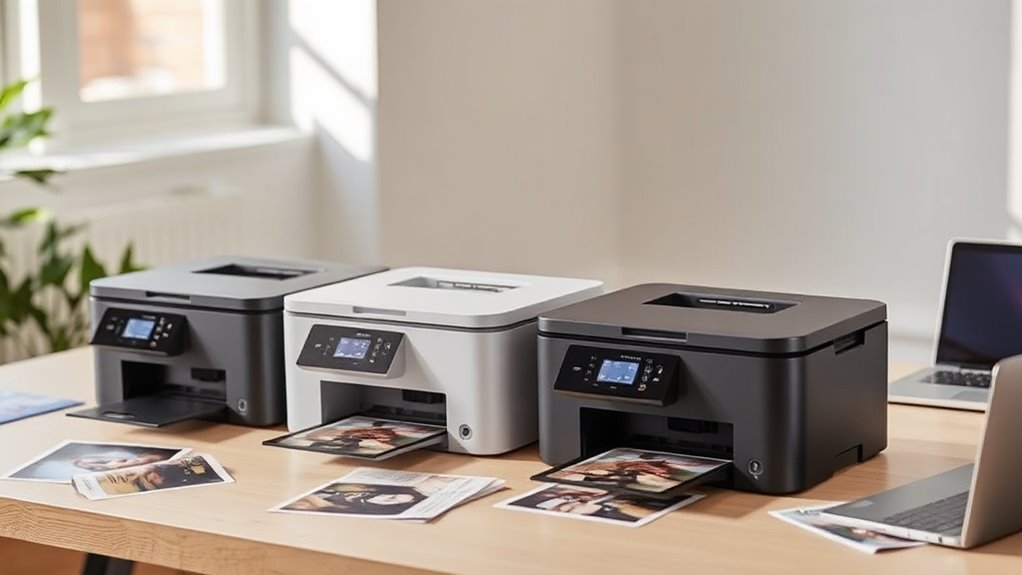
4 Best All-in-One Printers Under $100 for 2027 That Impress
If you’re looking for a compact, affordable all-in-one printer under $100 in 2027, you’ve got some great options. The HP DeskJet 2923 and 2955, Canon PIXMA TS3720, and HP DeskJet 2855e are all solid picks. These printers handle printing, scanning, and copying with decent quality and come with wireless connectivity.
They’re perfect for small spaces and light home use. Plus, features like mobile printing apps and manual duplexing make managing your tasks easier. Keep exploring to find the model that best matches your needs and offers the extra conveniences you want.
| Image | Name | Editor's Rating | Price |
|---|---|---|---|

|
|
||

|
|
||
|
|
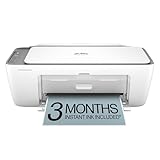
HP DeskJet 2923 Color Inkjet Printer | Wireless | All-in-One
- Perfect for basic printing needs – Print everyday color documents like to-do lists, letters, financial documents and recipes
- KEY FEATURES – Color print, copy, scan, and a 60-sheet input tray, plus mobile and wireless printing
- OPTIMIZE PRINT FORMATTING WITH HP AI – Print web pages and emails with precision—no wasted pages or awkward layouts; HP AI easily removes unwanted content, so your...
- ICON LCD – Print your basic documents with ease from the intuitive control panel
- PRINT SPEED – Up to 7.5 ppm black, 5.5 ppm color

The HP DeskJet 2923 Color Inkjet Printer offers a practical all-in-one solution for everyday home printing needs. It simplifies tasks like printing, scanning, and copying, making it easy to manage documents without hassle. This printer’s wireless connectivity keeps you connected, allowing seamless printing from your smartphone or computer.
Designed for easy maintenance, it includes a six-month trial of HP Instant Ink, which helps you save on supplies and avoid unexpected ink shortages. The compact build fits well in small spaces, and its use of recycled plastics reflects an environmentally conscious design. Manual duplex printing lets you handle double-sided tasks, though it requires a bit more involvement.
While its print speeds are modest, it handles basic color and black-and-white printing with clarity, suitable for light to moderate use. The intuitive icon LCD panel guides you through operations smoothly. This printer is best for users who want a straightforward, reliable device without complex setup or maintenance.
Best for: Home users seeking an affordable, compact all-in-one printer for simple color printing, scanning, and copying with wireless and mobile options.
What We Like:
- Dual-band Wi-Fi and USB connectivity for versatile wireless and wired printing
- Six-month Instant Ink trial reduces ink costs and offers convenient refills
- Compact design made from recycled plastics fits easily in small spaces
- User-friendly icon LCD control panel simplifies operation
- Supports manual duplex printing for occasional double-sided documents
Specification:
| Feature | Details |
|---|---|
| Manufacturer | HP |
| Dimensions | Approx. 16.04 x 6.69 x 11.97 in (40.7 x 17 x 30.4 cm) |
| Weight | Approx. 4.41 lb (2.0 kg) |
| Material | Plastic (includes recycled content) |
| Color Options | White with gray accents |
HP DeskJet 2955 Color Inkjet Printer | Wireless | All-in-One
- PERFECT FOR BASIC PRINTING NEEDS – Print everyday color documents like to-do lists, letters, financial documents and recipes
- KEY FEATURES – Color print, copy, scan, and a 60-sheet input tray, plus mobile and wireless printing
- OPTIMIZE PRINT FORMATTING WITH HP AI – Print web pages and emails with precision—no wasted pages or awkward layouts; HP AI easily removes unwanted content, so your...
- ICON LCD – Print your basic documents with ease from the intuitive control panel
- PRINT SPEED – Up to 7.5 ppm black, 5.5 ppm color
The HP DeskJet 2955 Color Inkjet Printer offers a compact, all-in-one solution designed to simplify everyday printing tasks. It fits perfectly in home environments where space is limited but versatility is essential. This device helps you print, scan, and copy with ease, making it an efficient choice for managing household documents and colorful projects.
Equipped with dual-band Wi-Fi, it allows seamless wireless printing directly from your smartphone or tablet using the HP App, Apple AirPrint, or Mopria. This feature eliminates the need for cables and makes remote printing straightforward. Its sharp print quality of up to 4800 x 1200 dpi ensures your photos and documents come out clear and vibrant.
Maintenance is straightforward with a 60-sheet input tray that handles common paper sizes and manual duplex printing to reduce paper waste. While print speeds are moderate, this printer balances quality and efficiency well for typical home use. The ENERGY STAR certification and use of recycled plastics highlight its eco-friendly design.
Best for: home users seeking an affordable, compact all-in-one printer with wireless connectivity for color printing, scanning, and copying.
What We Like:
- Wireless printing from smartphones via HP App, Apple AirPrint, and Mopria
- High-resolution prints with sharp color and detail
- Eco-conscious build with ENERGY STAR certification and recycled materials
Specification:
| Feature | Details |
|---|---|
| Manufacturer | HP |
| Dimensions (W×D×H) | Approx. 16.8 × 12.4 × 6.0 in |
| Weight | Approx. 5.2 lbs (2.36 kg) |
| Color Options | White with gray accents |
| Connectivity | Dual-band Wi-Fi |
Canon PIXMA TS3720 Wireless All-in-One Printer White
No products found.
Experience hassle-free printing at home with the Canon PIXMA TS3720 Wireless All-in-One Printer in white. This compact device handles printing, scanning, and copying, making it ideal for everyday tasks. Its straightforward design helps you produce crisp text documents and vibrant photos without complication.
The printer features a 2-cartridge FINE Hybrid ink system that ensures sharp, clear output. It supports various paper sizes, including borderless photos up to 5″ x 7″, so you can easily print snapshots or important documents. Setup is quick with dual-band Wi-Fi and compatibility with Apple AirPrint and other mobile printing options.
Maintenance is simple thanks to its user-friendly ink cartridges and manageable paper tray, which holds up to 60 sheets. While print speeds are modest—about 7.7 pages per minute for black and 4 pages per minute for color—it suits light to moderate home use well. Note that it only supports single-sided printing, which may not fit heavy workloads.
The compact size fits conveniently on a desk, making it a practical choice for small spaces where basic wireless printing is needed.
Best for: users seeking an affordable, compact all-in-one printer for basic home printing, scanning, and copying with wireless convenience.
What We Like:
- Affordable and easy to use for everyday home printing needs
- Dual-band Wi-Fi and multiple mobile printing options including Apple AirPrint
- Compact design supports various paper sizes and borderless photo printing up to 5″ x 7″
- Simple maintenance with easy-to-replace ink cartridges and manageable paper capacity
Specification:
| Feature | Details |
|---|---|
| Manufacturer | Canon |
| Dimensions | Compact size (specifics not provided) |
| Weight | Not specified |
| Color | White |
| Ink System | 2-cartridge FINE Hybrid ink |
| Paper Tray Capacity | 60 sheets |
| Print Speeds | ~7.7 ppm black, 4 ppm color |
| Connectivity | Dual-band Wi-Fi, Apple AirPrint, mobile printing options |
HP DeskJet 2855e Color Inkjet Printer | Wireless | All-in-One
- The DeskJet 2855e is perfect for homes printing to-do lists, letters, financial documents and recipes. Print speeds up to 5.5 ppm color, 7.5 ppm black
- PERFECTLY FORMATTED PRINTS WITH HP AI – Print web pages and emails with precision—no wasted pages or awkward layouts; HP AI easily removes unwanted content, so your...
- KEY FEATURES – Color printing, copy, scan, and a 60-sheet input tray
- WIRELESS PRINTING – Stay connected with our most reliable Wii-Fi, which automatically detects and resolves connection issues.This printer is only 2.4 ghz capable.
- 3 MONTHS OF INSTANT INK WITH HP+ ACTIVATION – Subscribe to Instant Ink delivery service to get ink delivered directly to your door before you run out. After 3 months...
The HP DeskJet 2855e Color Inkjet Printer combines printing, scanning, and copying in one compact device, making everyday tasks easier. It is designed to fit seamlessly into your home workspace, helping you handle to-do lists, letters, and recipes without hassle. The printer’s straightforward design ensures you spend less time on setup and maintenance.
Equipped with reliable 2.4 GHz Wi-Fi, this all-in-one printer connects smoothly to your home network. It automatically detects and resolves connection issues, reducing frustrating interruptions. The HP app extends convenience by allowing you to print, scan, and copy directly from your smartphone or tablet.
Print speeds of up to 7.5 pages per minute in black and 5.5 in color meet moderate home use needs. A 60-sheet input tray is ideal for everyday documents but may require frequent refills during bigger projects. Three months of Instant Ink with HP+ activation help keep printing costs manageable.
This printer is a practical choice for those seeking affordable wireless printing with essential functions in a compact package.
Best for: Home users needing a budget-friendly all-in-one printer for everyday wireless printing, scanning, and copying.
What We Like:
- Compact all-in-one design supports color printing, scanning, and copying
- Reliable 2.4 GHz Wi-Fi with automatic connection issue detection
- HP app enables easy mobile printing and scanning
- Three months of Instant Ink included for cost-effective printing
Specification:
| Feature | Details |
|---|---|
| Manufacturer | HP |
| Dimensions (W×D×H) | Approx. 16.46 × 12.28 × 5.55 inches |
| Weight | Approx. 5.2 lbs (2.36 kg) |
| Connectivity | 2.4 GHz Wi-Fi |
| Input Tray Capacity | 60 sheets |
| Print Speed | Up to 7.5 ppm (black), 5.5 ppm (color) |
Factors to Consider When Choosing an All in One Printer for Under $100
When choosing an all-in-one printer under $100, you’ll want to focus on print speed and connectivity options to match your workflow.
Think about how important print quality is for your projects. It’s also smart to keep ink costs in mind so you don’t get any surprises later.
And don’t forget to check if the printer works well with your devices. That way, you can be sure everything runs smoothly and hassle-free.
Print Speed Importance
Although budget all-in-one printers under $100 typically print slower than premium models, understanding print speed helps you choose a device that matches your needs.
Print speed, measured in pages per minute (ppm), shows how fast your printer produces black-and-white or color pages. This directly affects how long batch jobs take.
Expect around 5–8 ppm for black and 4–6 ppm for color with budget models. If you print a few pages occasionally, slower speeds won’t bother you much.
But for regular multi-page tasks, a faster ppm saves time and boosts productivity. Also, consider the initial page out time—delays of 15–30 seconds can make small jobs feel slow.
Connectivity Options Available
Offering versatile connectivity options guarantees your all-in-one printer under $100 fits seamlessly into your setup. Make sure it supports dual-band Wi-Fi (2.4 GHz and 5 GHz) for faster, less crowded wireless performance.
Wireless Direct or Wi-Fi Direct is a plus, letting you print directly from your smartphone or tablet without connecting to a network. Check for Apple AirPrint and Mopria support so you can print natively from iOS and Android devices without installing extra drivers.
A USB port is essential for stable, wired connections when Wi-Fi isn’t an option. If you want to print remotely, confirm the printer supports cloud printing or mobile apps. This way, you can print, scan, and manage documents from anywhere.
This flexibility guarantees your printer keeps up with your needs effortlessly.
Print Quality Expectations
Beyond connectivity, print quality plays a big role in choosing an all-in-one printer under $100. You can expect modest text speeds of 6–8 pages per minute and black text resolution around 1200 x 1200 dpi. This works well for letters and forms but not professional publishing.
Color prints rely on consumer inkjet resolutions up to 4800 x 1200 dpi with dye-based inks. They produce decent casual photos but not gallery-quality images. Fine details and color accuracy may suffer due to limited cartridge systems and lower scanner resolutions.
This can cause visible banding or softer edges on small text and images. For mixed jobs, look for printers with separate black pigment ink and multi-color dye inks. This helps balance crisp text and decent photos.
Also, check specs for dpi, paper support, and photo compatibility to set realistic expectations. That way, you know what your printer can and can’t do before buying.
Ink Cost Management
You’ll often find that ink costs make a bigger impact on your budget than the printer’s initial price. To manage this, compare page yield and cost per page by dividing cartridge price by its stated yield.
Opt for printers supporting high-yield or XL cartridges—they cut costs per page by 30–50% compared to standard ones. If you print regularly, weigh subscription or refill plans against pay-as-you-go buys by estimating your annual ink spend based on monthly volume.
Also, consider whether you mostly print text; in that case, choose printers with efficient pigment black cartridges or duplex printing to save ink and paper. Finally, check if the printer accepts third-party cartridges—these can slash costs by 40–70%, but make sure they don’t void your warranty or harm print quality.
Device Compatibility Range
When choosing an all-in-one printer under $100, you need to make sure it works smoothly with your devices and operating systems. Check if it supports your OS, like Windows 10/11, macOS, Android, iOS, or Chromebook, to avoid driver issues.
Look for wireless compatibility—dual-band Wi-Fi, Wi-Fi Direct, and AirPrint or Mopria—so you can print easily from phones, tablets, and laptops. Don’t forget USB connectivity; confirm if it uses standard drivers for simple plug-and-play or needs proprietary software.
Also, verify scanner and app compatibility if you plan to scan to mobile devices or cloud services. Finally, guarantee the printer receives regular driver and firmware updates, especially if your OS isn’t brand new, guaranteeing long-term functionality and security.
Paper Handling Capacity
Typically, budget all-in-one printers under $100 offer input trays holding around 50 to 60 sheets, which suits light to moderate daily printing needs. You should verify the output tray capacity and if it supports mixed media to prevent jams or overflow when printing multipage documents.
Check that the printer handles the paper sizes and types you use most, like letter, legal, envelopes, or photo paper, and confirm the maximum media size to avoid compatibility issues. Note whether the feeder uses a single tray or separate rear trays for specialty media, since single-tray models often require manual paper switching.
If you print multipage jobs, consider if the printer supports manual duplexing and how easy it is to flip pages manually to keep your workflow smooth. It’s good to think about these details so your printing experience doesn’t get interrupted.
Frequently Asked Questions
How Long Do Ink Cartridges Typically Last in Budget All-In-One Printers?
Ink cartridges in budget all-in-one printers typically last for about 150-300 pages, depending on usage and print quality.
You’ll want to keep extras handy since frequent printing or color-heavy jobs drain ink faster. It’s always better to be prepared than to run out mid-project!
Can These Printers Be Used With Both Windows and Mac Operating Systems?
Yes, you can use these printers with both Windows and Mac. They support multiple operating systems, connect easily, and install quickly.
Are There Any Subscription Services Required for Ink Replacement?
No, you don’t have to subscribe to any service for ink replacement with these printers. You can buy ink cartridges as needed, giving you flexibility and control over your printing costs without mandatory subscriptions.
This means you’re in charge of when and how much ink you purchase. No strings attached! It’s all about convenience and keeping things simple for you.
What Is the Average Print Speed for Black and Color Documents?
You won’t be breaking any speed records here—black prints average 8-12 ppm, and color slows to about 5-7 ppm.
Do These Printers Support Mobile Printing Apps Like Airprint or Google Cloud Print?
Yes, most of these printers support mobile printing apps like AirPrint and Google Cloud Print. This means you can easily print directly from your smartphone or tablet without needing a computer.
It really makes printing quick and convenient for you. Just a few taps, and you’re good to go!
Conclusion
Choosing the right all-in-one printer under $100 is like picking the perfect tool from a well-stocked toolbox—you want something reliable, efficient, and easy to use. Whether you prioritize wireless convenience, print quality, or compact design, these models have you covered without breaking the bank.
With options like the HP DeskJet and Canon PIXMA, you’ll find a printer that fits your needs and budget. These printers make everyday printing tasks smoother and more enjoyable.
So, if you’re on the lookout for the best all-in-one printer under $100 in 2027, consider these trusted choices. They combine affordability with features that impress, making them perfect for home or small office use. Finding a quality all-in-one printer under $100 doesn’t mean sacrificing performance or convenience—it’s all about smart choices.