9 Best Bargain Printers for 2027 That Save You Big Bucks
If you’re on the hunt for a reliable, affordable printer in 2027, there are plenty of great bargain printers that can save you big bucks. Whether you need something portable, inkless, or an all-in-one device for home use, options like the Rongta Wireless Thermal Printer and HP’s renewed Envy 6155 are worth considering. These printers deliver solid performance without breaking the bank.
The Rongta Wireless Thermal Printer is perfect for on-the-go printing without worrying about ink. Meanwhile, the HP Envy 6155 offers wireless convenience and versatility, ideal for everyday home tasks. Looking for vibrant color printing? The HP DeskJet 2855e and Canon PIXMA TS4320 provide excellent color quality and mobile support at budget-friendly prices.
Thermal printers like Phomemo models help you cut down on ink expenses, while all-in-one printers come with handy features like scanning and copying. Take a quick look at these key features to find the best printer that fits your lifestyle and budget.
| Image | Name | Editor's Rating | Price |
|---|---|---|---|

|
|
||

|
|
||

|
|
||

|
|
||

|
|
Rongta Wireless Thermal Portable Printer for Mobile Devices
- Easy to Set Up: RONGTA F11A portable thermal printer for travel go by bluetooth.Download "RONGTA" APP from Google Play or APP store for iOS and Android Phone or...
- RONGTA portable printer, 203DPI resolution, large to 8.5" design, easy to use and maintain. Print forms, letters, assignments, study materials, and travel documents...
- Stylish Thermal Printer:Rongta bluetooth wireless printer, It is compatible with your go-to paper sizes—including US Letter, Legal, A4 thermal papers. What’s more, it...
- Portable and Compact: When traveling you can take Rongta portable printer wireless in your backpack or tote bag wherever you need. It is compact and portable whether in...
- Warm Tips: Do Not Support Chrome. Rongta portable printers wireless for travel can't support pair bluetooth via Phone or tablet directly, must be pair on the"RONGTA" APP...

The Rongta Wireless Thermal Portable Printer offers a convenient solution for printing on the go. Its lightweight and compact design, weighing just 0.43 kg, makes it easy to carry for travel, school, or office needs. This printer connects seamlessly with mobile devices via Bluetooth using the RONGTA app or through USB for laptops.
This printer solves the hassle of cartridge replacements with its inkless thermal printing technology, reducing maintenance and operating costs. It supports various paper sizes up to Letter and provides clear, monochrome prints at a resolution of 203 dpi, suitable for forms and documents.
Setting up requires the RONGTA app for Bluetooth pairing, which ensures stable connection but does not support direct printing from Chrome browsers. Print speed is moderate at 3.23 pages per minute, making it ideal for occasional rather than heavy printing tasks.
Best for: Individuals needing a portable, inkless printer compatible with multiple mobile and desktop platforms for efficient document printing on the move.
What We Like:
- Compact, lightweight design ideal for mobile use
- Inkless thermal printing lowers maintenance and supplies cost
- Compatible with Android, iOS, Windows, and macOS via Bluetooth or USB
Specification:
| Feature | Details |
|---|---|
| Manufacturer | Rongta |
| Dimensions | Compact (specific size not provided) |
| Weight | 0.43 kg (approx. 0.95 lb) |
| Printing Type | Inkless thermal |
| Resolution | 203 dpi |
| Connectivity | Bluetooth (RONGTA app), USB |
| Color Output | Monochrome |
HP Envy 6155 All-in-One Wireless Printer (Renewed)
- ALL-IN-ONE MULTIFUNCTION PRINTER: Enjoy convenient printing, scanning, and copying with the HP ENVY 6155. Designed for everyday home use, school assignments, personal...
- WIRELESS PRINTING CONNECTIVITY: Print conveniently from compatible smartphones, tablets, and computers. Enjoy flexible wireless printing for everyday documents and photos...
- VIBRANT COLOR INKJET PRINTING: Produce sharp black text and vibrant color documents for everyday printing needs. Ideal for schoolwork, business documents, household...
- AUTOMATIC TWO-SIDED PRINTING: Save paper and reduce manual effort with automatic duplex printing. Easily print documents on both sides of the page for more efficient...
- EASY-TO-USE TOUCHSCREEN: Navigate printer functions and settings with the convenient touchscreen interface. Its compact design makes it a practical addition to home...
The HP Envy 6155 All-in-One Wireless Printer (Renewed) is designed to simplify everyday printing tasks at home. Compact and easy to use, it combines printing, scanning, and copying in one device, saving space without sacrificing functionality. Its wireless and wired connectivity options make it easy to print from smartphones and tablets, enhancing convenience.
This printer helps reduce paper waste with automatic duplex printing and speeds up workflows using the auto document feeder. Its user-friendly touchscreen ensures smooth navigation through tasks, making it ideal for busy households or students managing multiple assignments.
Maintenance is straightforward, with reliable inkjet technology that balances quality and cost. Weighing just 11.3 pounds, its sleek design fits comfortably in any home office setup. While its print speed is moderate, it meets typical home and student needs without overwhelming complexity.
Best for: Home users, students, and families seeking an affordable, compact all-in-one printer with wireless connectivity and essential multifunction capabilities.
What We Like:
- Wireless and wired connectivity including mobile printing.
- Automatic duplex printing and auto document feeder.
- Compact design with intuitive touchscreen interface.
Specification:
| Feature | Details |
|---|---|
| Manufacturer | HP |
| Dimensions | Compact, fits small spaces |
| Weight | 11.3 lb (5.13 kg) |
| Connectivity | Wireless & wired |
| Print Technology | Color inkjet |
| Max Media Size | A4 |
HP DeskJet 2855e Wireless All-in-One Printer (Renewed)
Experience hassle-free home printing with the HP DeskJet 2855e Wireless All-in-One Printer (Renewed). This compact device is designed to fit snugly into small spaces while handling your essential printing, scanning, and copying tasks efficiently. Its wireless capability means you can print from anywhere in your home without tangled cords.
This all-in-one printer helps simplify your daily document needs by supporting plain paper sizes up to 8.5 x 14 inches. With sharp print quality at 4800 x 1200 dpi, your text and images come out clear and vibrant. The flatbed scanner adds versatility, making it easy to digitize documents or photos.
Maintaining the printer is straightforward, especially with a 3-month HP Instant Ink trial included, ensuring you rarely run out of ink. Although the 60-sheet paper tray limits large print jobs, it suits typical home use perfectly. Keep in mind, manual duplexing means you’ll flip pages yourself for double-sided prints.
This renewed model offers a practical, no-frills solution for everyday home office or family use.
Best for: Small households or individuals needing an affordable, compact all-in-one printer for basic wireless printing, scanning, and copying.
What We Like:
- Compact, space-saving design
- Wireless and USB connectivity for flexible placement
- High-resolution print quality (4800 x 1200 dpi)
- Includes 3-month HP Instant Ink trial
- Flatbed scanner for easy document digitization
Specification:
| Feature | Details |
|---|---|
| Manufacturer | HP |
| Dimensions | Compact (exact size not specified) |
| Weight | Lightweight (exact weight not specified) |
| Color Options | White |
| Connectivity | Wireless, USB |
| Paper Tray Capacity | 60 sheets |
| Print Resolution | 4800 x 1200 dpi |
| Print Speed | Color: 5.5 ppm; B&W: 7.5 ppm |
HP DeskJet 2955 Color Inkjet Printer | Wireless | All-in-One
- PERFECT FOR BASIC PRINTING NEEDS – Print everyday color documents like to-do lists, letters, financial documents and recipes
- KEY FEATURES – Color print, copy, scan, and a 60-sheet input tray, plus mobile and wireless printing
- OPTIMIZE PRINT FORMATTING WITH HP AI – Print web pages and emails with precision—no wasted pages or awkward layouts; HP AI easily removes unwanted content, so your...
- ICON LCD – Print your basic documents with ease from the intuitive control panel
- PRINT SPEED – Up to 7.5 ppm black, 5.5 ppm color
The HP DeskJet 2955 is a compact all-in-one printer designed to fit seamlessly into your home workspace. It combines printing, scanning, and copying in one device, making everyday tasks simpler and more efficient. Its small footprint helps save space without sacrificing essential functions.
With wireless connectivity and mobile printing options like HP’s app, AirPrint, and Mopria, you can print directly from your smartphone or tablet. This flexibility means you can handle documents and photos with ease, wherever you are in your home.
Maintenance is straightforward, and the printer is eco-conscious, made with 70% recycled plastics and ENERGY STAR certified. This supports your efforts to reduce environmental impact while keeping operating costs low.
Print speeds are suitable for typical home use but may feel slow for large jobs. Manual duplex printing requires you to flip pages yourself, which could be a minor inconvenience. The paper tray holds 60 sheets, so frequent refills might be needed for bigger tasks.
Best for: Home users seeking an affordable, space-saving all-in-one printer with wireless and mobile printing capabilities for everyday documents and photos.
What We Like:
- Compact design ideal for small spaces
- Wireless printing with mobile app and AirPrint support
- Environmentally friendly with recycled plastics and ENERGY STAR rating
- Simple maintenance and HP Instant Ink trial to reduce ink costs
Specification:
| Feature | Details |
|---|---|
| Manufacturer | HP |
| Dimensions | Approx. 16.85 x 12.17 x 5.42 inches (42.8 x 30.9 x 13.8 cm) |
| Weight | Approx. 5.07 lb (2.3 kg) |
| Material | Plastic (70% recycled) |
| Color Options | White |
Canon PIXMA TS4320 – Wireless Color Inkjet Printer with Print, Copy, Scan
- Affordable Versatility - A budget-friendly all-in-one printer perfect for both home users and hybrid workers, offering exceptional value
- Crisp, Vibrant Prints - Experience impressive print quality for both documents and photos, thanks to its 2-cartridge hybrid ink system that delivers sharp text and vivid...
- Effortless Setup & Use - Get started quickly with easy setup for your smartphone or computer, so you can print, scan, and copy without delay
- Reliable Wireless Connectivity - Enjoy stable and consistent connections with dual-band Wi-Fi (2.4GHz or 5GHz), ensuring smooth printing from anywhere in your home or...
- Scan & Copy Handling - Utilize the device’s integrated scanner for efficient scanning and copying operations
Discover how the Canon PIXMA TS4320 enhances your home printing experience with its wireless convenience and space-saving design. This compact color inkjet printer handles everyday printing needs like school projects, recipes, and photos with ease. Its sharp 1200 x 1200 dpi output ensures your prints come out vibrant and detailed every time.
Effortlessly print from smartphones or tablets thanks to its dual-band Wi-Fi and mobile app support. The PIXMA TS4320 also saves time and paper with automatic two-sided printing. While it doesn’t include an automatic document feeder, its simple setup and operation make it ideal for straightforward tasks.
Maintenance is straightforward with hybrid ink cartridges that help keep running costs low. Additionally, the PIXMA Print Plan subscription offers optional ink savings for frequent users. The printer’s sleek, compact profile fits neatly in tight spaces, blending functionality with style.
Best for: Families or individuals who want an affordable, easy-to-use wireless color inkjet printer for home printing projects and photos.
What We Like:
- Sharp 1200 x 1200 dpi color printing with automatic duplexing
- Reliable wireless connectivity with dual-band Wi-Fi and mobile app
- Compact design that fits small spaces without sacrificing functionality
- Cost-effective hybrid ink cartridges and optional ink subscription plan
Specification:
| Feature | Details |
|---|---|
| Manufacturer | Canon |
| Dimensions | Approx. 12.0 x 14.4 x 5.7 in (W x D x H) |
| Weight | Approx. 9.9 lbs (4.5 kg) |
| Printing Technology | Color Inkjet |
| Connectivity | Dual-band Wi-Fi, USB |
| Print Resolution | Up to 1200 x 1200 dpi |
| Paper Capacity | Single tray, 100 sheets |
Portable Thermal Printer Wireless for Travel, Bluetooth Mobile Printer

- Easy to Set Up: RONGTA F81 portable thermal printer for travel go by bluetooth.Download "RONGTA" APP from Google Play or APP store for iOS and Android Phone or...
- High Quality Print: RONGTA portable printer, 203DPI resolution, large to 8.5" design, easy to use and maintain. It meassured 10.43Lx2.17Wx1.06H inches, with weight only...
- Stylish Thermal Printer:Rongta bluetooth wireless printer, boasting elegant golden button and sleek golden decorative trim. This 8.5×11-inch portable thermal printer...
- Portable and Compact: When traveling you can take Rongta portable printer wireless in your backpack or tote bag wherever you need. It is compact and portable whether in...
- Warm Tips: Do Not Support Chrome. Rongta portable printers wireless for travel can't support pair bluetooth via Phone or tablet directly, must be pair on the App...
Experience hassle-free printing wherever your travels take you with the Portable Thermal Printer Wireless for Travel. This compact device solves the common problem of bulky, ink-dependent printers by using thermal technology, allowing you to print without the mess or cost of ink cartridges. Its wireless Bluetooth connection ensures you can print documents quickly and easily from your smartphone or laptop.
Designed for convenience, this printer supports various paper sizes up to US Letter and operates quietly. Its compatibility with Windows, macOS, Android, and iOS devices via the dedicated app lets you print on the go without complicated setups. The lightweight design fits comfortably in any travel bag, making it ideal for business trips or outdoor work.
Maintenance is straightforward since it uses thermal paper, eliminating ribbons or cartridges. Just keep your paper stocked, and you’re ready to print anytime. However, note that printing requires the proprietary app, and it does not support Chrome browser printing, which may limit some uses.
Best for: Professionals and travelers who need a portable, inkless thermal printer for convenient, on-the-move document printing.
What We Like:
- Compact, lightweight design enhances portability for travel and outdoor use
- Inkless thermal printing reduces operating costs and simplifies maintenance
- Compatible with multiple operating systems via a dedicated Bluetooth app
- Quiet printing at a steady pace suitable for moderate document loads
Specification:
| Feature | Details |
|---|---|
| Manufacturer | RONGTA |
| Dimensions | Compact (fits in travel bag) |
| Weight | Under 1 lb (approx. 0.45 kg) |
| Connectivity | Bluetooth via RONGTA app |
| Compatible OS | Windows, macOS, Android, iOS |
| Paper Size | Up to US Letter |
| Print Speed | 3.5 pages per minute |
Phomemo Portable Thermal Printer, Portable Printer Wireless for Travel

- Phomemo Portable Printer - 2025 Upgrade M836 Thermal printers can support multiple thermal paper sizes - US Letter (8.5" x 11") & A4 (8.27" x 11.69") thermal paper...
- Inkless Printing - Phomemo M836 wireless portable printer uses advanced thermal printing technology, Don't require ink, toner, no ink-related blockages, and cleaning...
- 300dpi Excellent Printing Quality - The Bluetooth printer for iphone utilizes inkless technology to produce clear and 300dpi high-quality prints, Which make every text...
- Portable and Compact Printer - Phomemo Portable printer for phone Weighing only 750g, which can be easily put into your bag to help you work anywhere. Additionally, the...
- High Compatibility - M836 inkless portable printer for latop is compatible with Phone, iPad and PC. The Small printer supporting iPhone, Android Phone, iPad by Bluetooth...
Experience hassle-free printing wherever your travels take you with the Phomemo Portable Thermal Printer. This sleek, wireless device fits perfectly into your travel bag, offering a compact solution for quick printing needs. Its inkless thermal technology means no cartridges or toners to worry about, reducing maintenance and mess.
Designed for simplicity, it connects easily via Bluetooth to iPhones, Android phones, and iPads, or through USB to laptops. The printer produces crisp black-and-white prints at 300 dpi, ideal for receipts, notes, images, and PDFs. Its ability to handle various thermal paper sizes up to 110 mm wide adds flexibility.
Weighing just 750 grams and powered by a long-lasting 2600 mAh battery, this printer supports extended use without frequent recharging. Its 50-sheet paper capacity allows for multiple prints on the go, making it a practical choice for mobile professionals and travelers alike.
While it prints only in monochrome and requires thermal paper, this printer’s ease of use and portability make it a valuable companion for on-the-spot printing tasks.
Best for: travelers and mobile professionals needing a lightweight, wireless, inkless printer for quick black-and-white document and receipt printing.
What We Like:
- Lightweight, compact design for easy portability.
- Wireless Bluetooth and USB connectivity for versatile device compatibility.
- Inkless thermal printing reduces maintenance and avoids ink mess.
- Long-lasting built-in battery supports extended travel use.
- Supports multiple thermal paper sizes, enhancing printing flexibility.
Specification:
| Feature | Details |
|---|---|
| Manufacturer | Phomemo |
| Dimensions | Compact (exact size not specified) |
| Weight | 750 g (1.65 lb) |
| Printing Technology | Inkless Thermal |
| Print Resolution | 300 dpi |
| Connectivity | Bluetooth, USB |
| Battery Capacity | 2600 mAh |
| Paper Width | Up to 110 mm |
HP DeskJet 3772 All-in-One Wireless Printer (Renewed)
- Explore Wireless Printing Choices: Embrace the convenience of wireless printing through options like Apple AirPrint, HP ePrint, and Wireless Direct Printing. This ensures...
- Space-Efficient Design: Tailored for small spaces and home use, the printer's compact design ensures it seamlessly fits wherever you require it.
- Exceptional Print Quality: Experience remarkable printing with a maximum resolution of up to 4800 x 1200 optimized dpi in color, catering to a diverse range of printing...
- Swift and Efficient Performance: Accomplish your printing tasks with ease, thanks to impressive speeds of up to 8 pages per minute in black and 5.5 pages per minute in...
- Intuitive Features for Users: Simplify your printing experience with the printer's 60-sheet input tray, 25-sheet output tray, and Auto Wireless Connect, enhancing overall...
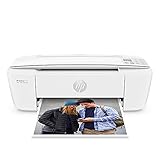
Experience reliable printing, scanning, and copying packed into a compact design with the HP DeskJet 3772 All-in-One Wireless Printer (Renewed). This space-saving device solves the challenge of fitting essential office functions into small areas without sacrificing quality. Its sharp color prints deliver vivid results up to 4800 x 1200 dpi, making everyday documents and photos look professional.
Wireless connectivity allows you to print directly from your smartphone or iOS device, enhancing convenience and streamlining your workflow. The user-friendly app supports seamless printing on the go. With a 60-sheet input tray and compatibility with multiple media types, this printer manages typical home or small office tasks efficiently.
Maintenance is straightforward, and the printer supports HP’s Instant Ink subscription, helping reduce cartridge costs. While it lacks automatic duplex printing, its simple operation and compact footprint make it ideal for tight spaces and modest printing needs. As a renewed product, it offers reliable performance at a lower price point.
Best for: individuals and small home offices needing an affordable, compact all-in-one printer with wireless photo printing and scanning capabilities.
What We Like:
- Compact design fits easily in limited spaces.
- High-resolution color prints for sharp, vibrant output.
- Wireless printing with Wi-Fi, Apple AirPrint, and HP ePrint.
- Supports multiple media types for versatile use.
- Instant Ink ready for cost-effective cartridge management.
Specification:
| Feature | Details |
|---|---|
| Manufacturer | HP |
| Dimensions | Approx. 15.9 x 6.0 x 5.5 in (40.4 x 15.2 x 14.0 cm) |
| Weight | Approx. 5.4 lbs (2.45 kg) |
| Printer Type | Inkjet |
| Color Options | White |
Phomemo M832 Portable Thermal Printer with 8 Colors Marker Pens

- Easy to Use - The "Phomemo" App does not require registration and offers free templates, no ink or toner needed, printing documents, reports, letters, assignments and...
- Multi Purpose - Prints 8.5'' x 11'' US Letter, A4, 4.33'', 3.14 and 2.08'' wide thermal paper, ideal for business professionals, traveling entrepreneurs, offices...
- Wireless Portable Printer - The Bluetooth wireless Phomemo thermal printer offers convenient and fast printing from your Phone or tablet. It built-in 2600 mAh...
- Phone and Tablet Start Print - Step 1: Download the App 'Phomemo'. Step 2: Turn on the M832 printer and your phone's or tablet's Bluetooth. Step 3: Click the 'Printer...
- Laptop/PC Starts Printing - Step 1: Please check your laptop/PC's operating system (OS) and download and install the correct M832 driver from the Phomemo website. Step...
The Phomemo M832 Portable Thermal Printer offers a convenient solution for quick, mess-free printing wherever you are. Its inkless thermal technology eliminates the hassle of ink cartridges, making it easy to maintain and cost-effective. This compact device is perfect for users who need to print documents or assignments on the go without worrying about smudges or spills.
Thanks to its built-in rechargeable battery, the printer supports uninterrupted printing sessions, ideal for students or professionals working remotely. You can connect seamlessly via Bluetooth using the Phomemo App or USB-C for laptops. It supports multiple paper sizes up to US Letter, catering to various printing needs.
The printer’s 7 pages per minute speed balances portability and efficiency, while the included 8 colorful marker pens encourage creative customization of prints. Though it only prints in monochrome and requires thermal paper, this makes it lightweight and straightforward to operate.
Best for: Students, business professionals, and creatives who need a compact, fast, and ink-free printer for documents and light crafts on the move.
What We Like:
- Inkless thermal printing reduces maintenance and avoids mess.
- Compact and rechargeable for true portability.
- Multiple connection options with Bluetooth and USB-C.
- Supports standard paper sizes including US Letter.
- Includes marker pens for adding color highlights.
Specification:
| Feature | Details |
|---|---|
| Manufacturer | Phomemo |
| Dimensions | Compact (exact size not specified) |
| Weight | Lightweight (exact weight not specified) |
| Connectivity | Bluetooth, USB-C |
| Paper Sizes Supported | Up to US Letter (8.5″ x 11″) |
| Battery | Built-in rechargeable |
| Color Printing | Monochrome only |
| Included Extras | 8 Colors marker pens |
Factors to Consider When Choosing a Bargain Printer

When choosing a bargain printer, you’ll want to weigh key factors like printing technology, connectivity options, and print quality standards.
Don’t forget to take into account how efficient the printer is in operating costs and whether its portability suits your needs.
Keeping these points in mind will help you find the best value without sacrificing performance.
Printing Technology Types
Figuring out which printing technology suits your needs can make all the difference in finding a bargain printer that delivers quality and value. If you want vibrant, high-resolution photos, inkjet printers spray liquid ink through tiny nozzles, perfect for detailed color images but often require cartridge replacements.
For fast, sharp text at a lower cost per page, laser printers use toner powder fused with heat. They’re ideal for high-volume monochrome printing.
Thermal printers offer compact, inkless operation for receipts or portable prints but require special thermal paper.
Solid ink and dye-sublimation serve niche uses—solid ink excels at vivid color blocks, while dye-sublimation creates smooth, professional photos.
Impact printers are durable for multipart forms but produce lower-resolution, noisy output.
Choose a technology that fits your print volume, quality, and media preferences. It really depends on what you need most from your printer!
Connectivity Options Available
Although connectivity might seem straightforward, choosing a printer that supports the right connection types guarantees seamless printing from your devices. Make sure the printer offers USB for direct wired use, Wi‑Fi (single or dual-band) for wireless network access, Bluetooth for quick mobile pairing, and Ethernet if you need a stable wired network connection.
If you print from smartphones or tablets, check for mobile printing compatibility like AirPrint, Mopria, or the manufacturer’s app. These often include scanning and cloud features, which can be super handy.
Also, confirm if the printer supports automatic wireless reconnect (Wi‑Fi Direct) to handle network interruptions smoothly. Finally, if you use Chromebooks or web browsers, verify explicit ChromeOS or browser printing support to avoid driver hassles.
Consider network sharing features if multiple users will print regularly. It makes life easier when everyone can connect without a fuss.
Print Quality Standards
Since print quality directly impacts the clarity and vibrancy of your documents and photos, you’ll want to focus on key factors like DPI, color accuracy, and text sharpness when choosing a bargain printer. Aim for at least 300 dpi for crisp text and documents, and 600–1200 dpi for high-quality photos.
Don’t just trust advertised enhanced dpi; check the native resolution and quality of printheads or toner for true detail. Evaluate color accuracy by guaranteeing support for 24-bit or higher color depth to capture millions of colors.
Also, test text rendering—your printer should clearly reproduce 6–8 pt fonts. Finally, look for smooth gradients with minimal banding through good halftoning and fine screening to assure consistent grayscale and color shifts across prints.
Operating Cost Efficiency
When choosing a bargain printer, you’ll want to carefully evaluate its operating costs to guarantee long-term savings. Start by calculating the cost per page—divide replacement consumable prices by their page yields. For example, a $25 cartridge rated for 500 pages costs you $0.05 per page.
Don’t overlook duplex printing; automatic two-sided printing can cut paper use by up to 50%. Also, consider power consumption during both idle and active states, especially if you print in high volumes.
Factor in indirect expenses like maintenance kits, replacement parts, and how often the printer requires servicing. Finally, match the printer’s duty cycle and real-world print speeds to your expected monthly volume to avoid premature wear and costly repairs.
These steps help you choose a cost-efficient printer that fits your needs. It’s all about balancing upfront costs with long-term savings.
Device Portability Benefits
Balancing operating costs is important, but portability can make a big difference if you need to print on the move. Portable printers with thermal printing cut out ink and toner, so you won’t lug around heavy supplies.
Their lightweight, compact designs—usually under 1 kg—fit easily in your backpack. Perfect for travel, fieldwork, or meetings.
Built-in rechargeable batteries let you print untethered for hours or dozens of pages. This keeps you productive anywhere.
Wireless connectivity, like Bluetooth or Wi-Fi, lets you print directly from your smartphone or tablet. That speeds up your workflow without needing a laptop.
Plus, these printers operate quietly and take up minimal space. They reduce disruptions in shared environments such as offices or cafés while delivering essential documents and receipts efficiently.
Frequently Asked Questions
How Do Bargain Printers Compare in Print Quality to High-End Models?
You’ll find bargain printers usually offer decent print quality for everyday use, but they can’t match the sharpness, color accuracy, and speed of high-end models.
Still, they’re perfect if you’re on a tight budget. So, if you don’t need professional-level prints, a bargain printer can do the job just fine.
Are Bargain Printers Compatible With Mac and Windows Operating Systems?
Yes, bargain printers usually work with both Mac and Windows systems. You’ll want to check specific model details, but most manufacturers guarantee compatibility to make setup easy.
What Is the Average Lifespan of a Bargain Printer?
Think of bargain printers like fireworks—they shine bright but briefly. You’ll usually get around 2 to 4 years of use before they start acting up or need replacing.
Regular maintenance can stretch their lifespan a bit. Just a little care goes a long way!
Can Bargain Printers Handle High-Volume Printing Tasks?
Bargain printers usually can’t handle high-volume printing tasks well. You’ll often face slower speeds and frequent ink replacements.
If you print a lot, it’s better to invest in a more durable, high-capacity printer instead. That way, you won’t have to worry about interruptions or running out of ink so often.
Do Bargain Printers Support Duplex (Double-Sided) Printing?
Like a hidden gem, many bargain printers do support duplex printing, letting you save paper and time.
You’ll want to check each model’s specs to make sure it meets your double-sided printing needs perfectly. It’s always good to be sure before you buy!
Conclusion
Choosing the right bargain printer doesn’t have to feel like searching for a needle in a haystack. Whether you need portability, wireless convenience, or all-in-one functionality, these top picks have you covered without breaking the bank.
Keep your priorities in focus, and you’ll snag a printer that fits your lifestyle and budget perfectly. Remember, a smart buy today saves you headaches—and dollars—tomorrow.
When looking for the best bargain printer in 2027, think about what features matter most to you. Are you after speed, print quality, or maybe ink efficiency? Balancing these will help you pick a printer that truly meets your needs without overspending.
So, dive into these options confidently. With the right bargain printer, you’ll enjoy smooth printing, save big bucks, and get excellent value for your money. Happy printing!