5 Best Black and White Printers with Scanners for 2027
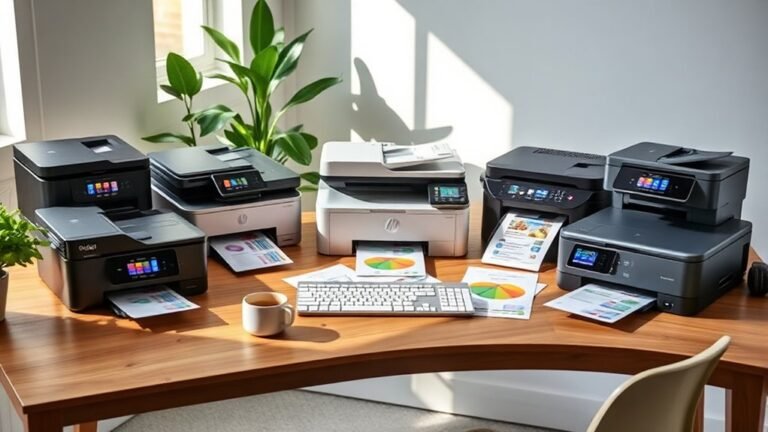
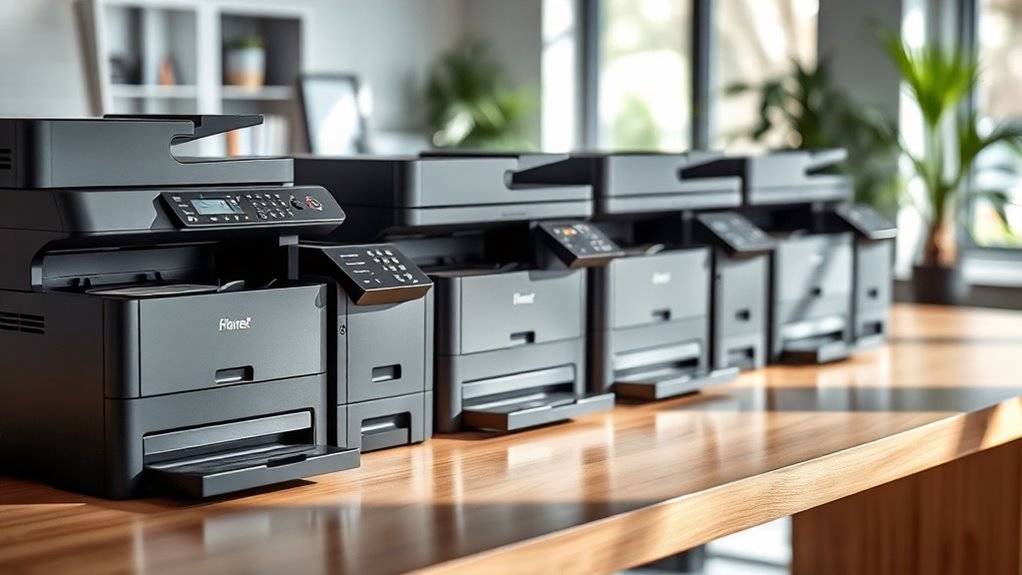
You’ll want fast, sharp black and white printing with reliable scanning for 2027, and these top picks deliver just that.
Whether you’re in a busy office or working from home, having a printer that combines speed, quality, and scanning features is a must. Finding the right black and white printer with a scanner can really streamline your workflow and save you time.
Brother DCP-L2640DW offers solid duplex scanning and a 250-sheet tray, making it perfect for everyday tasks.
Meanwhile, the HP LaserJet M234sdw balances speed and security, ideal for small teams who need dependable performance without fuss.
Canon imageCLASS MF465dw II is great for high-volume needs with expandable capacity, so it grows with your workload.
HP Pro 3105sdw supports multiuser workflows and secure printing, making collaboration easier.
Lastly, Canon MF273dw handles sharp output and duplexing with ease. Keep exploring to find which best fits your workflow.
| Image | Name | Editor's Rating | Price |
|---|---|---|---|

|
|
||

|
|
||

|
|
Brother DCP-L2640DW Wireless Monochrome Printer
- BEST FOR SMALL BUSINESSES – Engineered for extraordinary productivity, the Brother DCP-L2640DW Monochrome (Black & White) 3-in-1 combines laser printer, scanner, copier...
- FAST PRINTER WITH EFFICIENT SCANNING – Produces documents quickly with print speeds up to 36 ppm(2) and scan speeds up to 23.6/7.9 ipm(3) (black/color). A 50-page auto...
- FLEXIBLE CONNECTION OPTIONS – Easily navigate the changing demands of your business with secure multi-device connectivity via built-in dual-band wireless (2.4GHz...
- BROTHER MOBILE CONNECT APP – Print, scan, and manage your wireless printer anytime, from almost anywhere from your mobile device. Order Brother Genuine Supplies, track...
- CHOOSE BROTHER GENUINE TONER – When it’s time to replace your toner, be sure to choose Brother Genuine TN830 or TN830XL replacement toner. And with Refresh EZ Print...

The Brother DCP-L2640DW is a versatile monochrome printer designed to streamline your printing, copying, and scanning tasks. Its fast print speed of up to 36 pages per minute helps you complete jobs quickly, reducing wait times and boosting productivity. This compact device fits comfortably on a desk, making it ideal for small spaces.
Maintenance is straightforward with the 50-page auto document feeder and a 250-sheet paper tray, minimizing the need for frequent paper refills. The printer supports multiple connectivity options like dual-band wireless, Ethernet, and USB, allowing flexible placement and easy integration into your workspace. Remote control through the Brother Mobile Connect app adds convenience for managing print jobs on the go.
The monochrome printer is tailored for high-volume black-and-white printing but does not support color output. Its 600 x 600 dpi copy resolution is suitable for everyday documents, though it may not satisfy those needing sharp, high-detail copies. Despite its Energy Star certification, the printer’s peak power consumption of 470 W could affect energy costs in heavy-use environments.
Best for: small businesses and home offices that require a reliable, efficient monochrome printer with scanning and copying features in a compact, energy-conscious design.
What We Like:
- Fast printing at up to 36 ppm with quick first-page output
- Multiple connectivity options including dual-band wireless and Ethernet
- Large 50-page auto document feeder and 250-sheet paper capacity
- Remote management via Brother Mobile Connect app
Specification:
| Feature | Details |
|---|---|
| Manufacturer | Brother |
| Dimensions (W x D x H) | Compact size (exact size not provided) |
| Weight | Not specified |
| Color Options | Monochrome (black and white) |
HP LaserJet M234sdw Monochrome Laser Printer | All-in-One
No products found.
The HP LaserJet M234sdw is designed to simplify printing tasks for small teams and home offices. It delivers crisp black-and-white documents quickly, helping you stay productive throughout the day. With a print speed of up to 30 pages per minute and automatic duplex printing, it reduces wait times and saves paper.
Scanning and copying are streamlined thanks to the 40-page automatic document feeder. This hands-free feature lets you process multiple pages efficiently without constant supervision. The printer’s connectivity options, including dual-band Wi-Fi, Ethernet, and USB, ensure smooth integration into various work environments.
Its compact design fits neatly in tight spaces, making it ideal for offices with limited room. Built-in security features protect sensitive data, giving you peace of mind. Maintenance is straightforward, with a 150-sheet input tray that balances capacity and ease of use for everyday workloads.
While the M234sdw focuses on monochrome printing and offers a maximum resolution of 600 x 600 dpi, it excels at handling standard office documents reliably and efficiently.
Best for: Small teams or home offices needing efficient, reliable monochrome printing with scanning and copying capabilities.
What We Like:
- Fast print speed of 30 ppm with automatic duplex for efficient workflow
- Multiple connectivity options including dual-band Wi-Fi, Ethernet, and USB
- Compact footprint with strong security features for data protection
- 40-page auto document feeder for easy multi-page scanning and copying
Specification:
| Feature | Details |
|---|---|
| Manufacturer | HP |
| Dimensions (W x D x H) | Compact size (exact not specified) |
| Weight | Not specified |
| Color Options | Monochrome (Black and White) |
| Print Speed | Up to 30 pages per minute |
| Print Resolution | 600 x 600 dpi |
| Paper Capacity | 150-sheet input tray |
| Connectivity | Dual-band Wi-Fi, Ethernet, USB |
Canon imageCLASS MF465dw II Wireless Laser Printer
- Monochrome Wireless, Duplex 4-in-1: Print, Scan, Copy, Fax
- Print up to 42 ppm
- Easy Wireless Setup
- 5-inch Touchscreen
- Mobile Device Printing
Experience productivity without compromise with the Canon imageCLASS MF465dw II. This monochrome laser printer delivers sharp, professional-quality prints at up to 42 pages per minute, helping busy offices stay on schedule. Its compact design fits neatly into small or home office spaces, making it a practical choice for everyday use.
The printer’s 5-inch color touchscreen offers intuitive control, simplifying tasks like scanning, copying, and printing. Connectivity options are versatile, including Wi-Fi, Ethernet, and USB, allowing seamless integration with various devices. Mobile printing via the Canon PRINT app adds convenience for hybrid work setups.
Maintenance is straightforward, with a robust single-pass duplex automatic document feeder (ADF) that handles up to 50 sheets, reducing manual effort. The paper capacity starts at 350 sheets and can expand to 900 sheets, accommodating larger print jobs without frequent reloads.
While the MF465dw II supports only monochrome printing, its efficient performance and multifunction capabilities make it ideal for professional environments. Note that optional paper capacity expansion requires an additional AH-1 cassette, and power consumption is relatively high at 1250 W.
Best for: Small or home offices and hybrid work environments seeking fast, reliable monochrome printing combined with versatile connectivity.
What We Like:
- Fast print speed of 42 ppm with crisp 1200 x 1200 dpi resolution
- Efficient single-pass duplex ADF with 50-sheet capacity
- Multiple connectivity options including Wi-Fi, Ethernet, USB, and mobile printing
- Expandable paper capacity up to 900 sheets for large print jobs
Specification:
| Feature | Details |
|---|---|
| Manufacturer | Canon |
| Dimensions (W x D x H) | 16.2 x 15.2 x 15.1 inches |
| Weight | 30.4 lb (13.8 kg) |
| Print Speed | Up to 42 ppm |
| Print Resolution | 1200 x 1200 dpi |
| ADF Capacity | 50 sheets |
| Paper Capacity | 350 sheets (expandable to 900) |
| Connectivity | Wi-Fi, Ethernet, USB |
HP LaserJet Pro 3105sdw Monochrome Laser Printer | All-in-One
No products found.
Experience fast and reliable black-and-white printing designed to keep your business moving. The HP LaserJet Pro 3105sdw delivers sharp, professional-quality prints at up to 33 pages per minute, helping you handle daily tasks efficiently. Its compact design fits well in busy workspaces without sacrificing performance.
This all-in-one device simplifies your workflow by combining printing, copying, scanning, and faxing. Duplex automatic two-sided printing and scanning save time and paper, while AI-enhanced scanning improves accuracy and speed. Connectivity options such as Wi-Fi, Ethernet, and USB ensure easy sharing across your team.
Maintenance is straightforward with a 250-sheet paper capacity that suits small teams, though frequent refills may be needed during heavy use. The printer supports up to seven users, making it ideal for growing businesses. However, it only prints in monochrome, and firmware updates restrict the use of non-HP cartridges, which can affect consumable costs.
Security is strengthened by HP Wolf Pro Security, protecting your data during every job. This reliable monochrome laser printer balances functionality and convenience to enhance productivity in small to medium business environments.
Best for: Small to medium businesses and teams up to 7 users needing efficient monochrome printing with versatile scanning and secure connectivity.
What We Like:
- Fast print speed of 33 pages per minute with high-resolution output
- Duplex automatic two-sided printing and AI-enhanced scanning
- Multiple connectivity options: Wi-Fi, Ethernet, USB, and mobile app
- Strong security measures through HP Wolf Pro Security
Specification:
| Feature | Details |
|---|---|
| Manufacturer | HP |
| Dimensions (W×D×H) | Approx. 16.6 × 15.3 × 11.9 in (42.2 × 38.9 × 30.2 cm) |
| Weight | Approx. 22.5 lb (10.2 kg) |
| Color | White/Gray |
| Print Speed | Up to 33 pages per minute |
| Print Resolution | 1200 x 1200 dpi |
| Paper Capacity | 250 sheets |
| Connectivity | Wi-Fi, Ethernet, USB |
Canon imageCLASS MF273dw Wireless Monochrome Printer
- Wireless 3-in-1: Print | Copy | Scan
- Print up to 30 Pages Per Minute (BW, Letter)
- First Print Out in Approximately 5.3 Seconds (Letter)
- Auto 2-sided Printing
- Uses Toner 071 / 071 High-Capacity Toner
Experience efficient and dependable monochrome printing with the Canon imageCLASS MF273dw. Designed to simplify your workflow, this compact laser printer is perfect for home offices or small businesses that need quick, clear output. Its wireless capabilities let you print or scan without being tied to a desk, enhancing your productivity.
The MF273dw keeps pace with your workload by delivering up to 30 pages per minute. Automatic duplexing saves time and paper by printing on both sides without manual effort. Its sharp 2400 x 600 dpi resolution ensures text and graphics appear crisp and professional every time.
Maintenance is straightforward with a 150-sheet capacity that reduces frequent refills. The printer connects via Wi-Fi, Wi-Fi Direct, or USB, offering flexible options to fit various setups. Although it only supports black-and-white printing, it covers the essential functions of printing, copying, and scanning efficiently.
This model’s simple design and reliable performance make it a practical choice for those who value speed and ease of use in monochrome printing. Its compact size fits well in smaller spaces without sacrificing functionality.
Best for: small offices or individuals seeking a fast, wireless monochrome laser printer with multifunction capabilities.
What We Like:
- Fast printing and copying at 30 pages per minute
- Automatic duplex printing saves time and resources
- Flexible connectivity: Wi-Fi, Wi-Fi Direct, and USB
- Sharp 2400 x 600 dpi resolution for clear output
Specification:
| Feature | Details |
|---|---|
| Manufacturer | Canon |
| Dimensions | 16.1 x 15.6 x 12.6 inches |
| Weight | 19.4 lbs (8.8 kg) |
| Color Options | Black |
| Printing Technology | Monochrome Laser |
Factors to Consider When Choosing a Black and White Printer With Scanner
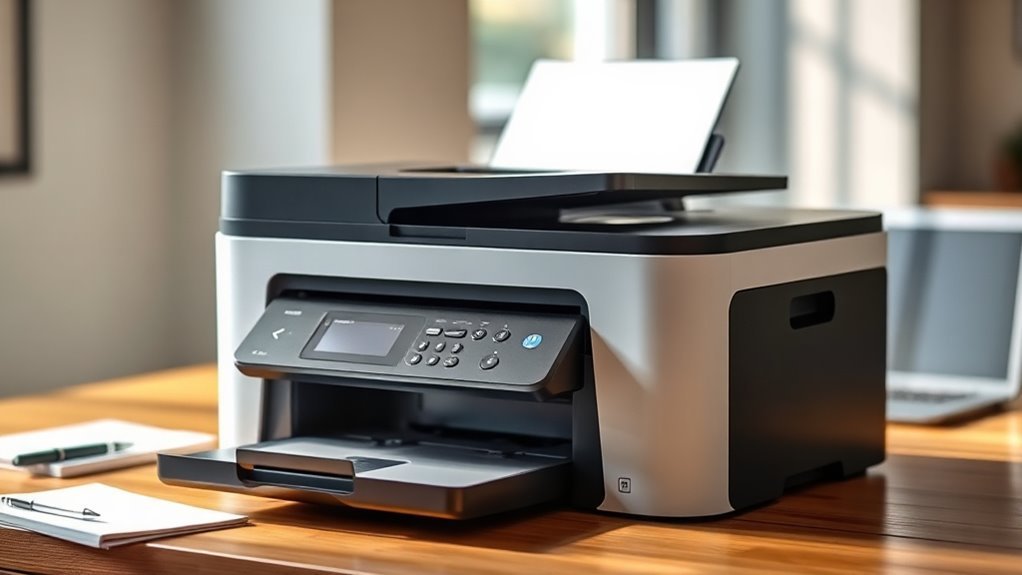
When choosing a black and white printer with a scanner, you’ll want to focus on print speed and connectivity options to fit your workflow. Don’t overlook scanner quality and duplex printing, as they can boost productivity.
Also, consider paper handling capacity to avoid constant reloads during busy days. These little details can make a big difference in how smoothly your tasks get done.
Print Speed Importance
Because print speed directly impacts your workflow efficiency, it’s essential to take into account pages per minute (ppm) when choosing a black and white printer with a scanner. If you work in a busy small office, aim for a printer that offers 30+ ppm to keep up with high demand.
For lighter home or office use, 20–30 ppm usually suffices. Don’t overlook the first-page-out time—it reduces wait for your initial print or scan-to-print job, boosting responsiveness.
Also, consider duplex printing and the automatic document feeder (ADF) throughput. They speed up multi-page tasks by cutting down manual handling.
Finally, check the scanner’s speed in images per minute (ipm), since slow scanning can bottleneck your overall workflow, even if the printer’s ppm is high.
Connectivity Options Available
Choosing the right connectivity options guarantees your black and white printer with a scanner fits seamlessly into your workflow. Make sure it supports both Wi-Fi, preferably dual-band 2.4 GHz and 5 GHz, and Ethernet if multiple users need network access.
USB 2.0 or USB Host ports are essential for direct computer connections or attaching external storage for scan-to-USB tasks. Don’t forget to check mobile and cloud printing compatibility like AirPrint, Mopria, or vendor apps if you want to scan or send documents from smartphones or tablets.
For secure networks, look for authentication, encryption, and firmware security features to protect sensitive scans. These connectivity choices assure smooth, flexible, and secure integration tailored to your daily needs without hassle.
Scanner Quality Features
Prioritizing scanner quality guarantees your black and white printer with a scanner delivers crisp, accurate digitization for all your documents. Look for high optical resolution (600–1200 dpi) to make certain sharp text and detailed captures, which also improve OCR accuracy.
If you scan double-sided originals often, choose a single-pass duplex ADF to scan both sides simultaneously. This speeds up jobs and reduces paper jams.
Scan speed matters too—aim for 20+ images per minute (ipm) in monochrome to handle large batches efficiently. Check supported scan formats and destinations like searchable PDFs, TIFF, JPEG, email, network folders, and cloud services to fit your workflow.
Finally, consider feeder capacity and reliability; a 30–50 sheet ADF with a straight-through paper path minimizes jams, even with mixed or thicker media. It’s all about keeping your scanning smooth and hassle-free.
Duplex Printing Benefits
When you enable automatic duplex printing, you can cut paper use by up to 50%. This lowers your supply costs and frees up storage space.
Duplex printing also enhances document professionalism by producing double-sided layouts that are perfect for manuals, reports, and booklets. And you don’t have to worry about manual reassembly.
On the scanning side, duplex capabilities speed up multi-page workflows by scanning both sides in one pass. This often doubles throughput compared to flipping pages manually.
Choosing a printer with reliable duplex hardware—like a 50-sheet automatic document feeder or a built-in duplex unit—helps minimize jams and interruptions during high-volume tasks.
Plus, using two-sided printing and scanning reduces environmental impact by cutting paper waste and energy consumption. It’s a smart way to help meet sustainability standards such as ENERGY STAR or EPEAT.
Paper Handling Capacity
Several key factors influence a printer’s paper handling capacity, and understanding them helps you pick a model that keeps up with your workload. First, check the input tray capacity—typically 150 to 250 sheets—to match your average print volume and minimize refills.
Consider the ADF capacity, usually 40 to 50 sheets, for smooth unattended multi-page scanning or copying. Also, look at output tray capacity, generally 100 to 150 sheets, so you don’t have to clear it constantly during large jobs.
Don’t forget multipurpose or manual feed slots, which let you handle specialty media like envelopes or labels, adding flexibility. If you print in high volume, choose models with expandable paper capacity and support for larger sizes, such as legal 8.5″ x 14″, to scale with your needs.
Energy Efficiency Ratings
Although printing quality and speed matter, you’ll save more in the long run by choosing a black and white printer with scanner that excels in energy efficiency. Start by looking for Energy Star certification to confirm it meets EPA standards for low energy use during printing and standby.
Check the printer’s Typical Electricity Consumption (TEC) and wattage in active and sleep modes—lower values mean less energy cost. Features like automatic duplexing and toner-save modes reduce paper and toner waste, cutting your environmental impact.
Fast first-page-out times and efficient warm-up reduce energy per job, especially for frequent short prints. Finally, verify power management options such as programmable sleep timers and network wake controls to keep the device in low-power states when idle.
Mobile App Integration
Many black and white printers with scanners now offer mobile apps that put printing and scanning controls right in your hand. Make sure the app supports your device’s OS—whether iOS, Android, or ChromeOS—and includes core functions like print, scan-to-phone, and remote management, so you can work without a PC.
Check for cloud integration, allowing direct upload or download to storage and email, speeding up your mobile workflow. Look for advanced scan features such as multi-page PDFs, OCR, selectable resolution, and various file formats to make scanned documents usable.
Also, confirm the app supports secure wireless setup and has authentication to block unauthorized access. Finally, see if it offers device monitoring and supply alerts to keep maintenance hassle-free from your smartphone.
Warranty And Support
When choosing a black and white printer with a scanner, you should carefully evaluate the warranty and support options to avoid unexpected costs and downtime. Check the warranty length and coverage—does it include on-site repairs, parts, and labor for both the scanner and print engine?
Also, verify available support channels like phone, email, live chat, and an online knowledgebase. It’s good to know their response times and whether support is available during business hours.
Make sure to confirm if firmware updates, drivers, and scanner software patches are provided for the device’s lifetime. Do they update automatically, or will you need to handle that yourself?
Look into how the warranty handles issues caused by third-party consumables. Plus, check the availability of replacement parts—you want to avoid long waits if something breaks.
Finally, consider optional extended warranties or service plans. Weigh their costs against your expected usage and how much downtime might impact you.
Frequently Asked Questions
How Do Black and White Printers Compare in Energy Consumption?
You’ll find black and white printers generally use less energy than color ones because they handle simpler printing tasks.
Choosing an energy-efficient model with sleep mode can save you power and reduce your electricity bills over time.
It’s a smart choice if you want to keep things simple and eco-friendly without sacrificing functionality.
Can These Printers Scan Directly to Cloud Storage Services?
You’ll find that many black and white printers do scan directly to cloud storage services, making your workflow a breeze. Just connect them to Wi-Fi, and you’re ready to send documents to Dropbox, Google Drive, or OneDrive instantly.
It’s pretty convenient, right? No more messing around with cables or extra steps. Just scan, and your files are in the cloud, good to go whenever you need them.
What Maintenance Is Required for Optimal Scanner Performance?
You’ll need to clean the scanner glass regularly, update the firmware, and calibrate the scanner as recommended.
Also, don’t forget to replace worn parts like rollers. Doing these things keeps your scans sharp and prevents jams or errors over time.
It’s all about staying on top of maintenance to keep everything running smoothly!
Are There Eco-Friendly Toner Options for These Printers?
Eco-friendly toner options do exist, and they’re like a gust of clean air for your printer. You can choose recycled or soy-based toners that reduce environmental impact without sacrificing print quality or scanner efficiency.
It’s pretty great because you don’t have to compromise on performance to be eco-conscious. Plus, going green with your toner can actually help your printer last longer. Win-win, right?
How Do Black and White Printers Handle Printing From Mobile Devices?
You’ll find most black and white printers support mobile printing through apps or wireless connections like Wi-Fi Direct or AirPrint. This means you can easily print documents or photos straight from your smartphone or tablet without hassle.
It’s pretty convenient, right? Just connect your device, select what you want to print, and you’re good to go. No need for cables or complicated setups!
Conclusion
When choosing your black and white printer with a scanner, remember that over 60% of users prioritize wireless connectivity for convenience. You want a reliable, fast, and easy-to-use model that fits your needs.
Whether it’s the Brother DCP-L2640DW or Canon imageCLASS MF273dw, these top picks offer great features to boost your productivity. With the right choice, you’ll enjoy crisp prints and sharp scans without any hassle.
Finding the best black and white printer with a scanner means balancing speed, quality, and ease of use. Wireless connectivity is a big deal these days, making it simple to print or scan from anywhere. Choosing a printer that matches your workflow ensures smooth operation and excellent results every time. So, pick a model that combines reliability and efficiency to keep your home or office running effortlessly.