5 Best Barcode Printers for Retail Businesses in 2027
For reliable retail barcode printing in 2027, Zebra’s ZP450 is a great choice. It offers compact, no-toner direct thermal printing, perfect for small spaces.
Alongside it, the robust ZT230 series provides both 203 dpi and 300 dpi thermal transfer models, giving you options for higher quality prints.
The ZT231 takes things a step further with a color touch LCD and faster speeds, making your printing process smoother. If you need mobility, the ZQ620 mobile printer lets you print on the go with wireless convenience.
These options stand out for their quality, connectivity, and durability.
Whether you run a small boutique or a large retail store, these printers fit diverse retail needs. Let’s dive in and explore how to choose the best fit for your business in 2027.
| Image | Name | Editor's Rating | Price |
|---|---|---|---|

|
|
||
|
|
||

|
|
||

|
|
||

|
|
ZP450 Zebra Direct Thermal Label Barcode Printer – USB, Serial & Parallel
- [Efficient Label Printing] The Zebra ZP 450 is purpose-built for label printing, offering direct thermal technology with a max print speed 5 ips & max print resolution...
- [Plug-and-Play Connectivity] With Parallel, USB, and Serial connectivity options, this printer easily integrates into various low-volume printing environments, such as...
- [Cost-Effective Labeling] No need for toner or ribbons, reducing operational costs and provide monochrome color output. The fixed media width optimizes label printing...
- [Compact and Durable Design] The double-walled construction and sleek design make this desktop printer robust enough for busy work environments, ensuring it can withstand...
- [Versatile Label Compatibility] The printer can handle a variety of label types, including UPS, FedEx, labels, making it a versatile choice for businesses that require...
The ZP450 Zebra Direct Thermal Label Barcode Printer offers a straightforward solution for businesses needing efficient label printing without the hassle of extra supplies. Its direct thermal technology means you won’t deal with toner or ribbons, simplifying maintenance and cutting ongoing costs. This makes it ideal for environments where reliability and ease of use are priorities.
Designed for busy workspaces, this compact desktop printer handles a variety of shipping and retail labels with ease. It prints sharp, clear barcodes and text at 203 dpi, ensuring your labels are legible and professional. The printer’s speed of up to 5 inches per second keeps your workflow steady without overwhelming demand.
Connectivity is flexible with USB, serial, and parallel ports, allowing seamless integration into existing systems. Its durable build stands up to daily use in small to medium-sized business settings. While it prints only in monochrome, the ZP450 covers the basics effectively for most shipping and retail labeling needs.
Best for: Small to medium-sized businesses and office environments needing a reliable, cost-effective label printer for shipping, retail, and logistics tasks.
What We Like:
- Direct thermal printing reduces maintenance and supply costs
- Multiple connectivity options for easy system integration
- Compact, sturdy design suited for busy work areas
Specification:
| Feature | Details |
|---|---|
| Manufacturer | Zebra |
| Printing Method | Direct Thermal |
| Resolution | 203 dpi |
| Print Speed | Up to 5 inches/second |
| Connectivity | USB, Serial, Parallel |
| Dimensions | Compact desktop size |
| Color | Black |
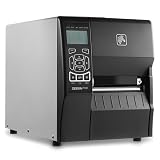
Zebra ZT230 4″ Thermal Industrial Printer
- INK FREE PRINTING: The Zebra ZT230 uses thermal transfer technology with a ribbon, eliminating ink or toner costs, perfect for affordable label printing in warehouses or...
- SHARP LABELS WITH HIGH CLARITY: With a 203 DPI resolution and 4-inch print width, this industrial printer delivers crisp barcodes and labels, ideal for shipping...
- FAST PRINTING FOR BUSY WORK SPACES: Printing at 4 inches per second, the ZT230 handles high-volume tasks quickly, keeping your logistics or production lines moving...
- VERSATILE CONNECTIONS FOR EASY SETUP: Featuring USB, Serial, and Parallel ports, this printer connects effortlessly to your systems, making integration simple for any...
- RUGGED BUILD WITH CLEAR LCD SCREEN: Designed with a durable all-metal frame and a user-friendly LCD screen, the ZT230Z ensures long-lasting use and easy operation in...
The Zebra ZT230 4″ Thermal Industrial Printer is designed to meet the demands of busy retail and industrial settings. It delivers reliable, high-clarity labels without the need for ink or toner, using efficient thermal transfer printing. This helps reduce downtime and simplifies your printing process.
Its compact yet rugged all-metal frame ensures the printer withstands harsh environments while fitting into tight spaces. The printer handles a variety of media types smoothly, making it versatile for many labeling tasks. Maintenance is straightforward, with a large ribbon capacity and a user-friendly LCD interface to keep operations running with minimal interruptions.
Connectivity options are broad, including USB, serial, parallel, and Ethernet ports. This flexibility allows seamless integration into existing systems. Printing sharp 4-inch-wide labels at 203 dpi and 4 inches per second strikes a good balance between quality and speed for most industrial needs.
While the printer is limited to monochrome output and weighs nearly 60 pounds, its durability and performance make it a strong choice for high-volume label printing where color is not required.
Best for: businesses and retail environments requiring durable, high-volume label printing with versatile connectivity and rugged design.
What We Like:
- Rugged all-metal construction for long-term durability
- Efficient thermal transfer printing for clear, sharp labels
- Multiple connectivity options for easy system integration
- Large ribbon capacity reduces maintenance frequency
- Compact design fits well in constrained spaces
Specification:
| Feature | Details |
|---|---|
| Manufacturer | Zebra Technologies |
| Print Width | 4 inches (10.16 cm) |
| Print Resolution | 203 dpi |
| Print Speed | 4 inches/second (10.16 cm/s) |
| Weight | ~60 lbs (27.2 kg) |
| Frame Material | All-metal |
| Connectivity | USB, Serial, Parallel, Ethernet |
Zebra ZT230 4-in Thermal Transfer Printer
- Easy to use: Connects via USB or serial and is compatible with thermal transfer rolls with a 1 in core, 6 in diameter and a max media width of 4.5 in
- Use with thermal ribbon: Prints using thermal transfer technology which uses a wax/resin ribbon instead of expensive ink or toner
- Enterprise grade quality: Designed for ease and performance, the ZT230 is ideal for manufacturing, transportation, healthcare and retail
- Save time and money: Prints 6 in/sec at 300 dpi, energy star approved, and on demand printing allows you to print exact quantities instead of wasting 8.5 x 11 sheets of...
- Ultra rugged: Equipped with an all-metal case for long-lasting use in the harshest environments
The Zebra ZT230 4-in Thermal Transfer Printer is designed to deliver reliable, high-quality barcode and label printing in demanding environments. Its 300 dpi resolution ensures sharp, clear prints that improve scanning accuracy and inventory management. With speeds up to 6 inches per second, it helps keep your workflow efficient and uninterrupted.
Built with a rugged all-metal case, this printer resists wear and tear from harsh retail or industrial settings. The durable design reduces downtime and maintenance needs, saving you time and effort. It supports thermal transfer ribbons, which create long-lasting labels resistant to smudging and fading.
Connectivity is versatile with USB, serial, and Ethernet options, making integration with existing systems straightforward. The intuitive LCD display simplifies operation and monitoring, streamlining daily tasks. Although this model is print-only and weighs 22 pounds, its robust construction and precision make it a dependable choice for consistent label production.
Best for: Retail and industrial businesses needing a durable, high-resolution thermal transfer printer for barcode and label printing.
What We Like:
- Rugged all-metal housing for durability in tough environments
- Sharp 300 dpi printing at up to 6 inches per second
- Multiple connectivity options: USB, serial, Ethernet
- Easy-to-use LCD display for straightforward control
Specification:
| Feature | Description |
|---|---|
| Manufacturer | Zebra |
| Print Width | 4 inches |
| Print Resolution | 300 dpi |
| Print Speed | Up to 6 inches/second |
| Weight | 22 lb (10 kg) |
| Material | All-metal case |
| Connectivity | USB, Serial, Ethernet |
Zebra ZT231 Industrial Thermal Transfer Printer | Color Touch LCD | 4″
- SMALL FOOTPRINT, BIG ACCESS - Space-saving, compact design and bi-fold door that reduces the height needed to open your printer. Take the trouble out of media loading...
- INK FREE PRINTING - Advanced thermal transfer technology requires no ink or toner, perfect for printing labels, barcodes, and shipping documents with 203 DPI resolution...
- FLEXIBLE WIRELESS & WIRED CONNECTIVITY - Connect effortlessly to your network with versatile options including Wi-Fi, USB, Serial, and Ethernet. This industrial label...
- SEE STATUS AT A GLANCE, IN COLOR - Navigate easy-to-use menus and step-by-step wizards at a touch on the 4.3-in. full-color LCD touch display
- BUILT TOUGH - Designed with a durable metal frame and smart thermal system, the Zebra ZT231 runs reliably 24/7 in dusty or tough work spots, with no vents or fans to...
The Zebra ZT231 Industrial Thermal Transfer Printer offers a compact yet powerful solution for businesses needing reliable, high-speed label printing. Its durable metal frame and space-saving bi-fold door make it ideal for tight workspaces. This printer simplifies daily tasks with a bright 4.3-inch color touch LCD that guides users through media loading and settings using intuitive wizards and color-coded cues.
Designed to print sharp, monochrome labels up to 4 inches wide at speeds of 12 inches per second, it ensures fast and clear barcode and shipping tag production. Connectivity is versatile, including USB, Ethernet, Wi-Fi, and serial ports, which allows seamless integration with various systems. The printer’s user-friendly design reduces downtime and maintenance efforts, helping keep operations smooth.
While it excels in efficiency and durability, the ZT231 is limited to monochrome printing and narrower media widths, making it less suitable for color or wide-format label jobs. It focuses on essential printing functions without advanced automation or print-and-apply capabilities.
Best for: businesses and industrial users who require a compact, durable, and efficient thermal transfer printer for monochrome labels and barcodes.
What We Like:
- Compact footprint with space-saving bi-fold door
- Intuitive 4.3-inch full-color touch LCD for easy operation
- Multiple connectivity options including Wi-Fi and Ethernet
- Durable metal construction for demanding environments
Specification:
| Feature | Details |
|---|---|
| Manufacturer | Zebra |
| Dimensions (W×D×H) | Not specified |
| Weight | Not specified |
| Print Technology | Thermal Transfer |
| Max Print Width | 4 inches |
| Print Speed | Up to 12 inches per second |
| Display | 4.3-inch color touch LCD |
| Connectivity | USB, Ethernet, Wi-Fi, Serial Ports |
Zebra ZQ620 Wireless Thermal Label Barcode Printer
- LARGE COLOR DISPLAY: It’s easy to set up and maintain the ZQ62-AUWA0B0-00 Printer with its large display, user-friendly interface and easily customized menu. The...
- CONVERTIBLE DESIGN: The printer is built tough and lightweight and delivers all the features needed to maximize associate productivity and customer service. Store...
- MAXIMUM PRODUCTIVITY: With support for 802.11ac Wi-Fi and its latest security protocols, the ZQ62-AUWA0B0-00 printer offers the fastest, most dependable wireless...
- SUPERIOR POWER MANAGEMENT: This printer features the highest battery capacity in it's class with a 3250 mAH battery to ensure associates have plenty of power for every...
- ADVANCED PLATFORM GROWS WITH YOUR BUSINESS: The printer is powered by Link-OS operating system, and Print DNA, a combination of productivity, management, development and...
The Zebra ZQ620 Wireless Thermal Label Barcode Printer is designed to keep pace with demanding work environments. It delivers crisp, direct thermal printing with a 2.83-inch print width, ensuring clear labels every time. This printer helps streamline labeling tasks, reducing downtime in busy retail or field settings.
With robust wireless connectivity options like dual-band Wi-Fi and Bluetooth, plus a USB port, it adapts easily to various workflows. Its rugged, lightweight design withstands the rigors of on-the-go use, while the 3250 mAh battery lasts through an entire shift, eliminating frequent recharges.
Maintenance is straightforward thanks to the direct thermal technology, which requires no ink or toner. The user-friendly color display simplifies operation, making it accessible for users with different technical backgrounds. This printer is ideal for businesses needing reliable, fast label printing in dynamic environments.
The main limitation is its monochrome output and maximum print width of 2.83 inches, which may not meet all labeling needs. However, its advanced features justify the higher price compared to basic models.
Best for: Professionals and businesses requiring a durable, fast, wireless label printer for retail or mobile applications.
What We Like:
- Fast, clear direct thermal printing at up to 4.53 inches per second
- Multiple connectivity options including dual-band Wi-Fi and Bluetooth
- Rugged, lightweight design with long-lasting 3250 mAh battery
- Simple maintenance with no ink or toner needed
- Easy-to-use color display for smooth operation
Specification:
| Feature | Details |
|---|---|
| Manufacturer | Zebra Technologies |
| Print Width | 2.83 inches (72 mm) |
| Print Speed | Up to 4.53 inches per second |
| Connectivity | Dual-band Wi-Fi, Bluetooth, USB |
| Battery Capacity | 3250 mAh |
| Weight | Lightweight design |
Factors to Consider When Choosing a Barcode Printer for Retail Businesses

When choosing a barcode printer for your retail business, you’ll want to focus on print quality and resolution to make certain clear labels. Consider the connectivity options, media compatibility, and size to match your setup and label needs.
Don’t forget to evaluate speed, efficiency, and durability to keep your operations running smoothly. Picking the right printer can really make a difference in how fast and easy your labeling process goes. So, take your time and think about what features matter most to you.
Print Quality and Resolution
Print quality plays a crucial role in guaranteeing your barcodes scan quickly and accurately. You’ll want to choose a printer resolution that matches your barcode density—203 dpi suits standard retail barcodes, while 300 dpi or higher is best for small, dense codes and fine text.
Keep in mind, higher resolution enhances scanability but may slow print speeds and increase file sizes. Maintaining a clean thermal printhead and using compatible label stock and ribbons guarantees sharp edges and strong contrast throughout long print runs.
Always check both horizontal and vertical dpi specs and test prints with your scanners to confirm reliable decoding. Also, factor in environmental conditions like heat or abrasion, which might require thermal-transfer ribbons or higher-density prints for durable, legible barcodes.
Connectivity Options Available
Achieving sharp, scannable barcodes depends not only on print quality but also on how your barcode printer connects to your retail system. If you’re running a small setup, USB offers a straightforward, low-latency link ideal for a single workstation.
For store-wide integration, Ethernet is your best bet. It lets multiple devices share a printer with stable, high-volume throughput.
Wi-Fi grants wireless flexibility but demands good signal strength and security to prevent delays. Bluetooth suits quick, mobile POS pairing but struggles with range and multi-user access.
Legacy ports like serial or parallel still exist for older systems, but their slower data rates and rarity make them less practical now. Choosing the right connectivity guarantees smooth operation and efficient labeling tailored to your retail environment.
Media Compatibility and Size
Since each retail business has unique labeling needs, selecting a barcode printer that handles the right media type and size is essential. Make certain the printer supports the media you use, whether direct thermal labels, thermal transfer with ribbons, or receipt paper. Each type affects durability and print longevity differently, so it’s important to choose wisely.
Check the printer’s max and min printable width and length to fit your label sizes—like 2–4 inches for shelf labels or larger for shipping tags. Also, confirm compatibility with your label roll’s core and outer diameter to avoid reloading hassles.
Don’t forget to verify the printable resolution, especially if you’re using special substrates like coated or synthetic labels. This helps ensure your labels stay scannable and durable over time.
Finally, think about whether you need linered or linerless labels. Accessories like peel-off features or cutters can make a big difference in keeping your workflow smooth and efficient.
Speed and Efficiency
After ensuring your barcode printer handles the right media types and sizes, it’s important to focus on speed and efficiency to keep your retail operations running smoothly. Choose a printer with a print speed that fits your volume—typically 4–6 inches per second for moderate use and faster for peak periods.
Don’t overlook both label-per-minute capacity and warm-up times, as slow starts hurt short, frequent jobs. Make sure the printer’s duty cycle and monthly volume ratings exceed your peak needs to prevent overheating.
Also, consider interface speed (USB, Ethernet, Wi‑Fi) and onboard processing power to avoid data bottlenecks. Finally, features like peel-and-present, cutters, and large-roll support can boost operator efficiency and minimize downtime in fast-paced retail environments.
Durability and Build
Durability plays a critical role when choosing a barcode printer for retail businesses, as your equipment needs to withstand constant use and occasional mishaps. Opt for printers with all-metal frames or reinforced housings—they resist drops, vibration, and nonstop operations typical in retail environments.
Check for continuous-duty cycle ratings and high mean time between failures (MTBF) to guarantee reliability during busy hours. Environmental protections like dust and moisture resistance (IP ratings) matter if your printer operates near loading docks or outdoor points of sale.
Prioritize models with long-life components such as high-capacity platen rollers and printheads rated for millions of inches, reducing maintenance needs. Also, look for easy serviceability features like modular parts and quick-access replacements to keep your printer running smoothly with minimal downtime.
Frequently Asked Questions
How Do Barcode Printers Integrate With Retail Inventory Software?
You connect barcode printers to your inventory software via USB or network. The software sends product data to the printer, letting you generate labels instantly.
This keeps your stock updated and streamlines sales and tracking processes efficiently. It’s a simple setup that really helps keep things running smoothly.
What Maintenance Is Required for Barcode Printers in High-Volume Stores?
You’ll want to clean printheads weekly, change ribbons and labels like clockwork, and keep sensors dust-free—unless you enjoy blurry barcodes and customer confusion.
Regular calibration and software updates keep your printer from staging a rebellion.
Can Barcode Printers Handle Custom Label Sizes and Designs?
Yes, barcode printers can handle custom label sizes and designs. You’ll just need to configure the printer settings and design your labels using compatible software.
This flexibility helps you create tailored labels that fit your specific needs. It’s pretty handy when you want something unique or specific to your business.
Are There Eco-Friendly Barcode Printing Options Available?
Yes, you can find eco-friendly barcode printers that use soy-based inks and recyclable materials. These options reduce waste and energy consumption, letting you print labels sustainably without sacrificing quality or efficiency in your retail business operations.
It’s pretty cool how you can go green without giving up performance. Plus, using these printers shows your commitment to the environment, which customers really appreciate nowadays. So, it’s a win-win!
How Does Barcode Printing Speed Affect Checkout Efficiency?
Faster barcode printing speeds help you reduce wait times, keeping checkout lines moving smoothly. When printers work quickly, you can serve customers efficiently, boosting satisfaction and preventing bottlenecks during busy retail hours.
It’s all about keeping things flowing. Nobody likes standing in a long line, right? Quick printing means quicker checkouts, which makes everyone happy.
Conclusion
Choosing the right barcode printer isn’t just about functionality—it’s about making your retail business run smoother behind the scenes.
With options like the Zebra ZT231’s color touch LCD or the wireless freedom of the ZQ620, you’re not just buying a device; you’re investing in peace of mind.
So, take a moment to weigh your needs carefully—you deserve a solution that quietly supports your success without any unnecessary noise.
When selecting the best barcode printer for retail, think about durability, ease of use, and connectivity options. A reliable printer can streamline inventory management and speed up checkout processes, boosting overall efficiency.
Remember, the right barcode printer is more than just hardware; it’s a key tool that helps your retail business thrive in a competitive market. Choose wisely for the best barcode printer that fits your specific needs and watch your business run smoother than ever.